Managers overseeing large hourly teams can drown in routine time approvals, letting real issues slip through. Exception-based time approval flips the model: only flagged timesheets reach a manager. This step-by-step guide shows how to configure it in Workday, and how CloudApper hrPad keeps source data clean so only true exceptions surface.

Table of Contents
- What Is Exception-Based Time Approval?
- Why Manager Approval Overload Happens
- The Business Impact of Reviewing Everything
- How to Set Up Exception-Based Time Approvals in Workday
- Best Practices for Exception-Based Approvals
- How CloudApper Enhances Exception-Based Approvals in Workday
- Example Workflow Scenario
- Frequently Asked Questions
Most enterprise software was designed to record what happened, not to decide what needs a human’s attention next. Nowhere is that gap more visible than in time approval. A manager overseeing 80 hourly employees can open a Monday morning to dozens of approval notifications, and the overwhelming majority of them describe someone who showed up on time, worked their scheduled hours, and did nothing that needs a second look.

When every timesheet demands the same click, the ones that actually matter — the missed punch, the surprise overtime, the shift that ran four hours long — get the same attention as the ones that don’t. Approvals become a rubber stamp. And a rubber stamp is not a control.
Exception-based time approval changes that. Instead of asking managers to review everyone, it asks them to review only what looks wrong. This guide explains how to set it up in Workday, where the native tools take you, and how organizations running large hourly workforces streamline the process even further.
What Is Exception-Based Time Approval?
Exception-based time approval is a workflow model where managers approve only the time entries that trigger a defined rule or anomaly, rather than reviewing every submitted timesheet. Routine, compliant entries pass through automatically. Irregular ones — early or missed punches, overtime, hours outside a scheduled shift, or gaps against a schedule — are surfaced for review.
The goal is simple: focus scarce management attention on the small percentage of records that carry real payroll, compliance, or labor cost risk.
This model matters most for organizations with large hourly and shift-based workforces — healthcare systems, manufacturing plants, retailers, and logistics operations — where a single manager may be responsible for validating time across dozens or hundreds of employees every pay period.
Why Manager Approval Overload Happens
The challenge is rarely the software. It is the volume and the shape of the work.
- High employee-to-manager ratios. In hourly environments, one supervisor often covers a large team, so approval queues fill quickly.
- Every entry is treated equally. Without filtering, a perfect timesheet and a problematic one arrive in the same queue with the same urgency.
- Notifications pile up across channels. Approval alerts land in Workday inboxes, mobile notifications, and email, and the routine ones drown out the important ones.
- Source data isn’t always clean. When clock-in and clock-out data arrives with errors, gaps, or missing context, managers spend approval time investigating instead of deciding.
The result is predictable. Managers either fall behind, which delays payroll, or approve in bulk without real review, which defeats the purpose of the control.
The Business Impact of Reviewing Everything
| Impact Area | What It Looks Like |
|---|---|
| Payroll delays | Approval backlogs push against payroll deadlines, forcing rushed or blanket approvals. |
| Compliance exposure | Unplanned overtime and meal-break issues get approved without scrutiny, creating labor-law and audit risk. |
| Labor cost leakage | Overtime that should have been flagged and questioned is paid without review. |
| Manager burnout | Time spent clicking through routine approvals is time not spent leading the team or serving customers. |
| Weak audit trail | Bulk approvals with no meaningful review leave gaps when auditors ask who verified what, and why. |
For a high-volume hourly workforce, these are not edge cases. They are the everyday cost of a review model that does not distinguish signal from noise.
How to Set Up Exception-Based Time Approvals in Workday
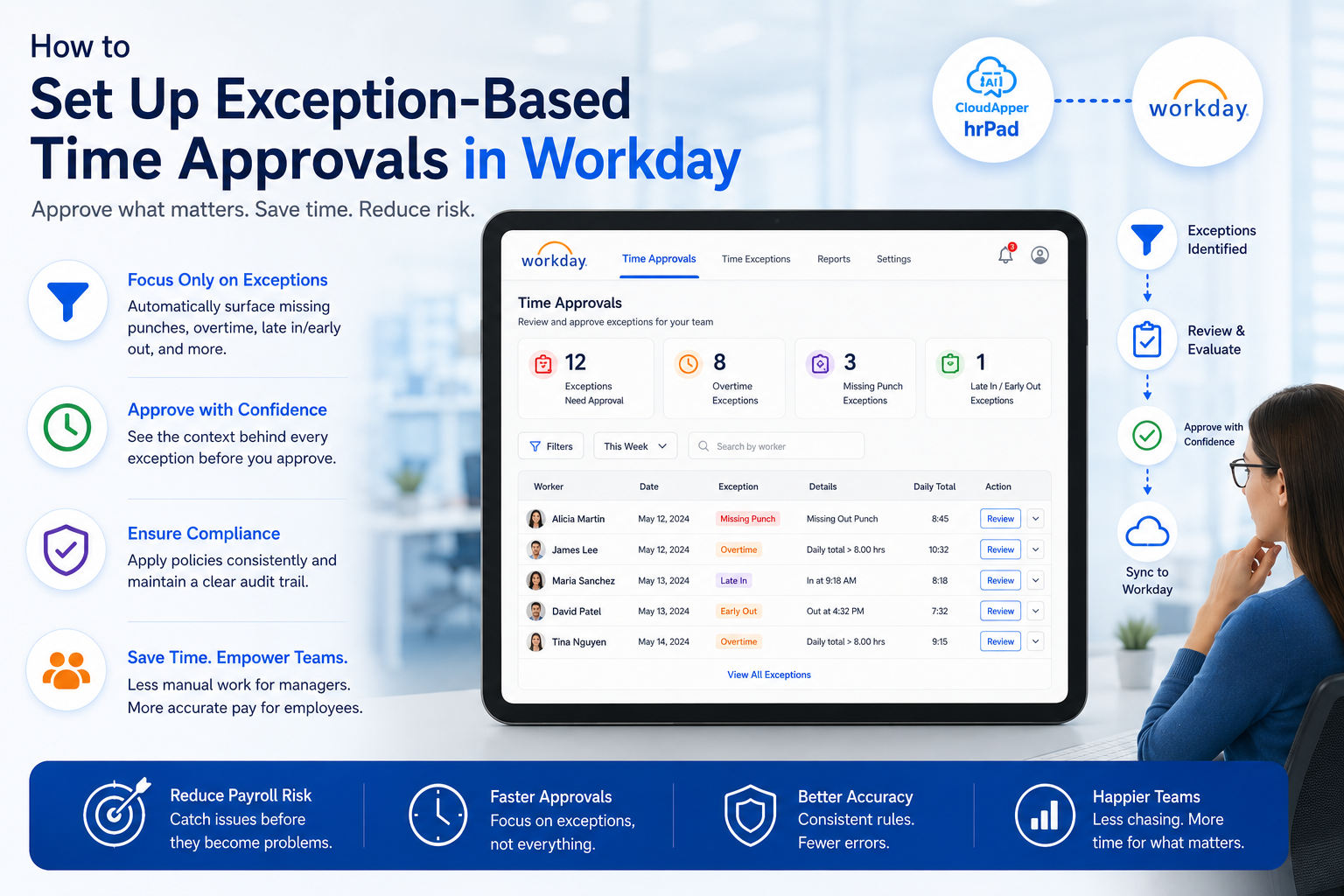
Workday Time Tracking includes exception management that automatically highlights irregular time entries, and managers can review, edit, approve, or send back time individually or through mass approval. Here is how to structure an exception-based approach using these capabilities.
Step 1: Define What Counts as an Exception
Before configuring anything, agree on which conditions genuinely require a manager’s judgment. Common examples for hourly workforces include:
- Unplanned or unauthorized overtime
- Missed or incomplete punches (a clock-in with no clock-out)
- Hours worked outside a scheduled shift
- Time that exceeds a daily or weekly threshold
- Missing or short meal breaks where required by policy
Keep the list disciplined. If too many conditions qualify as exceptions, you recreate the overload problem you are trying to solve.
Step 2: Configure Time Calculations and Validations
Use Workday’s time calculations to evaluate entries automatically — calculating overtime, comparing worked time against schedules, and flagging entries that break your defined rules. Validations can warn on or prevent entries that fall outside acceptable ranges. Together, these ensure most compliant time is processed without manual intervention.
Step 3: Route Exceptions Through Business Process Rules
Configure your time approval business process so that clean, rule-compliant time follows a streamlined path, while flagged entries route to the responsible manager for review. This is where the “exception-based” model becomes real: the workflow itself decides what needs a human.
Step 4: Tier Your Notifications
Not every exception deserves the same alarm. Establish tiers so managers can triage quickly:
- Informational — approaching a threshold; visibility only.
- Action needed — an exception that requires review before payroll.
- Critical / payroll-blocking — an issue that will stop pay if unresolved.
Each tier should have a clear owner and a clear next step.
Step 5: Use Review Time and Mass Approval Deliberately
Workday’s Review Time task lets managers see and act on time across their team in one place. Use it to approve verified routine time efficiently while giving flagged exceptions individual attention. The point is not to approve faster blindly — it is to spend your review time where it counts.
Step 6: Verify Your Source Data
Exception-based approval only works if the underlying clock data is trustworthy. If entries arrive with missing punches or no context, everything looks like an exception. Clean capture at the point of clock-in is the foundation the entire model rests on.
Best Practices for Exception-Based Approvals
- Start narrow, then expand. Begin with two or three high-value exception types and add more once the workflow is proven.
- Review exceptions by pattern, not just by instance. Recurring missed punches from one location may point to a training or process gap, not individual error.
- Assign clear ownership. Every exception tier needs a named owner so nothing sits unresolved against a payroll deadline.
- Validate at the source. The cleaner the clock data entering Workday, the fewer false exceptions managers chase.
- Measure the result. Track approval time per manager and the ratio of exceptions to total entries. A healthy exception-based model surfaces a small, meaningful fraction of records.
How CloudApper Enhances Exception-Based Approvals in Workday
Here is the truth most time-tracking conversations avoid: the quality of an approval is only as good as the data underneath it. Exception-based approval assumes the routine entries are genuinely clean and the flagged ones are genuinely worth a manager’s time. When source data is messy, that assumption breaks, and managers are back to investigating everything.
This is the gap CloudApper closes. hrPad, CloudApper’s AI-powered time capture and employee self-service solution, sits between your workforce and Workday and validates time data at the moment it is created — not hours later in an approval queue.
Running on tablets, iPads, or mobile devices, hrPad captures accurate clock-in and clock-out data through facial recognition, QR code, or PIN, applies front-end validation before that data ever reaches Workday, and feeds a real-time dashboard that shows managers who is onsite, late, or missing as it happens. Employees can request PTO and confirm shifts directly, so context arrives attached to the record instead of chased down after the fact. Because it integrates with Workday Time Tracking, the clean, validated data flows straight into the system of record your team already runs on.
The effect on approvals is direct: when the routine data is trustworthy and the anomalies are already surfaced with context, an exception-based dashboard filters out normal behavior and leaves managers with only the records that need a decision. Manual review shrinks. Payroll moves on time. And the control becomes real again instead of a rubber stamp.
What this makes possible goes beyond the approval queue. Organizations with large hourly workforces can scale their teams without scaling the administrative burden on managers. Supervisors get their time back for the work that actually needs them. And the people those organizations serve — patients, customers, students — are supported by a workforce whose leaders are leading, not clicking through timesheets.
Example Workflow Scenario
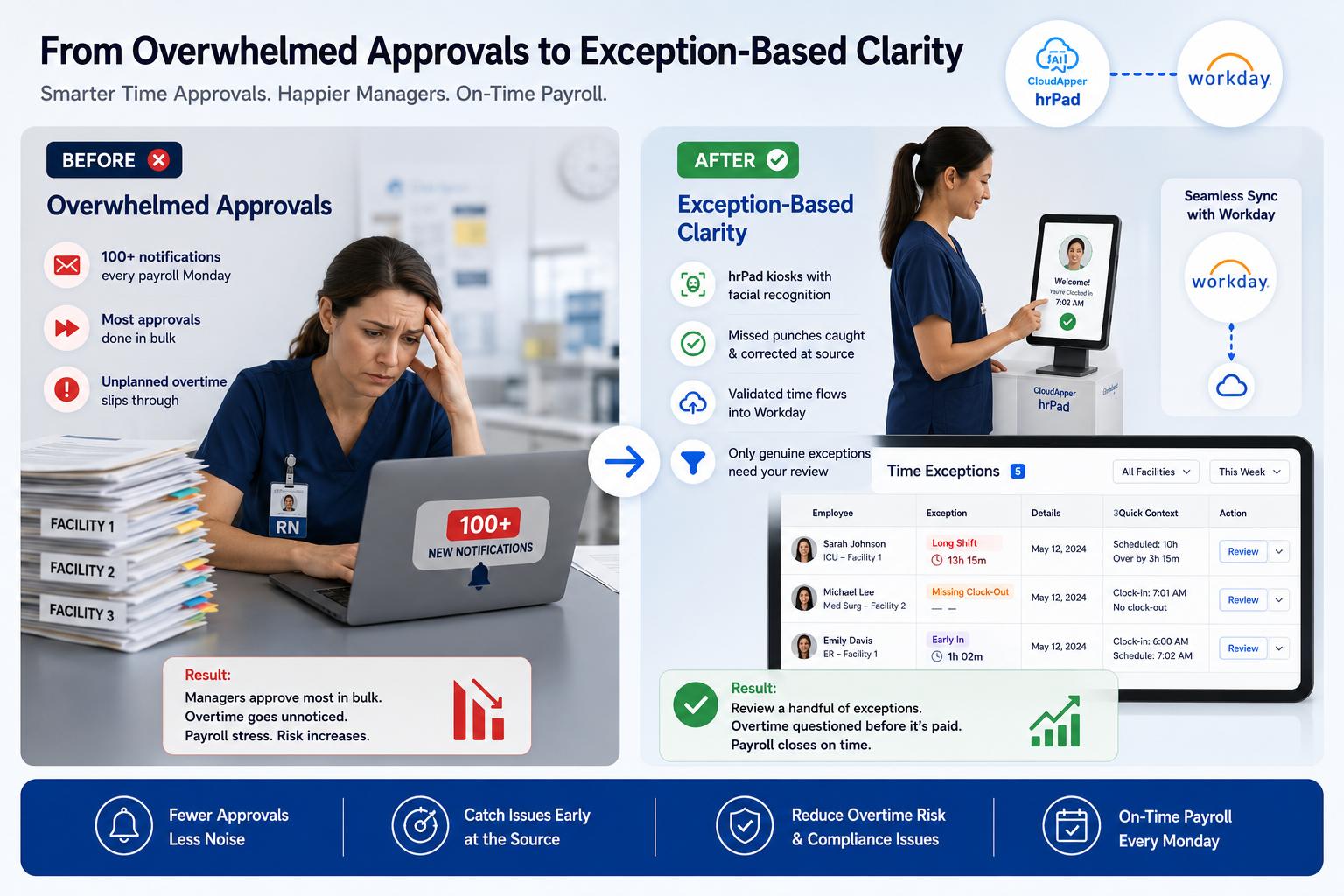
Before: A regional healthcare provider runs 450 hourly staff across three facilities. Each nurse manager receives every timesheet for approval. On payroll Mondays, managers face 100+ notifications, approve most in bulk to hit the deadline, and unplanned overtime slips through unquestioned.
After: Staff clock in and out through hrPad kiosks using facial recognition. Missed punches are caught and corrected at the source. Validated routine time flows into Workday and clears automatically. Only genuine exceptions — a shift that ran three hours long, a missing clock-out — appear on the manager’s exception dashboard, each with the context needed to decide in seconds. Managers review a handful of records instead of a hundred. Overtime is questioned before it is paid. Payroll closes on time.
Frequently Asked Questions
What is exception-based time approval in Workday?
It is an approval model where managers review only time entries flagged by defined rules or anomalies — such as overtime, missed punches, or hours outside a schedule — instead of approving every timesheet. Workday’s time calculations, validations, and exception management make this possible.
Can Workday flag time exceptions automatically?
Yes. Workday Time Tracking includes exception management that highlights irregular time entries, along with time calculations and validations that evaluate entries against your rules so routine time can process while anomalies are surfaced for review.
How do I reduce time approval notifications for managers?
Define a disciplined set of exception conditions, route only flagged entries to managers, tier your notifications by urgency, and ensure the underlying clock data is clean so managers aren’t chasing false exceptions. Validating time at the point of capture removes much of the noise.
Does CloudApper replace Workday for time tracking?
No. CloudApper hrPad complements Workday. It captures and validates time data at the source and enhances visibility, then feeds clean data into Workday Time Tracking, which remains your system of record.
Which industries benefit most from exception-based approvals?
Organizations with large hourly and shift-based workforces see the most benefit — healthcare, manufacturing, retail, and logistics — where high employee-to-manager ratios make reviewing every timesheet impractical.
What is CloudApper AI Platform?
CloudApper AI is an advanced platform that enables organizations to integrate AI into their existing enterprise systems effortlessly, without the need for technical expertise, costly development, or upgrading the underlying infrastructure. By transforming legacy systems into AI-capable solutions, CloudApper allows companies to harness the power of Generative AI quickly and efficiently. This approach has been successfully implemented with leading systems like UKG, Workday, Oracle, Paradox, Amazon AWS Bedrock and can be applied across various industries, helping businesses enhance productivity, automate processes, and gain deeper insights without the usual complexities. With CloudApper AI, you can start experiencing the transformative benefits of AI today. Learn More
- Useful Links:
- Agentic AI
- No-Code/Low-Code
- Custom Software
- HCM Personalization
- iPaaS
- FedRAMP

Brochure
CloudApper hrPad
Empower Frontline Employees with an AI-Powered Tablet/iPad Solution
Download Brochure
CloudApper AI Solutions for Workday



- Works with








- and more.
Similar Posts
How to Prevent Duplicate Worker and Pre-Hire Records in Workday…
How to Handle Offline Time Punches in Workday During Connectivity…