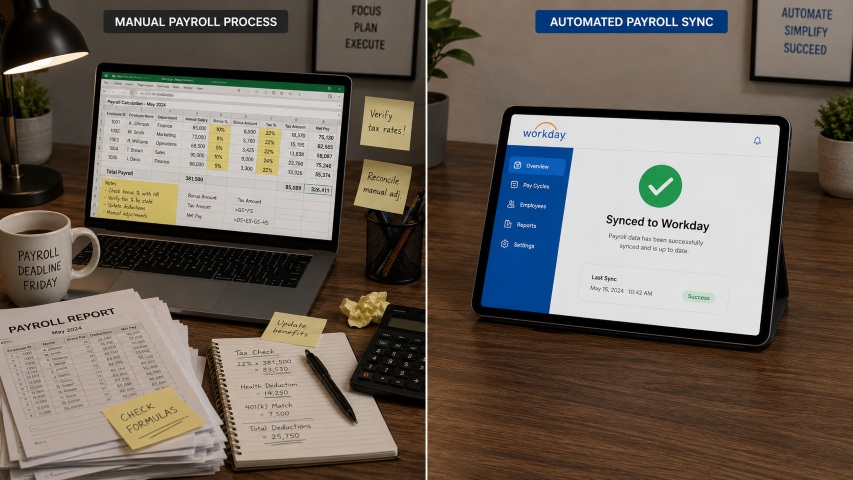
Frontline employees rarely sit at a desk — yet they still need HR. An employee self-service kiosk puts scheduling, leave requests, timekeeping, and policy answers directly on the shop floor, 24/7. This guide covers how AI-powered HR kiosks work, what features matter most, and which industries benefit most.

Table of Contents
- What Is an Employee Self-Service Kiosk?
- Why Frontline Employees Need HR Self-Service Kiosks
- Key Features to Look for in an HR Self-Service Kiosk
- The Role of AI in Modern HR Kiosks
- How Different Industries Are Using Employee Self-Service Kiosks
- Benefits of Implementing an Employee Self-Service Kiosk
- CloudApper hrPad: AI-Powered HR Kiosk for Frontline Teams
- Frequently Asked Questions
- Conclusion
- Key Takeaways
Managing a frontline workforce — nurses, warehouse operatives, retail staff, hotel teams — is fundamentally different from managing desk-based employees. These workers rarely sit in front of a computer, rarely have a corporate email address, and rarely get the chance to step into an HR office during business hours. Yet they still need to check their schedules, request time off, review pay information, and get answers to HR questions, often at 2 a.m. or between shifts on a busy factory floor.
An employee self-service kiosk solves exactly that problem. By placing a dedicated HR touchpoint directly on the shop floor, in a break room, or at a factory entrance, organizations give every employee — regardless of role, shift, or technical ability — instant access to the HR services they need. When that kiosk is powered by artificial intelligence, it goes further still, handling complex queries, automating compliance checks, and integrating live data from your existing HR systems.
This guide explains everything HR leaders, operations directors, and IT decision-makers need to know about employee self-service kiosks: how they work, what to look for, which industries benefit most, and how AI is redefining what these systems can do.
Quick answer: Is a self-service kiosk an application of AI?
Yes. Modern HR self-service kiosks increasingly use artificial intelligence — including natural language processing, machine learning, and predictive analytics — to understand employee queries, automate responses, flag compliance risks, and personalise the experience. AI transforms a kiosk from a simple information screen into an always-on HR assistant.
What Is an Employee Self-Service Kiosk?
An employee self-service kiosk is a dedicated digital terminal — typically a wall-mounted screen, a freestanding unit, or a tablet device — that allows employees to manage their own HR tasks without contacting the HR department directly. Rather than queuing to speak with an HR officer or waiting for an email response, employees interact with the kiosk to complete tasks in seconds.
In early iterations, these kiosks were essentially digital noticeboards: static screens displaying shift rosters or policy documents. Today’s AI-powered HR kiosks are dramatically more capable. They connect in real time to Human Capital Management (HCM) platforms, authenticate users with facial recognition or PIN, answer freeform questions through conversational AI, and push data directly back into payroll and scheduling systems.
The result is a self-contained HR hub that operates around the clock, handles hundreds of simultaneous interactions, and never calls in sick.
Why Frontline Employees Need HR Self-Service Kiosks
The case for HR kiosks is strongest where the distance between employees and HR is greatest. Frontline workers — those in manufacturing, healthcare, retail, logistics, and hospitality — typically account for the majority of an organisation’s headcount, yet they are the least served by traditional HR infrastructure.
Consider the practical realities. A nurse finishing a night shift at 7 a.m. cannot easily call HR to query a pay discrepancy. A warehouse operative on a rotating four-on, four-off pattern may never overlap with normal office hours. A hotel housekeeper who speaks English as a second language may struggle to navigate a corporate intranet. For these employees, the gap between their HR needs and the organisation’s ability to meet them is wide — and it costs organisations dearly.
Workforce research insight
Research by Towers Watson found that employees with access to self-service HR tools report measurably higher job satisfaction, citing greater autonomy, faster resolution of queries, and reduced frustration with administrative delays.
High turnover among frontline workers is one of the most expensive operational challenges facing organisations today, with replacement costs estimated at between 30% and 150% of annual salary depending on the role. Poor access to HR support is consistently cited as a contributing factor. Self-service kiosks address this directly by removing friction, reducing wait times, and making employees feel supported rather than overlooked.
Key Features to Look for in an HR Self-Service Kiosk
Not all employee self-service kiosks are created equal. The difference between a system that genuinely improves workforce management and one that gathers dust in a break room often comes down to a handful of critical features. Here is what to evaluate before making a decision.
Intuitive, Role-Appropriate Interface
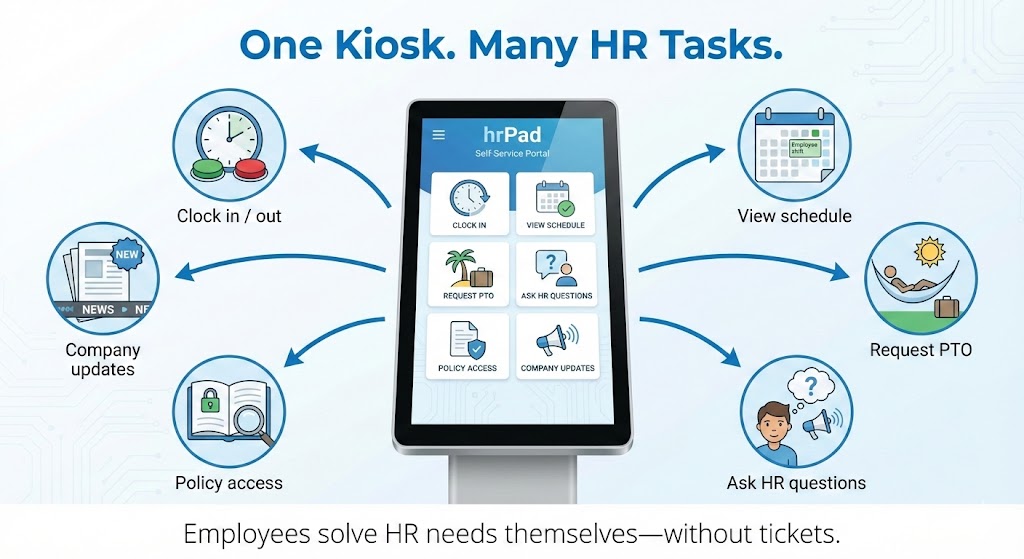
A kiosk is only useful if employees actually use it. The interface must be clean, logical, and operable with minimal training. Employees should be able to clock in, check their schedule, request PTO, or submit a query within three or four taps. Solutions like CloudApper hrPad are built on familiar tablet hardware — the same devices employees use in their personal lives — which dramatically reduces the adoption barrier.
Multi-Layer Security and Authentication
HR kiosks handle sensitive personal data, including pay records, absence history, and personal details. Robust security is non-negotiable. Look for systems that support multiple authentication methods — facial recognition, QR code scanning, PIN entry — and include automatic session timeouts and encrypted data transmission. Facial recognition in particular eliminates buddy punching, where one employee clocks in on behalf of another, which the American Payroll Association estimates costs organisations up to 2.2% of gross payroll annually.
Real-Time Integration with Existing HCM Systems
A kiosk that operates as an isolated island of data creates more problems than it solves. The right solution integrates directly and in real time with your existing payroll, time-and-attendance, and HR management platforms. This means that when an employee requests annual leave through the kiosk, the request flows automatically into your HCM system — no manual re-entry, no risk of discrepancy, no delay. Leading platforms like CloudApper hrPad connect natively with UKG, ADP, Oracle HCM, SAP SuccessFactors, Workday, Ceridian Dayforce, Paycom, BambooHR, and PeopleSoft.
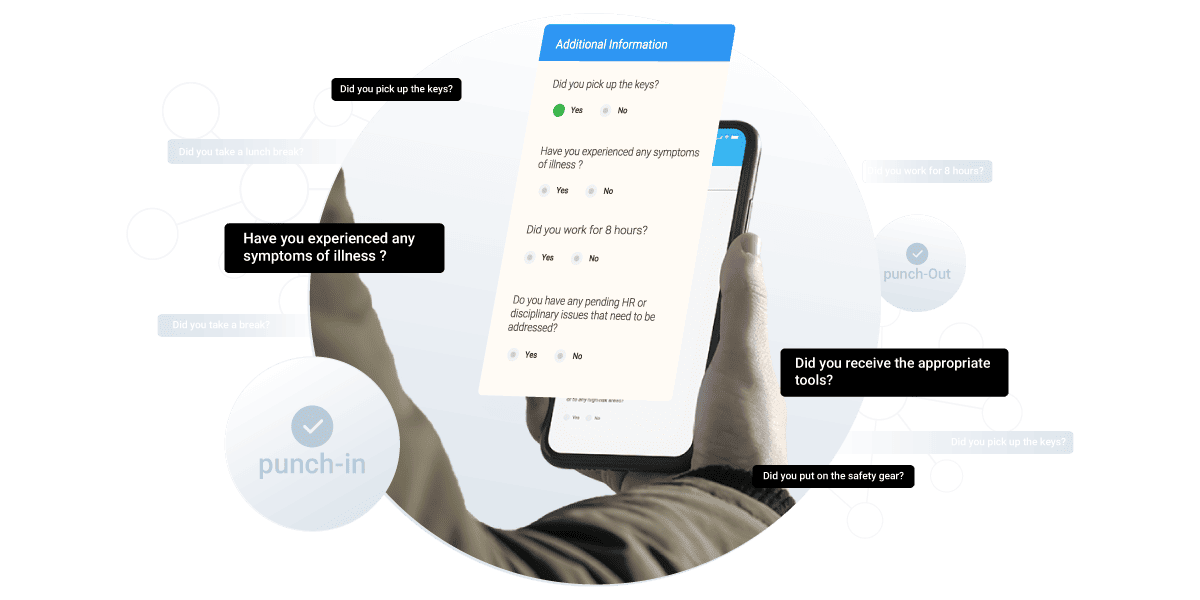
24/7 Availability for Shift-Based Teams
A kiosk that is only accessible during business hours provides limited value to a workforce that operates around the clock. Genuine 24/7 availability — with consistent performance across all shifts — is a baseline requirement for any organisation with non-standard working patterns.
AI-Powered Query Handling
This is where modern HR kiosks diverge most significantly from their predecessors. An AI-enabled kiosk can understand natural language questions — typed or spoken — and provide accurate, contextually relevant responses drawn from your organisation’s own HR policies and data. Rather than navigating menu trees, an employee can simply ask ‘How many holiday days do I have left?’ or ‘What is the procedure for reporting an absence?’ and receive an immediate, accurate answer.
Customisation and Scalability
Every organisation has unique policies, workflows, and workforce structures. A kiosk solution should be configurable to reflect your specific overtime rules, PTO accrual policies, job transfer protocols, and branding. Equally, it should scale gracefully from a single site to a multi-location enterprise without requiring significant additional investment or technical effort.
Multilingual Support
In industries with diverse workforces, language barriers can undermine adoption. A kiosk that supports multiple languages — and defaults to the employee’s preferred language automatically — ensures that every team member can access the same level of service, regardless of their linguistic background.
Employee Engagement and Feedback Tools
The most forward-thinking HR kiosk deployments extend beyond transactional tasks. Pulse surveys, policy acknowledgements, training confirmations, and wellbeing check-ins turn the kiosk into a two-way communication channel, giving HR teams real-time insight into workforce sentiment directly from the frontline.
The Role of AI in Modern HR Kiosks
Artificial intelligence is not a bolt-on feature in the best employee self-service kiosks — it is the engine that makes them genuinely useful at scale. Understanding what AI actually does in this context helps HR and IT leaders make more informed decisions.
Natural Language Processing for HR Queries
Traditional kiosks required employees to navigate fixed menus. AI-powered systems understand conversational input. An employee can type or say ‘I need to swap my Thursday shift’ or ‘Can I take next Friday off?’ and the system understands the intent, checks the relevant policies, verifies availability, and initiates the appropriate workflow — all without human intervention.
Custom Training on Your Compliance Documents
One of the most powerful capabilities of modern AI kiosks is the ability to train the underlying model on your organisation’s specific compliance documentation, HR policies, and local labour regulations. When an employee or HR professional asks a compliance question, the AI answers based on your actual policies — not generic internet information. Complex legal language is translated into plain, conversational responses that are accurate, consistent, and defensible.
Automated Compliance Monitoring
Labour law compliance is a persistent headache for HR teams, particularly in organisations where employees work varied hours across multiple sites. AI can monitor working hours, flag potential violations of mandatory break requirements, track overtime thresholds, and generate compliance reports automatically. This shifts compliance from a reactive, audit-driven process to a proactive, continuously monitored one.
Predictive Analytics and Data-Driven Insight
Beyond day-to-day task management, AI analyses patterns across workforce data to surface actionable insights. Which departments have the highest rates of last-minute absence requests? Which shift patterns correlate with increased turnover? Which roles have the longest time-to-fill? These insights — previously buried in spreadsheets and manual reports — become immediately accessible to HR directors and operations leaders, enabling better strategic decisions.
How Different Industries Are Using Employee Self-Service Kiosks
The benefits of HR self-service kiosks are not confined to one sector. Across industries where frontline or shift-based workforces are the norm, organisations are finding meaningful operational improvements from thoughtful kiosk deployments.
Retail
Retail environments present significant HR complexity: large volumes of part-time and seasonal staff, multiple store locations, highly variable shift patterns, and high baseline turnover. Employee self-service kiosks address all of these challenges simultaneously. Store associates can view their schedules, initiate shift swaps, check PTO balances, and clock in and out using facial recognition — all without manager involvement. This reduces the volume of routine queries landing on store managers and gives employees a greater sense of autonomy, both of which contribute to improved retention.
Healthcare
Hospitals, clinics, and care facilities operate continuously, often with rotating or overlapping shift patterns that create complex scheduling and compliance requirements. HR kiosks give clinical and support staff — nurses, technicians, porters, catering staff — instant access to their schedules, leave balances, and HR policies at any point in their working day. Automated compliance checks help ensure that mandatory rest periods are respected and that shift lengths comply with working time regulations, reducing the risk of costly violations.
Manufacturing and Logistics
For factories, warehouses, and distribution centres, accurate time tracking and job-costing are critical. HR kiosks support precise clock-in and clock-out, track time against specific job codes or cost centres, manage overtime calculations, and enforce geofencing to ensure employees are clocking in from approved locations. Where union agreements govern shift patterns and pay conditions, AI-powered compliance monitoring provides an additional layer of assurance.
Hospitality
Hotels, resorts, and food service businesses face a distinctive set of HR challenges: fluctuating demand, significant seasonal variation, diverse workforces, and high natural turnover. Self-service kiosks help by enabling tip tracking, supporting multilingual interactions, streamlining onboarding for new hires, and providing instant access to brand standards and operational checklists. New employees can complete induction processes, acknowledge policies, and access training modules through the kiosk — reducing the time-to-productivity and lowering the administrative burden on managers.
Benefits of Implementing an Employee Self-Service Kiosk
The business case for HR self-service kiosks is well-established across organisations of all sizes. The benefits span operational efficiency, compliance, employee experience, and cost — reinforcing each other in ways that make the return on investment compelling.
The most immediate impact is typically a significant reduction in routine HR enquiries. When employees can answer their own questions — about schedules, leave balances, pay, and policies — the volume of calls, emails, and walk-in visits to HR drops substantially, freeing HR professionals to focus on higher-value strategic work. Organisations that have deployed AI-powered kiosks consistently report HR teams spending less time on administrative queries and more time on talent development, workforce planning, and employee relations.

Accuracy improves alongside efficiency. Manual data entry is a persistent source of error in HR processes, and those errors have real consequences — incorrect pay, missed overtime, inaccurate leave records. When employees enter their own data through a kiosk that connects directly to the HCM system, the risk of transcription errors is eliminated. This is particularly important for compliance purposes, where accurate records are not just operationally useful but legally required.
Employee experience improves measurably when workers have genuine autonomy over their HR interactions. The ability to check a schedule at midnight, submit a leave request on a Sunday, or get an instant answer to a policy question without waiting for office hours signals to employees that the organisation respects their time and treats them as full participants in the workforce, not as administrative afterthoughts. This has a direct impact on engagement, satisfaction, and ultimately retention.
From a cost perspective, the investment in an HR self-service kiosk is typically recovered quickly. Reduced administrative overhead, lower compliance risk, and improved retention all contribute to a return on investment that organisations in retail, healthcare, and manufacturing have documented within the first twelve to eighteen months of deployment.
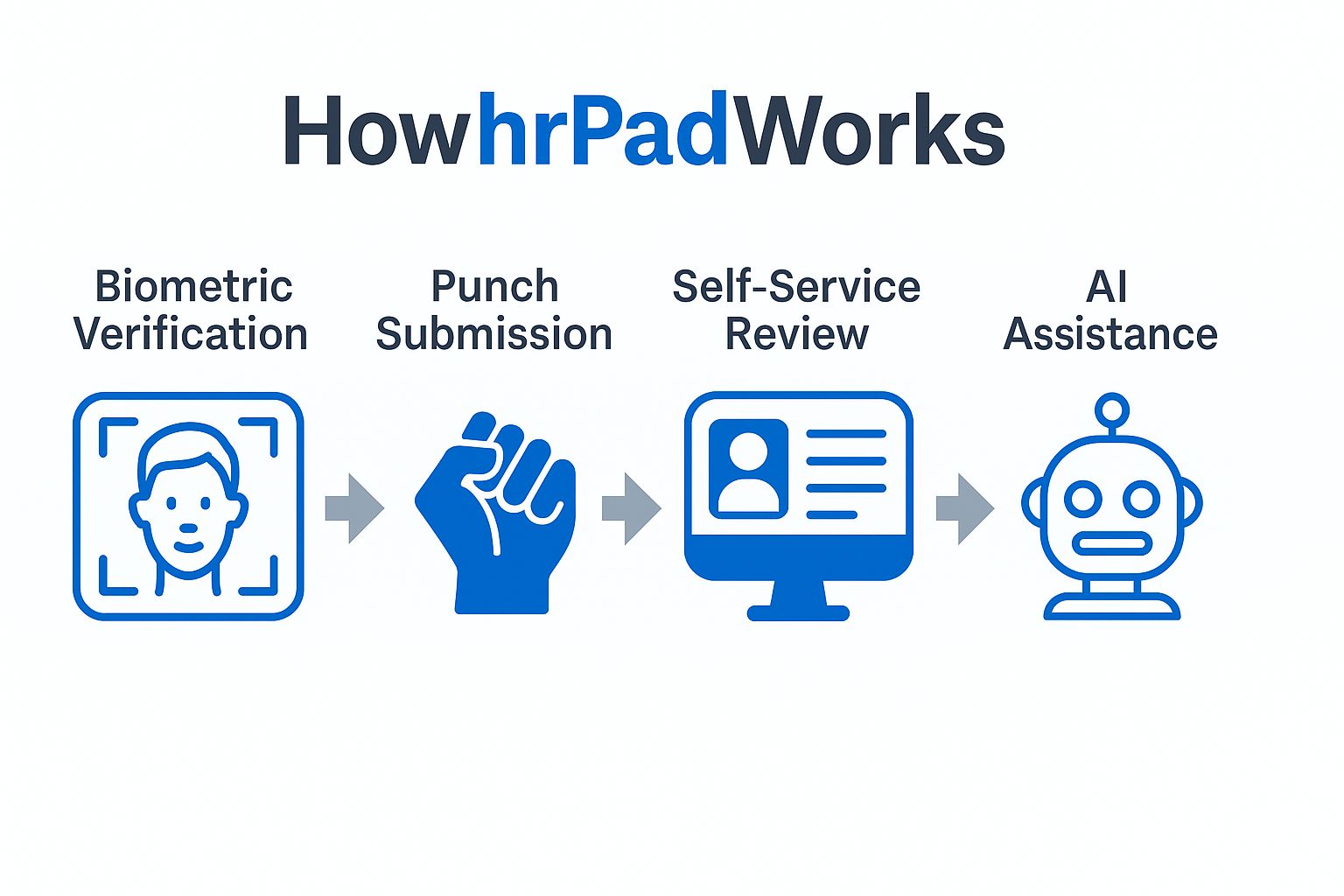
CloudApper hrPad: AI-Powered HR Kiosk for Frontline Teams
Among the AI-powered employee self-service kiosks available today, CloudApper hrPad represents one of the most comprehensive solutions for organisations managing large frontline workforces. Built on standard Android and iOS tablet hardware, hrPad eliminates the need for expensive proprietary hardware while delivering enterprise-grade HR functionality.
hrPad connects natively with the major HCM platforms — including UKG, ADP, Workday, Oracle HCM, SAP SuccessFactors, and Ceridian Dayforce — ensuring that data flows seamlessly between the kiosk and your existing systems without manual intervention or bespoke integration work. Employees can clock in using facial recognition, check their schedules, request time off, view timecards, submit shift swap requests, and get instant answers to HR policy questions, all through a single intuitive interface.
The AI layer within hrPad can be trained on your organisation’s specific compliance documents, policies, and labour regulations, enabling it to provide accurate, policy-grounded answers to complex employee queries. This is not generic chatbot functionality — it is a contextually aware HR assistant that understands your organisation’s specific rules and communicates them clearly in plain language.
For organisations with multilingual workforces, hrPad supports multiple languages, ensuring that every employee — regardless of their primary language — has equal access to HR services. For organisations concerned about timekeeping accuracy, facial recognition authentication prevents buddy punching while maintaining a seamless employee experience.
hrPad is designed to scale: whether you are deploying a single kiosk at a small manufacturing facility or rolling out across hundreds of retail locations, the platform can be configured to match your workflows and expanded without significant additional overhead.
Frequently Asked Questions
What is an employee self-service kiosk?
An employee self-service kiosk is a dedicated digital terminal — typically a touchscreen tablet or wall-mounted unit — that allows employees to manage HR tasks independently. Common functions include clocking in and out, checking work schedules, requesting time off, viewing pay information, and submitting HR enquiries, all without contacting the HR department directly.
Is a self-service kiosk an application of artificial intelligence?
Modern employee self-service kiosks increasingly incorporate AI technologies including natural language processing, facial recognition, machine learning, and predictive analytics. These capabilities allow the kiosk to understand conversational queries, automate compliance monitoring, personalise the employee experience, and surface data-driven workforce insights. Older kiosk systems relied on fixed menus and manual data entry; AI-powered systems like CloudApper hrPad operate as intelligent HR assistants.
What is an HR self-service kiosk?
An HR self-service kiosk is essentially the same as an employee self-service kiosk — a digital point of access where employees can manage their own HR needs. The term ‘HR kiosk’ emphasises the HR department’s role in configuring and benefiting from the system, while ’employee self-service kiosk’ emphasises the employee-facing experience. In practice, both terms describe the same category of technology.
Which industries benefit most from HR kiosks?
Any organisation with a significant frontline or shift-based workforce benefits from HR kiosks. The industries seeing the strongest adoption include retail, healthcare, manufacturing, logistics, and hospitality — sectors where employees rarely work at a desk, often work outside standard office hours, and have historically had limited access to HR services.
How do employee self-service kiosks improve HR compliance?
AI-powered HR kiosks improve compliance in several ways: by monitoring working hours and flagging potential violations of break time or overtime regulations; by providing employees with accurate, policy-based answers to compliance-related questions; by maintaining precise, auditable records of clock-in and clock-out times; and by generating automated compliance reports that give HR leaders ongoing visibility into workforce adherence to labour law requirements.
How much does an employee self-service kiosk cost?
Costs vary depending on the vendor, the level of AI functionality, the number of sites, and the degree of HCM integration required. Solutions like CloudApper hrPad, which run on standard tablet hardware, significantly reduce upfront hardware costs compared to proprietary kiosk units. Most organisations recover their investment within twelve to eighteen months through reduced HR administrative overhead, lower compliance risk, and improved employee retention.
Can HR kiosks integrate with existing HR systems?
Yes — and this is one of the most important criteria when evaluating a kiosk solution. Leading platforms integrate natively with major HCM systems including UKG, ADP, Workday, Oracle HCM, SAP SuccessFactors, Ceridian Dayforce, Paycom, BambooHR, and PeopleSoft. Real-time integration ensures that data entered through the kiosk flows automatically into your existing systems, eliminating manual re-entry and reducing the risk of errors.
Conclusion
The gap between what frontline employees need from HR and what traditional HR infrastructure can deliver has always been significant. Employee self-service kiosks — particularly those powered by AI — close that gap in a practical, scalable, and cost-effective way.
For HR directors, the value is clear: fewer routine queries, better compliance monitoring, and more time for strategic work. For operations leaders, it means more efficient scheduling, more accurate time tracking, and lower administrative overhead. For IT decision-makers, it means a solution that integrates with existing systems rather than adding complexity. And for employees, it means being treated as full participants in the organisation — with the information and tools they need, available when they actually need them.
The organisations that are moving fastest on this are not waiting for the technology to mature further. The technology is already here. The question is whether your HR infrastructure is keeping pace with the expectations of your workforce — and if it isn’t, an AI-powered HR self-service kiosk is one of the most direct ways to close that gap.
Ready to explore what an AI-powered employee self-service kiosk could do for your frontline workforce? Contact CloudApper today to see hrPad in action.
Key Takeaways
- Employee self-service kiosks give frontline workers 24/7 access to essential HR services — scheduling, leave, timekeeping, and policy queries — without requiring HR department involvement.
- AI-powered kiosks go far beyond static information screens: they understand natural language, automate compliance monitoring, and integrate live data from existing HCM platforms.
- The strongest ROI is seen in industries with large shift-based workforces: retail, healthcare, manufacturing, logistics, and hospitality.
- Critical features to evaluate include HCM integration, multi-factor authentication, multilingual support, 24/7 availability, and AI-driven query handling.
- CloudApper hrPad runs on standard tablet hardware, connects natively with major HCM systems, and includes an AI layer trained on your organisation’s own compliance documents and policies.
- Organisations typically recover their investment within twelve to eighteen months through reduced HR overhead, lower compliance risk, and improved employee retention.
What is CloudApper AI Platform?
CloudApper AI is an advanced platform that enables organizations to integrate AI into their existing enterprise systems effortlessly, without the need for technical expertise, costly development, or upgrading the underlying infrastructure. By transforming legacy systems into AI-capable solutions, CloudApper allows companies to harness the power of Generative AI quickly and efficiently. This approach has been successfully implemented with leading systems like UKG, Workday, Oracle, Paradox, Amazon AWS Bedrock and can be applied across various industries, helping businesses enhance productivity, automate processes, and gain deeper insights without the usual complexities. With CloudApper AI, you can start experiencing the transformative benefits of AI today. Learn More
- Useful Links:
- Agentic AI
- No-Code/Low-Code
- Custom Software
- HCM Personalization
- iPaaS
- FedRAMP

Brochure
CloudApper hrPad
Empower Frontline Employees with an AI-Powered Tablet/iPad Solution
Download Brochure
CloudApper AI Solutions for HR



- Works with








- and more.
Similar Posts
Certified Payroll Compliance: Why Davis-Bacon Failures Start at the Time…
Shift Swap Pay Rate Accuracy: Confirming Who Actually Worked Before…