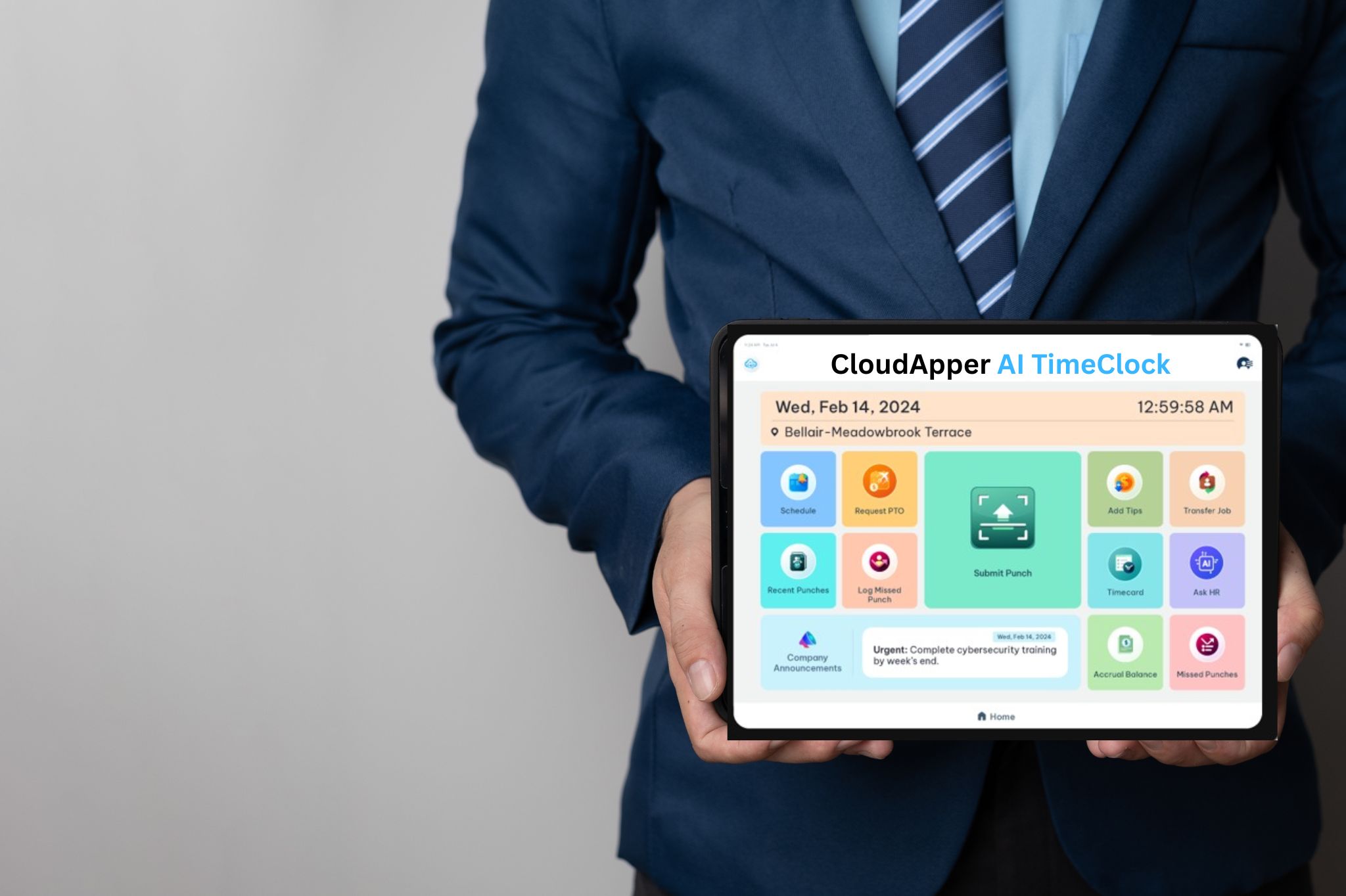
CloudApper hrPad transforms any iOS or Android tablet into a secure time clock integrated with Oracle Time and Labor. Employees can clock in, request PTO, view schedules, and access HR support through a simple self-service kiosk powered by AI, facial recognition, geofencing, and offline time capture.

Table of Contents
- Key Takeaways
- What You Need Before You Start
- Step-by-Step: Setting Up hrPad on an iPad or Android Tablet
- Smarter Clock-In Features
- Reliable Time Tracking — Even Without Internet
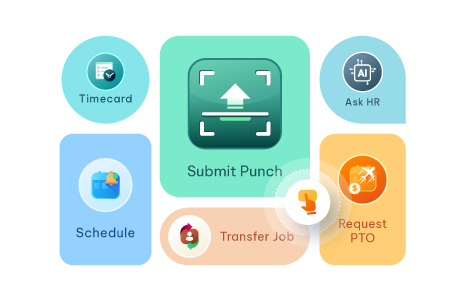
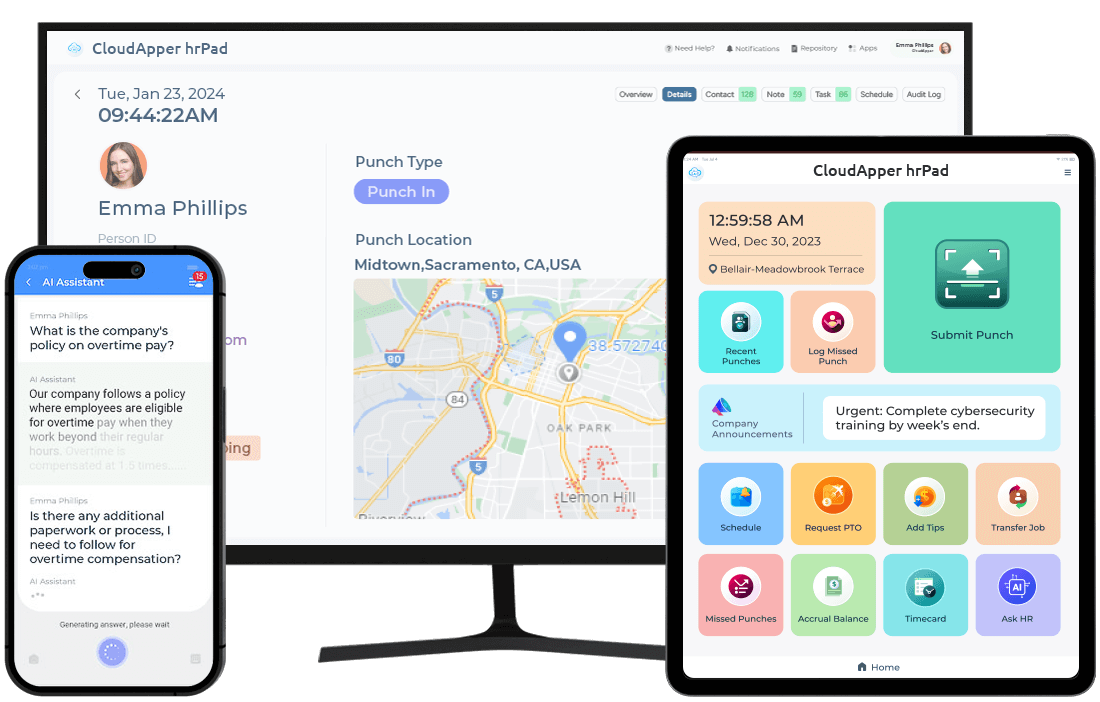
- Employee Self-Service for Oracle Time and Labor
- iPad vs. Dedicated Time Clock Hardware: Cost Comparison
- FAQs: iPad Time Clock for Oracle Time and Labor
- See hrPad in Action
Traditional punch card systems and expensive hardware time clocks no longer meet the needs of modern workplaces. Organizations today require flexible, mobile, and easy-to-deploy timekeeping solutions that work for both onsite and distributed teams — and most teams already have the right device in a drawer: an iPad.
CloudApper hrPad transforms any iOS or Android tablet into a secure employee self-service kiosk fully integrated with Oracle Time and Labor. Instead of relying on costly dedicated devices, organizations can use familiar tablets to enable employees to clock in and out, manage schedules, request PTO, and access HR services — all from a single intuitive interface. More than just a time clock, hrPad delivers a complete HR service delivery solution that improves employee experience while reducing administrative workload for HR teams.
This guide walks you through exactly how to set up an iPad (or Android tablet) as a time clock for Oracle Time and Labor using hrPad — what you need before you start, the step-by-step configuration, and the advanced features you can enable along the way.
Key Takeaways
- Any iPad or Android tablet can be turned into a secure Oracle Time and Labor time clock with hrPad
- Setup takes five clear steps: install, connect, configure punch rules, enable biometrics/geofencing, and enable offline mode
- Touchless facial recognition replaces badges and prevents buddy punching
- A 24/7 AI HR assistant answers employee questions instantly at the kiosk
- Geofencing verifies employee location during punches
- Offline mode captures time data without internet and auto-syncs with Oracle Time and Labor
- iPad-based time clocks cost a fraction of dedicated hardware and deploy in hours, not weeks
What You Need Before You Start
Before you begin the setup, gather the prerequisites so the rollout is smooth and your first device is live the same day.

Devices
- An iPad (iOS 14 or later) or an Android tablet (Android 9 or later) with a working front-facing camera for facial recognition
- A wall mount, kiosk stand, or enclosure if the tablet will live in a fixed location at an entrance, break room, or shop floor
- A power source near each kiosk location (PoE or standard outlet)
Oracle Time and Labor access
- An active Oracle HCM Cloud / Oracle Time and Labor environment
- Administrator credentials with permission to create integrations and access the REST APIs
- A list of pay codes, punch rules, shifts, and cost centers you want to expose at the kiosk
- Your employee data already provisioned in Oracle (employee IDs are how hrPad maps punches to records)
Step-by-Step: Setting Up hrPad on an iPad or Android Tablet
The full setup typically depends on each projects. Here is the exact sequence.
Step 1 — Install hrPad on the Tablet
Open the App Store on iPad or Google Play on Android and search for CloudApper hrPad. Install the app, launch it, and sign in with the credentials provided by your CloudApper implementation contact. On first launch you will be prompted to grant the camera, location, and notification permissions hrPad needs for facial recognition, geofencing, and shift reminders.
Step 2 — Connect hrPad to Oracle Time and Labor
In the hrPad admin console, open Integrations and select Oracle Time and Labor. Enter your Oracle HCM Cloud instance URL and the API credentials you generated in the prerequisites step. hrPad will validate the connection, pull your employee roster, and surface your existing pay codes, locations, and shift definitions.
This is the link that allows every punch on the tablet to flow directly into Oracle Time and Labor in real time — no middleware, no manual export.
Step 3 — Configure Punch Rules and Pay Codes
Decide what employees will see when they tap the screen. In hrPad’s kiosk builder you can configure:
- Punch types: in, out, meal start, meal end, transfer, job change
- Visible pay codes (for example, regular, overtime, holiday, on-call)
- Required attestations (for example, “Did you take your full meal break?”)
- Cost center or job transfer prompts at punch time
- Rounding, grace periods, and shift differentials inherited from Oracle
Whatever rules already exist in Oracle Time and Labor are respected — hrPad simply gives employees the right interface to comply with them.
Step 4 — Enable Facial Recognition and Geofencing
Turn on Touchless Face ID in the kiosk settings. Each employee enrolls once by looking at the camera; subsequent punches are verified in under a second. This eliminates shared fingerprint scanners and badge swipes while preventing buddy punching.
Then enable Geofencing and draw the authorized work zones for each location on the map. Punches recorded outside the geofence can be flagged, blocked, or routed to a manager for approval based on your policy.
Smarter Clock-In Features
Touchless Facial Recognition
hrPad enables secure, hygienic employee verification through touchless biometric facial recognition. Employees simply look at the tablet camera to clock in. This eliminates shared fingerprint scanners or physical badge contact while preventing buddy punching. The result is faster clock-ins, improved accuracy, and stronger security.
24/7 AI HR Assistant
Employees frequently have questions about policies, benefits, schedules, or leave balances. These inquiries often consume valuable HR time. CloudApper hrPad includes a 24/7 AI assistant that provides instant answers to employee questions directly from the kiosk.
Employees can quickly get information about PTO policies, benefits, payroll questions, and company guidelines. This reduces HR administrative workload while giving employees immediate access to the information they need.
By 2024, 40% of employees will be remote or hybrid. This indicates a growing need for flexible time-tracking solutions, including those that function offline. – Gartner
Geofencing for Accurate Time Tracking
For organizations with mobile or distributed workforces, accurate location tracking is critical. hrPad’s geofencing capability verifies employee location during clock-in and clock-out. By defining authorized work zones, organizations can ensure that punches are only recorded when employees are within approved locations. This helps prevent time fraud and improves payroll accuracy.
Reliable Time Tracking — Even Without Internet
Not every work environment has reliable internet connectivity. Construction sites, field operations, warehouses, and remote locations often experience connectivity challenges.
CloudApper hrPad addresses this with offline time capture. Employees can clock in and out even when the device is offline. Once connectivity is restored, hrPad automatically syncs the data with Oracle Time and Labor, ensuring no time records are lost.
This capability makes hrPad ideal for organizations with field teams, manufacturing floors with spotty Wi-Fi, or remote worksites where a brief outage shouldn’t mean a lost punch.
40% of organizations with a remote workforce leverage offline time-tracking solutions.
Employee Self-Service for Oracle Time and Labor
CloudApper hrPad also empowers employees with powerful self-service tools tied directly to Oracle Time and Labor data.
From the kiosk, employees can:
- View timesheets and pay history
- Request time off and check approval status
- Review PTO and accrual balances
- Check upcoming schedules and shift swaps
- Access HR documents, policies, and forms
- Ask the AI HR assistant any policy or benefits question
By giving employees direct access to their own workforce information, hrPad reduces HR ticket volume and allows HR teams to focus on higher-value initiatives. For employees without a corporate email or laptop — frontline, field, and shift workers — the kiosk often becomes their primary self-service channel.
iPad vs. Dedicated Time Clock Hardware: Cost Comparison
Many organizations spend thousands of dollars per location on specialized time clock hardware that offers limited functionality. An iPad-based hrPad kiosk delivers more capability at a fraction of the cost.
| Factor | Dedicated Time Clock Hardware | iPad + hrPad |
|---|---|---|
| Upfront device cost | $1,500–$3,500 per unit | $329–$599 per iPad |
| Deployment time | Weeks (procurement, wiring, vendor install) | Hours |
| Replacement / damage | Proprietary RMA process | Off-the-shelf replacement, restore in minutes |
| Software updates | Vendor-controlled, often delayed | Continuous updates from CloudApper |
| Functionality beyond punching | Limited | Full self-service, AI assistant, schedules, PTO |
| Biometrics | Often add-on cost | Built in (Face ID) |
| Offline punching | Varies by model | Standard |
| Scalability | Procurement cycle per location | Add a tablet and sign in |
Across a typical 10-location rollout, organizations that switch from dedicated time clock hardware to iPad-based hrPad kiosks routinely see five-figure savings in year one alone — before counting the reduction in HR ticket volume and the elimination of buddy punching.
FAQs: iPad Time Clock for Oracle Time and Labor
Does hrPad work with both iPad and Android tablets? Yes. hrPad runs on iPads (iOS 14+) and Android tablets (Android 9+). Most organizations standardize on iPads for the camera quality and MDM maturity, but mixed fleets are fully supported.
How does hrPad integrate with Oracle Time and Labor? hrPad connects directly to your Oracle HCM Cloud / Time and Labor instance via Oracle’s REST APIs. Punches, transfers, and attestations flow into Oracle in real time, and employee, schedule, and pay code data flows back to the kiosk.
Can employees clock in without an internet connection? Yes. With offline mode enabled, hrPad records punches locally on the tablet and automatically syncs to Oracle Time and Labor when connectivity is restored.
Is facial recognition secure and compliant? hrPad uses on-device facial recognition with encrypted templates. It is designed to support BIPA, GDPR, and similar privacy frameworks; consult your legal team for jurisdiction-specific consent language.
How long does it take to set up the first iPad time clock? Most organizations have their first kiosk live in under an hour once Oracle credentials and the device are ready. Subsequent devices typically take five to ten minutes each.
Do we need to replace the time clocks we already have? No. Many organizations run hrPad alongside existing hardware during a phased rollout, then retire the old clocks as iPads come online and prove out.
Can managers approve exceptions or missed punches from the kiosk? Yes. Manager workflows — including approvals, edits, and exception handling — can be enabled on the same kiosk or on a dedicated supervisor device.
See hrPad in Action
Want to see how CloudApper hrPad works with Oracle Time and Labor? Discover how organizations are replacing expensive time clocks with a flexible tablet-based workforce kiosk — and getting more functionality for less money.
Schedule a quick demo to explore hrPad today.
- CloudApper hrPad integrates with Oracle Time and Labor, transforming iOS and Android tablets into intelligent employee self-service kiosks.
- Setup is a clear five-step process: install, connect, configure, enable biometrics and geofencing, and turn on offline sync.
- The solution offers touchless biometric facial recognition for secure and hygienic employee clock-ins.
- A 24/7 AI assistant provides instant HR support, answering employee queries in real-time.
- Geofencing ensures accurate time tracking by verifying employees’ locations during clock-ins and outs.
- Offline time data capture enables seamless tracking in areas with unreliable internet, syncing automatically when connectivity is restored.
- iPad-based kiosks dramatically lower the cost of timekeeping versus dedicated time clock devices.
What is CloudApper AI Platform?
CloudApper AI is an advanced platform that enables organizations to integrate AI into their existing enterprise systems effortlessly, without the need for technical expertise, costly development, or upgrading the underlying infrastructure. By transforming legacy systems into AI-capable solutions, CloudApper allows companies to harness the power of Generative AI quickly and efficiently. This approach has been successfully implemented with leading systems like UKG, Workday, Oracle, Paradox, Amazon AWS Bedrock and can be applied across various industries, helping businesses enhance productivity, automate processes, and gain deeper insights without the usual complexities. With CloudApper AI, you can start experiencing the transformative benefits of AI today. Learn More
- Useful Links:
- Agentic AI
- No-Code/Low-Code
- Custom Software
- HCM Personalization
- iPaaS
- FedRAMP

Brochure
CloudApper hrPad
Empower Frontline Employees with an AI-Powered Tablet/iPad Solution
Download Brochure
CloudApper AI Solutions for HR



- Works with








- and more.
Similar Posts
Oracle Project Cost Tracking: Closing the Gap Between the Work…
FAQs: Preventing Time Theft in Oracle PeopleSoft with CloudApper’s AI…

 Time Capture



