Managers often struggle with limited visibility into team leave in Workday, leading to delayed approvals and last-minute coverage issues. This article explains how combining Workday Absence Management with CloudApper AI TimeClock gives managers real-time insight into PTO, policies, and shift coverage to keep operations running smoothly.

Table of Contents
One of the most common challenges managers face in workforce planning is lack of real-time visibility into team leave. Even with a robust platform like Workday, managers often struggle to quickly understand who is off, when coverage is needed, and how approved absences impact daily operations.
When visibility is limited, the result is last-minute staffing gaps, delayed approvals, frustrated employees, and unnecessary back-and-forth between HR and managers.
This article explores how organizations can solve manager visibility problems for team leave in Workday by combining Workday Absence Management with CloudApper AI TimeClock, creating a clearer, faster, and more operationally aware PTO experience.
TL;DR
Managers often struggle with limited visibility into team leave when using Workday alone. PTO requests, policy details, schedules, and coverage planning live in different places, making approvals slower and staffing riskier. By integrating Workday Absence Management with CloudApper AI TimeClock, organizations give managers real-time insight into who’s off, what coverage is needed, and how leave impacts operations — all from a single, frontline-friendly interface.
Why Manager Visibility Breaks Down in Workday Leave Management
Workday handles absence tracking well, but in fast-moving environments, managers often face issues such as:
- Limited at-a-glance visibility into who is off today, tomorrow, or next week
- PTO approvals that feel disconnected from real shift coverage needs
- Difficulty understanding policy rules, accruals, or blackout periods at the moment decisions are made
- Manual coordination to find coverage after a leave request is approved
These gaps don’t come from poor intent—they come from information being spread across screens, reports, and systems.
Improving Leave Visibility Through Proactive Communication
Clear visibility starts before a PTO request is ever submitted.
Encourage Early Planning
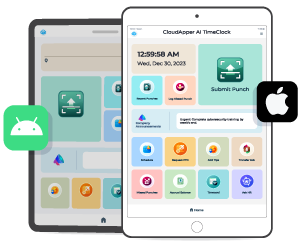
When employees submit time-off requests early, managers gain more time to assess workload impact and staffing needs. With CloudApper AI TimeClock integrated into Workday, both employees and managers can easily view schedules and upcoming absences in one place, supporting better planning decisions.
Make PTO Policies Instantly Accessible
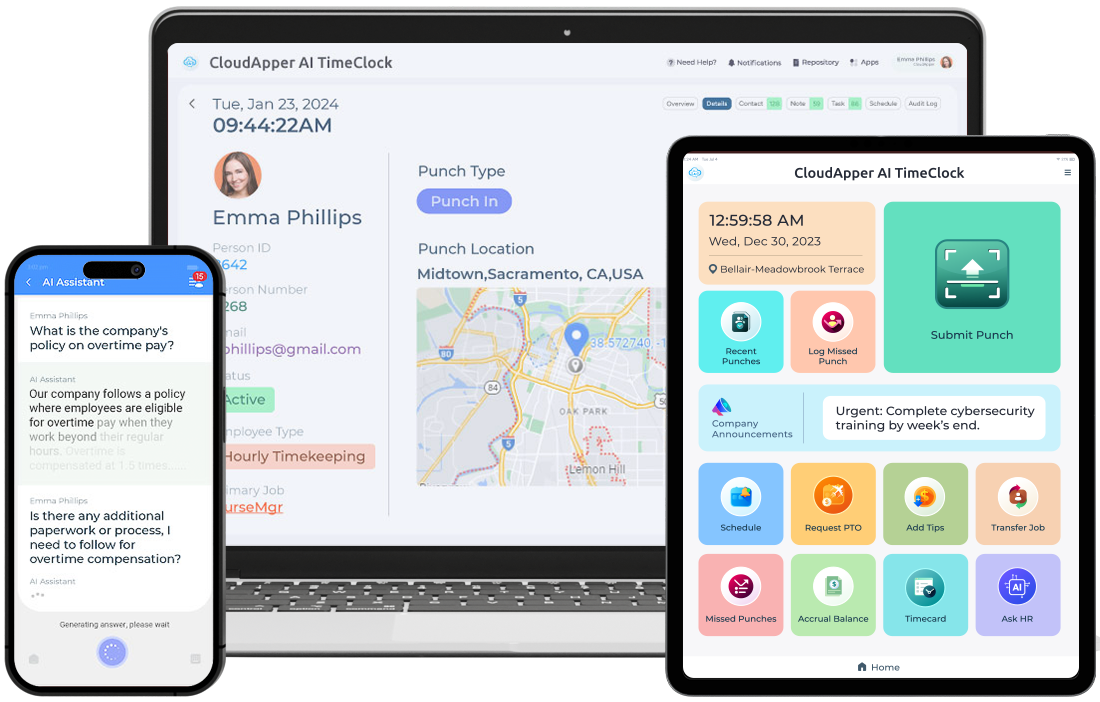
Managers often lose time clarifying rules instead of making decisions. CloudApper AI TimeClock includes an AI-powered assistant that allows employees and managers to instantly access PTO policies, accrual rules, and approval guidelines directly from the time clock interface. This removes ambiguity and reduces unnecessary questions.
Centralizing PTO Requests for Real-Time Manager Awareness
Visibility improves dramatically when PTO requests and approvals are centralized where work actually happens.
One Place to Submit and Review Leave
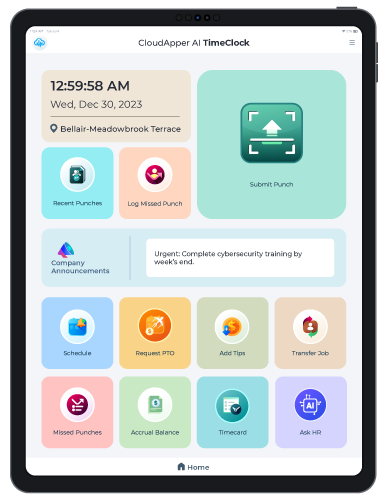
CloudApper AI TimeClock integrates seamlessly with Workday Absence Management, allowing employees to submit PTO requests without switching systems. Managers receive notifications and can review requests with full context—who is off, when, and how it affects the team.
Transparent Approval Workflows
Managers can approve or deny PTO directly within the system, creating a clear audit trail of decisions. This transparency helps both HR and employees understand request status without follow-ups or delays.
Closing the Visibility Gap Around Shift Coverage
For many managers, the biggest blind spot is not approving PTO—it’s what happens after approval.
Automated Coverage Awareness
Once PTO is approved, CloudApper AI TimeClock automatically identifies open shifts and notifies qualified employees who are available to cover. Managers no longer have to manually track coverage gaps or send multiple messages.
Employees Take Ownership of Coverage
Employees can respond directly to shift-coverage notifications, expressing interest in filling open shifts. Managers instantly see coverage progress, eliminating uncertainty and last-minute scrambling.
CloudApper AI Time Clock
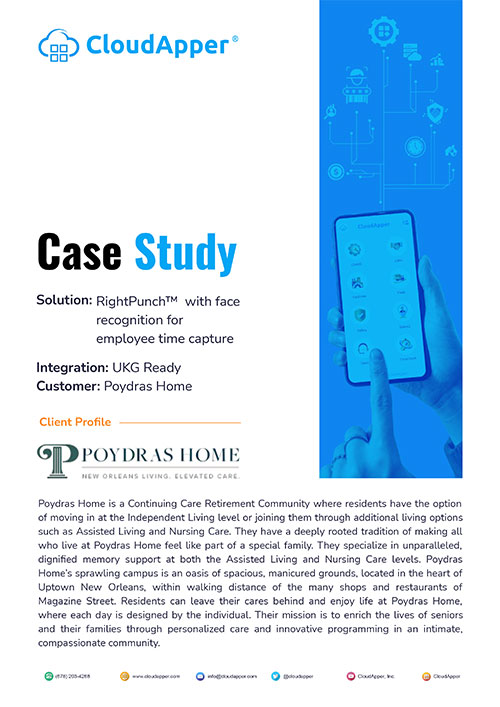
Poydras Home Streamlined Employee Time Management With The CloudApper AI TimeClock App
Frequently Asked Questions (FAQ)
Why do managers struggle with leave visibility in Workday?
Workday is powerful for tracking absences, but managers often need to navigate multiple screens or reports to understand who is off, what policies apply, and whether coverage is secured. This fragmentation creates blind spots during PTO approvals and day-to-day operations.
How does CloudApper AI TimeClock improve manager visibility?
CloudApper AI TimeClock brings PTO requests, schedules, policy access, approvals, and shift coverage into one operational view. Managers can see leave impact in real time instead of reacting after gaps appear.
Can managers approve PTO without logging directly into Workday?
Yes. With CloudApper AI TimeClock integrated into Workday Absence Management, managers can receive notifications and approve or deny PTO through the time clock interface while staying fully synced with Workday.
How does shift coverage work when PTO is approved?
Once a PTO request is approved, CloudApper AI TimeClock automatically identifies open shifts and notifies qualified employees. Managers can immediately see who has accepted coverage, eliminating manual coordination.
Does this replace Workday Absence Management?
No. CloudApper AI TimeClock extends Workday rather than replacing it. Workday remains the system of record, while CloudApper enhances visibility, usability, and frontline execution.
Can employees see PTO policies and accrual rules themselves?
Yes. The built-in AI assistant allows employees to instantly access PTO policies, accrual details, and approval rules directly from the time clock, reducing questions and misinterpretations.
Is this useful for hourly and frontline teams?
Especially. Organizations with shift-based, hourly, or distributed workforces benefit the most because managers gain immediate insight into absences and coverage without relying on spreadsheets or emails.
What operational problems does this solve for managers?
It reduces last-minute staffing gaps, approval delays, policy confusion, manual follow-ups, and the stress of coordinating coverage after leave has already been approved.
Conclusion
Manager visibility is the missing link in many Workday leave management workflows. Without clear insight into who is off, how policies apply, and whether coverage is secured, PTO quickly becomes a source of friction instead of flexibility.
By pairing Workday Absence Management with CloudApper AI TimeClock, organizations gain real-time visibility into team leave, automated coverage coordination, and policy clarity at the point of decision.
The result is a smoother, more transparent leave experience—one that empowers managers, reduces operational risk, and gives employees confidence that time off won’t disrupt the team. Learn more.

What is CloudApper AI Platform?
CloudApper AI is an advanced platform that enables organizations to integrate AI into their existing enterprise systems effortlessly, without the need for technical expertise, costly development, or upgrading the underlying infrastructure. By transforming legacy systems into AI-capable solutions, CloudApper allows companies to harness the power of Generative AI quickly and efficiently. This approach has been successfully implemented with leading systems like UKG, Workday, Oracle, Paradox, Amazon AWS Bedrock and can be applied across various industries, helping businesses enhance productivity, automate processes, and gain deeper insights without the usual complexities. With CloudApper AI, you can start experiencing the transformative benefits of AI today. Learn More

Brochure
CloudApper hrPad
Empower Frontline Employees with an AI-Powered Tablet/iPad Solution
Download Brochure
CloudApper AI Solutions for HR



- Works with


- and more.








Similar Posts
Workday Absence Balance: What Employees Ask, What HR Deals With,…
The Workday Self Service Agent Your Employees Actually Want to…




 Time Capture