Struggling with missed punches and inconsistent time tracking in Workday? Learn how automated reminders, tablet-based clock-ins, and flexible verification methods can help employees clock in and out more reliably—while improving payroll accuracy and reducing HR workload.

Table of Contents
- Can You Notify Employees to Clock In and Clock Out in Workday?
- Make Clocking In and Out Easier for Employees
- Real-Time Sync With Workday Reduces Manual Corrections
- Why Automated Clock-In and Clock-Out Reminders Matter
- Support Better Break Tracking and Overtime Awareness
- Reduce Hardware Dependency With Tablet-Based Workday Time Clocks
- Use Any Device to Create a More Flexible Workforce Experience
- Improve Accuracy Without Making the Process Harder
- Final Thoughts
- Quick Answers
Accurate timekeeping sounds simple, but in practice it is one of the most common sources of payroll errors, missed punches, and manager frustration. Employees forget to clock in. They miss clocking out after a long shift. Meal breaks are not always recorded properly. Over time, those small issues create larger problems in payroll, compliance, and workforce visibility.

If your organization uses Workday, the goal is not just to let employees clock in and out. It is to make that process easier, more consistent, and more reliable. CloudApper AI employee time clock for Workday helps do that by extending the Workday experience with automated reminders, flexible punch methods, and real-time synchronization. Instead of relying on employees to remember every punch on their own, organizations can create a more guided and dependable timekeeping process.
Can You Notify Employees to Clock In and Clock Out in Workday?
Yes. Organizations using Workday often want a better way to encourage timely clock-ins, clock-outs, and break tracking, especially for frontline and distributed teams. Workday supports time capture across mobile, web, and kiosk experiences, and CloudApper AI TimeClock adds another operational layer that helps make timekeeping easier to follow in real-world environments.
This matters because the challenge usually is not whether employees have access to a time clock. The challenge is whether the clock-in process is simple enough, visible enough, and consistent enough to reduce missed punches across different roles, shifts, and locations. CloudApper AI TimeClock helps address that gap by making Workday clock-ins and clock-outs easier to complete through tablet-based terminals, multiple verification methods, and automated reminders that support better employee compliance.
Make Clocking In and Out Easier for Employees
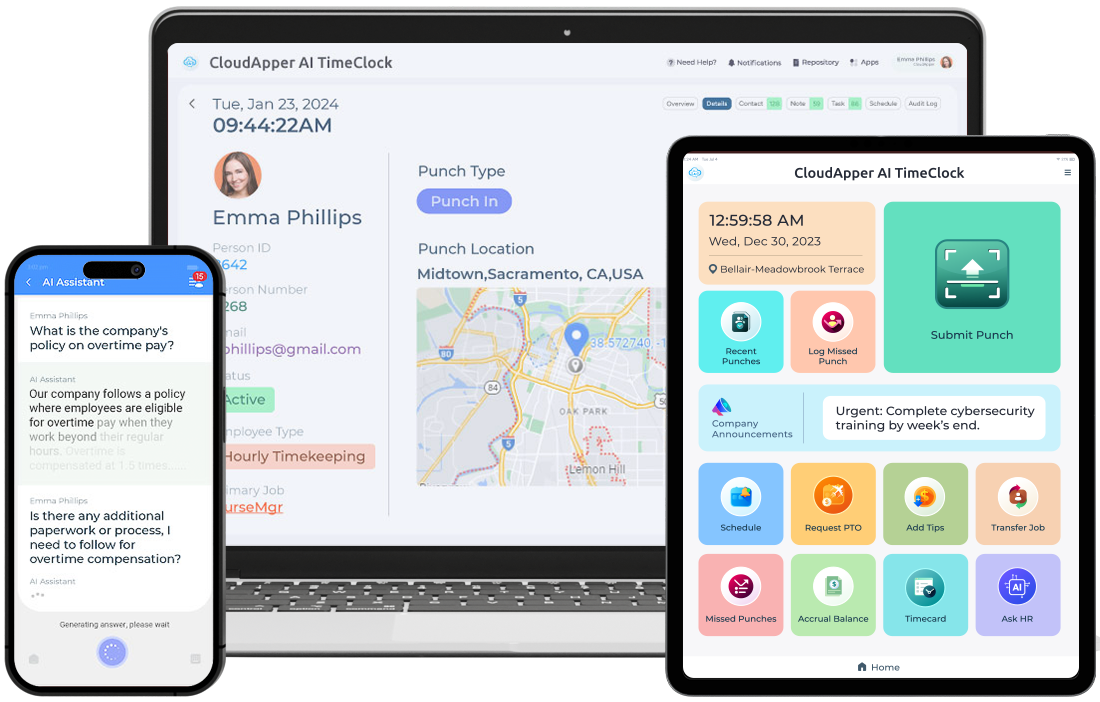
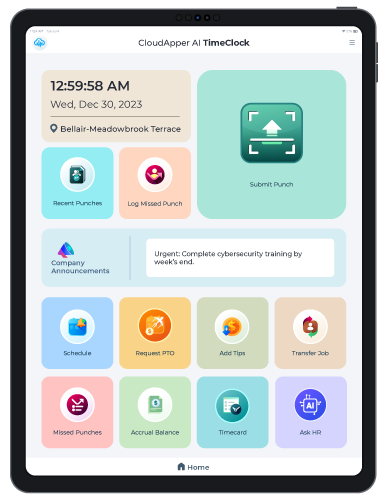
The easier the process is, the more likely employees are to complete it correctly. That is why CloudApper AI TimeClock supports multiple ways for employees to clock in and out using Workday-connected terminals.
Employees can use facial recognition for a fast and touchless experience. They can also use QR codes, barcodes, or PIN verification depending on what fits the workplace best. This flexibility is especially useful for organizations with different employee populations, device policies, or operational environments.
Instead of forcing one rigid method across every site, businesses can offer a practical experience that matches how their workforce actually works. For a busy warehouse, a kiosk-based QR or badge workflow may make more sense. For a controlled workplace entrance, facial recognition may be the faster option. For shared terminals, PIN-based verification may still be preferred.
CloudApper AI Time Clock
CloudApper AI TimeClock's QR Code Based Solution Deployment For Employee Clock-Ins at Pacific Atlantic Handling
Real-Time Sync With Workday Reduces Manual Corrections
One of the biggest operational benefits of integrating a time clock solution with Workday is reducing manual intervention. Workday’s time tracking capabilities are designed to simplify time capture and approvals while providing organizations with better workforce data.
CloudApper AI TimeClock builds on that by syncing employee punches directly with Workday in real time. When employees clock in or out, those records can flow into the existing system without managers needing to re-enter data later. That helps reduce correction work, improve payroll accuracy, and give supervisors a more current view of attendance patterns.
For organizations trying to reduce payroll disputes, that kind of visibility matters. A missed punch is easier to fix when it is identified quickly than after payroll has already been processed.
Why Automated Clock-In and Clock-Out Reminders Matter
Most timekeeping problems are not caused by bad intent. They are caused by busy shifts, distractions, rushed starts, and inconsistent routines. That is why reminders are so valuable.
CloudApper AI TimeClock can be configured to notify employees before or after expected clock-in and clock-out windows. That simple prompt can help reduce missed punches and encourage more consistent time capture. For managers, it means fewer end-of-week corrections. For employees, it means fewer payroll surprises.
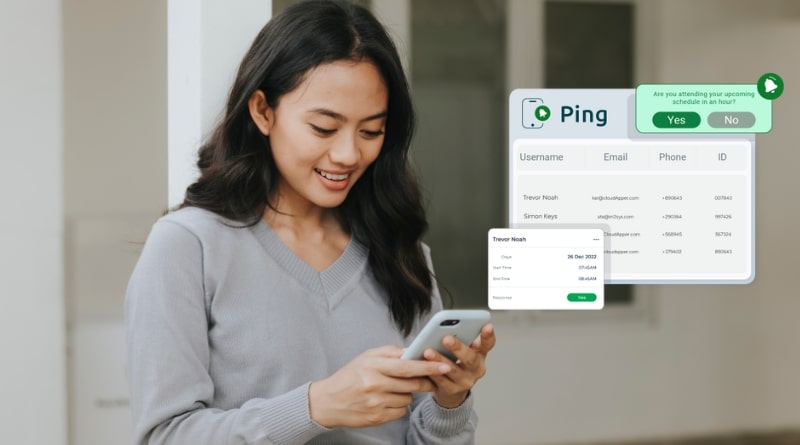
Reminder-based timekeeping is especially helpful in environments where employees move quickly between tasks, where shifts start outside a traditional office setting, or where shared devices are used by multiple workers.
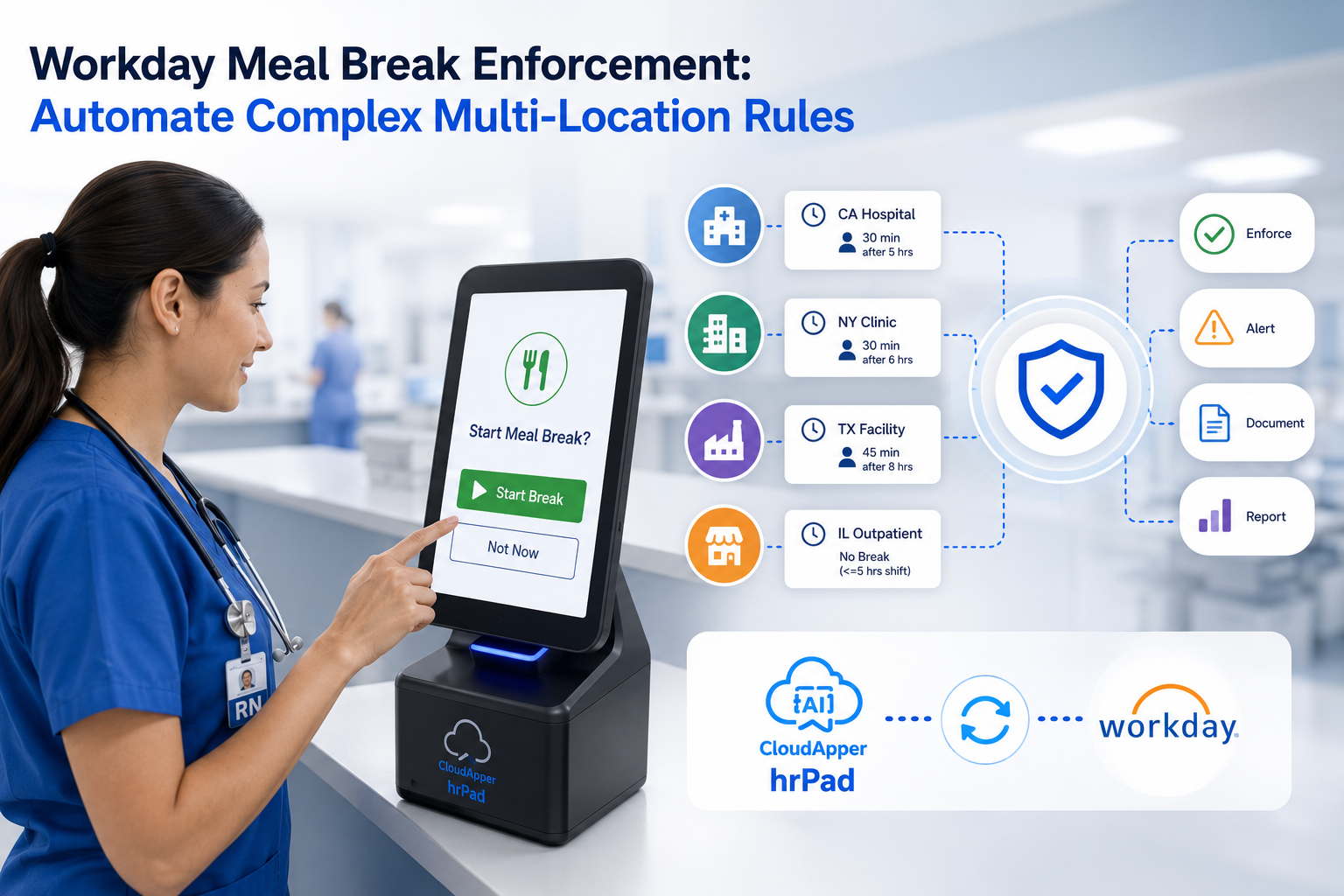
The same logic applies to meal breaks and overtime. If employees receive timely prompts around required breaks or approaching overtime thresholds, the organization gains a more proactive way to support labor compliance and scheduling discipline rather than reacting after the fact.
Support Better Break Tracking and Overtime Awareness
Timekeeping is not only about the first punch and the last punch of the day. It also includes meal periods, rest rules, and overtime thresholds that can affect compliance and payroll.
Workday time tracking helps organizations manage time more effectively, and CloudApper AI TimeClock can make those workflows more actionable at the point of use. Workday’s own workforce management positioning emphasizes time capture, scheduling, and manager visibility, while CloudApper adds practical employee-facing workflows such as reminders, device-based accessibility, and configurable verification methods.
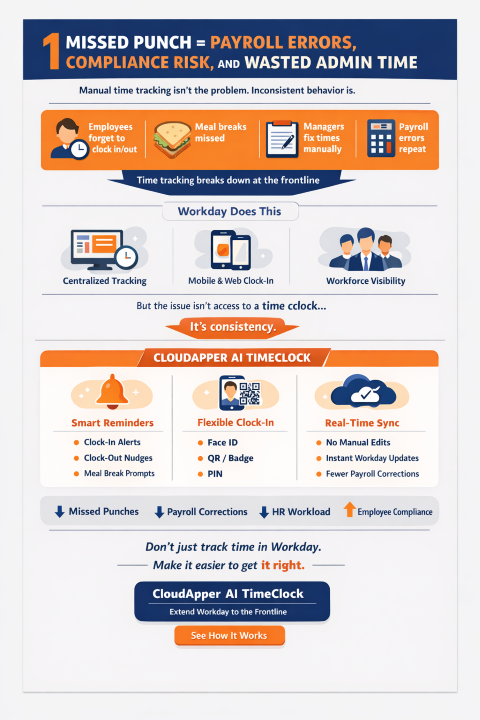
For example, a reminder to begin a meal break can help reduce missed or delayed break records. A notification around overtime can help employees and managers address scheduling issues before they become payroll exceptions. These kinds of workflow enhancements are often where organizations see the biggest improvement in day-to-day timekeeping discipline.
Reduce Hardware Dependency With Tablet-Based Workday Time Clocks
Many organizations still associate employee time clocks with expensive, fixed hardware. That assumption can slow down rollouts, increase costs, and make it harder to support remote or fast-changing work environments.
CloudApper AI TimeClock changes that model by allowing businesses to use iPads and Android tablets as Workday-connected time clock terminals. That creates a more flexible and cost-effective deployment model, especially for organizations that want to expand time capture without buying proprietary hardware for every location.
This is particularly useful in industries like manufacturing, logistics, field services, construction, hospitality, and retail, where time capture often needs to happen closer to the work rather than at a single dedicated terminal.
Use Any Device to Create a More Flexible Workforce Experience
Device flexibility does more than save money. It also improves accessibility. When employees can clock in through kiosk-friendly tablets or other supported device experiences, organizations can reduce friction and make timekeeping more intuitive.
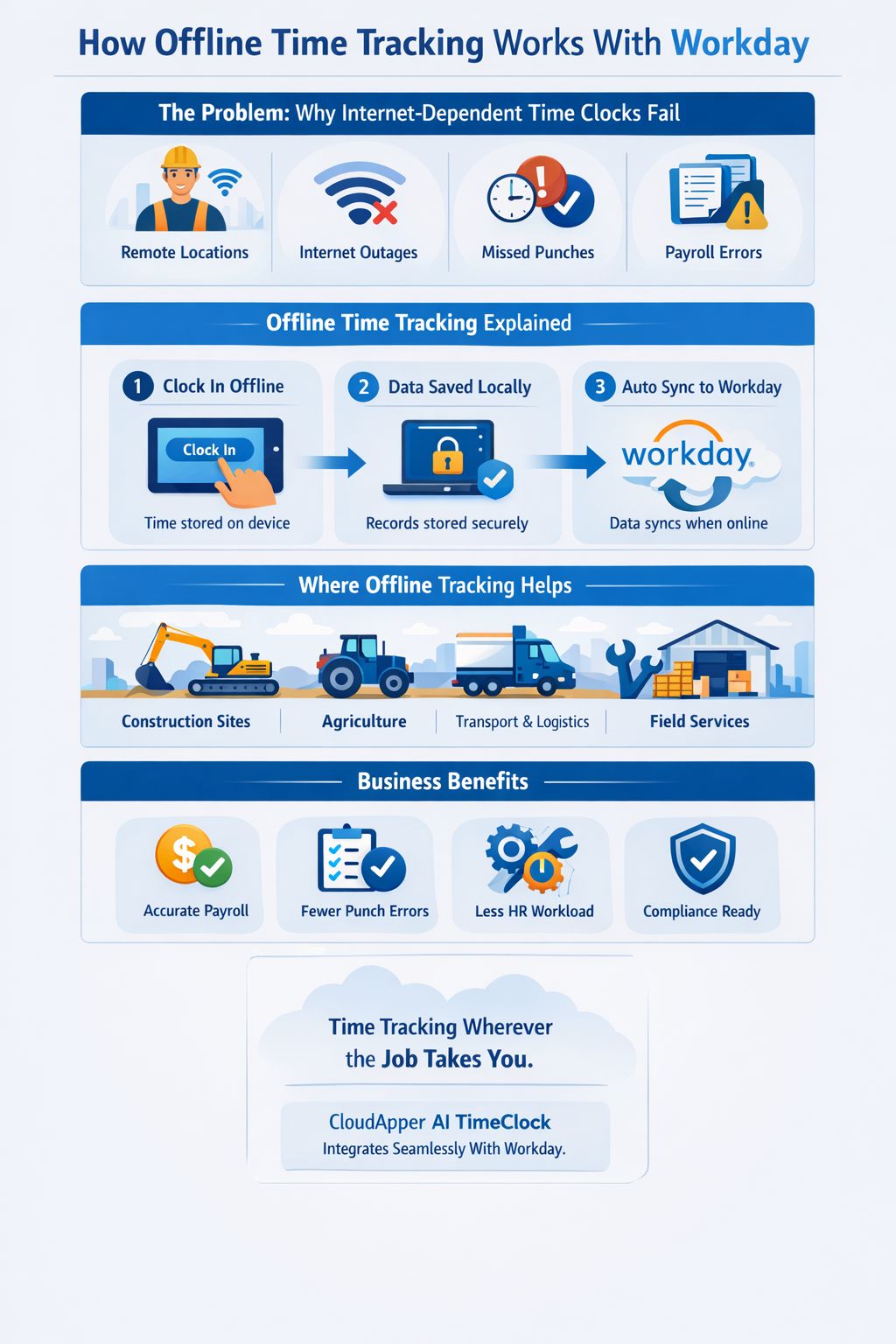
That matters because employee adoption often determines whether a timekeeping process succeeds. A system can be technically connected and still fail operationally if it is not easy to use in the real world.
By making the clock-in experience simpler and more available, organizations can improve consistency without adding more burden to managers or HR.
Improve Accuracy Without Making the Process Harder
A good timekeeping experience should not feel like extra work. Employees should be able to complete punches quickly and confidently. Managers should be able to trust the data. HR and payroll teams should spend less time chasing corrections.
That is the larger value of combining Workday with CloudApper AI TimeClock. Workday provides the HCM and workforce management foundation, while CloudApper helps make the time capture experience more practical, configurable, and employee-friendly across real operating conditions.
For businesses trying to improve payroll accuracy, reduce missed punches, and simplify frontline timekeeping, that combination can create a more reliable process without forcing employees into a one-size-fits-all workflow.
Final Thoughts
If your goal is simply to let employees clock in and out in Workday, the capability already exists. But if your goal is to make timekeeping easier to follow, easier to complete, and easier to manage at scale, then reminders, flexible verification methods, and device choice become much more important.
CloudApper AI TimeClock helps organizations extend the Workday experience with those practical capabilities. The result is a more guided clock-in and clock-out process, fewer missed punches, and a better experience for employees, managers, HR, and payroll teams.
Quick Answers
How do you notify employees to clock in and out in Workday?
Organizations can use a connected time clock experience like CloudApper AI TimeClock to send reminder-based prompts before or after expected punch windows, helping reduce missed punches and improve timekeeping consistency.
Can employees clock in and out of Workday from a tablet?
Yes. Workday supports time capture across multiple interfaces, and CloudApper AI TimeClock enables organizations to use iPads and Android tablets as connected employee time clock terminals.
What helps reduce missed punches in Workday environments?
The most effective improvements usually come from making time capture easier and more visible through reminders, simple verification methods, and real-time sync that helps managers identify issues faster.
Is a tablet-based Workday time clock more cost-effective than dedicated hardware?
For many organizations, yes. Using tablets can reduce hardware dependency and make deployments more flexible, especially across distributed or growing operations
What is CloudApper AI Platform?
CloudApper AI is an advanced platform that enables organizations to integrate AI into their existing enterprise systems effortlessly, without the need for technical expertise, costly development, or upgrading the underlying infrastructure. By transforming legacy systems into AI-capable solutions, CloudApper allows companies to harness the power of Generative AI quickly and efficiently. This approach has been successfully implemented with leading systems like UKG, Workday, Oracle, Paradox, Amazon AWS Bedrock and can be applied across various industries, helping businesses enhance productivity, automate processes, and gain deeper insights without the usual complexities. With CloudApper AI, you can start experiencing the transformative benefits of AI today. Learn More
- Useful Links:
- Agentic AI
- No-Code/Low-Code
- Custom Software
- HCM Personalization
- iPaaS
- FedRAMP

Brochure
CloudApper hrPad
Empower Frontline Employees with an AI-Powered Tablet/iPad Solution
Download Brochure
CloudApper AI Solutions for Workday


- Works with








- and more.
Similar Posts
How to Prevent Duplicate Worker and Pre-Hire Records in Workday…
How to Handle Offline Time Punches in Workday During Connectivity…