Managing position data in Workday can lead to missing critical fields like Cost Center. CloudApper hrPad offers real-time validation to prevent incomplete entries, ensuring data accuracy and reducing correction time by 75% for organizations.

Table of Contents
When managing position data in Workday, especially through bulk uploads using Enterprise Interface Builder (EIB), it’s not uncommon for critical fields to be overlooked. One common mistake is omitting the “Assign Organizations” information—like Company and Cost Center—when creating positions. This often results in newly created positions missing essential data, which causes major disruptions downstream.

For instance, a Workday administrator recently shared their challenge: they loaded over 2,500 positions but forgot to include the Company and Cost Center values. As a result, when they hired an employee into one of those positions, the worker profile lacked key organizational data. This can impact payroll processing, departmental reporting, and approvals tied to company-specific rules.
This issue highlights a broader challenge in Workday: while the system is highly configurable and robust, it doesn’t inherently prevent users from creating incomplete or misconfigured data entries through EIB. Fixing such errors retroactively requires either editing each position manually or submitting a new EIB with updated details—both labor-intensive and prone to mistakes.
The Cost of Incomplete Position Data
| Issue | Impact |
| Missing Company/Cost Center | Employee profiles lack essential organization links |
| Manual correction needed | Time-consuming updates via mass edit or additional EIB |
| Risk of downstream errors | Payroll, reporting, and approvals get affected |
Enter CloudApper hrPad: A Smart Expansion to Workday
CloudApper hrPad is more than a Workday Employee Self-Service Kiosk—it functions as an experience layer that enhances how Workday is used across your organization. For HR teams struggling with position-level data accuracy, hrPad provides a front-end solution that helps prevent these issues before they occur.
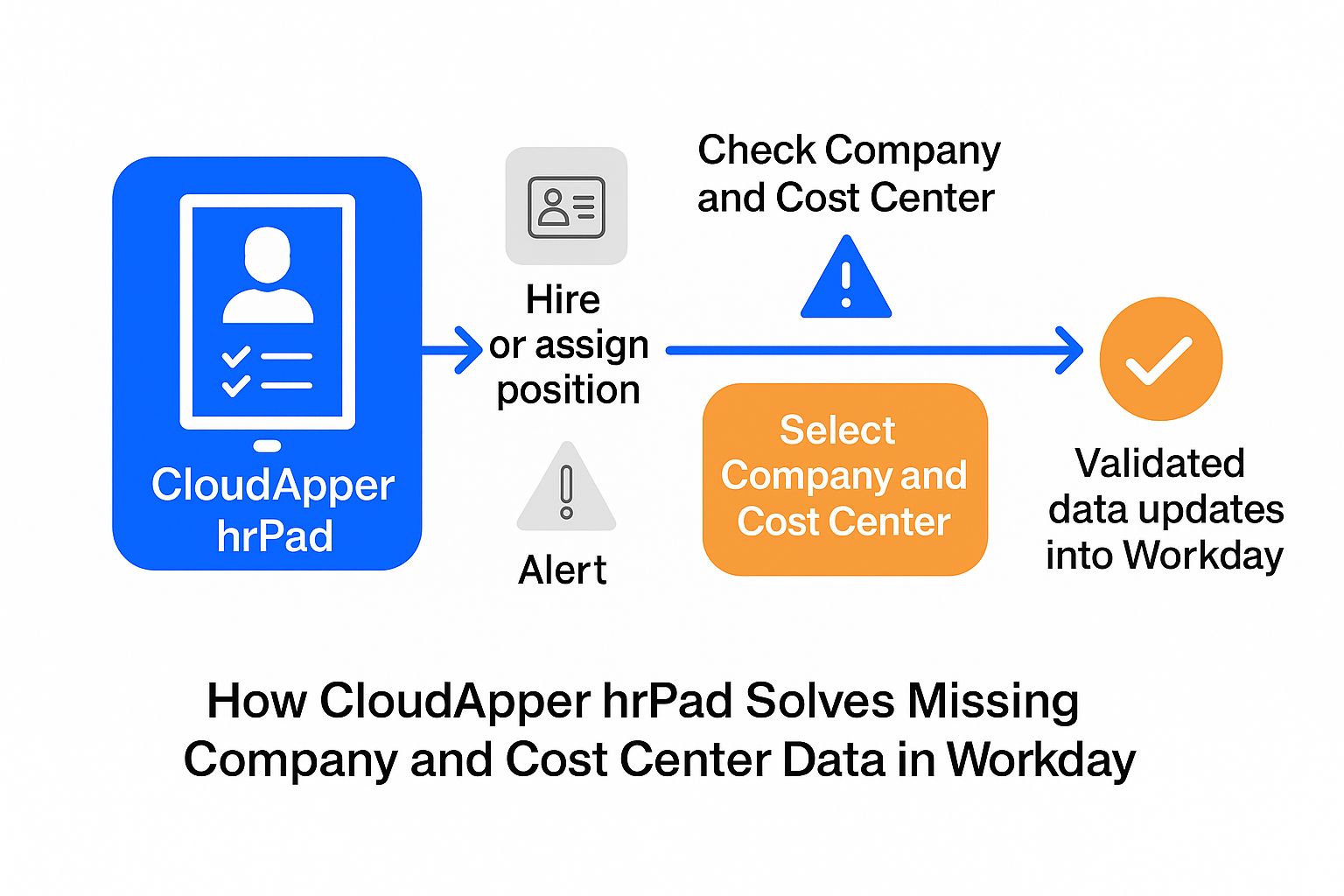
By integrating with Workday APIs, hrPad can perform real-time validations during critical workflows such as hire, position edits, or onboarding. When a user tries to process a hire or assign a position, hrPad can immediately check if required fields like Company and Cost Center are missing. If they are, hrPad stops the action and displays a prompt asking the user to select or correct the data.
| hrPad Feature | Value to Workday Users |
| Real-time field validation | Prevents incomplete entries at the source |
| Guided prompts | Ensures users don’t skip required fields |
| Configurable UI | Easy to set which fields are mandatory for positions |
| Seamless data sync | Validated data updates pushed directly into Workday |
A Practical Example
A large healthcare provider in the U.S. faced this exact issue—multiple positions had been created without Cost Center assignments, and several hires were processed into those roles. Their HR team had to halt onboarding processes and spend hours manually correcting the errors. After implementing CloudApper hrPad, they introduced real-time prompts for “Assign Organizations” validation during the hire workflow.
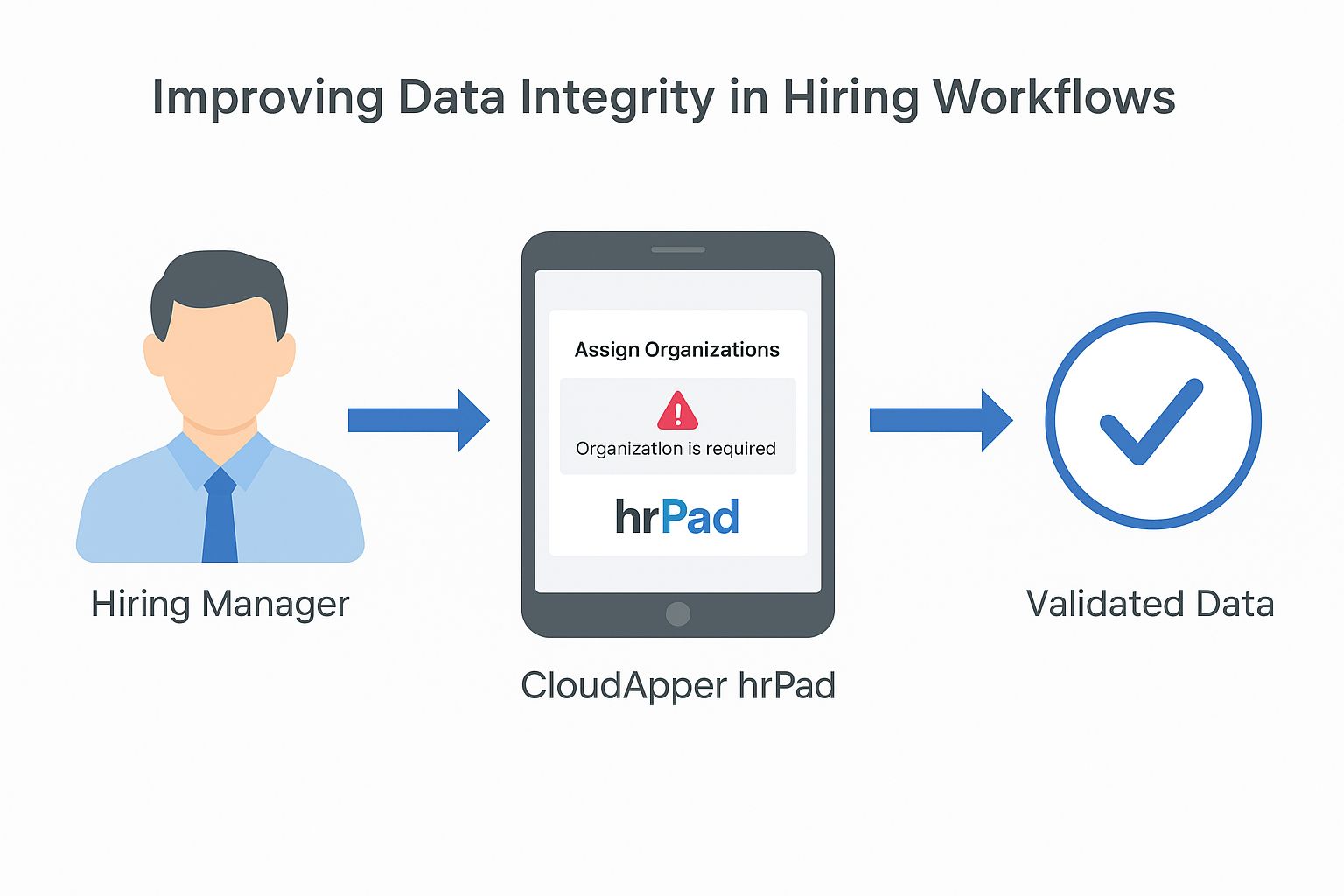
Now, when a hiring manager selects a position that’s missing a required field, hrPad displays a notification and guides them through filling it in. The system prevents continuation until all necessary data is captured. This led to a 75% reduction in data correction time and significantly improved the integrity of their Workday records.
Final Thoughts
While Workday offers powerful tools for managing HCM data, it doesn’t always enforce business rules proactively—especially during bulk operations like EIB uploads. That’s where CloudApper hrPad comes in. It acts as a dynamic interface that ensures data completeness, enhances user accountability, and removes the burden of reactive fixes.
If your organization struggles with missing organizational data in position records or wants to enforce better validation before hires are completed, CloudApper hrPad provides a smart, scalable solution. It complements Workday by making workflows more foolproof—and your data more reliable.

What is CloudApper AI Platform?
CloudApper AI is an advanced platform that enables organizations to integrate AI into their existing enterprise systems effortlessly, without the need for technical expertise, costly development, or upgrading the underlying infrastructure. By transforming legacy systems into AI-capable solutions, CloudApper allows companies to harness the power of Generative AI quickly and efficiently. This approach has been successfully implemented with leading systems like UKG, Workday, Oracle, Paradox, Amazon AWS Bedrock and can be applied across various industries, helping businesses enhance productivity, automate processes, and gain deeper insights without the usual complexities. With CloudApper AI, you can start experiencing the transformative benefits of AI today. Learn More
- Useful Links:
- Agentic AI
- No-Code/Low-Code
- Custom Software
- HCM Personalization
- iPaaS
- FedRAMP

Brochure
CloudApper hrPad
Empower Frontline Employees with an AI-Powered Tablet/iPad Solution
Download Brochure
CloudApper AI Solutions for Workday



- Works with








- and more.
Similar Posts
How to Prevent Duplicate Worker and Pre-Hire Records in Workday…
How to Handle Offline Time Punches in Workday During Connectivity…