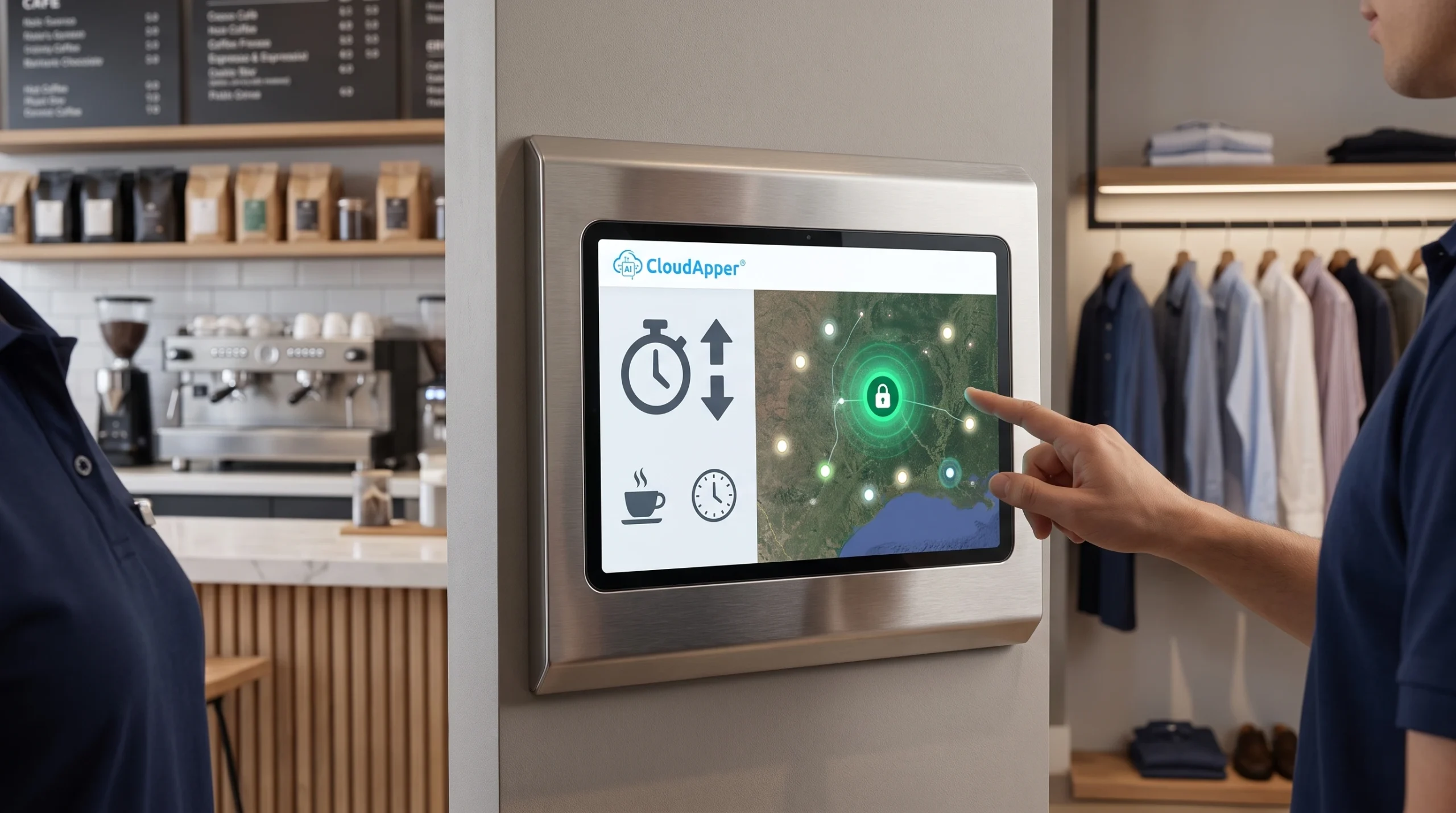
Generic time clock tools can't keep up with complex compliance, multi-location rules, and unique payroll workflows. CloudApper AI TimeClock changes that — offering fully customizable time clock software built on a no-code AI platform. Configure punch methods, automate approvals, enforce labor laws, and integrate with any HR or payroll system in days, not months.
Table of Contents
- TL;DR
- Why a Standard Time Clock Isn’t Always Enough
- How the CloudApper AI Platform Powers Customization
- How Can I Customize a Time Clock for Multiple Locations and Rules?
- Can a Time Clock Automate Complex Approval Workflows?
- Will It Integrate with My Existing HR or Payroll System?
- Real-World Customization Example
- How Customization Enhances Compliance
- Why CloudApper’s AI Platform is a Game-Changer
- Additional Benefits of CloudApper AI TimeClock
- Table: CloudApper AI TimeClock vs. Traditional Time Clock Systems
- Best Practices for Implementation
- FAQ
- Q1: What is customizable time clock software?
- Q2: How does CloudApper AI TimeClock differ from standard time clock solutions?
- Q3: Which HR and payroll systems does CloudApper AI TimeClock integrate with?
- Q4: Can the time clock handle multi-location compliance rules?
- Q5: How long does deployment take?
- Q6: What punch methods does CloudApper AI TimeClock support?
- Q7: Does it work offline?
When your organization has complex scheduling, compliance, and payroll requirements, generic time clock solutions fall short. CloudApper AI TimeClock, built on the CloudApper AI Platform, empowers HR, payroll, and operations teams to design and deploy a fully customized, integrated timekeeping system—complete with drag-and-drop app creation, advanced workflow automation, and seamless third-party integrations.
TL;DR
CloudApper AI TimeClock, built on the CloudApper AI Platform, lets organizations replace rigid, off-the-shelf timekeeping tools with a fully customizable time clock software — one that supports drag-and-drop configuration, AI-driven workflow automation, multi-location compliance rules, and seamless REST API integration with leading HR/payroll systems like UKG, Workday, Dayforce, and Ceridian Dayforce.
Why a Standard Time Clock Isn’t Always Enough
Over my 20+ years managing payroll operations with systems like UKG, Dayforce, Workday, Oracle HCM, SAP SuccessFactors, and PeopleSoft, I’ve seen one constant truth: every organization’s time-tracking needs are unique.

While off-the-shelf solutions handle basic clock-ins, they rarely support:
- Multi-location operations with unique compliance rules
- Industry-specific overtime and break policies
- Job costing and project-based tracking
- Specialized union or regulatory requirements
- Integration with multiple HR/HCM/Payroll systems at once
That’s why CloudApper AI TimeClock stands out—it’s not just adaptable, it’s built on the CloudApper AI Platform that lets you design, automate, and integrate the exact time clock your workforce demands.
How the CloudApper AI Platform Powers Customization
The CloudApper AI Platform combines drag-and-drop app building with AI automation, advanced workflow optimization, and pre-built integration connectors. That means you can:
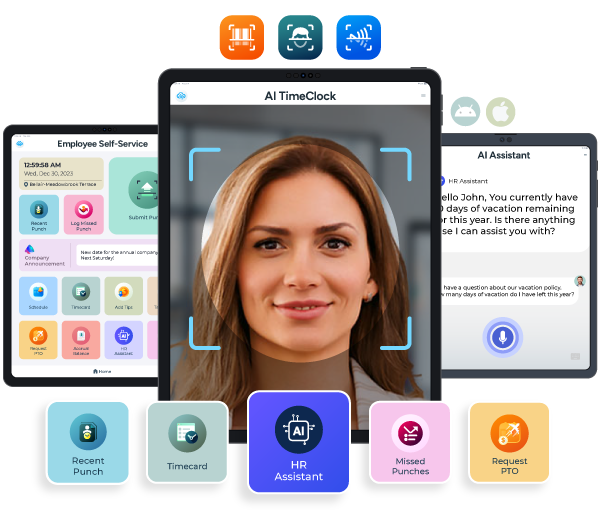
- Customize punch methods (facial recognition, QR code, NFC, PIN, geofencing)
- Automate compliance enforcement (state-specific break rules, overtime limits, attestation prompts)
- Capture industry-specific data (project codes, hazard pay zones, asset usage)
- Integrate instantly with leading HR, HCM, payroll, and ATS systems
- Add AI-driven workflows for approvals, exception handling, and proactive compliance alerts
From my own implementations, even enterprise systems like Workday or UKG become more efficient when paired with a front-end that captures accurate, rule-enforced time data.
How Can I Customize a Time Clock for Multiple Locations and Rules?
If your workforce is spread across states or countries, you’re juggling multiple compliance requirements. Using the CloudApper AI Platform, you can:
- Assign unique pay rules by site or department
- Trigger jurisdiction-specific prompts (e.g., California meal break attestations)
- Generate location-specific compliance reports for audits
Best Practice from My Career:
In a multi-state retail rollout I led, adopting location-based logic cut payroll error rates by more than 40% in the first quarter.
Can a Time Clock Automate Complex Approval Workflows?
Yes—CloudApper AI TimeClock supports AI-powered workflows that can be set up without coding:
- Missed punch correction routing
- Shift swap requests with rule-based approvals
- Overtime authorization before exceeding limits
- Timecard certification before payroll cutoff
Industry Stat:
Automated timekeeping can reduce payroll processing costs by up to 80%, according to the American Payroll Association (source).
Will It Integrate with My Existing HR or Payroll System?
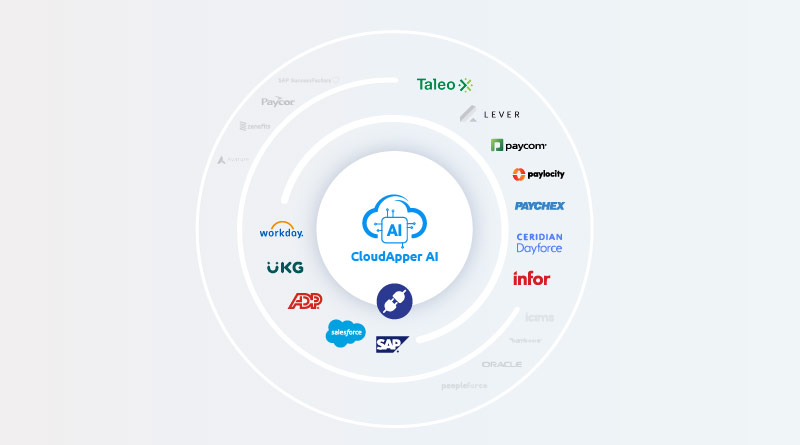
Yes. With the CloudApper AI Platform’s pre-built connectors, integration with leading HR, HCM, and payroll systems is seamless and efficient. Whether you use UKG Ready, UKG Pro, UKG Pro WFM (Dimensions), Dayforce, Workday, Oracle HCM Cloud, SAP SuccessFactors, Ceridian Dayforce, iSolved, Paylocity, Paycom, Paycor, BambooHR, or Gusto, CloudApper AI TimeClock can connect directly through secure REST APIs. Because these connectors are already configured, integration projects typically take days to complete instead of months.
Real-World Customization Example
Industry: Manufacturing
Challenge: Plants with different overtime rules, hazard pay rates, and job codes.
Solution: Using the CloudApper AI Platform, we built:
- A custom punch interface requiring job code + machine ID
- Automated hazard pay triggers for designated zones
- Separate overtime logic for daily and weekly thresholds
- Real-time data feed into UKG Pro WFM
Result: Payroll processing time dropped by 35%, and compliance issues fell to zero within 90 days.
How Customization Enhances Compliance
Labor law compliance is a moving target. The CloudApper AI Platform helps you stay ahead by:
- Enforcing rules automatically at the point of punch
- Capturing digital attestations when exceptions occur
- Logging every change in an auditable history
- Applying AI alerts when potential violations are detected
This not only reduces liability but also strengthens your defense if disputes arise.
Why CloudApper’s AI Platform is a Game-Changer
Traditional custom software projects often require months of development and a hefty budget. The CloudApper AI Platform changes the equation by:
- Drag-and-drop app creation—configure without deep coding
- AI automation for repetitive workflows
- Pre-built connectors to plug into your existing ecosystem instantly
- Scalable architecture—start small, add features as needed
Additional Benefits of CloudApper AI TimeClock
- Offline Mode: Punch data is securely stored offline and synced automatically when connected.
- Multiple Punch Formats: Face ID, QR code, NFC, PIN, barcode.
- AI Employee Assistant: Lets workers check schedules, PTO, and policies directly from the kiosk.
- Data-Driven Insights: Identify overtime trends, absence patterns, and staffing gaps.
- Hardware Freedom: Runs on any iOS, Android, or Windows tablet—no proprietary device costs.
Table: CloudApper AI TimeClock vs. Traditional Time Clock Systems
| Feature | Traditional Time Clock | CloudApper AI TimeClock |
| Customization | Minimal | Unlimited via drag-and-drop AI Platform |
| Workflow Automation | Limited | Advanced AI-driven workflows |
| Integration | Slow, custom-coded | Instant via pre-built connectors |
| Compliance Support | Basic | State-specific rules, digital attestations, AI alerts |
| Hardware | Proprietary | Any tablet or device |
| Deployment Speed | Months | Days to weeks |
Best Practices for Implementation
- Document Your Requirements – Capture every compliance rule, approval process, and integration need before building.
- Start with a Pilot – Roll out to a small group to validate workflows.
- Train End-Users – Ensure managers and employees understand self-service and approval processes.
- Review & Refine – Use analytics to continuously optimize.
FAQ
Q1: What is customizable time clock software?
Customizable time clock software lets organizations configure punch methods, compliance rules, approval workflows, and HR/payroll integrations to match their specific operational needs — rather than conforming to a fixed, generic system.
Q2: How does CloudApper AI TimeClock differ from standard time clock solutions?
It’s built on the CloudApper AI Platform, which offers drag-and-drop app creation, AI-driven workflow automation, and pre-built REST API connectors — so you can tailor the entire timekeeping experience without deep coding or lengthy development cycles.
Q3: Which HR and payroll systems does CloudApper AI TimeClock integrate with?
It integrates with UKG Ready, UKG Pro, UKG Pro WFM, ADP Workforce Now, Workday, Oracle HCM Cloud, SAP SuccessFactors, Ceridian Dayforce, Paylocity, Paycom, Paycor, BambooHR, iSolved, Gusto, and more via secure REST APIs.
Q4: Can the time clock handle multi-location compliance rules?
Yes. You can assign unique pay rules, overtime policies, and jurisdiction-specific prompts — such as California meal break attestations — by site or department, making it ideal for multi-state and multi-country operations.
Q5: How long does deployment take?
Because CloudApper uses pre-built connectors and a no-code drag-and-drop platform, most deployments are completed in days rather than the months typically required by traditional custom development projects.
Q6: What punch methods does CloudApper AI TimeClock support?
It supports facial recognition (Face ID), QR code, NFC, PIN, barcode, and geofencing — all configurable based on your workforce’s needs and hardware.
Q7: Does it work offline?
Yes. Punch data is securely captured and stored offline, then automatically synced to your HR or payroll system once the connection is restored.
If your workforce management needs go beyond basic punch tracking, CloudApper AI TimeClock—powered by the CloudApper AI Platform—gives you full control over how time is captured, validated, and processed. With drag-and-drop customization, advanced workflow automation, AI capabilities, and ready-made connectors, you can build the perfect timekeeping solution without lengthy development cycles.
Ready to design your perfect time clock? Contact CloudApper today to see it in action.

What is CloudApper AI Platform?
CloudApper AI is an advanced platform that enables organizations to integrate AI into their existing enterprise systems effortlessly, without the need for technical expertise, costly development, or upgrading the underlying infrastructure. By transforming legacy systems into AI-capable solutions, CloudApper allows companies to harness the power of Generative AI quickly and efficiently. This approach has been successfully implemented with leading systems like UKG, Workday, Oracle, Paradox, Amazon AWS Bedrock and can be applied across various industries, helping businesses enhance productivity, automate processes, and gain deeper insights without the usual complexities. With CloudApper AI, you can start experiencing the transformative benefits of AI today. Learn More
- Useful Links:
- Agentic AI
- No-Code/Low-Code
- Custom Software
- HCM Personalization
- iPaaS
- FedRAMP
Brochure
CloudApper AI TimeClock
For accurate & touchless time capture experience.
Download Brochure
CloudApper AI Solutions for HR



- Works with








- and more.
Similar Posts
Credential Expiration Tracking: Alert Supervisors and Block Clock-In for Lapsed…

Why Frontline Employers Need an AI Time Clock to Prove…