Is your recruiting team bogged down by slow, click-heavy processes in Workday or Dayforce recruiting solution? Discover how to bypass manual grunt work without replacing your entire system. Learn how CloudApper AI Recruiter automates screening and scheduling, allowing you to focus on top talent and hire faster across the US and Canada.

Table of Contents
- Is your recruiting team drowning in clicks?
- Why is Workday/Dayforce Recruiting So Slow?
- What is “Click-Heavy” Grunt Work in Recruiting?
- How to Automate Candidate Screening in Workday/Dayforce?
- Can I Automate Workday/Dayforce Applicant Tracking Without Replacing It?
- Frequently Asked Questions (FAQs)
- Stop Clicking, Start Hiring
Is your recruiting team drowning in clicks?
Imagine this: You have a great job opening. Dozens of people apply. But instead of interviewing the best talent, you are stuck behind a screen, clicking through endless tabs in Workday/Dayforce recruiting solution. You are manually opening resumes, checking boxes, sending generic emails, and trying to figure out who is actually qualified.
Meanwhile, your top candidates are waiting. And waiting. And then moving on to another company that hired them faster.

If this sounds familiar, you are facing a common problem: “Click-Heavy” Grunt Work.
It’s the boring, repetitive stuff that slows you down. Workday and Dayforce are powerful systems, but there is no easy solution when it comes to quickly screening people. The good news? You don’t have to replace your whole recruitment system to fix it. There is a way to automate the slow parts so you can focus on talking to people, not clicking buttons.
You might also like to read: AI vs Traditional Recruitment: Comparing Cost and Efficiency
Why is Workday/Dayforce Recruiting So Slow?
Many hiring managers in the US and Canada ask this question. The truth is, these systems were built to manage everything—payroll, HR, benefits, and time tracking. Because they do so much, the recruiting part can sometimes feel complicated.
A typical recruiter might have to click 10 to 15 times just to move one candidate to the next stage. Multiply that by 100 applicants, and you have lost hours of your week.
Common “Time-Wasters” Include:
- Opening a candidate profile.
- Downloading the resume.
- Reading the resume to find one specific skill.
- Clicking “reject” or “advance.”
- Manually typing an email to schedule an interview.
This slow process creates a “bottleneck.” It’s like a traffic jam for your hiring.
You might also like to read: Candidate Drop-Off Prevention in Any HCM and ATS Platforms with Universal AI Screening Tools
What is “Click-Heavy” Grunt Work in Recruiting?
“Click-heavy” work is any task that requires your hands to do more work than your brain.
If you are a recruiter, your brain should be used for judging character, assessing culture fit, and negotiating offers. Your hands shouldn’t be tired from clicking “Next,” “Save,” and “Confirm” all day.
When you rely on manual clicks to screen candidates, you invite human error. You might accidentally reject a good candidate because you were tired. Or worse, you might not get to a great application until it’s too late because you were busy processing the unqualified ones first.
You might also like to read: From Manual to Automated Recruitment: Lessons from Companies Who Switched to AI
How to Automate Candidate Screening in Workday/Dayforce?
This is the top question for teams who want to speed up. The answer isn’t to buy a whole new Applicant Tracking System (ATS). That is expensive and takes months to set up.
The smarter solution is to use an AI Automation layer that sits on top of Workday or Dayforce.
Think of it like a fast-pass lane at an amusement park. The ride (Workday/Dayforce) is the same, but you get to skip the long line.
The Solution: CloudApper AI Recruiter acts as a conversational chatbot that does the grunt work for you. Instead of you reading every resume, the AI does it. Instead of you emailing back and forth to find a time to meet, the AI does it.
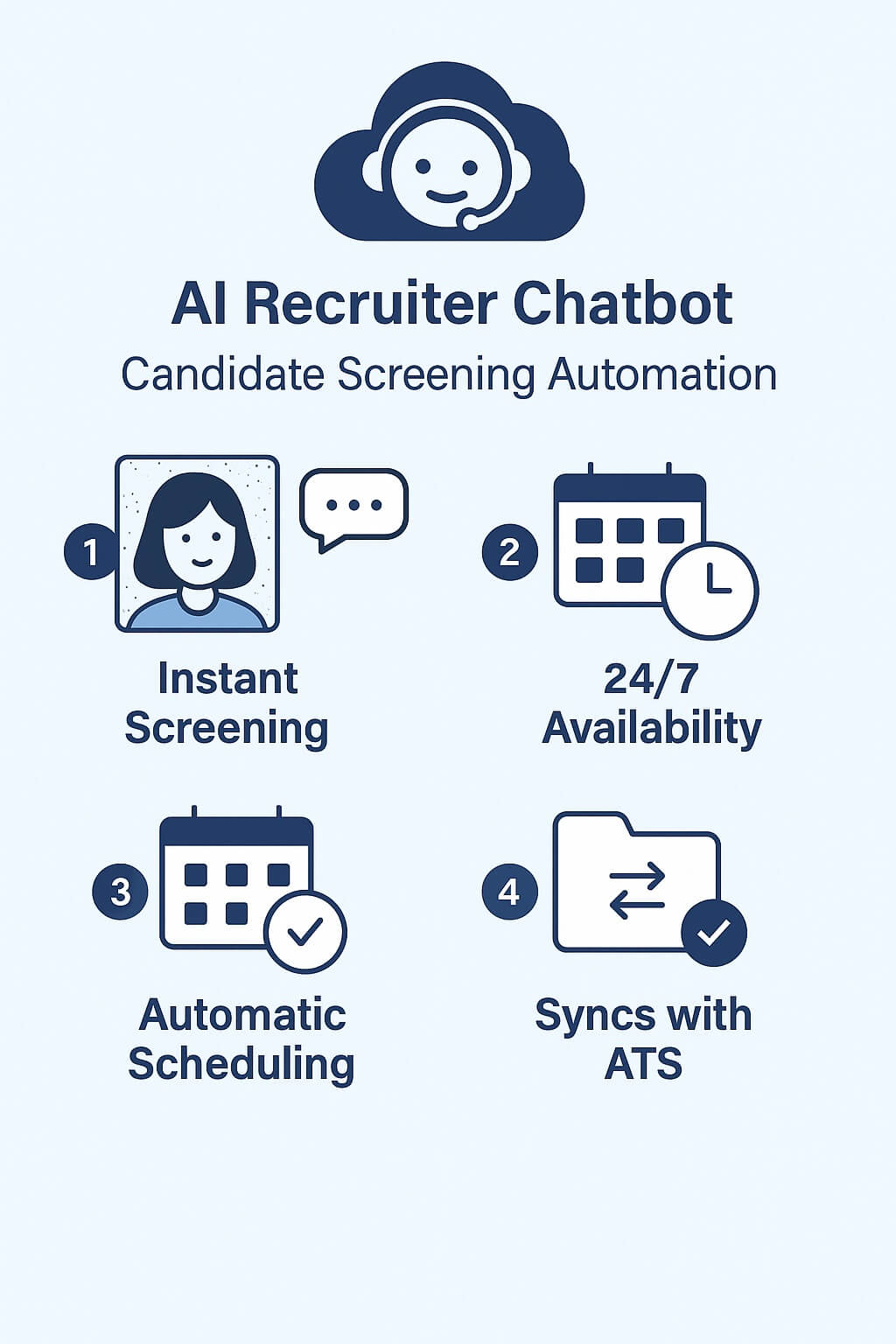
Here is how it works in simple steps:
- Instant Screening: When a candidate applies, the AI Chatbot immediately talks to them. It asks the “knockout” questions (e.g., “Do you have a valid nursing license?” or “Are you authorized to work in Canada?”).
- 24/7 Availability: It doesn’t matter if a candidate applies at 2 AM or on a Sunday. The AI is awake and working.
- Automatic Scheduling: If the candidate is a good match, the bot looks at your calendar and lets the candidate pick a time for an interview right then and there.
- Syncs with Workday/Dayforce: All this information is automatically sent to your main system. You didn’t have to click anything.
You might also like to read: Common Mistakes When Rolling Out AI Recruiting—and How to Avoid Them
Can I Automate Workday/Dayforce Applicant Tracking Without Replacing It?
Yes. Replacing Workday/Dayforce would be a nightmare for your IT and HR departments. You don’t need to do that.
CloudApper integrates directly with both Workday and Dayforce. It “talks” to your current system. It pulls the job details from Workday/Dayforce and pushes the qualified candidates back into Dayforce.
For the user, it feels like magic:
- Recruiters: You log in and see a calendar full of qualified interviews. The “grunt work” of filtering them happened while you were sleeping.
- Candidates: They get an instant response. They feel heard and valued, which improves your company’s image.
You might also like to read: When Candidates Ghost: How to Track, Analyze & Reduce Drop-Offs in Your Recruitment Pipeline
Frequently Asked Questions (FAQs)
Does this work for high-volume hiring?
Absolutely. If you are hiring for retail, healthcare, or manufacturing roles where you get hundreds of applications, this is where automation shines. A human cannot read 500 resumes in an hour. An AI can.
Will I lose the “human touch”?
No, you actually gain it. By automating the boring screen-reading tasks, you have more time to actually speak with candidates. You are saving your energy for the conversations that matter.
Is it hard to use?
The system is designed to be “No-Code.” This means you don’t need to be a computer programmer to set it up. It is built for HR professionals, not IT wizards.
Can I automate candidate screening in Workday without replacing the whole system?
Yes. You do not need to replace Workday or Dayforce. You can use an integration layer like CloudApper AI Recruiter that sits on top of your current system to handle screening and scheduling automatically.
How does AI help with high-volume hiring in Dayforce?
AI Recruiter engages every applicant instantly, 24/7. It asks knockout questions to filter qualified candidates and automatically schedules interviews, saving recruiters from manually processing hundreds of resumes.
Is it difficult to integrate CloudApper with Workday?
No. CloudApper is designed as a “No-Code” solution, meaning it integrates easily with Workday and Dayforce without requiring complex custom coding or heavy IT resources.
Will automating screening make the hiring process feel robotic?
Actually, it improves the candidate experience. Candidates get instant answers and updates rather than waiting weeks for a human reply. This allows recruiters to spend more time on personal interviews rather than administrative tasks.
You might also like to read: Where AI Recruitment Makes the Greatest Impact: Frontline vs. White-Collar Hiring
Stop Clicking, Start Hiring
If you are tired of the slow, multi-screen processes in Workday or Dayforce, it is time to change your strategy. You don’t need to work harder; you need to let technology handle the heavy lifting.
By automating your candidate screening with a tool like CloudApper AI Recruiter, you can cut down your screening time by enormous amounts. This is crucial for companies in competitive markets across the US and Canada where speed wins the best talent.
Ready to bypass the busy work? Check out the solution here: CloudApper AI Recruiter Conversational Chatbot
You might also like to read: AI Sourcing Candidates from Ceridian Dayforce Recruiting Software (ATS)

What is CloudApper AI Platform?
CloudApper AI is an advanced platform that enables organizations to integrate AI into their existing enterprise systems effortlessly, without the need for technical expertise, costly development, or upgrading the underlying infrastructure. By transforming legacy systems into AI-capable solutions, CloudApper allows companies to harness the power of Generative AI quickly and efficiently. This approach has been successfully implemented with leading systems like UKG, Workday, Oracle, Paradox, Amazon AWS Bedrock and can be applied across various industries, helping businesses enhance productivity, automate processes, and gain deeper insights without the usual complexities. With CloudApper AI, you can start experiencing the transformative benefits of AI today. Learn More
- Useful Links:
- Agentic AI
- No-Code/Low-Code
- Custom Software
- HCM Personalization
- iPaaS
- FedRAMP
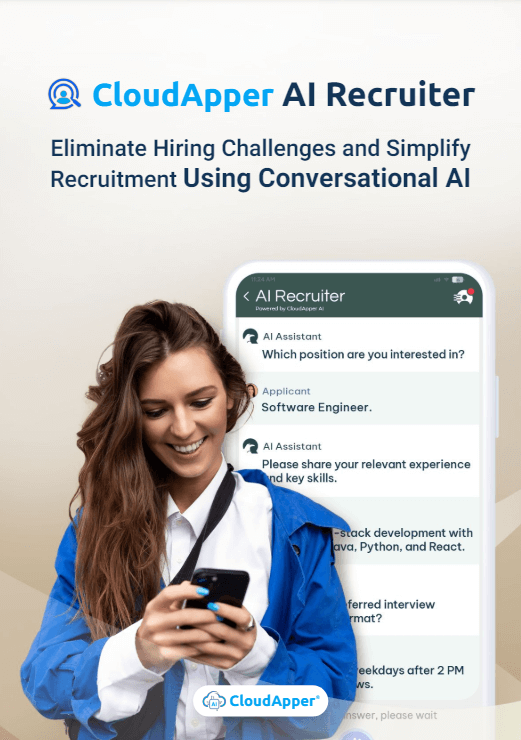
CloudApper AI Solutions for HR



- Works with








- and more.
Similar Posts
Recording Candidate Video Interviews in Illinois: Consent, Retention, and Deletion…

Replace 30-Minute Phone Screens With 10-Minute Video Reviews: The Recruiter…