Effective Workday absence management is challenging when frontline employees cannot easily check PTO balances or request time off. CloudApper AI TimeClock integrates with Workday to show real-time absence balances, accruals, and eligibility at the time clock. Employees gain self-service access while HR reduces repetitive questions and manual work.
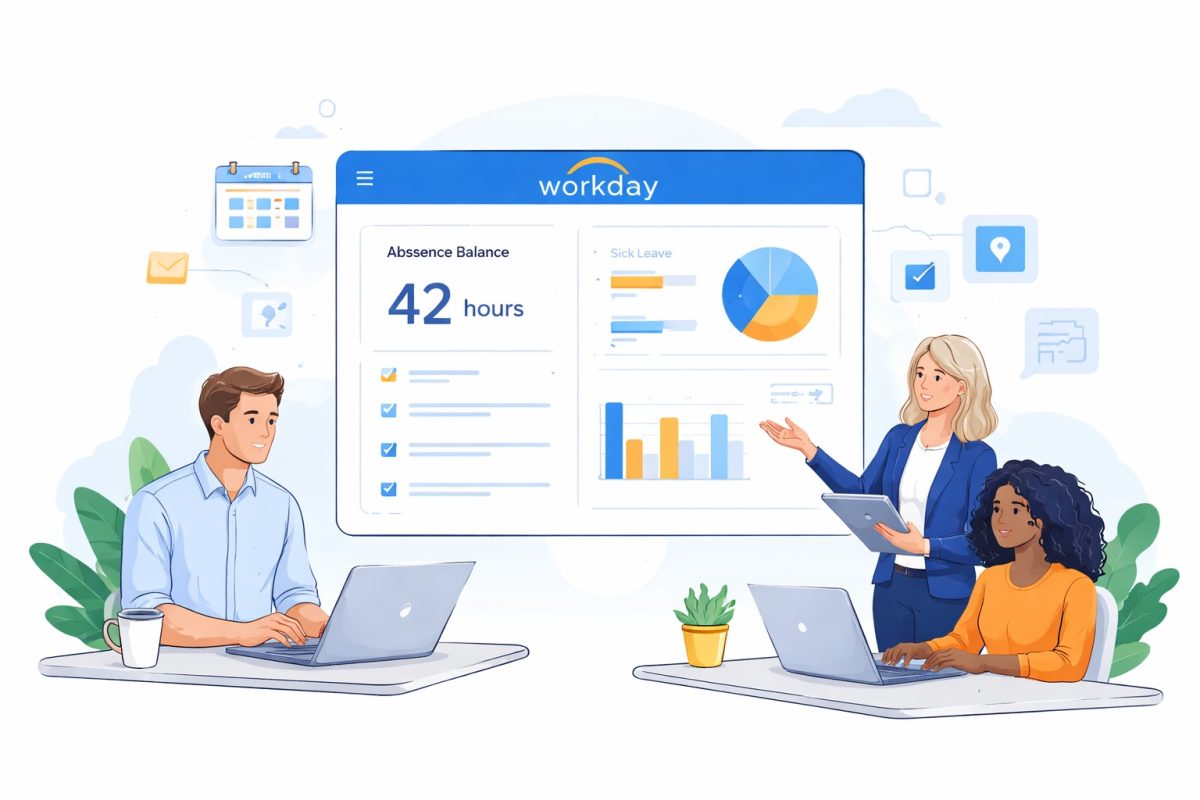
Table of Contents
- TL;DR
- Understanding Workday Absence Balance — The Basics HR Gets Asked Every Day
- The Questions HR Professionals Hear Most Often About Workday Absence Balance
- Why Frontline Employees Struggle to Access Their Workday Absence Balance
- How CloudApper AI TimeClock Brings Workday Absence Balance to the Terminal
- Other Time Management and Self-Service Activities at the Same Terminal
- What This Means for HR Teams Specifically
- Frequently Asked Questions: Workday Absence Balance in a CloudApper Environment
- The Bigger Picture: Making Workday Work for Frontline Employees
A practical guide to Workday absence balance — and how CloudApper AI TimeClock puts self-service access directly in the hands of every employee

If you’ve worked in HR for any length of time, you know exactly how this goes. An employee approaches someone on the team — or sends a message, or calls — and asks a question that sounds simple on the surface: “How many PTO days do I have left?” Or maybe it’s: “I think my vacation balance is wrong. Can someone check?” Or the classic: “I just came back from leave and my balance doesn’t look right.”
These questions are not unreasonable. Employees have every right to know their Workday absence balance. The problem is that getting the answer often requires HR to log in, pull data, verify against leave plans, and respond — and when that happens dozens of times a week across an organization, it adds up to a significant chunk of time spent on something that should, in theory, be self-service.
This article is about why Workday absence balance questions remain such a persistent pain point, what HR professionals typically encounter, and how CloudApper AI Time Clock for Workday creates a better path — one where employees can get accurate balance information on their own, without pulling anyone away from more important work.
TL;DR
Workday absence management often frustrates employees and overwhelms HR with constant questions about PTO balances, accruals, and leave discrepancies. CloudApper AI TimeClock solves this by delivering real-time absence balance visibility and self-service directly at the time clock tablet, reducing repetitive inquiries and empowering frontline workers.
Understanding Workday Absence Balance — The Basics HR Gets Asked Every Day
Workday manages absence through leave plans — configurable rules that determine how time off accrues, what types of leave exist, when employees become eligible, and how balances are calculated. From the employee’s perspective, the Workday absence balance is simply the number of hours or days they have available for a given leave type: vacation, sick time, personal days, floating holidays, and so on.
From HR’s perspective, it’s rarely that simple. Workday absence balances are affected by a range of variables that employees don’t always think about — and don’t always know to ask about:
-
Accrual timing: Does leave accrue at the start of the year, monthly, bi-weekly, or per pay period? Employees often check their balance between accrual events and wonder why the number hasn’t moved.
-
Waiting periods: New hires or rehires may not be eligible for certain leave types until they’ve been with the company for a defined period. Their balance shows zero not because something is wrong, but because the clock hasn’t started yet.
-
Job or role changes: When an employee transfers departments, changes employment type, or moves from part-time to full-time, Workday may apply a different leave plan. Their balance can shift, which causes confusion.
-
Leave without pay (LWOP): Unpaid leave can affect accrual rates. An employee who took an extended unpaid leave may accrue less than expected afterward.
-
Carry-over caps and expiration: Many organizations cap how much unused leave can roll over from one year to the next, or set expiration dates on certain leave types. Employees don’t always know these rules exist until they’ve lost time they thought they were saving.
-
Negative balances: Some leave plans allow employees to borrow against future accruals. When they return from leave, their balance may show negative — which creates alarm and requires explanation.
Every one of these scenarios generates an HR inquiry. Sometimes several at once.
The Questions HR Professionals Hear Most Often About Workday Absence Balance
Let’s be direct about what HR teams actually field. These are not edge cases — they’re recurring, predictable questions that land in inboxes and on desks week after week:
“Why doesn’t my balance match what I expected?”
This is the most common one. The employee has a number in their head — based on what they were told when they were hired, or what they calculated themselves — and what Workday shows doesn’t match. The answer almost always involves explaining accrual timing, carry-over rules, or the impact of a recent absence. All of that context lives in Workday, but the employee can’t easily access or interpret it without HR’s help.
“I just came back from maternity/paternity leave. Why is my balance different?”
Extended leaves — especially protected leaves like FMLA, parental leave, or disability — can temporarily suspend accruals, depending on how the organization has configured Workday. When an employee returns and sees a lower balance than expected, it requires a careful explanation of both the leave policy and how Workday applies it. This type of inquiry takes time to resolve correctly, and getting it wrong can create legal exposure.
“I transferred to a new department. Did my PTO carry over?”
Job transfers within Workday can trigger a leave plan change. If the employee’s new role falls under a different absence plan, their balance history may look different, carry-over rules may differ, or the accrual rate may have changed. HR has to trace the timeline in Workday to give an accurate answer.
“Can I check my balance without asking HR every time?”
This is the question HR professionals most want employees to ask — because it signals willingness to self-serve. The challenge is that for many frontline employees who don’t have a personal Workday login, or who aren’t in the habit of logging in, the answer has historically been: not easily. That’s exactly the gap CloudApper AI TimeClock fills.
“My coworker has the same job and their balance is higher. Is mine wrong?”
This one is tricky, because it involves explaining that balances are individual — they depend on hire date, leave elections, specific plan assignments, and absence history. Two employees in the same role can have very different balances for completely legitimate reasons. HR has to explain that without it sounding like something is being hidden.
Why Frontline Employees Struggle to Access Their Workday Absence Balance
Workday is a sophisticated platform, and for employees who use it regularly from a desktop, checking an absence balance is relatively straightforward. But for a significant portion of the workforce — warehouse workers, manufacturing staff, retail associates, healthcare aides, field technicians — daily work doesn’t involve logging into Workday at all.
These employees often share workstations, don’t have company email addresses, or simply haven’t been trained to navigate Workday’s self-service features. The system exists; they just don’t have a practical way to use it. So when they want to know their Workday absence balance, they ask HR.
This creates a compounding problem. The employees who most need easy self-service access are exactly the ones who are least likely to use Workday’s built-in tools. And because their questions require HR to do manual lookups and provide explanations, the HR team carries the full burden of every absence balance inquiry across the entire frontline workforce.
How CloudApper AI TimeClock Brings Workday Absence Balance to the Terminal
CloudApper AI TimeClock for Workday is built around a simple but powerful idea: the time clock is where frontline employees already are. Every shift, twice a day. So instead of asking employees to go somewhere new to access HR information, CloudApper brings the information to where they already go.
Deployed on any standard iOS or Android tablet, CloudApper AI TimeClock connects directly to Workday in real time. When an employee steps up to the terminal, they’re not just punching in — they’re accessing a full self-service experience powered by AI Agents that understand your Workday configuration.
Real-Time Absence Balance Visibility
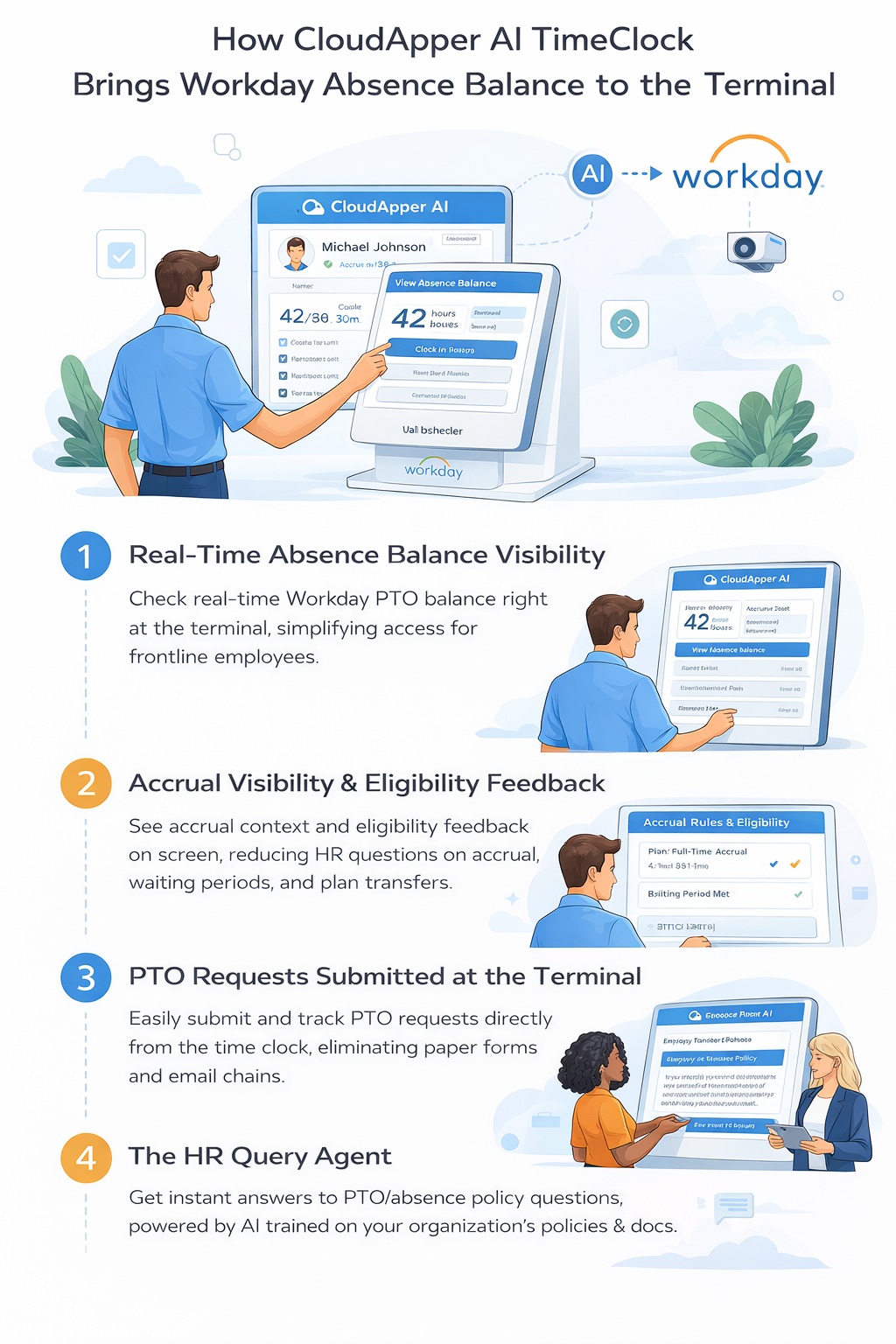
Through the PTO & Leave Agent, employees can check their Workday absence balance directly at the terminal — without logging into Workday, without finding a computer, and without asking anyone. The balance they see is pulled in real time from Workday, so it reflects the current state of their leave plan, not a snapshot from a previous day.
This matters more than it might seem. Employees who can see their balance at any moment are less likely to take leave they don’t have, less likely to lose track of accruals, and less likely to generate an inquiry when they’re surprised by a number they don’t recognize.
Accrual Visibility and Eligibility Feedback
One of the features that directly addresses the most common HR questions is accrual visibility. CloudApper’s PTO & Leave Agent doesn’t just show a balance — it can surface the accrual context employees need to understand why their balance is what it is. It also validates eligibility in real time, so if an employee is in a waiting period or their plan changed after a job transfer, they receive immediate feedback rather than submitting a request that gets declined later.
This is particularly useful for rehires and employees who’ve recently changed roles — scenarios that Workday handles through plan reassignment and that regularly generate HR inquiries. CloudApper’s rehire and transfer-ready workflows automatically apply the correct accrual rules when these situations occur, reducing the need for manual corrections and the employee confusion that follows.
PTO Requests Submitted Directly from the Terminal
Checking a balance is only half the equation. The other half is acting on it. CloudApper AI TimeClock allows employees to submit PTO requests directly from the time clock terminal, with the request flowing into Workday automatically. There’s no paper form, no email chain, no verbal request that might get forgotten. The request is logged, routed, and recorded in real time.
Employees can also check the status of pending requests at the terminal — another common HR inquiry that disappears when employees can self-serve the answer.
The HR Query Agent — For Questions That Need More Context
Sometimes an employee doesn’t just want to know their balance — they want to understand why. The HR Query Agent, trained on your organization’s specific policies and documentation, provides instant answers to those contextual questions. An employee who wants to know how their leave plan works after a recent transfer, or whether their parental leave counts against their PTO accrual, can get an accurate policy-based answer at the terminal without waiting for HR to respond.
This is a meaningful shift for HR teams. Instead of fielding the same policy questions repeatedly, those answers are handled automatically — consistently and accurately — by an AI trained on your actual documentation.
Other Time Management and Self-Service Activities at the Same Terminal
Workday absence balance is just one part of what CloudApper AI TimeClock handles. Because the terminal is a full HR self-service kiosk — not just a time clock — employees can take care of a range of time management needs in the same place:
-
Clock in and out using touchless facial recognition, QR codes, NFC, or barcodes — with identity verified biometrically at every punch
-
View scheduled shifts and upcoming time entries
-
Bid for open shifts, request swaps, or confirm attendance through the Shift Management Agent
-
Submit job transfer or cost center change requests before clocking in — with pre-clock validation built in
-
Complete compliance attestations at clock-out, with records synced to Workday automatically
-
Respond to wellness pulse check-ins and engagement surveys during natural clock-in moments
-
Review recent punch history and flag discrepancies before they become payroll issues
Each of these activities — historically managed by HR or managed poorly — is handled at the terminal, by the employee, with results flowing directly into Workday. The self-service loop is closed without HR involvement.
What This Means for HR Teams Specifically
The most direct impact of deploying CloudApper AI TimeClock is a reduction in routine HR inquiries. When employees can check their Workday absence balance, submit PTO requests, and get policy answers at the terminal, the volume of questions that reach HR drops substantially.
But the benefit goes beyond time savings. HR professionals who spend less time on repetitive lookups and policy explanations can spend more time on the work that actually requires their judgment — workforce planning, complex leave situations, compliance decisions, employee relations. The terminal handles the transactional layer; HR handles everything else.
There’s also a consistency benefit. When 50 employees ask the same question about how carry-over works, a human answering that question 50 times will give slightly different answers. The HR Query Agent, trained on the same documentation every time, gives the same accurate answer every time. That consistency reduces misunderstandings and the follow-up inquiries they generate.
And for compliance, the audit trail is cleaner. Every absence request, every balance check, every attestation captured through CloudApper flows into Workday with a timestamp and a verified identity attached. When an audit question arises — or a dispute about whether an employee submitted a request, or what they were told about their balance — the record is there.
Frequently Asked Questions: Workday Absence Balance in a CloudApper Environment
Can employees see their exact Workday absence balance at the kiosk?
Yes. CloudApper AI TimeClock pulls real-time data from Workday, so the balance an employee sees at the terminal is the same data HR would see if they looked it up manually. There’s no lag, no cached data, no risk of showing a stale number.
What happens if an employee’s balance changes after a job transfer?
CloudApper’s transfer-ready workflows detect plan changes and automatically apply the correct accrual rules. The employee’s updated balance reflects in Workday, and if they check at the terminal after the transfer, they see the correct figure — with eligibility validation to explain any differences from their previous plan.
Can CloudApper handle cross-plan balance checks?
Yes. The PTO & Leave Agent supports cross-plan visibility, meaning employees who have balances across multiple leave types — vacation, sick, personal days — can see each one independently. Eligibility validation applies per plan, so an employee who is eligible for sick time but still in a waiting period for vacation will receive the right information for each.
What if an employee disputes their balance?
CloudApper logs every interaction at the terminal, including balance checks, with a timestamp and biometric identity confirmation. If a dispute arises, HR can see exactly what balance the employee was shown, when, and under what plan parameters. This makes resolution faster and gives HR a defensible record if the dispute escalates.
Does CloudApper work if Workday connectivity is temporarily unavailable?
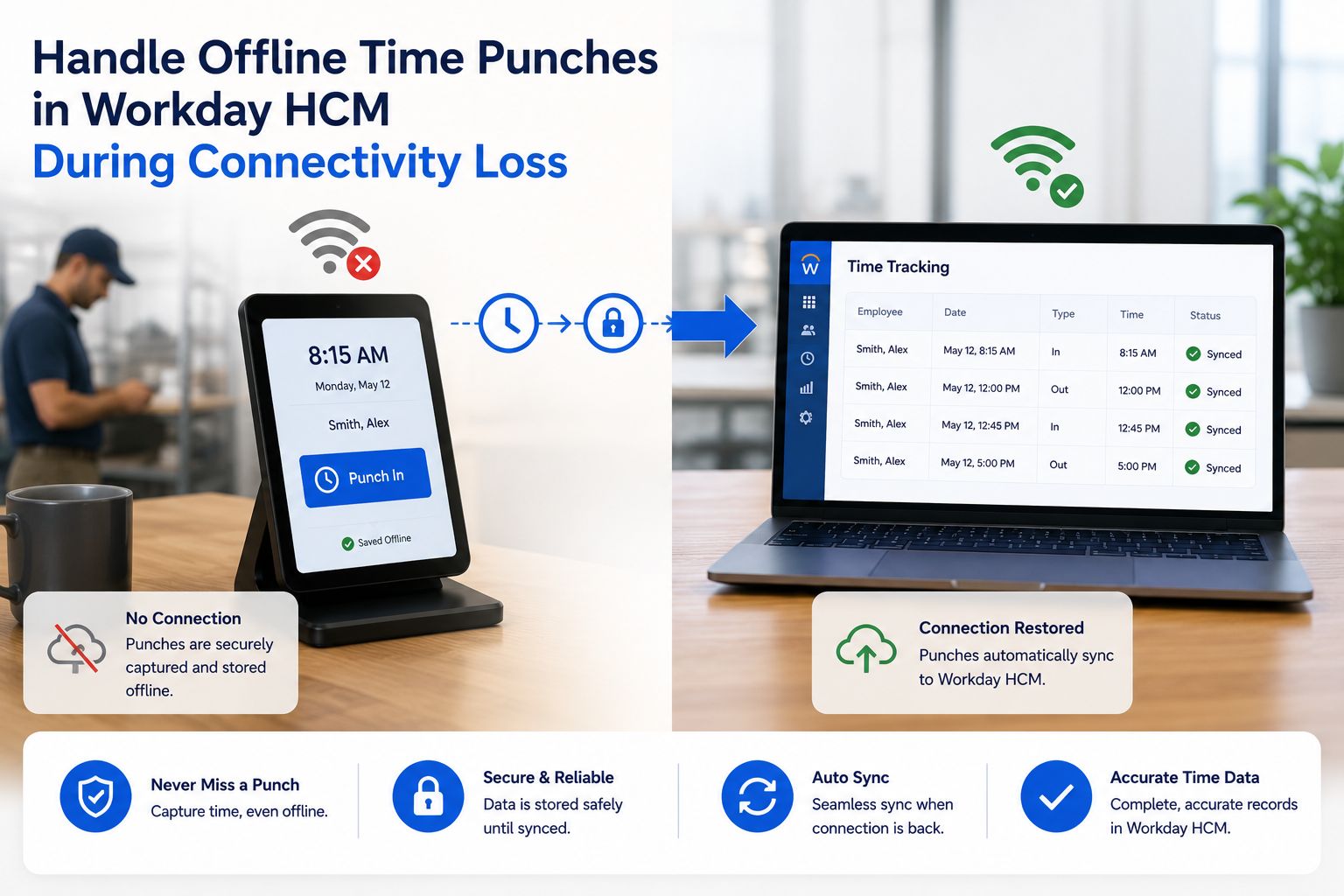
CloudApper AI TimeClock supports offline operation for time capture — punches are stored locally and synced to Workday when connectivity is restored. For balance queries, which require a live Workday connection, employees will receive a notification that balance information is temporarily unavailable rather than seeing potentially incorrect cached data.
Can the HR Query Agent answer questions about leave policies specific to our organization?
Yes. The HR Query Agent is trained on your organization’s documentation — your specific leave policies, your Workday plan configurations, your jurisdiction-specific rules. It doesn’t give generic HR answers; it gives answers based on your actual setup.
The Bigger Picture: Making Workday Work for Frontline Employees
Workday is a powerful platform, and most organizations don’t get the full return on their investment from it — not because the system isn’t capable, but because a large portion of their workforce never actually interacts with it. The frontline employee who clocks in at 6am and clocks out at 2pm has never logged into Workday in their life and never will.
CloudApper AI TimeClock changes that dynamic. It extends Workday’s capabilities — including absence balance visibility, PTO management, shift self-service, and policy information — to employees who couldn’t previously access them. And it does so through a device and a workflow they already use every day.
For HR, the result is a significant reduction in the transactional load that comes with managing a workforce that can’t self-serve. For employees, it’s a level of transparency and autonomy that genuinely improves their day-to-day experience. And for organizations, it’s a better return on the Workday investment — because more employees can actually access what the system offers.
Ready to give every employee real-time access to their Workday absence balance?
Visit cloudapper.ai/hrpad-ai-tablet-for-time-tracking-hrsd-self-service-workday to learn more about CloudApper AI TimeClock for Workday and book a free demo.

What is CloudApper AI Platform?
CloudApper AI is an advanced platform that enables organizations to integrate AI into their existing enterprise systems effortlessly, without the need for technical expertise, costly development, or upgrading the underlying infrastructure. By transforming legacy systems into AI-capable solutions, CloudApper allows companies to harness the power of Generative AI quickly and efficiently. This approach has been successfully implemented with leading systems like UKG, Workday, Oracle, Paradox, Amazon AWS Bedrock and can be applied across various industries, helping businesses enhance productivity, automate processes, and gain deeper insights without the usual complexities. With CloudApper AI, you can start experiencing the transformative benefits of AI today. Learn More
- Useful Links:
- Agentic AI
- No-Code/Low-Code
- Custom Software
- HCM Personalization
- iPaaS
- FedRAMP

Brochure
CloudApper hrPad
Empower Frontline Employees with an AI-Powered Tablet/iPad Solution
Download Brochure
CloudApper AI Solutions for Workday



- Works with








- and more.
Similar Posts
How to Prevent Duplicate Worker and Pre-Hire Records in Workday…
How to Handle Offline Time Punches in Workday During Connectivity…