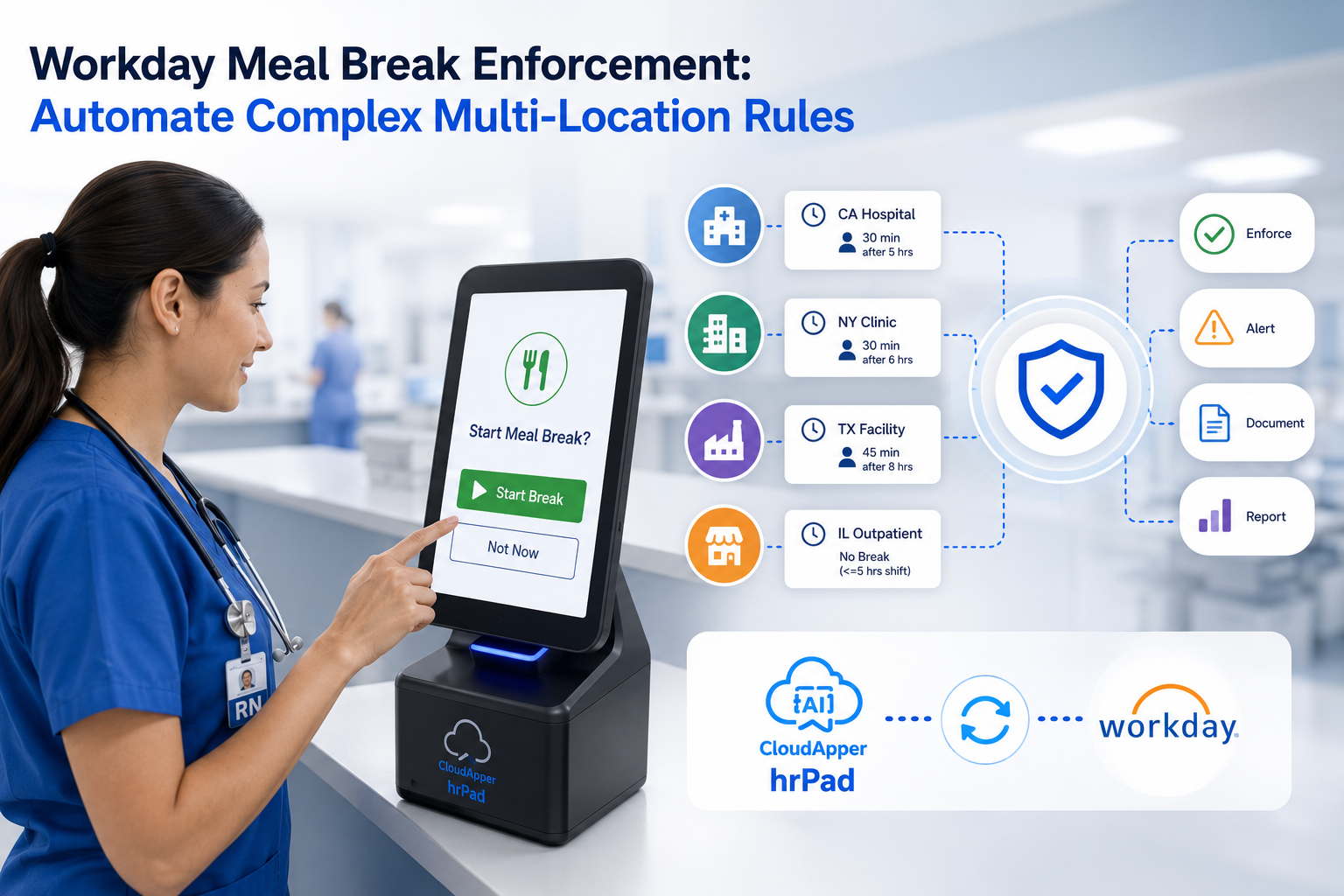
Learn how to automate jurisdiction-specific and union compliance attestations at clock-out so every time entry reaches Workday audit-ready. Discover practical strategies for handling meal breaks, predictive scheduling rules, CBA requirements, and real-time exception management across a distributed workforce.

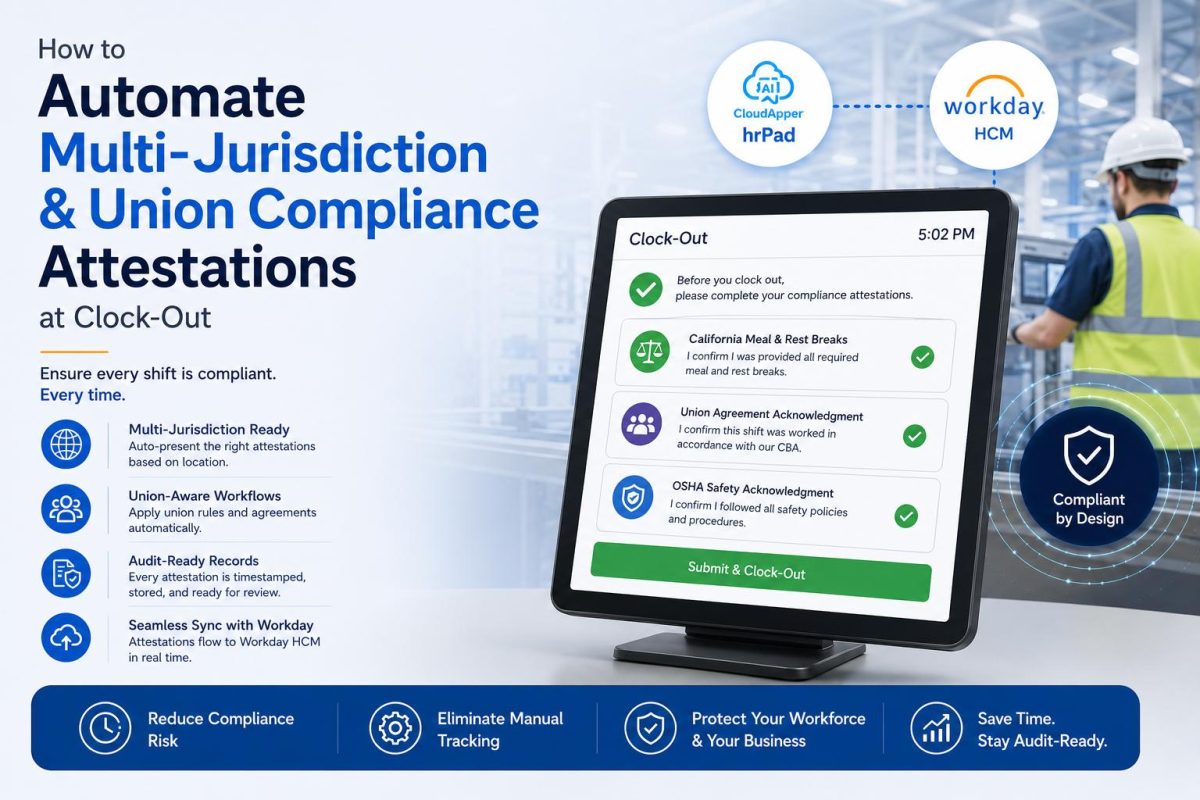
For any organization running a distributed hourly workforce, the moment an employee clocks out is one of the most consequential in the entire pay cycle. It’s the point where a shift becomes a record — and where a record either proves compliance or quietly creates exposure. When that workforce spans multiple states, cities, and collective bargaining agreements, a single clock-out event has to satisfy a dozen different rulebooks at once.

Most organizations discover the gap here not in a system, but in a courtroom or an audit. The data is captured. The problem is whether the data can prove the right thing happened at the right moment, under the right jurisdiction’s rules.
What are compliance attestations at clock-out?
A compliance attestation is a short, documented acknowledgment an employee makes about their shift before the time entry is finalized. The most common example is a meal and rest break attestation: at clock-out, a qualifying employee is asked to confirm whether they were provided the opportunity to take all required breaks. Other attestations cover overtime acknowledgment, minor labor restrictions, off-the-clock work confirmations, and shift or cost-center transfers.
These attestations matter because they shift the evidentiary burden. In California, for example, courts have recognized that electronic break attestations help document that an employer provided compliant breaks — a point reinforced in Donohue v. AMN Services — so the record itself becomes part of the defense rather than a liability.
Why multi-jurisdiction and union environments make this hard
The challenge isn’t the attestation itself. It’s that the correct attestation depends entirely on where the employee worked and which agreement governs them.
Consider the layers a large employer manages simultaneously. Federal rules set a baseline. State law adds requirements — California mandates a 30-minute unpaid meal break after five hours and paid 10-minute rest periods for every four hours worked, and prohibits rounding meal-period punches. A growing number of cities layer “fair workweek” or predictive scheduling ordinances on top, requiring advance notice and predictability pay. And for unionized teams, the collective bargaining agreement adds its own rules on breaks, premium pay, seniority, and shift assignment — rules that are numerous, frequently updated, and specific to each contract.
An employee at one location may need to attest to one thing. An employee at another location, covered by a different CBA, needs to attest to something else entirely. Getting this right manually — or hoping a single generic prompt covers every case — is where organizations lose ground.
Why the challenge occurs
Enterprise HCM platforms like Workday were built to be the authoritative system of record, and they do this exceptionally well. Workday Time Tracking supports compliance attestations at clock-out, including location-based configurations for requirements like meal breaks. The complexity many organizations run into is operational rather than technical: their frontline reality involves shared devices on plant floors, retail counters, healthcare units, and field sites, where each location may fall under a different combination of state, local, and union rules — and where the attestation experience needs to adapt instantly to the person standing at the clock.
The result is that organizations managing large, geographically spread workforces often require additional workflow flexibility at the point of capture — a way to make sure the right question is asked, of the right person, at the right site, every single time.
The business impact of getting attestations wrong
When attestations are inconsistent or generic, the cost shows up in several places at once:
- Litigation exposure — Without a clear, jurisdiction-correct record, the burden of proof in a break or wage claim stays with the employer.
- Penalty accrual — Missed meal-break premiums, predictability pay, and overtime miscalculations compound quickly across thousands of shifts.
- Grievances and trust erosion — In union environments, a CBA rule applied incorrectly can trigger grievances and strain labor relations.
- Audit drag — When records aren’t clean at the source, every audit becomes a manual reconstruction project.
How to handle jurisdiction-specific attestations at clock-out (step by step)
Here’s a practical framework any workforce management team can follow, regardless of platform:
- Map attestations to jurisdictions and agreements. Build a matrix of every state, locality, and CBA your workforce touches, and the specific attestations each requires (breaks, overtime, minor rules, predictability, etc.).
- Tie the attestation trigger to location or legal entity. The rule that applies should be determined by where the shift happened — not by asking the employee to self-select or by applying one blanket prompt everywhere.
- Set threshold conditions. Only prompt when relevant — for example, a meal-break attestation only for shifts exceeding the qualifying length.
- Capture the acknowledgment before the entry is finalized. The attestation should be a gate at clock-out, not a form completed days later from memory.
- Sync the response into your system of record immediately. The attestation and the time entry should land together in the HCM so the record is complete and audit-ready.
- Surface exceptions in real time. A missed or negative attestation should flag for follow-up rather than disappearing into a report no one reads.
Best practices
- Require employees to clock out and back in for unpaid meal periods to create a clean, timestamped record.
- Avoid rounding on meal punches where prohibited.
- Keep attestation language plain and specific so acknowledgments are meaningful.
- Version your rules so that when a CBA or local ordinance changes, the attestation logic updates without a manual rebuild.
- Review exception reports on a regular cadence, not just when an audit is announced.
How CloudApper helps
This is where organizations often extend their Workday environment with a complementary capture layer. CloudApper hrPad turns any iOS, Android, or Windows tablet into a location-aware employee self service kiosk that sits in front of Workday and enforces the right attestation workflow for each site automatically.
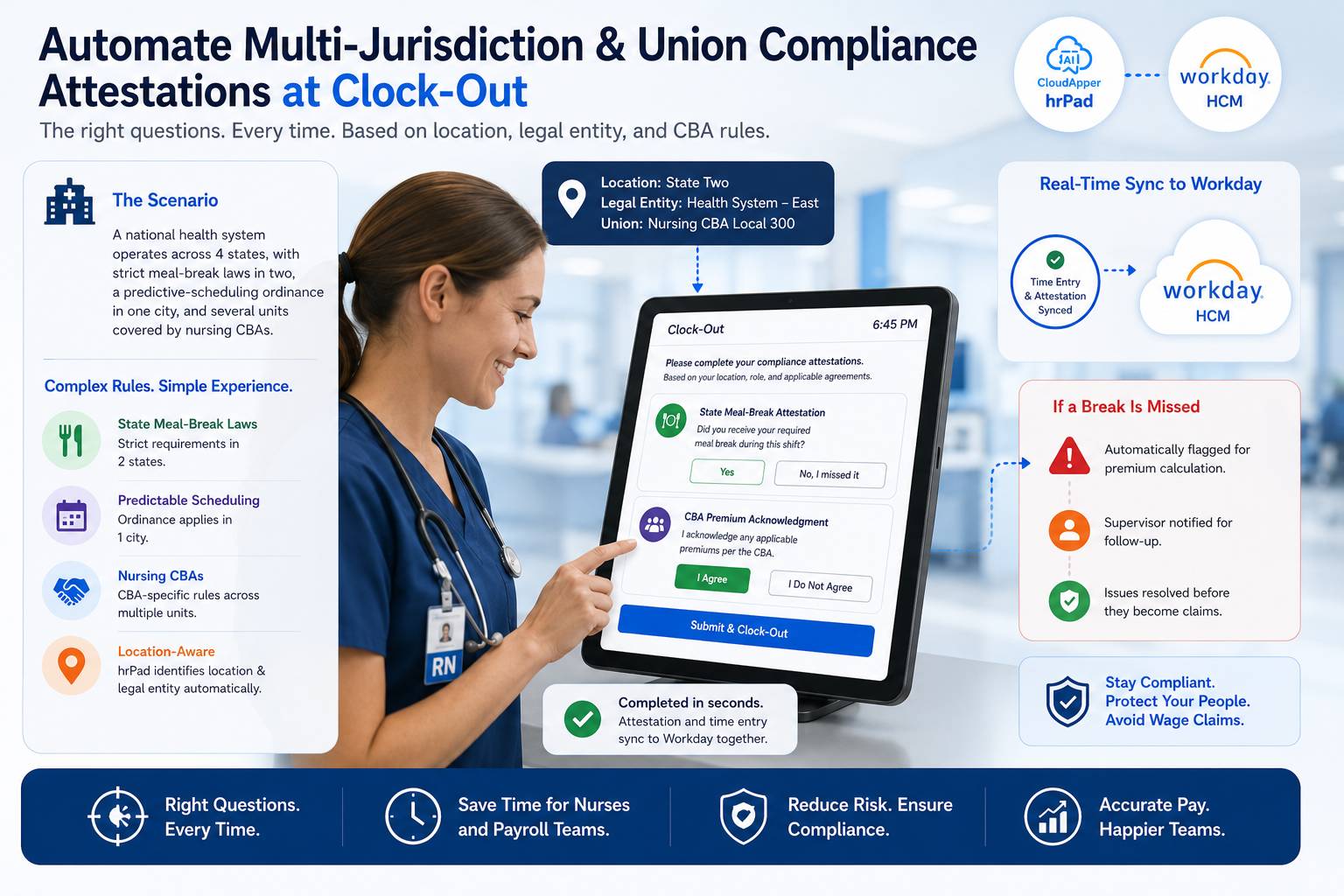
Because hrPad uses the tablet’s assigned location or legal entity to determine which rules apply, an employee in a California facility, a Chicago storefront under a fair-workweek ordinance, and a unionized plant covered by a specific CBA each see the correct attestation — without anyone having to remember which rule governs which person. Meal and rest break attestations, overtime acknowledgments, minor labor restrictions, and job or cost-center transfers are all handled right at the device, then synced instantly into Workday so the record arrives complete.
The task hrPad automates is narrow: it makes sure the right question is asked and answered at clock-out. What it makes possible is broader. Compliance teams stop reconstructing records after the fact. HR and operations leaders can add locations, states, or bargaining units without rebuilding their timekeeping process each time. And the workforce gets a clock-out experience that’s fast and unambiguous instead of a source of confusion or grievance. The data in Workday stays audit-ready by default — which is what lets an organization expand into new jurisdictions at the speed of its own growth rather than the speed of its next compliance review.
Example workflow scenario
A national health system runs facilities across four states, two of which have strict meal-break rules, one city with a predictable-scheduling ordinance, and several units covered by nursing CBAs. A nurse finishes a 10-hour shift and taps to clock out on the unit’s shared tablet. hrPad recognizes the location and legal entity, determines that a state meal-break attestation and a CBA-specific premium acknowledgment both apply, and prompts only those two questions. The nurse confirms in seconds. The attestation and time entry sync to Workday together. If the nurse had indicated a missed break, the system would flag it for a premium calculation and supervisor follow-up — before it ever became a wage claim.
7. FAQ Section
What is a compliance attestation at clock-out?
It’s a short acknowledgment an employee makes about their shift — most often confirming they were given required meal and rest breaks — captured before the time entry is finalized so the record documents compliance.
Does Workday support compliance attestations?
Yes. Workday Time Tracking supports compliance attestations at clock-out, including location-based configurations for requirements such as meal breaks. Organizations with complex multi-site, multi-union workforces often add a complementary capture layer to make the right attestation appear automatically for each location.
How do multi-jurisdiction attestations work?
The applicable rule is tied to where the shift occurred. The system uses the location or legal entity to trigger the correct state, local, or union attestation, so each employee only sees the questions that apply to them.
How do union rules affect timekeeping attestations?
Collective bargaining agreements can require specific acknowledgments around breaks, premium pay, and shift assignment. These vary by contract, so attestations need to be mapped to the correct bargaining unit rather than applied uniformly.
Why capture attestations at clock-out instead of later?
Capturing the acknowledgment in the moment creates a timestamped, accurate record. Attestations completed later from memory are weaker evidence and harder to defend in an audit or claim.
How does this keep Workday data audit-ready?
When the attestation is captured at the device and synced into Workday alongside the time entry, the record is complete at the source — eliminating after-the-fact reconstruction during audits.
What is CloudApper AI Platform?
CloudApper AI is an advanced platform that enables organizations to integrate AI into their existing enterprise systems effortlessly, without the need for technical expertise, costly development, or upgrading the underlying infrastructure. By transforming legacy systems into AI-capable solutions, CloudApper allows companies to harness the power of Generative AI quickly and efficiently. This approach has been successfully implemented with leading systems like UKG, Workday, Oracle, Paradox, Amazon AWS Bedrock and can be applied across various industries, helping businesses enhance productivity, automate processes, and gain deeper insights without the usual complexities. With CloudApper AI, you can start experiencing the transformative benefits of AI today. Learn More
- Useful Links:
- Agentic AI
- No-Code/Low-Code
- Custom Software
- HCM Personalization
- iPaaS
- FedRAMP

Brochure
CloudApper hrPad
Empower Frontline Employees with an AI-Powered Tablet/iPad Solution
Download Brochure
CloudApper AI Solutions for Workday



- Works with








- and more.
Similar Posts
How to Prevent Duplicate Worker and Pre-Hire Records in Workday…
How to Handle Offline Time Punches in Workday During Connectivity…