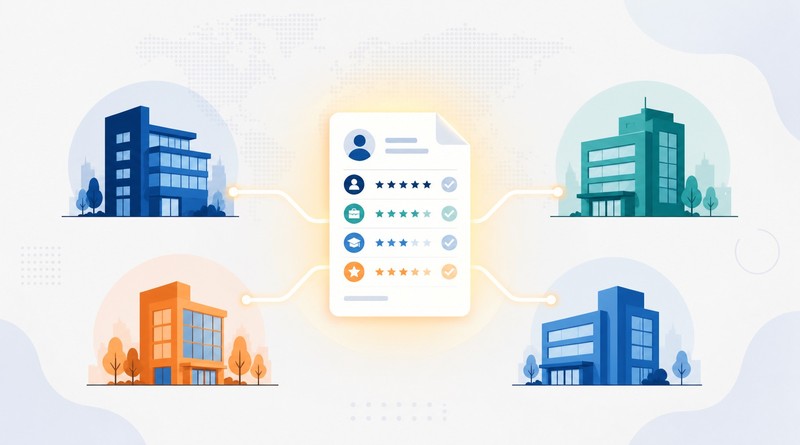
Teams often assume automated video pre-screening means replacing their ATS. This piece covers why that assumption is usually wrong and what it actually takes to add video pre-screening alongside the system you already have.
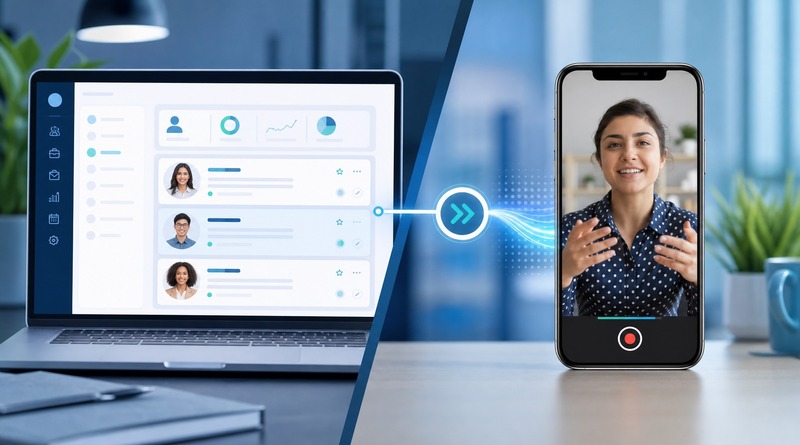
Table of Contents
- TL;DR:
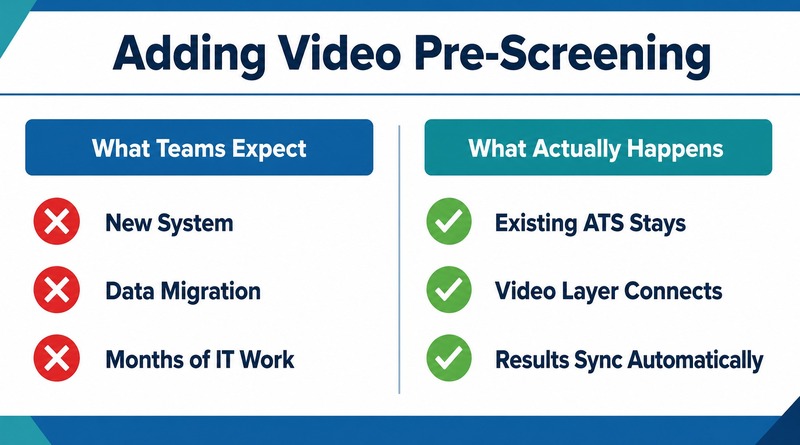
- Why Teams Assume Automated Video Pre-Screening Means a System Migration
- What Actually Has to Be True for a Tool to Run Alongside Your ATS
- How to Add Automated Video Pre-Screening Without a System Migration
So, you got excited about implementing automated video pre-screening into your recruitment workflow, then someone from IT asks what it does to the ATS, and both of you go right there. Resumes have gotten harder to trust; a two-minute recorded answer settles in seconds what a full interview spends twenty minutes chasing, and none of that matters if the fix comes with a migration project attached. But CloudApper’s Candidate Video Screening solution doesn’t put you in that position.
TL;DR:
- Automated video pre-screening does not require replacing your ATS or HCM.
- CloudApper’s candidate video pre-screening solution runs as a layer on top of the system you already use.
- Bidirectional, real-time sync writes results, ratings, and recordings straight back into the existing applicant record.
- Rollout starts with your current recruitment workflow and a single requisition test run, not a full-scale changeover.
- Once the test run checks out, the same setup extends across the rest of your requisitions with no data cutover.
Why Teams Assume Automated Video Pre-Screening Means a System Migration
That silence usually comes from an experience that you don’t want to have again. A system swap means new data structures, new logins, a rollout that eats up a quarter or more before things settle down, and you learn to expect the same bill with any new hiring tool. But the reason video pre-screening even entered the conversation usually has nothing to do with wanting new infrastructure. Resumes stopped being a reliable signal for you, and a live interview slot is an expensive place to find what a candidate actually brings to the table. That problem and the migration fear are two separate things, but you probably treat them as one, and that’s exactly what keeps a useful fix parked on your “someday” list.
What Actually Has to Be True for a Tool to Run Alongside Your ATS
A few mechanics decide whether this actually works for you. Your ATS has to remain the system of record, and the video layer has to write directly back into the ATS in real time. A candidate’s status changes once and shows up correctly everywhere, instead of changing in one place and requiring someone on your team to update it elsewhere. Skip that piece, and you don’t get a clean addition; you get two systems slowly drifting apart, with someone stuck reconciling them by hand every week. That reconciliation job is what eats whatever time the tool was supposed to hand you back.
How to Add Automated Video Pre-Screening Without a System Migration
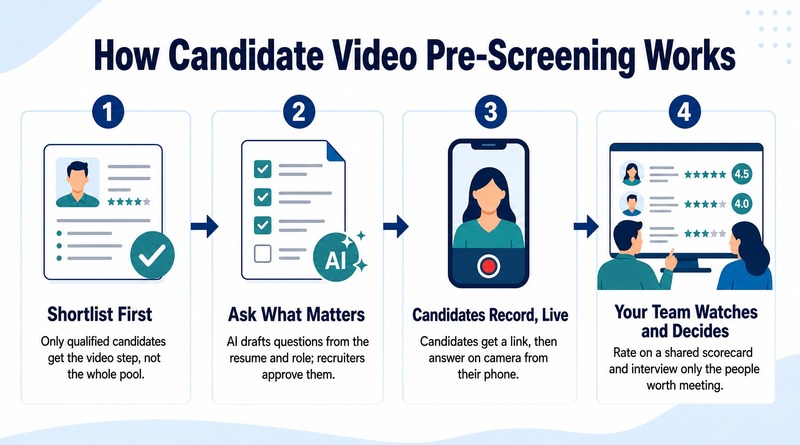
In practice, this looks less like a rollout and more like flipping on a feature already built to sit next to your ATS. Your ATS keeps every candidate record it already has, untouched. Only candidates you’ve already shortlisted move into the video step, not your whole applicant pool. AI drafts interview questions from the job description and each candidate’s resume, and your recruiters approve them before anything goes out. Candidates record answers on their own phone, and your team reviews responses on a shared scorecard, interviewing only the people worth meeting. That’s automated video pre-screening in practice: every rating and recording writes straight back into the same applicant record your team already uses. CloudApper’s candidate video screening solution integrates seamlessly with all major HCM/ATS systems, including UKG, Dayforce, Workday, Oracle, iCIMS, Greenhouse, Lever, Bullhorn, etc., and was built to slot in this way from day one.

Getting there follows the same light touch. You walk our solution specialists through your current workflow and ATS setup, and they configure the video layer around it instead of a fixed template. You test it against a single requisition first; once that holds up, the same setup rolls out across the rest of your requisitions.
What This Means for Your IT and HR Technology Team
Before you approve a new tool, the diligence comes down to two questions: whether it forces a data cutover, and whether it leaves two systems disagreeing with each other that your team then has to reconcile by hand. With bidirectional sync doing its job, the answer to both is no. There’s no second system competing with your ATS for accuracy, and no required certification or license check or interview reminder workflow you have to rebuild to make room for it.
The question in front of you was never whether automated video pre-screening works. It’s whether you can add it without reopening your ATS and everything built around it. That’s the case for CloudApper’s candidate video pre-screening solution: it runs alongside the system your recruiters already log into every day, not around it. Contact us to walk through what it would look like inside your current recruitment workflow.

What is CloudApper AI Platform?
CloudApper AI is an advanced platform that enables organizations to integrate AI into their existing enterprise systems effortlessly, without the need for technical expertise, costly development, or upgrading the underlying infrastructure. By transforming legacy systems into AI-capable solutions, CloudApper allows companies to harness the power of Generative AI quickly and efficiently. This approach has been successfully implemented with leading systems like UKG, Workday, Oracle, Paradox, Amazon AWS Bedrock and can be applied across various industries, helping businesses enhance productivity, automate processes, and gain deeper insights without the usual complexities. With CloudApper AI, you can start experiencing the transformative benefits of AI today. Learn More
- Useful Links:
- Agentic AI
- No-Code/Low-Code
- Custom Software
- HCM Personalization
- iPaaS
- FedRAMP
CloudApper AI Solutions for HR



- Works with








- and more.
Similar Posts

The Real Cost of Interview No-Shows, and How Automated Reminders…
Verify Required Certifications and Licenses Without Slowing Down Screening