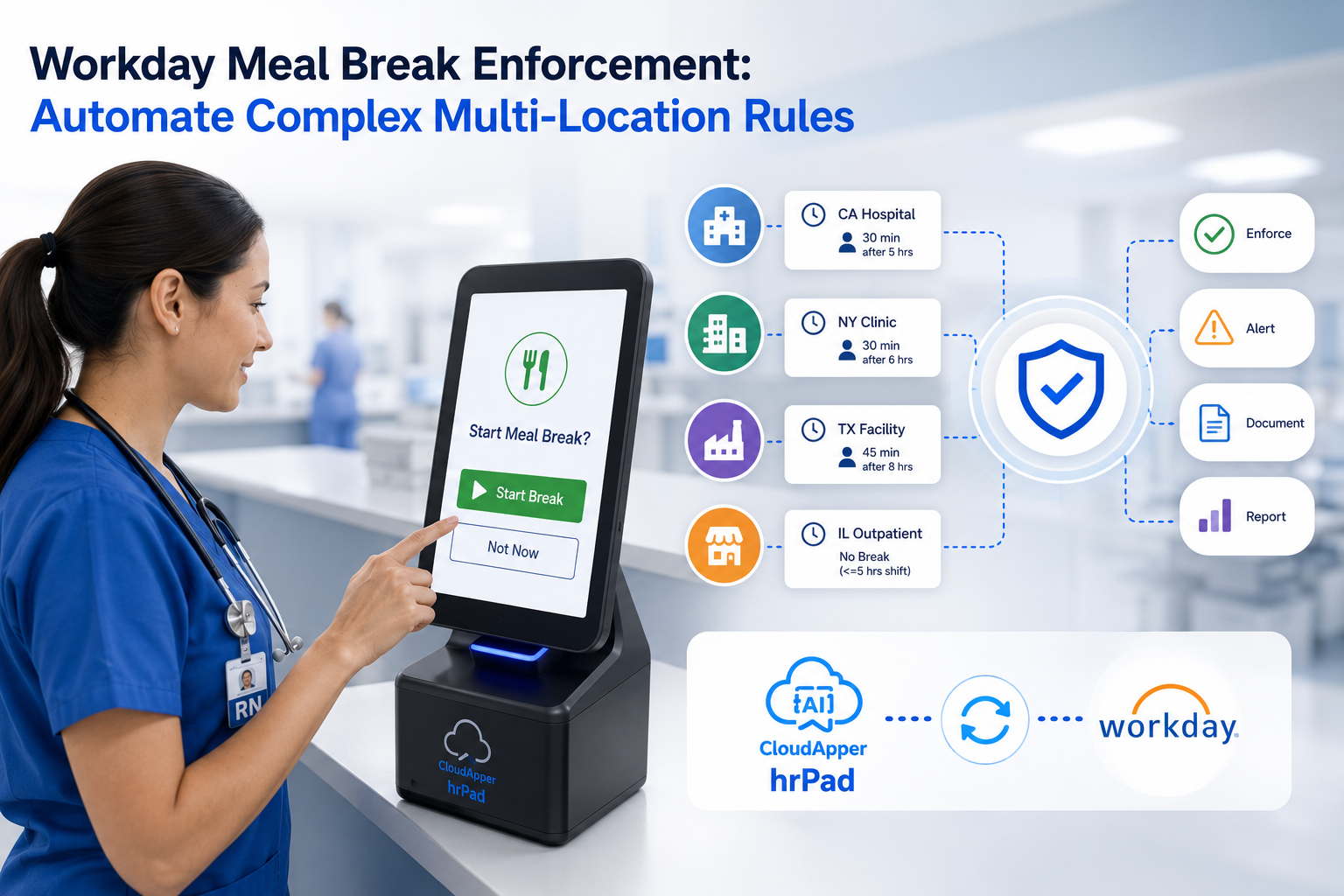
Regional compliance becomes difficult when approved policies must be converted into different frontline processes for specific locations and employee groups. CloudApper extends Workday with configurable workflows that help organizations put those requirements into practice while keeping Workday as the system of record.

Table of Contents
Regional workforce compliance is not only about understanding what a policy requires. The harder part is turning that approved requirement into a process employees and managers consistently follow across every applicable location.

A requirement may apply only to employees in a particular state, city, country, union, department, or workforce group. It may affect how employees record time, confirm a break, acknowledge a notice, correct a missed punch, or respond to a required question.
Workday provides the workforce data and enterprise foundation organizations rely on. CloudApper helps extend Workday foundation by turning approved regional requirements into targeted frontline workflows.
The Regional Compliance Execution Gap
Workday gives organizations a centralized foundation for employee records, payroll, benefits, time, talent, and other workforce processes. Regional compliance requirements, however, can create highly specific operational needs around that foundation.
Once HR, legal, or compliance teams approve a requirement, the organization must determine:
- Which employees and locations are affected
- When the requirement should appear
- What action the employee or manager must take
- What information must be captured
- Who should be notified when an exception occurs
- How the completed activity will be documented
Without a flexible way to operationalize these decisions, teams may depend on emails, spreadsheets, paper forms, manager reminders, custom development, or separate point solutions.
The challenge is not replacing Workday. It is extending Workday with the specialized processes that must happen around its workforce data.
How CloudApper Turns Approved Requirements Into Frontline Workflows
Configure Workflows for Specific Locations and Employee Groups
CloudApper helps organizations turn an approved regional policy into a targeted operational workflow. The experience can be configured around relevant factors such as employee location, workforce group, department, or another organization-defined rule.
Instead of introducing the same process to every employee, organizations can deliver the appropriate question, notice, acknowledgment, or action only where it applies.
This gives HR and compliance teams a more adaptable way to support local requirements without treating every workflow change as a separate software-development project.
Put Approved Policy Changes Into Practice
CloudApper does not determine what a law requires or automatically interpret regulatory changes. Those decisions remain with the organization’s legal, HR, and compliance teams.
Once a requirement has been reviewed and approved, CloudApper helps translate that decision into a practical employee or manager workflow. Organizations can update questions, forms, routing rules, notifications, and other workflow components as their approved processes evolve.
This creates a clearer path between policy decisions and frontline execution.
Route Exceptions to the Right People
When an organization-defined condition occurs, CloudApper can route the information to the appropriate manager, HR representative, payroll team, or compliance contact.
For example, an exception may be created when an employee reports a missed break, submits a punch correction, declines an acknowledgment, or provides a response requiring follow-up.
Teams can concentrate on the situations that need attention instead of manually reviewing every routine interaction.
Bring the Correct Process to the Frontline
A compliance process is more effective when it appears during the task to which it relates.
CloudApper hrPad gives frontline employees access to relevant workforce workflows through shared tablets running on iPadOS, Android, or Windows. Depending on the organization’s configuration, employees can record time, review information, answer required questions, acknowledge notices, submit corrections, and complete other workforce actions.
This is especially valuable for employees who do not regularly work from a desktop or sign in to the core HCM system during their shift.
Connect Frontline Activity With Workday
CloudApper connects frontline workflows with relevant Workday workforce information. Workday continues to serve as the system of record, while CloudApper manages the specialized interaction occurring around that data.
The resulting acknowledgment, response, correction, or exception can be recorded and routed according to the organization’s configured process.
This gives organizations a connected experience without requiring Workday to be replaced or introducing another isolated source of employee information.
From Regional Policy to Consistent Execution
Regional compliance requires more than distributing a policy document. Organizations must ensure the correct process reaches the correct employee, at the correct moment, and produces a reliable record of what happened.
CloudApper provides the configurable process layer between Workday and frontline execution. Common workflows can include:
- Meal and rest-break attestations
- Missed-punch corrections
- Timecard change acknowledgments
- Region-specific notices
- Required employee confirmations
- Location-specific forms and questions
- Exception alerts and escalations
- Records showing who completed an action and when
hrPad provides the frontline tablet experience through which employees can complete these activities. The broader CloudApper platform supports the rules, integrations, routing, and records behind each workflow.
This approach helps HR, compliance, payroll, operations, and IT teams support regional processes without relying on disconnected forms, manual reminders, or a separate application for every new requirement.
Workday Holds the Record. CloudApper Operationalizes the Process.
Workday provides the workforce data and enterprise foundation organizations rely on. CloudApper extends that environment by helping teams build and deliver the specialized processes that must happen around it.
HR, legal, and compliance teams determine the organization’s requirements. CloudApper helps turn those approved decisions into targeted workflows for employees and managers. Completed actions and exceptions can then be captured and routed for follow-up.
Organizations should not need another lengthy development project whenever a location-specific workforce process changes.
CloudApper helps Workday customers introduce and adapt regional workflows while preserving Workday as the system of record.

What is CloudApper AI Platform?
CloudApper AI is an advanced platform that enables organizations to integrate AI into their existing enterprise systems effortlessly, without the need for technical expertise, costly development, or upgrading the underlying infrastructure. By transforming legacy systems into AI-capable solutions, CloudApper allows companies to harness the power of Generative AI quickly and efficiently. This approach has been successfully implemented with leading systems like UKG, Workday, Oracle, Paradox, Amazon AWS Bedrock and can be applied across various industries, helping businesses enhance productivity, automate processes, and gain deeper insights without the usual complexities. With CloudApper AI, you can start experiencing the transformative benefits of AI today. Learn More
- Useful Links:
- Agentic AI
- No-Code/Low-Code
- Custom Software
- HCM Personalization
- iPaaS
- FedRAMP

Brochure
CloudApper hrPad
Empower Frontline Employees with an AI-Powered Tablet/iPad Solution
Download Brochure
CloudApper AI Solutions for Workday



- Works with








- and more.
Similar Posts
How to Prevent Duplicate Worker and Pre-Hire Records in Workday…
How to Handle Offline Time Punches in Workday During Connectivity…