Frontline workers often interact with HR systems only at clock-in and clock-out, making those moments critical for communication. This blog explores how organizations can use smart kiosk solutions like CloudApper hrPad to deliver timely alerts—such as unpaid time-off warnings—before submission. The result is fewer payroll issues, better transparency, and a more informed workforce.


Table of Contents
- The Unpaid Time-Off Problem
- Why This Warning Matters More Than It Seems
- Bridging the Gap Without Overhauling Workday
- What Makes This Approach Different
For frontline workers in retail, manufacturing, healthcare, and construction, the clock-in and clock-out moment is often the only touchpoint they have with HR systems during their entire shift. There’s no desktop, no inbox, no HR portal open in the background — just a kiosk or tablet at the start and end of their day. That makes it one of the most valuable and most underutilized moments for communicating important information to employees. Tools like CloudApper hrPad Employee Self-Service Kiosk are built specifically around this idea — turning that brief interaction into a smart, two-way communication channel that connects frontline workers to the information they actually need, right when they need it.

One of the most common gaps organizations run into is the inability to surface warnings or alerts at the right moment — particularly when an employee is about to submit an unpaid time-off request without realizing it.
The Unpaid Time-Off Problem
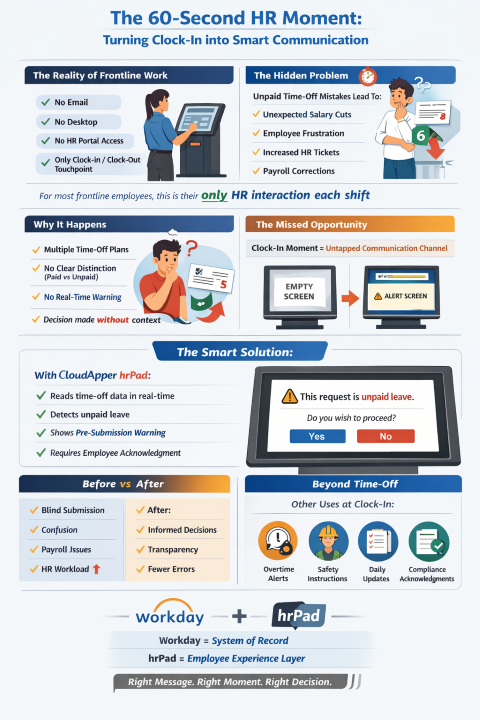
Managing time-off requests is a routine part of HR operations — butwhen employees submit unpaid time off without realizing it, the consequences can be anything but routine. Unexpected paycheck deductions, frustrated employees, and an uptick in HR support tickets are common outcomes when the distinction between paid and unpaid leave isn’t clearly communicated at the point of submission.
This is a real challenge many Workday users face. Workday’s time-off plan setup is robust and highly configurable, but adding a dynamic, context-sensitive warning that appears specifically when an employee is about to submit an unpaid time-off request isn’t something the platform supports out of the box. The alert would need to appear before submission — not after — so the employee can make an informed decision.
The good news is that this gap can be bridged without replacing or overhauling your existing Workday configuration.
Why This Warning Matters More Than It Seems
On the surface, this might seem like a minor UX enhancement. In practice, the impact is significant. Many employees simply don’t know whether a specific time-off plan is paid or unpaid — especially when organizations maintain multiple plans for different employee types, departments, or situations. Without a clear, in-the-moment prompt, employees may submit the request assuming it’s covered, only to discover the deduction when they receive their paycheck.
This creates a two-sided problem. On the employee side, it damages trust and generates frustration. On the HR and payroll side, it creates retroactive corrections, adjustment requests, and additional administrative overhead. A single, well-placed warning before submission can prevent all of that.
Bridging the Gap Without Overhauling Workday
The most practical solution here isn’t a workaround built inside Workday — it’s adding a smart employee-facing layer that sits on top of it. When the interaction happens through a dedicated frontline kiosk or tablet, that touchpoint can be configured to read plan information from Workday in real time and respond intelligently before the employee ever hits submit.
This is exactly the problem CloudApper hrPad is designed to solve. hrPad is an AI-powered HR service delivery platform built specifically for frontline environments — the kind where employees interact with a shared kiosk rather than a personal workstation. It integrates directly with Workday through pre-built connectors, meaning every request, submission, and data pull is fully synchronized with your live Workday instance in real time.
When an employee initiates a time-off request through hrPad — whether on a self-service kiosk, tablet, or mobile device on the floor — hrPad reads the associated time-off plan type from Workday. If the plan is configured as unpaid, hrPad immediately surfaces a clear, readable alert before the employee reaches the confirmation step. The message can be customized to match your organization’s tone and language, and the employee must actively acknowledge the warning before proceeding.
This means employees are never caught off guard. They see the unpaid status upfront, understand what they’re submitting, and make an informed choice — all within the same seamless request flow they already use.
What Makes This Approach Different
Unlike workarounds that rely on training employees or adding language to policy documents, hrPad’s alert is contextual and automatic. It only triggers when the plan type is actually unpaid, so employees requesting paid leave see no disruption to their experience. There’s no blanket warning that people start ignoring — it appears specifically when it matters.
The setup is also flexible. Organizations can tailor the alert message, adjust when it appears in the workflow, and configure it to require explicit acknowledgment rather than a passive display. For organizations with complex time-off structures — multiple plans, different rules for different employee groups — this kind of conditional, rule-based alerting is exactly what’s needed.
Beyond Time-Off: Other Critical Moments to Communicate
The unpaid time-off alert is one example of a broader opportunity — using the clock-in and clock-out moment to deliver information that actually reaches frontline employees. Here’s how organizations across retail, manufacturing, healthcare, and construction are extending this same approach to other high-value use cases.
Policy reminders at the moment of action. Overtime rules, break requirements, and attendance policies are easy to forget when employees are focused on their shift. hrPad can surface a targeted reminder the moment an employee is about to trigger a policy threshold — for example, alerting a worker that clocking in on a specific day would push them into overtime, before they’ve already done it.
Safety instructions before high-risk shifts. In manufacturing and construction environments, safety briefings are critical but often inconsistent. hrPad can be configured to display safety instructions or hazard alerts at clock-in, specific to the employee’s role, location, or assigned work area for that shift. This ensures every worker sees the right safety information before they step onto the floor — not just the ones who made it to the morning briefing.
Daily updates, shift changes, and real-time alerts. Shift changes, facility updates, or urgent operational alerts often don’t reach frontline workers until it’s too late. By surfacing these updates at the clock-in touchpoint, hrPad ensures that even workers without corporate email or smartphone access stay informed about what’s happening that day.
Compliance acknowledgements. Many industries require documented proof that employees have received and acknowledged specific policies — harassment policies, safety protocols, updated procedures. hrPad can present these acknowledgements at clock-in and record the employee’s confirmation directly, creating an audit trail that flows back into Workday without any manual HR effort.
A Smarter Layer on Top of Workday
Workday is built to serve as an enterprise system of record, and it does that exceptionally well. CloudApper hrPad is built to handle the employee experience layer — the moment-to-moment interactions that happen on the floor, at the clock, or at a self-service terminal. Together, they create a more complete experience: Workday handling the data and compliance backbone, hrPad handling the human-facing interaction in a way that’s clear, intuitive, and smart enough to know when to say something important.
For HR teams looking to reduce payroll corrections, improve frontline communication, and make policies genuinely transparent at the point of action, hrPad offers a practical, scalable path forward — without requiring changes to your core Workday configuration.
Want to see how CloudApper hrPad can be configured for your Workday environment? Reach out to the our team to explore a setup tailored to your organization’s needs.
What is CloudApper AI Platform?
CloudApper AI is an advanced platform that enables organizations to integrate AI into their existing enterprise systems effortlessly, without the need for technical expertise, costly development, or upgrading the underlying infrastructure. By transforming legacy systems into AI-capable solutions, CloudApper allows companies to harness the power of Generative AI quickly and efficiently. This approach has been successfully implemented with leading systems like UKG, Workday, Oracle, Paradox, Amazon AWS Bedrock and can be applied across various industries, helping businesses enhance productivity, automate processes, and gain deeper insights without the usual complexities. With CloudApper AI, you can start experiencing the transformative benefits of AI today. Learn More
- Useful Links:
- Agentic AI
- No-Code/Low-Code
- Custom Software
- HCM Personalization
- iPaaS
- FedRAMP

Brochure
CloudApper hrPad
Empower Frontline Employees with an AI-Powered Tablet/iPad Solution
Download Brochure
CloudApper AI Solutions for HR



- Works with








- and more.
Similar Posts
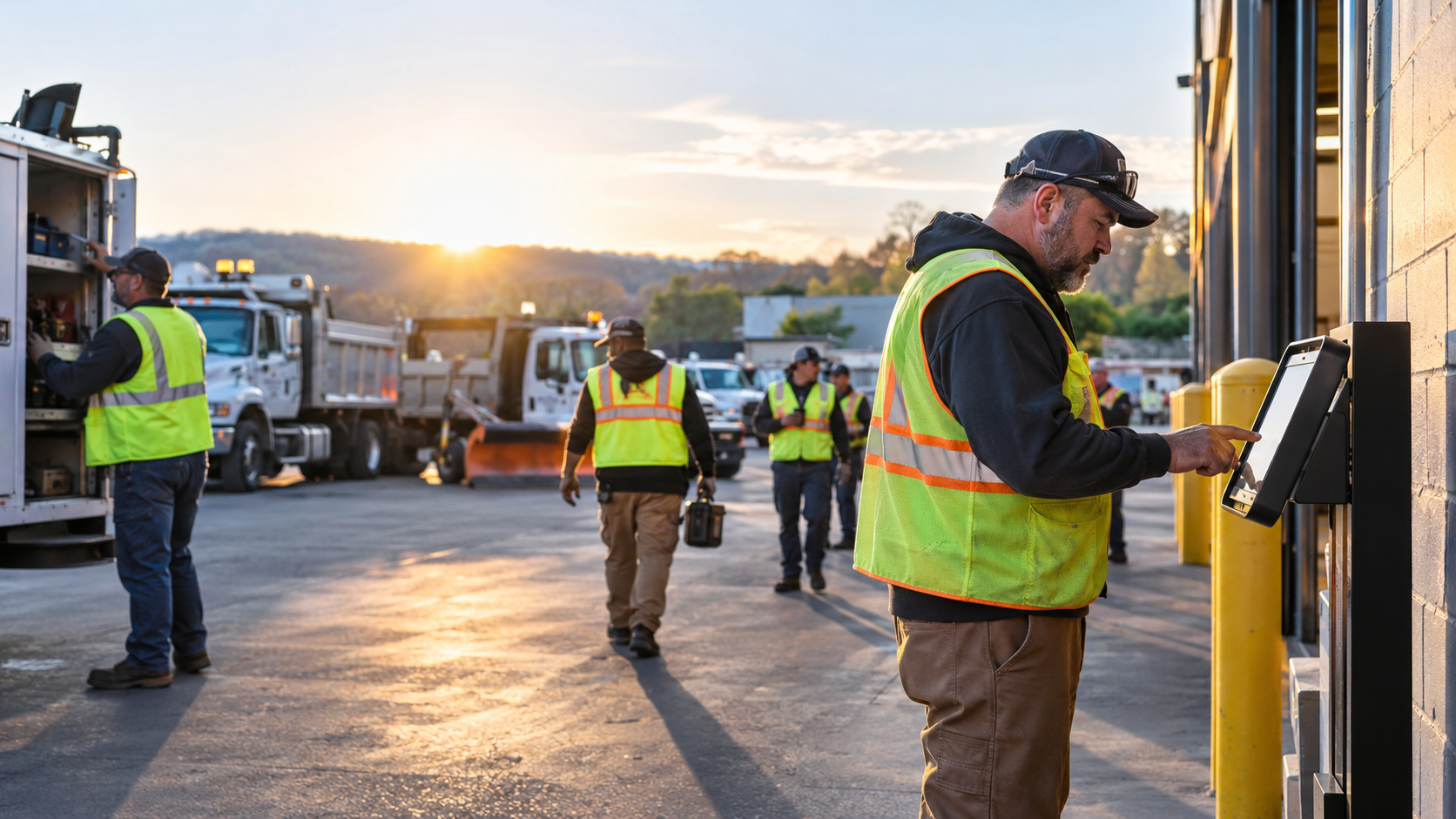
Employee Self-Service Kiosks for Public Works and Municipal Crews
Why UKG Pro Employee Self Service Adoption Struggles and How…