Zero-touch screening automates 80% of your Dayforce recruiting process—from resume review to interview scheduling—without manual work. Healthcare, retail, and manufacturing companies are reducing time-to-hire by 67% while improving candidate quality. The AI handles screening, scoring, and scheduling automatically, freeing recruiters to focus on interviews and hiring decisions.

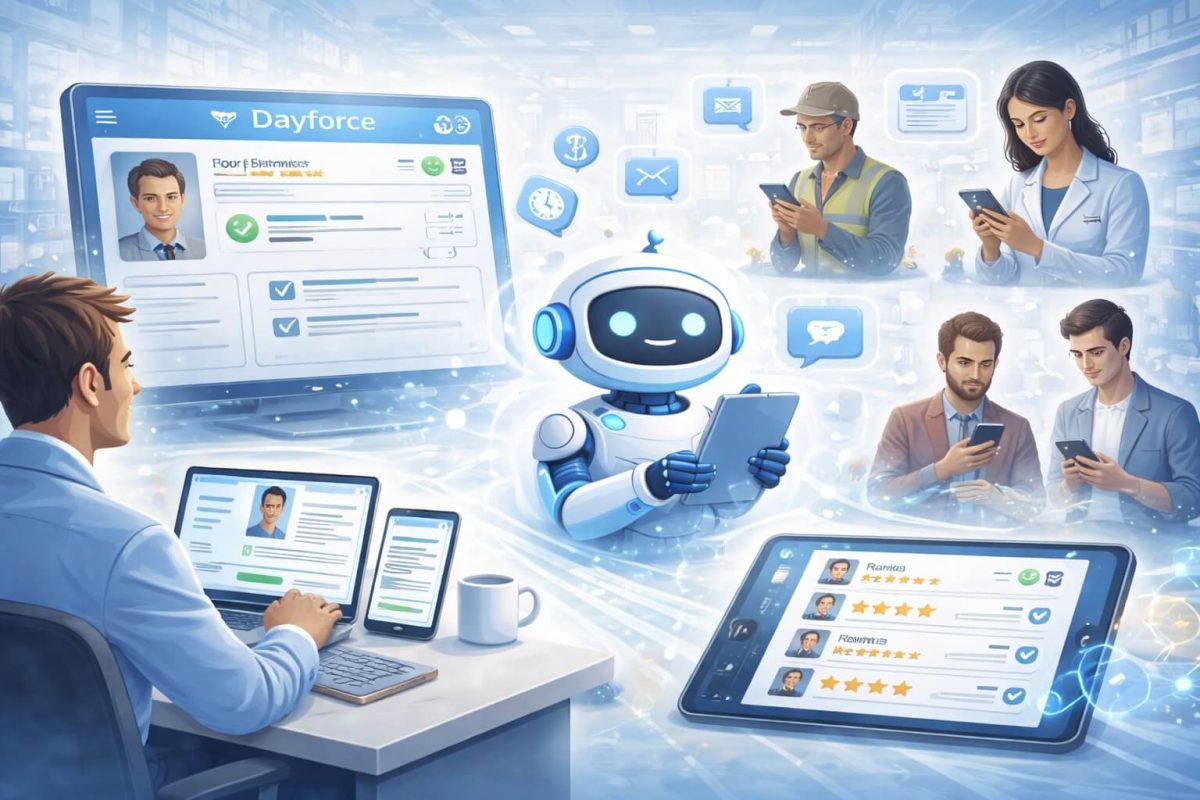
Table of Contents
What “Zero-Touch” Screening Really Means
Imagine waking up Monday morning to find 50 qualified, pre-screened candidates already ranked and ready to interview in your Dayforce system—and you didn’t lift a finger. No weekend work. No staying late clicking through applications. No manual resume reviews.
This is “zero-touch” screening, and it’s transforming how healthcare systems, retail chains, and manufacturing facilities handle high-volume hiring. Leading organizations are automating up to 80% of their recruitment process, allowing recruiters to focus exclusively on interviews and hiring decisions while artificial intelligence handles everything else.
For talent acquisition professionals drowning in applications, zero-touch screening isn’t futuristic technology—it’s the practical solution to an urgent problem. Let’s explore how it works with Dayforce and why it matters for your hiring results.
Why Time-to-Hire Is Your Most Critical Metric
Time-to-hire directly impacts everything that matters to your organization. Research consistently shows that top candidates are off the market within 10 days. If your screening process takes two weeks before you even contact candidates, you’ve already lost the best people to faster competitors.
The financial impact is equally significant. Every day a position remains open costs your organization money. For healthcare, that means overtime for overworked staff, canceled procedures, or quality of care concerns. For retail, it means inadequate floor coverage during peak shopping periods and lost sales. For manufacturing, it means production delays, missed deadlines, and potential contract penalties.
Consider the real costs: A nursing position that stays open for 60 days instead of 20 costs thousands in temporary staffing fees and overtime. A retail store understaffed during holiday season loses tens of thousands in revenue. A manufacturing line short three workers delays shipments worth hundreds of thousands of dollars.
Beyond direct costs, slow hiring damages your employer brand. Candidates who apply and hear nothing for weeks tell their networks about the negative experience. Future qualified candidates choose not to apply because they’ve heard your process is slow and unresponsive.
Time-to-hire isn’t just an HR metric—it’s a business metric that affects revenue, costs, quality, and reputation across your entire organization.
The Problem With Manual Screening in Dayforce
Dayforce is a comprehensive platform that handles payroll, benefits, time tracking, and recruiting. It’s powerful and centralized, which is exactly why companies choose it. But when applications flood in, the recruiting module becomes a bottleneck rather than an accelerator.
Here’s what typically happens:
Monday Morning Avalanche: You post a nursing job Friday afternoon. By Monday morning, 300 applications await in Dayforce. Each one requires opening, reading the resume, checking qualifications, and making a decision. At 5-10 minutes per application, that’s 25-50 hours of screening work—more than a full work week for one job posting.
The Click Marathon: Dayforce requires multiple clicks per candidate: open application, review resume, check responses to application questions, update status, add notes, move to next stage. Multiply this by hundreds of candidates, and you’re clicking thousands of times. Your hand hurts. Your eyes blur. Your brain goes numb.
The Fatigue Factor: Application number 5 gets careful review. By application 50, you’re skimming. By application 150, qualified candidates slip past because you’re mentally exhausted. This isn’t a skill issue—it’s human nature. Nobody can maintain peak focus through hundreds of similar tasks.
The Speed Gap: Meanwhile, your competitors use automation. They’ve already contacted your candidates, scheduled interviews, and extended offers while you’re still on page 3 of your application queue. You lose great people not because your jobs are worse, but because your process is slower.
Recruiter Burnout: Your team didn’t get into HR to click buttons all day. They want to talk with people, assess fit, build relationships with hiring managers, and improve hiring strategy. When 70% of their time goes to manual screening, job satisfaction plummets and turnover increases.
How Zero-Touch Screening Works With Dayforce
Zero-touch screening adds an intelligent automation layer on top of Dayforce without replacing it. Think of it as upgrading your car’s engine while keeping everything else the same—the driving experience improves dramatically, but you’re still in the same vehicle.
Here’s the complete zero-touch workflow:
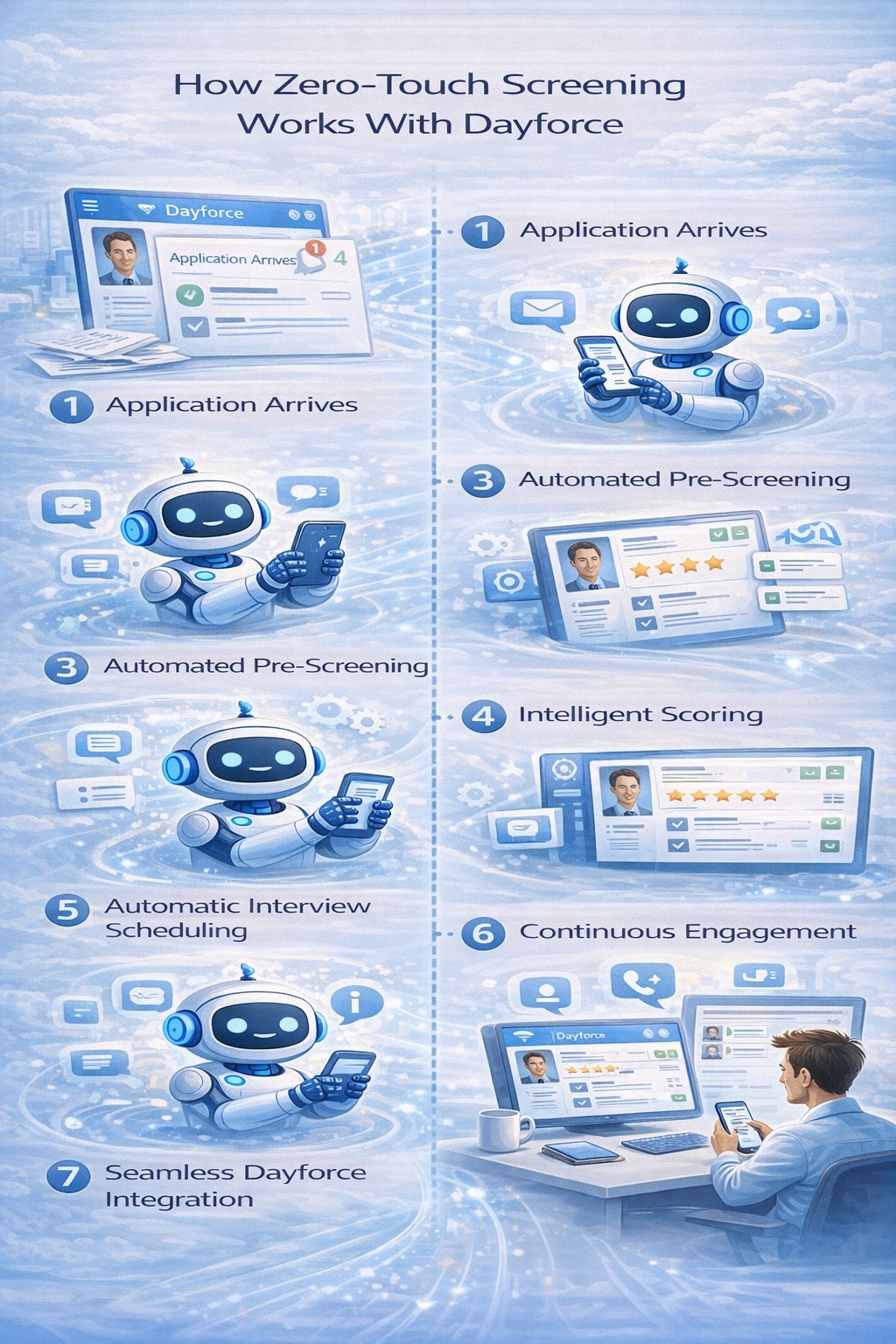
Step 1: Application Arrives
Someone applies through your Dayforce careers page or job board. The moment their application hits Dayforce, the AI automation system detects it and springs into action—instantly, automatically, without any human trigger needed.
Step 2: AI Reads and Analyzes
Advanced AI pulls the application and resume from Dayforce and reads it thoroughly. Not just keyword matching—contextual analysis that understands experience even when described differently than expected. The system recognizes that “patient care coordinator” relates to nursing experience, that “customer service representative” demonstrates retail skills, and that “machine operator” indicates manufacturing capability.
Step 3: Automated Pre-Screening
Based on job requirements you configured, the AI immediately reaches out to candidates via text, email, or chat with qualifying questions. For nursing: “Do you have an active RN license in [state]?” For retail: “Can you work evenings and weekends?” For manufacturing: “Are you comfortable working 12-hour rotating shifts?”
Candidates answer from their phones in minutes. The AI understands natural responses—”Yeah, weekends are fine” registers the same as “Yes, I’m available weekends.”
Step 4: Intelligent Scoring
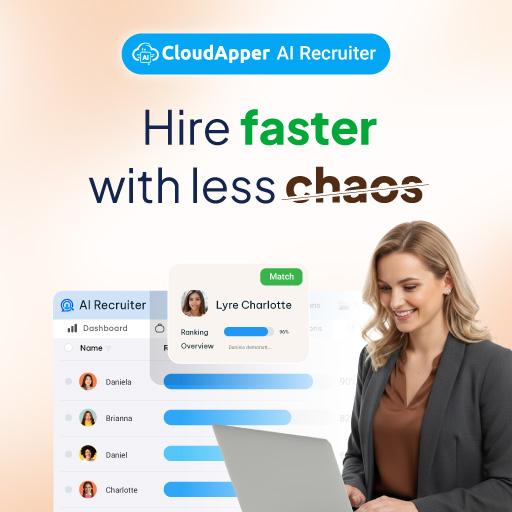
The system scores each candidate based on resume match and pre-screening responses. You configure the scoring rules: certain qualifications are mandatory, others add bonus points, some automatically disqualify. The AI applies these rules consistently to every candidate without fatigue or bias.
Step 5: Automatic Interview Scheduling
For candidates who meet your threshold score, the system automatically offers interview slots. It checks your calendar (integrated with Outlook, Google Calendar, or Dayforce’s own scheduling), shows available times, lets candidates pick what works for them, and books the interview instantly. Everyone receives calendar invites and automated reminders.
Step 6: Continuous Engagement
Throughout the process, the AI keeps candidates engaged. It answers common questions about the role, provides status updates, shares information about your organization, and responds immediately when candidates reach out. This maintains interest and prevents candidates from accepting other offers while waiting to hear from you.
Step 7: Seamless Dayforce Integration
Everything—screening responses, scores, scheduled interviews, candidate communications, status updates—automatically syncs back to Dayforce. When you log in, you see organized candidate profiles with complete information, ready for your final review and interviews.
The entire process from application to scheduled interview happens in minutes or hours instead of days or weeks. And it happens while you’re sleeping, in meetings, or focusing on other priorities.
Real Results: Before and After Zero-Touch
Let’s examine actual transformations organizations experience when implementing zero-touch screening with Dayforce:
Healthcare System: 200 Nursing Hires Annually
Before zero-touch:
- Average time-to-hire: 58 days
- Screening time per job posting: 30-40 hours
- Interview scheduling time: 15-20 hours per posting
- Qualified candidates lost to competitors: approximately 40%
- Recruiter overtime during peak periods: 20+ hours per month
After zero-touch:
- Average time-to-hire: 19 days (67% reduction)
- Screening time per job posting: 2 hours (reviewing top-scored candidates)
- Interview scheduling time: Nearly zero (fully automated)
- Qualified candidates lost to competitors: less than 10%
- Recruiter overtime: eliminated
Result: Positions filled in one-third the time, recruiter workload reduced by 75%, significant improvements in candidate quality and retention.
Retail Chain: 500 Seasonal Hires
Before zero-touch:
- Seasonal hiring timeline: 10 weeks
- Applications processed per week: 150-200 (maximum capacity)
- Temporary recruiting staff needed: 6-8 additional people
- Candidate drop-off rate: 65%
- Stores fully staffed by season start: 60% of locations
After zero-touch:
- Seasonal hiring timeline: 3 weeks
- Applications processed per week: unlimited (automation handles any volume)
- Temporary recruiting staff needed: none
- Candidate drop-off rate: 22% (mobile-friendly application process)
- Stores fully staffed by season start: 100% of locations
Result: Seasonal hiring completed 7 weeks faster, no temporary staff costs, all stores fully staffed for peak revenue period.
Manufacturing Facility: Continuous Production Staffing
Before zero-touch:
- Time to fill production positions: 42 days average
- Hours spent screening per week: 25-30 hours
- Production delays due to understaffing: 8-12 per quarter
- Cost of overtime to cover vacancies: $45,000 per quarter
After zero-touch:
- Time to fill production positions: 12 days average (71% reduction)
- Hours spent screening per week: 3-5 hours (reviewing finalists)
- Production delays due to understaffing: 1-2 per quarter
- Cost of overtime to cover vacancies: $8,000 per quarter
Result: Production schedules maintained consistently, overtime costs reduced 82%, recruiter time freed for proactive pipeline building and retention initiatives.
Benefits Beyond Speed: The Complete Value
While time-to-hire reduction is the most immediately visible benefit, zero-touch screening delivers comprehensive advantages that compound over time.
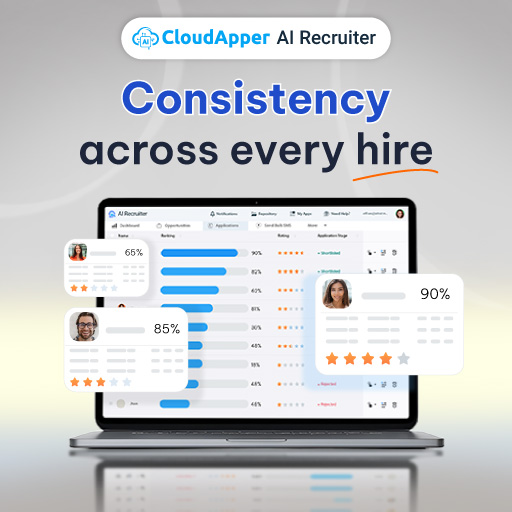
Consistent Evaluation Quality: The AI applies the same criteria to every candidate with perfect consistency. Candidate 1 and candidate 300 receive identical evaluation rigor. This eliminates the unconscious bias and screening fatigue that affect human reviewers, resulting in fairer hiring and better quality matches.
Reduced Bias in Hiring: Zero-touch systems can anonymize candidate information, removing names, photos, education institutions, and other identifiers that trigger unconscious bias. Evaluation focuses purely on skills, experience, and qualifications. This leads to more diverse candidate slates and better hiring outcomes.
Improved Candidate Experience: Today’s job seekers expect speed and convenience. Zero-touch screening provides instant application confirmation, immediate engagement, quick responses to questions, and self-service interview scheduling. This modern experience strengthens your employer brand and increases offer acceptance rates.
Scalability Without Limits: Manual screening has hard capacity limits. Zero-touch screening scales infinitely. Whether you receive 50 applications or 5,000, the system handles them with identical speed and quality. This means you never lose candidates to capacity constraints during high-volume periods.
Data-Driven Optimization: Zero-touch systems generate detailed analytics: where candidates drop off, which screening questions predict success, how long each stage takes, which recruiting sources perform best. This data enables continuous improvement of your hiring process based on evidence rather than assumptions.
Recruiter Satisfaction: By eliminating tedious administrative work, zero-touch screening allows recruiters to focus on the parts of their job they actually enjoy: meaningful conversations with candidates, strategic thinking about hiring approach, relationship building with hiring managers, and improving overall recruitment effectiveness. This improves retention of your recruiting team.
Proactive Pipeline Building: When screening automation frees up 15-20 hours per week, recruiters have time to build talent pipelines before positions open. This proactive approach means you’re never starting from zero when a requisition comes in, further reducing time-to-hire.
Implementation: Making Zero-Touch Real in Your Organization
Implementing zero-touch screening with Dayforce is straightforward, but success requires thoughtful planning and execution. Here’s your practical roadmap:
Phase 1: Assessment and Planning (Week 1)
Start by quantifying your current state. Calculate exactly how much time your team spends on screening, how long positions stay open, and what this costs your organization. Identify your highest-volume or most critical positions—these become your pilot candidates.
Define success metrics: target time-to-hire reduction, screening time savings, candidate quality improvements. These metrics will justify the investment and guide optimization.
Phase 2: Platform Selection and Integration (Week 2-3)
Choose a zero-touch screening platform with proven Dayforce integration. Look for pre-built connections that don’t require custom development. The best platforms connect to Dayforce in hours, not months.
Work with the vendor to establish the integration: authentication credentials, data flow configuration, calendar connections, and communication channels. Most vendors handle this setup for you with minimal effort from your team.
Phase 3: Configuration (Week 3-4)
This is where you teach the system about your specific needs. For each job or job category:
- Define must-have qualifications (automatic requirements)
- Specify preferred qualifications (scoring bonuses)
- Create pre-screening questions (tailored to each role)
- Set up scoring rules (how to evaluate responses)
- Configure interview scheduling parameters (available times, interview length, buffer periods)
- Customize candidate communications (email templates, text messages, chat responses)
Start with templates provided by your platform, then customize based on your organization’s specific requirements and culture.
Phase 4: Testing (Week 4)
Before going live, thoroughly test the candidate experience. Have team members apply to test positions, complete pre-screening questions, schedule interviews, and ask questions. Verify that data flows correctly to Dayforce and that the candidate experience feels smooth and professional.
Test edge cases: What happens if someone doesn’t meet requirements? How does the system handle unclear responses? Can candidates reschedule interviews easily?
Phase 5: Pilot Launch (Week 5-8)
Launch zero-touch screening for one or two high-volume positions rather than your entire recruiting operation. This controlled pilot lets you refine the system with real candidates while limiting any potential issues.
Monitor closely during the pilot: Are candidates completing applications? Are pre-screening questions effective? Is scoring accurate? Are interviews being scheduled successfully? Gather feedback from both candidates and recruiters.
Phase 6: Optimization and Expansion (Week 9+)
Based on pilot results, optimize your configuration. Adjust scoring rules, refine questions, improve communication templates. Use analytics from the platform to identify and fix any friction points in the candidate journey.
Once optimized, systematically expand to additional positions. Most organizations fully implement zero-touch screening across all high-volume hiring within 2-3 months of starting.
Phase 7: Continuous Improvement (Ongoing)
Zero-touch screening isn’t “set it and forget it.” Regularly review performance data, test new approaches, and refine based on results. The best organizations treat recruitment automation as an evolving system that improves continuously based on evidence.
Industries Where Zero-Touch Delivers Maximum Impact
While zero-touch screening benefits any organization with volume hiring, three industries see particularly dramatic results:
Healthcare: Constant hiring needs, credential verification requirements, 24/7 operations, and critical staffing levels make speed essential. Zero-touch screening handles license verification automatically, confirms shift availability, screens for certifications, and maintains candidate engagement during extended credentialing processes.
Retail: Seasonal surges, high turnover, entry-level positions, and mobile-first candidates make traditional screening impractical. Zero-touch excels with simple application processes (text-to-apply, QR codes), instant screening, automatic scheduling, and volume scalability that handles holiday hiring surges effortlessly.
Manufacturing: Production schedules depend on fully staffed teams, safety certifications matter critically, shift work requires specific availability, and turnover creates perpetual hiring needs. Zero-touch verifies certifications instantly, confirms shift availability automatically, assesses safety knowledge through pre-screening, and maintains ready talent pipelines.
Frequently Asked Questions
How much does zero-touch screening automation cost?
Zero-touch platforms typically cost $200-1,000 per month depending on your hiring volume and feature needs. This is a fraction of one recruiter’s salary and delivers equivalent productivity of 2-3 additional team members. Most organizations achieve positive ROI within 60-90 days through time savings, faster hiring, and reduced bad hires. Calculate your current screening costs (recruiter time, overtime, agency fees, cost of open positions) to see the comparison clearly.
Will candidates reject automation and want human contact?
This concern rarely materializes in practice. Candidates overwhelmingly prefer fast, convenient processes over waiting days for email responses. What frustrates candidates isn’t automation—it’s slow, unresponsive processes. Zero-touch provides instant engagement, quick answers, and convenient self-scheduling. Candidates still interact with real people during interviews; automation just handles administrative tasks. Post-implementation surveys consistently show candidate satisfaction increases with zero-touch screening.
Does this work for specialized positions or just high-volume roles?
Zero-touch screening is optimized for high-volume hiring but works for any position. For specialized roles, you might configure more sophisticated screening questions and higher scoring thresholds. Some organizations use zero-touch differently for specialized positions—perhaps only for scheduling and engagement rather than full screening. The system adapts to your needs regardless of role complexity.
How long until we see results?
Most organizations see immediate time savings once operational. Screening time drops dramatically from day one. Time-to-hire reduction becomes visible within 2-3 hiring cycles as you process candidates faster. Hiring quality improvements take longer to measure—typically 3-6 months—as you need enough hires to see retention and performance patterns. Cost savings accumulate quickly as you eliminate overtime, agency fees, and productivity losses from open positions.
What if our recruiters resist the change?
Recruiter resistance usually stems from fear of job elimination, not from the technology itself. Address this directly: zero-touch doesn’t replace recruiters; it eliminates the tedious work they dislike and allows them to focus on work they find meaningful and rewarding. Involve recruiters in configuration and optimization—this builds ownership and demonstrates how automation makes their jobs better, not obsolete. Most recruiter resistance disappears within weeks as they experience the relief of not manually screening hundreds of applications.
Can we customize everything or are we locked into templates?
Quality zero-touch platforms provide extensive customization. You control screening questions, scoring criteria, communication templates, scheduling parameters, and workflow logic. Start with provided templates, then customize to match your organization’s specific requirements, culture, and hiring approach. The best platforms make customization accessible through simple interfaces rather than requiring technical expertise.
How secure is candidate data in these systems?
Reputable platforms follow enterprise security standards: encryption in transit and at rest, SOC 2 compliance, GDPR adherence, regular security audits, and controlled access permissions. Because they specialize in recruiting technology, they often have more sophisticated security than homegrown solutions. Verify security certifications during platform selection and review data handling practices to ensure they meet your organization’s standards.
What happens if the system makes a mistake?
Zero-touch screening doesn’t make final hiring decisions—it ranks and recommends candidates for your review. You maintain complete control over who advances and who gets hired. If the system scores someone incorrectly, you can override it. The scoring rules are transparent and configurable, so if you identify patterns of incorrect scoring, you adjust the rules. Over time, these refinements make the system increasingly accurate. Think of it as an extremely capable assistant that does the initial work, with you making final decisions.
How does this affect our employer brand?
Zero-touch screening typically enhances employer brand significantly. Fast response times, convenient mobile-friendly processes, instant communication, and professional self-scheduling make your organization appear modern, organized, and respectful of candidates’ time. In competitive labor markets, these factors influence whether candidates accept your offers versus competitors’. The key is configuring communications to reflect your organization’s culture and values—automation doesn’t have to feel robotic.
Can small companies afford this?
Yes. Zero-touch platforms now serve organizations of all sizes with pricing scaled to hiring volume. Even small companies with 2-3 recruiters see dramatic productivity improvements that justify the investment. If your team is overwhelmed by application volume, zero-touch delivers proportionally greater benefit to small teams than large ones. Calculate your current cost per hire and time-to-hire to see how even modest improvements deliver significant ROI.
The Strategic Advantage: Why This Matters Now
We’re in the midst of a recruitment revolution. Organizations that embrace zero-touch screening gain a compounding advantage over those that don’t. They hire faster, build stronger teams, provide better candidate experiences, and operate more efficiently. Their recruiters focus on strategy rather than administration. Their positions fill before competitors finish screening applications.
Meanwhile, organizations still manually screening hundreds of applications fall further behind. Their best candidates accept other offers while waiting. Their recruiters burn out on tedious work. Their hiring costs escalate. Their employer brand suffers from slow, unresponsive processes.
The technology is mature, the integration is straightforward, and the results are measurable. Companies across healthcare, retail, and manufacturing have proven that zero-touch screening with Dayforce reduces time-to-hire by 60-80% while improving hiring quality and candidate experience.
For talent acquisition professionals managing constant, high-volume hiring, the question isn’t whether to implement zero-touch screening. It’s whether you’ll implement it now and gain competitive advantage, or wait and watch competitors pull further ahead while you drown in applications.
Your Dayforce system is powerful. Zero-touch screening makes it exponentially more effective at exactly the time when speed matters most—when great candidates are evaluating whether to join your organization or someone else’s. The organizations winning the talent war aren’t the ones spending more on recruiting. They’re the ones using automation to move faster, hire smarter, and provide better experiences than everyone else.
The transformation begins with a single decision: Are you ready to stop manually screening hundreds of applications and start focusing on what actually matters—finding and hiring exceptional people who will drive your organization forward?

What is CloudApper AI Platform?
CloudApper AI is an advanced platform that enables organizations to integrate AI into their existing enterprise systems effortlessly, without the need for technical expertise, costly development, or upgrading the underlying infrastructure. By transforming legacy systems into AI-capable solutions, CloudApper allows companies to harness the power of Generative AI quickly and efficiently. This approach has been successfully implemented with leading systems like UKG, Workday, Oracle, Paradox, Amazon AWS Bedrock and can be applied across various industries, helping businesses enhance productivity, automate processes, and gain deeper insights without the usual complexities. With CloudApper AI, you can start experiencing the transformative benefits of AI today. Learn More
CloudApper AI Solutions for HR



- Works with


- and more.








Similar Posts
How cNPS Reflects Your Recruitment and Employer Brand
The Recruitment-to-HRIS Gap: Why Your “System of Record” Should Start…