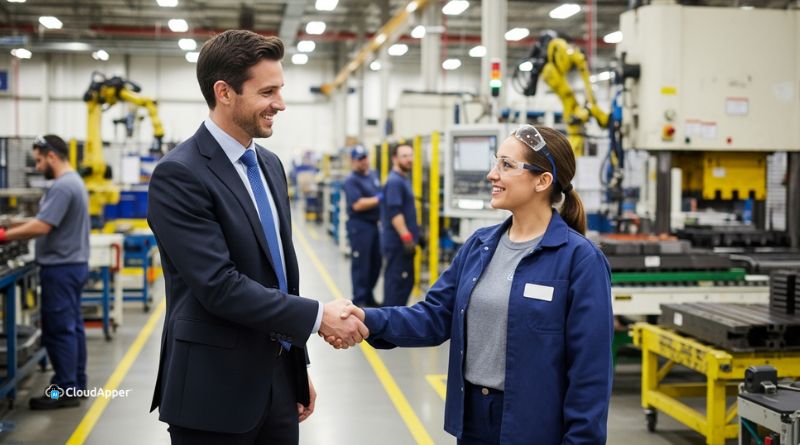
Manual interview scheduling in Workday costs recruiters 10-15 hours weekly through endless emails and conflicts. CloudApper AI Recruiter automates self-service scheduling, intelligent calendar integration, reminders, and seamless Workday sync—saving time, slashing no-shows by 50-70%, and reducing time-to-hire by 40-60% for high-volume industries.

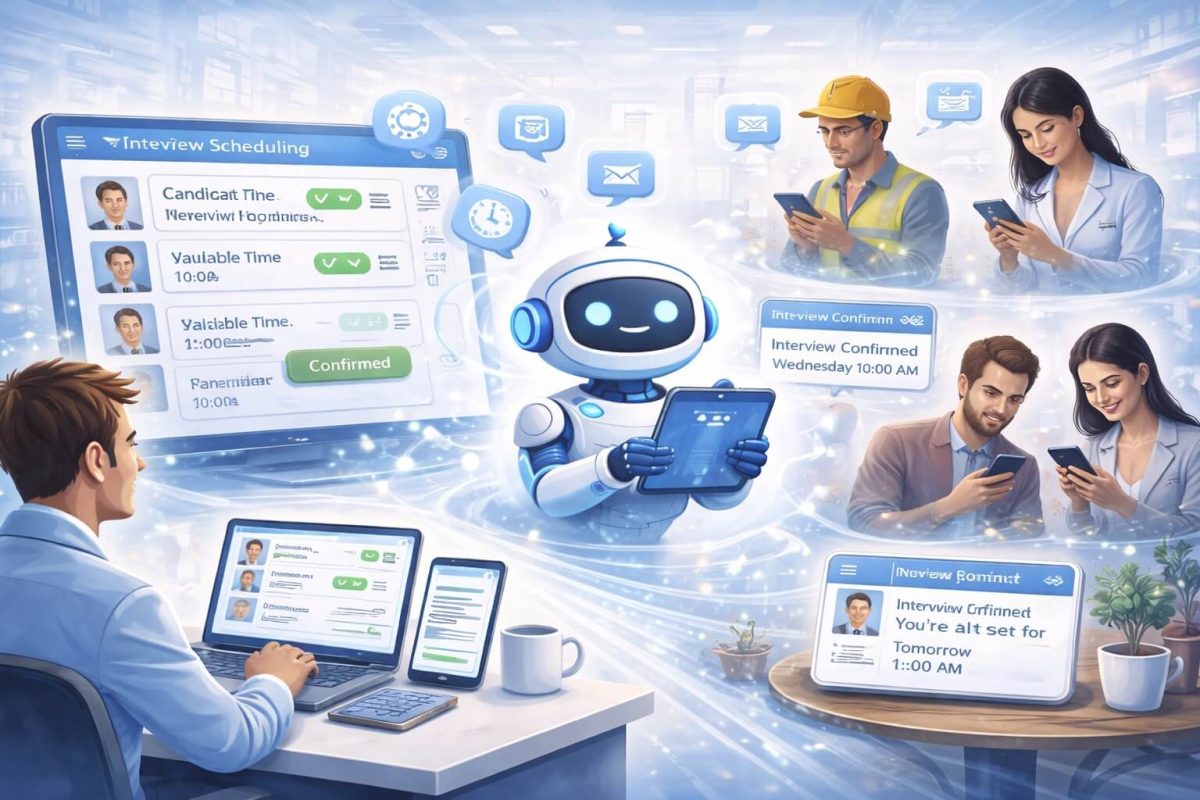
Table of Contents
The Hidden Cost of Manual Interview Scheduling
How much time did your recruiting team spend last week scheduling interviews? If you’re using Workday for recruiting in healthcare, retail, or manufacturing, the answer is probably “way too much.” Between the endless email chains, calendar conflicts, no-shows, and last-minute reschedules, interview coordination consumes 10-15 hours per recruiter every single week.
That’s not recruiting—that’s administrative busywork that prevents your team from doing what they’re actually good at: finding and hiring great people.
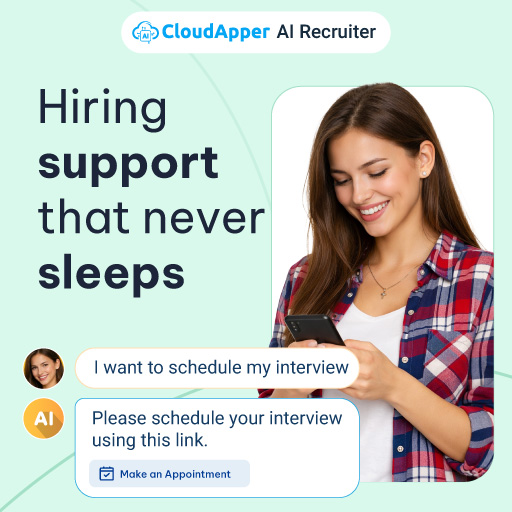
Here’s the reality: Manual interview scheduling is costing you top candidates, burning out your recruiters, and dragging down your entire hiring process. While you’re playing calendar Tetris for three days trying to find a time that works for everyone, your best candidates are accepting offers from companies that scheduled their interviews in three minutes.
The good news? Workday interview automation solves this problem completely, and implementing it is easier than you think.
TL;DR
Manual Workday interview scheduling wastes hours on emails, conflicts, and no-shows while losing candidates to faster competitors. CloudApper AI Recruiter automates the entire process: self-service candidate scheduling, smart calendar/time-zone handling, reminders, panel coordination, and full Workday sync—saving 10+ recruiter hours/week, cutting no-shows 50-70%, and accelerating time-to-hire 40-60%.
Why Interview Scheduling Breaks Down in High-Volume Hiring
Manual scheduling might work fine when you’re hiring two people per month. But in healthcare facilities constantly recruiting nurses, retail chains staffing hundreds of stores, and manufacturing plants maintaining production teams, the traditional scheduling process completely falls apart.
The Email Marathon
Here’s what typically happens: You find a qualified candidate in Workday. Now you need to schedule their interview. You email them asking for availability. They respond two days later with times. You check your hiring manager’s calendar—none of those times work. You propose alternative times. The candidate responds the next day that one time might work, but they need to confirm with their current employer. Three days pass. They confirm. You send a calendar invite. They ask if they can reschedule. The whole process starts over.
One interview scheduled. Total time: one to two weeks. Total emails: 15-20. Total frustration: immeasurable.
Now multiply this by 50, 100, or 500 candidates per month. Your recruiters spend more time coordinating calendars than actually recruiting.
The Time Zone Trap
When you’re hiring across multiple locations—hospitals in different states, retail stores nationwide, manufacturing facilities in various regions—time zone coordination becomes a nightmare. You’re constantly converting times, worrying about whether “9 AM” means their time or your time, and accidentally scheduling interviews during people’s lunch breaks or outside business hours.
The No-Show Problem
Without automated reminders, candidates forget about interviews. Or they put it in their calendar wrong. Or life happens and they can’t make it but don’t notify anyone. Your hiring manager blocks off time, prepares for the interview, and the candidate doesn’t show. That’s wasted time you can’t get back.
Industry data shows that manual scheduling processes commonly lead to higher no-show rates, costing organizations thousands in lost productivity.
The Panel Interview Nightmare
Panel interviews or multi-stage interviews multiply the coordination challenge exponentially. You need to find a time that works for the candidate, the hiring manager, and three other interviewers. That’s five calendars to coordinate. Good luck finding a common time slot within the next two weeks.
By the time you finally schedule it, your best candidate has accepted another offer.
The Hiring Manager Bottleneck
Your hiring managers have their own jobs to do. When you email them asking about availability, it goes to the bottom of their overflowing inbox. They respond three days later. Then they have a conflict and need to reschedule. The back-and-forth continues, and your time-to-hire keeps climbing.
The Candidate Experience Problem
From the candidate’s perspective, this slow, clunky process sends a clear message: “We’re disorganized and inefficient.” In competitive labor markets where candidates evaluate you as much as you evaluate them, this matters enormously. Candidates who experience smooth, fast scheduling processes think “This company has their act together.” Candidates who wait a week for basic scheduling communication think “Maybe I should keep looking.”
How Automated Interview Scheduling Works in Workday
Automated interview scheduling transforms this painful process into something that happens in minutes instead of days, with zero back-and-forth emails and no manual calendar checking.
Here’s how modern automation works:
Step 1: Candidate Qualification
When a candidate in Workday reaches the interview stage (either through manual review or automated screening), the system automatically triggers the scheduling workflow. No one needs to remember to send a scheduling email—it happens automatically the moment the candidate advances.
Step 2: Intelligent Calendar Integration
The scheduling system connects directly to all relevant calendars—Microsoft Outlook, Google Calendar, or Workday’s native calendar. It knows when your hiring managers are available, when rooms are booked, and when interviewers have conflicts. It considers time zones automatically, ensuring proposed times make sense for everyone involved.
Step 3: Self-Service Candidate Scheduling
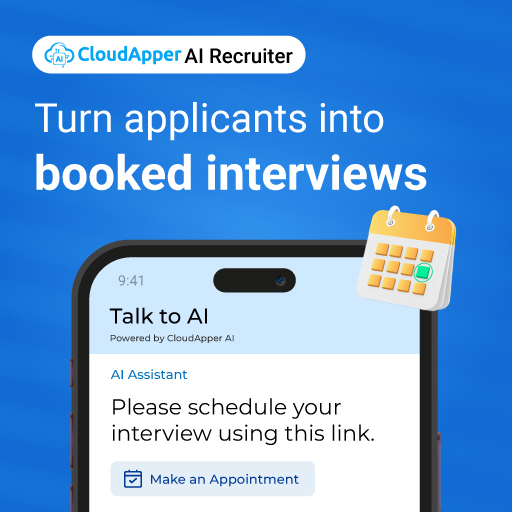
The candidate receives an automated message (via email, text, or both) with available interview time slots. They simply click the time that works best for them. No back-and-forth needed. No waiting for someone to get back to them. Instant confirmation.
The system shows only truly available times, eliminating the “sorry, that slot just got taken” problem that plagues manual scheduling.
Step 4: Automatic Coordination
Once the candidate selects a time, the system automatically:
- Sends calendar invites to everyone involved
- Books any required interview rooms or video conference links
- Updates the candidate’s status in Workday
- Creates tasks or reminders for recruiters
- Logs all scheduling details for reporting
All of this happens in seconds, without any human touching it.
Step 5: Smart Reminders
The system automatically sends reminders to candidates and interviewers before the scheduled time. Text reminders the day before. Email reminders a few hours before. This dramatically reduces no-shows and keeps everyone prepared.
Step 6: Easy Rescheduling
If the candidate needs to reschedule, they click a link in their confirmation email, see available alternative times, and pick a new slot. The system automatically notifies everyone of the change and updates all calendars. What used to take 10-15 emails now takes one click.
Step 7: Workday Integration
Everything syncs back to Workday automatically. Interview schedules, candidate responses, attendance records, interviewer notes—it all flows into your central recruiting system without manual data entry.
The CloudApper AI Recruiter Solution for Workday
CloudApper AI Recruiter takes Workday interview automation to the next level by combining intelligent scheduling with comprehensive recruitment automation. This isn’t just a scheduling tool—it’s a complete AI-powered recruiting assistant that works seamlessly with your Workday system.
What Makes CloudApper Different
Conversational AI Experience: Candidates don’t fill out scheduling forms—they have natural conversations via text, chat, or email. “When are you available this week?” “I can do Tuesday or Thursday afternoon.” “Great, I have 2 PM or 4 PM on Thursday. Which works better?” It feels human, but it’s completely automated.
Complete Workday Integration: CloudApper connects directly to Workday through secure APIs. It pulls candidate information, pushes scheduling data, and keeps everything synchronized in real-time. Your recruiters never leave Workday—everything they need appears right in their normal workflow.
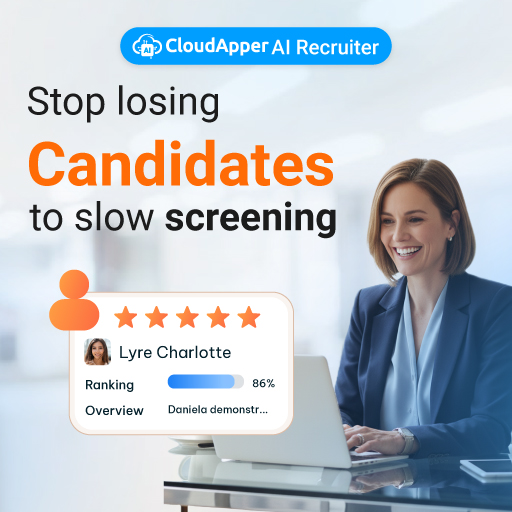
Beyond Just Scheduling: While automating interview coordination, CloudApper also handles resume screening, candidate pre-screening questions, skills verification, offer letter generation, and ongoing candidate engagement. It’s the comprehensive automation layer that makes your entire Workday recruiting process faster and more efficient.
Smart Calendar Management: The system integrates with all major calendar platforms and intelligently manages complex scheduling scenarios: panel interviews, multi-stage processes, different time zones, buffer time between interviews, and interviewer load balancing.
Mobile-First Design: Candidates can schedule, reschedule, and manage their interviews entirely from their phones. In industries like healthcare, retail, and manufacturing where many candidates are hourly workers accessing everything via mobile, this convenience factor significantly improves completion rates.
Real Results from CloudApper Customers
Organizations using CloudApper AI Recruiter with Workday report dramatic improvements:
Healthcare System: Reduced interview scheduling time from 12 hours per week to less than 1 hour. Interview no-show rate dropped from 22% to 6% due to automated reminders. Time from application to first interview decreased from 18 days to 4 days.
Retail Chain: Scheduled 500+ seasonal interviews in one week—work that previously would have taken three recruiters an entire month. Candidate satisfaction scores increased by 35% due to faster, more convenient scheduling.
Manufacturing Facility: Eliminated the scheduling bottleneck that was extending time-to-hire. Hiring managers reported saving 8-10 hours per week previously spent on interview coordination.
Benefits That Transform Your Recruiting Operations
Massive Time Savings
The most immediate benefit is obvious: your recruiters get their time back. Instead of spending 10-15 hours per week on scheduling logistics, they spend maybe 1 hour reviewing and confirming automatically scheduled interviews. That’s 10+ hours per week per recruiter redirected to actual recruiting activities.
For a team of three recruiters, that’s like adding a fourth full-time recruiter without the salary cost.
Faster Time-to-Hire
When interviews get scheduled in minutes instead of days, your entire hiring process accelerates. Candidates move through your pipeline faster. Positions fill sooner. You beat competitors to top talent. Organizations implementing automated scheduling typically reduce time-to-hire by 40-60%.
Dramatically Improved Candidate Experience
Modern job seekers expect convenient, responsive processes. Automated scheduling delivers exactly that: instant scheduling confirmation, self-service time selection, mobile-friendly interaction, and professional automated communication. This positive experience strengthens your employer brand and increases offer acceptance rates.
Higher Interview Attendance
Automated reminders via text and email significantly reduce no-shows. Candidates are less likely to forget when they receive a text reminder the day before and an email reminder a few hours before. Organizations report no-show rates dropping by 50-70% after implementing automated scheduling.
Better Data and Insights
Automated systems track everything: average time-to-schedule, interviewer utilization, scheduling bottlenecks, no-show patterns, and candidate drop-off points. This data helps you continuously improve your process based on evidence rather than guesswork.
Reduced Recruiter Burnout
Administrative tasks like scheduling don’t provide the sense of accomplishment that comes from finding great candidates or making successful hires. They’re necessary but tedious. By eliminating this busywork, you improve recruiter job satisfaction, reduce turnover, and help your team focus on the work they find meaningful.
Scalability During Peak Periods
Healthcare facilities facing nursing shortages, retail chains preparing for seasonal hiring, and manufacturing plants ramping up production all face periods of intense hiring activity. Automated scheduling scales effortlessly—whether you’re scheduling 10 interviews or 1,000, the system handles them with identical speed and efficiency.
Implementation: Getting Started With Workday Interview Automation
Implementing automated scheduling doesn’t require months of IT work or expensive custom development. Modern solutions like CloudApper AI Recruiter are designed for quick deployment with minimal technical complexity.
Week 1: Planning and Setup
Define your current scheduling process and pain points. How many interviews do you schedule monthly? What types of interviews (phone screens, video interviews, in-person panels)? Who needs to be involved? What calendars need integration?
CloudApper’s team works with you to understand your specific requirements and configure the system accordingly.
Week 2: Integration and Configuration
CloudApper connects to your Workday instance through secure API integration. This typically takes just a few hours with guidance from their technical team. Calendar integrations (Outlook, Google, etc.) are established. Interview templates are created for different types of positions.
You configure rules like: “Panel interviews need three interviewers,” “Leave 30 minutes between interviews,” “Only offer morning slots on Mondays,” etc.
Week 3: Testing and Training
Before going live, thoroughly test the candidate experience. Have team members go through the scheduling process as if they were candidates. Verify that calendar invites work correctly, reminders send properly, and data syncs back to Workday accurately.
Train your recruiting team on the new workflow—which in most cases is simpler than the old workflow since the system handles most tasks automatically.
Week 4: Pilot Launch
Start with one job category or department rather than your entire organization. Monitor closely to ensure everything works smoothly and refine as needed. Gather feedback from recruiters, hiring managers, and candidates.
Month 2+: Full Rollout and Optimization
Based on pilot results, expand automated scheduling across all recruiting activities. Use the system’s analytics to identify optimization opportunities. Continuously refine templates, timing, and communication based on what the data shows.
Most organizations are fully operational with automated scheduling within 4-6 weeks and wonder why they didn’t implement it sooner.
Industries Where Automated Scheduling Delivers Maximum Impact
Healthcare Recruiting: With round-the-clock operations, multiple shift schedules, and urgent hiring needs, healthcare organizations benefit enormously from automated scheduling. Nurses, medical technicians, and support staff can schedule interviews at times that work around their current job schedules—even at midnight if that’s when they’re free.
Retail Talent Acquisition: Seasonal surges, high turnover, and entry-level positions create massive interview volume. Automated scheduling makes it possible to conduct 50, 100, or 200 interviews per week without drowning in coordination logistics. Store managers appreciate not being overwhelmed with scheduling emails.
Manufacturing Hiring: Shift work, multiple locations, and continuous hiring requirements make scheduling complex. Automated systems handle shift-worker schedules, coordinate across facilities, and maintain steady interview flow that keeps production lines fully staffed.
Frequently Asked Questions
How much does Workday interview automation cost?
CloudApper AI Recruiter pricing depends on your hiring volume and specific requirements, but most organizations find it costs far less than the value of the recruiter time it saves. When you calculate that each recruiter saves 10+ hours per week (worth $400-600 in labor cost), the ROI is typically positive within the first month. Contact CloudApper for specific pricing based on your needs.
Will hiring managers and candidates actually use an automated scheduling system?
Yes—and they typically prefer it. Hiring managers appreciate not having their inboxes flooded with scheduling emails. Candidates love the convenience of picking their own times and receiving automated confirmations and reminders. Post-implementation surveys consistently show higher satisfaction with automated scheduling compared to manual processes.
How long does implementation take?
Most organizations are fully operational within 4-6 weeks. The technical integration happens quickly (often within days), while the rest of the time is spent on configuration, testing, training, and gradual rollout. Some companies move even faster, going live within 2-3 weeks.
What happens if a candidate needs special accommodations?
Automated systems like CloudApper handle accommodation requests smoothly. Candidates can indicate special needs during scheduling, which triggers alerts for recruiters to follow up personally. The system supports customization for unique situations while handling the routine cases automatically.
Can this handle complex panel interviews or multi-stage processes?
Absolutely. CloudApper AI Recruiter is specifically designed to manage complex scheduling scenarios. It can coordinate multiple interviewers, schedule multi-stage interview processes, manage panel interviews across time zones, and handle sequential interviews with different people. If you can schedule it manually, the system can automate it.

Does this work with video interviews as well as in-person?
Yes. The system automatically generates video conference links (Zoom, Microsoft Teams, Google Meet) for virtual interviews and includes them in calendar invites. For in-person interviews, it can book conference rooms if integrated with your room scheduling system.
What if our hiring managers have irregular schedules?
The system works with whatever availability you configure. Hiring managers can block off available times in their calendar, and the system only offers those times to candidates. They maintain complete control over when they’re available for interviews—the system just eliminates the coordination work.
How does it integrate with our existing Workday workflows?
CloudApper integrates seamlessly with Workday’s recruiting module. When candidates advance to interview stages in Workday, CloudApper automatically triggers scheduling workflows. All scheduling information syncs back to Workday in real-time. Your recruiters continue using Workday as their central system—CloudApper just makes it faster and more efficient.
What about data security and privacy?
CloudApper follows enterprise-grade security standards including SOC 2 compliance, GDPR adherence, and encryption of data in transit and at rest. All candidate information remains secure and is handled according to strict privacy protocols. The platform is designed to meet the security requirements of healthcare, financial services, and other regulated industries.
Can we try it before fully committing?
Yes. CloudApper offers demos where they show you the system working with real Workday data (in a test environment). Many organizations start with a pilot program for one department or job category before expanding. This allows you to prove ROI and refine the configuration before full deployment.
The Strategic Imperative: Why Now?
Manual interview scheduling isn’t just inefficient—it’s actively harming your ability to compete for talent. While your team spends days coordinating calendars, competitors with automated systems have already scheduled, interviewed, and extended offers to your best candidates.
The technology is mature, proven, and accessible. Companies across healthcare, retail, and manufacturing have already made the switch and are reaping the benefits. The question isn’t whether to automate interview scheduling—it’s how long you can afford to wait while falling further behind.
CloudApper AI Recruiter provides the complete solution: seamless Workday integration, intelligent automation, comprehensive recruiting features beyond just scheduling, and measurable ROI that typically shows up in the first month.
Your recruiters didn’t get into HR to play email ping-pong about calendar availability. Your candidates expect modern, convenient experiences. Your hiring managers want their time back. Your organization needs faster hiring to stay competitive.
Automated interview scheduling delivers all of this, and implementing it is easier than you think. The companies that automate now will build a sustainable competitive advantage in talent acquisition. Those that continue with manual processes will keep losing great candidates to faster, more efficient competitors.
Stop manually scheduling interviews. Start hiring faster, improving candidate experience, and freeing your team to focus on what actually matters: finding and hiring exceptional people who drive your organization forward.
Ready to see how CloudApper AI Recruiter can transform your Workday recruiting process? Visit CloudApper AI Recruiter to learn more and schedule a demo.

What is CloudApper AI Platform?
CloudApper AI is an advanced platform that enables organizations to integrate AI into their existing enterprise systems effortlessly, without the need for technical expertise, costly development, or upgrading the underlying infrastructure. By transforming legacy systems into AI-capable solutions, CloudApper allows companies to harness the power of Generative AI quickly and efficiently. This approach has been successfully implemented with leading systems like UKG, Workday, Oracle, Paradox, Amazon AWS Bedrock and can be applied across various industries, helping businesses enhance productivity, automate processes, and gain deeper insights without the usual complexities. With CloudApper AI, you can start experiencing the transformative benefits of AI today. Learn More
CloudApper AI Solutions for HR



- Works with


- and more.








Similar Posts
How cNPS Reflects Your Recruitment and Employer Brand
The Recruitment-to-HRIS Gap: Why Your “System of Record” Should Start…