Learn how offline time tracking works with Workday. Discover how employees can clock in without internet and automatically sync time records for accurate payroll.

Table of Contents
- Why Offline Time Tracking Matters for Modern Workforces
- Common Challenges with Internet-Dependent Time Clock Systems
- How Offline Time Tracking Works With Workday
- Where Offline Time Tracking Delivers the Most Value
- More Than Offline Clock-In and Clock-Out
- What to Look for in Offline Time Tracking Software
- Benefits of Offline Time Tracking for HR and Payroll Teams
- FAQ: Offline Time Tracking With Workday
- Make Timekeeping Reliable Beyond Connectivity Limits
For organizations with field teams, remote employees, or staff working across multiple locations, relying entirely on internet connectivity for time tracking can create serious operational challenges. Missed punches, incomplete timesheets, and payroll discrepancies often occur when employees cannot access a reliable network connection during their shifts.
Offline time tracking solves this problem by allowing employees to record their work hours even when internet connectivity is unavailable. The captured time data is securely stored on the device and automatically synchronized with the workforce management system once the device reconnects.
For organizations using Workday, solutions like CloudApper AI Workday Time Clock make it possible to support reliable offline time capture while still maintaining seamless integration with Workday Workforce Management. This allows businesses to maintain accurate time records, streamline payroll processes, and support distributed teams without relying on constant connectivity.
Why Offline Time Tracking Matters for Modern Workforces
Many time clock systems assume that employees will always have internet access when clocking in or out. In reality, many organizations operate in environments where connectivity can be inconsistent.
Field employees often work in remote areas where cellular service is limited. Mobile teams traveling between customer sites may experience intermittent connectivity throughout the day. Even offices located in urban environments can experience temporary network disruptions, system outages, or Wi-Fi issues.

When time capture depends entirely on internet connectivity, organizations face several risks. Employees may forget to record their hours later, supervisors may need to manually reconstruct time records, and HR teams often spend valuable time correcting payroll discrepancies.
Offline time tracking helps prevent these issues by allowing employees to capture time exactly when work occurs, regardless of internet availability. This ensures that organizations maintain complete and accurate records of employee work hours.
Common Challenges with Internet-Dependent Time Clock Systems
Traditional time clock deployments often struggle when employees operate outside of stable connectivity environments. Several common scenarios highlight these challenges.
Remote employees working in construction, agriculture, or field services frequently start their shifts in locations with limited signal coverage. Mobile teams moving between worksites may lose connection while traveling. Large warehouses, manufacturing facilities, and industrial campuses often have network dead zones where connectivity drops unexpectedly.
When time clocks require a live internet connection, these situations can result in missed punches, inaccurate time entries, and increased administrative work for HR and payroll teams. Employees may rely on handwritten notes or memory to recreate their work hours later, increasing the risk of errors.
Over time, these small inconsistencies can accumulate into larger payroll discrepancies, compliance concerns, and employee dissatisfaction.
How Offline Time Tracking Works With Workday
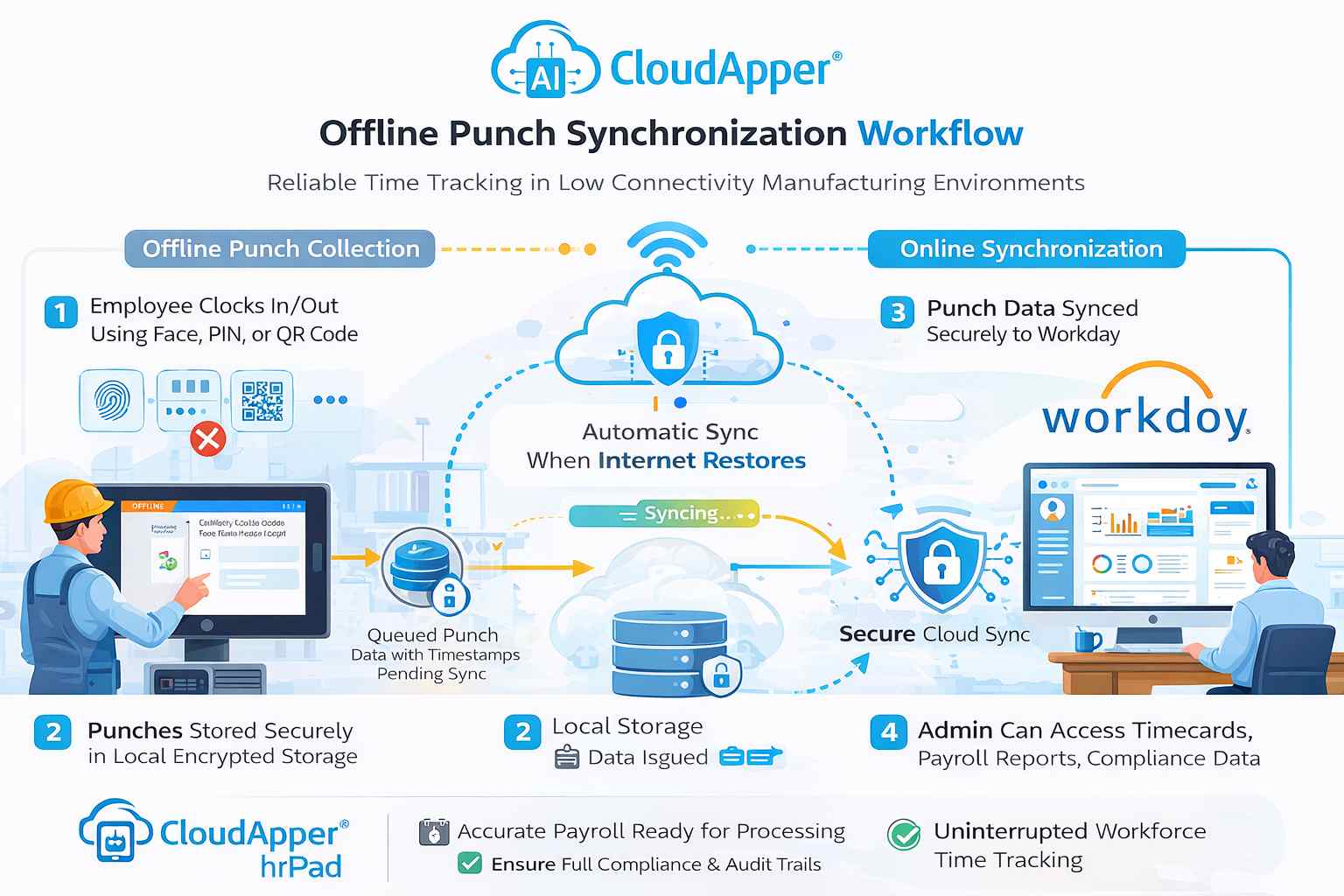
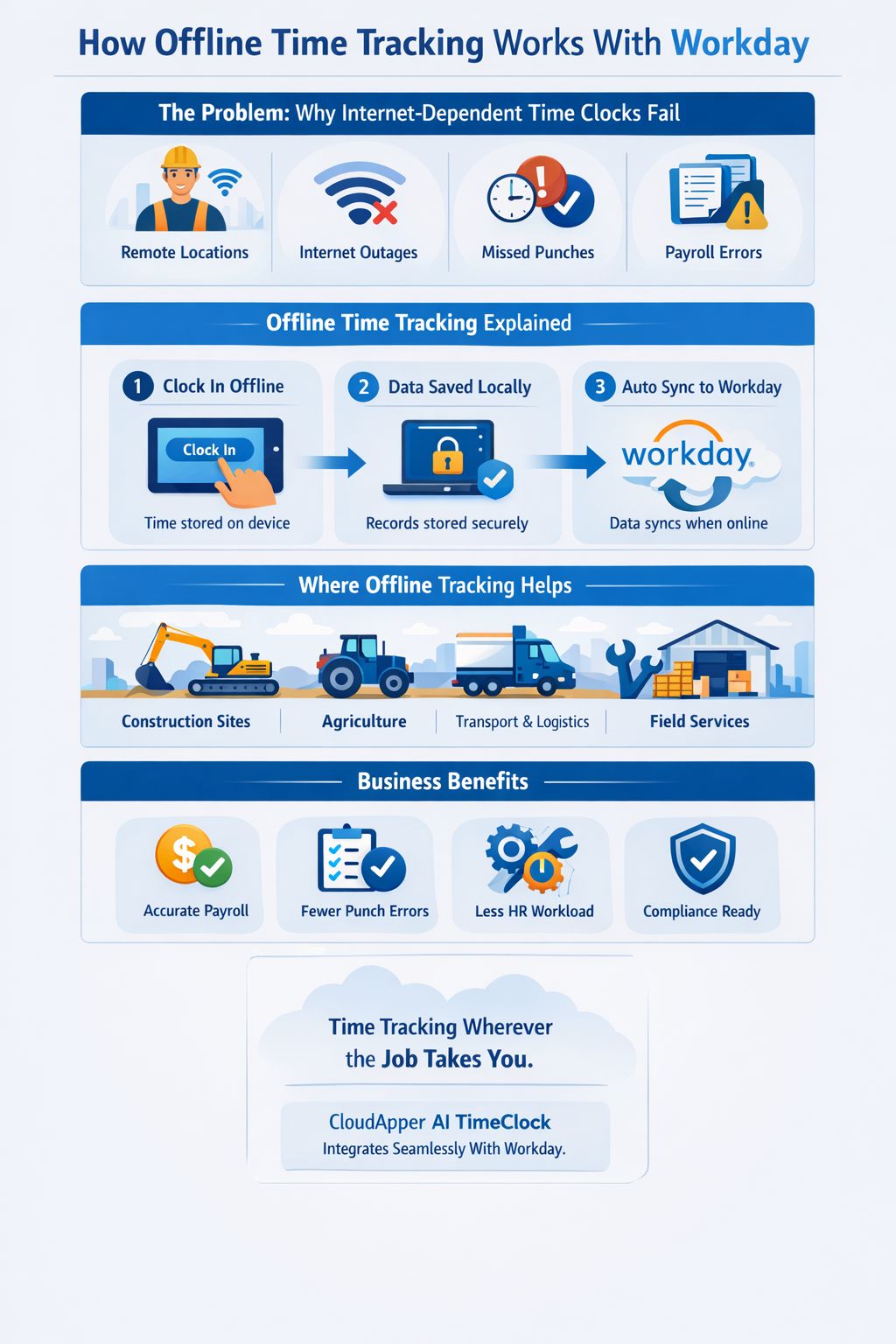
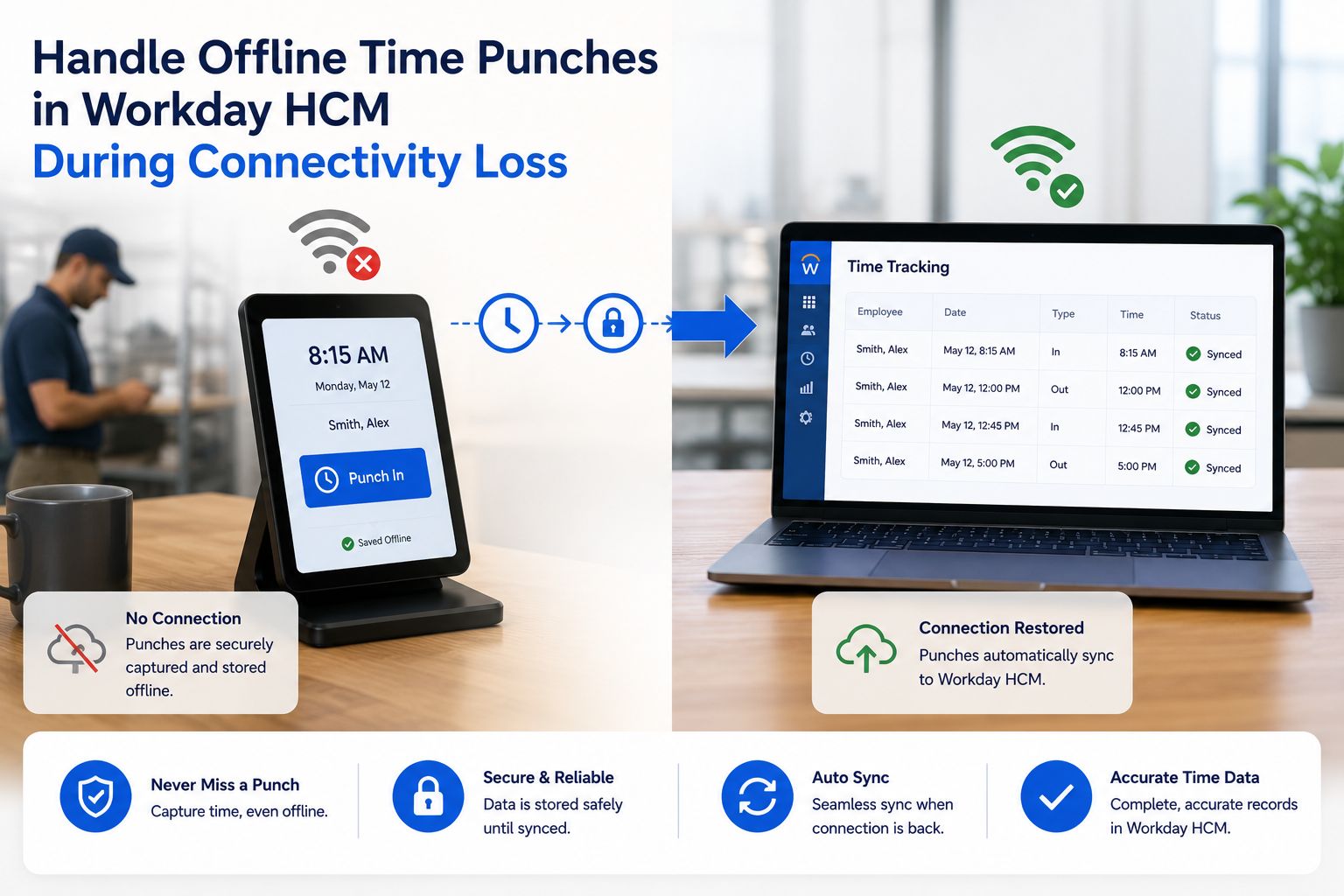
Offline time tracking allows employees to record work hours without requiring an active internet connection. When a time entry is captured offline, the system stores the data locally on the device.
Once internet connectivity is restored, the application automatically synchronizes the stored time records with the organization’s workforce management platform. This ensures that employee work hours are accurately transferred into the broader payroll and HR workflows.
CloudApper AI TimeClock enables this process in Workday-connected environments by acting as a reliable time capture layer that supports both online and offline scenarios. Employees can clock in and out of shifts even when internet access is unavailable, and the recorded punches are automatically synced once the device reconnects.
This approach allows organizations to maintain accurate timekeeping records while reducing reliance on manual corrections or delayed data entry.
Where Offline Time Tracking Delivers the Most Value
Offline time tracking is particularly valuable for organizations with distributed or mobile workforces.
Construction crews working in remote areas often begin their day before a stable network connection is available. Agricultural teams operating in fields may experience limited connectivity throughout the workday. Transportation and logistics workers frequently move between locations where network availability varies.
Even organizations operating primarily in urban areas may encounter connectivity disruptions due to infrastructure outages, network maintenance, or device limitations.
By supporting offline time capture, organizations ensure that employees can record their work hours wherever the job takes place. This improves timekeeping reliability and helps prevent payroll delays caused by incomplete or missing data.
More Than Offline Clock-In and Clock-Out
Offline functionality is only one aspect of a modern workforce timekeeping experience. Employees also benefit from having access to self-service tools that simplify common HR tasks.
CloudApper AI TimeClock provides a range of employee self-service capabilities designed to reduce administrative workload while improving employee visibility into their schedules and time records.
Employees can report missed punches when they forget to clock in or out. They can submit time-off requests directly from the time clock interface, review upcoming schedules, and check their current leave accrual balances. These capabilities help employees stay informed about their work hours while reducing the number of routine inquiries handled by HR teams.
For organizations managing large workforces, this type of self-service functionality helps streamline operations while improving the overall employee experience.
What to Look for in Offline Time Tracking Software
Organizations evaluating offline time tracking solutions should look beyond basic clock-in functionality. Effective solutions must ensure reliable data capture, seamless synchronization, and accurate integration with payroll systems.
A strong offline time tracking platform should securely store punches locally on the device, automatically synchronize data when connectivity returns, and maintain accurate time records without requiring manual intervention.
Equally important is the ability to integrate with existing HR and workforce management platforms. For organizations using Workday, the ideal solution should allow offline time records to flow directly into Workday workflows without requiring manual data transfer.
When these capabilities work together, organizations can significantly reduce payroll errors, administrative overhead, and operational disruptions caused by connectivity limitations.
Benefits of Offline Time Tracking for HR and Payroll Teams
Reliable offline time tracking provides several operational benefits for organizations managing distributed teams.
Accurate time capture ensures that employees are paid correctly for the hours they work, even when network connectivity is unavailable. Automated synchronization eliminates the need for manual data entry, reducing the risk of human error.
HR teams spend less time correcting missing punches or investigating time discrepancies. Payroll processing becomes more predictable because employee work hours are captured consistently at the moment work occurs.
In addition to improving payroll accuracy, offline time tracking also helps organizations maintain compliance with labor regulations by preserving complete and auditable records of employee work hours.

FAQ: Offline Time Tracking With Workday
What is offline time tracking?
Offline time tracking allows employees to record work hours without an internet connection. The recorded time data is stored locally on the device and synchronized with the workforce management system once connectivity becomes available.
Can Workday support offline time tracking?
Workday environments can support offline time tracking when paired with a time capture solution that allows employees to clock in without internet access and synchronize the recorded data once the device reconnects.
Why is offline time tracking important?
Offline time tracking helps prevent missed punches, improves payroll accuracy, and ensures employees can record their work hours even in remote or low-connectivity environments.
Who benefits most from offline time tracking?
Organizations with field workers, construction crews, agriculture teams, transportation staff, or mobile service employees benefit the most from offline time tracking capabilities.
Does offline time tracking reduce payroll errors?
Yes. By capturing employee work hours at the moment work occurs and automatically syncing the data later, offline time tracking reduces manual corrections and improves payroll accuracy.
Make Timekeeping Reliable Beyond Connectivity Limits
For organizations with mobile, field, or distributed workforces, relying entirely on internet connectivity for time tracking can introduce unnecessary risk and administrative complexity.
Offline time tracking ensures that employees can capture their work hours wherever the job takes them. By storing punches locally and synchronizing them automatically when connectivity returns, organizations maintain accurate time records while simplifying payroll operations.
Solutions like CloudApper AI TimeClock enable organizations using Workday to support reliable offline time capture while improving workforce visibility and operational efficiency.
If your teams operate in environments where internet access cannot always be guaranteed, implementing offline time tracking can help ensure that timekeeping remains accurate, consistent, and easy to manage.
What is CloudApper AI Platform?
CloudApper AI is an advanced platform that enables organizations to integrate AI into their existing enterprise systems effortlessly, without the need for technical expertise, costly development, or upgrading the underlying infrastructure. By transforming legacy systems into AI-capable solutions, CloudApper allows companies to harness the power of Generative AI quickly and efficiently. This approach has been successfully implemented with leading systems like UKG, Workday, Oracle, Paradox, Amazon AWS Bedrock and can be applied across various industries, helping businesses enhance productivity, automate processes, and gain deeper insights without the usual complexities. With CloudApper AI, you can start experiencing the transformative benefits of AI today. Learn More
- Useful Links:
- Agentic AI
- No-Code/Low-Code
- Custom Software
- HCM Personalization
- iPaaS
- FedRAMP

Brochure
CloudApper hrPad
Empower Frontline Employees with an AI-Powered Tablet/iPad Solution
Download Brochure
CloudApper AI Solutions for Workday


- Works with








- and more.
Similar Posts
How to Prevent Duplicate Worker and Pre-Hire Records in Workday…
How to Handle Offline Time Punches in Workday During Connectivity…