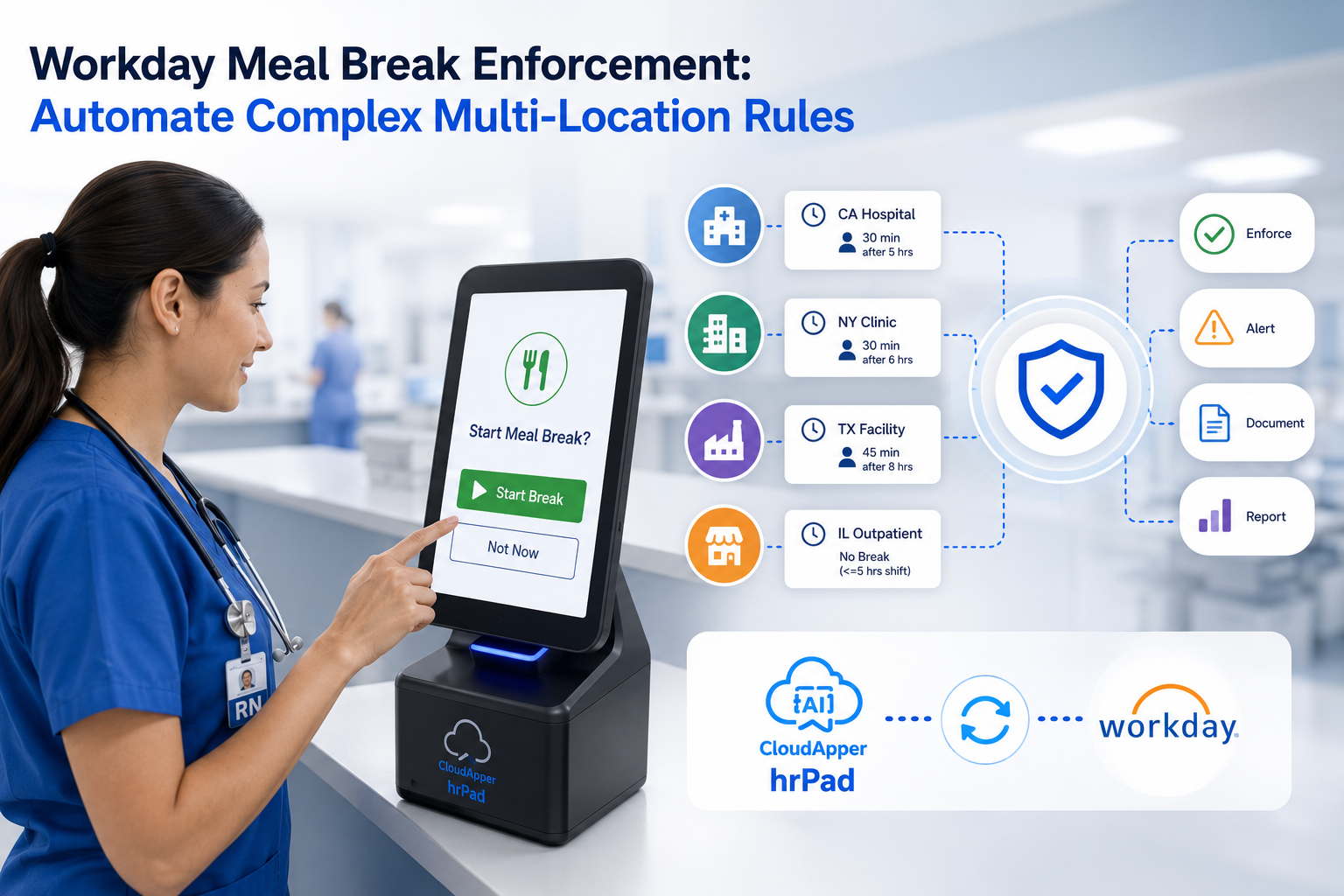
Workday Scheduling already lets people bid on, swap, and pick up shifts from mobile self-service. But much of the front line never carries the device that experience lives on. Here is how a shared kiosk extends that self-service to the floor while enforcing the rules that protect coverage.

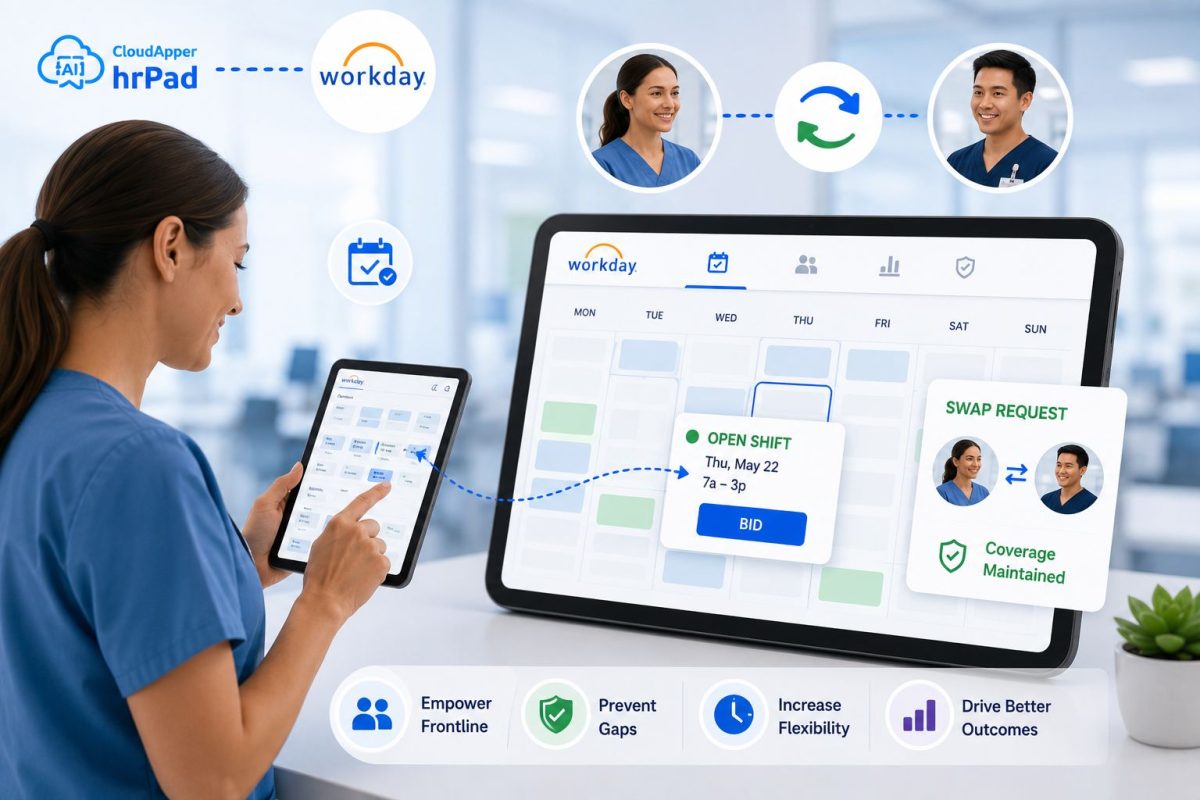
Table of Contents
- The real scheduling gap isn’t the schedule. It’s who can reach it.
- Why this matters more now than it used to
- What the workarounds get wrong
- The model that actually closes the gap
- How CloudApper hrPad enables it in Workday
- How to enable frontline shift bidding and swapping (step by step)
- Best practices for coverage-safe self-scheduling
- A day on the floor
- The bigger picture
- Frequently asked questions
The real scheduling gap isn’t the schedule. It’s who can reach it.
Every workforce leader knows the moment: a shift opens up, three people would happily take it, and none of them find out in time. The schedule was never the issue. The distance between the schedule and the people who live it was.

Workday Scheduling handles the hard part well. It runs an open shift board, supports swapping, captures worker preferences, and lets people pick up extra shifts — all through a self-service mobile experience, with AI matching availability and skills to open shifts. For a workforce that carries a phone and logs in, that experience is excellent.
But a large share of the front line doesn’t live there. Nurses, machine operators, warehouse pickers, store associates, and food-service crews often work without a corporate phone, a company email, or a personal login on the floor. The self-service power exists in Workday; it simply doesn’t always reach the shared, fast-moving environments where frontline work actually happens. That distance is where coverage gets lost — and where organizations quietly absorb the cost in overtime, understaffing, and burnout.
Quick answer: Workday Scheduling already supports shift bidding, swapping, and pick-ups through its self-service mobile experience. The gap for many organizations is reach: deskless frontline employees often can’t access that experience on the floor. A shared self-service kiosk closes the distance — letting workers bid on, swap, and claim shifts on-site — while automatically enforcing eligibility, overtime, and coverage rules so open shifts get filled without creating new gaps.
Why this matters more now than it used to
Three forces have turned a workflow inconvenience into a strategic exposure.
Workers expect control over their time. The same flexibility office staff take for granted — see an open shift, claim it, swap when life changes — is now the baseline expectation for hourly and frontline talent. When they can’t act on it, they leave.
Coverage has become fragile. Leaner staffing means a single unfilled shift can stall a production line, delay patient care, or leave a sales floor short. The tolerance for an open shift nobody claimed has effectively dropped to zero.
Compliance keeps rising. Predictive scheduling and fair-workweek rules, overtime thresholds, and break laws all mean a swap isn’t just a swap. Every trade has to be checked against rules — and doing that manually, shift by shift, doesn’t scale.
The organizations pulling ahead aren’t the ones with the most scheduling features. They’re the ones whose frontline can act on those features in the flow of work, without waiting on a manager, a login, or a device they don’t have.
What the workarounds get wrong
Most teams have improvised an answer, and each improvisation carries a hidden cost. Group texts and paper sign-up sheets move fast but bypass every rule — a swap gets agreed to in a group chat, nobody checks overtime or skill eligibility, and the coverage gap simply moves to a different shift. Manager-brokered swaps keep control but put a supervisor in the middle of every trade, hours of relay work that pulls leaders away from the floor. Shared logins on a break-room computer expose sensitive data and break the audit trail. And building a custom frontline app on top of the system of record means IT backlogs, developer time, and a maintenance burden that outlasts the quarter it was approved in.
Each workaround solves the reach problem by giving up something else: the rules, the manager’s time, security, or speed. None of them is a foundation.
The model that actually closes the gap
The durable answer isn’t to replace Workday or to rebuild what it already does. It’s to add a thin layer of work on top of the system of record — one that meets frontline employees where they physically are and enforces the rules automatically as they act.
That’s the role a shared self-service kiosk plays. Instead of assuming every worker has a phone and a login, it puts a Workday-connected station on the floor — at the plant entrance, the nurses’ station, the stockroom, the shift-change hallway. Employees authenticate individually (badge, PIN, or face), see the shifts relevant to them, and act: bid on an open shift, request a swap, or pick up extra hours. The kiosk syncs the result straight into Workday, so the schedule of record stays the single source of truth.
The important part is what happens between the tap and the sync. Before any bid or swap is committed, the layer checks it against the rules that protect coverage — the employee’s eligibility and role or skill match, overtime and hour thresholds, required certifications, and the minimum staffing each shift must maintain. A swap only completes if coverage still holds after it. Multi-shift rules mean the system understands the whole day, not one slot in isolation, so filling one gap can’t silently open another.
How CloudApper hrPad enables it in Workday
CloudApper hrPad turns any shared iOS, Android, or Windows tablet into a Workday-connected self-service kiosk, placed exactly where frontline workers already are. No new hardware, no per-employee mobile rollout.
From the kiosk, employees can view, bid on, swap, and pick up shifts directly, and every action syncs to Workday in real time so scheduling stays accurate and centralized. Configurable rules run in the background: eligibility, skill and role matching, overtime limits, certification checks, and minimum coverage per shift. Managers set the guardrails once; the kiosk enforces them on every transaction and routes approvals only where a human decision is genuinely required. Because it runs on tablets you already own and automates work that used to land on HR and supervisors, hrPad can cut HR service-delivery costs by up to 75% — while extending Workday’s self-service to the people it was hardest to reach. If you’ve seen Workday’s own self-service power stop at the office door, this is what fills the last few feet.
How to enable frontline shift bidding and swapping (step by step)
- Map where coverage breaks. Identify the shifts, locations, and roles where open shifts most often go unfilled and where swaps happen off-system today.
- Place kiosks where the work is. Set up hrPad on existing tablets at high-traffic frontline points — entrances, stations, shift-change areas.
- Connect to Workday. Link hrPad to Workday Scheduling so shifts, eligibility, and assignments stay in sync in real time.
- Define your coverage rules. Configure eligibility, skill and role matching, overtime thresholds, certifications, and minimum staffing per shift — the guardrails a swap or bid must satisfy.
- Turn on individual authentication. Enable badge, PIN, or facial recognition so each employee acts under their own identity and the audit trail stays intact.
- Publish open shifts and enable bidding/swapping. Let employees see relevant shifts, bid on open ones, request swaps, and pick up extra hours from the kiosk.
- Route approvals by exception. Auto-approve trades that satisfy every rule; escalate only the edge cases that need a manager.
- Monitor and tune. Review fill rates, time-to-fill, and rule triggers, then adjust thresholds to keep coverage tight as demand shifts.
Best practices for coverage-safe self-scheduling
Keep Workday the system of record — the kiosk should extend it, never fork it. Write coverage rules before opening bidding, so the guardrails exist on day one rather than after the first missed shift. Favor auto-approval for compliant trades; every manual approval you require is friction that pushes workers back to the group chat. Authenticate individuals rather than sharing a device login, both for security and for a clean audit trail. And treat multi-shift logic as non-negotiable: a system that only understands one slot at a time will always fill one gap by opening another.
A day on the floor
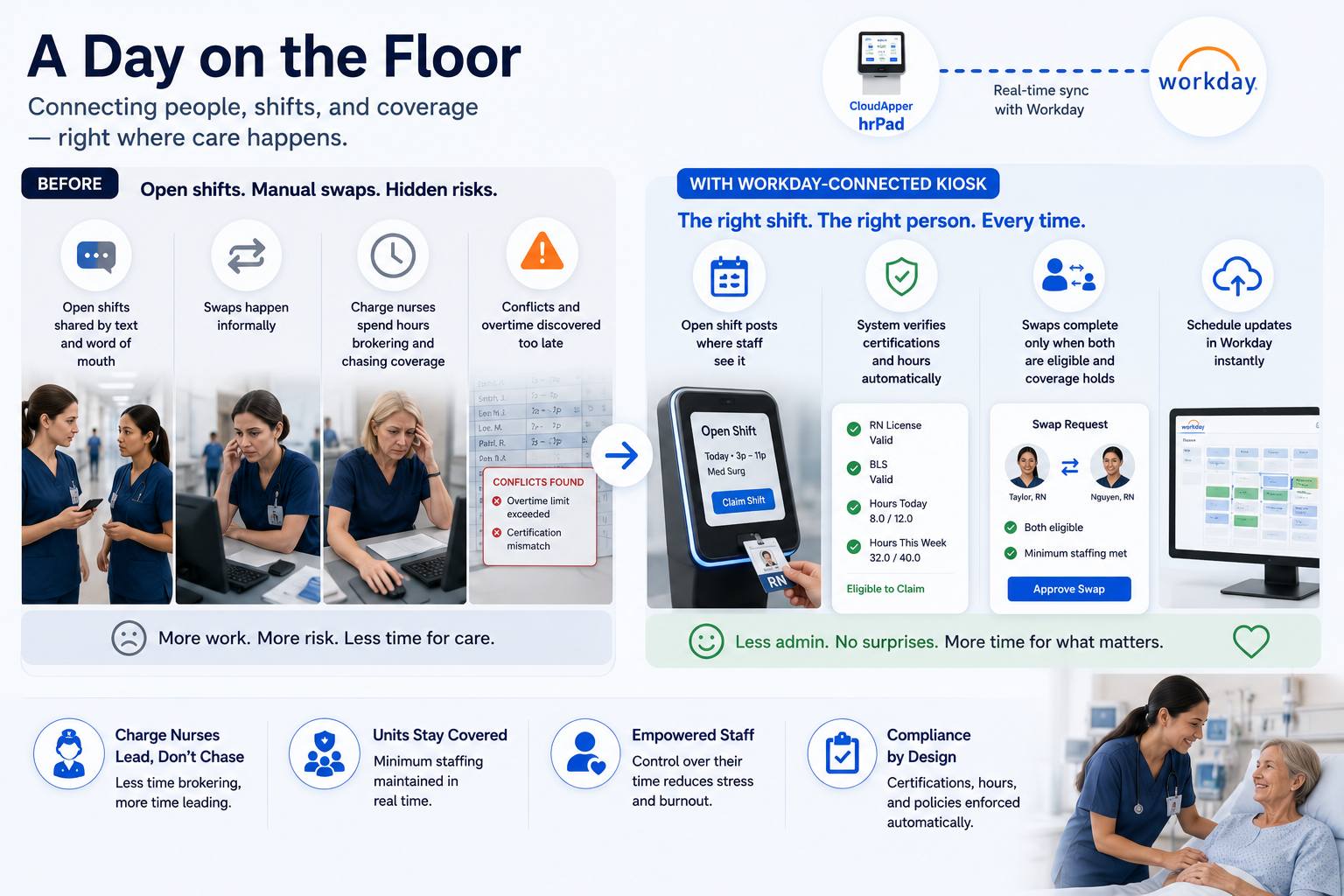
A regional health system runs Workday for scheduling, but its nursing and support staff don’t carry work phones and rarely log in to the portal between rounds. Open shifts used to circulate by text and hallway conversation; swaps happened informally, and charge nurses spent hours each week brokering trades and chasing coverage — sometimes discovering an overtime or certification conflict only after the fact.
With a Workday-connected kiosk at each nurses’ station, an open evening shift now posts where staff actually see it. A qualified nurse claims it on a badge tap; the system confirms her certification and hours are within limits before committing, and the schedule updates in Workday instantly. A swap between two aides completes only after the layer verifies both remain eligible and the unit stays above its minimum staffing. The charge nurse stops brokering and starts leading. The unit stays covered. And the people delivering care get the control over their time that keeps them from burning out — which patients feel, even if they never see the kiosk that made it possible.
The bigger picture
CloudApper is the process layer that closes the gaps enterprise software can’t — across HR, ERP, CRM, and beyond, on any platform, in weeks not quarters. Workday holds the schedule; CloudApper carries it the last few feet to the floor, turning self-service that lived on a phone into self-service that lives where the work is. Organizations that close that distance don’t just fill shifts faster. They give frontline people real ownership of their time, hand managers back the hours they spent brokering trades, and keep the line, the ward, or the sales floor covered — because the ones who move fastest aren’t the ones with the biggest budgets. They’re the ones that stopped waiting for permission to close the gap.
Ready to extend Workday self-service to your front line? See how hrPad enables coverage-safe shift bidding and swapping on any tablet you already own.
Frequently asked questions
Does Workday support shift bidding and swapping natively?
Yes. Workday Scheduling includes an open shift board, shift swapping, preference setting, and the ability to pick up additional shifts through its self-service mobile experience. The common gap is reach — deskless frontline employees who don’t carry a device or log in often can’t use that experience on the floor.
How do employees swap shifts without creating a coverage gap?
Every bid or swap is checked against configurable rules — eligibility, skill and role match, overtime thresholds, certifications, and minimum staffing per shift — before it commits. Multi-shift logic evaluates the whole day, so filling one shift can’t quietly open another. A trade only completes if coverage still holds.
Do frontline workers need a smartphone or personal login?
No. A shared kiosk on the floor lets employees authenticate individually with a badge, PIN, or facial recognition and act on shifts on-site, so self-service works even without company phones or individual portal access.
Does this replace Workday Scheduling?
No. It complements Workday. Workday remains the schedule of record; the kiosk extends its self-service to the front line and syncs every action back in real time.
What does CloudApper hrPad add?
hrPad turns any existing iOS, Android, or Windows tablet into a Workday-connected kiosk where employees view, bid on, swap, and pick up shifts. It enforces coverage rules automatically, routes approvals by exception, and can reduce HR service-delivery costs by up to 75% by running on hardware you already own.
How long does it take to set up?
Because it runs on existing tablets and connects to Workday without custom development, hrPad deploys in weeks, not quarters — no IT backlog or app-build project required.
What is CloudApper AI Platform?
CloudApper AI is an advanced platform that enables organizations to integrate AI into their existing enterprise systems effortlessly, without the need for technical expertise, costly development, or upgrading the underlying infrastructure. By transforming legacy systems into AI-capable solutions, CloudApper allows companies to harness the power of Generative AI quickly and efficiently. This approach has been successfully implemented with leading systems like UKG, Workday, Oracle, Paradox, Amazon AWS Bedrock and can be applied across various industries, helping businesses enhance productivity, automate processes, and gain deeper insights without the usual complexities. With CloudApper AI, you can start experiencing the transformative benefits of AI today. Learn More
- Useful Links:
- Agentic AI
- No-Code/Low-Code
- Custom Software
- HCM Personalization
- iPaaS
- FedRAMP

Brochure
CloudApper hrPad
Empower Frontline Employees with an AI-Powered Tablet/iPad Solution
Download Brochure
CloudApper AI Solutions for Workday



- Works with








- and more.
Similar Posts
How to Prevent Duplicate Worker and Pre-Hire Records in Workday…
How to Handle Offline Time Punches in Workday During Connectivity…