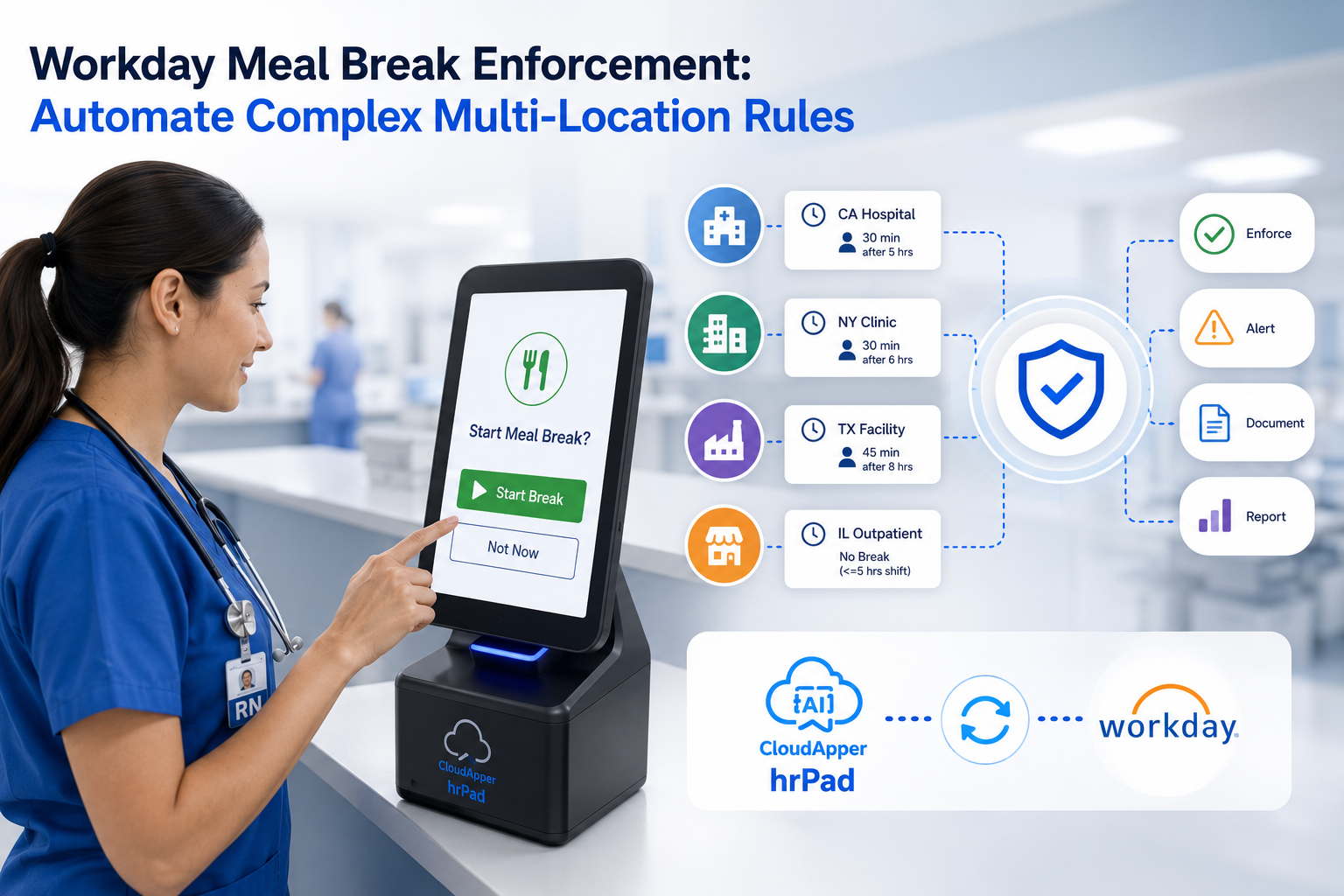
Revolutionize Workday time tracking software punch in and out with CloudApper AI TimeClock: Use existing iPhones, Android devices, iPads, or tablets for secure, touchless biometric punches, geofencing verification, offline queuing, and instant real-time sync to Workday. Enjoy customizable data capture, AI-powered guidance, fraud prevention, and scalable flexibility without expensive hardware.
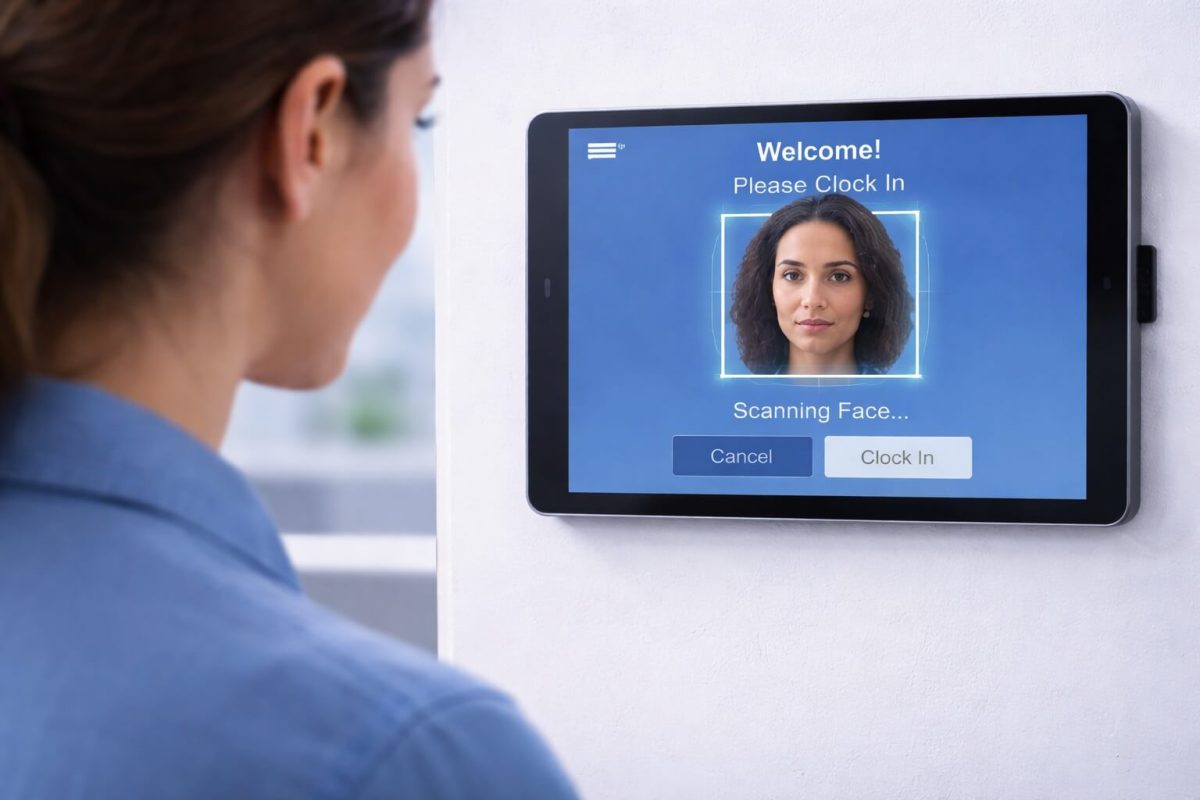
Table of Contents
- TL;DR
- Understanding Workday Time Tracking Software Punch In and Out on Mobile Devices
- Why Mobile Workday Time Tracking Software Punch In and Out Matters
- Challenges with Traditional Workday Time Tracking Software Punch In and Out Methods
- CloudApper AI TimeClock: Advanced Workday Time Tracking Software Punch In and Out Solution
- Industry-Specific Workday Time Tracking Software Punch In and Out Applications
- Implementing Mobile Workday Time Tracking Software Punch In and Out
- Security and Compliance for Workday Time Tracking Software Punch In and Out
- Getting Started with Enhanced Workday Time Tracking Software Punch In and Out
- Frequently Asked Questions About Workday Time Tracking Software Punch In and Out on Mobile Devices
- FAQ
- Transforming Workday Time Tracking Software Punch In and Out
Modern workforce management requires flexible solutions, and Workday time tracking software punch in and out capabilities have evolved to meet the demands of today’s dynamic work environments. Organizations across healthcare, retail, and manufacturing are transforming their Workday time tracking software punch in and out processes by leveraging mobile devices—iPhones, Android phones, iPads, and tablets—to deliver unprecedented flexibility and operational efficiency.
TL;DR
CloudApper AI TimeClock transforms any iPhone, Android, iPad, or tablet into a smart Workday time tracking software punch in/out solution — featuring touchless facial recognition, geofencing, customizable workflows, offline support, real-time synchronization to Workday, 24/7 AI assistant, and cost savings by eliminating dedicated hardware while boosting accuracy, compliance, and employee self-service.
Understanding Workday Time Tracking Software Punch In and Out on Mobile Devices
Workday time tracking software punch in and out functionality serves as the cornerstone of accurate attendance management and payroll processing. While Workday offers comprehensive workforce management capabilities, extending these punch in and out features to mobile devices addresses the critical operational challenges that system administrators and HR professionals encounter in their daily operations.

Traditional approaches to Workday time tracking software punch in and out typically rely on fixed time clock locations, but modern work environments demand more adaptable solutions. Healthcare facilities require punch in and out access across multiple departments and nursing stations. Retail locations need efficient punch in and out processes during peak operational hours. Manufacturing operations benefit from distributed punch in and out terminals throughout expansive production facilities.
Why Mobile Workday Time Tracking Software Punch In and Out Matters
For Workday system administrators and HR professionals, enabling Workday time tracking software punch in and out on iPhones, Android devices, iPads, and tablets represents a strategic operational transformation. Mobile punch in and out solutions eliminate workflow bottlenecks, reduce infrastructure investments, and enhance employee satisfaction—all while maintaining the accuracy and compliance that Workday time tracking software users depend on for payroll and workforce analytics.
Operational Excellence: Mobile Workday time tracking software punch in and out capabilities eliminate congestion during shift changes. Employees can punch in and out from strategically convenient locations rather than waiting at fixed terminals. Healthcare nurses can punch in and out directly at nursing stations. Retail associates can punch in and out on the sales floor. Manufacturing workers can punch in and out at their designated workstations.
Cost Optimization: Implementing Workday time tracking software punch in and out on mobile devices significantly reduces capital expenditure compared to purchasing dedicated time clocks for every location. Organizations leverage existing tablets or affordable commercial devices, transforming them into sophisticated Workday time tracking software punch in and out terminals.
Seamless Scalability: As organizations expand, mobile Workday time tracking software punch in and out solutions scale effortlessly. Adding new punch in and out locations doesn’t require expensive hardware installations or complex technical implementations. System administrators can deploy new punch in and out points quickly and cost-effectively.
Challenges with Traditional Workday Time Tracking Software Punch In and Out Methods
System administrators managing Workday time tracking software punch in and out processes understand the limitations of conventional approaches. While Workday provides excellent workforce management capabilities, traditional punch in and out hardware creates persistent operational challenges.
Infrastructure Investment Requirements: Dedicated time clocks for Workday time tracking software punch in and out require substantial investment and ongoing maintenance commitments. Large healthcare campuses may need dozens of punch in and out devices. Retail chains multiply these costs across numerous locations. Manufacturing facilities with multiple buildings face connectivity and strategic placement challenges for punch in and out terminals.
Employee Experience Friction: Long lines at Workday time tracking software punch in and out locations during shift changes frustrate employees and waste valuable productive time. Healthcare environments see nurses waiting to punch in and out when they should be delivering patient care. Retail operations experience congestion during opening and closing times at punch in and out terminals.
Customization Constraints: Standard Workday time tracking software punch in and out hardware often lacks the customization options needed for specific operational requirements. System administrators need punch in and out solutions that can be tailored to unique workflows while maintaining seamless Workday integration.
CloudApper AI TimeClock: Advanced Workday Time Tracking Software Punch In and Out Solution
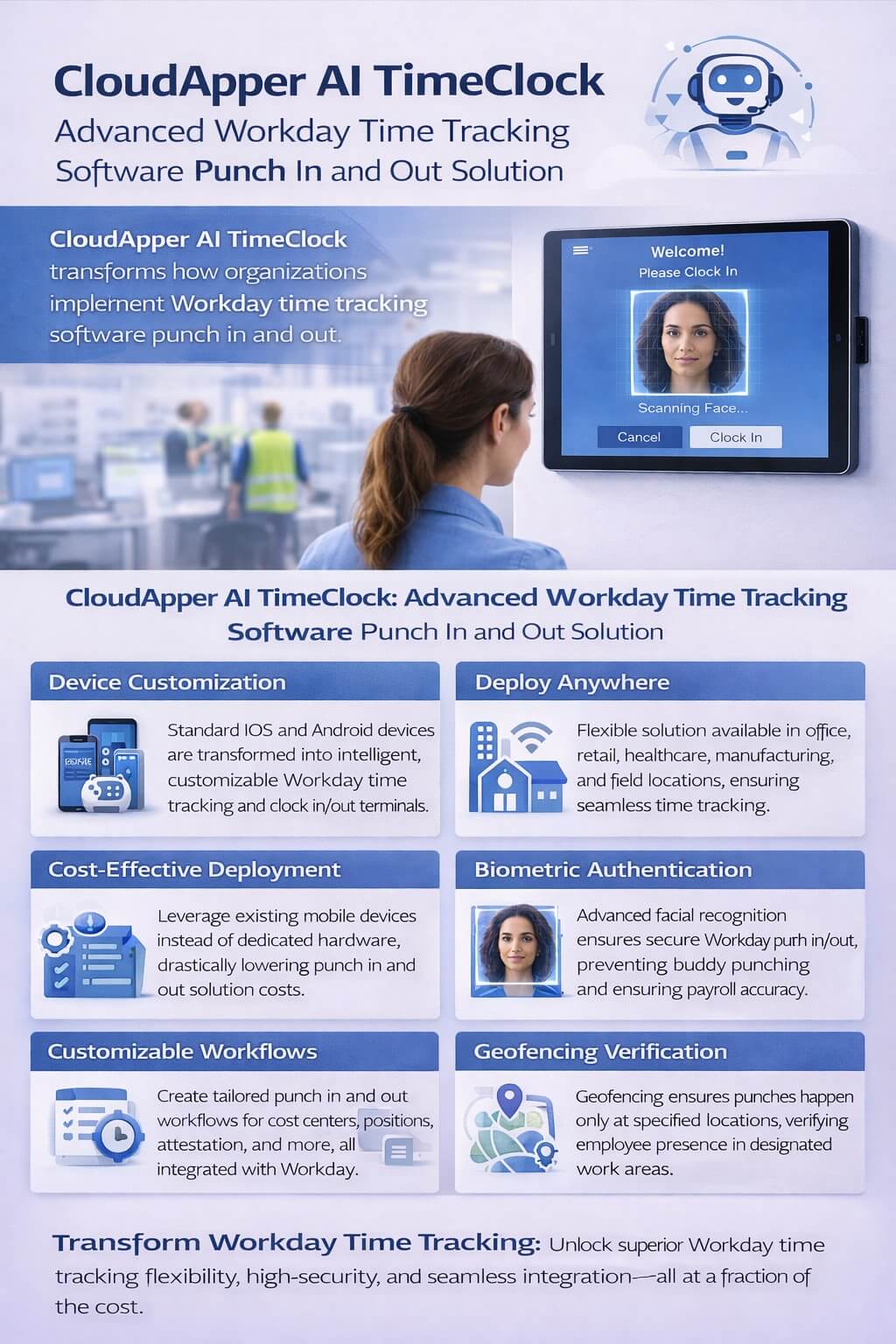
CloudApper AI TimeClock transforms how organizations implement Workday time tracking software punch in and out processes by converting standard mobile devices into intelligent, customizable punch in and out terminals. This solution extends the customizability, capability, flexibility, and portability of Workday’s time tracking and payroll calculation features.
By enabling Workday time tracking software punch in and out on iPads, Android tablets, iPhones, and Android phones, CloudApper AI TimeClock addresses the real-world challenges system administrators face while dramatically enhancing the punch in and out experience for employees across all industries.
Enhanced Workday Time Tracking Software Punch In and Out Flexibility
CloudApper AI TimeClock provides unmatched flexibility for Workday time tracking software punch in and out deployment. System administrators can position iPads as wall-mounted punch in and out terminals, use Android tablets as mobile punch in and out stations, or enable smartphones for completely portable punch in and out capabilities.
This flexibility proves invaluable when implementing Workday time tracking software punch in and out across diverse environments. Healthcare organizations can place punch in and out terminals in every department and clinic. Retail businesses can add punch in and out access at new store locations instantly. Manufacturing facilities can deploy punch in and out capabilities across production areas without infrastructure constraints.
Cost-Effective Workday Time Tracking Software Punch In and Out Deployment
Rather than investing in expensive dedicated hardware for Workday time tracking software punch in and out, organizations leverage affordable mobile devices. CloudApper AI TimeClock dramatically reduces the cost of expanding punch in and out capabilities while providing superior functionality compared to traditional terminals.
Multi-location retail chains can standardize Workday time tracking software punch in and out across all stores without proportional cost increases. Healthcare systems ensure every location has convenient punch in and out access. Manufacturing operations add punch in and out points to new production lines without budget limitations.
Customizable Workday Time Tracking Software Punch In and Out Workflows
CloudApper AI TimeClock enables system administrators to customize Workday time tracking software punch in and out workflows to match organizational requirements. Configure punch in and out processes to capture cost centers, position changes, tip declarations, attestations, or custom data points—all integrated seamlessly with Workday.
The AI-powered assistant guides employees through complex punch in and out scenarios, ensuring accurate data collection during every punch in and out event. This customization ensures Workday time tracking software punch in and out workflows support compliance requirements while maintaining operational efficiency.
Intelligent Self-Service Beyond Punch In and Out
CloudApper AI TimeClock for Workday extends beyond basic Workday time tracking software punch in and out functionality, providing employees with comprehensive self-service capabilities through the same device used for punch in and out. Employees can check schedules, view time-off balances, submit time-off requests, and access important information without leaving the punch in and out terminal.
The AI assistant can answer common questions about policies, benefits, or procedures, providing instant support that reduces HR administrative burden. This integrated approach enhances the employee experience at every Workday time tracking software punch in and out interaction.
Secure Workday Time Tracking Software Punch In and Out with Biometric Authentication
Security remains critical for Workday time tracking software punch in and out accuracy. CloudApper AI TimeClock supports advanced facial recognition for punch in and out authentication, eliminating buddy punching and ensuring accurate payroll processing. Employees punch in and out quickly and securely without physical contact, which is particularly valuable in healthcare settings where hygiene is paramount.
Geofencing for Workday Time Tracking Software Punch In and Out Verification
For organizations with mobile workforces or multiple work sites, CloudApper AI TimeClock includes geofencing capabilities that verify employee location during Workday time tracking software punch in and out events. This ensures punch in and out accuracy for field workers and validates attendance at appropriate locations.
Retail chains can ensure employees are punching in and out from designated store locations. Healthcare organizations with multiple facilities can verify staff are at their assigned location. Manufacturing companies with large campuses can confirm employees are in appropriate work areas during punch in and out events.
Seamless Workday Time Tracking Software Punch In and Out Integration
CloudApper AI TimeClock integrates directly with Workday time tracking software, ensuring all punch in and out data flows seamlessly into payroll and workforce management systems. System administrators maintain centralized control while gaining enhanced punch in and out deployment flexibility.
All Workday payroll rules, overtime calculations, compliance tracking, and reporting capabilities work exactly as designed, with CloudApper AI TimeClock serving as an intelligent front-end for punch in and out processes that enhances rather than complicates your workforce management infrastructure.
Real-Time Workday Time Tracking Software Punch In and Out Data Synchronization
Punch in and out events captured through CloudApper AI TimeClock sync with Workday time tracking software in real-time, providing immediate visibility into workforce attendance. This real-time punch in and out data flow supports operational decision-making and ensures payroll processing has the most current information.
For healthcare organizations managing shift coverage, retail businesses monitoring store staffing levels, or manufacturing operations tracking production team attendance, real-time synchronization transforms Workday time tracking software punch in and out data from a historical record into an active operational management tool.
24/7 AI Assistant for Employee Support
CloudApper AI TimeClock for Workday includes an always-available AI assistant that supports employees beyond simple punch in and out transactions. The assistant can answer questions about company policies, benefits, schedules, and procedures—reducing the volume of inquiries to HR teams while improving employee satisfaction during Workday time tracking software punch in and out interactions.
Industry-Specific Workday Time Tracking Software Punch In and Out Applications
Healthcare Workday Time Tracking Software Punch In and Out
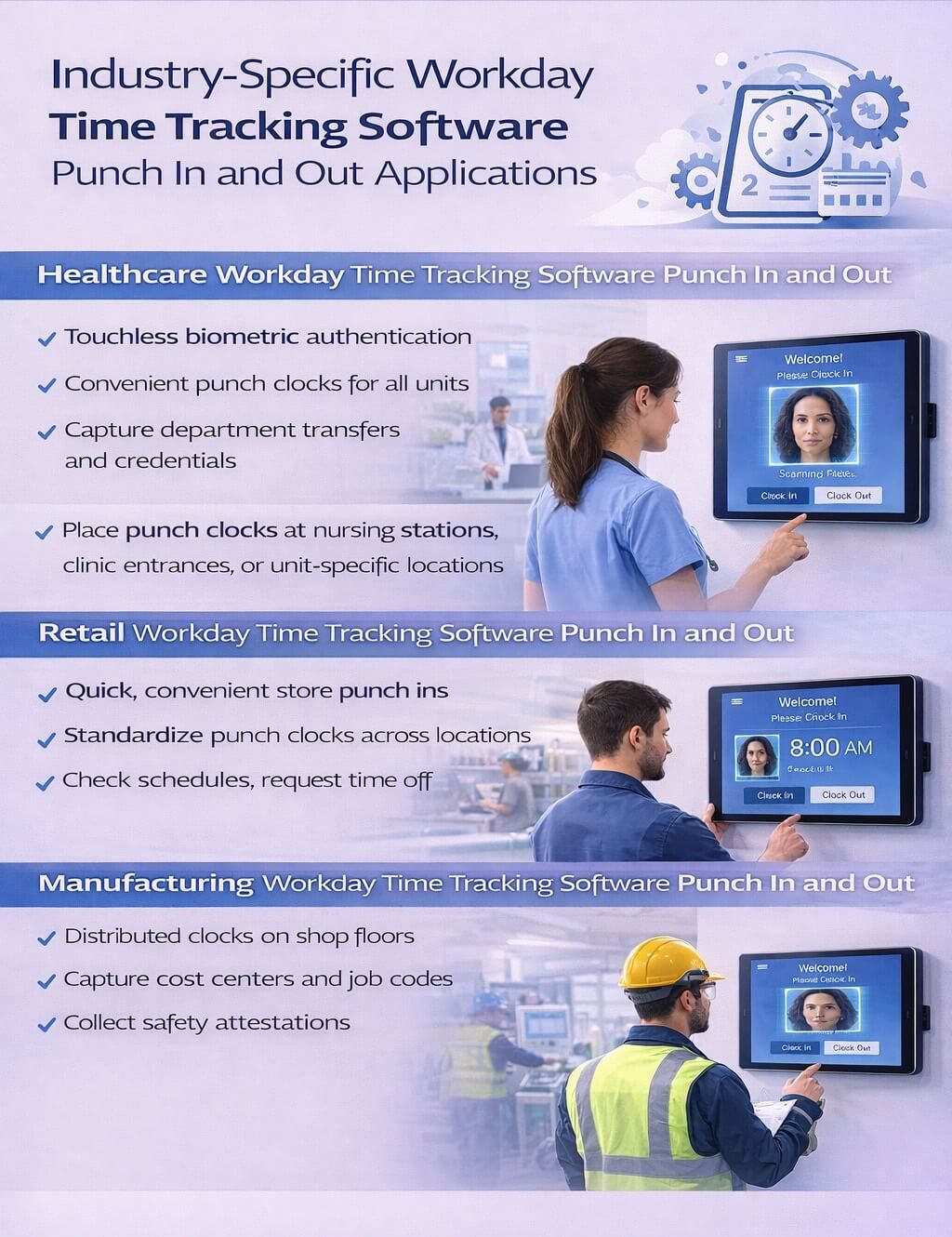
Healthcare organizations face unique challenges implementing Workday time tracking software punch in and out across 24/7 operations with multiple departments, specialty units, and compliance requirements. CloudApper AI TimeClock enables flexible punch in and out deployment at nursing stations, clinic entrances, emergency departments, or unit-specific locations.
Healthcare workers can punch in and out quickly at convenient locations, capturing department transfers, certifications, and credentials during punch in and out events. For healthcare system administrators, this streamlines Workday time tracking software punch in and out while ensuring complete compliance documentation and accurate labor cost allocation by department.
The touchless biometric authentication feature is particularly valuable in healthcare settings, allowing nurses and medical staff to punch in and out without physical contact, supporting infection control protocols while maintaining security and accuracy in Workday time tracking software.
Retail Workday Time Tracking Software Punch In and Out
Retail environments require efficient Workday time tracking software punch in and out that accommodates varying store layouts, seasonal staffing fluctuations, and diverse shift patterns. CloudApper AI TimeClock transforms tablets into sophisticated punch in and out terminals positioned based on operational needs—at store entrances, break rooms, or back office areas.
Retail employees punch in and out quickly without bottlenecks during peak times, check schedules for upcoming shifts, request time off, and receive important communications through the punch in and out interface. System administrators can standardize Workday time tracking software punch in and out across locations while accommodating individual store operational requirements.
The solution can capture department assignments during punch in and out for employees who work across multiple departments within a store, ensuring accurate labor tracking and Workday time tracking software integration for complex retail operations.
Manufacturing Workday Time Tracking Software Punch In and Out
Manufacturing operations benefit from distributed Workday time tracking software punch in and out capabilities across expansive facilities, production floors, warehouses, and outdoor work areas. CloudApper AI TimeClock places punch in and out terminals wherever workers are located, eliminating long walks to centralized punch in and out locations and reducing lost productivity.
The solution captures job codes, cost centers, shift differentials, and production area assignments during manufacturing punch in and out events, ensuring accurate labor cost allocation and seamless integration with Workday time tracking software. For manufacturing HR teams managing union requirements, shift premiums, and complex pay rules, automated punch in and out data capture reduces manual intervention and processing errors.
CloudApper AI TimeClock can be configured to collect safety attestations, equipment certifications, or other manufacturing-specific data during punch in and out events, ensuring compliance with safety protocols while maintaining efficient Workday time tracking software workflows.
Implementing Mobile Workday Time Tracking Software Punch In and Out
CloudApper AI TimeClock for Workday is designed for straightforward implementation by Workday system administrators without requiring extensive technical resources or disruption to existing operations. The cloud-based architecture eliminates complex infrastructure requirements for mobile punch in and out deployment.
System administrators configure punch in and out workflows, authentication requirements, data collection fields, and self-service features through an intuitive administrative interface. Changes to punch in and out processes can be implemented quickly and distributed across devices automatically, ensuring consistency and reducing ongoing maintenance burden.
Centralized device management allows administrators to monitor punch in and out terminal status, push updates, and troubleshoot issues remotely. For organizations with multiple locations, this ensures consistent Workday time tracking software punch in and out operations while reducing the travel and on-site support time traditionally required for time clock maintenance.
Security and Compliance for Workday Time Tracking Software Punch In and Out
CloudApper AI TimeClock maintains the security and compliance standards that Workday time tracking software users require for payroll and workforce management. Punch in and out data transmission is encrypted, authentication is robust with biometric options, and comprehensive audit trails provide complete visibility into punch in and out events and system access.
For healthcare organizations, the solution supports HIPAA compliance requirements for punch in and out processes, protecting sensitive employee data and maintaining privacy standards. Multi-factor authentication options, role-based access controls, and comprehensive logging ensure administrators can demonstrate compliance with internal policies and external regulations.
The solution includes fraud prevention features that detect and prevent buddy punching, ensuring the integrity of Workday time tracking software punch in and out data and protecting organizations from time theft and payroll inaccuracies.
Getting Started with Enhanced Workday Time Tracking Software Punch In and Out
Organizations ready to transform their Workday time tracking software punch in and out capabilities with mobile solutions can explore CloudApper AI TimeClock for Workday. Implementation typically begins with consultation to understand your specific punch in and out requirements, organizational workflows, and integration needs.
System administrators will find the transition to mobile Workday time tracking software punch in and out straightforward, with CloudApper providing comprehensive implementation support, training resources, and documentation. The intuitive design means employees adapt quickly to the new punch in and out process, minimizing change management challenges and maximizing adoption rates.
Frequently Asked Questions About Workday Time Tracking Software Punch In and Out on Mobile Devices
What devices support Workday time tracking software punch in and out with CloudApper AI TimeClock?
CloudApper AI TimeClock enables Workday time tracking software punch in and out on iPads, Android tablets, iPhones, and Android phones, providing flexibility to choose devices that match your organizational preferences and existing infrastructure for punch in and out deployment.
How does mobile punch in and out integrate with Workday time tracking software?
The solution integrates directly with Workday time tracking software through secure APIs and certified integration methods, ensuring all punch in and out data flows seamlessly into your workforce management and payroll systems without disrupting existing Workday functionality or reporting capabilities.
Can we customize the Workday time tracking software punch in and out workflow?
Yes, CloudApper AI TimeClock provides extensive customization for Workday time tracking software punch in and out workflows, allowing administrators to configure data collection fields, attestations, questions, and workflow steps to match organizational requirements while maintaining seamless Workday integration.
Is mobile punch in and out secure for regulated industries like healthcare?
CloudApper AI TimeClock implements enterprise-grade security for punch in and out processes including data encryption, touchless biometric authentication with facial recognition, and comprehensive audit logging. The solution supports compliance requirements for healthcare, financial services, and other regulated industries using Workday time tracking software.
How quickly can we deploy mobile Workday time tracking software punch in and out across multiple locations?
Deployment timelines vary based on organizational size and complexity, but the cloud-based architecture enables rapid rollout of mobile Workday time tracking software punch in and out. Many organizations complete initial punch in and out deployment within weeks and scale across locations systematically.
What support is available for managing mobile Workday time tracking software punch in and out?
CloudApper provides implementation support, training resources, comprehensive documentation, and ongoing technical assistance to ensure system administrators can effectively manage mobile Workday time tracking software punch in and out solutions. Support channels include direct contact, online resources, and dedicated assistance.
Can employees use personal devices for Workday time tracking software punch in and out?
Organizations can choose to deploy Workday time tracking software punch in and out on company-provided tablets positioned as stationary terminals or on employee smartphones for completely mobile punch in and out capabilities, depending on organizational policies and security requirements.
Does Workday time tracking software punch in and out work offline?
CloudApper AI TimeClock includes offline capabilities that cache essential data and queue punch in and out events during connectivity interruptions. When connection is restored, punch in and out data synchronizes automatically with Workday time tracking software, ensuring no punch events are lost.
How does biometric authentication work for Workday time tracking software punch in and out?
CloudApper AI TimeClock supports touchless facial recognition for Workday time tracking software punch in and out, allowing employees to authenticate quickly and securely without physical contact during punch in and out events. The system captures and verifies facial biometrics in real-time for accurate employee identification.
What reporting capabilities exist for mobile Workday time tracking software punch in and out?
All punch in and out data captured through CloudApper AI TimeClock flows into Workday time tracking software, where administrators can leverage existing Workday reporting and analytics capabilities for comprehensive punch in and out data analysis, labor cost tracking, compliance reporting, and workforce planning.
Can the AI assistant be customized for our organization?
Yes, the AI assistant in CloudApper AI TimeClock can be configured to provide organization-specific information, answer questions about your policies and procedures, and guide employees through your unique Workday time tracking software punch in and out workflows and requirements.
How does geofencing work with Workday time tracking software punch in and out?
CloudApper AI TimeClock can verify employee location during punch in and out events using GPS geofencing, ensuring employees are at authorized locations when punching in and out. This feature integrates with Workday time tracking software to provide location data for compliance and audit purposes.
FAQ
What is Workday time tracking software punch in and out with CloudApper?
CloudApper AI TimeClock is a mobile solution that enables secure punch in and out directly on iPhones, Android phones, iPads, or tablets, integrating seamlessly with Workday time tracking via real-time API sync for accurate payroll and compliance.
What devices support punch in and out for Workday time tracking?
It works on personal or shared iPhones, Android smartphones, iPads, Android tablets, and wall-mounted devices — turning them into intelligent time clocks with no need for dedicated hardware.
Does it include biometric or touchless punch in/out features?
Yes — touchless facial recognition (Face ID-style) prevents buddy punching, with optional PIN/QR/barcode, plus geofencing to confirm location during punch events.
How does it handle offline punch in and out for Workday?
Offline mode caches punch data securely during no connectivity, then automatically syncs to Workday once online, ensuring no lost time entries.
What are the key benefits of this Workday time tracking punch in/out solution?
Benefits include reduced costs (no hardware), eliminated shift-change congestion, improved accuracy/compliance (biometrics, audit trails), employee self-service (view schedules, request time off), 24/7 AI assistant support, and seamless scalability for industries like healthcare, retail, and manufacturing.
Transforming Workday Time Tracking Software Punch In and Out
For Workday system administrators and HR professionals seeking to optimize workforce management efficiency while enhancing employee experience, mobile Workday time tracking software punch in and out solutions represent a transformative opportunity. CloudApper AI TimeClock extends Workday’s robust capabilities to mobile devices, addressing practical challenges of punch in and out in healthcare, retail, and manufacturing environments while providing unprecedented customization and flexibility.
By combining Workday time tracking software’s comprehensive workforce management platform with CloudApper AI TimeClock‘s flexible mobile punch in and out capabilities, organizations create a powerful ecosystem that supports growth, operational efficiency, compliance, and employee satisfaction. As workforce models continue evolving and mobility becomes increasingly essential, solutions that extend punch in and out flexibility while maintaining enterprise functionality will define competitive advantage.
The integration of AI-powered assistance, touchless biometric authentication, geofencing verification, and extensive customization options makes CloudApper AI TimeClock an ideal solution for organizations looking to maximize their Workday time tracking software investment while addressing the unique operational challenges of modern work environments.
Transform your Workday time tracking software punch in and out capabilities with CloudApper AI TimeClock for Workday and discover how intelligent, flexible punch in and out solutions can make a measurable difference for your organization’s efficiency, accuracy, and employee satisfaction.

What is CloudApper AI Platform?
CloudApper AI is an advanced platform that enables organizations to integrate AI into their existing enterprise systems effortlessly, without the need for technical expertise, costly development, or upgrading the underlying infrastructure. By transforming legacy systems into AI-capable solutions, CloudApper allows companies to harness the power of Generative AI quickly and efficiently. This approach has been successfully implemented with leading systems like UKG, Workday, Oracle, Paradox, Amazon AWS Bedrock and can be applied across various industries, helping businesses enhance productivity, automate processes, and gain deeper insights without the usual complexities. With CloudApper AI, you can start experiencing the transformative benefits of AI today. Learn More
- Useful Links:
- Agentic AI
- No-Code/Low-Code
- Custom Software
- HCM Personalization
- iPaaS
- FedRAMP

Brochure
CloudApper hrPad
Empower Frontline Employees with an AI-Powered Tablet/iPad Solution
Download Brochure
CloudApper AI Solutions for Workday
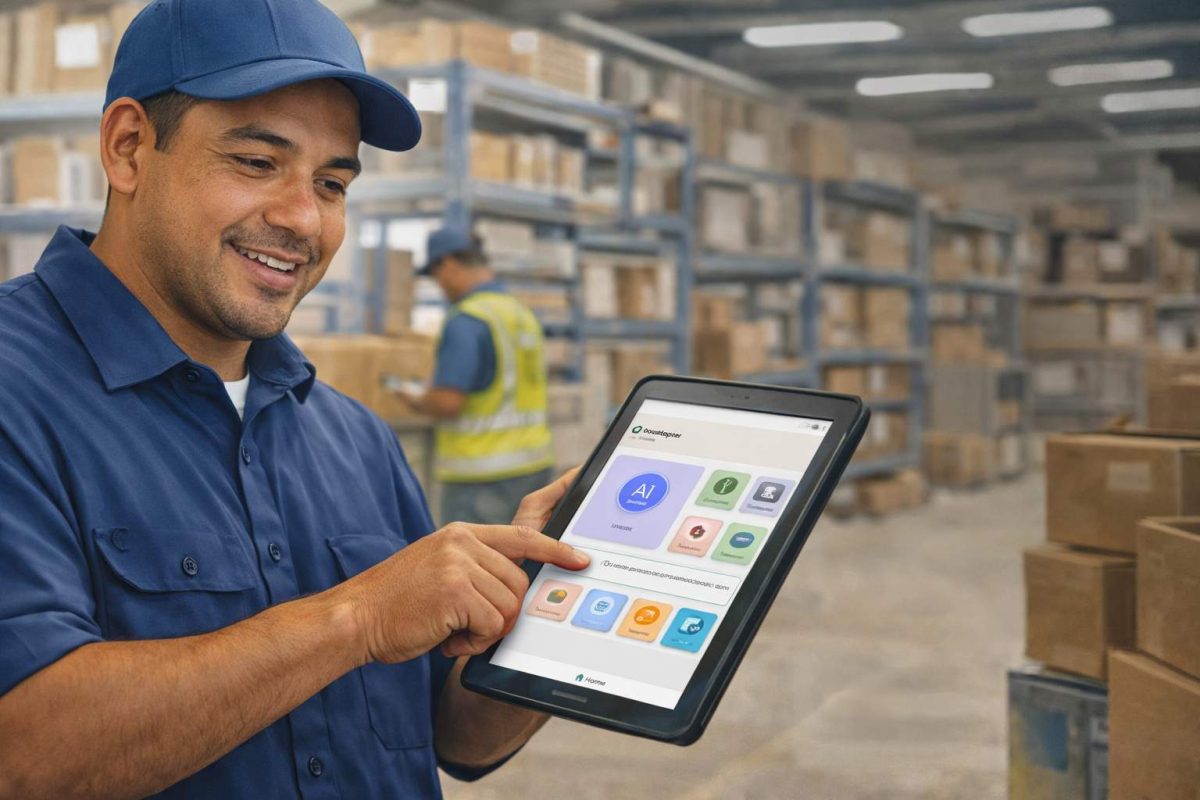


- Works with








- and more.
Similar Posts
How to Prevent Duplicate Worker and Pre-Hire Records in Workday…
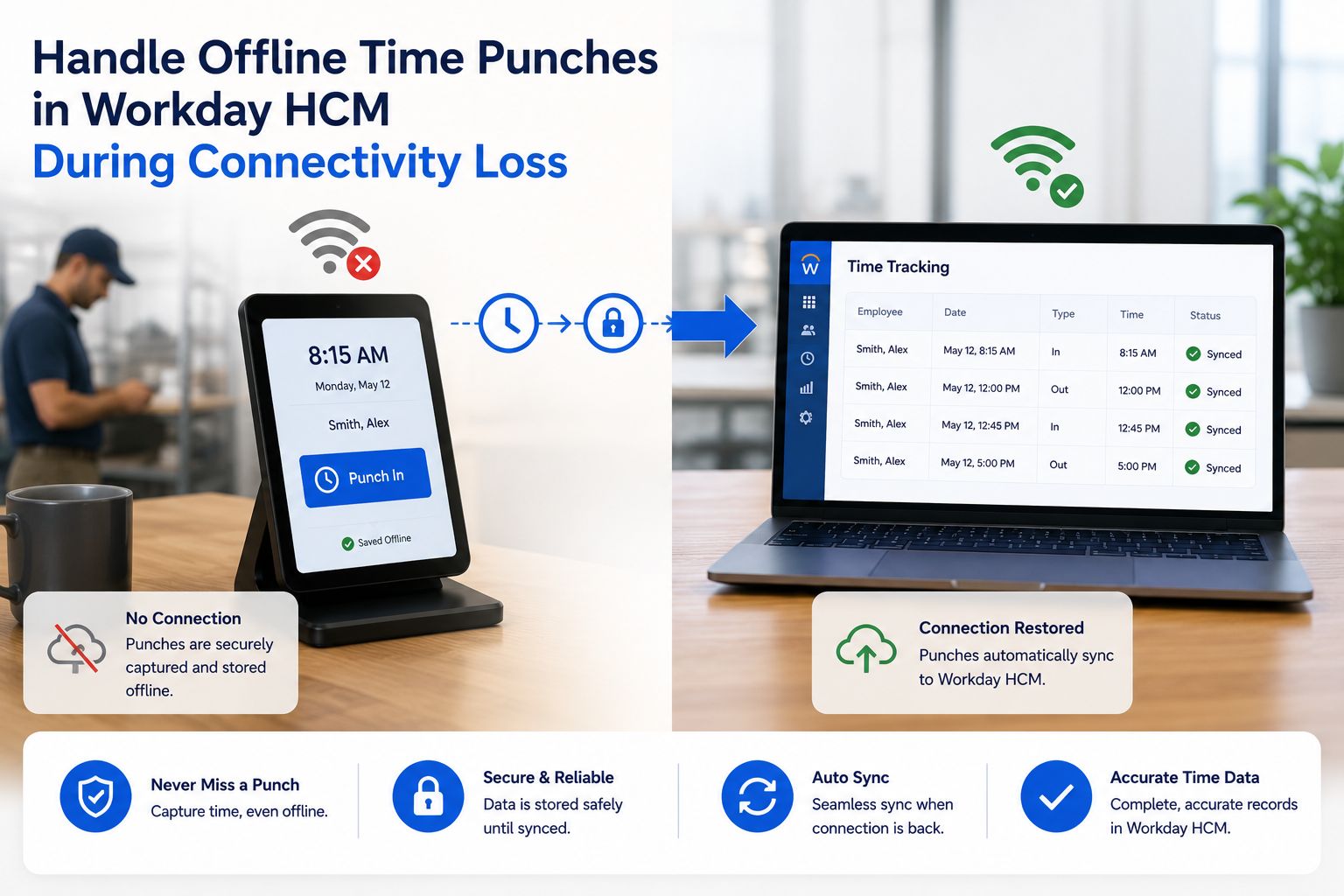
How to Handle Offline Time Punches in Workday During Connectivity…