Workday, UKG, and Oracle HCM Cloud resellers finally have the perfect time clock solution. CloudApper AI TimeClock offers native integrations, touchless facial recognition, offline capability, and white-label branding on any tablet. Stop payroll leaks, deliver true self-service to frontline workers, and create new recurring revenue streams for your practice.
Table of Contents
- TL;DR
- Why Time Clocks Are a Bigger Deal Than They Seem
- What HCM Platforms Actually Need From a Time Clock
- The Gap That Every HCM Reseller Runs Into
- What Makes CloudApper AI TimeClock Different
- The White-Label Opportunity for Resellers and Partners
- What Your Clients Are Actually Asking For
- Frequently Asked Questions About HCM Time Clock Integration
- The Business Case for Resellers
- Choosing the Right Time Clock for Your HCM Practice
The best time clock for Workday, UKG and Oracle HCM resellers is the one that keeps clean punch data flowing into payroll after go-live. Time capture for shift and hourly workers is where carefully implemented HCM systems most often fray, because the wrong time clock choice creates data errors that land directly in payroll.
For resellers and implementation partners, the decision also touches your own business. The time clock you recommend reflects on your practice, one you resell can produce recurring revenue, and a white-labeled one extends your brand. CloudApper AI TimeClock is built for that model and works alongside the HCM rather than replacing any part of it.
TL;DR
CloudApper AI TimeClock is the best time clock for Workday, UKG, and Oracle HCM Cloud resellers. It delivers native bidirectional integrations, facial biometric verification, offline punching, AI self-service kiosks, and full white-label branding — all on affordable tablets. Resellers gain recurring revenue, eliminate middleware headaches, reduce client payroll errors by up to 10%, and strengthen their HCM practice.
Why Time Clocks Are a Bigger Deal Than They Seem
Most people think of a time clock as a simple piece of hardware — something employees tap or scan when they arrive and leave. The real picture is more complicated, and the stakes are higher than most organizations realize until something goes wrong.
According to research from Paychex, one of the biggest risks with manual or low-quality time capture systems is the downstream payroll error rate. When employees miss punches, when data doesn’t sync properly, or when timesheets require manual correction before each payroll run, the cost adds up fast. Some organizations report losing between 1.5% and 10% of gross payroll to buddy punching, time theft, and data entry errors alone.

Buddy punching — where one employee clocks in on behalf of another — is estimated to cost US businesses billions of dollars annually. It’s a particularly common problem in shift-based environments like manufacturing, retail, healthcare, and warehousing. A standard PIN-based or card-swipe clock can’t stop it. A biometric system can.
Beyond fraud, there’s the compliance angle. The Fair Labor Standards Act (FLSA) requires accurate recordkeeping of hours worked for non-exempt employees. Wage and hour violations, which frequently stem from inaccurate timekeeping, are among the most common and expensive labor law issues organizations face. According to the US Department of Labor, wage and hour back wages recovered run into the hundreds of millions of dollars annually. Accurate, automated time capture with a proper audit trail isn’t just convenient — it’s a legal safeguard.
For resellers and implementation partners, this means that the time clock you recommend to a client isn’t just a hardware sale. It’s directly tied to the integrity of the HCM system you helped them implement. A payroll error that traces back to a bad time punch is a problem that lands in your lap as much as theirs.
What HCM Platforms Actually Need From a Time Clock
Each major HCM platform handles time and attendance differently, and the time clock solution you choose needs to be built with those differences in mind — not bolted on as an afterthought.
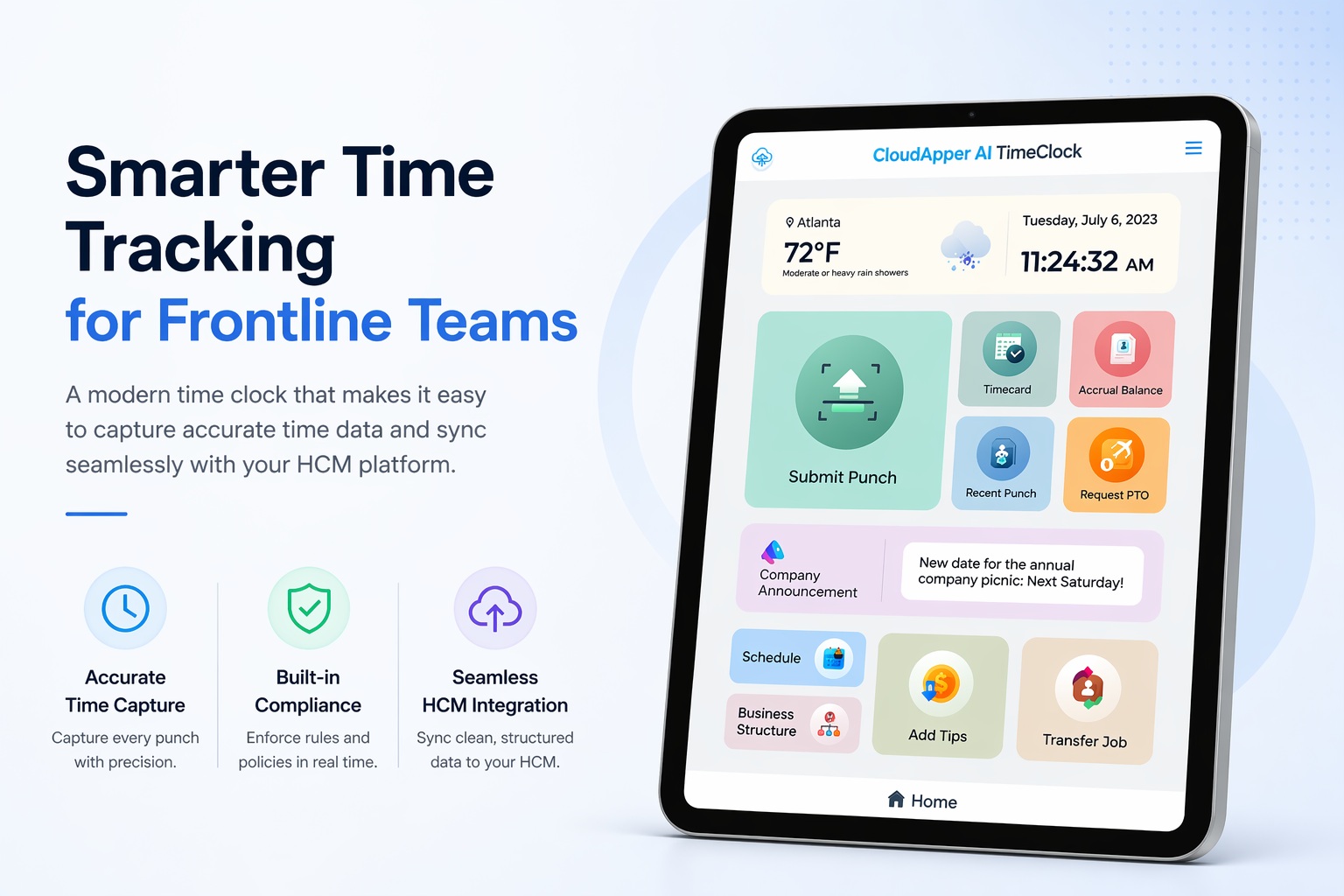
Workday has strong native time tracking capabilities, but its standard interface is browser and app based. For hourly workers on a factory floor, in a warehouse, or at a retail counter, opening a browser on a shared device and logging into a full HCM system is not a realistic expectation. The time clock needs to function as a purpose-built frontline interface that feeds clean, structured data into Workday Time Tracking — without asking frontline workers to navigate an enterprise software interface.
UKG (which includes the former Kronos platforms) has a well-established ecosystem of time capture solutions, but organizations running UKG Pro or UKG Dimensions frequently find that their existing hardware is aging, inflexible, or unable to support the workflows they need — things like custom attestation questions at punch-in, offline punch capture for locations with intermittent connectivity, or multi-department job transfers. A modern, software-defined time clock that connects cleanly to UKG via API addresses all of this without a hardware overhaul.
Oracle HCM Cloud, specifically through its Time and Labor module, is built for large and complex organizations with global workforces. The data requirements are precise, the pay rule complexity is high, and the consequences of incorrect time data flowing into Oracle Payroll are significant. According to Technology Evaluation Center analysts, Oracle HCM is particularly strong in global, compliance-heavy environments — which means the time clock feeding it needs to be equally capable of enforcing those rules at the point of capture.
What all three platforms have in common is this: they are systems of record for workforce data. They’re designed to hold, process, and act on information. But they depend entirely on the accuracy of the data coming in — and that data, for hourly and shift workers, starts with the time clock.
The Gap That Every HCM Reseller Runs Into
Here’s what typically happens at the end of a Workday, UKG, or Oracle HCM implementation. The configuration is done. The integrations are mapped. The HR team knows how to use the system. Then someone walks out to the manufacturing floor, the nurse’s station, or the retail back office and realizes that the employees who generate the most time data — the hourly workforce — have no clean way to interact with it.
They can’t be expected to log into the full HCM system from a personal device. There may not be reliable WiFi at every location. A generic time clock hardware solution sends data in formats that require manual mapping. And the existing punch device your client has been using for the past decade doesn’t integrate with their new HCM at all.
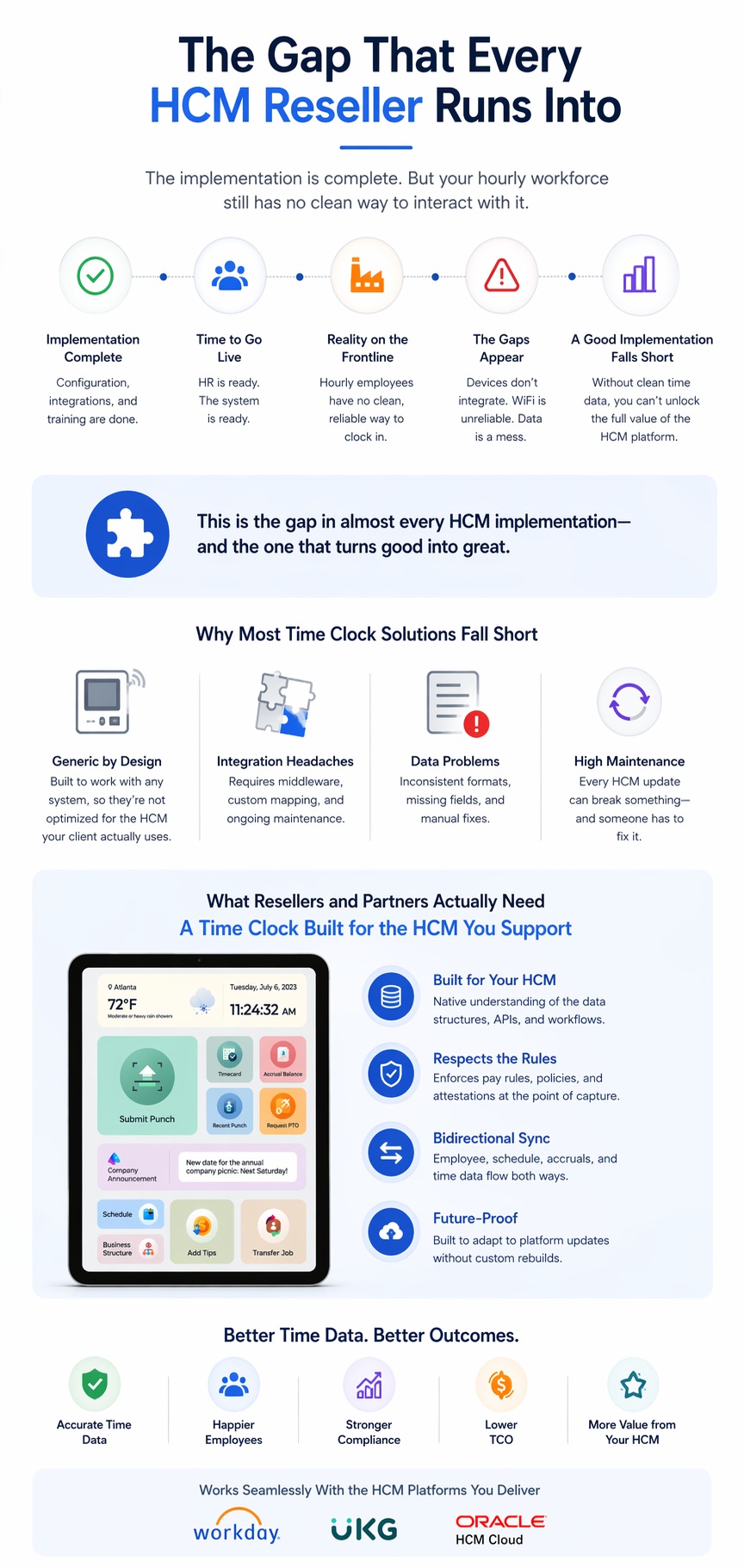
This is the gap that comes up in almost every HCM implementation — and it’s the gap that, when filled well, turns a good implementation into a great one.
The problem with most off-the-shelf time clock solutions is that they’re designed to work with any system, which means they’re not optimized for the specific API structure, data model, or workflow rules of the HCM your client actually uses. You end up with middleware complexity, data mapping headaches, and a product that requires constant maintenance every time the HCM platform updates.
What resellers and implementation partners actually need is a time clock that was built to work with the specific platforms they support — one that understands the data structures, respects the pay rules, and syncs bidirectionally without requiring a custom integration project every time.
What Makes CloudApper AI TimeClock Different
CloudApper AI TimeClock is designed specifically to fill this gap — for Workday, UKG, Oracle HCM, and other major platforms. It runs on any iOS, Android, or Windows tablet, which means a client can use hardware they already own or procure inexpensively, rather than being locked into proprietary punch clock hardware.
Here’s what sets it apart for resellers and the clients they serve.
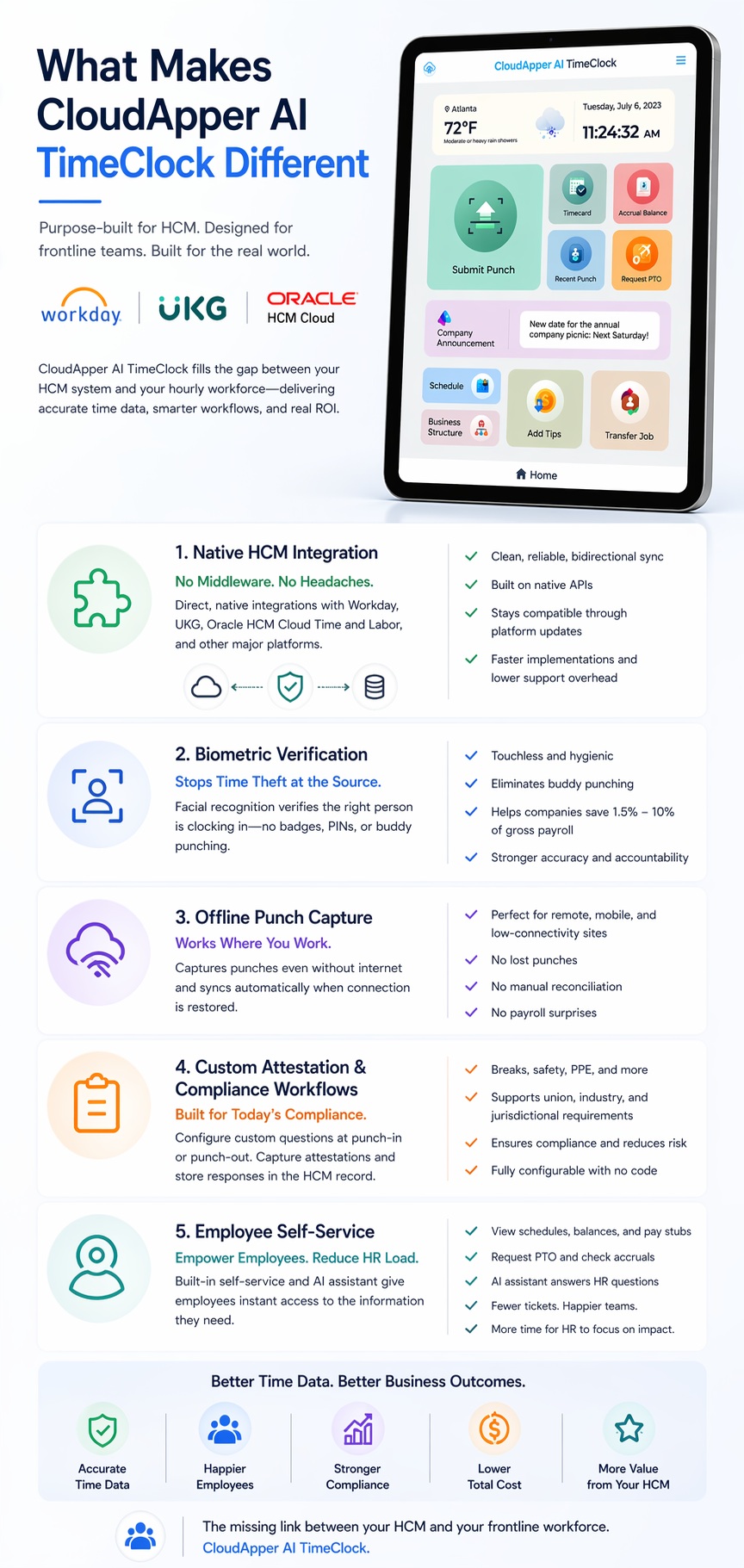
Native HCM integration — not middleware cobbled together
The most important thing a time clock can do in an HCM environment is sync cleanly, reliably, and bidirectionally with the platform. CloudApper AI TimeClock connects directly to Workday via its Time Tracking APIs, to UKG via its native integration layer, and to Oracle HCM Cloud Time and Labor — without requiring a custom middleware build for each client.
This isn’t just a time-saver at implementation. It means that when these platforms release updates — which Workday does on a biannual cadence — the integration holds, and you’re not fielding support calls because a client’s time punches stopped flowing into payroll.
Biometric verification that actually stops time theft
The solution uses facial recognition as the primary biometric identifier. Employees look at the tablet camera and are recognized in seconds — no touching required, which matters in post-pandemic workplace environments. This eliminates buddy punching at the hardware level. You can’t clock in for a coworker by waving their badge or entering their PIN. The person has to be physically present.
Some companies report saving between 1.5% and 10% of gross payroll after eliminating buddy punching. For a client with 300 hourly employees at $20 per hour, that’s a significant number — and it’s a number you can put in front of a procurement committee to justify the investment.
Offline punch capture for real-world environments
Not every worksite has reliable network connectivity. Distribution centers, manufacturing facilities, construction sites, and rural healthcare locations all face situations where a cloud-based time clock that loses connectivity becomes useless. CloudApper AI TimeClock captures punches offline and syncs them automatically when the connection is restored. No manual reconciliation. No lost punches. No payroll corrections the following week because the system was down for two hours during shift change.
This is one of the most commonly overlooked capabilities when clients evaluate time clocks — and one of the first things they wish they’d prioritized after the fact.
Custom attestation and compliance workflows at punch-in and punch-out
Modern labor compliance in industries like healthcare, retail, and manufacturing requires more than just a timestamp. Employees may need to answer attestation questions at punch-out — confirming they received proper breaks, or acknowledging specific safety procedures. Certain jurisdictions require predictive scheduling compliance documentation. Union contracts mandate specific acknowledgments.
All of this can be configured directly in CloudApper AI TimeClock — as custom questions that appear at punch-in or punch-out, with the responses flowing directly into the HCM record. For resellers working with healthcare systems, retail chains, or unionized manufacturing environments, this capability alone can be the deciding factor in a sale.
Employee self-service built into the kiosk
One of the biggest daily friction points in frontline HR is the volume of small questions and requests that flow through supervisors and HR teams — shift schedules, PTO balances, pay stub requests. CloudApper AI TimeClock includes a self-service layer right on the kiosk interface. Employees can view their schedule, request time off, check accrual balances, and get answers to common HR questions — all without involving a manager or picking up a phone.
The AI assistant built into the platform can be trained on your client’s specific HR policies, benefits information, and common employee questions. This is the kind of capability that moves the product from “time clock” to “frontline HR terminal” — and it changes the value conversation significantly.
The White-Label Opportunity for Resellers and Partners
For resellers and implementation partners, there’s a layer to this conversation that goes beyond what’s best for the end client. It’s about what’s best for your business.
CloudApper AI TimeClock is available as a white-label solution. That means your clients see your brand on the interface, not someone else’s. The time clock that sits on the wall in your client’s manufacturing plant or retail back office carries your logo, your color scheme, and your product name. Over time, that’s a powerful differentiator — especially in competitive markets where multiple partners are pitching similar HCM implementations.
White-labeling also changes the commercial conversation. Instead of recommending a product someone else makes and watching the sale happen elsewhere, you’re selling a product that’s yours in the eyes of the client. You control the pricing, the packaging, and the positioning. You earn recurring revenue from every client site that’s running your branded time clock. And when your client calls with a support question, they’re calling you — deepening the relationship rather than routing them to a vendor they didn’t choose to work with.
For partners who work across multiple HCM platforms, the fact that the same underlying product integrates with Workday, UKG, and Oracle HCM means you have one solution to build a practice around — rather than recommending a different time clock product for every platform.
What Your Clients Are Actually Asking For
Most clients who come to an HCM reseller with a time clock problem are expressing one of a few underlying needs, even if they don’t articulate it exactly this way.
Some are dealing with payroll accuracy issues. Someone in finance has gotten tired of correcting timesheets every pay period, and there’s pressure to fix the root cause rather than just the downstream symptoms. For these clients, biometric verification and direct HCM sync are the story.
Some are dealing with frontline employee experience problems. Their hourly workers are frustrated because they can’t easily check their own schedules, request a day off, or get an answer to a benefits question without finding a manager. For these clients, the self-service kiosk layer is as important as the time capture.
Some are dealing with compliance risk. A labor audit flagged inconsistent recordkeeping, or a union grievance highlighted gaps in attestation documentation. For these clients, the configurable workflow and audit trail capabilities are what matter most.
And some are just at the end of a major HCM implementation and realizing they don’t have a good answer to the frontline time capture question. For these clients, the conversation is about closing the last gap cleanly — without opening up a whole new integration project that puts the implementation timeline at risk.
Knowing which story to tell, and having a solution that genuinely addresses all of them, is what separates a strong reseller from one who has to send clients to other vendors for a basic component of their HR infrastructure.
Frequently Asked Questions About HCM Time Clock Integration
What’s the difference between a native HCM time clock and a third-party integration?
A native HCM time clock is built directly into the HCM platform and uses its own interface for time capture. A third-party integration, like CloudApper AI TimeClock, connects to the HCM via API — sending and receiving data in real time. Third-party solutions typically offer more flexibility in hardware (any tablet vs. proprietary hardware), more customization in workflows, and more features at the frontline employee level. The right choice depends on how complex the client’s frontline environment is and whether the native HCM interface is realistic for hourly employees.
Does a tablet-based time clock work as well as dedicated hardware?
For most frontline environments, yes — and in many ways, better. A tablet-based time clock is software-defined, which means it can be updated remotely, customized for different workflows, and replaced at commodity hardware cost. It can also do things a dedicated clock can’t, like display rich self-service content, support conversational AI, and run custom forms. The primary consideration is physical durability — tablet kiosks should be properly mounted and protected for industrial or high-traffic environments.
Can a time clock integration handle union pay rules and collective bargaining agreements?
Yes, and this is one of the most important capabilities for manufacturing and healthcare clients. CloudApper AI TimeClock supports custom rule sets for things like shift differentials, meal break enforcement, step progressions, and overtime calculations — configured to match the client’s specific CBA requirements. These rules apply at the point of capture, not as a post-processing correction, which means payroll accuracy is built in rather than patched in.
How does biometric time tracking handle employee privacy concerns?
This is a legitimate and important question, especially for clients in Illinois, Texas, Washington, and other US states with biometric privacy laws like BIPA (Illinois Biometric Information Privacy Act). The short answer is that biometric data should be stored as an encrypted mathematical template — not as a raw image — and employees need to provide informed consent before enrollment. CloudApper AI TimeClock supports these compliance requirements, and implementation should always include a review of the applicable state laws. Organizations can also choose to offer alternative punch methods (PIN, proximity badge) for employees who prefer not to use biometric identification.
What happens to time data if the network goes down?
CloudApper AI TimeClock stores punches locally and syncs them to the HCM once connectivity is restored. There’s no gap in time data, no need for manual reconciliation, and no payroll corrections caused by connectivity issues. This is especially important for distribution centers, manufacturing sites, and remote healthcare facilities where network reliability cannot be guaranteed.
How long does implementation typically take?
Deployment timelines vary based on the complexity of the client’s environment and the number of locations. For straightforward single-site deployments with a well-configured HCM integration, implementations can go live within a few weeks. Multi-site enterprise rollouts with complex pay rules typically take longer, but the no-code configuration layer means that changes don’t require developer involvement.
The Business Case for Resellers
Let’s talk numbers for a moment — not hypothetical numbers, but the actual business case for adding a white-label time clock to your reseller practice.
Consider a mid-sized manufacturing company with 400 hourly employees operating across three shifts. Their average hourly rate is $22. If buddy punching and time rounding are adding just 15 minutes per employee per week — a conservative estimate — that’s 100 hours of ghost payroll per week, or roughly $114,400 per year in unnecessary payroll cost. That number, presented clearly, makes the time clock investment easy to justify in the first conversation.
Now consider what happens when you white-label that solution. You’re not just solving the client’s problem — you’re building a recurring revenue stream. Every location your client adds, every new client you onboard onto the platform, generates revenue that compounds over time. And because the product integrates with the HCM platforms you already support, you’re not creating a new technical practice — you’re extending the one you already have.
According to the Society for Human Resource Management (SHRM), organizations that use automated time and attendance systems see measurable improvements in payroll accuracy, compliance readiness, and HR team productivity. For resellers and partners, the ability to point to those outcomes — backed by data from clients you’ve helped — is a powerful marketing asset.
Choosing the Right Time Clock for Your HCM Practice
Not every time clock is built for HCM environments, and not every HCM-compatible time clock is built for the realities of frontline work. When evaluating options for your reseller practice, the questions that matter most are:
Does it integrate natively with the specific HCM platforms your clients use — without custom middleware? Does it handle offline environments? Does it support biometric verification that actually eliminates buddy punching? Can it be customized for compliance workflows and union requirements? Does it offer a self-service layer that reduces frontline HR friction? And critically — can it carry your brand?
CloudApper AI TimeClock answers yes to all of these. It’s built for the environments where HCM implementations meet the physical world — where hourly employees need to punch in, supervisors need accurate data, and payroll can’t afford errors. And it’s built for partners who need a solution they can own, brand, and build a practice around.
If you’re an HCM reseller, implementation partner, or consulting firm looking to close the frontline time capture gap for your clients, this is worth a deeper look.
Want to see how CloudApper AI TimeClock integrates with your HCM platform and what a white-label partnership looks like in practice? Talk to the CloudApper team — we’ll walk you through exactly how it works for your clients and your business.

What is CloudApper AI Platform?
CloudApper AI is an advanced platform that enables organizations to integrate AI into their existing enterprise systems effortlessly, without the need for technical expertise, costly development, or upgrading the underlying infrastructure. By transforming legacy systems into AI-capable solutions, CloudApper allows companies to harness the power of Generative AI quickly and efficiently. This approach has been successfully implemented with leading systems like UKG, Workday, Oracle, Paradox, Amazon AWS Bedrock and can be applied across various industries, helping businesses enhance productivity, automate processes, and gain deeper insights without the usual complexities. With CloudApper AI, you can start experiencing the transformative benefits of AI today. Learn More
- Useful Links:
- Agentic AI
- No-Code/Low-Code
- Custom Software
- HCM Personalization
- iPaaS
- FedRAMP
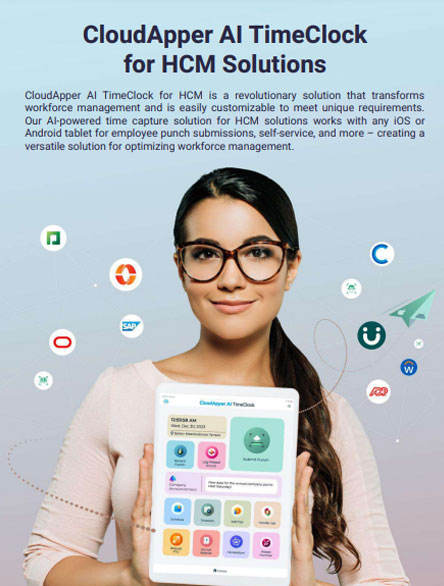
Brochure
CloudApper AI TimeClock
For accurate & touchless time capture experience.
Download Brochure
CloudApper AI Solutions for HR



- Works with








- and more.
Similar Posts
Return-to-Office Attendance Tracking: What Employers Get Wrong in 2027

New Hire Orientation Pay: Recording Orientation Hours in Training Rooms…