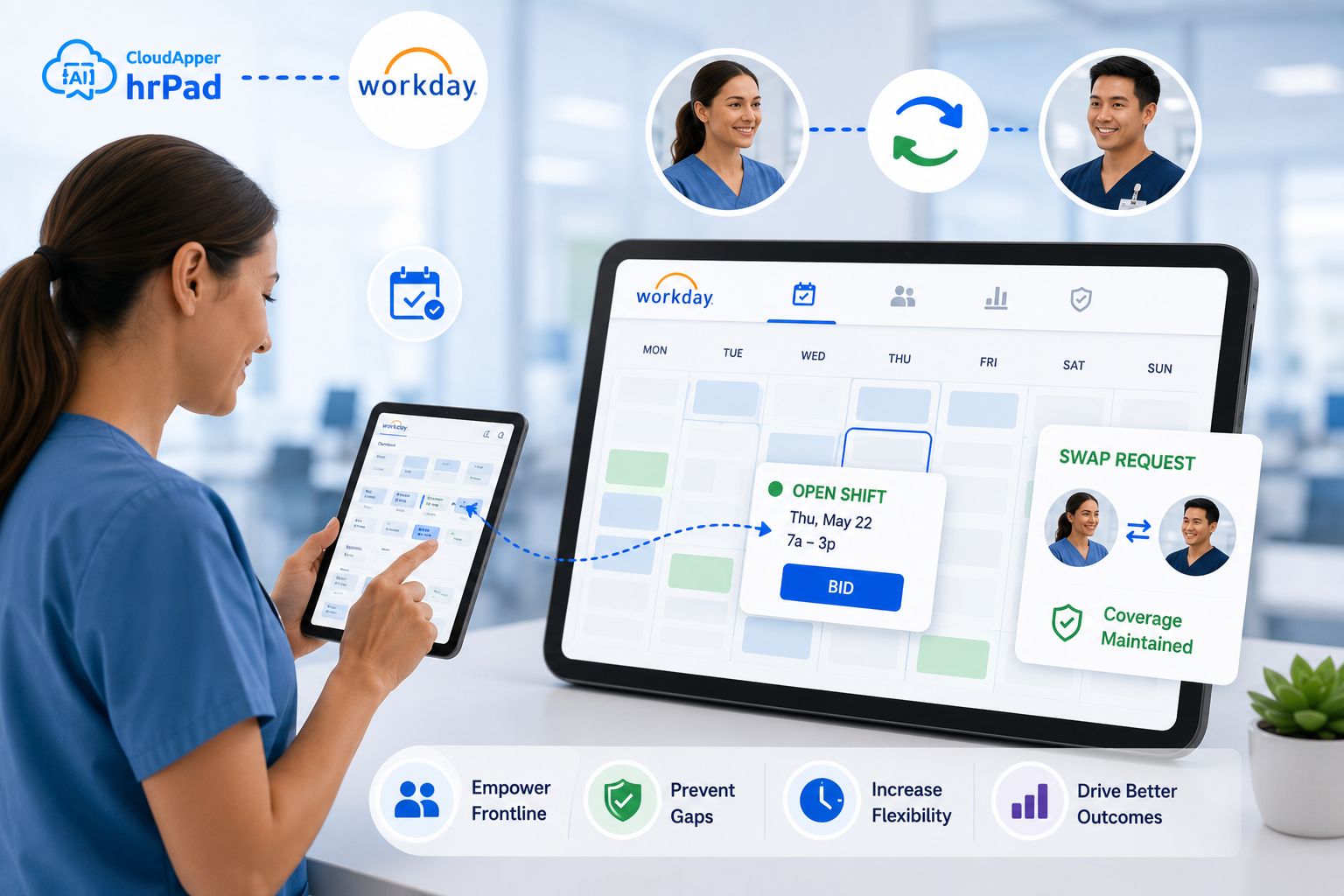
Multi-location employers are still applying meal breaks and PTO by hand because their time-capture hardware doesn't sync cleanly with Workday. hrPad closes that gap: a location-aware kiosk that enforces the right meal-break and pay rule at each site, then syncs a complete, audit-ready record into Workday automatically.

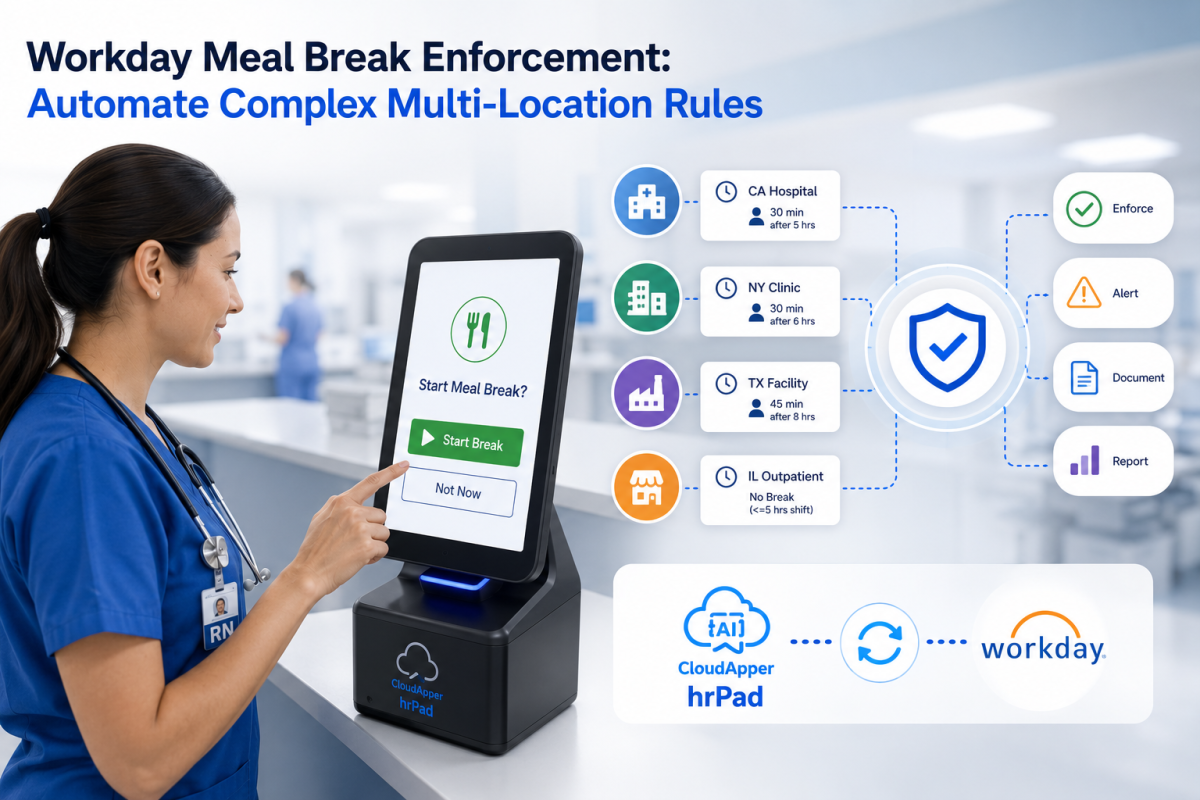
Table of Contents
- Quick answer
- Why enforcing meal and break rules gets so hard across locations
- What this costs the organization
- How to automate meal and break enforcement with Workday and hrPad
- Best practices for durable compliance
- What it looks like in practice
- Frequently asked questions
- The bottom line
Most workforce systems were built to record what happened, not to make sure the right thing happens at the moment an employee clocks out. That distance between the system of record and the shift floor is where multi-location employers quietly lose hours, accuracy, and ground. A meal break gets missed in California but coded correctly in Texas. A PTO request lives on a sticky note until someone keys it in three days later. None of it is anyone’s fault. It’s the space between the clock at the door and the platform in the cloud.

Workday holds the data beautifully. What it counts on is a clean, complete, rule-correct record arriving from every location — the same record whether the shift ended in a Chicago storefront under a fair-workweek ordinance or a unionized plant governed by its own collective bargaining agreement. When the hardware at the edge can’t build that record automatically, the work falls to people: managers reconstructing break windows, HR teams applying premiums by hand, payroll chasing corrections. That manual layer is what turns a straightforward pay rule into a standing risk.
This is exactly the gap CloudApper hrPad Employee Self-Service Kiosk was built to close. It sits in front of Workday and enforces the right meal-break and pay rule for each site, at the moment it matters, then syncs a finished record upstream — so Workday meal break enforcement stops depending on who remembered which rule applied to whom.
Quick answer
Workday meal break enforcement means making sure every employee’s meal periods, rest breaks, and any required premium pay follow the rules for their specific location — and that the record reaches Workday complete. Workday applies pay rules to accurate time data; a location-aware capture layer like hrPad enforces and attests to the right rule at the device, then syncs it in, removing the manual step that creates errors.
Why enforcing meal and break rules gets so hard across locations
A single-site employer can memorize one rule. A multi-location or multi-state employer is running dozens at once, and they don’t line up. California requires a 30-minute meal period before the end of the fifth hour of work and a second before the end of the tenth, plus paid rest breaks, with one hour of premium pay owed for each workday a compliant meal period isn’t provided (California Labor Code §226.7). Other states set different thresholds, different durations, or leave meal periods to employer policy entirely. Union sites layer their own break protocols on top. Local fair-workweek ordinances add another set.
Now add the money. As of January 1, 2026, California’s minimum wage rose to $16.90 an hour, so a single missed meal break for a minimum-wage employee costs at least $16.90 in premium pay, and when a meal and a rest violation land on the same day, courts have held that’s two separate premiums. Multiply that across shifts, locations, and a three-year statute of limitations, and a “small” gap in enforcement becomes a wage-and-hour exposure worth a line on the risk register.
The strategic issue isn’t that the rules are hard. It’s that enforcing them by hand doesn’t scale. Every new location, state, or contract adds another rule a human has to remember at the exact right second — and the record still has to arrive in Workday clean enough to pay from.
What this costs the organization
When enforcement lives in people’s heads and spreadsheets instead of in the moment of capture, the cost shows up in three places. The organization carries wage-and-hour risk it can’t fully see, because the evidence that a break was offered and taken is inconsistent from site to site. HR and payroll teams spend their weeks on reconstruction and correction rather than on work that moves the business. And employees feel the friction of breaks that get miscoded and time off that takes days to land.
The manual approach also caps how fast the organization can grow. Open a location in a new state and someone has to learn its rules, train managers, and hope the coding holds. That’s a tax on expansion that the fastest-moving employers have stopped paying.
How to automate meal and break enforcement with Workday and hrPad
The move is to push enforcement out to the edge — to the device the employee actually touches — so the rule is applied and attested before the record ever reaches the system of record. Here’s how multi-location teams set it up.
- Map your rules to locations. List every site and the meal-break, rest-break, premium-pay, and time-off policy that governs it — by state, by union contract, by local ordinance. This is the ruleset hrPad will enforce per location.
- Deploy hrPad as a location-aware kiosk. hrPad turns any iOS, Android, or Windows tablet into a shared self-service station at each site. Because it reads the tablet’s assigned location or legal entity, it already knows which ruleset applies to whoever is standing in front of it.
- Build per-location app variants. Configure the clock-in and clock-out flow for each site — the meal-break windows, the attestation questions, the acknowledgments — so a California facility, a Chicago storefront, and a union plant each present the correct workflow without anyone choosing it manually.
- Enforce and attest at clock-out. hrPad can prompt employees to confirm whether a required break was taken, capture overtime acknowledgments, minor-work restrictions, and cost-center transfers, and time-stamp every response. If a break was missed, the exception is captured at the source instead of surfacing weeks later.
- Sync complete records into Workday. Every punch, transfer, and attestation flows into Workday through a real-time connection, so the record arrives whole and Workday’s pay rules run on data that’s already correct. Employees can also submit time-off and PTO requests through the same kiosk, so those stop living on paper.
- Give managers real-time visibility. Supervisors get notified about missed or late meal punches while there’s still time to act, rather than discovering the gap in a payroll audit.
For the underlying pattern on the time-capture side, see enforcing meal break rule compliance with a Workday time clock.
Best practices for durable compliance
Keep the rules in the device, not in the manager. The point of per-location variants is that no one has to remember which policy governs which person; the location does that. Attest at the moment of the event, because a time-stamped confirmation captured at clock-out is worth far more in an audit than a reconstruction built later. Treat the attestation trail as evidence — store each response so it holds up in an internal review or an external investigation, which is the whole value of multi-jurisdiction and union compliance attestations at clock-out. And review exceptions weekly, using the manager notifications hrPad sends so gaps get closed while they’re still cheap to close.
What it looks like in practice
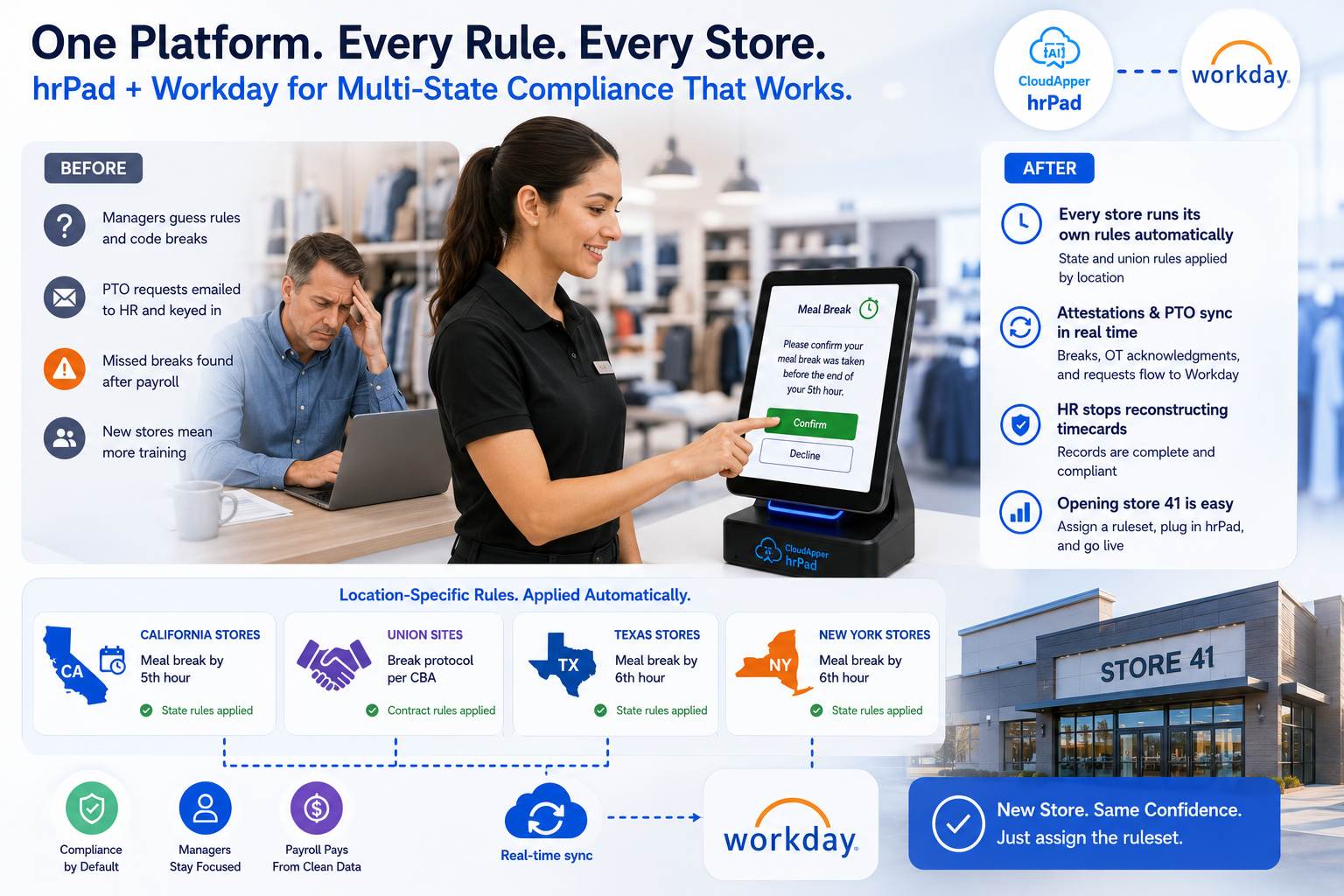
Picture a retailer running Workday across forty locations in six states, three of them union sites. Before, every store manager was expected to know their state’s meal rules and code breaks correctly, and PTO requests were emailed to HR and keyed in by hand. Missed breaks surfaced during payroll, after the premium was already owed, and each new store opening meant retraining managers on a fresh set of rules.
With hrPad in front of Workday, each store’s tablet already carries its own ruleset. An employee in the California stores is prompted to confirm the meal break before the fifth hour; the union sites present the break protocol from their contract; the other states run their own configuration — and the employee just sees the right screen. Break attestations, overtime acknowledgments, and PTO requests sync into Workday in real time. HR stops reconstructing timecards. Payroll pays from records that are already clean. And opening store forty-one becomes a matter of assigning a ruleset to a tablet, not retraining a region. For the multi-state pay side of this, see how teams are managing multi-state minimum wage laws in 2026 with hrPad.
Frequently asked questions
Does Workday enforce meal and break rules on its own?
Workday applies pay rules to the time data it receives and is the system of record for that data. Enforcement at the moment of the event — confirming a break was taken, capturing the attestation, applying the right rule for that location — happens best at the point of capture. hrPad handles that edge step and syncs the completed record into Workday so its rules run on accurate data.
How does hrPad know which meal-break rule to apply at each location?
hrPad uses the tablet’s assigned location or legal entity to determine which ruleset applies. That means a California site, a fair-workweek city, and a union plant each present the correct meal-break windows and attestation questions automatically, without anyone selecting the rule by hand.
Can hrPad handle PTO and time-off requests too, or only breaks?
Beyond meal and rest break attestations, hrPad works as an employee self-service kiosk where staff can submit time-off and PTO requests, health check-ins, and other data. Those submissions sync into Workday, which removes the manual keying that delays time-off processing.
What happens when an employee misses a required break?
The missed break is captured as an exception at clock-out, time-stamped, and stored, and the supervisor can be notified in real time. That gives the organization an accurate record and a chance to act before the issue reaches payroll — instead of discovering it after a premium is already owed.
Do we have to replace our existing Workday time setup?
No. hrPad is a complementary capture and enforcement layer that sits in front of Workday and syncs through a real-time connection. It extends what your time setup does at the edge without changing your system of record.
The bottom line
Meal-break and PTO enforcement doesn’t have to be a manual tax on every location and every payroll cycle. Workday is the system of record; hrPad is the layer that makes sure the record arriving from each site is already correct, already attested, and already rule-right for that location.
CloudApper is the process layer that closes the gaps enterprise software can’t — across HR, ERP, CRM, and beyond, on any platform, in weeks not quarters. The organizations that move fastest aren’t the ones with the biggest teams keying in corrections. They’re the ones that stopped applying the rules by hand and let the record arrive complete.
Ready to see per-location enforcement in front of your Workday? Explore CloudApper hrPad or book a walkthrough.
What is CloudApper AI Platform?
CloudApper AI is an advanced platform that enables organizations to integrate AI into their existing enterprise systems effortlessly, without the need for technical expertise, costly development, or upgrading the underlying infrastructure. By transforming legacy systems into AI-capable solutions, CloudApper allows companies to harness the power of Generative AI quickly and efficiently. This approach has been successfully implemented with leading systems like UKG, Workday, Oracle, Paradox, Amazon AWS Bedrock and can be applied across various industries, helping businesses enhance productivity, automate processes, and gain deeper insights without the usual complexities. With CloudApper AI, you can start experiencing the transformative benefits of AI today. Learn More
- Useful Links:
- Agentic AI
- No-Code/Low-Code
- Custom Software
- HCM Personalization
- iPaaS
- FedRAMP

Brochure
CloudApper hrPad
Empower Frontline Employees with an AI-Powered Tablet/iPad Solution
Download Brochure
CloudApper AI Solutions for Workday



- Works with








- and more.
Similar Posts
How to Prevent Duplicate Worker and Pre-Hire Records in Workday…
How to Handle Offline Time Punches in Workday During Connectivity…