Workday processes qualifying life events correctly once documentation clears, but the 30-day window and dependent verification step are where coverage gaps quietly happen for employees without regular portal access. Here is where the native gap sits and how a kiosk layer closes it.

TL;DR
Workday's Qualifying Life Event framework correctly opens a special enrollment window for marriage, birth, adoption, and similar events, applies the right effective date, and routes required dependent documentation through a review process, but the entire flow assumes the employee knows the window exists, checks a notification channel that reaches them, and has a practical way to photograph and upload supporting documents within a short deadline. For frontline and deskless employees without regular portal access, any one of those assumptions can fail, and because life events happen continuously and individually rather than on a predictable annual calendar, the resulting coverage gap is harder to catch than an open enrollment shortfall and often isn't discovered until a denied claim brings it to HR's attention months later. CloudApper hrPad closes this by surfacing life event prompts and a document capture option directly at the kiosk terminal where frontline employees already authenticate to clock in, syncing submissions back to Workday in real time so they enter the same review and approval workflow a portal submission would. Workday remains the system enforcing the enrollment window, applying effective dates, and managing documentation review; hrPad exists to give employees least likely to reach a browser in time a practical path to act before the window closes.
Table of Contents
- What Workday Does Natively
- Where the Friction Shows Up
- What to Do Within Workday First
- Where Native Tools Run Out
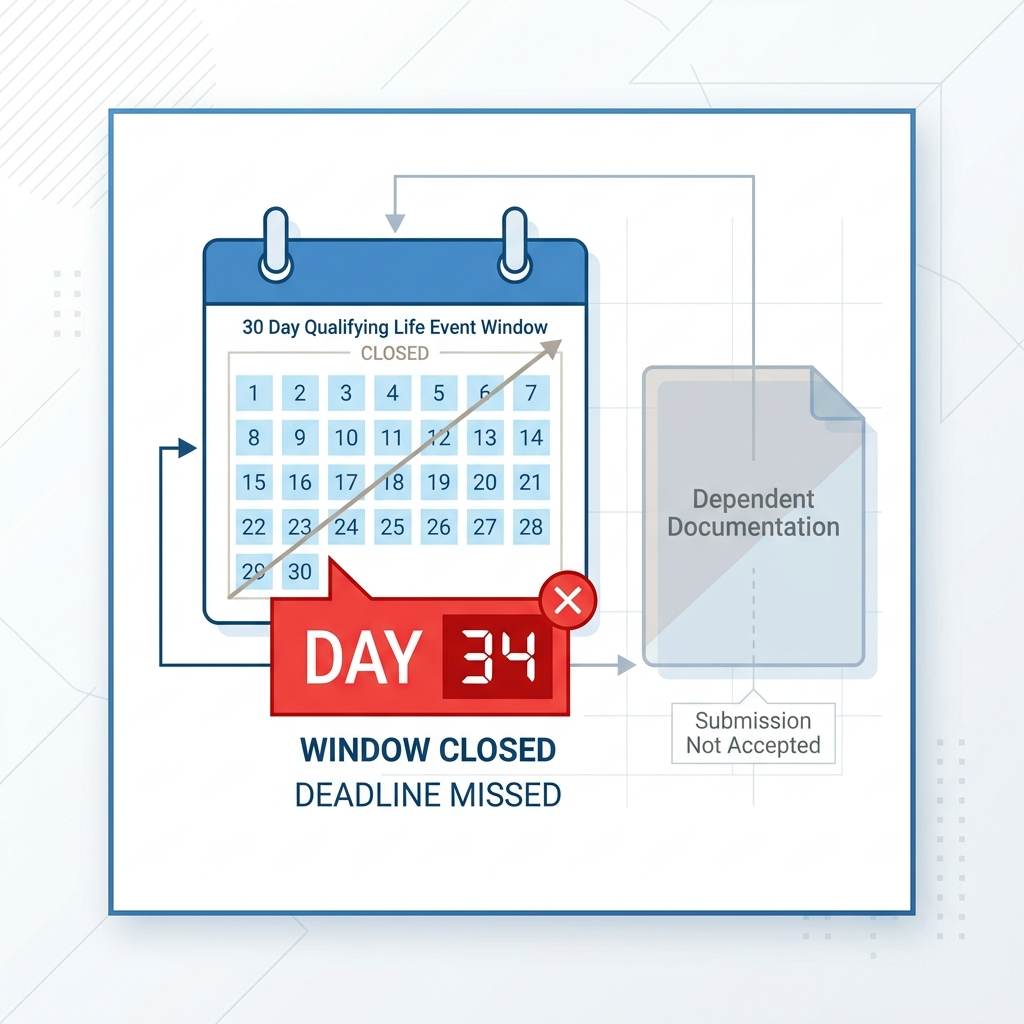
An employee gets married in June. She has 30 days to add her spouse to her health plan through Workday’s qualifying life event process, but she doesn’t know that, submits the change on day 34, and now her spouse has no coverage until the next annual enrollment period unless HR intervenes manually. This isn’t an annual open enrollment problem — that’s a separate, well-documented gap — it’s a life event problem, and it happens year-round, one employee at a time, which makes it harder to spot and easier to let slide until someone files a claim that gets denied. CloudApper’s part in closing this gap is specific to the frontline population most likely to miss the window entirely, and we’ll get to that after covering what Workday already handles well.
What Workday Does Natively
Workday’s benefits framework supports Qualifying Life Events as a defined enrollment trigger separate from the annual open enrollment period. Marriage, divorce, birth or adoption of a child, loss of other coverage, and a handful of other IRS-recognized events open a special enrollment window, typically 30 or 60 days depending on plan design, during which an employee can add or remove dependents and change elections outside the standard cycle.

When an employee initiates a life event change through Workday, the system routes the request through a configurable business process that can require supporting documentation, route to a benefits administrator for review, and apply the correct effective date based on the event type — a birth typically triggers coverage from the date of birth, for example, rather than the date the paperwork was submitted. Workday also enforces the enrollment window itself, closing the event to further changes once the configured number of days has passed.
For an employee who knows the process, has access to a computer or the Workday mobile app, and submits documentation promptly, this generally works as intended. The event opens, the employee makes their elections, uploads a marriage certificate or birth certificate, a benefits admin reviews it, and coverage takes effect on the correct date.
Where the Friction Shows Up
The friction concentrates in two places: employees who don’t know the window exists, and dependent documentation that doesn’t arrive in time or in the right format.
The 30-day window closes before the employee acts. Unlike annual open enrollment, which comes with weeks of advance communication, a life event window opens the moment the qualifying event occurs and starts counting down immediately, often with no reminder from Workday unless the employee proactively initiates the process. An employee who doesn’t check a company email account, doesn’t have regular access to the Workday portal, or simply doesn’t know a marriage or birth counts as a benefits trigger can let the window close without realizing what they’ve lost.
Dependent documentation verification becomes a bottleneck. Adding a spouse or child to a health plan generally requires supporting documentation — a marriage certificate, birth certificate, or adoption paperwork — uploaded and reviewed before the change is finalized. For a desk-based employee with a phone and a scanner app, this is a minor inconvenience. For a frontline worker without easy access to a scanner, a printer, or a stable way to upload a document from a shared or nonexistent device, the documentation step itself becomes the reason a life event request stalls past the enrollment deadline, even when the employee tried to act in time.
A missed window creates a coverage gap that surfaces at the worst possible moment. When a life event change doesn’t get completed in time, the employee is generally locked out of making that change until the next annual enrollment period. The dependent goes without coverage for months, and the gap typically isn’t discovered until a claim gets filed and denied, at which point HR is dealing with an upset employee and a retroactive correction request rather than a routine enrollment.
What to Do Within Workday First
A few native configuration checks are worth making before assuming this requires anything outside Workday. Confirm that life event notification templates are configured to fire promptly once an event is entered, and that the notification channel actually reaches the employee population in question — the same delivery gaps affecting other Workday notifications for frontline employees apply here as well.
Review whether the documentation requirements configured for each life event type are as lean as the plan administrator will allow. Some organizations require more supporting documentation than their insurance carrier actually needs, which adds friction without a corresponding compliance benefit. Where documentation is required, confirm the upload path works cleanly on a mobile browser, since that’s likely the only device many frontline employees have access to.
Where Native Tools Run Out
Even with notifications and documentation requirements tuned as tightly as possible, Workday’s life event process still assumes the employee has a practical way to log in, learn that an event qualifies, and upload a document, all within a fixed and fairly short window. For employees without a company email address, without regular self-service access, and without an easy way to photograph and upload a document, that assumption doesn’t hold, and the enrollment window becomes a race the employee doesn’t know they’re running.
This is a distinct problem from general open enrollment access, because it’s not tied to a predictable annual calendar HR can plan communication around. Life events happen continuously and individually, which means the access gap has to be closed at the point the event occurs, not through a seasonal campaign.
Closing the Gap with CloudApper hrPad
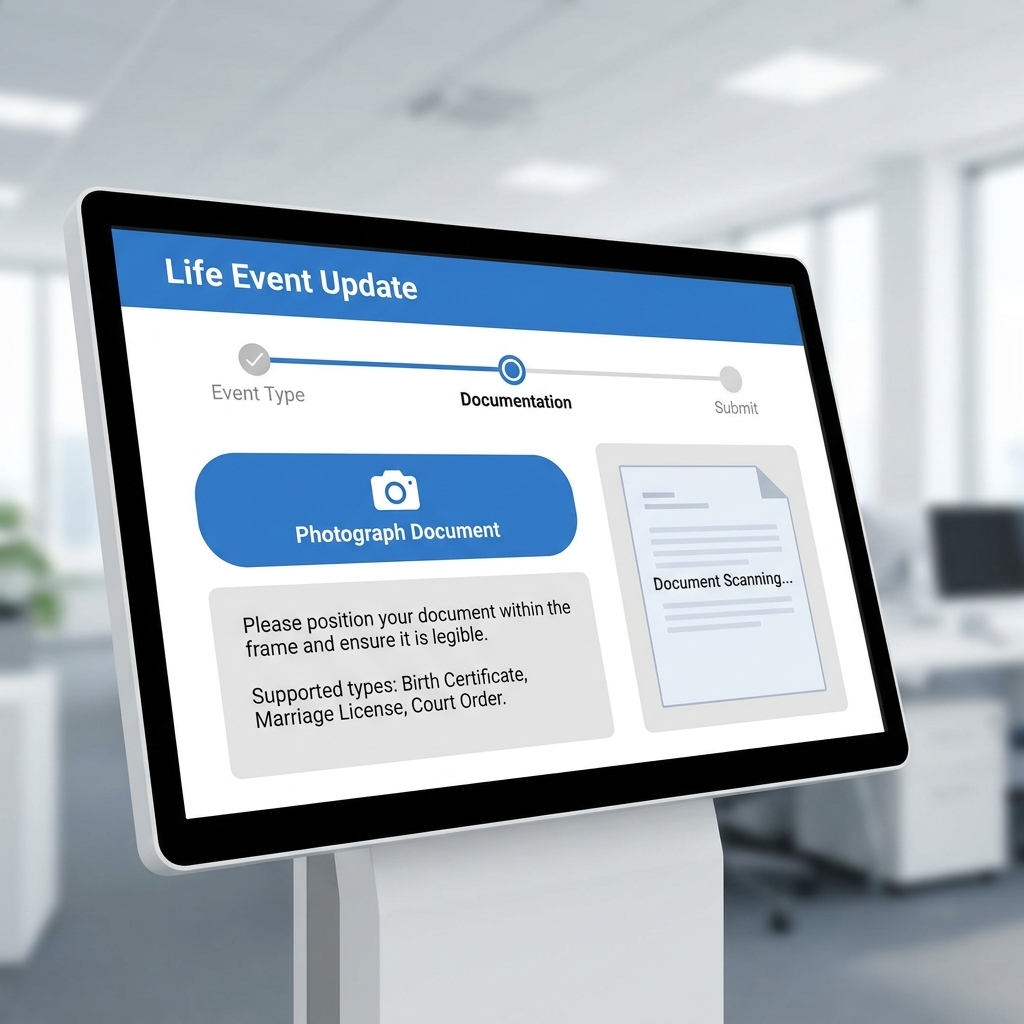
CloudApper hrPad surfaces qualifying life event prompts at the same kiosk terminal frontline employees already use to clock in. When an employee’s record shows a recent status change that could indicate a qualifying event, or when the employee wants to initiate one themselves, hrPad walks them through the same Workday-connected process at the terminal, including a straightforward option to photograph a marriage certificate or birth certificate directly at the kiosk rather than needing a personal scanner or printer.
Because hrPad authenticates the employee at the point of an interaction they already have daily, the life event process doesn’t depend on the employee separately remembering to log into a portal they rarely use. The submission and any uploaded documentation sync back to Workday in real time, entering the same business process and review workflow a submission made through the standard portal would follow.
Workday remains the system that enforces the enrollment window, applies the correct effective date, and manages the review and approval of the life event change. hrPad exists to make sure the employees least likely to reach a browser in time still have a practical, fast path to act before that window closes.
Frequently Asked Questions
Q: How long does an employee have to make benefits changes after a qualifying life event in Workday?
A: This is typically 30 or 60 days depending on plan design, though the exact window is configured by the organization’s benefits administrator and can vary by event type.
Q: What counts as a qualifying life event in Workday?
A: Common qualifying events include marriage, divorce, birth or adoption of a child, and loss of other health coverage, though the specific list of recognized events is configured based on the organization’s plan rules and applicable regulations.
Q: What happens if an employee misses the qualifying life event window?
A: The employee is generally locked out of making that specific benefits change until the next annual open enrollment period, which can leave a new spouse or dependent without coverage for months unless HR processes a manual exception.
Q: Does Workday require documentation to add a dependent through a life event?
A: Yes, most organizations require supporting documentation such as a marriage certificate or birth certificate before finalizing a dependent addition, reviewed by a benefits administrator as part of the life event business process.
Q: How is this different from Workday’s annual open enrollment problem?
A: Open enrollment is a scheduled, predictable annual window that HR can plan communication around in advance. Qualifying life events happen continuously and individually throughout the year, with a shorter window and less advance notice, which makes the access gap harder to solve with a seasonal campaign.
Q: Does CloudApper hrPad replace Workday’s benefits enrollment process?
A: No. Workday continues to enforce the enrollment window, apply correct effective dates, and manage documentation review. hrPad gives employees without regular portal access a practical way to initiate and submit a life event change, including documentation, before the window closes.
If missed life event windows are turning into retroactive coverage corrections your benefits team has to untangle after the fact, it’s worth looking at how many of those cases trace back to an access gap rather than a plan design issue. Contact CloudApper to talk through what that would look like for your Workday tenant.

What is CloudApper AI Platform?
CloudApper AI is an advanced platform that enables organizations to integrate AI into their existing enterprise systems effortlessly, without the need for technical expertise, costly development, or upgrading the underlying infrastructure. By transforming legacy systems into AI-capable solutions, CloudApper allows companies to harness the power of Generative AI quickly and efficiently. This approach has been successfully implemented with leading systems like UKG, Workday, Oracle, Paradox, Amazon AWS Bedrock and can be applied across various industries, helping businesses enhance productivity, automate processes, and gain deeper insights without the usual complexities. With CloudApper AI, you can start experiencing the transformative benefits of AI today. Learn More
- Useful Links:
- Agentic AI
- No-Code/Low-Code
- Custom Software
- HCM Personalization
- iPaaS
- FedRAMP

Brochure
CloudApper AI TimeClock
For accurate & touchless time capture experience.
Download Brochure
CloudApper AI Solutions for Workday



- Works with








- and more.
Similar Posts

Workday W-4 Updates for Hourly Workers: Exempt Renewals, Overtime Deductions,…

Workday Access for Former Employees: How to Deliver W-2s and…