Frontline employees need a Workday time kiosk that does more than clock them in. CloudApper AI TimeClock turns any iPad or Android tablet into a shared, multi-station kiosk for Workday time tracking, PTO checks, shift management, and AI-powered HR self-service — integrated with Workday and all major payroll systems.
Table of Contents
- What Is a Workday Time Kiosk?
- Why Manual Time Tracking Keeps Causing the Same Problems
- What You’re Actually Risking Without an Automated Workday Time Kiosk
- The Benefits of Running a Workday Time Kiosk Through CloudApper AI TimeClock
- CloudApper AI TimeClock as Your Workday Time Kiosk: What It Actually Does
- Works With Workday — and Every Other Major HR, HCM, or Payroll System
- Time Tracking Is the Starting Point — Not the Ceiling
- Frequently Asked Questions: iPad and Tablet Kiosk for Workday Time Tracking and Employee Self-Service
- Deploy a Workday Time Kiosk That Actually Works for Your Workforce
Workday is a capable HR platform. But here’s a problem most Workday customers quietly deal with: the system is great for HR managers who sit at a desk. For the warehouse worker, the nurse, the retail associate, the assembly line operator — it’s largely inaccessible.
They don’t have company laptops. They don’t remember their Workday login. They’re not checking dashboards between shifts. For them, the only real touchpoint with HR is the physical time clock on the wall — and most of those clocks do exactly one thing.

That’s the gap a Workday time kiosk is supposed to fill. Not just collect punches — but give employees a way to actually interact with their own HR data. Check schedules. Request time off. Ask a question. Get an answer. All from the same device they already stop at every single day.
CloudApper AI TimeClock does exactly that. It turns any iPad or Android tablet into a shared, multi-station Workday time kiosk — one that handles time tracking, employee self-service, compliance, and HR queries without pulling anyone away from their work.
TL;DR
Workday handles HR well for desk workers. For everyone else — warehouse staff, nurses, retail associates, line workers — the time clock is the only digital touchpoint they get. CloudApper AI TimeClock turns any iPad or Android tablet into a shared Workday time kiosk that does more than collect punches: biometric clock-in, real-time PTO balances, time-off requests, shift management, compliance attestations, and an AI assistant that answers HR questions on the spot. Deploys across multiple stations, works offline, and syncs live to Workday — without replacing your existing HR or payroll system.
What Is a Workday Time Kiosk?
A Workday time kiosk is a shared tablet or touchscreen device, wall-mounted or counter-mounted at a break room, entry point, or production floor station, that lets employees clock in and out and access HR functions — without a personal device or computer.
For most frontline employees, it’s the only realistic way to interact with Workday at all.
That matters more than it sounds. When workers can’t see their PTO balance, can’t submit a time-off request without emailing HR, and can’t check whether their last punch went through — they don’t feel like they’re part of the system. They feel like they’re working around it.
A properly deployed Workday time kiosk changes that. Used well, it cuts the distance between the employee and their data to about ten seconds. And when that kiosk is powered by AI, it stops being a punch terminal and starts being a full self-service HR station.
Why Manual Time Tracking Keeps Causing the Same Problems
If your organization is still running on spreadsheets, paper timesheets, or aging proprietary hardware clocks, the problems aren’t new — they’re just accumulating.
Buddy punching is the obvious one. Without identity verification, employees clock in for each other. It doesn’t take a systemic fraud operation for this to become expensive — a few minutes shaved here and there, across hundreds of workers, adds up quickly. U.S. businesses lose an estimated $11 billion annually to time theft.
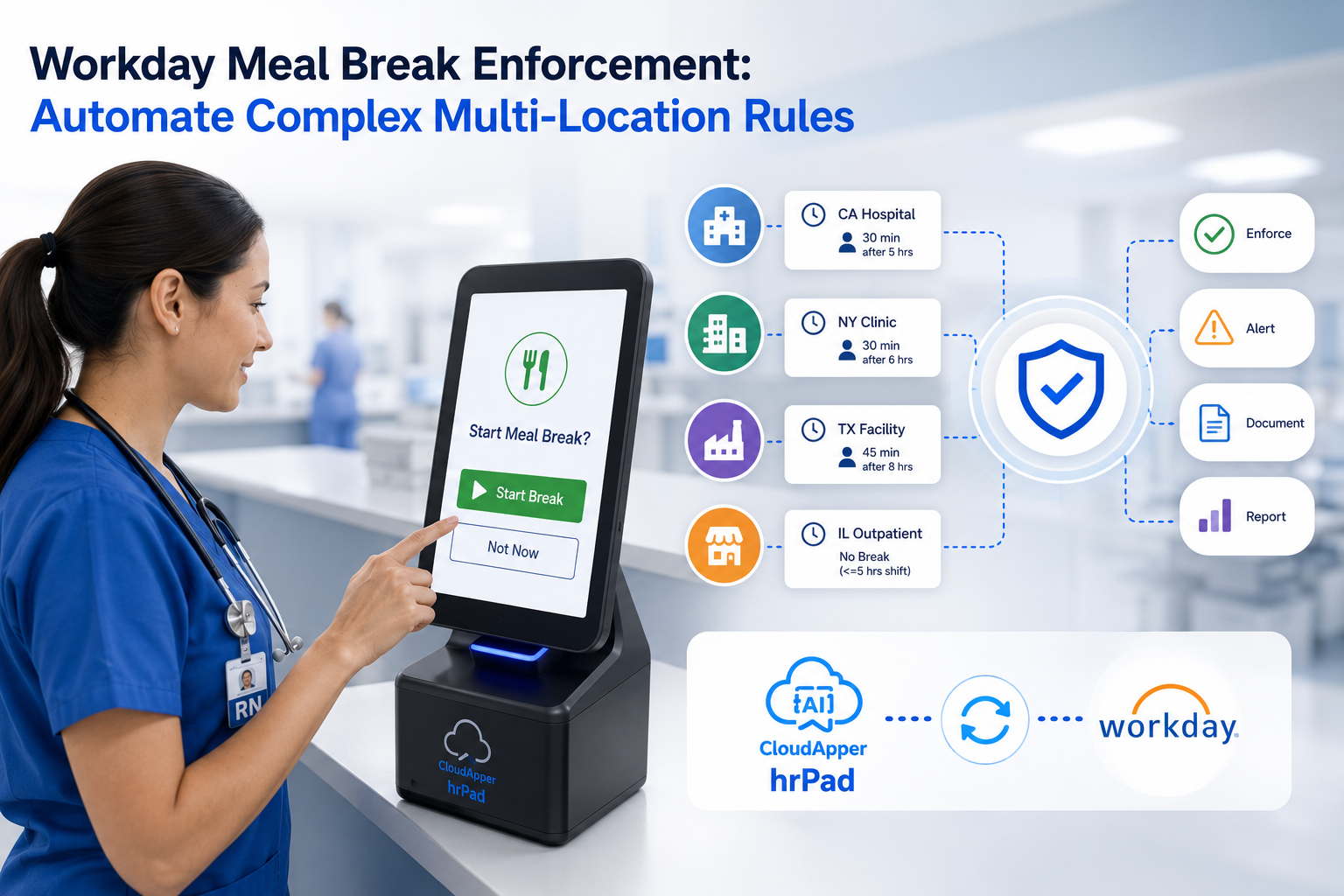
Compliance is the less visible one. Meal break attestations, overtime acknowledgments, and rest period confirmations are legally required in many jurisdictions — California being the notable example. When those confirmations aren’t collected at the point of entry, organizations are building audit exposure into every shift.
Then there’s the HR inbox problem. When employees can’t check their own schedules or PTO balances, they email HR. Or they walk over. Or they ask their manager, who then contacts HR. Every one of those interactions is a task that could have been self-service, and wasn’t.
And underneath all of it: payroll decisions getting made on data that nobody fully trusts.
Even organizations running Workday run into this. Workday handles the data beautifully — but it assumes employees have access to it. For a significant share of any workforce, that assumption doesn’t hold.
What You’re Actually Risking Without an Automated Workday Time Kiosk
Time fraud: No biometrics means no real verification. Buddy punching is common in shift-based environments, and it’s hard to catch after the fact.
Labor law violations: Missed break attestations and unconfirmed overtime create a compliance trail that goes cold fast. When a labor audit or wage dispute arrives, the absence of digital records is its own kind of evidence.
HR capacity drain: Routine questions — PTO balance, shift schedule, punch correction — take minutes each. Multiply by the number of employees asking them daily, and the math gets uncomfortable.
Payroll errors: Manual or semi-manual time entry introduces transcription errors. Those errors cause incorrect paychecks. Incorrect paychecks generate corrections. Corrections waste payroll team time and erode employee trust.
Disengagement: Workers who can’t see or manage their own time data feel like they’re operating blind. Visibility matters — and its absence is a quiet but real driver of turnover.
The Benefits of Running a Workday Time Kiosk Through CloudApper AI TimeClock
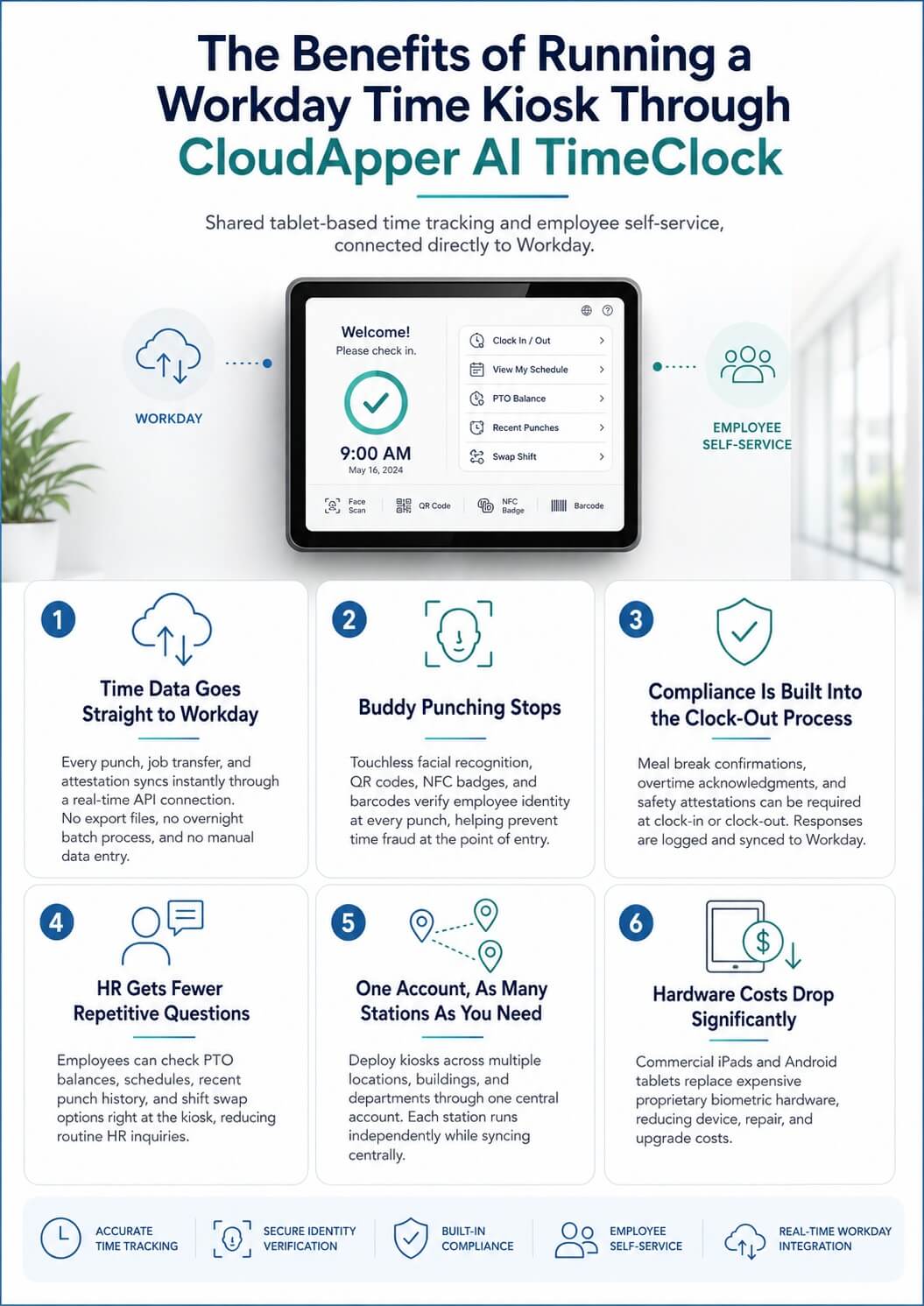
Time data goes straight to Workday — no manual steps
Every punch, job transfer, and attestation syncs automatically through a real-time API connection. There’s no export file, no overnight batch process, no one manually keying entries. The data is in Workday the moment it’s captured.
Buddy punching stops
CloudApper AI TimeClock supports touchless facial recognition, QR codes, NFC badges, and barcodes. Employees verify their identity at every punch. You don’t have to catch fraud after it happens — the system prevents it at entry.
Compliance gets built into the clock-out process
Meal break confirmations, overtime acknowledgments, safety attestations — all of these can be configured as required prompts at clock-in or clock-out. Responses are logged and synced to Workday. When an auditor asks, the records are already there.
HR stops fielding the same questions every week
PTO balance, upcoming schedule, recent punch history, shift swap request — employees handle all of it at the kiosk. The HR inbox shrinks. The HR team spends time on work that actually requires them.
One account, as many stations as you need
CloudApper AI TimeClock supports multi-station deployment across multiple locations, buildings, and departments — all managed through a single central account. Each kiosk runs independently, syncs centrally, and supports the full self-service feature set.
Hardware costs drop significantly
Standard commercial iPads and Android tablets replace proprietary biometric hardware that costs more per unit, more to repair, and more to upgrade. The same tablet that handles time tracking also handles self-service. There’s no second device to buy.
CloudApper AI TimeClock as Your Workday Time Kiosk: What It Actually Does
CloudApper AI TimeClock is built for shared-use deployment in workplace environments — not adapted from a consumer app or a lightweight mobile tool. Every feature is designed for the scenario where one tablet is used by dozens of different employees across a full workday.
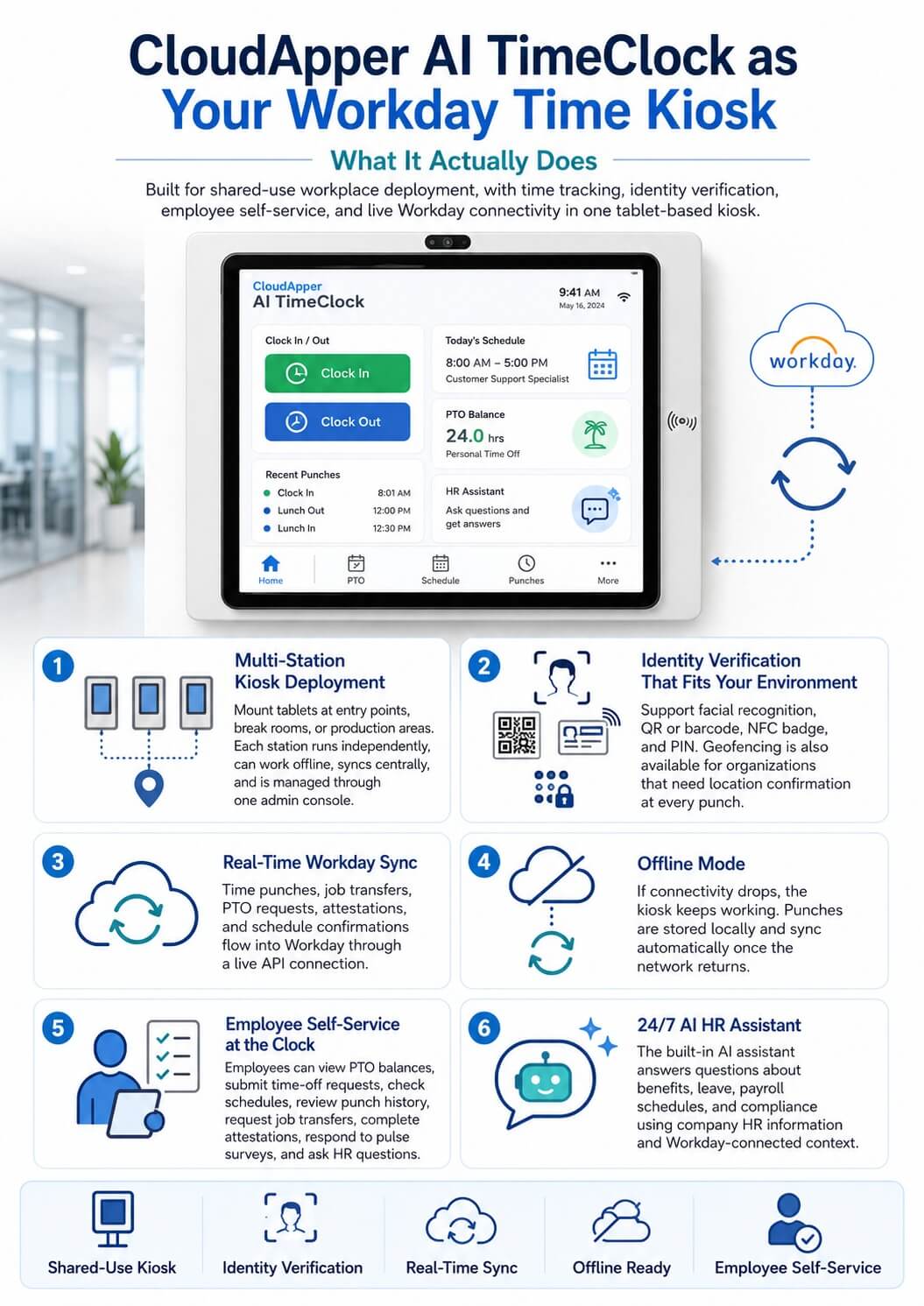
Multi-station kiosk deployment
Tablets mount at entry points, break rooms, production stations, or anywhere employees gather. Each unit runs independently — offline if needed, syncing to Workday when connected — and is managed through a central admin console. Adding a new station takes minutes.
Identity verification that fits your environment
- Facial recognition — touchless, fast, works without any physical credential
- QR or barcode — printable, low-cost, scales easily for temp and seasonal workers
- NFC badge — tap-to-punch for manufacturing, warehouse, and healthcare settings
- PIN — simple backup option for any edge case
Geofencing is also available for organizations that need to confirm physical location at every punch.
Real-time Workday sync
Time punches, job transfers, PTO requests, attestations, and schedule confirmations all flow into Workday through a live API connection. HR and payroll teams work with accurate, current data — not a snapshot from last night’s batch.
Offline mode
If the network goes down, the kiosk keeps working. Punches are stored locally and sync automatically when connectivity returns. No lost records, no manual corrections, no gaps in the time data.
Employee self-service at the clock
Employees don’t need a separate app, a second login, or a trip to the HR office. At the same kiosk where they punch in, they can:
- View PTO and accrual balances in real time
- Submit time-off requests with automatic manager routing
- Check their upcoming schedule and confirm shift assignments
- Review recent punch history and flag any discrepancies before payroll closes
- Submit job transfer or cost center changes before clocking in
- Complete compliance attestations at clock-out
- Respond to wellness check-ins and engagement pulse surveys
- Ask HR questions and get immediate answers from the AI assistant
That last one is worth pausing on.
24/7 AI HR assistant
Most employees don’t call HR when they have a policy question — they just go without an answer, or they ask their manager, who may not know either. The AI assistant built into CloudApper AI TimeClock answers those questions on the spot. Benefits, leave policies, payroll schedules, compliance requirements — configured against your actual Workday data and HR documentation, not generic templates.
Employees get accurate answers at 6 AM before a shift. HR doesn’t need to be there.
Works With Workday — and Every Other Major HR, HCM, or Payroll System
CloudApper AI TimeClock connects directly to Workday HCM, Time Tracking, and Absence Management modules. But Workday is not the only option.
If your organization uses a different system — or a mix of systems — CloudApper integrates with all major HR and payroll platforms:
- Workday (HCM, Time Tracking, Absence Management)
- UKG (Pro, Ready, Dimensions)
- ADP (Workforce Now, Vantage)
- Ceridian Dayforce
- SAP SuccessFactors
- Oracle HCM
- PeopleSoft
- isolved
- Any other system with API access
You don’t need to change your payroll provider. You don’t need to replace your HCM. CloudApper AI TimeClock adds an intelligent time kiosk layer on top of what you already have, and feeds accurate data back into it automatically.
Time Tracking Is the Starting Point — Not the Ceiling
One thing worth knowing before you make a decision: CloudApper AI TimeClock runs on the CloudApper AI Platform — a no-code enterprise automation platform that organizations use to build and integrate AI workflows across HR, operations, compliance, and more.
Starting with a Workday time kiosk is a perfectly reasonable entry point. A lot of organizations do. But the platform doesn’t stop at time tracking.
The same infrastructure that powers your kiosk can also automate:
- Recruitment workflows — AI candidate screening, scoring, and interview scheduling
- HR service delivery — policy Q&A, document access, request routing
- Facility and asset management — work orders, inspections, equipment tracking
- Compliance and safety workflows — attestation collection, incident reporting, audit trail management
- Field workforce management — location-aware task management for mobile and distributed teams
If a process in your organization currently runs on manual effort, emails, or spreadsheets — CloudApper can automate it. And it all runs on the same platform as your time kiosk, through the same integration layer, connected to the same HR system.
Frequently Asked Questions: iPad and Tablet Kiosk for Workday Time Tracking and Employee Self-Service
Can CloudApper AI TimeClock run on iPads and Android tablets?
Yes — both iOS and Android are supported. Organizations can standardize on one device type or deploy across a mixed fleet. The application and features are identical across platforms.
Can multiple employees use the same tablet kiosk?
Yes. That’s what the kiosk is designed for. Each employee authenticates individually — via facial recognition, QR code, NFC badge, or PIN — so personal data, punch records, and self-service activity stay accurate and private even on a shared device.
Can we run kiosks across multiple locations or departments?
Yes. Multi-station, multi-location deployment is supported from a single account. Each kiosk operates independently, syncs to Workday in real time, and is managed through one central admin console.
What can employees do at the kiosk beyond clocking in and out?
Clock in and out, check PTO and accrual balances, submit time-off requests, view and confirm schedules, swap shifts, view punch history, submit job transfer requests, complete compliance attestations, and ask HR questions through the AI assistant.
Does the kiosk work when there’s no internet connection?
Yes. Punches are captured and stored locally during connectivity interruptions, then synced to Workday automatically once the connection is restored.
How does it prevent buddy punching?
Touchless facial recognition verifies each employee biometrically at every punch. QR codes, NFC badges, and geofencing add additional verification layers depending on your environment.
Does it work with Workday’s time tracking and absence modules specifically?
Yes. CloudApper AI TimeClock connects to Workday Time Tracking and Absence Management via real-time API. Punches, PTO requests, accrual checks, job transfers, and attestations all sync automatically — no manual exports or file uploads.
What if we use ADP, UKG, Dayforce, or another system instead of Workday?
CloudApper AI TimeClock supports all major HR, HCM, and payroll platforms — UKG, ADP, Ceridian Dayforce, SAP SuccessFactors, Oracle HCM, PeopleSoft, isolved, and others. If your system has API access, CloudApper can connect to it.
Can we customize the kiosk interface and workflows for our organization?
Yes. The kiosk interface, punch workflows, attestation prompts, compliance questions, and self-service options are all configurable through CloudApper’s no-code platform — no software development required.
How long does deployment take?
Most organizations are fully operational within days to a few weeks. Because the solution runs on standard commercial tablets and connects via API to your existing HR system, there’s no proprietary hardware to install and no infrastructure buildout.
Is the AI assistant accurate for our specific HR policies?
The assistant is configured against your organization’s actual policies, Workday data, and leave rules. Employees get answers based on your setup — not generic HR guidance.
Do employees need to log into Workday directly to request time off?
No. Employees submit time-off requests from the kiosk. The request routes to the appropriate manager automatically, and the outcome syncs to Workday. Employees never need to access Workday’s full interface for this.
Deploy a Workday Time Kiosk That Actually Works for Your Workforce
Employees already stop at the time clock every shift. CloudApper AI TimeClock for Workday makes that stop count for more than a punch.
Whether your organization runs Workday, UKG, ADP, Dayforce, or any other HR or payroll system — CloudApper AI TimeClock fits into what you already have and gives every employee, including the ones on the floor, actual access to their own HR data.

What is CloudApper AI Platform?
CloudApper AI is an advanced platform that enables organizations to integrate AI into their existing enterprise systems effortlessly, without the need for technical expertise, costly development, or upgrading the underlying infrastructure. By transforming legacy systems into AI-capable solutions, CloudApper allows companies to harness the power of Generative AI quickly and efficiently. This approach has been successfully implemented with leading systems like UKG, Workday, Oracle, Paradox, Amazon AWS Bedrock and can be applied across various industries, helping businesses enhance productivity, automate processes, and gain deeper insights without the usual complexities. With CloudApper AI, you can start experiencing the transformative benefits of AI today. Learn More
- Useful Links:
- Agentic AI
- No-Code/Low-Code
- Custom Software
- HCM Personalization
- iPaaS
- FedRAMP

Brochure
CloudApper hrPad
Empower Frontline Employees with an AI-Powered Tablet/iPad Solution
Download Brochure
CloudApper AI Solutions for Workday
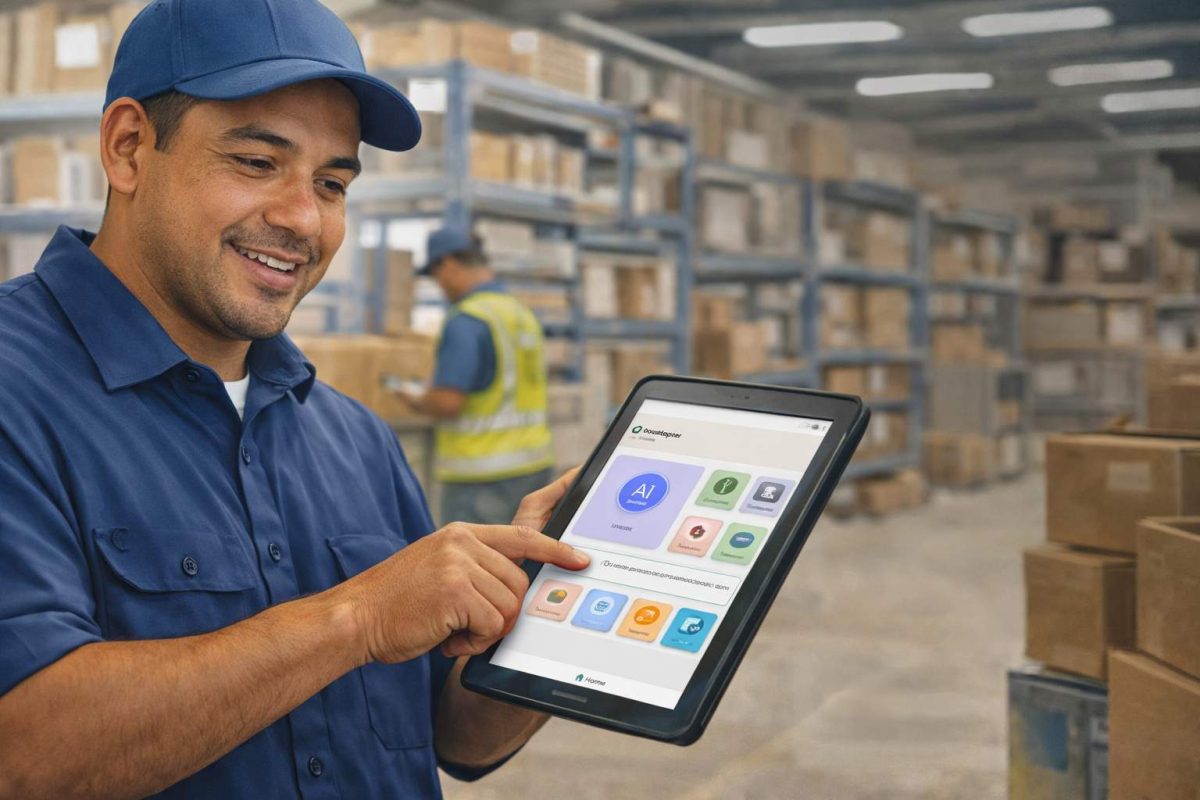


- Works with








- and more.
Similar Posts
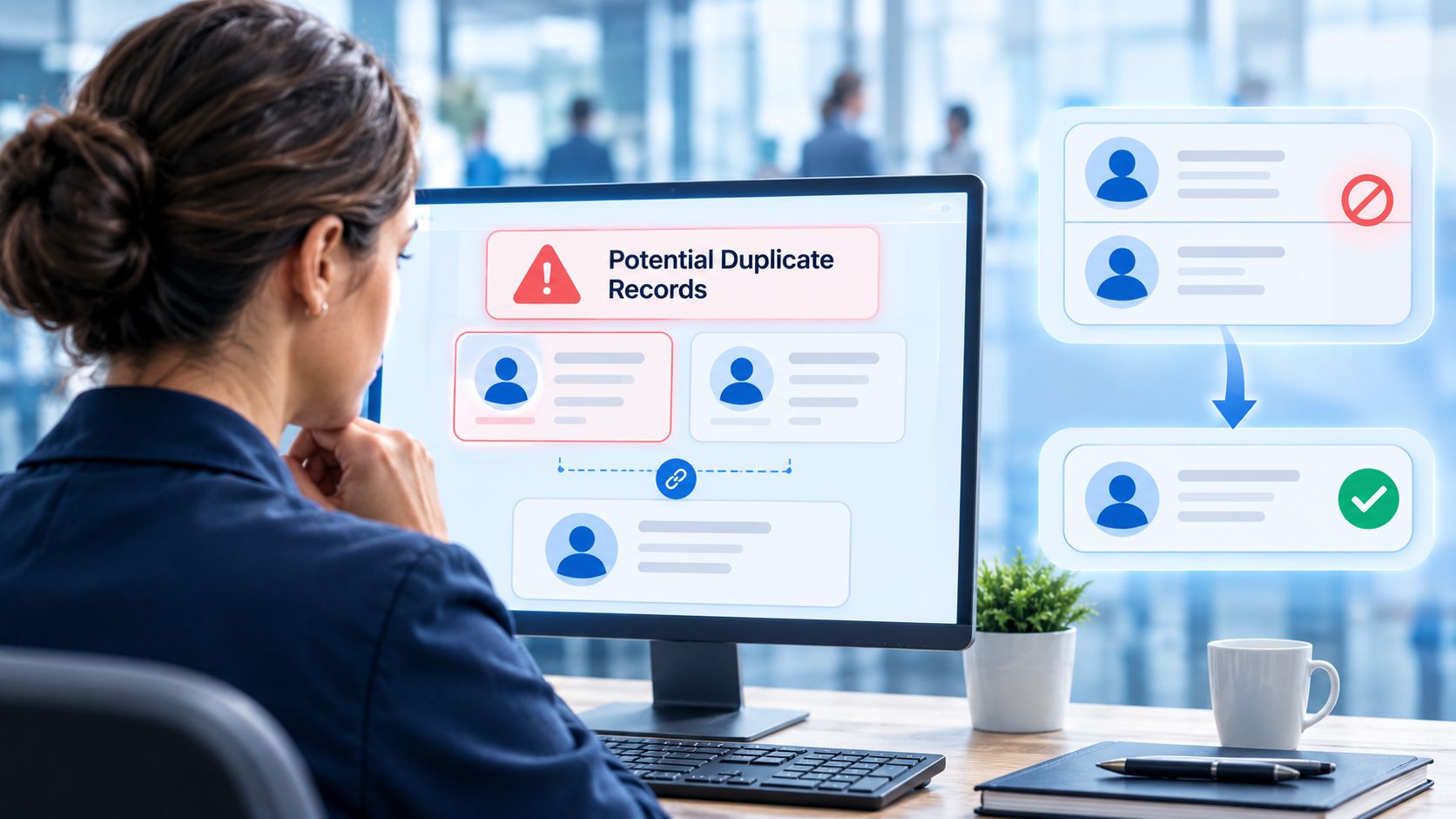
How to Prevent Duplicate Worker and Pre-Hire Records in Workday…
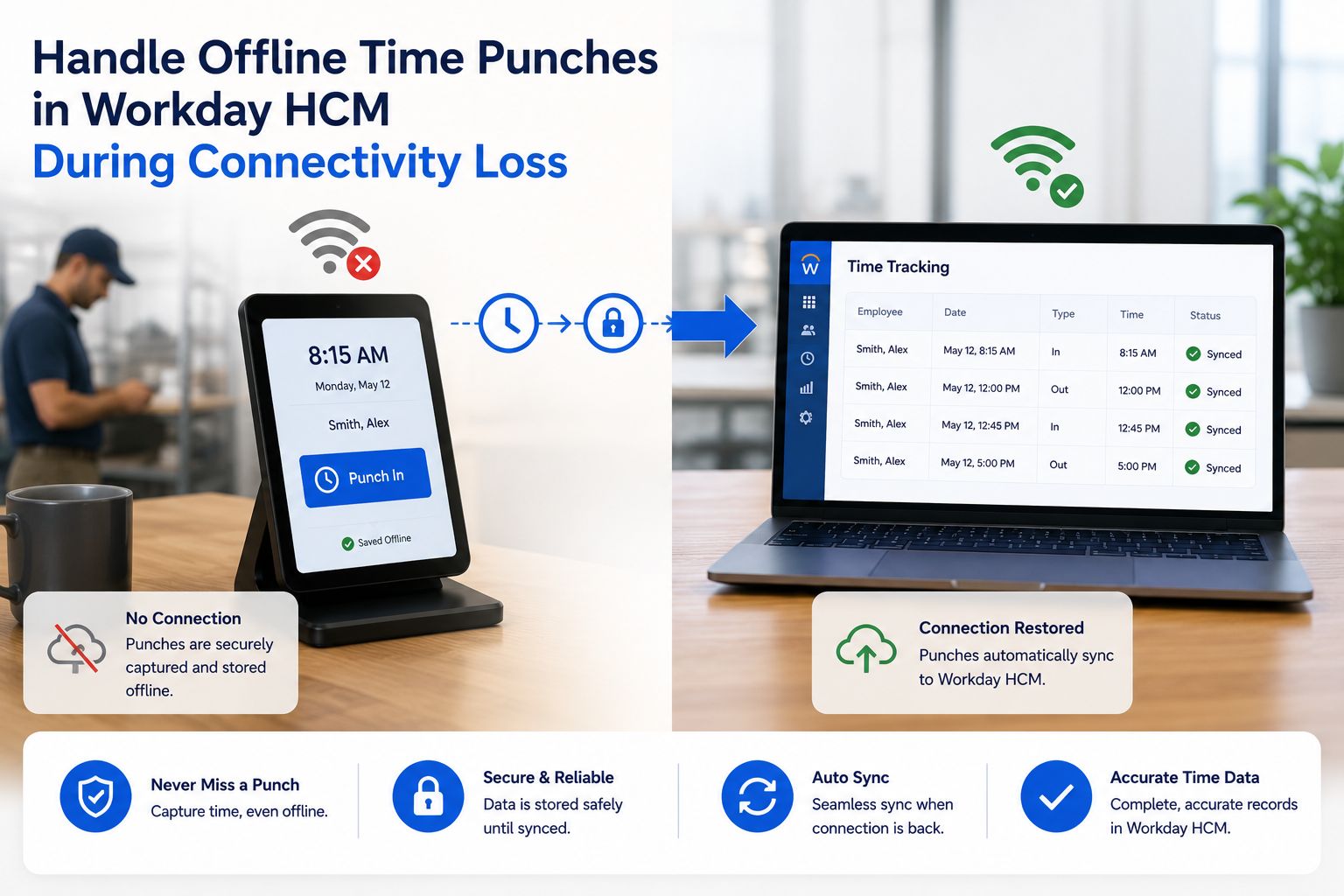
How to Handle Offline Time Punches in Workday During Connectivity…