If your mileage reimbursements depend on what employees remember at the end of the week, your field service operation has a data problem — not a people problem. Here's what healthy mileage tracking actually looks like.

Table of Contents
- What unhealthy mileage tracking looks like
- What healthy mileage tracking looks like
- Where most field service operations fall short
- What changes when you get this right
If you manage a field service team, you already know mileage is one of the messiest parts of the operation. Employees self-report their miles, disputes pile up, reimbursements get delayed, and by the time the numbers reach your HR system, nobody’s confident they’re accurate.
The mileage problem is usually a symptom of something bigger, though. When field data collection runs on manual processes and memory, the errors don’t stay in one place. They spread into payroll, reimbursements, compliance, and trust. The Mileage Tracker solution by CloudApper AI was built to fix exactly this: replacing guesswork with GPS-verified data that flows directly into your HR system.
What unhealthy mileage tracking looks like
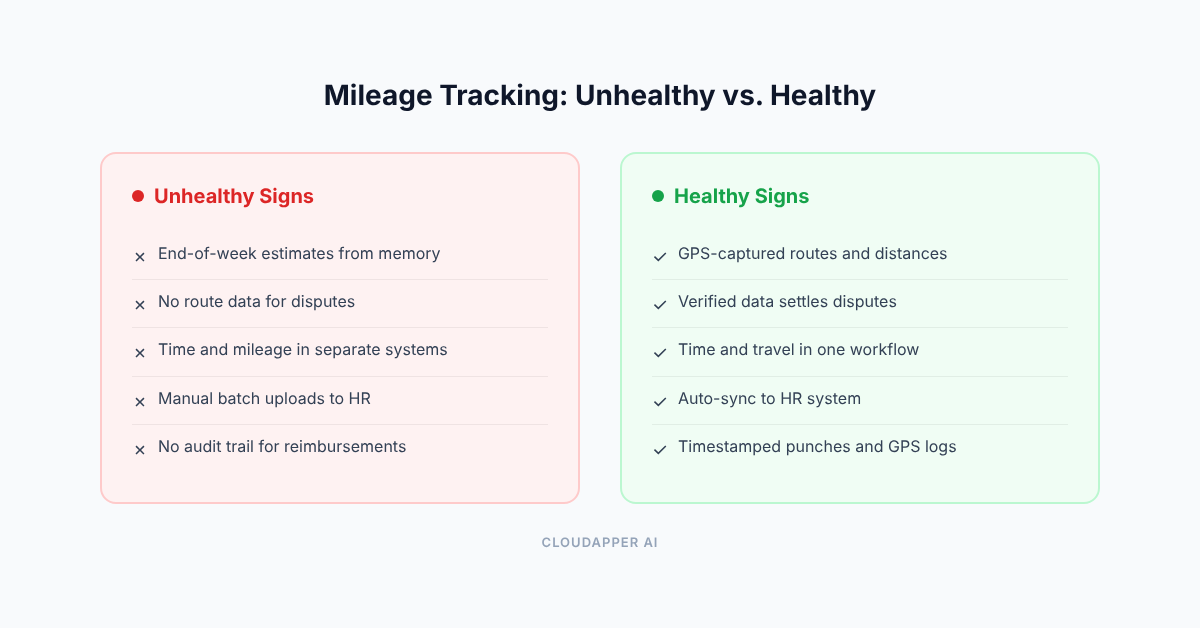
Employees log their miles at the end of the day, or worse, at the end of the week. They estimate distances based on what they remember. Some round up. Some forget trips entirely.
When a reimbursement gets disputed, there’s nothing to check against. No route data, no timestamps, no verification. You end up splitting the difference or taking someone’s word for it.
The data that reaches your HR system is a batch upload, part estimated, part “close enough.” Payroll processes whatever lands in the file. And when an auditor asks how you verify mileage claims, the honest answer is: you don’t, really.
Meanwhile, time tracking runs on a completely separate process. Timesheets come in through one system, mileage through another (or through nothing at all). Nobody connects the two, so you can’t tell whether the miles match the hours, or whether someone was actually on the clock when they say they were driving.
What healthy mileage tracking looks like
Healthy doesn’t mean zero problems. It means the data holds up when someone asks questions about it.
Mileage comes from GPS. Routes, distances, and timestamps are captured as employees travel between sites. Reimbursement calculations use verified data, not estimates from memory. When someone disputes a number, you pull up the actual route.
Time tracking is connected to the same workflow. Employees clock in at the job site with identity verification, so you know who was where and when. The hours and the miles are part of the same record, not two separate systems that nobody reconciles.
Configurable mileage limits, reimbursement policies, and supervisor review thresholds help teams identify exceptions before reimbursements are processed. Approved data syncs to your HR system without someone re-entering it from a spreadsheet.
Where most field service operations fall short
Most companies track time and travel as if they’re unrelated. One system (or spreadsheet) for hours, another for miles, and a person in the back office trying to make them match.
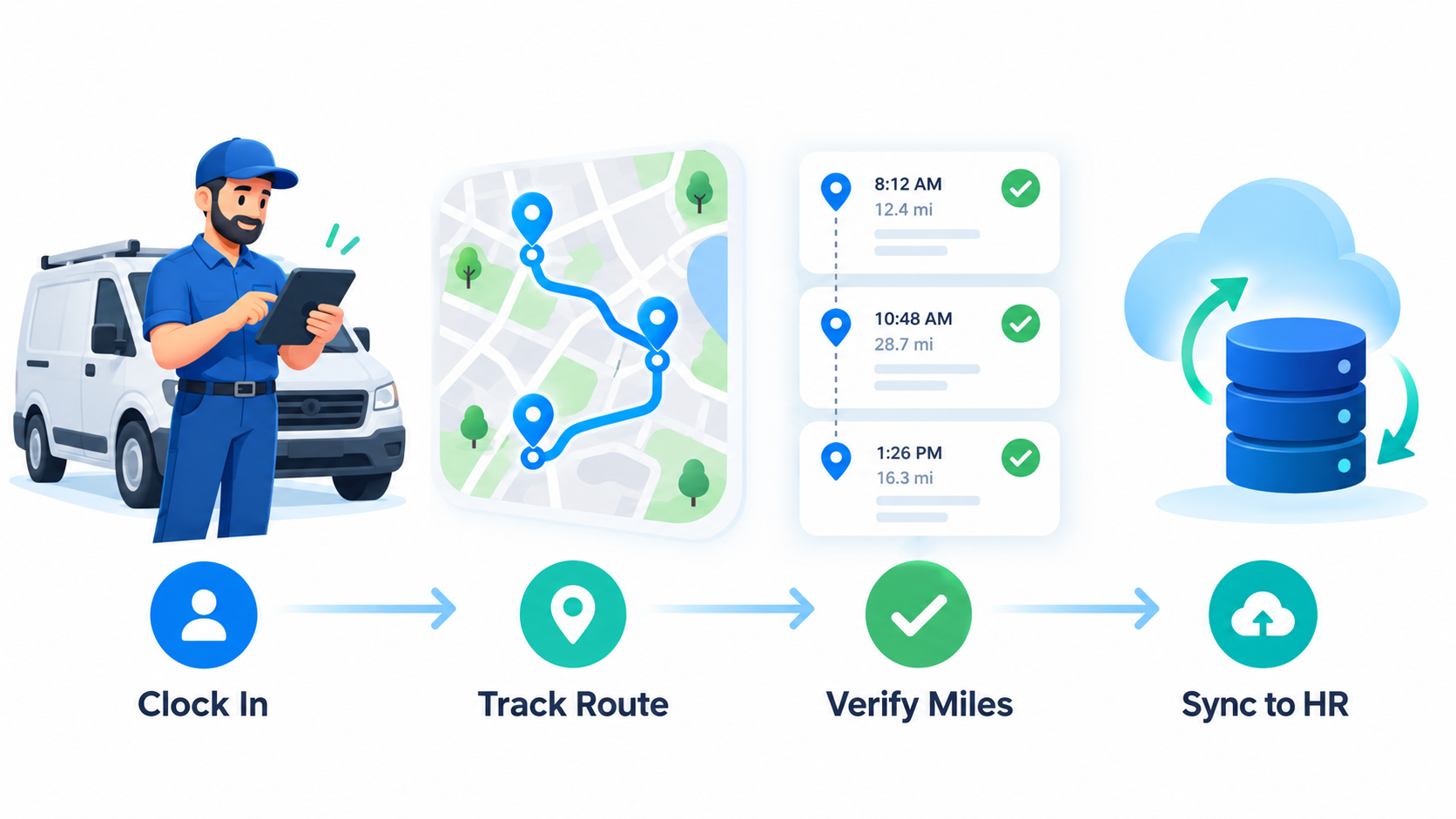
Think about what a field technician actually does. They clock in, drive to a site, do the work, drive to the next one, clock out. The hours and the miles are the same story. Splitting them into separate workflows is where the errors start.
hrPad by CloudApper AI handles employee identification, time punches, job assignments, and location verification. Mileage Tracker by CloudApper AI complements those capabilities with GPS-based travel records, distance calculations, and mileage reimbursement workflows — capturing data automatically as employees move between sites.
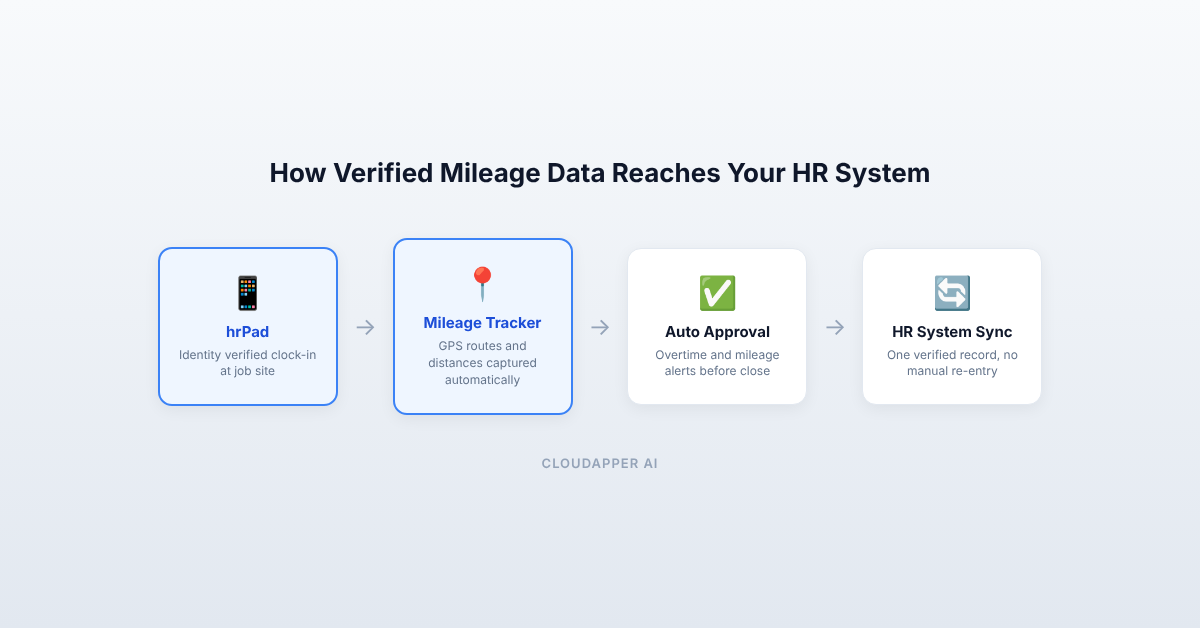
Your HR system can receive both time and mileage data through connected workflows, giving managers a clearer picture of employee activity without manually reconciling separate spreadsheets. Organizations running UKG can see how the mileage calculation and reimbursement integration works with their existing payroll setup.
What changes when you get this right
Payroll stops being a monthly scramble. Reimbursements go out faster because the mileage is already verified and approved. Audits get simpler because you have GPS routes and timestamped punches instead of paper logs. Your HR and field service teams spend less time chasing data and more time on work that actually moves things forward.
Where do you stand?
Is mileage coming from GPS or from memory? Are time and travel connected in the same workflow, or living in separate systems? Does verified data reach your HR system automatically, or does someone upload it manually every pay period?
If you’re mostly on the “from memory, separate systems, manually” side, you’re relying on people to compensate for missing processes. That holds together until someone’s out, an auditor shows up, or a reimbursement dispute turns into something bigger.

What is CloudApper AI Platform?
CloudApper AI is an advanced platform that enables organizations to integrate AI into their existing enterprise systems effortlessly, without the need for technical expertise, costly development, or upgrading the underlying infrastructure. By transforming legacy systems into AI-capable solutions, CloudApper allows companies to harness the power of Generative AI quickly and efficiently. This approach has been successfully implemented with leading systems like UKG, Workday, Oracle, Paradox, Amazon AWS Bedrock and can be applied across various industries, helping businesses enhance productivity, automate processes, and gain deeper insights without the usual complexities. With CloudApper AI, you can start experiencing the transformative benefits of AI today. Learn More
- Useful Links:
- Agentic AI
- No-Code/Low-Code
- Custom Software
- HCM Personalization
- iPaaS
- FedRAMP

Brochure
CloudApper hrPad
Empower Frontline Employees with an AI-Powered Tablet/iPad Solution
Download Brochure
CloudApper AI Solutions



- Works with










- and more.
Similar Posts

Why field service tracking software is important

Digital transformation in field service management industry