Workday Skills Cloud can match internal candidates to open roles — but only when skills profiles are current. Learn why frontline worker data ages out silently, what native configuration options exist, and where an extension layer is needed to keep Skills Cloud recommendations relevant.

Table of Contents
- What Workday Skills Cloud Does Natively
- Where the Data Breaks Down
- What to Configure in Workday First
- Where Native Configuration Runs Out
Your Skills Cloud shows thousands of employee profiles. Open requisitions are listed in Talent Marketplace. Somewhere between those two facts, the match never happens — and the role gets posted externally. This is not a Workday configuration failure. It is a data-currency failure: the skills attached to your frontline and hourly workers were self-assessed during onboarding and haven’t been touched since. Tools like CloudApper AI for HCM Personalization and Extensibility are built specifically for the maintenance layer that Workday Skills Cloud depends on but cannot enforce on its own.
What Workday Skills Cloud Does Natively
Workday Skills Cloud is a machine-learning skills ontology embedded in Workday HCM that normalizes employee-declared skills against a common taxonomy, maps adjacencies, and generates recommendations for internal mobility, learning assignments, and succession planning. When a worker updates their profile, the system can surface them as a candidate for open roles, flag development paths, and route Talent Marketplace postings to matched employees. For knowledge workers who log into Workday regularly and treat their profile as a professional record, the system works as designed. Workday has reported that nearly 1,000 customers are live on Skills Cloud, spanning recruiting, performance, and internal mobility use cases.
Where the Data Breaks Down
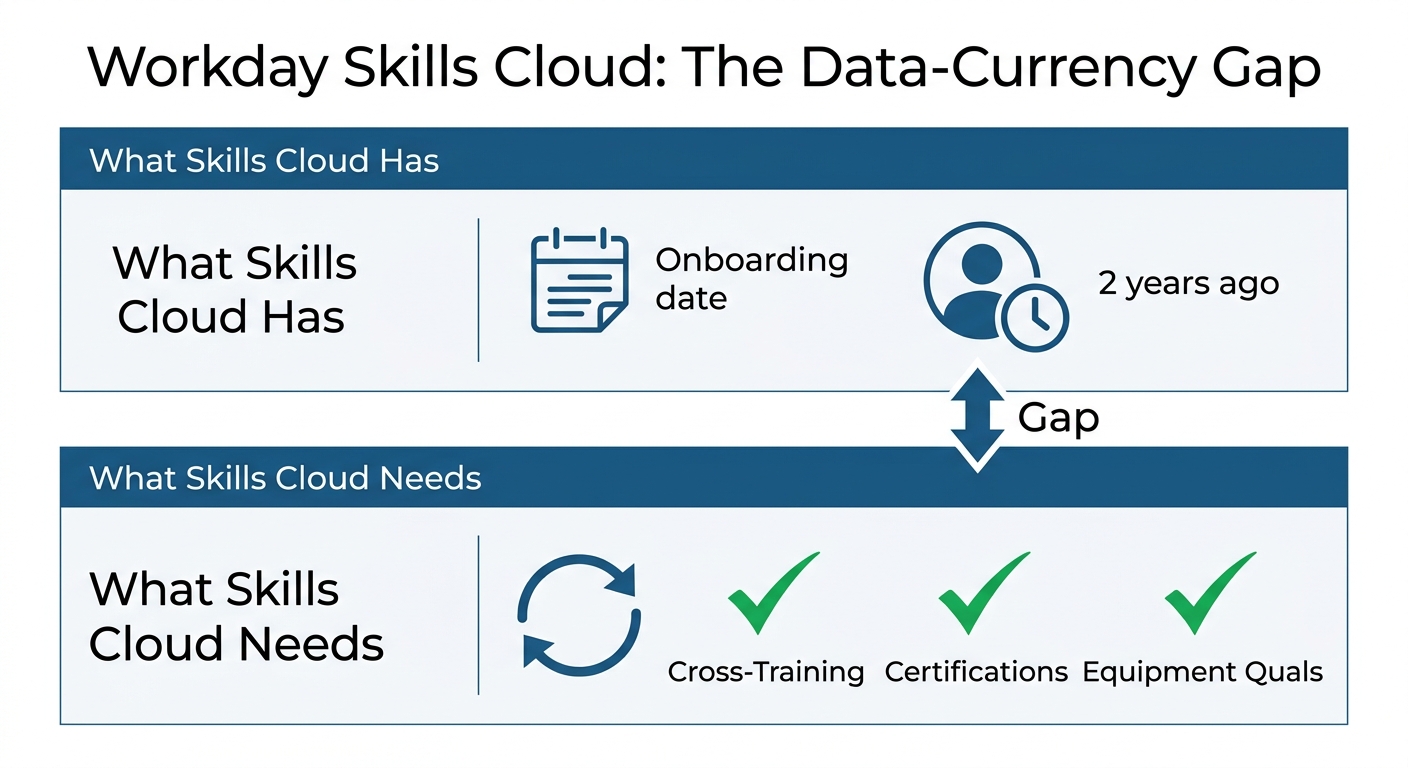
The recommendation engine is only as current as the profiles that feed it. Workday does not push recurring skills-update prompts to employees by default — most organizations capture skills once at new-hire onboarding and then rely on workers to self-update. For the frontline populations — manufacturing floor workers, clinical aides, warehouse associates, hotel staff — who are the least likely to log into Workday outside of time entry, those onboarding profiles become the permanent record. By 18 to 24 months post-hire, a significant portion of your frontline Skills Cloud data reflects who those workers were when they started, not what they have learned since. Managers face the same gap: there is no native Workday workflow that prompts supervisors to validate or update skill records for their direct reports outside of a formal talent review cycle. The result is that frontline workers who complete cross-training, earn certifications, or qualify on new equipment are invisible to the internal mobility matching engine even when they are the best available candidates for an open role.
What to Configure in Workday First
Enable skills capture within the annual talent assessment and any performance review cycle that runs in your tenant — this creates at least one structured touchpoint per year where profiles can be updated. Use Talent Marketplace to post short-term gig opportunities and stretch assignments; workers who apply will naturally update their profiles, and the posting activity creates an organic skills-update loop. For large legacy populations with stale data, a Workday EIB import can push manager-validated skills in bulk without requiring individual worker logins. Confirm that your position and job management configuration maps open roles to explicit skill requirements in Skills Cloud — if the job profile carries no required skills, the recommendation engine has no matching target regardless of how complete the worker profiles are.
Where Native Configuration Runs Out
The EIB import addresses a backlog but does not solve the maintenance problem — skills data ages out continuously, especially for hourly workers whose capabilities evolve through daily production rather than annual reviews. A once-per-year talent assessment is not enough update frequency to keep Skills Cloud recommendations relevant in organizations where cross-training, certification progression, and equipment qualifications are happening every quarter. Workday Extend can support a custom skills-capture workflow, but building and maintaining that requires internal development capacity — a significant commitment for what is ultimately a data maintenance problem that exists across every frontline location simultaneously.
CloudApper AI for HCM Personalization and Extensibility
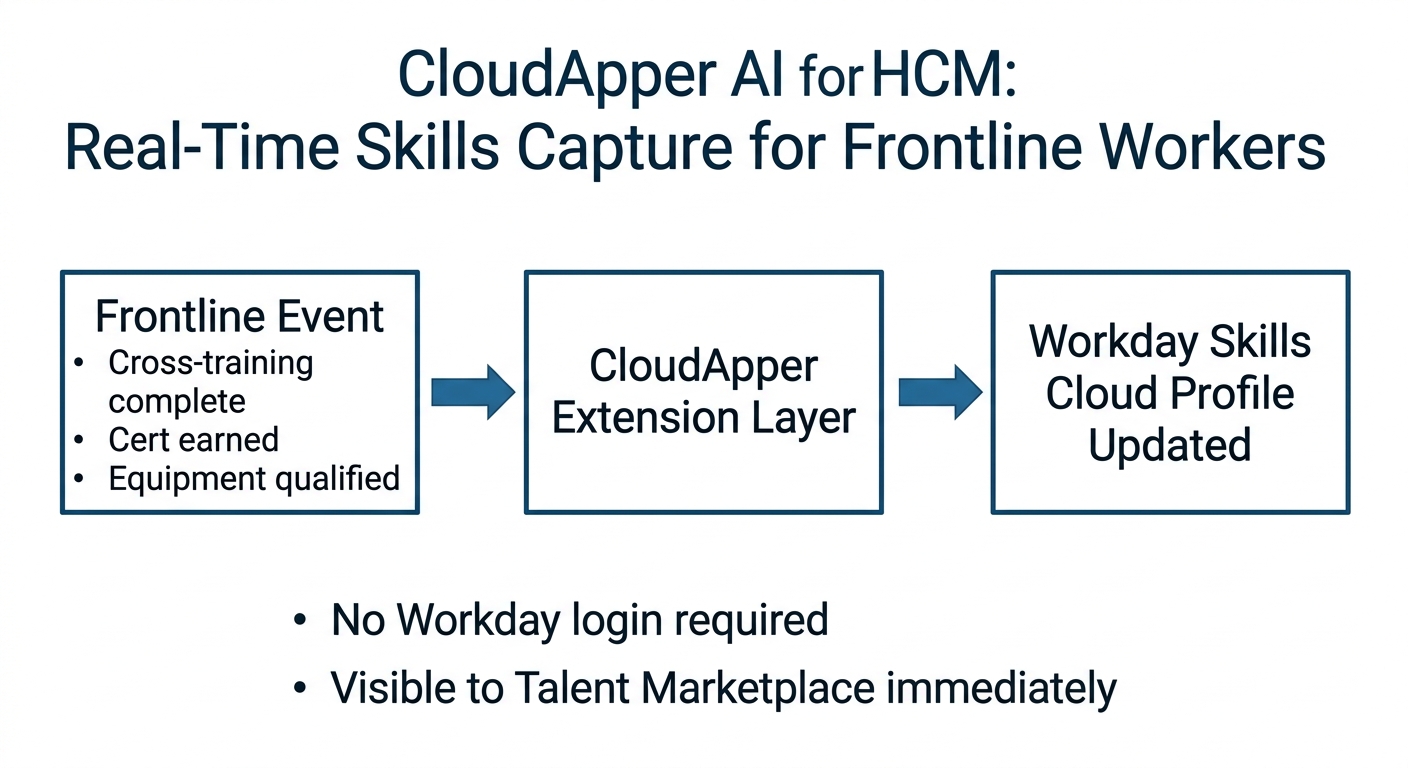
CloudApper AI for HCM Personalization and Extensibility adds a continuous skills-maintenance layer that operates alongside Workday without requiring frontline workers to log in directly. As workers complete cross-training, finish certifications, or qualify on new equipment, supervisors or kiosk-based capture tools record those completions and write them directly into Workday’s skills ontology in real time. Skills Cloud profiles stay current for deskless populations, making those workers visible to the internal mobility recommendation engine on a rolling basis rather than only after the next talent review cycle. For HR leaders whose internal mobility programs are generating fewer qualified internal candidates than projected, the problem is almost always the same: the talent is there, but the skills data that would surface it is six months out of date.
Frequently Asked Questions
Q: What is Workday Skills Cloud and how does it support internal mobility?
Workday Skills Cloud is a machine-learning skills ontology that normalizes employee-declared skills, maps adjacencies, and generates recommendations for internal mobility, learning, and succession planning. It powers internal candidate recommendations and Talent Marketplace matching. Results depend entirely on the currency and completeness of employee skills profiles.

Q: Why aren’t internal candidates surfacing in Workday Skills Cloud recommendations?
The most common cause is stale skills data. If frontline or hourly workers completed a skills assessment at onboarding and have not updated their profiles since, Skills Cloud cannot match them to open roles — even when their actual skill set qualifies them. Workday does not push recurring skills-update prompts to employees by default, so profiles age silently.
Q: How do you keep Workday skills profiles current for frontline workers?
Workday native options include enabling skills capture during performance reviews, using Talent Marketplace gig postings to prompt organic updates, and running EIB imports of manager-validated skills in bulk. For continuous maintenance, an extension layer like CloudApper AI for HCM Personalization and Extensibility can write skill completions into Workday in real time as workers finish cross-training or certifications, without requiring frontline login.
Q: Can Workday Skills Cloud handle skill requirements for hourly and frontline roles?
Yes — job profiles for hourly roles can carry skill requirements that feed the recommendation engine. The configuration challenge is not on the job profile side; it is maintaining the corresponding employee skill data for workers who rarely log into Workday. Their profiles age faster than knowledge-worker profiles and are the least likely to be self-updated.
Q: How does Workday Talent Marketplace relate to Skills Cloud?
Talent Marketplace is Workday’s short-term opportunity and gig posting feature that uses Skills Cloud data to match workers to project assignments, stretch roles, or internal transfers. It functions well when profiles are current and workers have active Workday access. For frontline employees without regular Workday logins, Talent Marketplace postings are effectively invisible to them.
Q: What is the difference between skills entered in Workday HCM and Workday Skills Cloud?
Workday HCM allows skills to be attached to worker profiles as text entries. Skills Cloud normalizes those entries against a machine-learning ontology that maps synonyms, proficiency levels, and skill adjacencies. Skills Cloud makes the data structurally useful for matching and recommendations; raw skills fields in HCM are text only and do not drive the same logic.
Q: How often should Workday skills profiles be updated to support internal mobility?
There is no universal threshold, but quarterly updates per worker are a reasonable target for organizations with active cross-training programs. Annual talent review cycles alone are not sufficient for frontline populations whose capabilities change through daily production, certification completion, and equipment qualification — all of which happen between formal review windows.
If your internal mobility program is consistently underperforming against projected internal fill rates — or Skills Cloud recommendations keep surfacing the same small pool of knowledge workers while frontline talent goes unrecognized — the constraint is almost always data quality in the hourly population, not the recommendation engine. The CloudApper team can review your current Skills Cloud configuration and identify exactly where the data-currency gap is widest. Reach out at cloudapper.ai/contact-us.

What is CloudApper AI Platform?
CloudApper AI is an advanced platform that enables organizations to integrate AI into their existing enterprise systems effortlessly, without the need for technical expertise, costly development, or upgrading the underlying infrastructure. By transforming legacy systems into AI-capable solutions, CloudApper allows companies to harness the power of Generative AI quickly and efficiently. This approach has been successfully implemented with leading systems like UKG, Workday, Oracle, Paradox, Amazon AWS Bedrock and can be applied across various industries, helping businesses enhance productivity, automate processes, and gain deeper insights without the usual complexities. With CloudApper AI, you can start experiencing the transformative benefits of AI today. Learn More
- Useful Links:
- Agentic AI
- No-Code/Low-Code
- Custom Software
- HCM Personalization
- iPaaS
- FedRAMP

Brochure
CloudApper AI TimeClock
For accurate & touchless time capture experience.
Download Brochure
CloudApper AI Solutions for Workday



- Works with








- and more.
Similar Posts
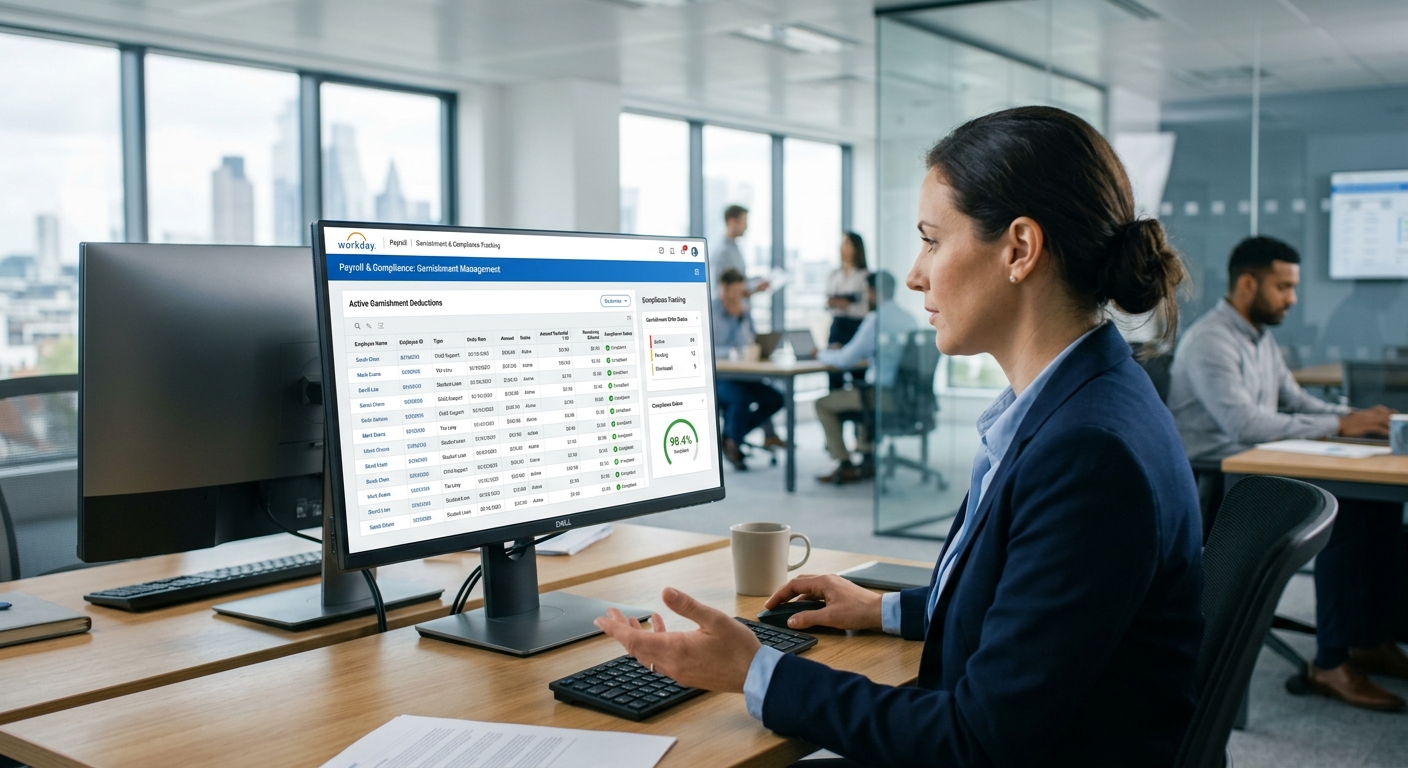
Workday Garnishments: Where the Configuration Ends and the Compliance Exposure…
Workday FMLA Tracking: Why Compliant Configuration Doesn’t Prevent Compliance Gaps