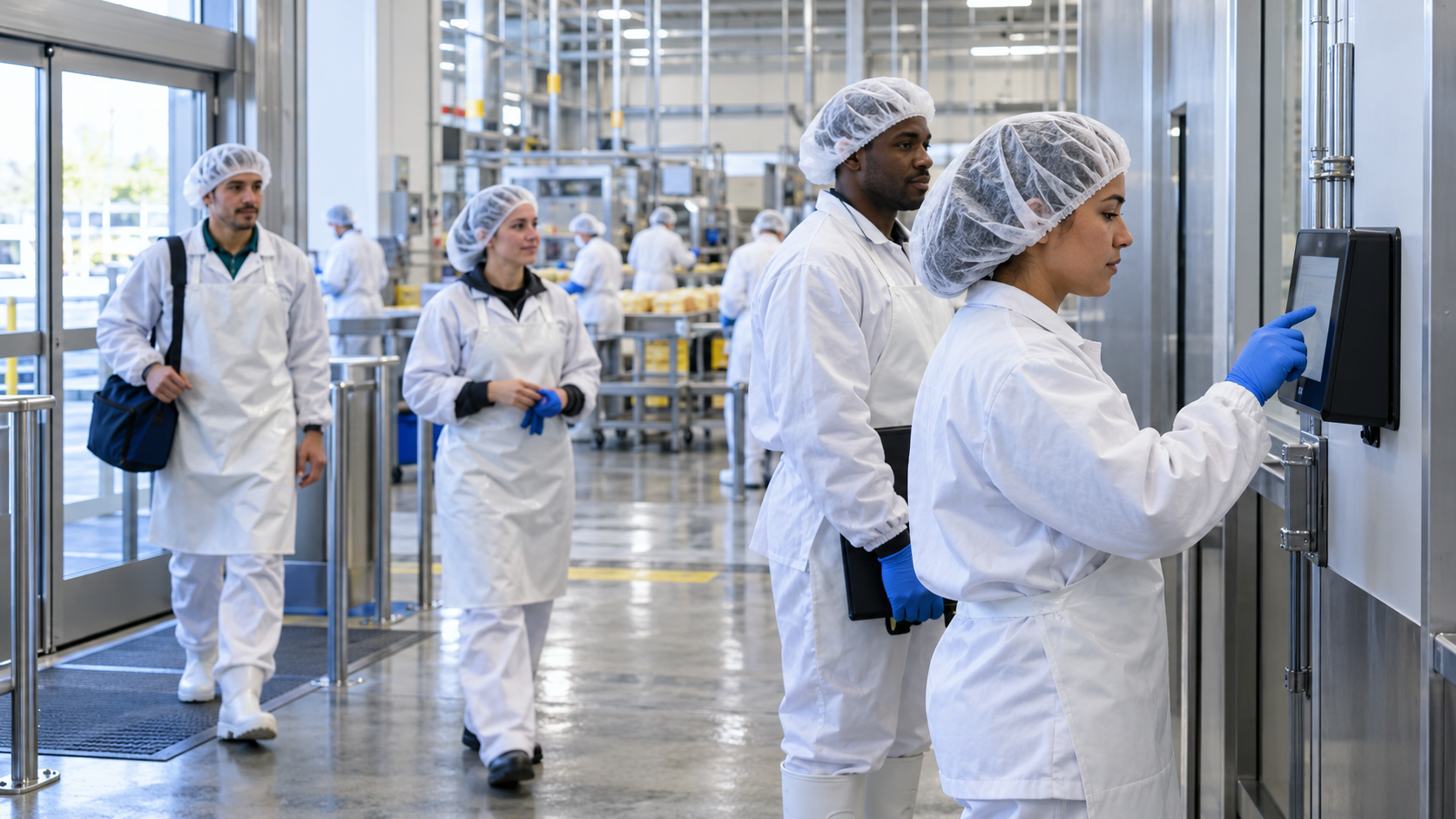
When facility connectivity drops, frontline shifts still start, but Workday punches may not reach the cloud. CloudApper hrPad captures each punch locally on the tablets you already have using face, QR, or PIN, then syncs to Workday automatically once the network returns, so no punch is lost and payroll stays accurate.

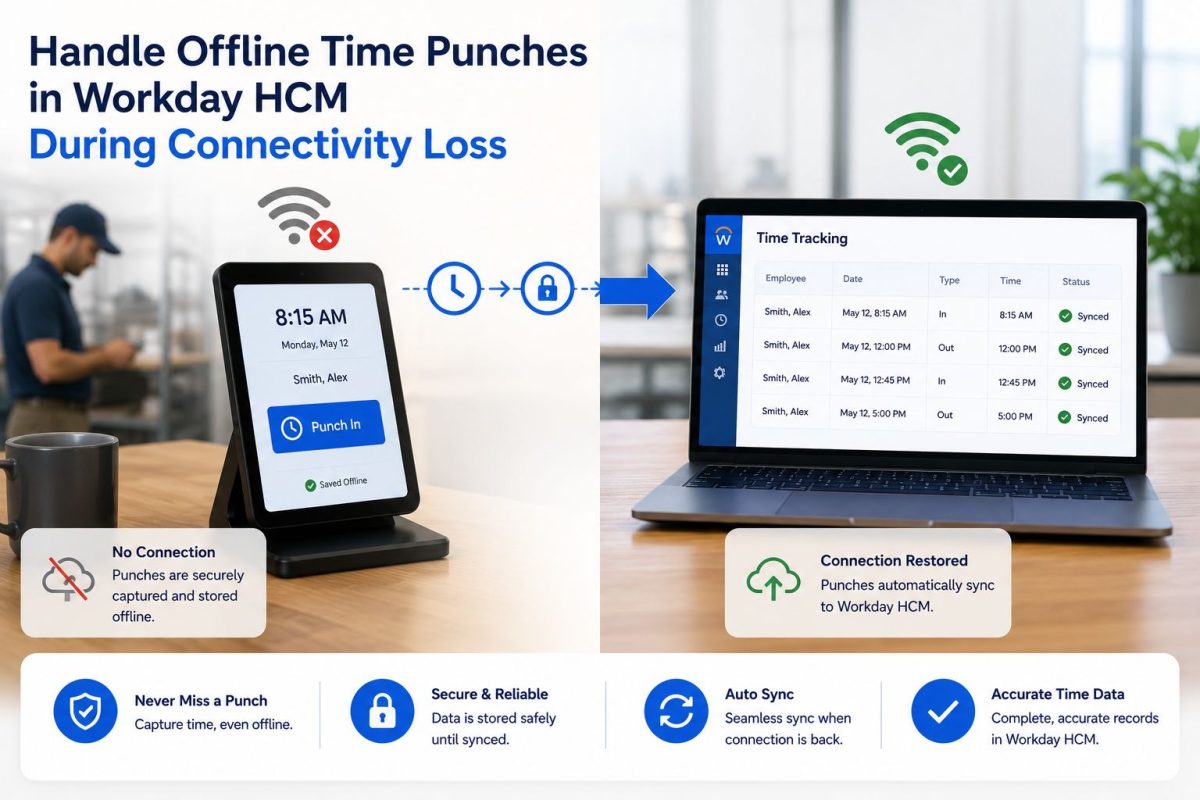
Table of Contents
- What a dropped connection really costs
- How offline punch capture works with hrPad
- The PIN fallback is the quiet hero
- Compliance that holds even offline
- Best practices for offline-ready time capture
- What this makes possible
- Example scenario
- Frequently asked questions
- Keeping the enterprise running
Most enterprise software was built on a quiet assumption about the frontline: that there will always be a connection. A live network to the data center, an open path to the cloud, a signal strong enough to carry a transaction the instant it happens. That assumption holds beautifully in a headquarters. It gets tested in Building 3, on the far end of a warehouse, at a remote shipping dock, or anywhere a shift starts before the Wi-Fi reaches.

And when the connection drops, the work doesn’t. People still show up, still start their shift, still need to be paid for it. What pauses is the system’s ability to record any of it in real time. That gap — between what the workforce is actually doing and what the system of record is able to capture at that moment — is where organizations quietly lose money, compliance standing, and the trust of the people on the floor.
Quick answer: During an internet outage, CloudApper Workday Employee Self-Service Kiosk keeps time tracking running by capturing punches locally on-site. Employees clock in with facial recognition, or a PIN fallback — no network needed. Each punch is encrypted, timestamped, and stored, then syncs to Workday automatically once connectivity returns, so no punch is lost and payroll stays accurate.
What a dropped connection really costs
For an HR and payroll team, a connectivity loss is rarely a five-minute inconvenience. A single dead zone during a shift change can cascade: missed punches, manual corrections, guesswork on payroll, and a frontline that stops trusting the clock. Multiply that across buildings, sites, and pay periods, and the cost isn’t measured in minutes — it’s measured in labor-law exposure, payroll rework, and administrative hours nobody planned for.
The instinct is to ask IT to fix the Wi-Fi. But spotty connectivity in a plant, a lab, or a distribution center is a permanent condition of how frontline work happens, not a one-time glitch. The real question isn’t how to guarantee a perfect connection everywhere. It’s how to make sure time capture keeps working when the connection isn’t there at all.
Workday holds the workforce data superbly — scheduling, accruals, timesheets, the full employee record. Capturing verified punches in a building where the signal doesn’t reach is simply a different job: the job of the work itself, happening at the edge, in real conditions, whether or not the cloud is listening. That’s the job CloudApper hrPad was built to do.
How offline punch capture works with hrPad
hrPad turns the tablets a site already has into full-featured time clocks that keep running whether or not the network does — extending Workday out to the frontline without replacing anything inside it. Here’s how it holds the line through an outage:
- Deploy on existing tablets. hrPad runs on the iPads or Android tablets already on-site, so there’s no dedicated hardware to buy or wait for.
- Employees clock in with face, QR, or PIN. Verified capture continues offline. Facial recognition and QR are fast and secure; the PIN serves as the universal fallback when nothing else is available and no personal device or live network is in reach.
- Each punch is stored locally. Every punch is timestamped and held on the device, protected by encrypted logs and a complete audit trail.
- Connectivity returns. The moment the network is back, hrPad picks up where it left off — no one runs to the front office, no one re-enters anything.
- Punches sync to Workday automatically. Stored punches flow straight into Workday’s payroll and compliance processes, accurate and intact.
The PIN fallback is the quiet hero
Biometric and QR options are fast and secure, but a PIN needs nothing more than the device in front of the employee. When the network is down and a shift is starting, that simplicity is the difference between a workforce that keeps moving and one that stalls at the door. Every worker keeps a way to clock in that never depends on a signal.
Compliance that holds even offline
Because the same rules that govern an online punch — break enforcement, attestations, safety confirmations — are applied on the device itself, an offline shift is fully accounted for. A required break that wasn’t taken still gets flagged. A safety confirmation still gets captured. When the data syncs, it moves into Workday cleanly, without a stack of manual corrections waiting on the other side. For sites with minor employees or strict break rules, that on-device enforcement is what keeps an outage from becoming a compliance event.
Best practices for offline-ready time capture
Enable the PIN fallback for every employee, not just as a backup for a few — it’s the one method that works in any condition. Place hrPad tablets at the true edges of the site, where connectivity is weakest and punches are most often lost. Keep break and attestation workflows configured on the device so compliance travels with the punch. And standardize the setup across buildings and outstations so every location behaves the same way when the network dips.
What this makes possible
Solving the offline punch is the task. What it unlocks is the reason it matters.
For the organization, the frontline is no longer hostage to infrastructure. A manufacturer can scale time tracking across every building, floor, and remote dock without first solving connectivity everywhere — and without expensive dedicated hardware. Operations that used to be shaped around where the Wi-Fi worked can now be shaped around where the work is.
For the HR and payroll team, it’s hours returned. Fewer missed punches to chase, fewer corrections to reconcile, fewer frustrated conversations at the counter. The energy that went into cleaning up after outages goes back into onboarding, engagement, and safety — the work that actually builds a workforce.
And for the people on the floor, it’s something simpler and more human: they clock in, they get paid correctly, and the system just works — even in the corner of the building where it never did before. A dropped connection stops being their problem. It stops being anyone’s problem.
Example scenario
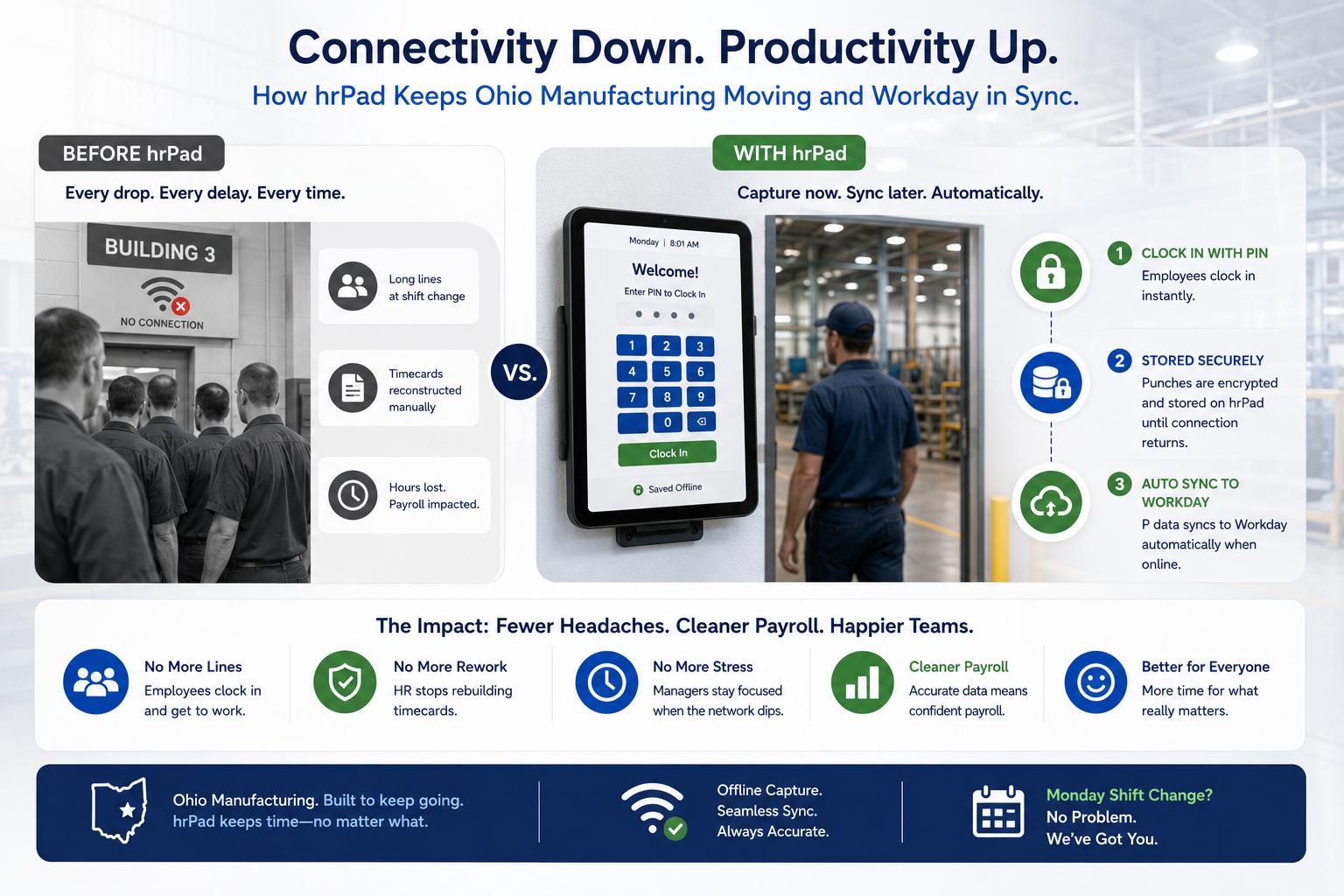
Picture a manufacturing site in Ohio where Building 3 loses Wi-Fi during nearly every Monday shift change. Before hrPad, each drop meant a line of employees who couldn’t punch in and an HR team that spent the week reconstructing timecards. With hrPad on the tablets already mounted at each entrance, those same employees now clock in with a PIN the instant they arrive. The punches sit encrypted on the device until the signal returns, then sync to Workday on their own. The operations manager no longer watches the clock when the network dips — and payroll runs cleaner than it has in years.
Frequently asked questions
How does CloudApper hrPad capture time punches without internet?
hrPad records each punch locally on the tablet when the network is unavailable. Once connectivity is restored, all stored punches sync to Workday automatically, so no data is lost and time records stay accurate.
Does the PIN fallback work when the tablet is offline?
Yes. Employees can clock in and out with a PIN — as well as facial recognition or QR code — even with no network connection. The PIN is the universal fallback that needs nothing but the device itself.
Will offline punches affect payroll accuracy or compliance?
No. Every punch is securely timestamped and stored with a complete audit trail. When it syncs to Workday, the data flows directly into payroll and compliance processes without manual corrections.
Is employee data secure during offline mode?
Yes. hrPad stores punch data securely on the device and uses encrypted transmission when syncing with Workday, keeping employee and organizational data protected throughout.
Does hrPad replace Workday’s time tracking system?
No. hrPad complements and extends Workday’s time capture in low-connectivity conditions. It ensures uninterrupted time tracking but does not replace core Workday HCM functionality.
Keeping the enterprise running
A connectivity loss reveals something a good connection hides: the system of record and the work are not the same thing. The record can wait for the network. The work cannot. Organizations that close the gap between the two stop treating connectivity as a precondition for getting paid, and start treating it as a detail that sorts itself out in the background.
CloudApper is the process layer that closes the gaps enterprise software can’t reach — across HR, ERP, CRM, and beyond, on any platform, in weeks not quarters. Keeping time capture running through an outage is one gap. It’s also a preview of the larger shift: the organizations that move fastest aren’t the ones with the strongest signal or the biggest vendors. They’re the ones that stopped waiting for perfect conditions to keep the work moving. See how hrPad extends Workday to your frontline →
What is CloudApper AI Platform?
CloudApper AI is an advanced platform that enables organizations to integrate AI into their existing enterprise systems effortlessly, without the need for technical expertise, costly development, or upgrading the underlying infrastructure. By transforming legacy systems into AI-capable solutions, CloudApper allows companies to harness the power of Generative AI quickly and efficiently. This approach has been successfully implemented with leading systems like UKG, Workday, Oracle, Paradox, Amazon AWS Bedrock and can be applied across various industries, helping businesses enhance productivity, automate processes, and gain deeper insights without the usual complexities. With CloudApper AI, you can start experiencing the transformative benefits of AI today. Learn More
- Useful Links:
- Agentic AI
- No-Code/Low-Code
- Custom Software
- HCM Personalization
- iPaaS
- FedRAMP

Brochure
CloudApper AI TimeClock
For accurate & touchless time capture experience.
Download Brochure
CloudApper AI Solutions for Workday



- Works with








- and more.
Similar Posts
In-Vehicle Time Clocks for Crews Who Rotate Trucks: Clocking In…
New Hire Orientation Pay: Recording Orientation Hours in Training Rooms…