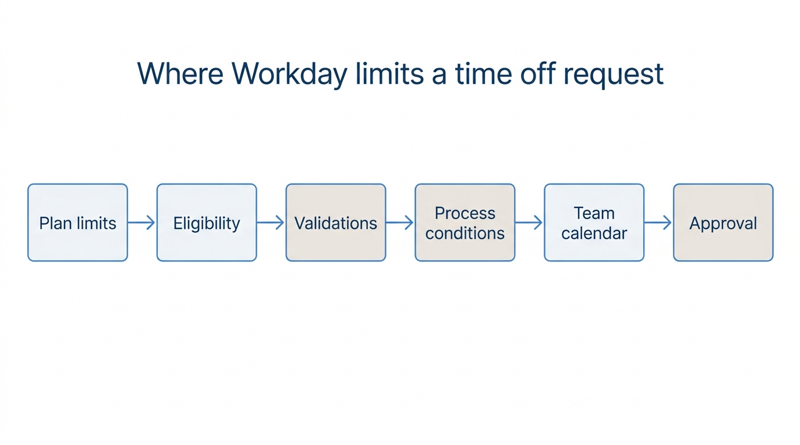
Workday time off limits sit in six places, from plan limits and eligibility rules to request validations, business process conditions, the Team Absence Calendar and approval routing. This guide shows what each setting protects, where peak season pileups still get through, and what to confirm in your tenant.


TL;DR
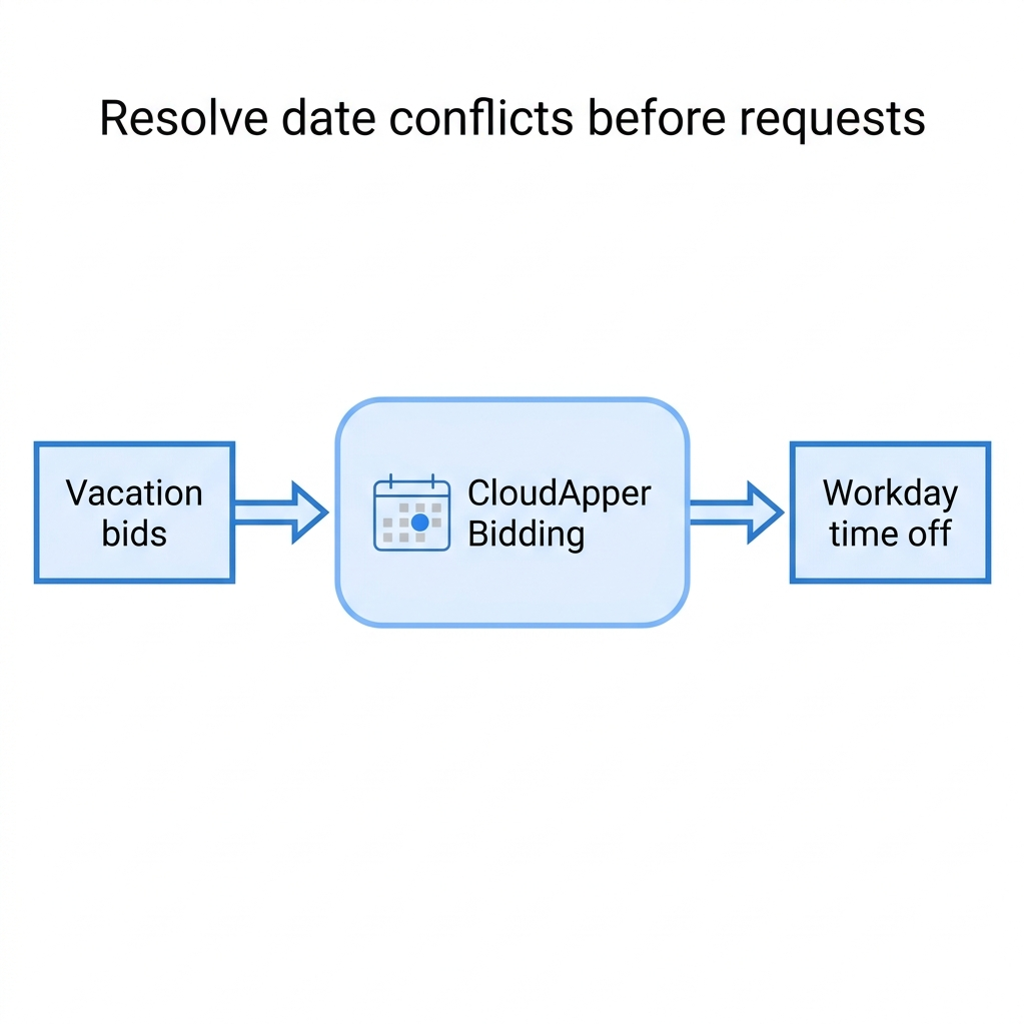
Workday limits time off in six places: plan limits, eligibility rules, request validations, business process conditions, the Team Absence Calendar and the approval step. Most of them govern one worker's request or balance, so they do not stop many teammates booking the same week. Workday's documented validations list no check against how many teammates hold a date and no blackout validation, which is a confirm in your tenant item. Teams fill that gap with spreadsheets and seniority picks, and CloudApper Bidding runs vacation bids and date conflicts before requests reach the approval queue.
Table of Contents
- Six Places Workday Limits Time Off, in the Order a Request Meets Them
- What Each Limit Protects, and What It Misses
- The Gap: Nothing Counts Who Else Is Off
- Running Vacation Picks Before Requests Reach the Queue
Workday time off limits live in six places, and most of them govern one worker’s request, not how many teammates are off the same week. That is why peak season pileups survive a clean setup. CloudApper runs alongside Workday for teams that need date conflicts settled before requests reach a manager’s queue.
Six Places Workday Limits Time Off, in the Order a Request Meets Them
- Time Off Plan limits. Upper, lower and carryover limits sit on the plan, and its time offs and accruals inherit them. Use Maintain Accrual and Time Off Limit Overrides only for a defined window, or balance mismatches follow.
- Eligibility rules. Set on the plan, with overrides per time off, they decide which worker groups can use a time off type.
- Request validations. Maximum caps one request or several requests. Consecutive Day Maximum limits days per request and needs the monthly calendar enabled. Multiple Time Off Requests Not Allowed for Same Date stops one worker double booking.
- Business process conditions. Workday documents a validation on the Request Time Off business process that blocks requests above a threshold, such as Time Off Total Units – Days.
- Team Absence Calendar. The Configure Team Absence task sets which workers and time off types managers can see, so overlaps show before approval.
- The approval step. Request Time Off routes to a security group such as Manager. Fix routing first, using this guide to business process approvals.
What Each Limit Protects, and What It Misses
Plan limits protect a balance, not a schedule, so every worker with a full balance can book the same week. Validations check one worker’s request. When Allow Override for Entry on Behalf of Worker is selected, users in the Enter on Behalf of Worker security groups can override a validation and see only a warning.

Do not use limits on protected leave. FMLA tracking needs its own review. The calendar helps only if a supervisor opens it, which is unlikely during an approval backlog.
The Gap: Nothing Counts Who Else Is Off
Workday’s documented validations cover request size, increments and same date overlap for one worker. They list no check against how many teammates hold a date, and no blackout date validation. Confirm both in your tenant.
The practitioner pattern fills that gap outside Workday. Supervisors keep a spreadsheet of vacation picks, and in union shops seniority decides who wins a week under the collective bargaining agreement. Someone then re-keys the winners as requests. CloudApper’s bidding workflow targets exactly that step.
Running Vacation Picks Before Requests Reach the Queue
CloudApper Bidding lets employees bid on vacation slots. It ranks bids by tenure or seniority under your policy rules and selects schedules that do not clash. Managers can approve results through the HR platform or the CloudApper dashboard. Workday stays the system of record for balances. Confirm the write-back setup with CloudApper before scoping.
Frequently Asked Questions
Q: How do I limit PTO days per request in Workday?
Use the Maximum or Consecutive Day Maximum time off validation.
Q: Can Workday block PTO on specific dates?
Workday’s documented time off validations do not include a blackout date validation, so confirm in your tenant. Many teams handle peak weeks through approval review or bidding before requests are entered.
Q: Can managers override time off limits in Workday?
Yes, when Allow Override for Entry on Behalf of Worker is selected on a validation. Users in the Enter on Behalf of Worker security groups then see a warning instead of a block.
Q: How do managers see overlapping time off in Workday?
Managers use the Team Absence Calendar or the Time Off and Leave Calendar.
Q: Does a time off plan limit stop too many people being off at once?
No. Plan limits apply to one worker’s balance, not to team coverage. Preventing pileups needs calendar review or a process that resolves date conflicts across workers.
If peak season requests still collide in spreadsheets and manager inboxes, talk with CloudApper about running vacation bidding alongside Workday.

What is CloudApper AI Platform?
CloudApper AI is an advanced platform that enables organizations to integrate AI into their existing enterprise systems effortlessly, without the need for technical expertise, costly development, or upgrading the underlying infrastructure. By transforming legacy systems into AI-capable solutions, CloudApper allows companies to harness the power of Generative AI quickly and efficiently. This approach has been successfully implemented with leading systems like UKG, Workday, Oracle, Paradox, Amazon AWS Bedrock and can be applied across various industries, helping businesses enhance productivity, automate processes, and gain deeper insights without the usual complexities. With CloudApper AI, you can start experiencing the transformative benefits of AI today. Learn More
- Useful Links:
- Agentic AI
- No-Code/Low-Code
- Custom Software
- HCM Personalization
- iPaaS
- FedRAMP

Brochure
CloudApper AI TimeClock
For accurate & touchless time capture experience.
Download Brochure
CloudApper AI Solutions for Workday



- Works with








- and more.
Similar Posts

Workday Scheduled Reports: 7 Pay Period Spreadsheets to Stop Rebuilding

Workday Open Shift Bidding: 6 Decisions to Make Before You…