Workday's Absence Management module can track FMLA — but for frontline and hourly workers, leave events approved by supervisors often never reach the system. This article explains where the data handoff breaks down and what to configure before concluding you need an external solution.

TL;DR
Workday Absence Management supports FMLA tracking natively — leave plans, entitlement accumulators, intermittent leave rules, and payroll integration all function correctly when data reaches the system. The compliance gap for frontline and hourly workforces is not a configuration problem: it is a data handoff problem. Supervisors on production floors, in distribution centers, and on clinical units approve FMLA leave informally, and those events routinely fail to enter Workday before payroll closes. Tightening native configuration — retroactive entry permissions, concurrent time-off rules, balance alerts — reduces the lag but does not eliminate it. CloudApper AI for HCM Personalization and Extensibility adds a supervisor-facing capture layer that writes approved leave events into Workday's absence engine in real time, so FMLA entitlement accumulators reflect actual leave as it happens rather than after payroll corrections surface the gap.
Table of Contents
- What Workday Absence Management Handles for FMLA
- Where the Tracking Breaks Down
- What to Configure in Workday First
- Where Native Configuration Runs Out
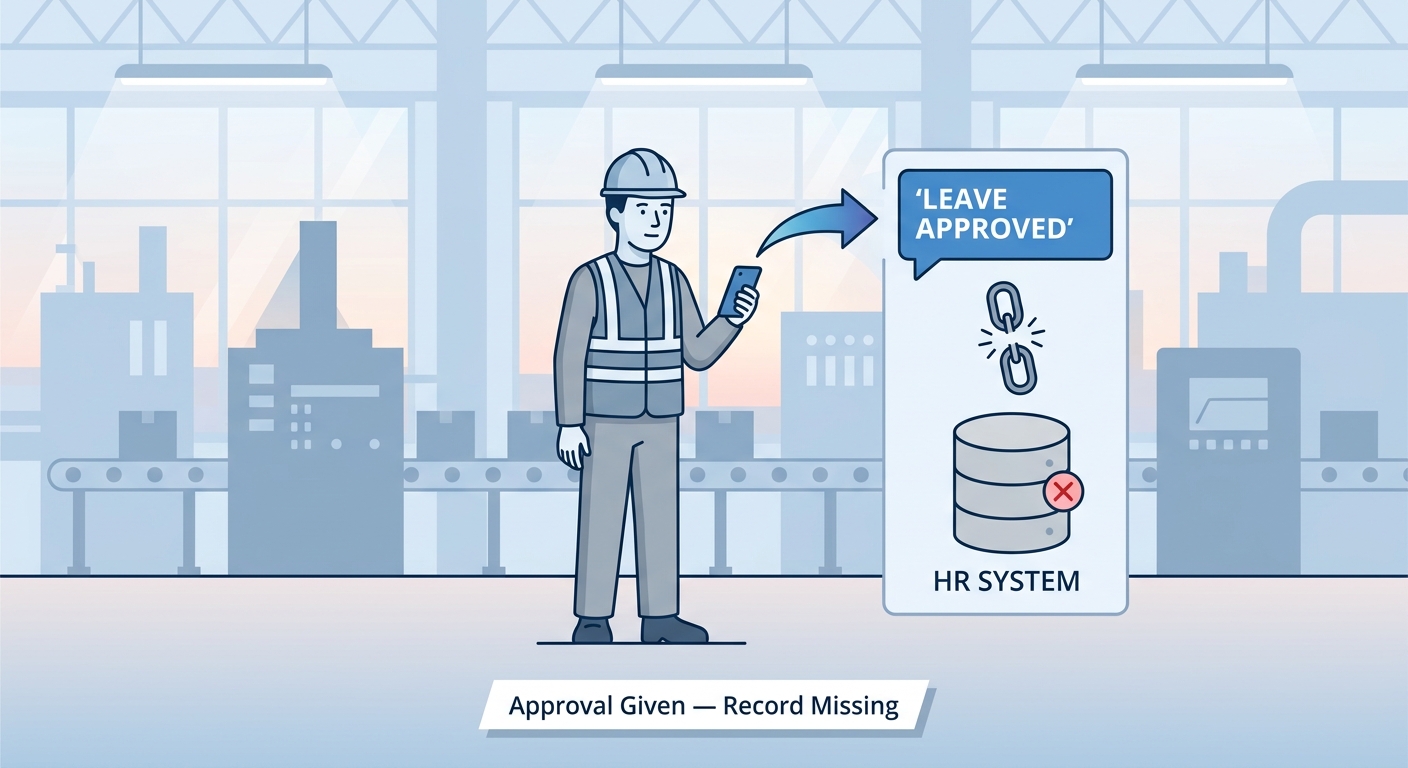
It is 6:02 a.m. on a Tuesday. A warehouse floor supervisor gets a text from a worker who needs to start intermittent FMLA leave. The supervisor verbally approves it, tells the worker to call HR, and walks back to the floor. That conversation never enters Workday. Tools like CloudApper AI for HCM Personalization and Extensibility exist specifically to close this handoff — capturing supervisor-level leave decisions at the moment they happen and writing them into Workday’s absence engine before the payroll cycle runs. But the gap itself is structural, not a configuration shortcut, and understanding it starts with what Workday actually does.
What Workday Absence Management Handles for FMLA
Workday’s Absence Management module is a capable FMLA tracking system when the data reaches it. Admins can configure a Family Medical Leave absence plan with entitlement rules, balance accumulators, and intermittent leave validation logic. Workers submit leave requests through self-service; managers approve them through Workday Inbox; payroll picks up the approved absence events automatically. For intermittent FMLA, Workday supports concurrent time-off entry — one request for paid time (sick or PTO) and a parallel FMLA tracking entry — so the system can accumulate hours against the entitlement separately from how those hours are compensated. When this workflow functions as designed, Workday gives compliance officers a clean audit trail: request dates, approval timestamps, hours consumed, and remaining entitlement balance, all in one place.
Where the Tracking Breaks Down
The supervisor who received the 6 a.m. text does not have time to open Workday before the shift starts. The worker who sent it works on a floor where Workday self-service is an afterthought — access is shared, sessions expire, and submitting a leave request requires a login that hourly workers rarely maintain. The absence event is real. The approval is real. The FMLA clock is running. The Workday record of it does not exist yet. By the time someone from HR circles back and tries to create the absence retroactively, the worker has already missed two shifts, the supervisor has approved both verbally, and the absence history now requires manual reconstruction. For organizations with hundreds of supervisors managing production floors, distribution centers, or clinical units, this is not an edge case — it is the standard pattern. Workday’s absence occurrence tracking captures what is entered; it has no mechanism for capturing what was approved outside the system.
What to Configure in Workday First
Before concluding that the gap requires an external solution, tighten the native configuration. Set up intermittent FMLA as a distinct leave type within your Family Medical Leave plan and configure the balance accumulator to track hours — not days — against the 480-hour annual entitlement. Enable retroactive time-off entry permissions for your HR roles so absence events can be backdated when they come in late. Make sure your variable-hour employee populations are mapped to the correct absence plans; ACA eligibility configurations and FMLA configurations frequently share the same worker classification logic, and a gap in one often signals a gap in the other. Run a Workday report filtered on employees with recent FMLA activity to confirm that approved leave events are generating the expected payroll impact — unpaid FMLA days that are processed as paid time indicate the concurrent time-off entry pattern is not being followed consistently. Finally, build a recurring Workday notification that alerts HR when an FMLA balance reaches 80% consumed, so intermittent leave cases do not reach exhaustion unnoticed.
Where Native Configuration Runs Out
None of these configuration steps solves the handoff problem. They all assume leave events enter Workday before payroll closes. For frontline supervisors who manage by text and verbal authorization, the 6 a.m. approval will not become a Workday record until someone downstream creates it — and the delay between approval and entry is exactly where retroactive payroll corrections originate. The compliance exposure is not in the FMLA rules themselves. It is in the leave events that never enter Workday because the supervisor who approved them had no practical way to record them at the moment of approval. Workday Inbox and manager self-service are designed for the knowledge worker who is already logged in; they are not designed for the shift lead who is walking a plant floor at 5:45 a.m. Building a custom leave-capture workflow inside Workday Extend is technically possible, but it requires development capacity and ongoing maintenance for what is fundamentally a data entry problem that exists across every frontline location simultaneously.
CloudApper AI for HCM Personalization and Extensibility
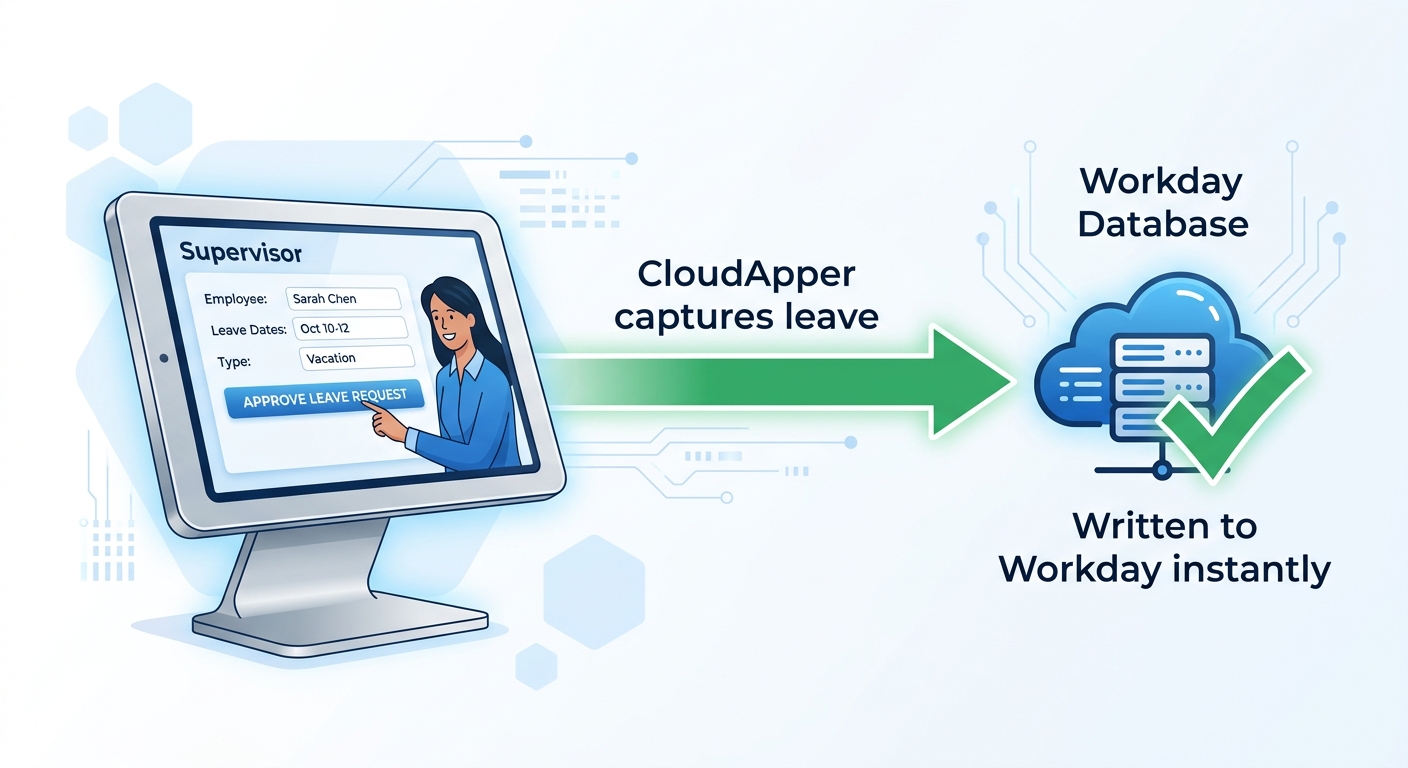
CloudApper AI for HCM Personalization and Extensibility adds a supervisor-facing leave capture layer that integrates directly with Workday’s Absence Management module. When a worker notifies a supervisor of a leave event — by text, by kiosk, or verbally confirmed through a mobile-accessible form — the supervisor records the approval through CloudApper, which writes the corresponding absence entry to Workday in real time. The FMLA entitlement accumulator receives the event before payroll processes it. No retroactive reconstruction. No compliance exposure from a six-hour delay between the 6 a.m. text and the HR data entry queue. For organizations that have correctly configured Workday’s native FMLA rules but are still finding leave events in payroll corrections month after month, the problem is almost always the same: the data handoff between the frontline supervisor and the HCM system is broken. CloudApper closes that handoff without requiring frontline supervisors to learn a new login or change how they manage their shifts.
Frequently Asked Questions
Q: Does Workday track FMLA leave natively?
Yes. Workday Absence Management supports FMLA configuration including leave plans, entitlement rules, intermittent leave balance accumulators, and concurrent time-off entry for paid and unpaid tracking. The system generates an audit trail of approved leave events, remaining entitlement, and payroll impact when leave requests are submitted and approved through standard Workday workflows.

Q: How do you track intermittent FMLA in Workday?
Intermittent FMLA in Workday requires two concurrent time-off entries for each absence event: one entry for the paid time (sick, PTO, or unpaid) that drives payroll, and a separate FMLA tracking entry that accumulates hours against the 480-hour annual entitlement. Admins configure this through the Absence Management module by setting up a Family Medical Leave leave type with an hours-based balance accumulator and enabling concurrent leave validation rules.
Q: What is the biggest FMLA compliance risk for Workday HCM customers?
The most common compliance exposure is leave events that are verbally approved by frontline supervisors but never entered into Workday. When the absence record does not exist in the system, Workday cannot accumulate the hours against the FMLA entitlement, cannot confirm the leave was job-protected, and cannot generate the documentation needed to defend a compliance audit. The configuration is correct; the data never arrives.
Q: Can you enter FMLA time off retroactively in Workday?
Yes — HR roles with retroactive time-off entry permissions can backdate absence events in Workday. However, retroactive entry creates risk when payroll has already processed the period, requiring off-cycle corrections. The better practice is capturing leave events at the time of approval rather than reconstructing them after payroll closes. See also: retro pay and off-cycle payroll correction workflows in Workday.
Q: How does Workday FMLA tracking work for employees without regular system access?
For frontline or hourly workers without regular Workday logins, the standard self-service leave request workflow does not function as intended. Leave events are typically approved by supervisors verbally or informally and entered by HR after the fact. This creates a gap between the moment FMLA coverage begins and the moment the Workday record reflects it. An extension layer that allows supervisors to initiate leave entries without requiring workers to log in is the standard solution for this population.
Q: What Workday reports should compliance officers run to audit FMLA tracking?
The most useful reports are: (1) a time-off balance report filtered by FMLA leave type, showing employees approaching entitlement exhaustion; (2) an absence request report showing all FMLA events by period, including approval timestamps; and (3) a payroll-to-absence reconciliation to confirm that FMLA periods processed as paid time have a corresponding paid time-off entry. Any period where FMLA tracking hours appear without a concurrent paid or unpaid time-off entry indicates a data entry gap.
Q: What is the difference between Workday Time Off and Workday Leave of Absence for FMLA?
Workday treats FMLA as a Leave of Absence rather than a time-off type in most configurations, though intermittent FMLA events are tracked through the time-off module as individual absence occurrences. A continuous FMLA leave uses the Leave of Absence workflow with a defined start and return date; an intermittent FMLA arrangement uses recurring time-off entries that accumulate against the entitlement balance. The two configurations require different setup in the Absence Management module and generate different payroll impacts.
If your FMLA tracking shows clean configuration in Workday but you keep finding leave events in payroll corrections or compliance reviews, the data handoff at the supervisor level is almost certainly where the record breaks down. The CloudApper team can map exactly where leave events are failing to reach Workday for your frontline populations. Reach out at cloudapper.ai/contact-us.

What is CloudApper AI Platform?
CloudApper AI is an advanced platform that enables organizations to integrate AI into their existing enterprise systems effortlessly, without the need for technical expertise, costly development, or upgrading the underlying infrastructure. By transforming legacy systems into AI-capable solutions, CloudApper allows companies to harness the power of Generative AI quickly and efficiently. This approach has been successfully implemented with leading systems like UKG, Workday, Oracle, Paradox, Amazon AWS Bedrock and can be applied across various industries, helping businesses enhance productivity, automate processes, and gain deeper insights without the usual complexities. With CloudApper AI, you can start experiencing the transformative benefits of AI today. Learn More
- Useful Links:
- Agentic AI
- No-Code/Low-Code
- Custom Software
- HCM Personalization
- iPaaS
- FedRAMP

Brochure
CloudApper AI TimeClock
For accurate & touchless time capture experience.
Download Brochure
CloudApper AI Solutions for Workday



- Works with








- and more.
Similar Posts
Workday Garnishments: Where the Configuration Ends and the Compliance Exposure…

Workday Skills Cloud: Why Frontline Workers Stay Invisible to Your…