Workday tracks absence occurrences, but an occurrence is counted rather than scored. This guide covers what the native occurrence engine does, where each attendance points workaround breaks and what it costs downstream, what to configure inside the tenant first, and what a Workday Extend build still leaves behind.

TL;DR
Workday has a real absence occurrence engine that counts how many times and how many consecutive days a worker is absent and recalculates automatically, but an occurrence is counted rather than scored. There is no native mechanism that weights a late arrival differently from a no-call/no-show, ages those values off on a rolling window, or fires a disciplinary step when a balance crosses a threshold. Every common substitute breaks at a known point: comments are not reportable as numbers, the disciplinary business process holds the consequence but not the arithmetic, an occurrence report cannot weight or decay, and supervisor spreadsheets produce a balance no system owns. Configure occurrence tracking and publish one shared report first, because enforcement usually diverges at the counting stage rather than the judgment stage. A Workday Extend custom object works but still leaves the authoritative balance separate from the records behind it, and that reconciliation is the real cost. CloudApper AI for HCM Personalization and Extensibility holds the point ledger as configured logic, and hrPad shows workers their balance at a shared tablet.
Table of Contents
- What Workday Actually Holds
- Where Every Points Workaround Collapses
- What to Configure Inside Workday First
- The Extend Route and What It Leaves Behind
Workday attendance points are not a native balance: the tenant holds time-off records and disciplinary actions, but not the running number that connects them. So the points total behind a termination often lives in a site HR manager’s spreadsheet, and when the decision is questioned months later, Workday cannot show how it was reached.

Absence occurrences and a weighted points ledger with twelve-month roll-off are different things. Closing that gap is a configuration question first, and only then a question of whether something like CloudApper extensibility layer for Workday should hold the ledger.
What Workday Actually Holds
More than most teams use. Workday’s absence occurrence functionality monitors how many times and how many consecutive days a worker is absent in a period. Consecutive days of one type group into a standard occurrence, several types can combine into a custom occurrence, and counts recalculate automatically as absences are requested, corrected, or closed by a return from leave. A delivered report returns one row per occurrence. Any tenant running a no-fault policy should have this configured before anything else.
Where Every Points Workaround Collapses
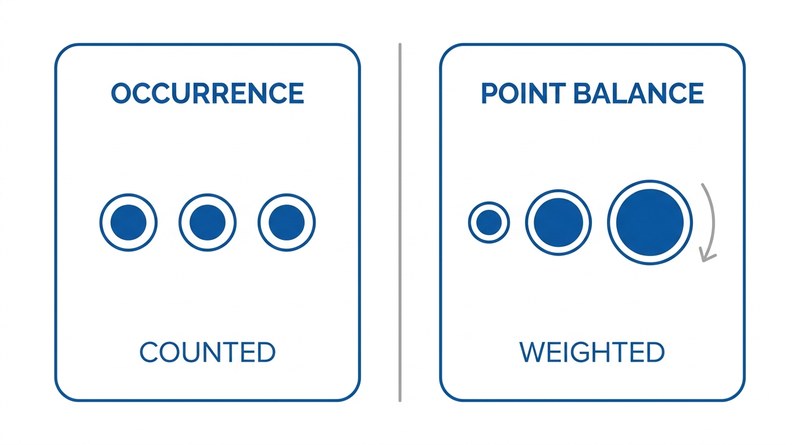
What occurrences do not carry is a weighted, decaying balance. An occurrence is counted, not scored. Nothing assigns half a point to lateness and three to a no-show, ages those values out on a rolling window, or fires a disciplinary step when the total crosses a threshold. Each substitute breaks somewhere specific.
Time-off comments. Supervisors record the point value in the comment field on the absence request. Comments are not reportable as numeric data, so no running total exists and nobody can produce a balance without reading records one by one.
The disciplinary action business process. It captures that a warning was issued and holds the document, but not the arithmetic behind it, so the record shows the consequence with no trace of the trigger.
A custom report on occurrences. The closest option, and where most tenants stop. It counts correctly but cannot weight by type or decay by age, so a worker with three late arrivals and one with three no-shows return identical rows.
Supervisor spreadsheets. The only option that models the policy fully, and the one producing a balance no system owns. Per-site files diverge, points that should have rolled off never do, and the worker cannot see where they stand until a meeting.
What to Configure Inside Workday First
Configure occurrence tracking properly, with custom occurrences grouping the absence types your policy treats as one event, so event data is consistent across sites. Then build the occurrence report by worker, type, and date and give supervisors access. They will still calculate points by hand, but everyone counts the same events, which removes the most common source of divergence between locations. It matters most where union agreements set different thresholds per bargaining unit, and it is the discipline that also makes recurring training tracking for frontline workers hold together.
The Extend Route and What It Leaves Behind
The obvious next step is a custom attendance point object in Workday Extend, holding point values, effective dates, and a calculated balance. It works, and for teams with developer capacity to maintain it, it is a legitimate answer. The build-inside-versus-extend-outside decision is worth making deliberately rather than by default.
What Extend does not resolve is structural. A custom object still needs someone maintaining per-site rules, still requires a job to age points off, and still leaves the authoritative balance separate from the absence records that produced it. When a decision is questioned months later, someone reconciles the two. That reconciliation, not the missing object, is the actual cost, and it is the same whether the balance sits in Extend or a spreadsheet. Only the maintainer changes.
Where CloudApper Fits
CloudApper AI for HCM Personalization and Extensibility holds the point ledger as configured logic rather than a build: point values by event type, rolling expiry windows, and thresholds differing per site or agreement, maintained by HR when policy changes rather than through a development cycle. Balances calculate from the absence and time events themselves, so the number and its events stay connected instead of being reconciled later, the same way teams add fields and logic around Workday without touching the core system.
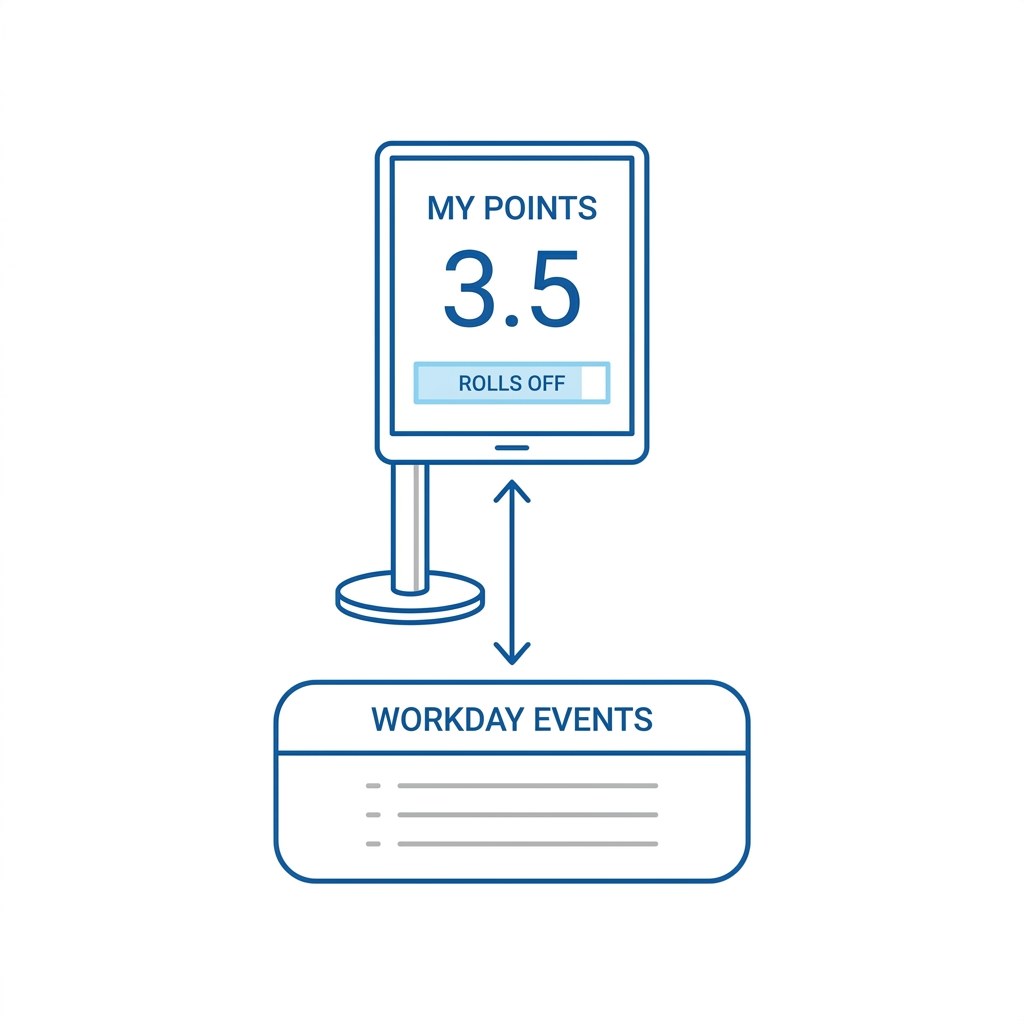
Visibility is the other half. CloudApper hrPad shows a worker their balance and what rolls off when, at a shared tablet on the floor, the only practical channel for a population that does not reliably receive Workday notifications. A worker watching four points accumulate behaves differently from one who finds out at a warning meeting.
Frequently Asked Questions
Q: Does Workday have a native attendance points object?
No. Workday tracks absence occurrences, which count how many times and for how many consecutive days a worker is absent and recalculate automatically as absences change. It does not assign weighted point values to event types, expire points on a rolling window, or trigger disciplinary steps when a balance crosses a threshold.
Q: What is the difference between Workday absence occurrences and attendance point tracking?
An occurrence is a count of absence events, with consecutive days of the same type grouped as one event. A point balance is a weighted score where different event types carry different values and older entries age out. Occurrences give you the event data a points policy needs, but not the scoring or the decay.
Q: Can I track attendance points in the Workday time-off comment field?
You can enter them, but comments are not reportable as numeric values, so no running balance can be produced. Anyone needing a worker’s total has to open records individually, which is why this approach does not survive contact with a multi-site policy.
Q: Can Workday Extend build an attendance point system?
Yes. A custom object holding point values, effective dates, and a calculated balance is a reasonable Extend use case. The residual work is maintaining per-site and per-agreement rules, running a process to age points off, and reconciling that balance against the absence records behind it when a decision is reviewed.
Q: How do you keep attendance point enforcement consistent across multiple sites?
Start by making the event data identical everywhere: configure occurrence tracking centrally so every site counts the same absences the same way, and give all supervisors the same occurrence report. Consistency breaks most often at the counting stage rather than the judgment stage, so standardizing the input removes most of the divergence before anyone applies the policy.
If your policy lives in a document and your balances live with supervisors, the first move is not to build anything. Configure occurrence tracking, publish one report, and see how far apart two sites are counting the same month. That difference tells you whether the problem is the policy, the data, or the ledger. If it is the ledger, the CloudApper team can walk through how point logic and worker-facing balances work alongside Workday. Reach them through the CloudApper contact page.

What is CloudApper AI Platform?
CloudApper AI is an advanced platform that enables organizations to integrate AI into their existing enterprise systems effortlessly, without the need for technical expertise, costly development, or upgrading the underlying infrastructure. By transforming legacy systems into AI-capable solutions, CloudApper allows companies to harness the power of Generative AI quickly and efficiently. This approach has been successfully implemented with leading systems like UKG, Workday, Oracle, Paradox, Amazon AWS Bedrock and can be applied across various industries, helping businesses enhance productivity, automate processes, and gain deeper insights without the usual complexities. With CloudApper AI, you can start experiencing the transformative benefits of AI today. Learn More
- Useful Links:
- Agentic AI
- No-Code/Low-Code
- Custom Software
- HCM Personalization
- iPaaS
- FedRAMP

Brochure
CloudApper AI TimeClock
For accurate & touchless time capture experience.
Download Brochure
CloudApper AI Solutions for Workday



- Works with








- and more.
Similar Posts

Workday Biometric Time Clock Compliance: Consent, Retention, and Deletion Rules…

Workday Kiosk Security: Protecting Pay Slips and PII on Shared…