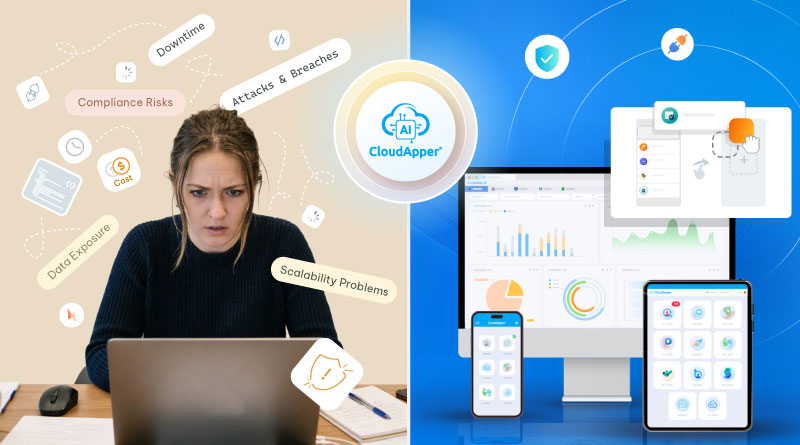
HR system integration is essential for businesses managing multiple HCM and ATS platforms. Without seamless connectivity, HR teams face inefficiencies, data silos, and operational delays. By integrating systems, organizations can eliminate manual data entry, improve real-time decision-making, and enhance overall efficiency.

Table of Contents
- What Is HR System Integration?
- How Many HR Systems Does the Average Organization Run?
- Why HR Integrations Fail
- The Four Ways to Connect HR Systems
- How Do You Choose Between Them?
- Common HR Integrations and How They Work
- How CloudApper Connects HR Systems Without Custom Development
- Integration Is What Separates a Stack From a Pile
- Frequently Asked Questions
Only 13% of organizations run their HR on a single system. Just about everyone else is running two, four, or eleven, and holding them together with exports, uploads, and someone’s Tuesday morning.

Research from HR.com surveying 275 HR professionals found 49% run two to four paid HR solutions and 30% run five or more, with 7% past eleven. The same study found 30% of organizations say a lack of technology integration is actively holding them back from their HR goals, and 35% say their systems do not integrate well.
The most useful number in that research is the gap between the best and worst: 95% of HR tech stack leaders have successfully integrated their systems, against 16% of laggards. Integration is not a minor implementation detail separating good stacks from bad ones. It is most of the difference.
What Is HR System Integration?
HR system integration is the practice of connecting the separate systems that hold employee data — HCM, ATS, payroll, time and attendance, benefits, learning so that information moves between them without manual export and re-entry. Done well, an event recorded in one system appears correctly in every system that needs it, with a record of what moved and when.
The word “integration” hides a lot of variation. A nightly CSV upload is an integration. So is a real-time API sync with error handling and an audit trail. Both connect two systems. Only one of them survives an audit.
How Many HR Systems Does the Average Organization Run?
Roughly 87% of organizations run more than one HR system, per the HR.com research. Most run between two and four. Nearly a third run five or more.
That happens for reasonable reasons. HCM platforms are bought for the record of employment, and then a team needs something the platform does not do well: high-volume hiring, frontline time capture, shift bidding, a specific compliance workflow. Each addition solves a real problem and adds a connection point.
The cost is not the software. It is that employee data now exists in several places with several versions of the truth, and someone has to reconcile them.
Why HR Integrations Fail
The failure modes are consistent enough to list, and none of them are exotic.
Identity does not match across systems. An employee is a record ID in the HCM, an applicant ID in the ATS, a badge number on the clock, and a different key in payroll. Without one reliable mapping, every sync inherits the ambiguity.
Terminations and transfers lag. Hires flow reliably because someone is waiting for them. Departures and internal moves flow late, which is how access outlives employment and how payroll pays someone who left.
Field mappings drift. A vendor adds a field, an admin renames a code, a new location uses a different job title convention. The integration keeps running and quietly starts moving the wrong values.
Nobody owns errors. Batch integrations fail silently. If no person or queue owns exceptions, failures are discovered downstream by whoever is affected.
There is no audit trail. When a record is wrong, reconstructing which system changed what and when is often impossible, which is a compliance problem as much as an operational one.
Point-to-point connections multiply. Four systems connected directly to each other is six connections. Six systems is fifteen. Each needs maintaining and re-certifying after every vendor update.
The Four Ways to Connect HR Systems
File-based transfer
Scheduled CSV or flat-file exports and imports. Cheap, universally supported, and the default fallback everywhere.
It works when data volumes are modest and same-day accuracy is not required. It breaks on timing (data is only as fresh as the last run), on silent failures, and on audit, because the file is a snapshot with no record of what changed.
Direct API integration
A purpose-built connection between two systems, usually developed once.
It gives real-time or near-real-time accuracy and full control. The cost is ownership: your team builds it, monitors it, and repairs it every time either vendor changes an endpoint. It also scales badly, because each new system means new connections.
Integration platform (iPaaS)
A middleware layer that connects many systems through one hub, with pre-built connectors.
It solves the point-to-point explosion and centralizes monitoring. It adds a platform to license, administer, and govern, and pre-built connectors tend to cover the common paths well and the specific ones poorly. Anything unusual becomes custom work inside the middleware.
Workflow layer
An application layer that sits on top of the system of record, captures or processes data where the work happens, and writes validated results back into the existing system.
The difference from the other three is what it moves. The first three move data between systems after the fact. A workflow layer handles the work itself and keeps the system of record current as a consequence, so there is less to reconcile. It fits where the gap is a missing capability rather than a missing pipe.
How Do You Choose Between Them?
Four questions get you most of the way.
Is the gap a missing pipe or a missing capability? If both systems do their jobs and data just needs to move, that is an integration problem, and file or API transfer may be enough. If one system cannot do something you need, connecting it to another system will not create the capability.
How fresh does the data need to be? Same-day accuracy rules out nightly batches. Anything touching pay, access, or compliance is usually same-day.
Who maintains it in year two? Custom API work is cheapest to build and most expensive to keep. Be honest about whether you have the team.
Can you prove what happened? If the answer to “why is this record wrong” has to be reconstructed by hand, the approach will fail its first audit.
Common HR Integrations and How They Work
The general principles matter less than the specific pairing you are trying to connect, so here are the ones we see most:
Connecting an employee kiosk or self-service layer to any HCM or payroll system, which is the most common frontline case. Also Connecting time and attendance to payroll, including Workday HCM with Paycom, Paycor, and Paylocity. Connecting AI screening and hiring workflows to an ATS. Pulling clock-in and location data into Workday HCM. Integrating background checks into Workday recruiting. Implementing Oracle Recruiting Cloud alongside an existing HCM. And working around data fragmentation when consolidation is not an option.
Each of those has its own constraints, and the linked guides go into the specifics.
How CloudApper Connects HR Systems Without Custom Development
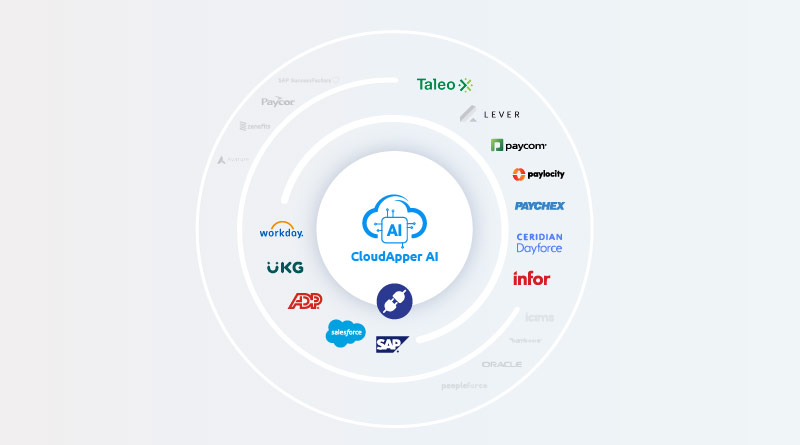
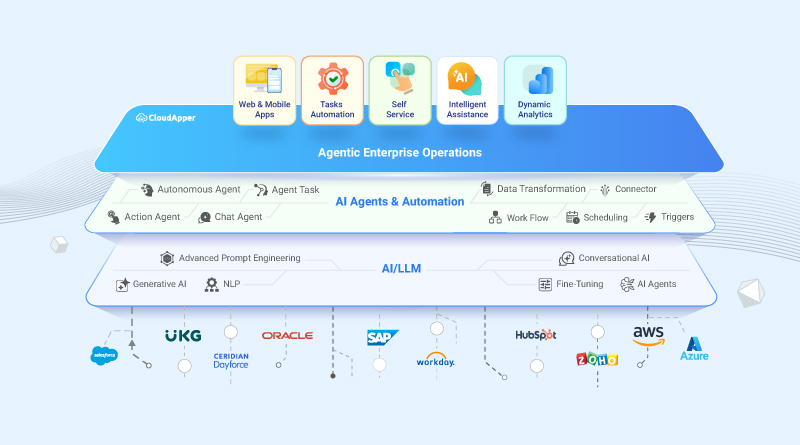
CloudApper works as a workflow layer rather than a data pipe. Applications run on top of the HCM, ATS, or payroll platform you already use — UKG, Workday, Dayforce, Oracle, SAP SuccessFactors, ADP, Paycom, Paycor, Paylocity, isolved, and others — handling the work the core system was not built for and writing validated results back into it.
Because the platform delivers complete applications rather than generated code, there is no integration codebase handed to your team to maintain, and every application inherits the platform’s security, governance, and compliance framework rather than requiring a separate review per connection. When a vendor changes an endpoint, that is the platform’s problem rather than a project on your roadmap.
The practical effect is that the system of record stays authoritative, the work happens where it needs to happen, and nobody spends Tuesday morning reconciling exports.
Integration Is What Separates a Stack From a Pile
The HR.com finding worth sitting with is the 95% against 16%. Organizations at the top of the HR technology curve are not distinguished by owning better systems. They are distinguished by their systems working as one thing.
That difference is felt well beyond IT. It is the recruiter who does not re-key a candidate into three tools, the payroll administrator who is not reconstructing a pay period, and the new hire whose access works on day one.
CloudApper is the process layer that closes the gaps enterprise software cannot. Your HCM holds the record of employment. It was never built to do everything that happens around it. Organizations that close that gap stop buying systems to compensate for other systems, and they do it in weeks rather than quarters.
Frequently Asked Questions
What is HR system integration?
HR system integration connects the systems holding employee data — HCM, ATS, payroll, time and attendance, benefits, learning — so information moves between them without manual export and re-entry. A well-built integration keeps every system current and records what moved and when.
How many HR systems does a typical company use?
Research from HR.com covering 275 HR professionals found only 13% run a single HR solution. About 49% run two to four paid solutions, 30% run five or more, and 7% run more than eleven.
Why do HR integrations fail?
The recurring causes are mismatched employee identifiers across systems, terminations and transfers syncing late, field mappings drifting after vendor updates, no owner for sync errors, no audit trail, and point-to-point connections multiplying faster than anyone can maintain them.
What are the main approaches to connecting HR systems?
Four: scheduled file transfer, direct API integration, an integration platform or iPaaS, and a workflow layer that sits on the system of record. The first three move data between systems after the fact. The fourth handles the work and keeps the record current as a result.
Do you need custom development to integrate HR systems?
No. Custom API work is one option, but it transfers long-term maintenance to your team, since every vendor endpoint change becomes your repair. Platform and workflow-layer approaches deliver the connection without handing over a codebase to maintain.
How do you integrate time and attendance with payroll?
Capture time data with identity verified at the moment of the punch, validate it against your pay rules before it enters the record, and sync it into the payroll system continuously rather than uploading a file at period end. Validating at capture prevents most reconciliation work.
What should you look for in an HR integration approach?
Ask whether the real gap is a missing pipe or a missing capability, how fresh the data needs to be, who maintains the connection in year two, and whether you can prove what changed when. The last question eliminates most file-based approaches for anything compliance-related.

What is CloudApper AI Platform?
CloudApper AI is an advanced platform that enables organizations to integrate AI into their existing enterprise systems effortlessly, without the need for technical expertise, costly development, or upgrading the underlying infrastructure. By transforming legacy systems into AI-capable solutions, CloudApper allows companies to harness the power of Generative AI quickly and efficiently. This approach has been successfully implemented with leading systems like UKG, Workday, Oracle, Paradox, Amazon AWS Bedrock and can be applied across various industries, helping businesses enhance productivity, automate processes, and gain deeper insights without the usual complexities. With CloudApper AI, you can start experiencing the transformative benefits of AI today. Learn More
- Useful Links:
- Agentic AI
- No-Code/Low-Code
- Custom Software
- HCM Personalization
- iPaaS
- FedRAMP

Brochure
CloudApper hrPad
Empower Frontline Employees with an AI-Powered Tablet/iPad Solution
Download Brochure
CloudApper AI Solutions
- Works with








- and more.
Similar Posts
Legacy System Modernization Without a Full Rebuild
![Is Your Workforce Management Ready for AI? [Free 90-Second Assessment]](https://www.cloudapper.ai/wp-content/uploads/2026/07/Is-Your-Workforce-Management-Ready-for-AI.jpg)
Is Your Workforce Management Ready for AI? [Free 90-Second Assessment]