Oil and gas field time tracking breaks down when a hitch runs weeks without a signal. This guide shows how tablets capture each punch offline, tag it to the right well or AFE, and sync to your HR platform once a connection returns.

TL;DR
- Paper logs on a remote hitch arrive weeks late, which is how AFE hours land on the wrong well.
- Store every punch on the tablet at the moment it happens and sync when a signal returns.
- Tag each punch to the well, lease, or AFE at entry so job costing never relies on memory.
- Use standard iPads or Android tablets to cover a new pad without installing dedicated hardware.
- Keep Workday, UKG, Oracle HCM, or Dayforce as the system of record and let the clock feed it.
Table of Contents
- Why paper breaks oil and gas field time tracking
- How offline-first employee time tracking works across a full hitch
- What CloudApper AI TimeClock does on a pad with nothing else
- Getting hitch hours right, wherever the crew is working
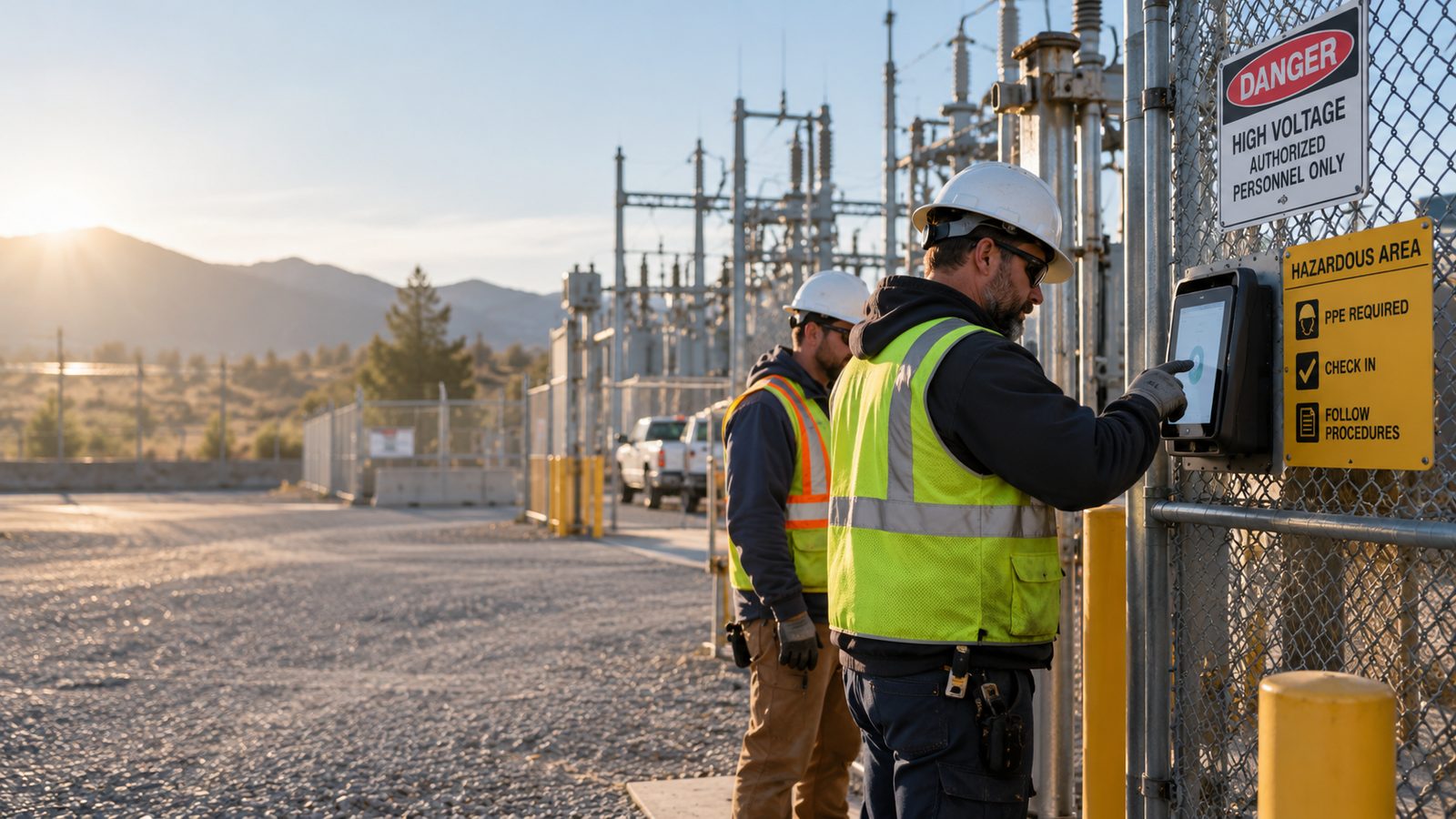
Oil and gas field time tracking falls apart when a crew leaves cell coverage, because neither a paper log nor a connected terminal can record a punch with no network. A crew finishing a fourteen-day hitch at a compressor station forty miles from the nearest tower hands over a clipboard, and someone in the office spends days turning it into payroll data. The fix is a time clock that stores each punch on the device, tags it to the right well, lease, or AFE, and uploads the whole hitch once a signal returns. CloudApper AI TimeClock does this on standard iPads and Android tablets and syncs with the platforms you already run, including Workday, UKG, Oracle HCM, and Dayforce.
Why paper breaks oil and gas field time tracking
A tour at the wellhead lasts twelve hours, but the record of it can wait two weeks. By the time the crew rotates out, a supervisor is rebuilding who worked which tour, whether the early start on day nine was overtime, and which AFE the hours belong to. Labor charged to the wrong Authorization for Expenditure usually surfaces only when lease accounting reconciles, weeks later. Payroll teams already lose time to missed punch corrections in an office, and a two-week gap multiplies that effort.

How offline-first employee time tracking works across a full hitch
The American Payroll Association estimates that manual timecard errors run between 1 and 8 percent of total payroll, and records reconstructed after a hitch have little reason to land at the low end.
Oil and gas field time tracking software has to cover a gap measured in weeks, not minutes. The clock holds a full hitch of punches locally, each with identity, timestamp, GPS, and well or AFE code, then releases them at the first truck stop, field office, or satellite uplink. It scales because every site has the same constraint: no fixed infrastructure, no IT staff, rotating crews. Covering a new site means handing a tablet to the next crew, across drilling rigs, pipelines, offshore platforms, and remote mines.
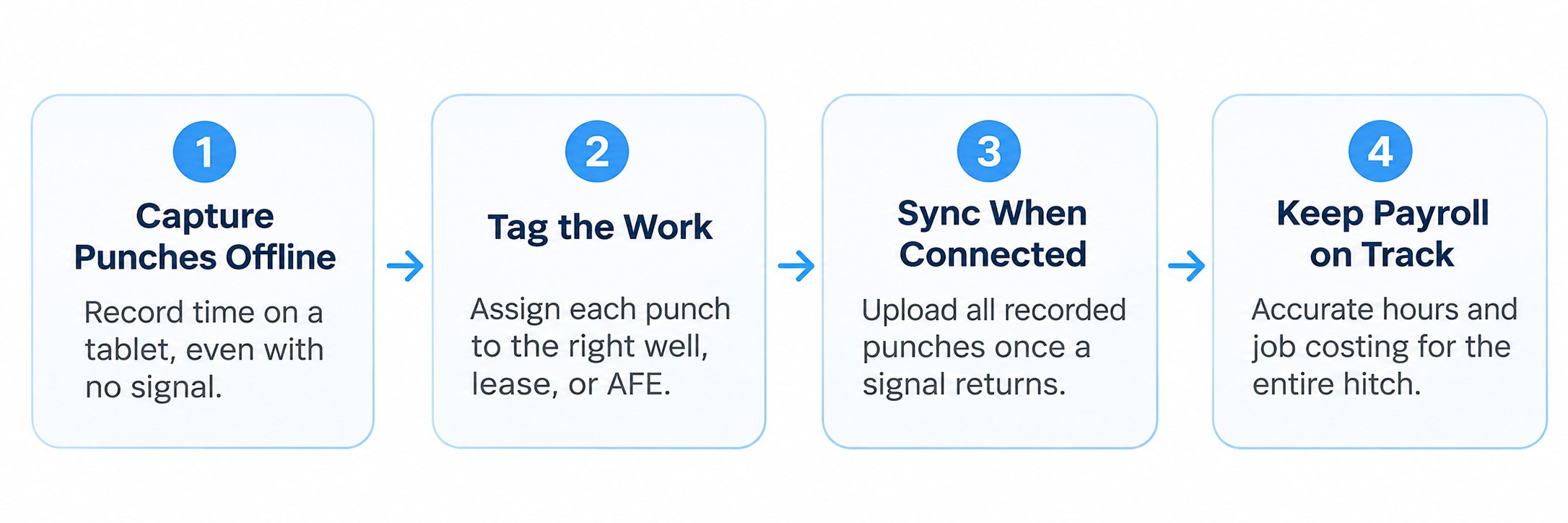
Your HR platform isn’t the gap. Workday, UKG, Oracle HCM, and Dayforce manage workforce records, pay rules, accruals, and compliance well once clean punches arrive. Running a device on a pad with no connection falls outside what they are built for, so the capture layer feeds them instead of replacing them.
What CloudApper AI TimeClock does on a pad with nothing else
CloudApper AI TimeClock turns a standard tablet into an enterprise time clock. Face ID verifies the worker, punches stay on the device, and offline-first sync pushes them to your HR or payroll platform when a connection returns. Standard iPad and Android time clocks ship overnight, and CloudApper reports hardware savings of up to 60 percent compared with traditional terminals.
Every punch carries its well, lease, or AFE code at entry, so job costing never depends on memory. Supervisors can use group clock-ins for a whole crew arriving off one vehicle, and clock-out can prompt H2S or confined space confirmations. Crews using offline time clocks on construction sites or in-vehicle time clocks for mobile crews face the same signal loss, and a hitch is the longest version of it.
Getting hitch hours right, wherever the crew is working
Paper logs break oil and gas field time tracking because records arrive weeks after the work, which is how AFE hours land on the wrong well. Capturing each punch on the device and syncing when a signal returns fixes that across rigs, pipelines, and remote mines. Workday, UKG, Oracle HCM, and Dayforce keep handling pay rules and compliance, while CloudApper AI TimeClock covers the capture at the pad on low-cost tablets. If your crews work beyond coverage, ask us for a demo and we will walk through your rotation and payroll setup.
Frequently asked questions
Does the time clock work through an entire hitch with zero signal, not just a short outage?
Yes. Punches are stored on the device with the timestamp, identity, and location for as long as the device is offline, whether that is a few hours or a full rotation. Recording a punch never requires a live connection.
How are hours tagged to the correct well, lease, or AFE code?
Job codes, lease identifiers, and AFE numbers are configured before deployment. Each punch is tagged when it is captured, so nobody has to assign the code from memory after the hitch.
Can a supervisor clock in an entire crew at once?
Yes. Group punch lets a supervisor check in a whole crew in one action, which matches how crews arrive at a pad together off a crew-change vehicle.
What happens to recorded punches if a tablet loses power before it reaches a signal?
Punch records are written to local storage as they happen, so they survive a power loss or restart. They sync as soon as the device reconnects to any network.
How does captured time reach our HR or payroll system?
Once the device reconnects, queued punches sync into the connected platform with their verification data attached. Nobody has to export a CSV or upload anything by hand.
Can clock-out capture safety confirmations like H2S monitoring or confined space entry?
Yes. Clock-out can be configured with confirmation prompts that match a site’s safety requirements, which leaves a record at the moment a worker leaves the pad.

What is CloudApper AI Platform?
CloudApper AI is an advanced platform that enables organizations to integrate AI into their existing enterprise systems effortlessly, without the need for technical expertise, costly development, or upgrading the underlying infrastructure. By transforming legacy systems into AI-capable solutions, CloudApper allows companies to harness the power of Generative AI quickly and efficiently. This approach has been successfully implemented with leading systems like UKG, Workday, Oracle, Paradox, Amazon AWS Bedrock and can be applied across various industries, helping businesses enhance productivity, automate processes, and gain deeper insights without the usual complexities. With CloudApper AI, you can start experiencing the transformative benefits of AI today. Learn More
- Useful Links:
- Agentic AI
- No-Code/Low-Code
- Custom Software
- HCM Personalization
- iPaaS
- FedRAMP
Brochure
CloudApper AI TimeClock
For accurate & touchless time capture experience.
Download Brochure
CloudApper AI Solutions for HR

- Works with







- and more.
Similar Posts
Farm Work and Non-Farm Work in the Same Week: Tagging…
Hazard Pay Time Tracking: Proving Who Worked in the Hazardous…