Where you put the time clock changes how fast a shift actually gets moving. This guide walks through the facility zones that cut clock-in bottlenecks, how to do it without replacing your existing HR system, and what happens to productivity once placement gets it right.

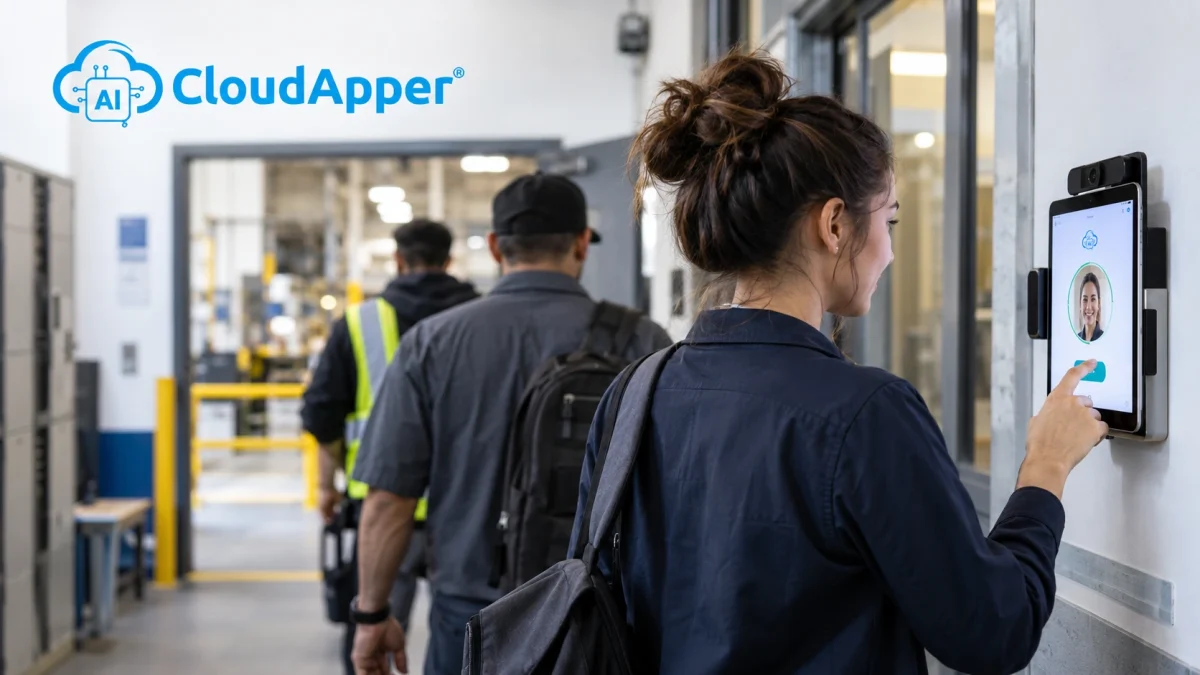
Table of Contents
- Why Time Clock Placement Is a Productivity Lever
- High-Impact Zones for Time Clock Placement
- Choosing a Time Clock That Extends Your Existing Systems
- The Payoff: Faster Shift Starts, Better Data, Happier Teams
Most facility managers wouldn’t leave equipment layout to guesswork. Machine placement, walkways, break areas: all of it gets planned down to the square foot. The time clock rarely gets that same level of thought, even though where it sits determines how fast a shift actually gets moving. Put a kiosk in the wrong spot and you’ve built a bottleneck into the start of every single shift. Put it in the right one, and it becomes one of the easiest productivity wins available to any employer running more than one shift, something CloudApper builds on using nothing more than the tablets and systems already in the facility.

The best place for a time clock is close to where each shift actually starts work, not just the front door. One kiosk at the entrance is fine for a small site. Bigger facilities with multiple shifts do better with a few kiosks near work areas and break rooms, so nobody waits in one long line.
Why Time Clock Placement Is a Productivity Lever
Every minute spent waiting to punch in is a minute the shift isn’t running at capacity. Delays at a single clock-in point, often five to ten minutes per employee according to workforce research on time clock data and shift planning, add up fast once multiplied across a full crew and repeated shift after shift, week after week. That time doesn’t disappear. It just goes unaccounted for. Treat placement like the operational decision it is, the same way you’d plan equipment layout or foot traffic, and those minutes turn back into output.
High-Impact Zones for Time Clock Placement
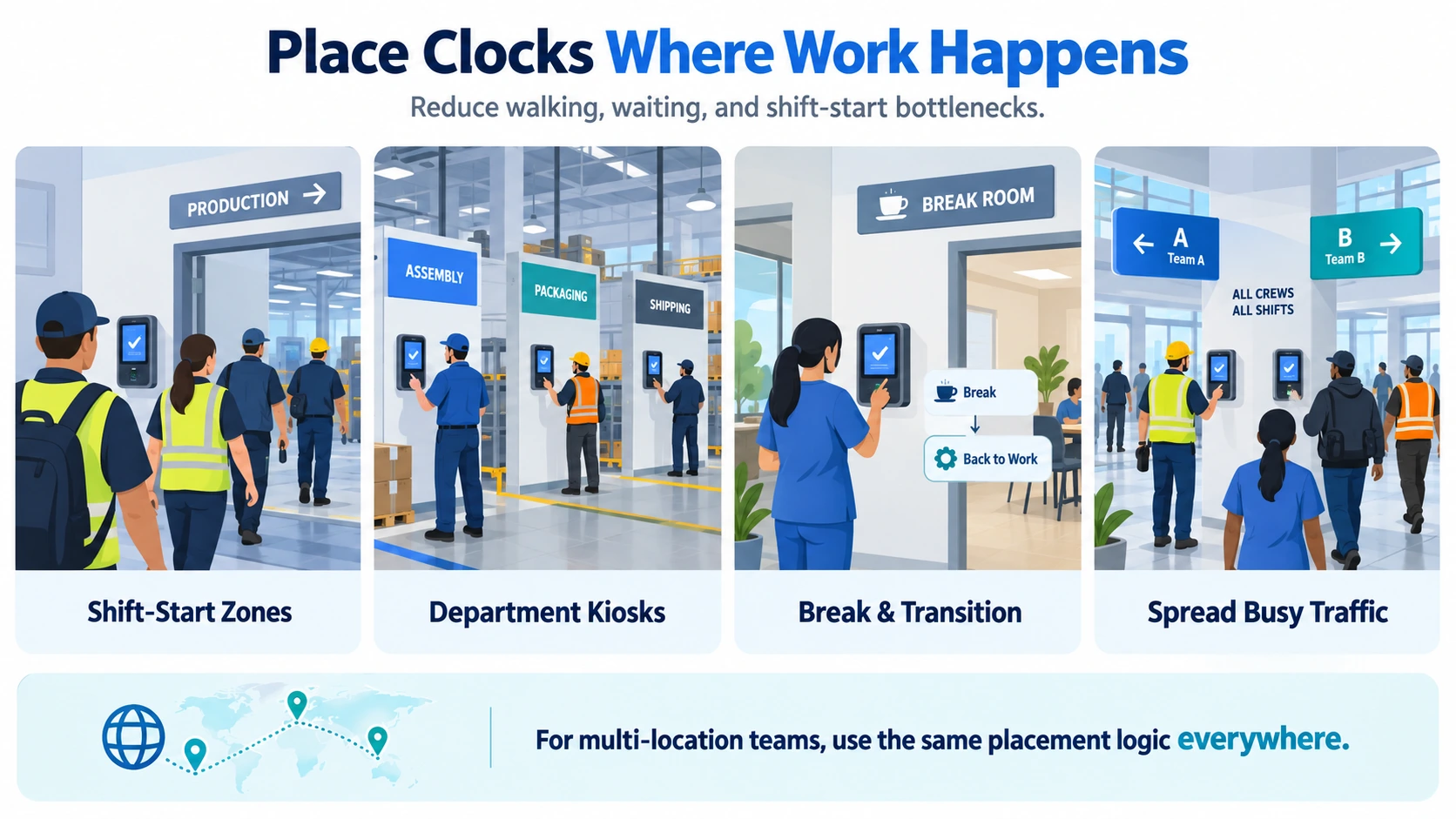
A single kiosk by the front door is fine for a small site. Bigger, multi-shift operations get more out of placing time clocks where the actual work happens:
- Staging areas near shift-start points. Crews walk straight into position instead of crossing the whole facility after clocking in.
- Zone or department kiosks. On plant floors, hospital units, or warehouse zones, local access cuts down on cross-facility travel and speeds up handoffs between shifts.
- Break rooms and transition zones. Employees switching tasks or job codes mid-shift can do it without leaving their area.
- High-convergence points. Anywhere multiple crews or shifts overlap, spreading access across two or three points keeps one line from swallowing everyone.
What to Check Before You Mount a Time Clock
- There’s a power outlet and good Wi-Fi at that exact spot
- It isn’t facing a bright window, which makes face scans harder
- The screen sits at a comfortable height, between 15 and 48 inches off the floor
- It doesn’t block a walkway or an exit
- A camera or supervisor can see it, which discourages buddy punching
Multi-location employers deal with a version of this problem at scale. It’s not just where the clock sits in one building, it’s whether every location follows the same logic. Simplify multi-location employee management with AI and 5 smart ways to use AI TimeClock across multiple locations both go deeper into that side of it.
Choosing a Time Clock That Extends Your Existing Systems
None of this requires new hardware or ripping out a system that already works. Employers running UKG, Oracle, Workday, Dayforce, or any other HR system keep that system exactly as it is. CloudApper AI TimeClock runs on the tablets already sitting at each zone, adding self-service capabilities, an AI HR assistant, and real-time sync back to whatever HR system is already in place. Think of it less as a new tool and more as a layer that sits on top of what you already trust, placed exactly where the workforce actually needs it. That’s the same thinking behind turning kiosks into a frontline HR ecosystem across a full shift.
The Payoff: Faster Shift Starts, Better Data, Happier Teams
Better placement pays off in a few concrete ways. Shift changes get less congested. Crews reach full productivity faster. Labor data gets more precise, broken down by zone instead of one blurry facility-wide number, which makes planning ahead easier for HR and finance alike. And the clock-in itself gets fast enough that it doesn’t eat into anyone’s actual shift, which sets a decent tone for the hours that follow. Gain operational insights for workforce management covers how that zone-level data actually gets put to use once you have it.
Facility layout and workforce technology work better when someone actually plans them together instead of treating the time clock as an afterthought. If your current setup hasn’t kept pace with how the facility runs today, it’s worth walking the floor and asking where the real bottlenecks are.
FAQ
Do we need new hardware to change kiosk placement?
No. CloudApper AI TimeClock runs on the iPads and Android tablets. that are already on-site, wherever you decide to put them.
How many time clock zones does a facility actually need?
There’s no universal number. It comes down to layout and headcount, but most larger facilities do better with several smaller zones than one central kiosk everyone funnels through.
Does placement matter more for multi-location businesses?
Yes, arguably more so. A single facility only has to solve placement once. A multi-site operator has to solve it consistently across every location, using the same zones and logic everywhere.
What about frontline or deskless workers who rarely check email or an app?
Placement matters even more here, since a kiosk in the wrong spot is sometimes the only HR touchpoint some employees get all day.
Can bad kiosk placement actually cost money, not just time?
Yes. Congestion at shift change and inconsistent capture both feed into misallocated labor hours that show up on the P&L whether anyone’s tracking them or not.
Should every zone use the same setup?
Not necessarily. A loud production floor and a quiet office corridor rarely call for the same physical setup, but the software and data behind them should stay unified across every zone so nothing gets lost between them.

What is CloudApper AI Platform?
CloudApper AI is an advanced platform that enables organizations to integrate AI into their existing enterprise systems effortlessly, without the need for technical expertise, costly development, or upgrading the underlying infrastructure. By transforming legacy systems into AI-capable solutions, CloudApper allows companies to harness the power of Generative AI quickly and efficiently. This approach has been successfully implemented with leading systems like UKG, Workday, Oracle, Paradox, Amazon AWS Bedrock and can be applied across various industries, helping businesses enhance productivity, automate processes, and gain deeper insights without the usual complexities. With CloudApper AI, you can start experiencing the transformative benefits of AI today. Learn More
- Useful Links:
- Agentic AI
- No-Code/Low-Code
- Custom Software
- HCM Personalization
- iPaaS
- FedRAMP

Brochure
CloudApper AI TimeClock
For accurate & touchless time capture experience.
Download Brochure
CloudApper AI Solutions for HR



- Works with








- and more.
Similar Posts
Return-to-Office Attendance Tracking: What Employers Get Wrong in 2027
New Hire Orientation Pay: Recording Orientation Hours in Training Rooms…