Workday can track hours and evaluate standard eligibility rules, but the ACA look-back method requires rolling measurement periods, break-in-service averaging, and stability period enforcement that native configuration was not built to manage. Here is where the gap sits and how a tracking layer closes it.

TL;DR
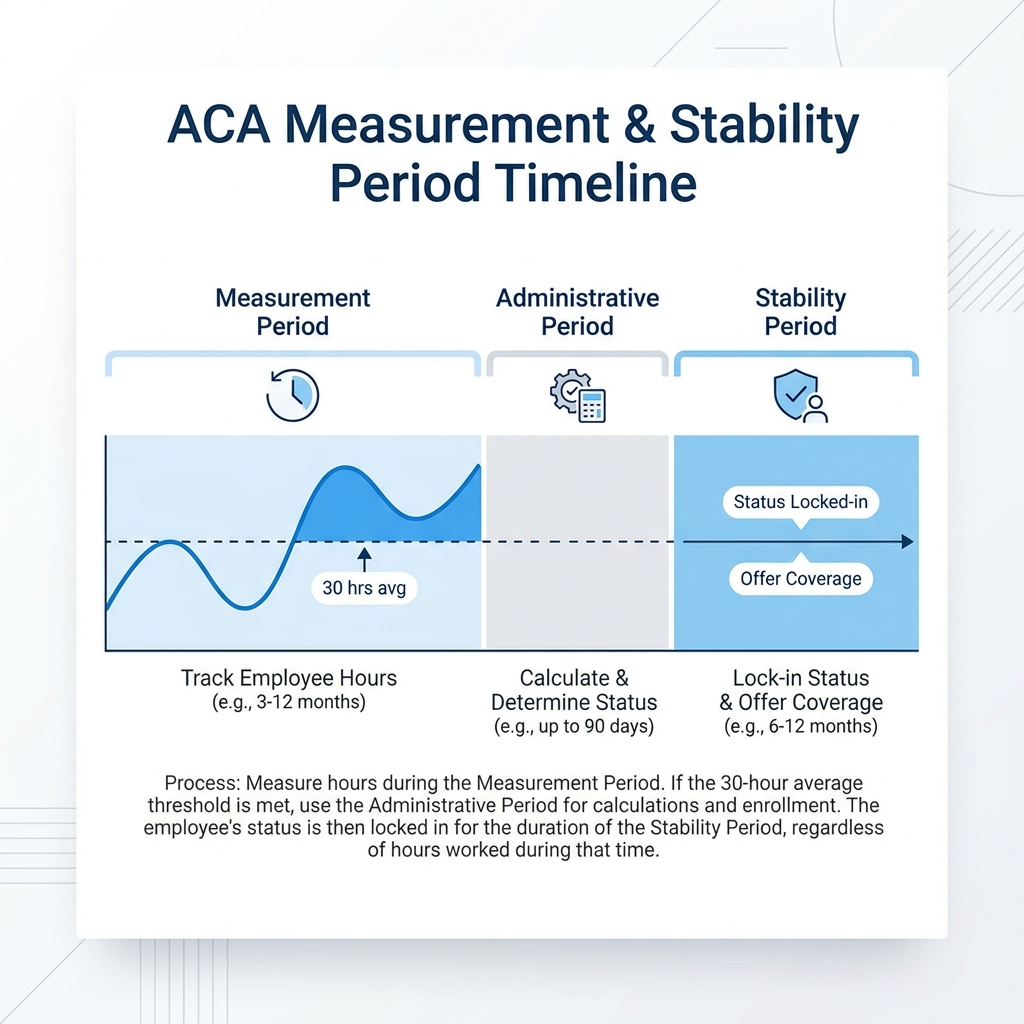
Workday tracks worked hours and evaluates standard benefits eligibility rules well for a workforce with relatively fixed hours, but the ACA's look-back measurement method requires something different: opening a rolling measurement period on an employee-specific date, averaging hours over that window, applying break-in-service rules for gaps and rehires, and then maintaining the resulting eligibility determination through an entire stability period regardless of what happens to the employee's hours afterward. Workday's native eligibility rules and custom reporting can approximate parts of this with manual configuration, but there is no purpose-built engine automatically managing measurement period start dates, break-in-service averaging, and stability period enforcement independent of current hours. For an organization with a small variable-hour population, manual tracking through custom reports is workable. For a retail, hospitality, healthcare, or logistics organization running hundreds or thousands of seasonal and variable-hour workers through overlapping measurement periods, manual tracking becomes both an administrative burden and a real exposure to IRS Section 4980H penalties if an eligible employee is missed. CloudApper AI for HCM Extensibility & Personalization closes this by automatically tracking measurement periods against Workday's worker and time data, applying break-in-service rules, and triggering the correct Workday benefits process when an employee crosses the eligibility threshold. Workday remains the system of record for hours, worker classification, and benefits enrollment; CloudApper AI handles the measurement period calculation and eligibility determination logic sitting between those two things.
Table of Contents
- What Workday Does Natively
- Where the Friction Shows Up
- What to Do Within Workday First
- Where Native Tools Run Out
Under the look-back measurement method, ACA eligibility tracking in Workday for variable-hour employees means measuring hours over a defined period and offering coverage for the following stability period to anyone who averages 30 hours a week, even if their hours later drop.

Seasonal hiring tests this hardest, with large groups of short-term workers whose hours vary week to week. Mistakes here do not open a support ticket. They lead to an IRS penalty under Section 4980H, assessed per full-time employee who should have been offered coverage. Workday already tracks much of this, and CloudApper’s role alongside it is specific and bounded to where that tracking runs out.
What Workday Does Natively
Workday’s benefits framework supports eligibility rules based on standard employment attributes: worker type, employment status, scheduled weekly hours, and location. For employees hired into a defined full-time position with a stated FTE, Workday can straightforwardly evaluate eligibility off that position data and trigger enrollment through the standard benefits business process. Workday’s plan configuration and eligibility engine handles this kind of rules-based eligibility well for populations where hours are relatively fixed and predictable.
Workday also tracks worked hours through time tracking and payroll, and that data can feed custom reports or calculated fields that approximate an average over a defined period. For organizations that need to identify which employees are approaching a benefits-eligible hours threshold, Workday’s reporting tools can be configured to surface that information on a recurring basis.
Where the Friction Shows Up
The ACA’s look-back measurement method was built around exactly the population Workday’s native eligibility rules weren’t: employees whose hours vary enough that eligibility can’t be determined from position data alone, and has to be calculated retroactively over a defined measurement period, then applied prospectively over a separate stability period regardless of what happens to their hours in between.
Rolling measurement periods don’t map cleanly to Workday’s calculation model. The look-back method requires averaging hours over an initial measurement period for new variable-hour hires and a standard measurement period for the ongoing workforce, with each employee’s period potentially starting on a different date depending on hire date. Workday doesn’t have a native, purpose-built ACA measurement period engine that automatically opens an initial measurement period on an employee’s hire date, calculates the rolling average, and triggers the correct stability period based on the result.
Break-in-service rules complicate the average. An employee who takes an unpaid leave, gets rehired after a gap, or has inconsistent scheduling across the measurement window needs specific averaging rules applied — whether the gap counts as zero hours, gets excluded from the average entirely, or triggers a rule of parity treating the employee as continuing rather than newly hired. This logic sits outside what Workday’s standard eligibility rules are built to evaluate.
The stability period has to hold regardless of subsequent hours. Once an employee is determined eligible based on their measurement period average, that eligibility has to persist through the entire stability period even if their hours drop significantly. Native eligibility rules tied to current scheduled hours or FTE would naturally reflect a current, lower number, which is the opposite of what ACA compliance requires during that window.
What to Do Within Workday First
Before treating this as requiring an external system, it’s worth confirming what native reporting can already surface. Workday’s custom reports, built against time tracking and payroll worked-hours data, can calculate a rolling average over a specified date range for a defined population, which gives compliance and benefits teams a manual but workable way to identify employees approaching the 30-hour threshold.
It’s also worth auditing whether current variable-hour and seasonal worker classifications in Workday are accurately tagged, since this classification data is exactly what an ACA compliance audit will ask for — a mistagged employment classification upstream makes every downstream ACA calculation wrong regardless of how well the measurement period logic itself is built. Confirming that new variable-hour hires are flagged consistently at the point of hire, rather than retroactively identified once someone notices a pattern in their hours, removes one of the more common sources of missed initial measurement periods.
Where Native Tools Run Out
Workday’s reporting tools can approximate ACA measurement period tracking with enough manual configuration and ongoing maintenance, but they weren’t purpose-built to automatically manage the specific mechanics of the look-back method: opening and closing measurement periods on employee-specific dates, applying break-in-service averaging rules, tracking administrative periods between measurement and stability, and maintaining eligibility through a stability period independent of current hours. For an organization with a small, stable variable-hour population, a manually maintained report might be sufficient. For a retail, hospitality, healthcare, or logistics organization running hundreds or thousands of seasonal and variable-hour workers through overlapping measurement periods at different points in the year, manual tracking becomes both a compliance risk and a significant ongoing administrative burden.
Closing the Gap with CloudApper CloudApper AI
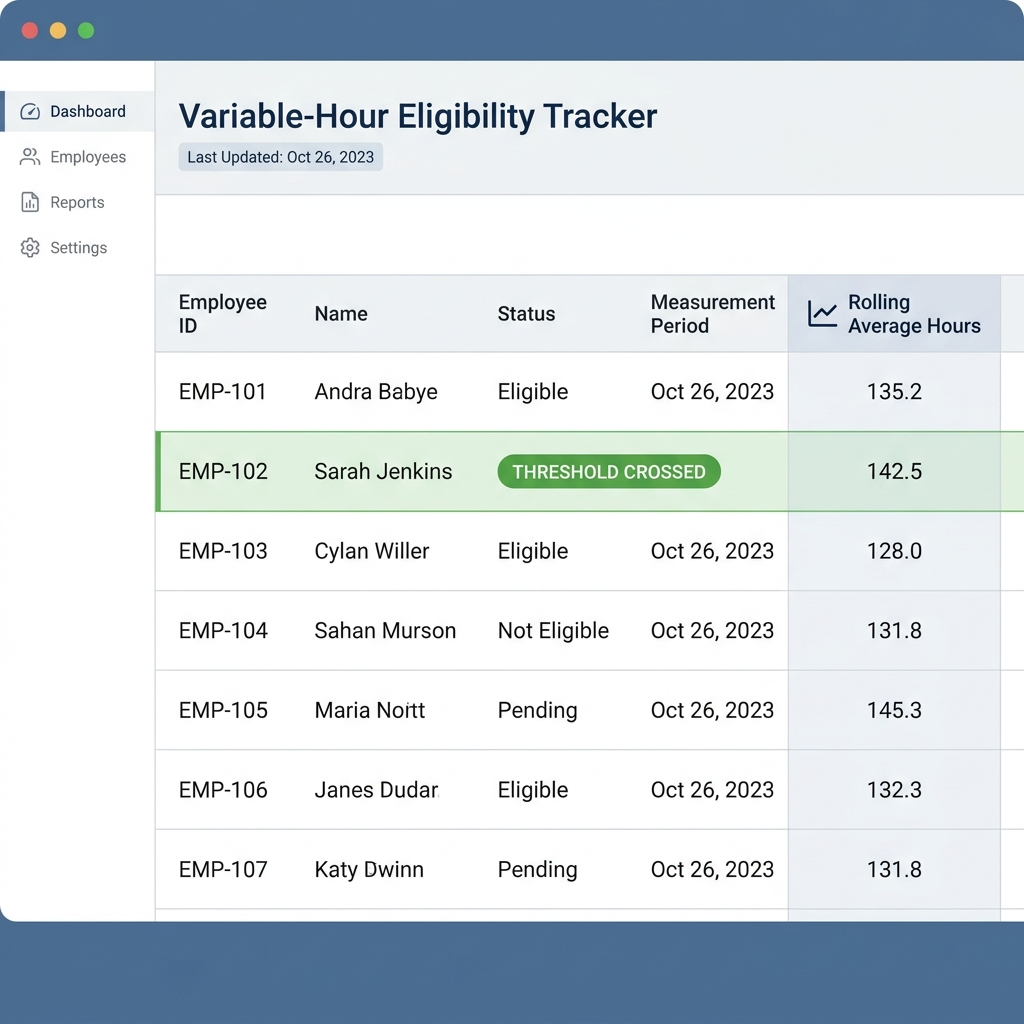
CloudApper AI adds an ACA measurement period tracking layer on top of Workday’s existing time and worker data, automatically opening the correct initial or standard measurement period based on an employee’s hire date or the organization’s standard measurement window, calculating the rolling hours average against that period, and applying break-in-service rules where they’re relevant. When an employee crosses the eligibility threshold, CloudApper AI can trigger the correct downstream benefits offer process in Workday and flag the stability period during which that eligibility needs to hold regardless of subsequent hours changes.
This closes the specific mechanical gap between what Workday’s eligibility rules were built to evaluate and what the ACA’s look-back method actually requires, without asking benefits or compliance teams to maintain a parallel calculation in a spreadsheet. Workday remains the system recording hours, worker classification, and the eventual benefits enrollment. CloudApper AI handles the measurement period math and eligibility determination logic sitting between those two things.
Frequently Asked Questions
Q: Does Workday automatically track ACA measurement periods for variable-hour employees?
A: Not as a purpose-built feature. Workday can track worked hours and support custom reporting to approximate an average over a defined period, but it doesn’t natively manage the specific mechanics of opening measurement periods, applying break-in-service rules, and maintaining stability period eligibility independent of current hours.
Q: What is the difference between the look-back method and Workday’s standard eligibility rules?
A: Workday’s standard eligibility rules generally evaluate current employment attributes like scheduled hours or FTE. The ACA look-back method instead calculates a rolling average over a past measurement period and applies the resulting eligibility determination prospectively over a stability period, regardless of what an employee’s hours do afterward.
Q: What happens if an employee’s hours drop during their ACA stability period?
A: Eligibility determined during the measurement period generally must be maintained through the entire stability period regardless of a subsequent drop in hours, which requires eligibility logic to be decoupled from current scheduled hours during that window.
Q: How does an unpaid leave or rehire affect ACA measurement period calculations?
A: Break-in-service rules determine whether an unpaid leave period is treated as zero hours, excluded from the averaging calculation, or triggers a rule of parity that treats a rehired employee as continuing rather than newly hired, and the correct treatment depends on the length of the gap.
Q: Can Workday’s reporting tools be used to manually track ACA eligibility?
A: Yes, to an extent. Custom reports built against time tracking and payroll data can calculate a rolling hours average for a defined population, though this requires ongoing manual configuration and doesn’t automatically manage measurement period start dates, break-in-service logic, or stability period enforcement.
Q: Does CloudApper AI replace Workday’s benefits enrollment process for ACA-eligible employees?
A: No. Workday continues to record worker hours, classification, and the benefits enrollment itself. CloudApper AI calculates the ACA measurement period eligibility determination and triggers the appropriate Workday benefits process when an employee becomes eligible.
If your variable-hour and seasonal workforce has grown large enough that ACA eligibility tracking depends on someone remembering to check a spreadsheet, it’s worth reviewing where that calculation currently lives before it becomes a 4980H exposure. Contact CloudApper to talk through what that would look like for your Workday tenant.

What is CloudApper AI Platform?
CloudApper AI is an advanced platform that enables organizations to integrate AI into their existing enterprise systems effortlessly, without the need for technical expertise, costly development, or upgrading the underlying infrastructure. By transforming legacy systems into AI-capable solutions, CloudApper allows companies to harness the power of Generative AI quickly and efficiently. This approach has been successfully implemented with leading systems like UKG, Workday, Oracle, Paradox, Amazon AWS Bedrock and can be applied across various industries, helping businesses enhance productivity, automate processes, and gain deeper insights without the usual complexities. With CloudApper AI, you can start experiencing the transformative benefits of AI today. Learn More
- Useful Links:
- Agentic AI
- No-Code/Low-Code
- Custom Software
- HCM Personalization
- iPaaS
- FedRAMP

Brochure
CloudApper AI TimeClock
For accurate & touchless time capture experience.
Download Brochure
CloudApper AI Solutions for Workday



- Works with








- and more.
Similar Posts

How to Rehire in Workday: Service Dates, I-9 and ACA…

The Workday Mobile App and Off-the-Clock Work: Which Hourly Tasks…