Rehiring seasonal and boomerang workers in Workday reuses the worker record, but service dates, the Form I-9 path and ACA status still need decisions. This guide covers what Workday handles natively, where rehires go wrong, what to set up first, and how CloudApper AI Recruiter brings returning workers back.

TL;DR
A rehire in Workday runs the Hire business process on the former worker's existing record, but the service dates, I-9 path and ACA status it sets still need a decision. Write a bridging policy and add a service date review step for rehires. Use Supplement B for rehires within three years of the original I-9, and treat workers as new for ACA only after 13 consecutive weeks without hours, or under the rule of parity. CloudApper AI Recruiter reaches former workers eligible for rehire and matches them to their existing records before the season starts.
Table of Contents
- What Workday Handles Natively
- Where Rehires Go Wrong
- What to Set Up in Workday First
- Where Native Recruiting Runs Out
Four summers, four hire dates. A seasonal warehouse associate returns every May, and each spring someone runs the Hire business process again. Whether season five counts as year five or day one depends on the service dates it sets. If you rehire in Workday without deciding those dates, you have decided anyway, and the result reaches seniority, benefits and the I-9. CloudApper works alongside Workday on the step before the paperwork: getting returning workers back.
What Workday Handles Natively
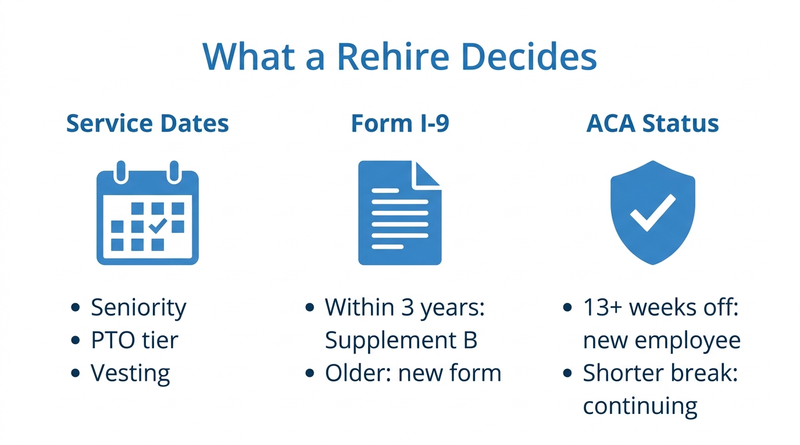
Workday keeps a former worker’s record, so a rehire runs the Hire business process on the existing worker instead of creating a new person. The termination records whether the worker is eligible for rehire, and Workday Recruiting can show that when a former worker applies. Service dates, including continuous service and seniority, are changed through Edit Service Dates. When an I-9 from the last three years is on file, onboarding can route to Supplement B, as covered in Workday I-9 compliance for new hires.
Where Rehires Go Wrong
The record carries over. The decisions don’t.
- Service dates left on default. Continuous service and seniority dates reset or stay bridged without anyone checking policy, so PTO tiers, union seniority and vesting follow the wrong date.
- ACA status guessed. Under the IRS employer mandate rules, a worker with no hours of service for 13 consecutive weeks (26 for educational organizations) can be treated as new. A shorter break counts only under the rule of parity; otherwise they are a continuing employee, as explained in ACA eligibility tracking for variable-hour employees.
- Duplicate records. A returner who applies with a new email becomes a second candidate and can trigger an unneeded background check through Workday Recruiting.
What to Set Up in Workday First
Write a bridging policy for which service dates carry over after which break, and add a service date review step to the Hire business process for rehires. Require the eligible-for-rehire value on every termination as part of the termination process. Check name, date of birth and phone for duplicates before offer, and report each rehire’s break in service so benefits can apply the 13-week rule.
Where Native Recruiting Runs Out
For seasonal employers the harder part is getting last year’s crew to apply at all. Many lost access when they left, as described in Workday access for former employees, and they don’t watch a careers site. This is where CloudApper reaches them directly, before the posting goes up.
How CloudApper AI Recruiter Brings Returning Workers Back
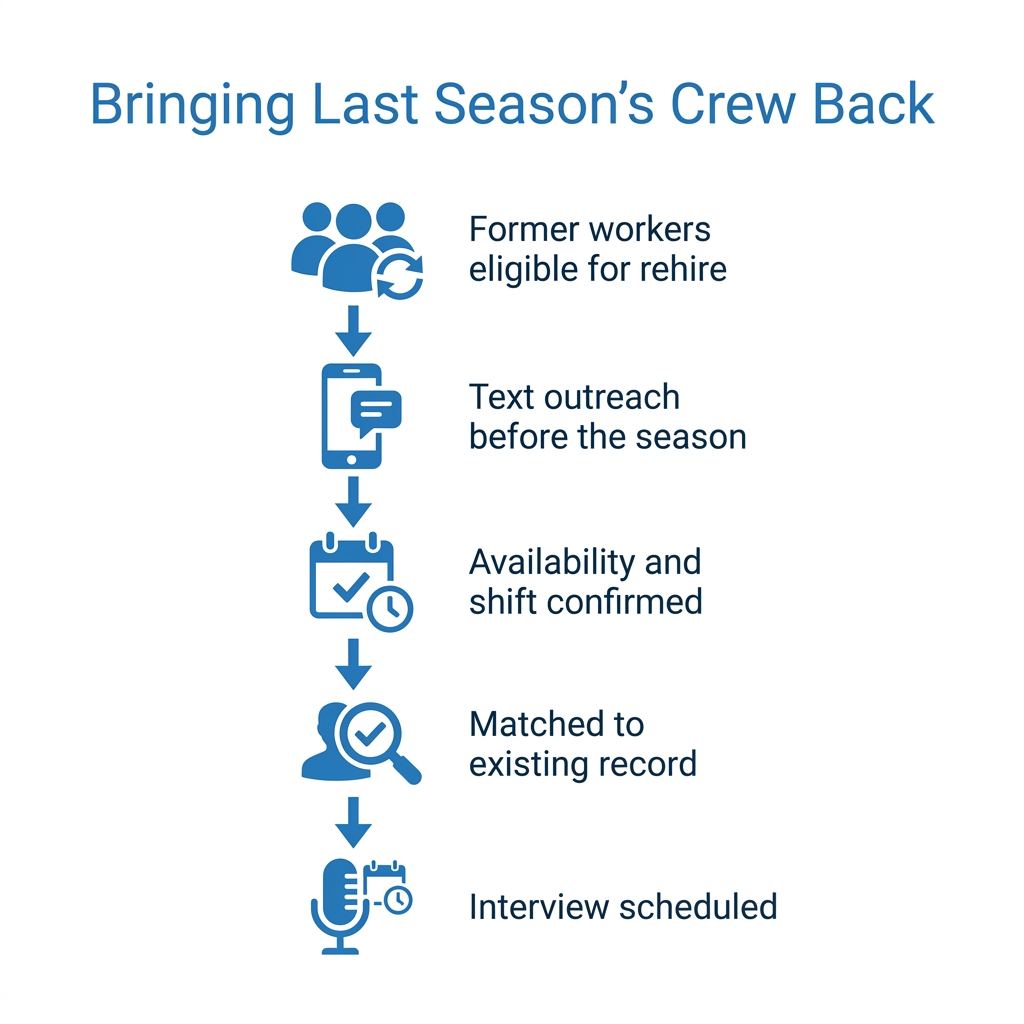
CloudApper AI Recruiter works from your list of former workers marked eligible for rehire in Workday and texts them about the coming season. It confirms availability, location and shift, schedules anyone who replies, and matches them to their existing record instead of a new candidate. Recruiters start with confirmed returners, and high-volume hourly hiring covers only the gap. Returners then move into onboarding with I-9 and service date decisions already flagged.
Frequently Asked Questions
Q: How do I rehire a former employee in Workday?

Run the Hire business process on the former worker’s existing record, then review service dates and the I-9 step before completing it.
Q: Does a rehire keep their original hire date in Workday?
Yes. Workday keeps the original hire date and records a new hire date. Bridging other service dates depends on your policy.
Q: Do I need a new Form I-9 for a rehired employee?
Not if they are rehired within three years of the original I-9. You can complete Supplement B and reverify expired work authorization.
Q: When is a rehired employee treated as new for ACA purposes?
After at least 13 consecutive weeks without hours of service, or 26 weeks for educational organizations. Shorter breaks may qualify under the rule of parity.
Q: How does Workday track eligibility for rehire?
The termination records an eligible-for-rehire value, which Workday Recruiting can show when the former worker applies.
Q: How do I avoid duplicate records for returning seasonal workers?
Check name, date of birth and phone against former workers before offer.
If rehiring last season’s crew still runs on a spreadsheet, talk to the CloudApper team about bringing returning workers back through their Workday records.

What is CloudApper AI Platform?
CloudApper AI is an advanced platform that enables organizations to integrate AI into their existing enterprise systems effortlessly, without the need for technical expertise, costly development, or upgrading the underlying infrastructure. By transforming legacy systems into AI-capable solutions, CloudApper allows companies to harness the power of Generative AI quickly and efficiently. This approach has been successfully implemented with leading systems like UKG, Workday, Oracle, Paradox, Amazon AWS Bedrock and can be applied across various industries, helping businesses enhance productivity, automate processes, and gain deeper insights without the usual complexities. With CloudApper AI, you can start experiencing the transformative benefits of AI today. Learn More
- Useful Links:
- Agentic AI
- No-Code/Low-Code
- Custom Software
- HCM Personalization
- iPaaS
- FedRAMP

Brochure
CloudApper AI TimeClock
For accurate & touchless time capture experience.
Download Brochure
CloudApper AI Solutions for Workday



- Works with








- and more.
Similar Posts

The Workday Mobile App and Off-the-Clock Work: Which Hourly Tasks…

January 1 Minimum Wage Increases in Workday: How to Update…