Holiday exception queues repeat every quarter because one eligibility rule is doing two jobs. This guide covers what Workday's holiday calendar and time calculation model handles natively, the four exception patterns that recur among hourly and shift-rotating workers, a four-layer rule-ordering pattern that removes most of them, and the two conditions eligibility rules cannot hold.

TL;DR
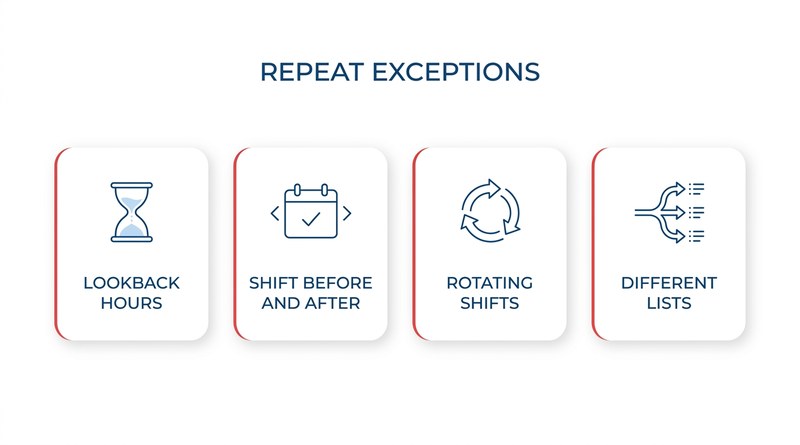
Holiday pay exceptions cluster among hourly, part-time, and rotating-shift workers because most tenants configure holiday calendar applicability and holiday pay eligibility as a single rule, so Workday generates holiday time blocks for workers who observe the holiday but have not earned pay on it. Four patterns recur each run: lookback-hours eligibility, work-before-and-after conditions, holidays falling on non-scheduled days for rotating schedules, and competing holiday lists across sites or bargaining units. Splitting holiday logic into four ordered layers, applicability then pay eligibility then attendance then worked-holiday treatment, removes most of the queue without new tooling. Two conditions still resist native configuration: rules depending on facts that do not exist when the block is generated, and lookback aggregations whose window differs per agreement. CloudApper AI for HCM Personalization and Extensibility maintains that logic per site or agreement and writes results back into Workday, which remains the system of record.
Table of Contents
- What Workday’s Holiday Model Does
- The Four Exceptions That Repeat
- The Rule-Ordering Pattern Worth Adopting
- What Eligibility Rules Cannot Hold
Workday holiday pay eligibility exceptions repeat every holiday run because they follow patterns, and patterned exceptions can be designed out inside the tenant. The morning after the run, payroll faces a queue of mostly hourly workers, each needing a manual decision on whether the holiday hours were earned, and the same names come back every quarter.

That repetition is the useful signal. Most of it can be handled in Workday configuration long before an extensibility layer like CloudApper platform for Workday enters the conversation.
What Workday’s Holiday Model Does
A holiday calendar holds the dates. Eligibility rules decide which workers the calendar applies to, and on those dates Workday generates holiday time blocks. Time calculations handle the rest: worked-holiday premiums, interaction with overtime, and the earning codes that carry into payroll.
The model is sound, and for a salaried population on a fixed schedule it runs without intervention. The exceptions concentrate almost entirely among hourly, part-time, and shift-rotating workers.
The Four Exceptions That Repeat
Lookback eligibility. Variable-hour and part-time workers often qualify for paid holiday only after a threshold of hours in a prior period. The calendar still applies to them, so Workday creates the block regardless, and payroll reverses it afterward.
Work-before-and-after conditions. Many policies require the worker to complete the scheduled shift on both sides of the holiday. That fact does not exist when the holiday block is generated, so the system pays optimistically and corrects later.
Rotating and compressed schedules. When the holiday lands on a non-scheduled day, the worker either receives hours against a day they were never rostered or receives nothing while a colleague on a different rotation is paid.
Competing holiday lists. Sites and bargaining units inside one tenant observe different days. A worker who transfers mid-year keeps the list attached to the old assignment, which surfaces as a grievance rather than an exception report. Teams already managing union work rules in Workday or multi-entity configurations hit this most often.
The Rule-Ordering Pattern Worth Adopting
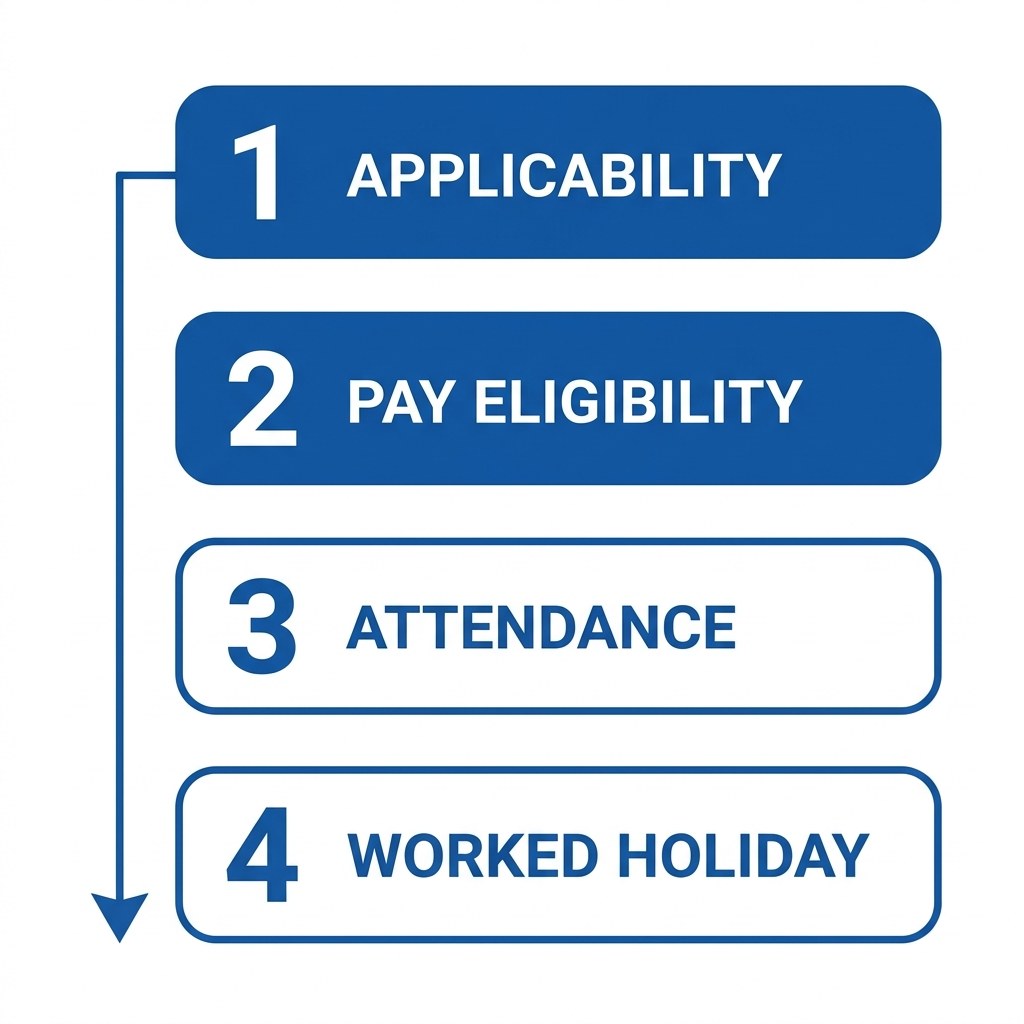
Most tenants collapse two separate questions into one eligibility rule, and that single decision produces most of the queue. Split holiday logic into four layers and evaluate them in order:
- Applicability: which holiday list this worker observes, driven by location, legal entity, and bargaining unit.
- Pay eligibility: whether this worker qualifies for paid holiday hours at all, driven by tenure, FTE, or lookback hours.
- Attendance condition: whether the shifts either side were worked, evaluated after the fact.
- Worked-holiday treatment: whether premium applies in addition to or instead of holiday hours.
Separating layers one and two is the change that pays for itself. A worker can observe a holiday without qualifying for pay on it, and a rule that cannot express that distinction will keep generating blocks payroll has to remove. Layer four belongs in time calculations, not in the code the worker picks, for the same reason time entry code selection goes wrong on the floor and why premium pay should be derived rather than declared.
What Eligibility Rules Cannot Hold
Two conditions resist this treatment. The first is any rule depending on facts that do not exist when the block is generated, which covers every attendance condition. The second is a lookback aggregation whose window and threshold differ per agreement, since each variant becomes another rule competing with the others.
Both stay exceptions in a native-only tenant. They can be reduced by running holiday generation after the attendance window closes, but not eliminated, and the residue lands in retro pay and off-cycle correction workflows. This is the boundary where CloudApper becomes relevant, not before it.
Where CloudApper Fits
CloudApper AI for HCM Personalization and Extensibility holds per-group holiday logic outside the tenant’s eligibility rules, so lookback thresholds and attendance conditions are maintained per site or agreement and updated when a contract changes. It evaluates those conditions once the facts exist and writes the result back into Workday, which stays the system of record. Where workers actually work the holiday, CloudApper AI TimeClock captures the worked-holiday event at the device rather than depending on the worker to classify it.
Frequently Asked Questions
Q: What is the difference between a Workday holiday calendar and holiday pay eligibility?
The holiday calendar determines which dates a worker observes, assigned through eligibility rules based on location, legal entity, or bargaining unit. Holiday pay eligibility is the separate question of whether that worker qualifies for paid hours on those dates, which may depend on tenure, FTE status, or hours worked in a lookback period. Configuring them as one rule is the most common source of holiday exceptions.
Q: Why do part-time employees get holiday pay they are not entitled to in Workday?
The holiday calendar applies to them, so Workday generates holiday time blocks on those dates regardless of whether they meet an hours-based eligibility threshold. Unless pay eligibility is evaluated as a separate layer, the block is created and payroll has to reverse it after the run.
Q: Can Workday enforce a rule requiring employees to work the day before and after a holiday?
Not at the point the holiday block is generated, because the attendance facts do not exist yet. The practical approach is to generate holiday time after the attendance window closes, or to evaluate the condition outside the tenant and write the result back before payroll processing.
Q: How does Workday handle holidays for employees on rotating or compressed schedules?
Workday generates holiday hours against the calendar date, not the worker’s roster, so a holiday falling on a non-scheduled day produces either unearned hours or none at all depending on configuration. Organizations running rotations usually need schedule-aware logic that the standard holiday calendar does not provide.
Q: Can one Workday tenant support different holiday lists for different unions?
Yes. Separate holiday calendars assigned through eligibility rules keyed to the bargaining unit handle this. The failure mode is transfers, where a worker moving between units mid-year retains the calendar tied to the previous assignment unless the eligibility rule is re-evaluated.
If your holiday exception queue looks the same every quarter, the fastest diagnostic is to sort last year’s holiday corrections by reason and see how many trace back to a single eligibility rule doing two jobs. That answer usually points at configuration rather than tooling. If the residue after that is attendance conditions and per-agreement lookbacks, the CloudApper team can walk through how those get maintained alongside Workday. You can reach them through the CloudApper contact page.

What is CloudApper AI Platform?
CloudApper AI is an advanced platform that enables organizations to integrate AI into their existing enterprise systems effortlessly, without the need for technical expertise, costly development, or upgrading the underlying infrastructure. By transforming legacy systems into AI-capable solutions, CloudApper allows companies to harness the power of Generative AI quickly and efficiently. This approach has been successfully implemented with leading systems like UKG, Workday, Oracle, Paradox, Amazon AWS Bedrock and can be applied across various industries, helping businesses enhance productivity, automate processes, and gain deeper insights without the usual complexities. With CloudApper AI, you can start experiencing the transformative benefits of AI today. Learn More
- Useful Links:
- Agentic AI
- No-Code/Low-Code
- Custom Software
- HCM Personalization
- iPaaS
- FedRAMP

Brochure
CloudApper AI TimeClock
For accurate & touchless time capture experience.
Download Brochure
CloudApper AI Solutions for Workday



- Works with








- and more.
Similar Posts

Workday Biometric Time Clock Compliance: Consent, Retention, and Deletion Rules…

Workday Kiosk Security: Protecting Pay Slips and PII on Shared…