Every Workday reset path assumes a delivery channel or a remembered secret, and frontline populations often have neither. This guide covers how Workday authentication actually works, where the assumptions break, the undocumented reset workaround that hides the real volume, and what to configure before touching the authentication model.

TL;DR
Workday delegates authentication to the identity provider in SSO tenants and holds a native password policy with challenge questions outside SSO. Both models assume the worker has either a channel to receive a reset link or a secret they remember, and frontline populations frequently have neither: no corporate mailbox, a stale personal email captured once at onboarding, no company phone to hold an MFA factor, personal-device enrollment that many decline or that is contested at unionized sites, and sign-in frequency of twice a year. The result is that site HR staff and supervisors resolve these informally, vouching for workers they recognize, which produces no record and keeps the real volume out of ticket metrics. Configure verified personal contact details refreshed annually, a delegated reset role scoped to site HR, and support coverage aligned to shift patterns during peak weeks. Where a worker has no channel and no remembered secret, no configuration creates a self-service path, and CloudApper hrPad identifies the worker at a shared tablet so paystub, balance, and enrollment tasks need no Workday password at all.
Table of Contents
- What Workday Authentication Actually Does
- Where the Frontline Assumptions Break
- The Workaround Nobody Counts
- What to Configure First
Most Workday password reset work for frontline staff never becomes a ticket, so the help desk load stays invisible in service metrics. A worker who has not signed in since open enrollment needs a paystub, his reset link goes to an email he never opens, and an HR generalist calls the service desk, verifies on his behalf and reads him a temporary password. Twelve minutes, no record, several times a week.

That pattern, more than the reset flow itself, is what a device-based approach like CloudApper hrPad removes alongside Workday. It is worth understanding before you change any authentication setting.
What Workday Authentication Actually Does
In most enterprise tenants Workday does not hold the credential. Authentication is delegated to the identity provider through SSO, so the password policy, the MFA factor, and the reset path belong to Okta, Entra ID, or whatever sits in front. Workday honors the assertion and gets out of the way.
Outside SSO, Workday holds a native password policy with configurable complexity, expiry, and challenge questions permitting a self-service reset. Both models work as designed. Neither was designed around the population this article is about.
Where the Frontline Assumptions Break
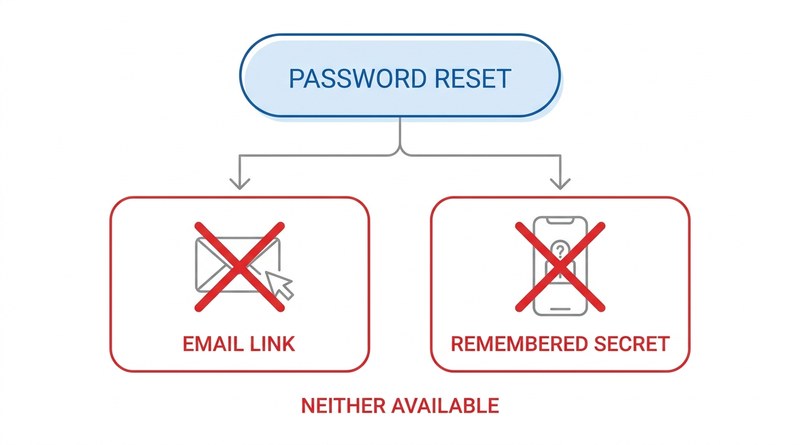
Every self-service reset path depends on one of two things: a channel to deliver a link, or a secret the worker remembers. Frontline populations frequently have neither.
No delivery channel. A worker with no corporate mailbox has nowhere for a reset link to land, and personal email in the tenant is often stale, entered once at onboarding and never confirmed. It is the same reason Workday notifications never reach these employees.
No enrolled factor. Without a company phone, MFA has to live on a personal device. Many workers decline, and at unionized sites the expectation that personal phones carry work software is often contested outright. This is where the obvious fix, adding MFA options, stalls.
Sign-in is quarterly, not daily. Someone logging in twice a year for enrollment and a W-2 will not remember a password or challenge answers set eighteen months ago. Frequency drives this, not capability.
The help desk works day shift. Nights and weekends have no support path, so the problem waits until someone can handle it in person.
The Workaround Nobody Counts
What happens next is the part worth measuring. Site HR staff and shift supervisors start resolving these themselves, vouching for workers they recognize and sitting through verification on someone else’s behalf.
None were delegated authority to do it, and none of it produces a record. The ticket, where one exists, is logged against the HR generalist rather than the worker, so reporting shows a handful of employees with odd reset frequency and nothing else. Volume looks manageable precisely because the load moved to people whose time is not counted against it. Workers who cannot get in eventually stop trying, which surfaces later as open enrollment completion below target and as HR fielding paystub requests by hand.
What to Configure First
Several things narrow the gap without touching the authentication model.
Verify a personal email or mobile number at onboarding rather than collecting it once, and re-confirm annually, since a stale contact record disables every reset path at once. It is the same weakness that makes onboarding tasks stall for frontline new hires. Give site HR a delegated reset role scoped to their own population, so the help they already provide is authorised and leaves a record. Align help desk coverage to shift patterns during the two annual peaks rather than year-round. And check what actually requires a login: if a worker only needs a paystub or a balance, a password may be the wrong control.
Where CloudApper Fits
The boundary is precise. No configuration inside Workday or the IdP creates a self-service path for someone with no delivery channel and no remembered secret, because both mechanisms assume one exists. That worker will always need a person, or a different way of proving who they are.
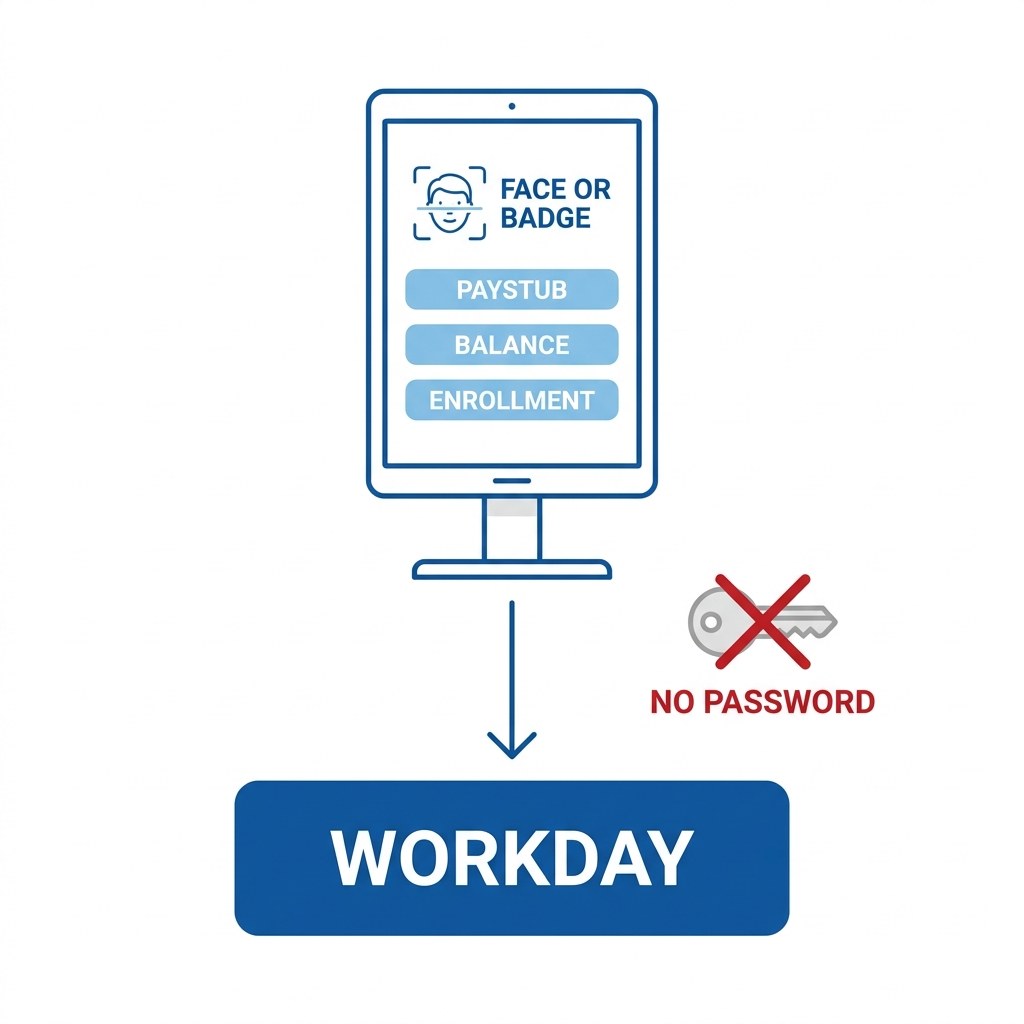
CloudApper hrPad supplies the second option. A shared tablet on the floor identifies the worker by face, badge, or PIN and serves paystubs, accrual balances, schedules, and enrollment tasks against Workday with no Workday password in the transaction. The identity check happens at the device, a record of who accessed what exists, and the reset that used to interrupt an HR generalist never gets raised. It is also a cleaner answer than stretching delegate and proxy access past what it was built for.
Frequently Asked Questions
Q: How does a Workday password reset work for an employee with no corporate email?
It usually does not. Standard reset paths deliver a link to an email address on file or require challenge question answers. A worker with no corporate mailbox, a stale personal email, and no memory of their challenge answers has no self-service route and must be reset by an administrator.
Q: Does Workday handle password resets, or does the identity provider?
In an SSO tenant the identity provider owns the credential, the MFA factor, and the reset path, and Workday simply honors the assertion. Workday’s native password policy and challenge questions apply only to tenants or worker populations authenticating outside SSO.
Q: Can frontline workers use MFA without a company phone?
Only if they enroll a personal device, which many decline and which is frequently contested at unionized sites. Hardware tokens are an option but carry distribution and replacement costs that scale poorly across a large hourly population.
Q: Why do Workday password reset tickets spike at open enrollment and W-2 season?
Those are the two moments a year when infrequent users need to sign in. Anyone who has not logged in since the previous cycle has usually lost both the password and their challenge answers, so a large share of the population hits the reset path in the same fortnight.
Q: How do you reduce Workday password reset volume for hourly employees?
Verify and refresh personal contact details annually so reset paths stay usable, delegate a scoped reset role to site HR so informal help becomes recorded help, align support coverage to shift patterns during peak weeks, and move the transactions that do not need a password, such as paystub and balance lookups, to a device that identifies the worker directly.
Before changing any authentication setting, find out how many resets happen off the books. Ask two or three site HR leads how often someone comes to them unable to sign in, then compare that with the ticket count for the same locations. The gap is the number worth acting on. If most of those workers only needed a paystub, the CloudApper team can walk through how device-level identity handles that without a password. Reach them through the CloudApper contact page.

What is CloudApper AI Platform?
CloudApper AI is an advanced platform that enables organizations to integrate AI into their existing enterprise systems effortlessly, without the need for technical expertise, costly development, or upgrading the underlying infrastructure. By transforming legacy systems into AI-capable solutions, CloudApper allows companies to harness the power of Generative AI quickly and efficiently. This approach has been successfully implemented with leading systems like UKG, Workday, Oracle, Paradox, Amazon AWS Bedrock and can be applied across various industries, helping businesses enhance productivity, automate processes, and gain deeper insights without the usual complexities. With CloudApper AI, you can start experiencing the transformative benefits of AI today. Learn More
- Useful Links:
- Agentic AI
- No-Code/Low-Code
- Custom Software
- HCM Personalization
- iPaaS
- FedRAMP

Brochure
CloudApper AI TimeClock
For accurate & touchless time capture experience.
Download Brochure
CloudApper AI Solutions for Workday



- Works with








- and more.
Similar Posts

Workday Biometric Time Clock Compliance: Consent, Retention, and Deletion Rules…

Workday Kiosk Security: Protecting Pay Slips and PII on Shared…