Predictive scheduling and fair workweek laws now cover a growing list of U.S. cities, and Workday calculates the resulting pay correctly once the facts exist. What it doesn't capture on its own is the schedule-change acknowledgment those calculations depend on, and that record has to start at the time clock.

TL;DR
- Fair workweek and predictive scheduling laws now cover one state and roughly a dozen U.S. cities and counties, most requiring at least 14 days' advance schedule notice.
- Workday calculates predictability pay correctly once the underlying facts exist in the tenant, but it doesn't capture schedule-change acknowledgment or rest-period consent at the point of punch.
- Missing documentation at the clock turns a legally sound pay calculation into an unwinnable wage claim.
- The same compliance gap exists whether the system of record is Workday, UKG, Oracle HCM, or Dayforce, since the record has to exist at the device before it reaches any of them.
- Multi-location employers need per-jurisdiction rule configuration, because notice windows and predictability pay formulas differ by city.
Table of Contents
- What Fair Workweek and Predictive Scheduling Laws Require
- Calculating the Premium Isn’t the Same as Proving Notice
- Multi-Location Compliance Across Different Jurisdictions
- Closing the Gap: Predictive Scheduling Compliance in Workday at the Clock
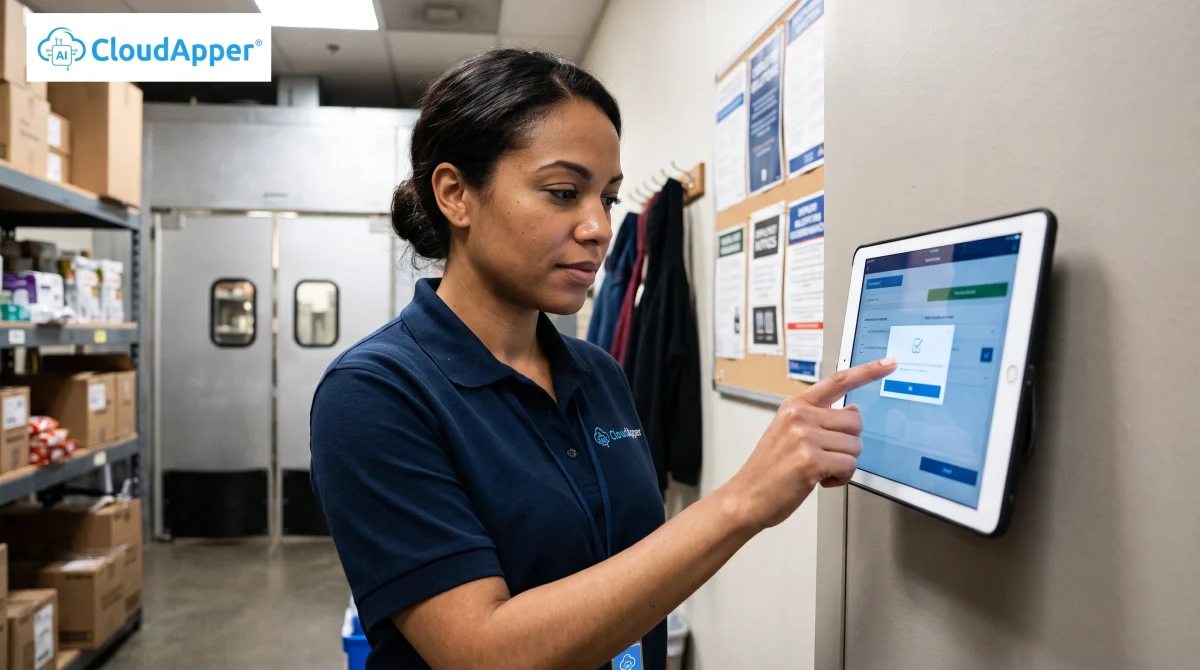
Predictive scheduling compliance in Workday comes down to one gap: Workday calculates predictability pay correctly once a schedule change is recorded, but it doesn’t capture whether the employee was actually notified of that change before they showed up to work it. HR managers at multi-location retail and restaurant chains run into this the moment an employee disputes a schedule change and there’s no timestamped record of notification to point to. That record has to exist at the CloudApper AI TimeClock itself, not just in the payroll calculation that happens afterward.

Fair workweek and predictive scheduling laws now apply to employers in a growing list of U.S. cities and counties, no matter whether the HCM platform behind the scenes is Workday, UKG, Oracle HCM, or Dayforce. Workday’s pay rules and scheduling engine calculate what’s owed once the facts exist in the tenant. Proving that an employee actually saw a schedule change is not something it does on its own, and that’s where most compliance failures start.
What Fair Workweek and Predictive Scheduling Laws Require
Fair workweek and predictive scheduling laws require covered employers, mostly in retail, food service, and hospitality, to post schedules a set number of days in advance, typically 14, and pay a premium when they change a posted schedule inside that window. Oregon is the only state with a statewide law. The rest are city or county ordinances, including New York City, Chicago, Philadelphia, Seattle, San Francisco, Los Angeles, Berkeley, Emeryville, and Evanston, and that list has grown to eleven jurisdictions as of 2026.
Two things tend to trigger obligations under these laws: a schedule change made inside the notice window, and insufficient rest time between a closing shift and the next opening shift, sometimes called clopening. Each jurisdiction calculates the resulting premium differently. Some use a fractional formula tied to the hours affected; others use a flat, capped amount. All of them require the employer to show, with a timestamp, that the employee was notified and, in some cases, that the employee consented.
Calculating the Premium Isn’t the Same as Proving Notice
A predictability pay calculation and a notice record answer two different questions. The calculation answers “how much is owed.” The record answers “was the employee actually told, and when.” Workday is built for the first question: Workday Time Tracking and Absence Management tag hours, route approvals through business processes, and apply whatever premium a jurisdiction requires once it’s configured. It has no native way to answer the second question, because a notice acknowledgment isn’t a payroll fact. It’s a punch-level fact, generated the moment an employee shows up to work an affected shift, not reconstructed afterward from a schedule log.
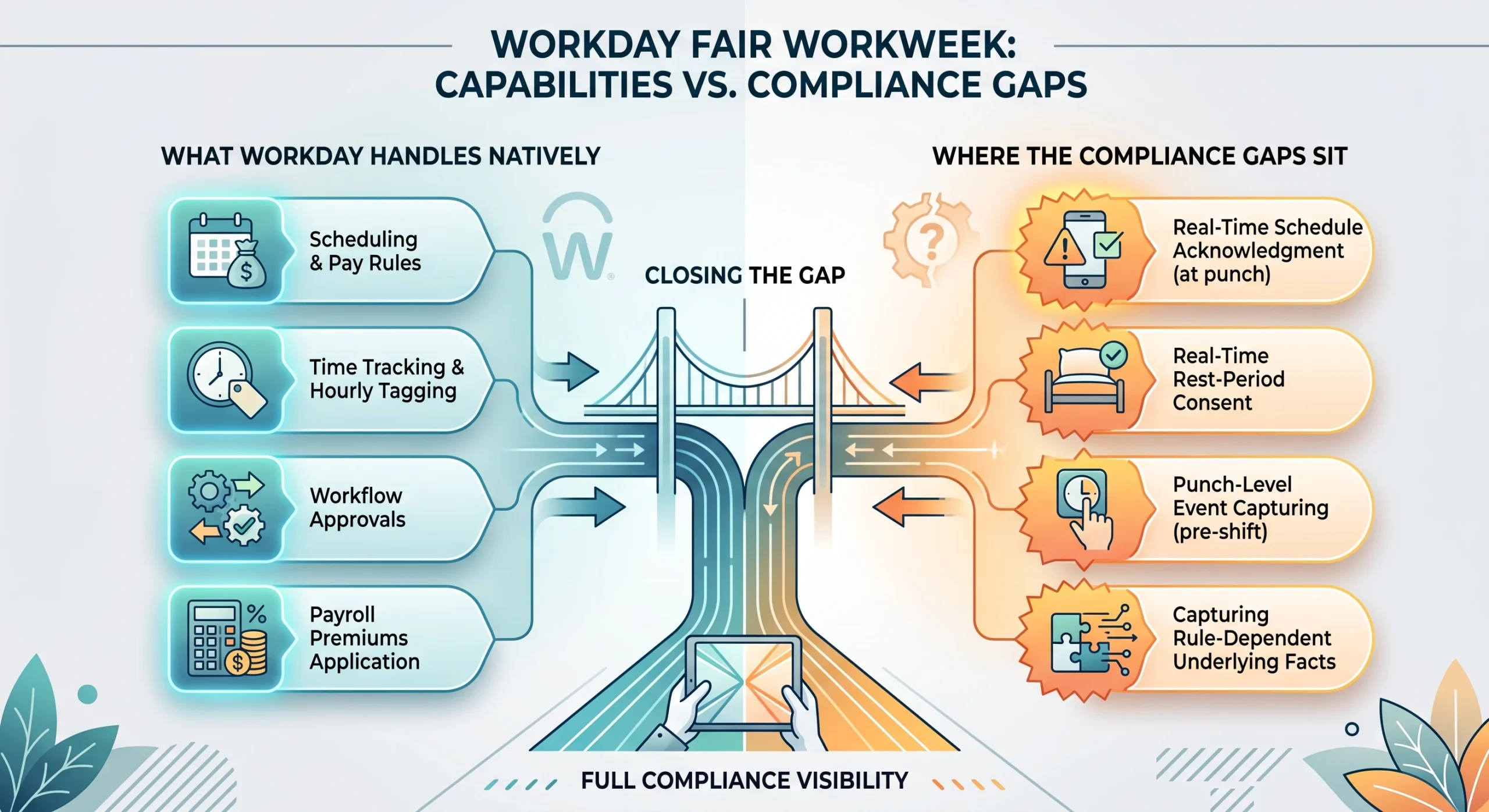
This is the same structural pattern that shows up in Workday’s meal break enforcement: the platform applies a rule correctly, but someone still has to capture the fact the rule depends on, at the device where the employee actually is.
Multi-Location Compliance Across Different Jurisdictions
A single-location employer in one jurisdiction can often manage this with a checklist and a manager who remembers to ask. Multi-location employers running stores or restaurants across several fair workweek cities usually can’t, because the notice period, the covered industries, and the premium formula are all set locally. A schedule change that’s compliant in one city can trigger a violation in another, even inside the same shift-swapping workflow run out of the same Workday tenant.
Closing the Gap: Predictive Scheduling Compliance in Workday at the Clock
CloudApper AI TimeClock adds a schedule-change acknowledgment and rest-period consent prompt directly to the Workday-connected clock, configured per location so each site follows its own jurisdiction’s notice window and premium rule. When an affected employee clocks in, they confirm they were notified of the change and, where required, consent to a shortened rest period. Both are timestamped and synced back to Workday alongside the punch, the same way it already handles exception-based time approvals and shift-differential attribution. Workday still owns the pay calculation and the system of record; the clock owns the proof that the calculation had a documented trigger.
Because this runs on standard iPad and Android tablets already on-site, adding it doesn’t mean replacing hardware or changing how Workday, UKG, Oracle HCM, or Dayforce calculate pay. It means the record those calculations depend on finally exists.
If you’re ready to eliminate time tracking errors in Workday, request a demo to see how it works with your current setup, or learn more about CloudApper AI TimeClock first if you want the details before talking to anyone.
FAQ
Does Workday handle fair workweek compliance on its own?
Workday calculates predictability pay correctly once a schedule change and its timing are recorded in the tenant, and its business process framework can route related approvals. It doesn’t capture the employee’s real-time acknowledgment of a schedule change or rest-period consent at the point of punch; that has to happen at the device.
What counts as a “schedule change” under fair workweek laws?
Most ordinances define it as any employer-initiated change to a previously posted shift: a different start or end time, an added or cancelled shift, or a changed location, made after the required notice period has closed. Employee-requested changes are generally exempt.
How much advance notice do fair workweek laws require?
Nearly all active jurisdictions require at least 14 calendar days’ notice of the posted schedule, though the predictability pay formula for late changes varies by city.
Do these laws only apply to Workday customers?
No. Fair workweek and predictive scheduling laws apply based on where you operate and what industry you’re in, not which HCM platform you use. The same documentation requirement exists whether the system of record is Workday, UKG, Oracle HCM, or Dayforce.
Can the rules differ by location inside the same organization?
Yes, and for multi-location employers they usually have to. Notice windows, covered industries, and premium calculations are set at the city or county level, so a compliant configuration in one location may not be compliant in another.
Does adding this kind of documentation require new hardware?
No. CloudApper AI TimeClock runs on the iPad or Android tablets already deployed at each location.

What is CloudApper AI Platform?
CloudApper AI is an advanced platform that enables organizations to integrate AI into their existing enterprise systems effortlessly, without the need for technical expertise, costly development, or upgrading the underlying infrastructure. By transforming legacy systems into AI-capable solutions, CloudApper allows companies to harness the power of Generative AI quickly and efficiently. This approach has been successfully implemented with leading systems like UKG, Workday, Oracle, Paradox, Amazon AWS Bedrock and can be applied across various industries, helping businesses enhance productivity, automate processes, and gain deeper insights without the usual complexities. With CloudApper AI, you can start experiencing the transformative benefits of AI today. Learn More
- Useful Links:
- Agentic AI
- No-Code/Low-Code
- Custom Software
- HCM Personalization
- iPaaS
- FedRAMP

Brochure
CloudApper AI TimeClock
For accurate & touchless time capture experience.
Download Brochure
CloudApper AI Solutions for HR



- Works with








- and more.
Similar Posts
Return-to-Office Attendance Tracking: What Employers Get Wrong in 2027

New Hire Orientation Pay: Recording Orientation Hours in Training Rooms…