California employers with hourly workers owe a one-hour premium for every missed meal or rest break — at the regular rate, not just base pay. Here is what Workday handles natively, where the calculation breaks down, and how to close both the capture gap and the rate error.

Table of Contents
- What Workday Does Natively
- Where the Calculation Breaks Down
- What to Fix Within Workday First
- Where Native Configuration Runs Out
Two things go wrong with Workday meal break premium pay: missed breaks are never detected, and the premium is paid at the wrong rate. California requires one additional hour of pay at the employee’s regular rate of compensation for every meal or rest break not provided or cut short. Workday Time Tracking records a break when a worker enters one, but it cannot detect a missing break, and its default premium earnings type uses the base hourly rate.

For hospitals, hotels, retailers, food processors and warehouses, that exposure runs across a four-year lookback and is often calculated by PAGA counsel before payroll sees it. CloudApper AI TimeClock addresses both the capture gap and the rate error where time is recorded.
What Workday Does Natively
Workday Time Tracking supports break configuration. Admins can define unpaid meal periods within a time entry block, require workers to confirm break time taken, and set up an earnings type that triggers a premium when no break is logged. For desk-based employees who manage their own Workday access, this workflow is functional and worth configuring correctly.

Where the Calculation Breaks Down
Two problems compound each other. The first is capture: clinical staff finishing a procedure, manufacturing workers holding a line, retail associates covering a colleague — these workers don’t stop to log a missed break in Workday. The system records nothing. No flag, no premium pay line, no audit trail. The same gap that causes time clock punches to go missing applies equally to break records.
The second problem is the rate. The California Supreme Court’s ruling in Ferra v. Loews Hollywood Hotel (2021) established that break premiums must be paid at the “regular rate of compensation” — the same blended rate used for overtime, inclusive of nondiscretionary bonuses, shift differentials, and commissions. Workday’s default premium pay earnings type references the base hourly rate. For any organization running shift differentials or production incentives, that default does not meet the legal standard. The ruling applies retroactively for four years, so the underpayment is not just a forward-looking risk.
An illustrative figure from PAGA exposure calculations: 80 hourly employees, biweekly pay periods, one systemic missed break per period over a year generates roughly $208,000 in PAGA penalties alone — before the premium pay owed is counted.
What to Fix Within Workday First
Start with the earnings type. Configure your break premium earnings code to calculate at the regular rate — inclusive of nondiscretionary compensation — not the base pay rate. This is the same rate basis used in blended overtime calculations for multi-position workers, and your Workday payroll configuration should treat them consistently. Add break attestation to your time entry workflow so workers confirm whether a break was taken before submitting daily time. For organizations with solid Workday mobile coverage, this closes the self-reporting gap for workers who can realistically access the system during a shift.
Where Native Configuration Runs Out
Workday’s break compliance is entirely dependent on someone entering data. When workers lack device access on the floor — or when a shift ends before anyone logs the missed break — the record does not exist. That absence becomes your liability. And even when records are entered, the rate calculation requires custom configuration that most Workday tenants have not revisited since Ferra changed the calculation basis.
CloudApper AI TimeClock: Break Compliance at the Hardware Level
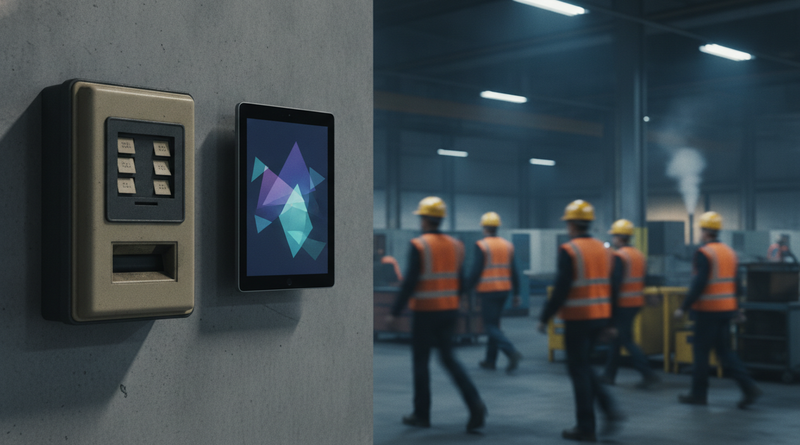
CloudApper AI TimeClock deploys on iPads and tablets on the manufacturing floor, in clinical corridors, at warehouse exits — wherever hourly workers actually work. At scheduled break times, the kiosk displays a break prompt. Workers tap to start and end their break. If the break window closes without acknowledgment, the system logs a missed break and generates the corresponding premium pay line into Workday payroll — calculated at the configured regular rate, not the base rate default. For multi-state employers managing different break rules across jurisdictions, the same hardware handles location-specific configurations within one integration. The output is a timestamped record for every shift, a premium pay entry that mirrors what the law requires, and an audit trail that holds under PAGA review. Organizations already dealing with approval backlog from bulk time sign-off find that automated break capture also reduces the volume of manual corrections reaching payroll close.

Frequently Asked Questions
Q: Does Workday automatically calculate meal break premium pay?
Workday can be configured to generate a premium pay earnings line when a missed break is entered into the system. It does not detect missed breaks on its own — the premium triggers only when a break absence is manually recorded by a worker or manager.
Q: What is the correct premium pay rate for California meal breaks after Ferra?
After Ferra v. Loews Hollywood Hotel (2021), the premium must be paid at the employee’s regular rate of compensation — which includes base wages plus nondiscretionary bonuses, shift differentials, and commissions. The base hourly rate alone is not compliant for employees who receive variable compensation.
Q: How far back can California employees claim unpaid break premiums?
The statute of limitations is three years for a direct Labor Code §226.7 claim and four years when the claim is brought under PAGA. The Ferra ruling applies retroactively within those windows.
Q: Does the break premium apply to rest breaks as well as meal periods?
Yes. Labor Code §226.7 covers meal periods, rest periods, and recovery periods equally. A missed 10-minute rest break triggers the same one-hour premium obligation as a missed 30-minute meal period.
Q: Do states outside California require break premium pay?
Most states require breaks to be provided but do not mandate premium pay for missed ones. Colorado, Nevada, Oregon, and Washington each have their own break rules with different penalty structures. Multi-state employers should audit each state’s requirements separately rather than applying California rules uniformly.
Q: How should the break premium earnings type be configured in Workday Payroll?
The earnings type should reference the regular rate calculation method that includes nondiscretionary compensation — the same basis used for overtime. Confirm with your Workday implementation partner that the calculation method is set correctly before the next payroll run.
Q: Can a hardware kiosk enforce break compliance and feed Workday payroll automatically?
Yes. CloudApper AI TimeClock prompts workers at break time, captures acknowledgment, and logs missed breaks automatically — without requiring self-entry into Workday. The premium pay line is generated and posted to Workday at the correct regular rate.
If your break premium earnings type is calculating at the base rate rather than the regular rate — or if missed breaks are simply not reaching payroll — both are solvable without opening a Workday implementation project. Reach out to the CloudApper team at cloudapper.ai/contact-us to review your configuration and close the gap before your next payroll close.

What is CloudApper AI Platform?
CloudApper AI is an advanced platform that enables organizations to integrate AI into their existing enterprise systems effortlessly, without the need for technical expertise, costly development, or upgrading the underlying infrastructure. By transforming legacy systems into AI-capable solutions, CloudApper allows companies to harness the power of Generative AI quickly and efficiently. This approach has been successfully implemented with leading systems like UKG, Workday, Oracle, Paradox, Amazon AWS Bedrock and can be applied across various industries, helping businesses enhance productivity, automate processes, and gain deeper insights without the usual complexities. With CloudApper AI, you can start experiencing the transformative benefits of AI today. Learn More
- Useful Links:
- Agentic AI
- No-Code/Low-Code
- Custom Software
- HCM Personalization
- iPaaS
- FedRAMP

Brochure
CloudApper AI TimeClock
For accurate & touchless time capture experience.
Download Brochure
CloudApper AI Solutions for Workday



- Works with








- and more.
Similar Posts

Workday Payroll Without Workday Time Tracking: How to Get Hourly…

Moving Acquired Employees into Workday: Service Dates, Year-to-Date Wages, and…