Most Workday merit cycles close late for the same three reasons: stale eligibility data, out-of-cycle adjustments invisible in worksheets, and deskless managers who never complete their review. Here is where the configuration breaks and what to fix before the window opens.

TL;DR
Workday's annual compensation review framework supports full merit, bonus, and stock cycles natively — but three failure modes cause most late cycle closes: stale eligibility data producing wrong worksheet populations, out-of-cycle adjustments invisible to managers completing worksheets, and deskless manager access gaps that generate blank worksheets across frontline populations. Native Workday configuration addresses the first two through eligibility simulations, custom worksheet columns, and delegation setup. The deskless manager problem requires an interface layer Workday Inbox cannot provide. CloudApper AI for HCM Personalization and Extensibility adds a manager-facing compensation review interface that captures frontline manager decisions and writes them directly back to the Workday merit worksheet — allowing cycles to close on time with actual manager judgment rather than HR approximations.
Table of Contents
- What Workday’s Compensation Review Framework Handles Natively
- Where the Cycle Breaks Before It Closes
- What to Configure in Workday First
- Where Native Configuration Runs Out
Day five of a ten-day merit window. The worksheet completion report comes back: 38% of merit worksheets are blank. Not because managers ignored the task. Because a third of the managers on the distribution list run plant floors, warehouse operations, or clinical units — and the Workday inbox notification that triggered the merit review reached an account most of them haven’t logged into since open enrollment. Tools like CloudApper AI for HCM Personalization and Extensibility are built for exactly this failure point: giving deskless and frontline managers a purpose-built interface for compensation review tasks without requiring them to navigate full Workday. But understanding why that matters starts with what Workday’s compensation review framework actually does — and where it reliably breaks.
What Workday’s Compensation Review Framework Handles Natively
Workday’s advanced compensation module supports the full annual merit cycle: merit plans, bonus plans, and stock plans can all be included in a single compensation review event initiated by your HR team. Eligibility rules determine which workers appear in a manager’s worksheet — you can drive eligibility by job profile, compensation grade, FTE threshold, length of service, pay group, or any combination of worker data attributes. Budget pools are calculated and distributed down the supervisory org hierarchy so that each manager sees her allocated budget alongside the worker list. Managers complete worksheets in Workday Inbox; HR and compensation teams use the review dashboards to monitor progress, override individual awards, and finalize the cycle. The approval routing chain follows the supervisory org hierarchy, which means each step of the review escalates automatically to the next level without manual coordination. For organizations with desk-based workforces, stable org structures, and straightforward eligibility rules, this native workflow runs the full cycle without extension.
Where the Cycle Breaks Before It Closes
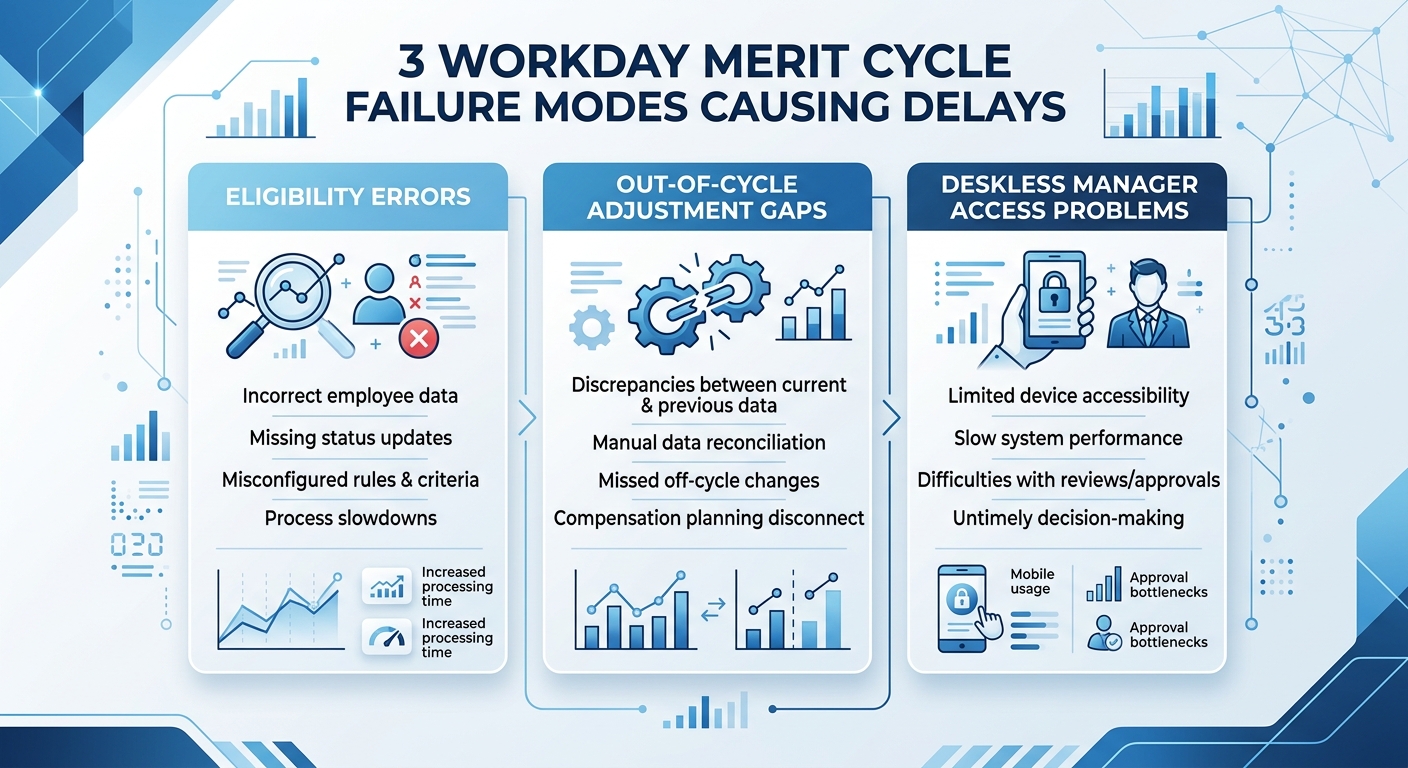
Three failure modes account for most late cycle closes. The first is eligibility misconfiguration: when job profiles, compensation grades, or pay groups are not current at the time the review launches, the eligibility rules pull the wrong worker population into each manager’s worksheet — either adding ineligible employees or excluding workers who should receive awards. In organizations that have processed supervisory org restructures in the months before the cycle, the supervisory hierarchy used to distribute budget pools may not match the current reporting structure, which means budget allocations land in the wrong manager’s worksheet. The second failure mode is out-of-cycle adjustments: market corrections, equity increases, or off-cycle merit awards made between the last cycle and this one are stored in Workday’s compensation history but do not automatically appear in the merit worksheet as context for the manager completing the award. A manager looking at a blank merit worksheet for a worker who received a 15% off-cycle increase three months ago has no native visibility into that history unless a custom report or worksheet column was built to surface it. The third failure mode — and the one most consistently ignored in configuration reviews — is the deskless manager problem. A plant supervisor or clinical unit lead may appear in the manager hierarchy for 40 or 50 workers, but her Workday access is effectively inoperative during the merit window because she has no daily muscle memory for the system, the inbox notification goes to an account she rarely checks, and the worksheet interface requires a full Workday login session rather than a task-specific mobile interaction. For organizations where 30% or more of the workforce reports to deskless managers, this failure mode produces the blank worksheet problem — and HR’s response is typically to complete the worksheets manually on the manager’s behalf, which defeats the purpose of the manager review step and removes the local context that compensation decisions are supposed to capture.
What to Configure in Workday First
Before the cycle opens, run a full eligibility simulation using the Preview Compensation Review feature to confirm the worker population in each manager’s worksheet matches your intent. Compare the simulation output against a current headcount report to identify eligibility gaps before launch — not after the window has opened. Confirm that compensation grades and job profiles were updated for any workers who changed roles in the 90 days before the cycle; stale profile data is the primary driver of ineligible workers appearing in worksheets. Build a worksheet column that surfaces the worker’s most recent off-cycle adjustment date and amount — this gives managers the prior-period context Workday does not include by default and eliminates the most common source of over-awards in the first year after a market adjustment. For proxy and delegation, set up manager delegates for any supervisory org node where the manager is on leave or has historically been unreachable during the cycle window — this prevents worksheets from going blank when a single manager is unavailable. Finally, stage your approval routing to include a calibration step at the business unit level before the individual manager worksheets are finalized; this catches outlier awards before they reach the compensation team’s review queue rather than after.
Where Native Configuration Runs Out
None of these steps resolve the deskless manager access problem. The Workday Inbox experience is designed for knowledge workers who are already in the system daily — it is not designed for a warehouse operations manager who needs to award merit increases for 45 hourly workers during a two-week window using a phone she uses primarily for shift communications. Workday Mobile improves some of this experience, but the full merit worksheet interaction still requires navigating multiple steps that assume familiarity with the interface. The result is a predictable support spike: HR business partners spend the last three days of every merit window completing worksheets on behalf of deskless managers, which means local business context is replaced by HR’s best approximation of it. This is also where the pattern recurs that appears across every manager-facing Workday workflow for frontline populations — the tool is correct, the configuration is sound, and the data never arrives because the interface between the frontline manager and the HCM system is broken. For retroactive corrections that follow a late cycle close, the downstream payroll impact compounds the original access problem into a multi-cycle fix.
CloudApper AI for HCM Personalization and Extensibility
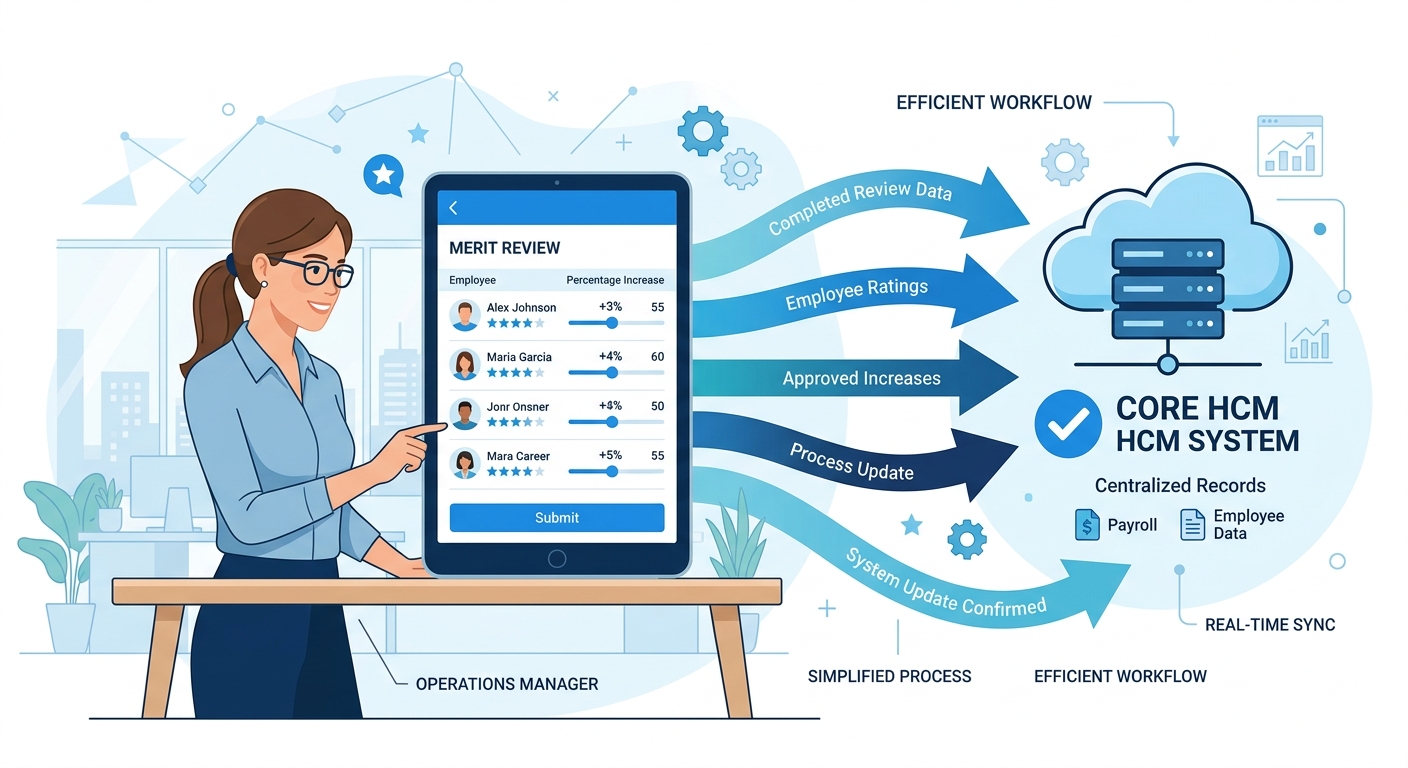
CloudApper AI for HCM Personalization and Extensibility adds a manager-facing compensation review interface that sits in front of Workday’s merit plan without replacing the plan itself. A deskless manager receives a task-specific notification through a channel she actually uses — a kiosk, a mobile app, a text-based workflow — and completes her compensation review through a simplified interface that writes approved awards directly back to the Workday merit worksheet. The Workday system of record receives the data; the manager did not need to navigate the full Workday inbox experience to produce it. For organizations with complex eligibility rules, CloudApper can extend the logic applied at the eligibility check to account for conditions that Workday’s native rule engine does not handle — custom service milestones, role-specific proration rules, or multi-entity compensation grade crosswalks that exist in the data but are not exposed in standard Workday eligibility configuration. The cycle closes on time. The worksheets reflect actual manager judgment. The skills and performance data that should inform merit decisions is surfaced at the point of the manager’s review rather than buried in a separate Workday report the manager was never going to open.
Frequently Asked Questions
Q: How does Workday handle the annual compensation review process?
Workday’s advanced compensation module runs annual merit, bonus, and stock reviews through a Compensation Review event that HR initiates. Eligibility rules determine which workers appear in each manager’s worksheet; budget pools distribute down the supervisory org hierarchy; managers complete awards in Workday Inbox; and the cycle closes when all approval steps in the routing chain are completed. The process is fully configurable — eligibility, budget calculation, approval routing, and finalization are all set up in the Workday tenant before the cycle launches.

Q: What causes Workday merit cycle eligibility errors?
Most eligibility errors trace to stale worker data — outdated compensation grades, job profiles, or FTE records that were not updated before the cycle launched. When the eligibility rule evaluates a worker’s profile at the time the review initiates, any data that hasn’t been corrected produces the wrong result: ineligible workers appear in worksheets, or eligible workers are excluded. Running a full eligibility simulation before the cycle opens, and auditing compensation grades for workers who changed roles in the prior 90 days, eliminates most of these errors before the window opens.
Q: How do you handle manager delegate access during a Workday compensation review?
Workday supports manager delegation through the Business Process security and delegate configuration. For the compensation review, a delegate can be assigned to act on behalf of a manager who is on leave or otherwise unavailable. The delegate sees the same worksheet the manager would see and submits awards with the same authority. Delegates should be configured before the cycle opens — setting up delegation after a worksheet is already sitting in an unavailable manager’s inbox requires HR intervention to reassign the task.
Q: Can out-of-cycle compensation adjustments be included in a Workday merit worksheet?
Not by default. Workday’s merit worksheet shows the worker’s current compensation and the award being proposed for the current cycle — it does not surface prior off-cycle adjustments as part of the worksheet view unless a custom report column was built to include that history. Organizations that run market corrections, equity increases, or spot bonuses between cycles typically build a separate worksheet column that shows the date and amount of the most recent off-cycle adjustment, giving managers the context they need to avoid over-awarding workers who already received a significant adjustment in the prior period.
Q: What is the Workday merit plan and how is it configured?
A Workday merit plan is the compensation plan type used to structure annual merit increases. It defines the calculation method (percentage of salary or flat amount), the budget pool source, eligibility rules, proration logic for partial-year workers, and the worksheet columns managers see during review. Merit plans are attached to compensation review events at launch. Multiple merit plans can run in a single compensation review — for example, a salaried merit plan and an hourly merit plan with different eligibility rules and budget pools operating in the same annual cycle.
Q: Why do Workday merit worksheets go blank or incomplete for some managers?
Blank or incomplete worksheets are almost always a deskless manager access problem, a delegation gap, or a routing failure. Managers who don’t have active daily Workday sessions miss Inbox notifications and run out of time without completing their worksheets. Delegation gaps leave worksheets in the Inbox of a manager who is on leave with no backup assigned. Routing failures occur when a supervisory org change moved a worker out of a manager’s org after the eligibility snapshot was taken, leaving the worker assigned to a worksheet the correct manager can’t see. Each failure mode has a different resolution path, and identifying which one applies requires looking at the worksheet status alongside the worker’s current supervisory org and the manager’s Workday session history.
Q: How long does a Workday compensation review typically take to close?
Cycle duration varies by organization size and configuration complexity, but most Workday customers run merit windows of 7–21 days for the manager review step. Cycles that close late typically have one of three problems: blank worksheets from deskless or unavailable managers, eligibility disputes requiring HR to manually correct the worker list mid-cycle, or approval routing delays at a level where the approver was not notified or the business process was not sequenced to allow parallel approval at multiple levels. Pre-configuring delegation, running eligibility simulations before launch, and building a real-time completion dashboard for HR are the three configuration choices that most reliably shorten cycle close time.
If your Workday merit cycle closes late every year or your HR team is finishing worksheets on behalf of managers in the final 48 hours, the deskless manager access problem is almost certainly the root cause — not the compensation configuration. The CloudApper team can map where the handoff breaks for your frontline manager population and build the interface that closes it. Reach out at cloudapper.ai/contact-us.

What is CloudApper AI Platform?
CloudApper AI is an advanced platform that enables organizations to integrate AI into their existing enterprise systems effortlessly, without the need for technical expertise, costly development, or upgrading the underlying infrastructure. By transforming legacy systems into AI-capable solutions, CloudApper allows companies to harness the power of Generative AI quickly and efficiently. This approach has been successfully implemented with leading systems like UKG, Workday, Oracle, Paradox, Amazon AWS Bedrock and can be applied across various industries, helping businesses enhance productivity, automate processes, and gain deeper insights without the usual complexities. With CloudApper AI, you can start experiencing the transformative benefits of AI today. Learn More
- Useful Links:
- Agentic AI
- No-Code/Low-Code
- Custom Software
- HCM Personalization
- iPaaS
- FedRAMP

Brochure
CloudApper AI TimeClock
For accurate & touchless time capture experience.
Download Brochure
CloudApper AI Solutions for Workday



- Works with








- and more.
Similar Posts

Workday Recruiting for Hourly Workers: Why Salaried-Role Governance Is Stalling…

Workday Security Roles After a Supervisory Org Change: What the…