Workday's garnishment engine handles calculations and CCPA limits natively — but the gap between correct setup and real compliance lies in amended orders, processor integrations, and remittance reconciliation. Here's where withholding errors actually form.
TL;DR
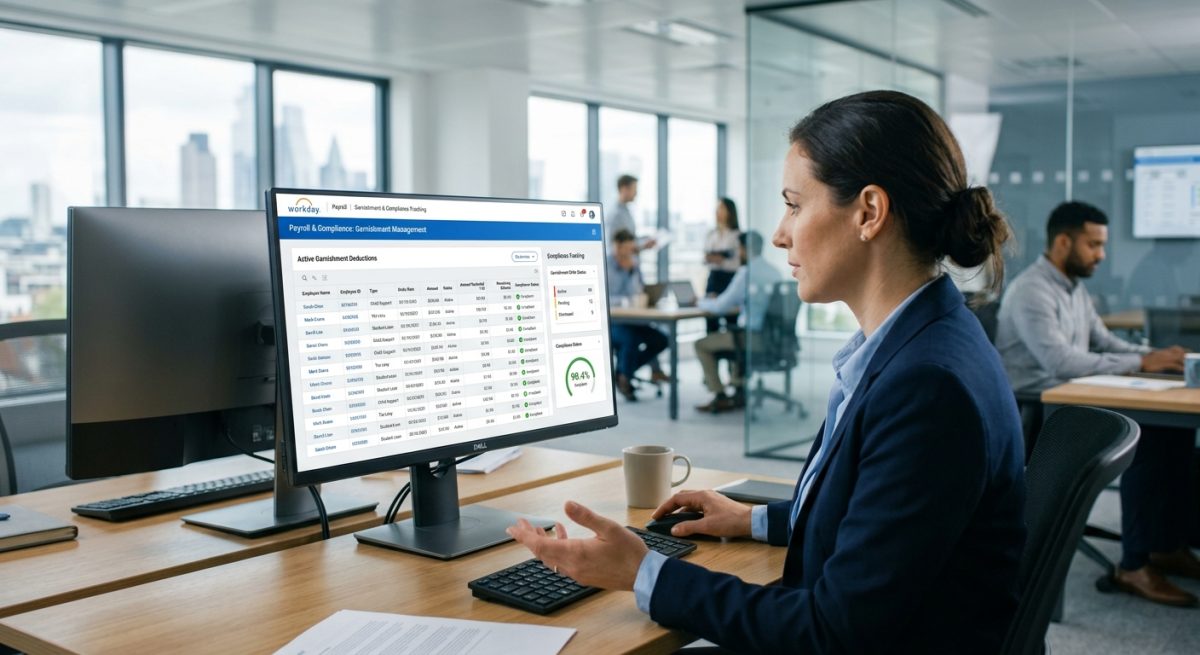
Workday Payroll's native garnishment engine handles disposable income calculations, CCPA withholding limits, and priority sequencing for multiple order types — but it has no live connection to court order management systems or third-party garnishment processors. This means amended orders must be manually updated in Workday before each payroll cycle, and the accumulating gap between static Workday records and dynamic court-ordered terms is the primary source of remittance errors and short-pay complaints. Tightening native configuration — correct CCPA arrears status, enabled Web Service endpoints, pre-close verification reports — reduces exposure but does not eliminate the manual update dependency. CloudApper iPaaS closes that gap by automating the data flow between Workday's payroll settlement output and the garnishment processor, syncing amended order terms before the next cycle runs and capturing audit-ready reconciliation trails at each handoff.
Table of Contents
- What Workday Handles Natively for Garnishments
- Where the Errors Accumulate
- What to Configure in Workday First
- Where Native Configuration Runs Out
You set up the garnishment order in Workday. Priority sequence correct. Earnings codes mapped. Disposable income calculation enabled. Consumer credit protection limits configured. Six weeks later, you have a remittance discrepancy from the processor and an employee short-pay complaint — and nothing in standard Workday reporting tells you where the delta originated. Tools like CloudApper iPaaS are built for exactly this handoff: automating the data movement between Workday’s payroll settlement and the third-party garnishment processor so that amended orders, competing deductions, and remittance reconciliation happen without manual intervention. But understanding where that automation earns its place starts with what Workday handles natively — and what it does not.
What Workday Handles Natively for Garnishments
Workday Payroll includes a garnishment engine that is more capable than most administrators realize. The Garnishment Order business object stores issuing agency, case number, deduction priority sequence, calculation method, and remittance recipient. Workday calculates disposable earnings, applies federal Consumer Credit Protection Act limits, and handles state-specific minimum wage overrides when the state minimum exceeds the federal floor. The system supports all major withholding order types — child support, spousal support, creditor garnishments, tax levies, student loan default orders, and bankruptcy wage assignments — each with its own calculation logic. When multiple garnishments compete for the same limited disposable income, Workday applies the priority sequence you define and caps total withholding at the applicable federal and state maximums. For organizations with straightforward single-state payrolls and stable garnishment populations, this native capability is sufficient to run legally compliant withholding through normal payroll cycles.
Where the Errors Accumulate
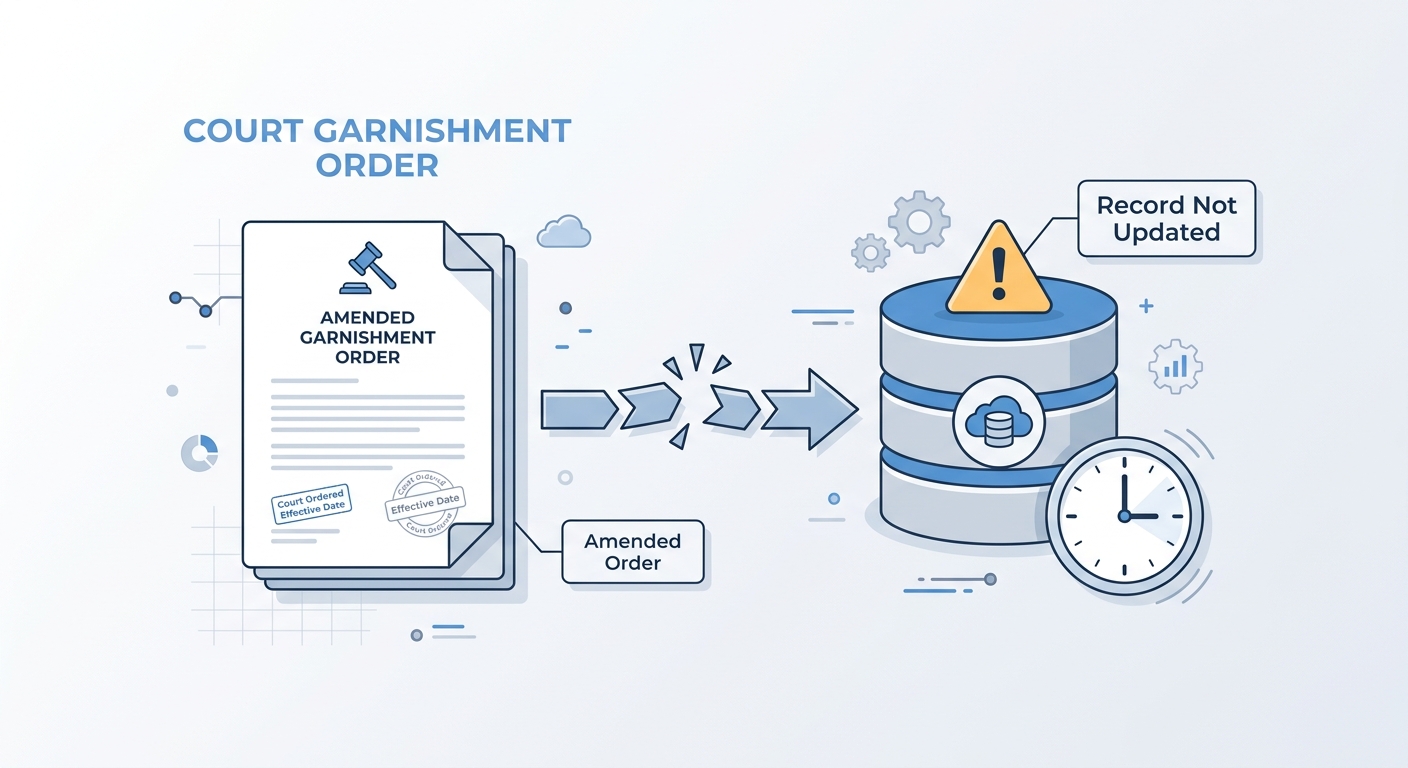
The configuration you set up at order entry reflects the order as it existed on the day you entered it. Garnishment orders are not static — child support amounts are modified by courts, creditor orders are satisfied and closed, tax levies are released, and new orders arrive that change the priority stack for workers who already have active deductions. In a payroll population with 50 or more active garnishments at any given time, the gap between the order-entry record in Workday and the current state of those orders creates the conditions for systematic withholding errors. The processor receiving your payroll settlement file operates from its own order management system; when Workday’s deduction amounts and the processor’s current order terms disagree, you get remittance exceptions — and the exception resolution typically falls to your payroll team rather than being caught by either system automatically. Multi-state employees compound this: each state imposes its own disposable income calculation rules and its own priority hierarchy for competing orders, and Workday’s multi-state payroll configuration requires that those rules be maintained as the employee’s work location or residency changes.
What to Configure in Workday First
Before looking outside Workday, tighten the native setup. Use Workday’s Create Deduction Recipient task to configure each remittance payee with the correct third-party payment method and account details — errors in remittance routing are often traced to stale payee records rather than calculation failures. Enable the Workday Web Service endpoints for garnishment orders (Get and Put Deduction Recipients, Get Payroll Results) so that automated integrations can read the withholding calculation output directly rather than relying on manual file exports. Build a recurring Workday report that surfaces active garnishment orders by worker, current withholding amount, and priority sequence — running this report before each payroll close gives your team a verification checkpoint before settlement. For child support orders specifically, confirm that your Workday configuration applies the income withholding limit appropriate to arrears status; CCPA caps differ based on whether the employee is current or delinquent, and the wrong cap produces both under- and over-withholding depending on which direction the error runs.
Where Native Configuration Runs Out
Workday does not maintain a live connection to court order management systems, third-party garnishment processors, or state disbursement units. When an order is amended, the updated terms do not flow into Workday automatically — someone on your team has to receive the amended order, update the Workday record, and verify that the new calculation takes effect in the next payroll cycle. For organizations processing 100 or more garnishments across multiple states, this manual update cycle is where most withholding errors originate: not in the initial configuration, but in the accumulating delta between what Workday was told when the order was entered and what the order actually requires today. The same gap affects retroactive corrections — when a withheld amount is wrong and an off-cycle payroll correction is required, Workday’s standard audit logging does not capture the reconciliation trail in a format that satisfies DOL or state agency audit requests without additional manual documentation. The integration between Workday’s payroll output and the processor’s disbursement system is also typically a scheduled batch file — a gap that means remittance timing does not automatically reflect same-day order updates.
CloudApper iPaaS for Garnishment Integration
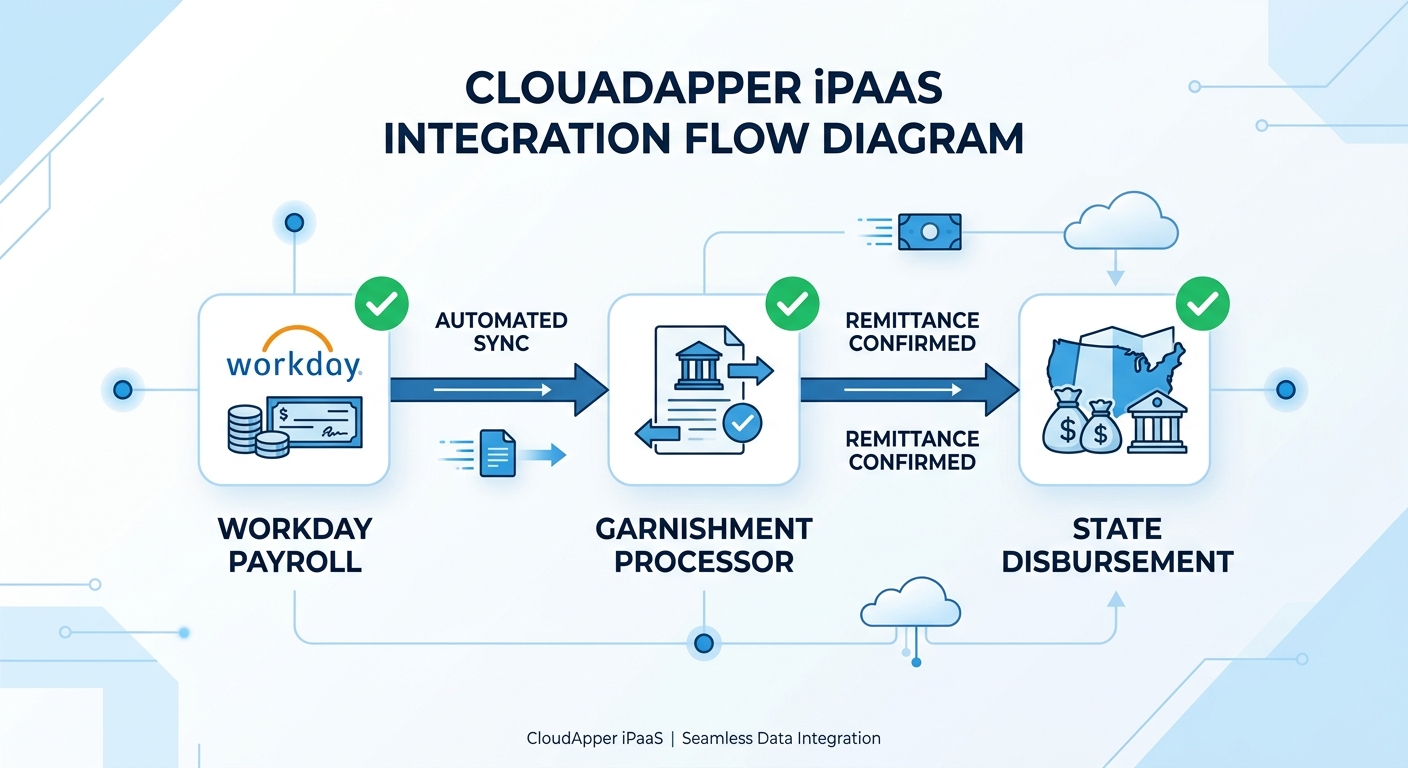
CloudApper iPaaS connects Workday Payroll to third-party garnishment processors and state disbursement systems through automated, event-driven data flows rather than scheduled batch files. When an order is amended at the processor level, the updated terms sync into Workday before the next payroll cycle runs — eliminating the manual update queue that produces most withholding errors. Remittance files are generated from Workday’s payroll settlement output and transmitted to the processor on a defined schedule with exception flagging when amounts disagree with the processor’s current order record. The reconciliation trail is captured at each data handoff, creating the audit-ready documentation that Workday’s native settlement logs do not produce on their own. For payroll teams managing garnishments across multiple states and multiple processor relationships, the integration layer is what keeps the configuration current — because a correctly configured garnishment in Workday that reflects last quarter’s order terms is functionally incorrect today.
Frequently Asked Questions
Q: Does Workday support garnishment processing natively?
Yes. Workday Payroll includes a garnishment engine that calculates disposable earnings, applies CCPA withholding limits, handles multiple garnishment types (child support, tax levies, creditor garnishments, bankruptcy assignments), and supports priority sequencing when multiple orders compete for the same disposable income. The system applies federal and state-specific limits and supports local minimum wage overrides where required.

Q: How do you set up garnishments in Workday?
Use the Garnishment Order business object to enter the issuing agency, case number, deduction type, priority sequence, calculation method, and withholding limits. Create a Deduction Recipient record for the remittance payee with the correct third-party payment routing. Configure the earnings codes that feed the disposable income calculation, and verify that CCPA limits are applied at the correct arrears status for child support orders. Run a validation payroll to confirm the withholding amount before the first live cycle.
Q: What causes garnishment withholding errors in Workday?
Most withholding errors trace to amended orders that were not updated in Workday before the payroll cycle ran, competing garnishments where the priority stack changed without a corresponding Workday configuration update, or remittance files that disagree with the processor’s current order record. The initial configuration is rarely the source of errors; the accumulating gap between static Workday records and dynamic court order terms is.
Q: How does Workday handle multiple garnishments competing for the same employee’s disposable income?
Workday applies garnishments in the priority sequence configured on each order, respecting the federal CCPA total withholding cap (25% of disposable earnings or the amount by which disposable earnings exceed 30 times the federal minimum wage, whichever is less). Child support and alimony orders receive priority under federal law. Creditor garnishments, tax levies, and student loan orders follow. If total priority-ordered garnishments would exceed the cap, lower-priority orders are reduced or suspended until disposable income allows.
Q: Can Workday integrate with third-party garnishment processors like ADP or Conduent?
Yes, through Workday’s Web Services and Workday Marketplace integrations. The integration typically operates as a batch file exchange: Workday generates a payroll settlement file that the processor uses to disburse garnishment payments to issuing agencies. Real-time order synchronization — where processor-side order amendments automatically update Workday deduction records — requires a custom integration layer built on Workday’s API endpoints, or a pre-built connector such as CloudApper iPaaS.
Q: What should Workday payroll admins review before each payroll close for garnishment compliance?
Before each close, run a report of all active garnishment orders showing current withholding amounts and priority sequence. Confirm that any order amendments received since the last cycle have been entered and that deduction amounts reflect the current order terms. Verify that new orders for the period have been entered with correct priority relative to existing deductions. Check that remittance payee records are current for all active orders — stale routing information produces payment rejections rather than calculation errors.
Q: What is the difference between a garnishment and a wage assignment in Workday?
A garnishment is a court-ordered or government-agency-ordered withholding, enforceable without the employee’s consent. A wage assignment is a voluntary agreement by the employee to have wages withheld — typically for debt repayment or support obligations — that requires employee authorization. Workday handles both as withholding order types, but they carry different legal enforcement mechanisms and different CCPA coverage (voluntary wage assignments may fall outside CCPA limits depending on state law).
If your garnishment configuration in Workday is correct but you are still resolving remittance exceptions or retroactive corrections every quarter, the data handoff between Workday’s payroll output and your garnishment processor is almost certainly where the delta originates. The CloudApper team can map that integration and close the gap before the next audit cycle. Reach out at cloudapper.ai/contact-us.

What is CloudApper AI Platform?
CloudApper AI is an advanced platform that enables organizations to integrate AI into their existing enterprise systems effortlessly, without the need for technical expertise, costly development, or upgrading the underlying infrastructure. By transforming legacy systems into AI-capable solutions, CloudApper allows companies to harness the power of Generative AI quickly and efficiently. This approach has been successfully implemented with leading systems like UKG, Workday, Oracle, Paradox, Amazon AWS Bedrock and can be applied across various industries, helping businesses enhance productivity, automate processes, and gain deeper insights without the usual complexities. With CloudApper AI, you can start experiencing the transformative benefits of AI today. Learn More
- Useful Links:
- Agentic AI
- No-Code/Low-Code
- Custom Software
- HCM Personalization
- iPaaS
- FedRAMP

Brochure
CloudApper AI TimeClock
For accurate & touchless time capture experience.
Download Brochure
CloudApper AI Solutions for Workday



- Works with








- and more.
Similar Posts

Workday FMLA Tracking: Why Compliant Configuration Doesn’t Prevent Compliance Gaps

Workday Skills Cloud: Why Frontline Workers Stay Invisible to Your…