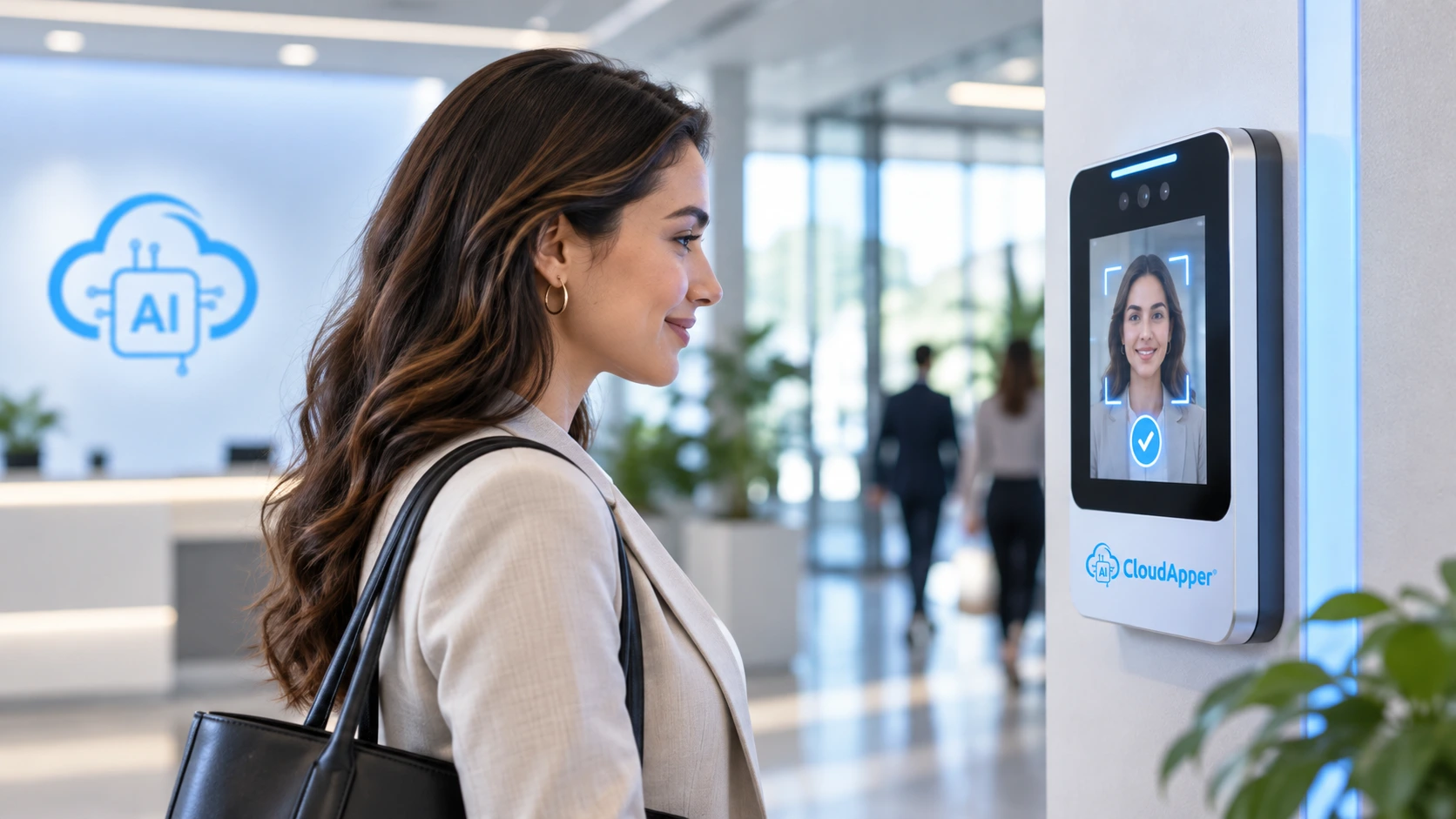
Most HCM platforms can flag a lapsed CDL, RN license, or forklift certification, but few stop the punch itself. This guide shows how CloudApper AI TimeClock alerts supervisors before a credential expires and blocks clock-in if it lapses anyway, keeping uncertified hours out of payroll.


TL;DR
- Most HCM platforms track certification and license data and can notify people before it expires, but few flag the individual employee and stop the punch itself.
- CloudApper AI TimeClock is built to alert managers ahead of the deadline and, if that window closes anyway, flag that specific employee to prevent the clock-in itself, for any credential, including a CDL medical card, an RN license, and a forklift certification, on top of whichever HCM already holds the data.
- OSHA requires forklift operator re-evaluation at least once every three years; a missed window turns every later punch into documented, uncertified operation.
- Every flag, block, and manual override is designed to sync back to the HCM as a timestamped record, building the audit trail regulators and attorneys ask for.
Table of Contents
- The Problem: A Lapsed Credential Doesn’t Stop the Clock
- Why the Exposure Compounds With Every Shift
- Blocking Clock-In for an Expired Credential
- A Proven Model, Extended to Every Credential
Somewhere in every HR system sits the exact date a driver’s CDL medical certificate expires, the date a nurse’s state license comes up for renewal, and the date a forklift operator is due for re-evaluation. For most roles and most platforms, that date lives as a field in a report, not a check the system runs before letting someone clock in. Nothing about the punch process itself changes when that date passes, which is why the lapse goes unnoticed until someone goes looking for it. CloudApper AI Time Clock is built to alert the responsible manager ahead of the deadline and flag that specific employee at the device if the window closes anyway, syncing directly with whichever HCM already holds the underlying data, whether that’s UKG, Oracle, Dayforce, or Workday. The result is a clock in app that’s built to give managers advance warning and still block clock-in for an expired credential before the punch ever reaches payroll.
The Problem: A Lapsed Credential Doesn’t Stop the Clock
Most time clock systems, including whatever clock in app already feeds your HCM, are built to capture hours worked, not to enforce whether a credential is still valid at the moment of the punch. That distinction rarely matters until a credential lapses and the punch keeps happening anyway. An HR or Operations Manager usually finds out about the gap after the fact, during an audit, a claims review, or a licensing board inquiry, not at the moment it actually mattered. That gap doesn’t discriminate by industry either; it shows up in a hospital, a warehouse, or a trucking yard alike, wherever a credential and a clock-in overlap. This kind of gap sits alongside several other time tracking mistakes that quietly compound before payroll ever sees them.
Where the Gap Shows Up: CDL, RN, and Forklift Certifications
The pattern repeats across every regulated credential, just under a different authority each time. A commercial driver’s medical certificate lapsing can downgrade the CDL itself, and the exposure lands on the carrier the moment that driver gets dispatched. Invalid or missing medical certification was the second most-cited violation at 2025 roadside inspections, with 68% putting the driver out of service on the spot, and the citation follows the carrier into its next safety review.

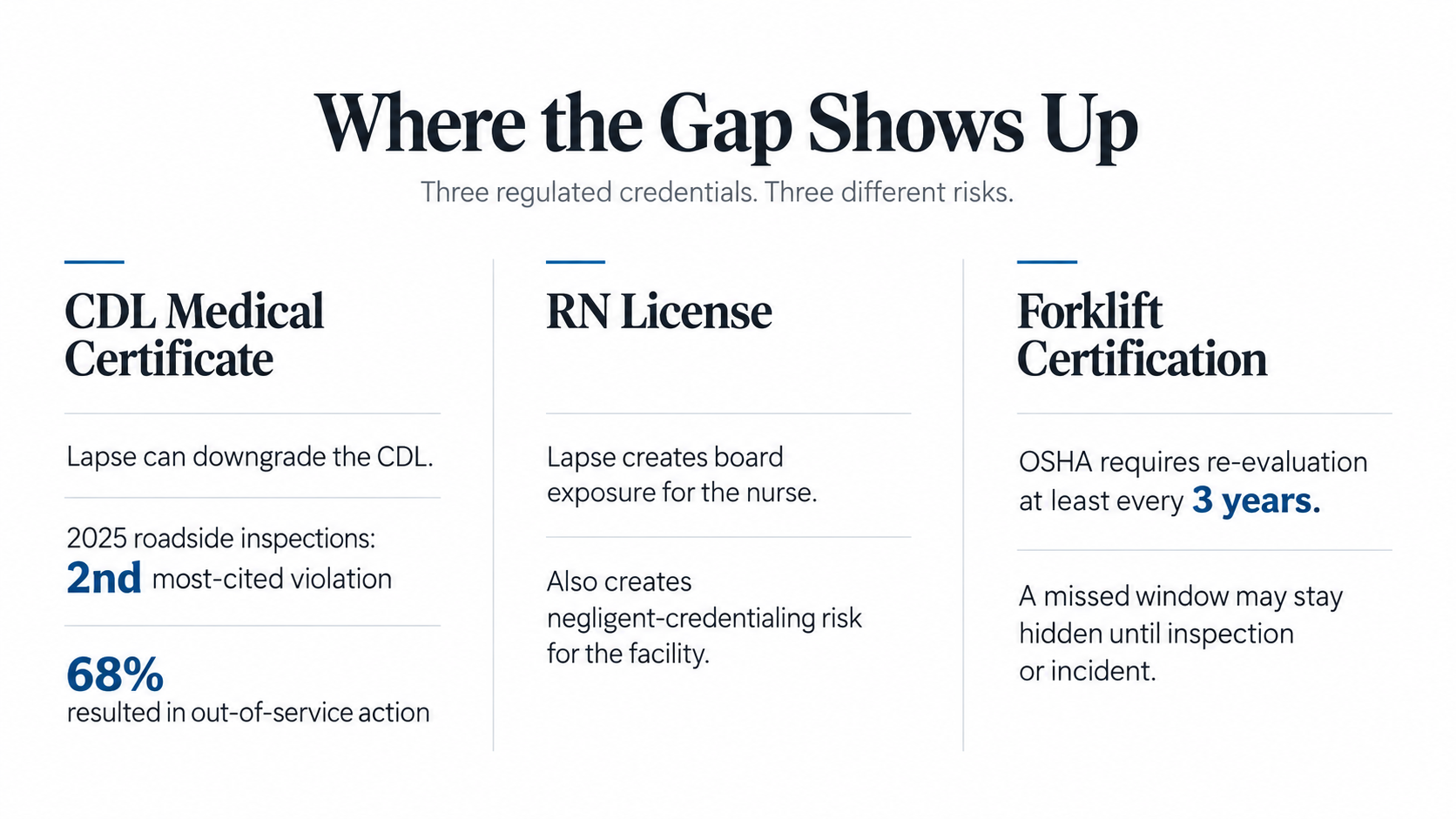
For nurses, a lapsed state license is both a board matter for the individual and a negligent-credentialing exposure for the facility that let the punch happen. Boards move at their own pace, but the complaint rarely disappears quietly, and it tends to resurface in credentialing files long after the shift is forgotten.
For forklift operators, OSHA requires a performance evaluation at least once every three years. A quietly lapsed window is easy to miss, since the operator’s day-to-day work looks identical right up until an inspection or an incident forces the paperwork check.
Why the Exposure Compounds With Every Shift
Every day a lapsed credential goes unnoticed is a day of accumulated exposure, not something you fix once and move past. A missed CDL medical renewal, a nurse on a lapsed license, an operator past their evaluation window: each one compounds with every shift that person clocks in until someone catches it. Multiply that across a fleet, a nursing unit running three shifts, or a warehouse floor with a dozen operators, and the exposure is no longer hypothetical. It’s already sitting in the punch history, climbing as a running balance for as long as the gap goes unnoticed. The liability grows with every punch nobody stopped, the same way certified payroll compliance failures also start quietly at the clock.
OSHA’s standard requires employers to evaluate every powered industrial truck operator’s performance at least once every three years. Powered Industrial Trucks is consistently one of OSHA’s most cited standards, and missing training and evaluation records are a leading reason why. A recurring report that catches the lapse a week later only documents how long the gap went unaddressed; it doesn’t prevent the citation. Waiting on a manual reconciliation process instead of a control that can block clock-in for an expired credential turns a data-hygiene problem into a documented instance of letting an uncertified employee perform safety-sensitive work, one that doesn’t help anyone once a regulator or a plaintiff’s attorney comes asking for it.
Blocking Clock-In for an Expired Credential
CloudApper AI TimeClock is built as a time clock app that checks credential status the moment someone taps in, not after the fact. Before it ever reaches that point, it’s designed to send the responsible manager an advance alert as the deadline approaches, so there’s a real chance to renew the credential before a shift is even scheduled. It’s designed to pull expiration dates for CDL medical certificates, RN licenses, and forklift evaluations from wherever your HCM already stores them, then flag that specific employee against every clock-in attempt alongside the Face ID or PIN check and geofencing that already confirm who’s on-site and where. The result is a system built to catch that one employee and block clock-in for an expired credential, showing the reason at the device instead of logging the hours silently. A manager can still issue a logged override for a genuine emergency, but the default runs block-first, and it’s designed to apply consistently across every one of your employee time clocks rather than a subset of locations.

If missed punches or sync gaps have already caused friction elsewhere in your process, it’s worth reviewing why missing punches happen after an otherwise successful integration run before layering a new rule on top.
A Proven Model, Extended to Every Credential
This kind of check isn’t theoretical. It already exists in gaming, where state licensing requirements made ignoring a lapsed credential impossible. What’s been missing isn’t the ability to build this, it’s someone building it for every credential instead of just the one industry that got forced into it. CloudApper AI TimeClock is built to do exactly that: flag the specific employee the instant they tap in, and apply that same check to any credential a workforce depends on, whether that’s a CDL medical card, an RN license, a forklift certification, or anything else tied to a specific role. The hours never reach payroll uncertified, because the check happens before the punch completes, not after someone runs a report. It’s compatible with most major HCM platforms, including UKG, Oracle, Dayforce, and Workday.
If a lapsed CDL, RN license, or forklift certification could already be clocking in undetected on your floor, contact our team to see the block rule running against your own workforce data.
Frequently Asked Questions
Does my HCM already do this?
Most HCM platforms track certification and license expiration dates and can notify people before the deadline, but that only works if someone reads it and acts before the shift starts. Punch-level blocking already exists in gaming, where state licensing requirements made it necessary: the employee is flagged directly, and the punch itself is stopped, not just reported. CloudApper AI TimeClock is built to layer advance manager alerts with that same employee-level flag for other credential types, including a CDL medical card, an RN license, and a forklift certification, on top of whichever HCM already holds the data.
What happens if an employee’s credential lapses in the middle of a shift?
The system is designed so the block applies at the next punch, not retroactively. If a CDL medical certificate, RN license, or forklift certification expires while an employee is already clocked in, that employee is flagged directly, and their next clock-in attempt is held until a supervisor confirms the credential has been renewed or issues a documented override.
Can a supervisor override the block in an emergency?
Yes. It’s built to support a role-based PIN or manager approval that gets logged automatically. The override doesn’t erase the compliance gap, but it creates a timestamped record of who authorized the exception and why.
How far in advance can supervisors get alerted before a credential expires?
Expiration alerts are configurable to whatever schedule your policy calls for, commonly tiered reminders 30, 14, and 7 days out routed to the employee’s supervisor, giving management a real window to get ahead of a renewal before it becomes a scheduling problem. If that window still closes without action, the employee is flagged and the clock-in is held the moment the credential lapses, so the protection doesn’t depend entirely on someone catching the notification in time.
Does one deployment cover CDL, RN, and forklift certifications, or does each need separate setup?
Each credential type is configured separately since expiration rules differ: DOT medical certificate cycles, state-specific RN renewal periods, and the OSHA three-year forklift evaluation window. All three are designed to run through the same clock-in check, so one time clock deployment can enforce all three credential types across a mixed workforce.
What is CloudApper AI Platform?
CloudApper AI is an advanced platform that enables organizations to integrate AI into their existing enterprise systems effortlessly, without the need for technical expertise, costly development, or upgrading the underlying infrastructure. By transforming legacy systems into AI-capable solutions, CloudApper allows companies to harness the power of Generative AI quickly and efficiently. This approach has been successfully implemented with leading systems like UKG, Workday, Oracle, Paradox, Amazon AWS Bedrock and can be applied across various industries, helping businesses enhance productivity, automate processes, and gain deeper insights without the usual complexities. With CloudApper AI, you can start experiencing the transformative benefits of AI today. Learn More
- Useful Links:
- Agentic AI
- No-Code/Low-Code
- Custom Software
- HCM Personalization
- iPaaS
- FedRAMP

Brochure
CloudApper AI TimeClock
For accurate & touchless time capture experience.
Download Brochure
CloudApper AI Solutions for HR



- Works with








- and more.
Similar Posts

Why Frontline Employers Need an AI Time Clock to Prove…
Why Franchises Need an AI Time Clock to Enforce Location-Specific…