Seven spreadsheets that payroll teams rebuild every cycle already have a Workday task behind them, from scheduled reports to Excel templates and bursting. This guide pairs each one with its native replacement and names the calculation work that still ends up in a file.


TL;DR
Seven pay period spreadsheets, from missing-time chase lists to net-to-pay tie-outs and per-manager copies, map to documented Workday tasks such as Schedule a Report, Excel templates, report bursting and payroll audit rules. Workday documents that exported spreadsheets do not retain security restrictions and that Excel templates apply only through Schedule a Report or Notify Me Later. Seniority, shift differential and bumping calculations still finish in files by hand, which is a practitioner pattern. CloudApper AI for HR Systems builds workflows around that last mile alongside Workday.
Table of Contents
- Seven Spreadsheets, Seven Native Replacements
- Which Ones to Retire First
- What Still Ends Up in Excel
- Moving the Last Mile Out of the File
A Workday scheduled report can replace most of the spreadsheets rebuilt every pay period. Seven are listed below, each paired with the Workday task that retires it, plus the calculation work that still ends up in Excel. CloudApper works alongside Workday on that last part.
Seven Spreadsheets, Seven Native Replacements
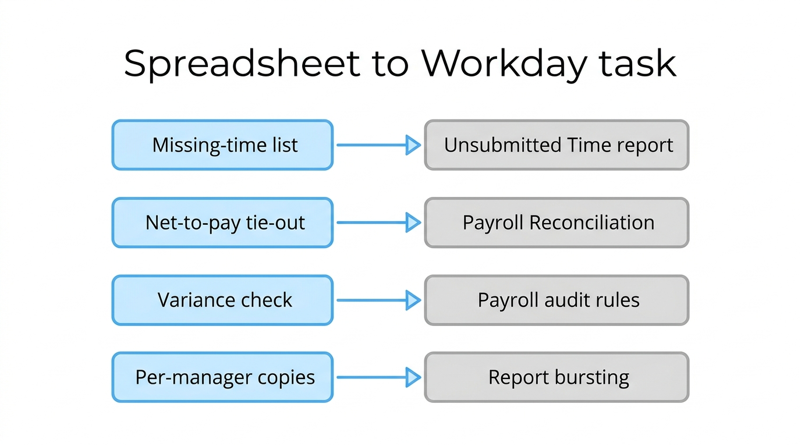
- The missing-time chase list. Copy and modify Workers with Unsubmitted Time, Workers with No Time Entry, Workers with Unapproved Time Review Events and Unmatched Time Clock Events by Worker, then attach notifications to them.
- The pre-cutoff submit list. The Mass Submit Time report submits time for selected workers and can recur. Review first, since bulk sign-off has a payroll cost.
- The incomplete punch tracker. Use the Incomplete Time Blocks report data source in a custom report, and select Prevent Submission of Incomplete Time Blocks on the time entry template.
- The net-to-pay tie-out. Payroll Reconciliation (Results/Payments) reconciles net to pay and results by pay group and period, and Payroll Register covers the rest. Outside data still needs care, as covered in year-end payroll reconciliation.
- The period-over-period variance check. Payroll audit rules support severity levels and a Prior Period Comparison, so exceptions surface before results post. See Workday payroll audit exceptions.
- The reformatted export. Attach an Excel template to a custom report or report group, then run it through Schedule a Report. Workday applies the template only for Schedule a Report or Notify Me Later, not for Export.
- The per-manager copies. Report bursting generates a version of a report for each audience.
Which Ones to Retire First
Start with items 1 and 3, because they feed everything downstream. Then schedule item 6 so the template runs without anyone remembering to click. Scheduled reports belong to a person, so use Scheduled Future Processes to transfer ownership when that person leaves. Reports that feed payroll vendors carry the same risk, as in RaaS reports nobody owns, and failures stay quiet without integration monitoring.
What Still Ends Up in Excel
Documented by Workday: exported spreadsheets and PDFs don’t retain security restrictions. Once a file leaves the tenant, that access goes with it.

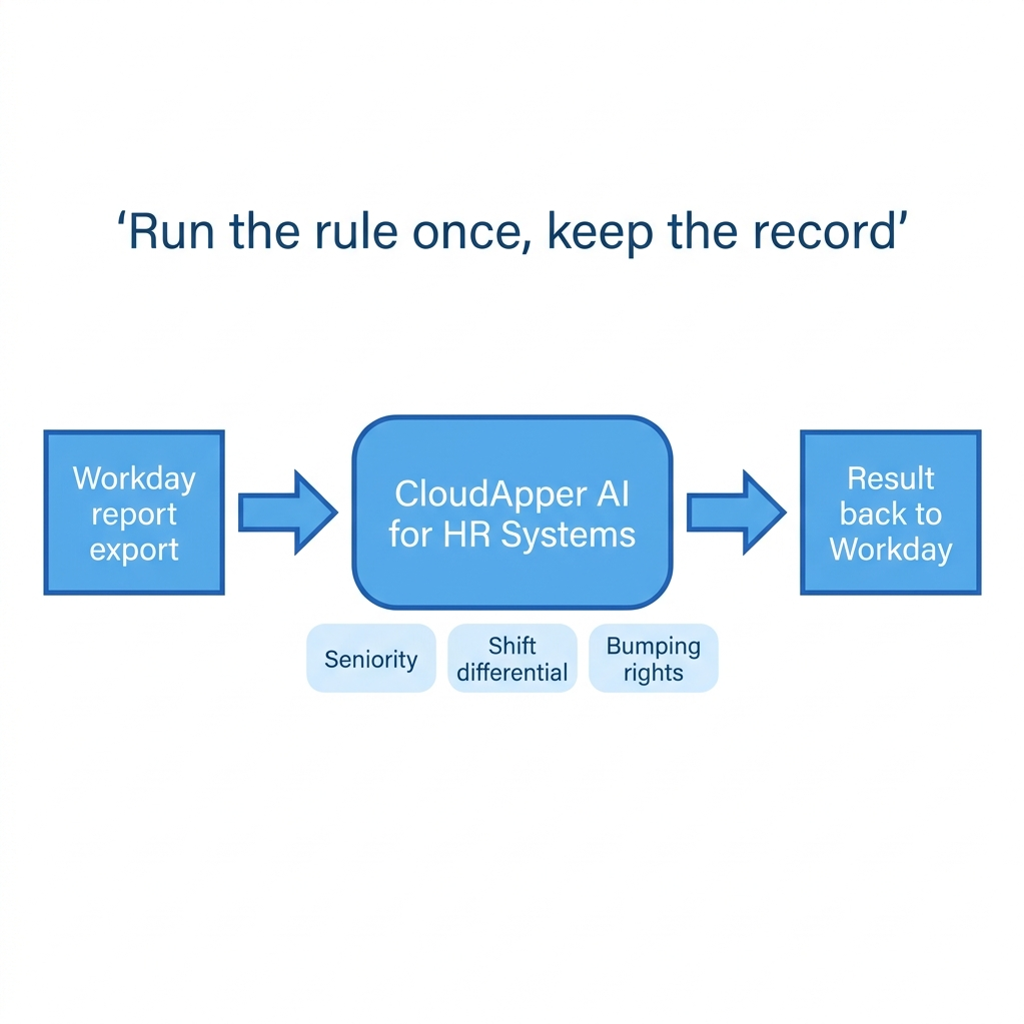
Practitioner pattern: the calculations stay in the file. Seniority ranking, shift differentials and bumping rights are finished by hand each pay period, which is the pain on the CloudApper AI for HR Systems page: configuration only goes so far, so the rest lands in spreadsheets and Friday-afternoon exports. Rules like union work rules and seniority dates are where it shows.
Moving the Last Mile Out of the File
CloudApper AI for HR Systems builds the workflow around the calculation Workday configuration doesn’t reach, so the rule runs once and leaves a record. Workday stays the system of record. Confirm the Workday connection method with CloudApper before scoping.
Frequently Asked Questions
Q: How do I schedule a report in Workday to run every pay period?
Run the Schedule a Report task for the report and set a daily, weekly, monthly or custom recurrence. Choose the output type and share the results with the users who need them.
Q: Can Workday format a scheduled report with an Excel template?
Yes. You can attach an Excel template to a custom report or report group. Workday applies it only when the report runs through Schedule a Report or Notify Me Later, not through Export.
Q: How do I stop Workday sending empty scheduled reports?
Select the option that prevents Workday from creating output files or sending notifications when a report has no results. Workday doesn’t support it for standard reports created with XpressO.
Q: What happens to a scheduled report when its owner leaves?
Use the Scheduled Future Processes report to transfer ownership of the scheduled request. You can also change the schedule, suspend it or delete it from there.
Q: Do exported Workday spreadsheets keep security restrictions?
No. Workday documents that exported spreadsheets and PDFs don’t retain security restrictions, so control where the file is stored and shared.
Payroll teams still finishing seniority and differential math by hand can talk with CloudApper about automating that step alongside Workday.

What is CloudApper AI Platform?
CloudApper AI is an advanced platform that enables organizations to integrate AI into their existing enterprise systems effortlessly, without the need for technical expertise, costly development, or upgrading the underlying infrastructure. By transforming legacy systems into AI-capable solutions, CloudApper allows companies to harness the power of Generative AI quickly and efficiently. This approach has been successfully implemented with leading systems like UKG, Workday, Oracle, Paradox, Amazon AWS Bedrock and can be applied across various industries, helping businesses enhance productivity, automate processes, and gain deeper insights without the usual complexities. With CloudApper AI, you can start experiencing the transformative benefits of AI today. Learn More
- Useful Links:
- Agentic AI
- No-Code/Low-Code
- Custom Software
- HCM Personalization
- iPaaS
- FedRAMP
Brochure
CloudApper AI TimeClock
For accurate & touchless time capture experience.
Download Brochure
CloudApper AI Solutions for Workday


- Works with








- and more.
Similar Posts

Workday Open Shift Bidding: 6 Decisions to Make Before You…

Workday Mass Enter Time: 5 Crew Methods and Their Limits