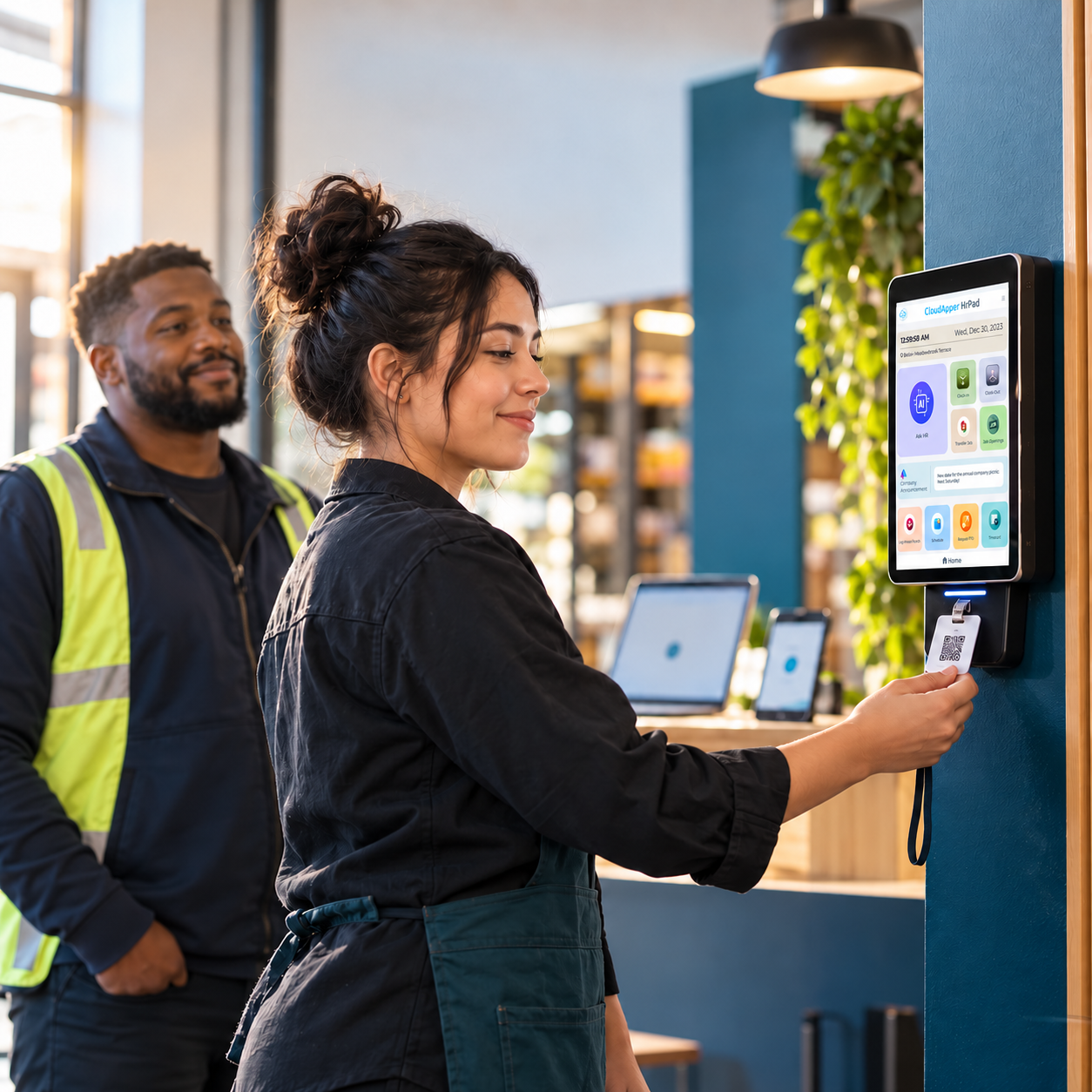
Enterprise HR systems assume a desk, a laptop, and a company email — excluding 80% of the global workforce. Here is how an employee self-service kiosk closes the access gap on the frontline, extending your existing HCM instead of replacing it.


TL;DR
Most enterprise HR systems assume a desk, a laptop, and a corporate email address — which excludes 80% of the global workforce. HR automation for deskless workforce teams closes that access gap with a shared employee self-service kiosk: any iOS, Android, or Windows tablet becomes the front door to time capture, PTO, shift bidding, and 24/7 AI HR answers, writing straight back to the existing HCM.
Table of Contents
- The Challenges of Managing a Deskless Workforce
- Why Employee Self-Service Kiosks Changed the Equation
- What HR Automation for Deskless Workforce Teams Looks Like in Practice
- Benefits That Go Beyond Productivity
Enterprise HR systems were built for people who have a desk, a laptop, and a company email address. That describes roughly one in five workers on earth. The other 2.7 billion — the people on assembly lines, hospital floors, loading docks, retail floors, and job sites — are managed by systems they cannot log into. Their punches get corrected by a supervisor. Their PTO balance is a question they have to ask someone. Their shift swap happens on a paper sheet taped to a break room wall. This is what makes HR automation for deskless workforce teams a fundamentally different discipline from HR automation for office staff: the system of record is not the problem, access to it is.

That access gap is where productivity quietly leaks away. Every question a frontline employee cannot answer themselves becomes an interruption for a supervisor, a ticket for HR, or a payroll correction three weeks later. The organizations closing that gap are not replacing their HCM — they are extending it to the floor with an employee self-service kiosk that turns any tablet into the front door of HR service delivery. CloudApper hrPad is built for exactly that: same system of record, finally reachable by the people it was supposed to serve.
The Challenges of Managing a Deskless Workforce
Deskless work is not a niche. It is the majority of global employment, and the operational friction that makes HR automation for deskless workforce populations urgent is consistent across every industry that depends on it — as anyone who has evaluated time capture options for deskless employees already knows:
- No practical access to HR systems — no assigned desktop, often no corporate email or SSO credential
- Manual timekeeping that depends on paper, spreadsheets, or a supervisor’s memory
- Communication that only travels one direction, from HR outward, with no reliable channel back
- Delayed answers to routine questions — accrual balances, shift changes, policy clarifications, pay disputes
- Scheduling that breaks under volatility, especially in shift-based and multi-site operations
- Compliance exposure when time records are reconstructed after the fact rather than captured at the moment of work
Left alone, these bottlenecks compound. Payroll errors erode trust. Unanswered questions become disengagement. And disengagement is expensive at a scale most organizations never put on a balance sheet — Gallup puts global employee engagement at 20% in 2025, an estimated $10 trillion in lost productivity worldwide.
Did You Know?
More than 2.7 billion workers globally are deskless — 80% of workers worldwide, according to Emergence Capital. Yet by its count, less than 1% of software venture funding has gone to companies building technology for them. That funding gap is why HR automation for deskless workforce teams lagged a decade behind the office.
Why Employee Self-Service Kiosks Changed the Equation
An employee self-service kiosk solves the access problem without solving it twice. Instead of provisioning devices, credentials, and licenses for every frontline worker, the organization puts a shared, secure endpoint where the work already happens — the plant entrance, the nurses’ station, the depot, the store back room. From that one endpoint, employees can independently:
- Clock in and out with Touchless Face ID
- Check accrual balances and submit time-off requests
- Bid on open shifts or swap with a coworker
- Get answers to HR policy questions instantly from an AI assistant
- Submit referrals, feedback, and well-being check-ins
The operational point is not the tablet. It is that every one of those transactions writes straight back to the system of record instead of into a supervisor’s inbox. That is the difference between a kiosk and a genuine HR service hub.
What HR Automation for Deskless Workforce Teams Looks Like in Practice
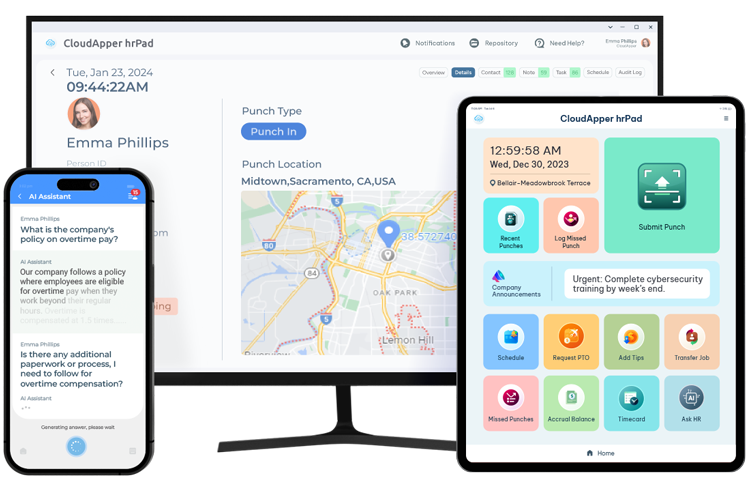
CloudApper hrPad runs on any iOS, Android, or Windows device and does considerably more than replace a punch clock. It is the only employee self-service kiosk that is also a time clock — one endpoint carrying both the compliance-grade time capture and the HR service delivery that frontline teams have never had.
1. A 24/7 AI HR Assistant
Frontline employees ask hrPad’s conversational AI the questions they would otherwise queue up for HR: policy clarifications, benefit eligibility, accrual balances, shift rules. Answers come back immediately, in the employee’s own language, at 2 a.m. on a night shift as readily as at 10 a.m. on a Tuesday. HR stops fielding the same forty questions a week and gets its time back for work only people can do.
2. Time Capture That Holds Up to an Audit
hrPad’s Touchless Face ID check-in eliminates buddy punching and syncs clean punch data directly to UKG, Workday, Oracle, Dayforce, SAP SuccessFactors, Infor, isolved, Paylocity, Paycom, Paychex, Paycor, and Sage. Accuracy at the point of capture is what keeps payroll out of dispute — and out of enforcement. The U.S. Department of Labor recovered more than $259 million in back wages for nearly 177,000 employees in fiscal year 2025, an average of $1,465 per worker.
3. Geofencing and Cost Center Automation
For mobile and multi-site crews, geofencing confirms an employee is where the punch says they are, and cost center transfers happen automatically as workers move between jobs, departments, or sites. Construction, logistics, and manufacturing operations stop rebuilding labor allocation by hand at month end.
4. Self-Service PTO, Overtime, and Attestation
Employees view accruals, request time off, and track approvals from the kiosk. Custom rules handle overtime, premiums, meal-break attestation, and the payroll edge cases that every enterprise has and no out-of-the-box configuration covers.
5. Feedback and Well-Being Check-Ins
Pulse surveys, satisfaction polls, and mental well-being check-ins run at the kiosk, which means the organization finally hears from the 80% of its workforce that has never had a channel. Sentiment arrives while it is still actionable rather than in an exit interview.
6. Union Compliance and Fair Payment
In unionized environments, defensible time records are the whole argument. hrPad helps employers demonstrate fair payment with complete, timestamped, tamper-resistant records — reducing grievance risk and, more durably, building trust with the workforce.
Fun Fact
hrPad’s AI assistant answers HR questions around the clock — including the 11 p.m. shift-change question that would otherwise sit in an HR inbox until Monday.
Benefits That Go Beyond Productivity
Organizations that put an employee self-service kiosk on the floor tend to report the same cluster of outcomes:
- HR capacity returned — routine service requests resolve without a human in the loop
- Clean payroll input — CloudApper customers commonly move from 25–30% of punches needing correction each week to under 5%
- Retention and engagement gains — employees who can self-serve stop feeling like an afterthought
- Stronger compliance posture — records captured at the moment of work, not reconstructed later
- Lower total cost — CloudApper positions hrPad at up to 60% below traditional HR kiosk deployments
- No platform migration — the existing HCM stays the system of record; hrPad extends it, with no new DevOps burden and no technical debt
The pattern underneath those numbers matters more than any single figure. None of it required replacing an enterprise system, waiting on a vendor roadmap, or opening an IT project. The HCM kept doing what it does well — holding the record. Something else had to hold the work.
Final Thoughts
The deskless workforce is not underserved because the technology does not exist. It is underserved because enterprise systems of record were never designed to reach the floor, and closing that last gap has traditionally meant custom development, a multi-quarter project, and a line item nobody wants to defend. That calculus has changed.
CloudApper is the platform layer that closes the gaps enterprise software cannot — across HR, ERP, CRM, and beyond, on any system of record, in weeks rather than quarters. For frontline organizations, closing this particular gap means HR teams that operate strategically instead of reactively, supervisors who supervise instead of fixing time cards, and 2.7 billion workers who stop being the last to know anything about their own employment.
See how CloudApper hrPad brings HR service delivery to your frontline — or book a 15-minute consultation with our team.
Frequently Asked Questions
What is an HR kiosk for deskless workers?
An HR kiosk is a shared, secure device — usually a tablet — placed where frontline work happens, giving employees without a desk or corporate email direct access to HR functions: clocking in and out, checking accruals, requesting time off, bidding on shifts, and getting policy answers. Transactions write back to the organization’s existing HCM.
Does hrPad replace our HCM or payroll system?
No. hrPad extends the system of record you already run. It syncs with UKG, Workday, Oracle, Dayforce, SAP SuccessFactors, Infor, isolved, Paylocity, Paycom, Paychex, Paycor, and Sage rather than replacing any of them.
What hardware does an HR kiosk require?
Any iOS, Android, or Windows tablet. There is no proprietary terminal to buy, which is a large part of why hrPad lands well below the cost of traditional HR kiosk hardware deployments.
How does a kiosk stop buddy punching?
Touchless Face ID ties each punch to a verified individual at the moment of capture, so one employee cannot clock in for another. The resulting record is timestamped and audit-ready.
What is CloudApper AI Platform?
CloudApper AI is an advanced platform that enables organizations to integrate AI into their existing enterprise systems effortlessly, without the need for technical expertise, costly development, or upgrading the underlying infrastructure. By transforming legacy systems into AI-capable solutions, CloudApper allows companies to harness the power of Generative AI quickly and efficiently. This approach has been successfully implemented with leading systems like UKG, Workday, Oracle, Paradox, Amazon AWS Bedrock and can be applied across various industries, helping businesses enhance productivity, automate processes, and gain deeper insights without the usual complexities. With CloudApper AI, you can start experiencing the transformative benefits of AI today. Learn More
- Useful Links:
- Agentic AI
- No-Code/Low-Code
- Custom Software
- HCM Personalization
- iPaaS
- FedRAMP

Brochure
CloudApper hrPad
Empower Frontline Employees with an AI-Powered Tablet/iPad Solution
Download Brochure
CloudApper AI Solutions for HR



- Works with








- and more.
Similar Posts
How Far in Advance Do You Have to Post Employee…
Return-to-Office Attendance Tracking: What Employers Get Wrong in 2027