Dayforce time clock rounding turns raw punches into clean, interval-aligned time for payroll. This guide explains how rounding and decimal conversion work, why a daily timesheet can differ slightly from the pay stub, and how payroll leaders keep frontline time capture accurate, consistent, and audit-ready across every location.

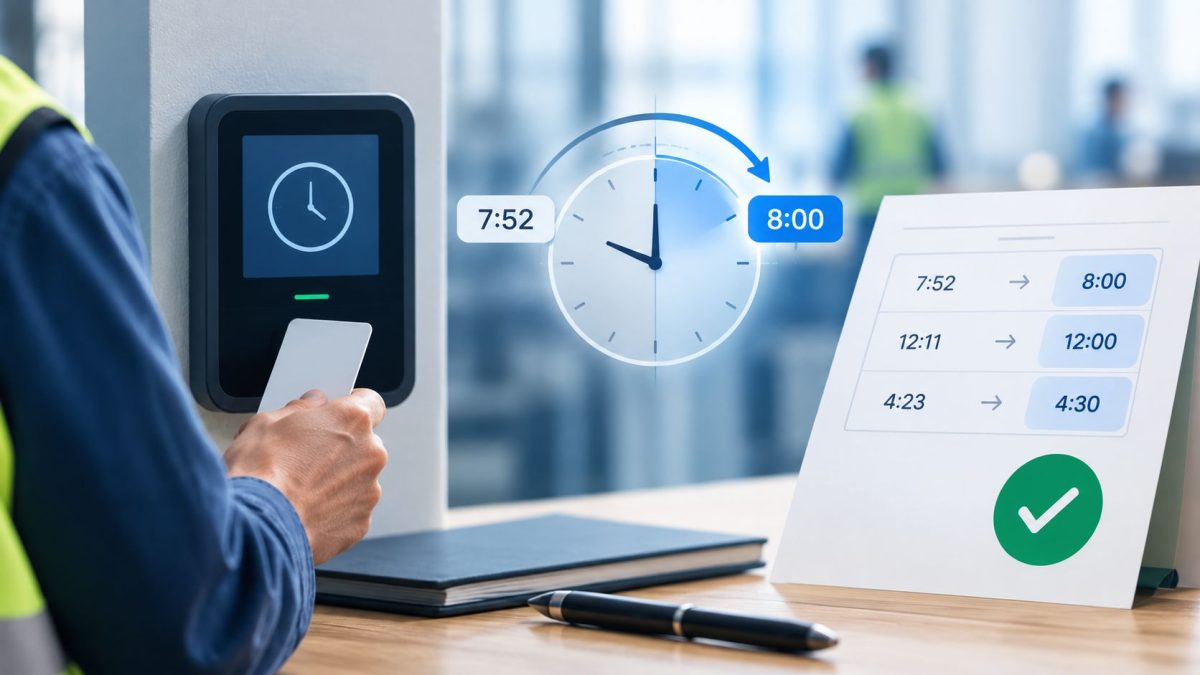
Table of Contents
- Why modern payroll teams care about time capture accuracy
- How Dayforce handles time clock rounding natively
- Understanding why a daily timesheet can differ slightly from the pay stub
- How CloudApper hrPad enhances Dayforce time capture
For payroll and HR leaders, few things carry more weight than a pay stub that every employee trusts. Accurate pay is the foundation of workforce confidence, clean audits, and the operational credibility of the entire HR function. As organizations modernize how frontline hours are captured and paid, the conversation is shifting away from simply collecting punches toward guaranteeing that every minute worked flows cleanly and consistently from the clock to the paycheck.

Dayforce time clock rounding is the process of converting raw employee punches into standardized, interval-aligned time so that payroll calculates consistently across a workforce. Rather than paying to the exact second, rounding groups punches into defined increments—such as 6- or 15-minute intervals—producing time data that is predictable, fair, and straightforward to reconcile at pay close.
Why modern payroll teams care about time capture accuracy
Workforce management has become a strategic discipline. When thousands of shifts are worked each week across shop floors, retail counters, clinics, and field sites, the way those hours are captured and standardized has a direct effect on labor cost accuracy, compliance posture, and employee trust. Payroll leaders are increasingly focused on data quality upstream—at the moment of the punch—because clean time data is what makes every downstream calculation dependable.
Digital transformation matters here because manual corrections, verbal punch adjustments, and inconsistent clock behavior all introduce variability. Modern payroll organizations want time data that arrives already aligned to policy, so that pay close becomes a review exercise rather than a reconciliation project. That reliability is what protects the organization’s reputation with its own workforce. Many teams begin by rethinking how time is captured with an AI-powered time clock for Dayforce HCM.
How Dayforce handles time clock rounding natively
Dayforce provides robust, configurable support for time rounding as part of its Time Entry Policies. Organizations can define rounding behavior so that punches are grouped to a chosen interval and evaluated consistently for every employee assigned to that policy.
Native Dayforce rounding capabilities typically include:
- Interval rounding rules that group punches to defined increments (for example, 5-, 6-, 10-, or 15-minute blocks), with options to round to the nearest interval, round up, or round down.
- Grace periods that define how a punch near the start or end of a scheduled shift is treated.
- Decimal conversion that translates rounded clock time into decimal hours for pay calculation (for instance, 10:06 becomes 10.10 hours).
- Policy-based assignment so that rounding rules can be aligned to pay groups, locations, or worker populations according to the organization’s requirements.
These capabilities give payroll teams meaningful control over how time is standardized. Dayforce is designed to apply the rounding configuration an organization selects, which is why aligning that configuration to how totals are calculated is an important part of any implementation.
Understanding why a daily timesheet can differ slightly from the pay stub
One nuance many payroll teams explore is why a manager’s daily timesheet view can occasionally differ by a few minutes from the final pay-period total. This is a natural result of rounding math rather than any shortcoming in the platform, and it helps to understand the two moments where standardization happens.
The rounding trigger. With a 6-minute interval, an hour is divided into ten clean blocks (:00, :06, :12, and so on), and the midpoint sits at three minutes. A punch at 10:02 is two minutes past the hour, so it rounds down to 10:00; a punch at 10:03 reaches the midpoint and rounds up to 10:06. Because employees rarely clock in at the exact same second each day, small day-to-day shifts occur.
Decimal aggregation. Rounded time is then converted to decimals for pay. Depending on how a system is configured, those decimals can be summed at the daily level and then totaled for the period, or the raw time can be totaled across the period before rounding is applied at the end. When the daily-grid view and the gross-pay calculation evaluate totals at different stages, the two views can show a variance of a fraction of an hour over a two-week period.
The important takeaway for payroll leaders is that this behavior is predictable and manageable. It reflects standard timekeeping mathematics, and it is resolved by ensuring rounding and aggregation are configured to evaluate consistently—and by capturing clean, verified punches in the first place. Teams that want to reduce end-of-period review often pair this with Dayforce timesheet approval automation.
How CloudApper hrPad enhances Dayforce time capture
Many organizations extend their Dayforce investment by adding an operational layer that ensures punches arrive already aligned to policy—before they ever reach pay close. CloudApper hrPad works alongside Dayforce to do exactly that, turning any iOS, Android, or Windows device into a secure employee self-service kiosk and time clock for the frontline.
hrPad adds capability at the point of punch, including:
- Punch policies and rounding alignment. Rounding, grace periods, and break rules can be configured in hrPad so that punches arrive in Dayforce already aligned to the correct pay group, supporting consistent standardization from clock to calculation.
- Touchless facial recognition check-in. Biometric verification confirms every punch is genuine, which helps eliminate buddy punching and improves the integrity of the time data feeding Dayforce.
- Geofenced punches and Org Unit transfers. Location-aware punches and automated Org Unit, Department, Project, and Docket transfers keep labor allocation accurate.
- Punch-time attestations. Meal-break, rest-period, and policy confirmations can be captured at clock-out and recorded against the Dayforce employee record.
- Offline punch capture. Employees can clock in and out even without connectivity, and verified punches sync to Dayforce once the device reconnects.
- A real-time Dayforce sync layer. Punches, authorizations, time away from work, and employee data stay consistent between hrPad and Dayforce.
- Employee self-service and a 24/7 AI HR assistant. Workers can view accruals, submit time-off requests, check schedules, and get answers to common HR questions directly at the kiosk.
Positioned as an additional operational layer on top of Dayforce, hrPad does not replace the HCM. It extends it—digitizing frontline workflows, verifying every punch, and orchestrating the everyday interactions that would otherwise require a trip to HR or a manager. Organizations can further boost employee self-service with a custom Dayforce time clock, and deploy it on familiar hardware such as an iPad or tablet time clock for Ceridian Dayforce.
The business outcomes payroll and HR leaders can expect
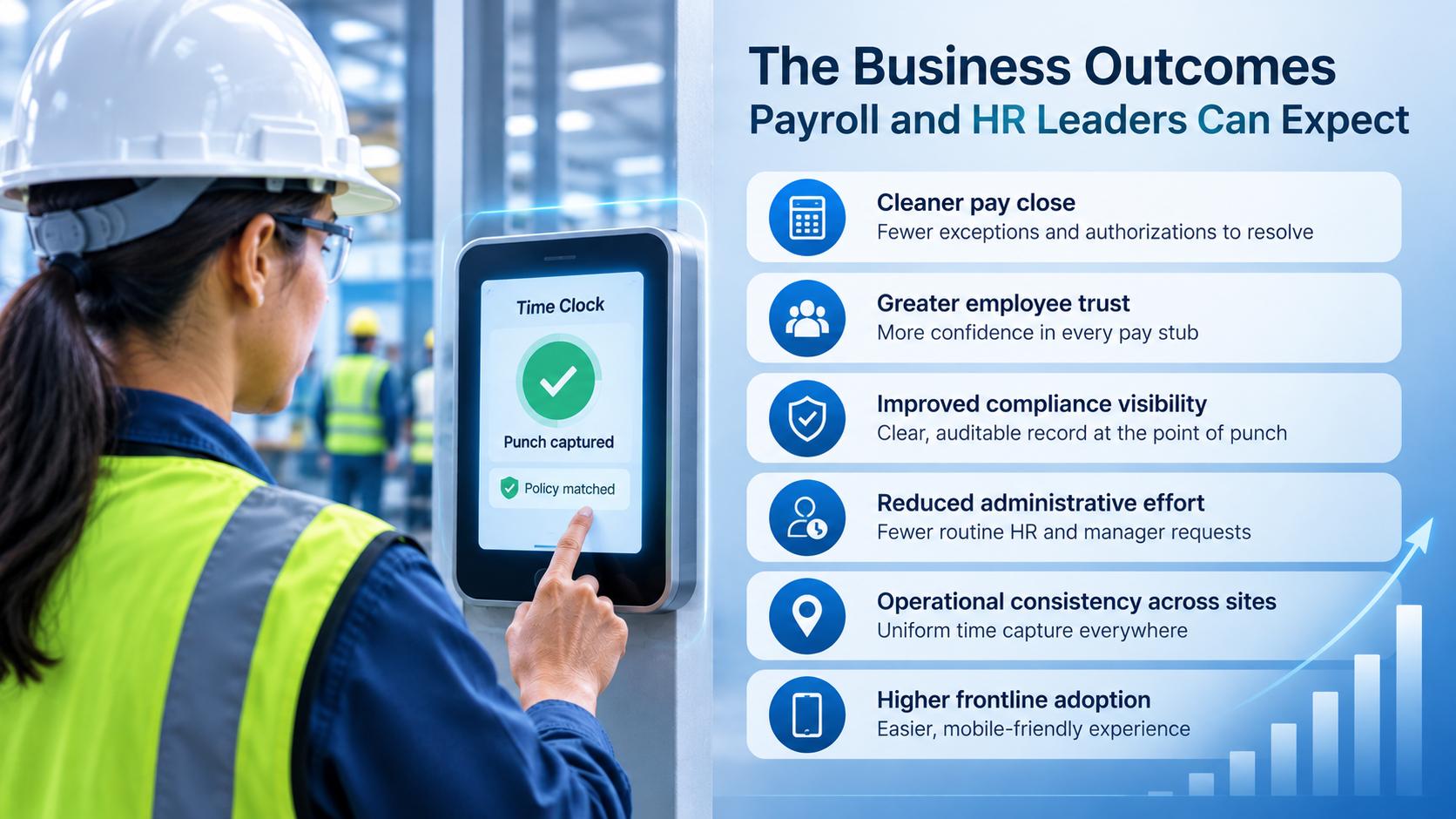
When frontline time capture is verified and pre-aligned to policy, the benefits compound across the organization:
- Cleaner pay close. Verified, policy-aligned punches upstream mean fewer exceptions and authorizations to resolve at the end of the period.
- Greater employee trust. When pay reflects work consistently and predictably, employees have more confidence in every stub—and HR fields fewer disputes.
- Improved compliance visibility. Attestations and rule enforcement captured at the point of punch create a clear, auditable record.
- Reduced administrative effort. Self-service reduces the volume of routine HR and manager requests, returning time to the people who were absorbing them.
- Operational consistency across sites. A single kiosk-and-clock experience brings uniformity to how hours are captured everywhere the organization operates.
- Higher frontline adoption. An intuitive, mobile-friendly experience makes accurate timekeeping easier for the workers who depend on it.
Frequently asked questions
What is Dayforce time clock rounding?
Dayforce time clock rounding is a configurable Time Entry Policy feature that groups employee punches to defined intervals—such as 6 or 15 minutes—and converts the result into decimal hours for payroll. It standardizes time so pay calculates consistently and fairly across the workforce.
Why does my Dayforce timesheet sometimes differ from the pay stub by a few minutes?
Small variances usually come from rounding math and the stage at which decimals are aggregated. If daily totals are rounded and summed while the gross-pay calculation evaluates the period differently, the two views can differ by a fraction of an hour. Aligning rounding and aggregation settings keeps them consistent.
Does rounding mean employees are paid inaccurately?
No. Rounding is a standard, widely used payroll practice that standardizes time to defined intervals. Over time, symmetric rounding is designed to balance out, and consistent configuration ensures pay reflects worked hours fairly and predictably.
Can I configure the rounding interval in Dayforce?
Yes. Dayforce Time Entry Policies let organizations define the rounding interval and method—nearest, up, or down—along with grace periods, and assign those rules to the appropriate pay groups or worker populations.
How does CloudApper hrPad help with Dayforce rounding and time accuracy?
hrPad captures verified punches at the kiosk and can apply punch policies, rounding, and grace periods so time arrives in Dayforce already aligned to the correct pay group. Combined with biometric verification and a real-time sync layer, this supports cleaner totals and fewer exceptions at pay close.
Does hrPad replace Dayforce?
No. hrPad works alongside Dayforce as an additional operational layer. Dayforce remains the system of record for workforce management and payroll, while hrPad extends it to the frontline with self-service, verified time capture, and workflow automation.
Conclusion
Time capture has become a strategic pillar of workforce operations, and the organizations that treat it that way earn something durable: pay their people trust and a payroll function that runs with confidence. Dayforce provides a strong, configurable foundation for rounding and standardizing time, and understanding how rounding and decimal conversion work helps payroll leaders keep the daily view and the pay stub perfectly aligned.
CloudApper hrPad extends that foundation to the frontline—verifying every punch, aligning time to policy before it reaches pay close, and giving employees self-service they can use from any device. Working alongside Dayforce rather than replacing it, hrPad helps organizations turn accurate frontline timekeeping into a source of trust, efficiency, and operational consistency—so payroll teams spend less time reconciling data and more time on the work that moves the business forward.
What is CloudApper AI Platform?
CloudApper AI is an advanced platform that enables organizations to integrate AI into their existing enterprise systems effortlessly, without the need for technical expertise, costly development, or upgrading the underlying infrastructure. By transforming legacy systems into AI-capable solutions, CloudApper allows companies to harness the power of Generative AI quickly and efficiently. This approach has been successfully implemented with leading systems like UKG, Workday, Oracle, Paradox, Amazon AWS Bedrock and can be applied across various industries, helping businesses enhance productivity, automate processes, and gain deeper insights without the usual complexities. With CloudApper AI, you can start experiencing the transformative benefits of AI today. Learn More
- Useful Links:
- Agentic AI
- No-Code/Low-Code
- Custom Software
- HCM Personalization
- iPaaS
- FedRAMP

Brochure
CloudApper hrPad
Empower Frontline Employees with an AI-Powered Tablet/iPad Solution
Download Brochure
CloudApper AI Solutions for HR



- Works with








- and more.
Similar Posts
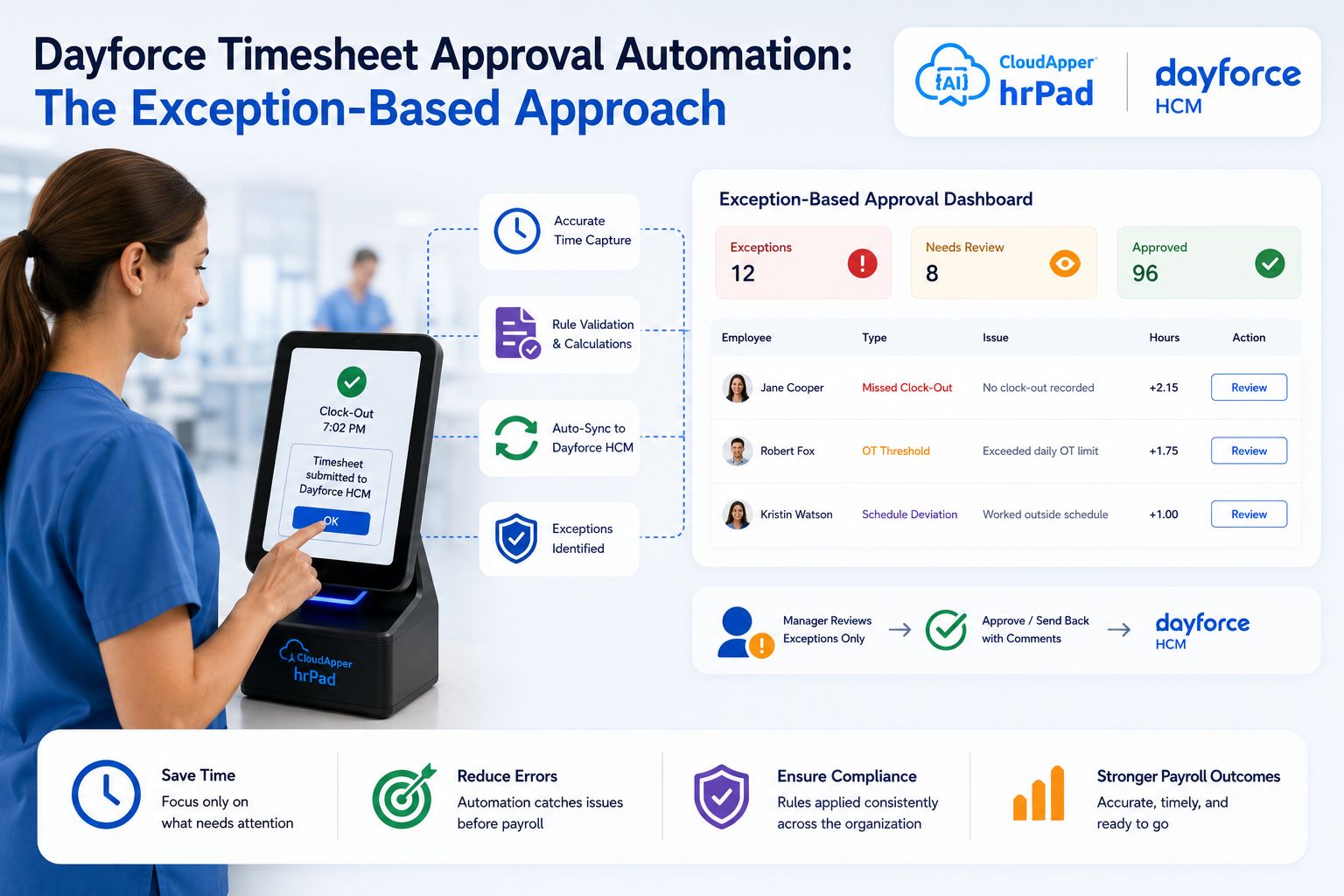
Dayforce Timesheet Approval Automation: The Exception-Based Approach
How to Ensure Accurate Work and Break Hour Confirmation in…