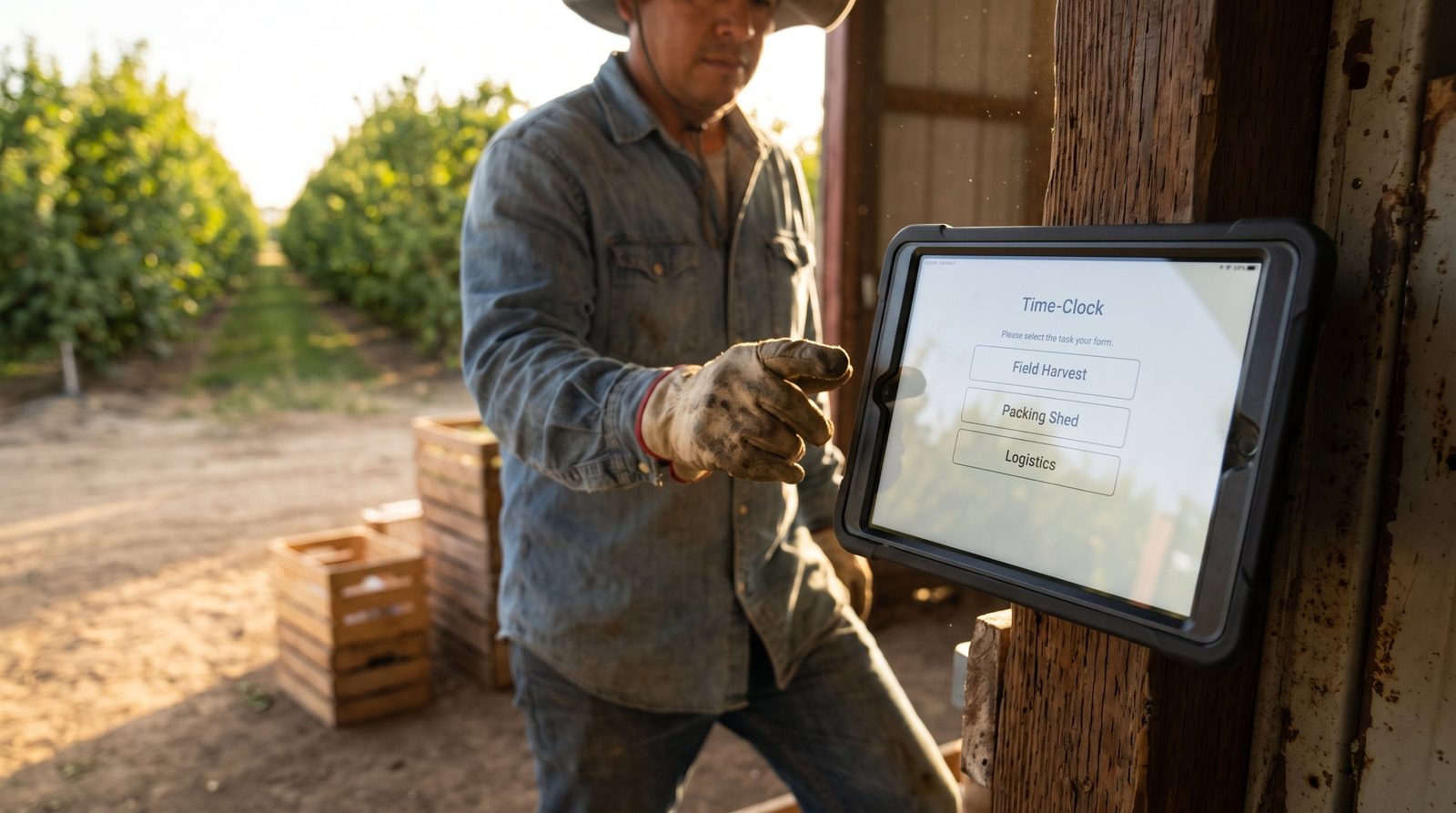
A turnaround can put two thousand contract workers on site for three weeks, none of them on your payroll. Capturing a verified punch at the gate, tagged to the contracting firm and the cost code, gives your team something to check invoices against before the crews demobilize.


TL;DR
- A single turnaround puts thousands of contract workers on site who never appear in your payroll records.
- Sign-in sheets and badge logs record entry, not which firm worked which package for how long.
- Capture a verified punch at the gate, tagged to the employing firm, the work package and the cost code.
- Run it on tablets you already own, scale from six gates to sixty, and stand it down after startup.
- Your HR system keeps payroll, benefits and scheduling for direct staff while site hours arrive alongside.
Table of Contents
- What Goes Wrong When Turnaround Hours Live on Paper
- How Plant Turnaround Contractor Time Tracking Works on Site
- Where CloudApper AI TimeClock Fits
- Keeping Turnaround Hours Verified From Gate to Invoice
A single plant turnaround can put two thousand contract workers on your site for three weeks, and almost none of them appear in your payroll records. They come in from a dozen contracting firms, work rotating twelve-hour shifts, and demobilize before anyone reconciles what they actually worked. Plant turnaround contractor time tracking has to happen at the gate while the work is going on. Hours nobody verified at the time are the hours you end up paying for twice. The fix is a punch record tied to a verified identity, a contractor firm and a cost code, captured on site and handed to whoever pays the invoice. CloudApper AI TimeClock handles that alongside Workday, UKG, Oracle and Dayforce, and it runs on the iPads and Android tablets you can stand up at every gate.
What Goes Wrong When Turnaround Hours Live on Paper
Most sites still run the event on sign-in sheets. A clipboard sits at the gate, a foreman initials it twice a day, and the sheets go into a box until the invoices arrive. Badge access logs look like a backup, but they record who entered the property, not who was turning a wrench on which work package.

Then the scope moves, which it always does. Crews get pulled off a heat exchanger and put on a column, and nobody re-tags the hours against the new cost code. Four weeks later an invoice lands for eleven thousand hours and the only honest answer anyone can give is that the number looks about right. Disputes drag on, retention gets held back, and the cost report for the event stays unreliable long after startup.
How Plant Turnaround Contractor Time Tracking Works on Site
The mechanics are simple once the capture point moves to the gate. A tablet at each entrance and lay-down yard verifies the worker by badge, PIN or face scan, then tags the punch with the employing firm, the work package and the cost code before anyone walks to the unit. That single record settles the invoice question and feeds the daily cost report at the same time.
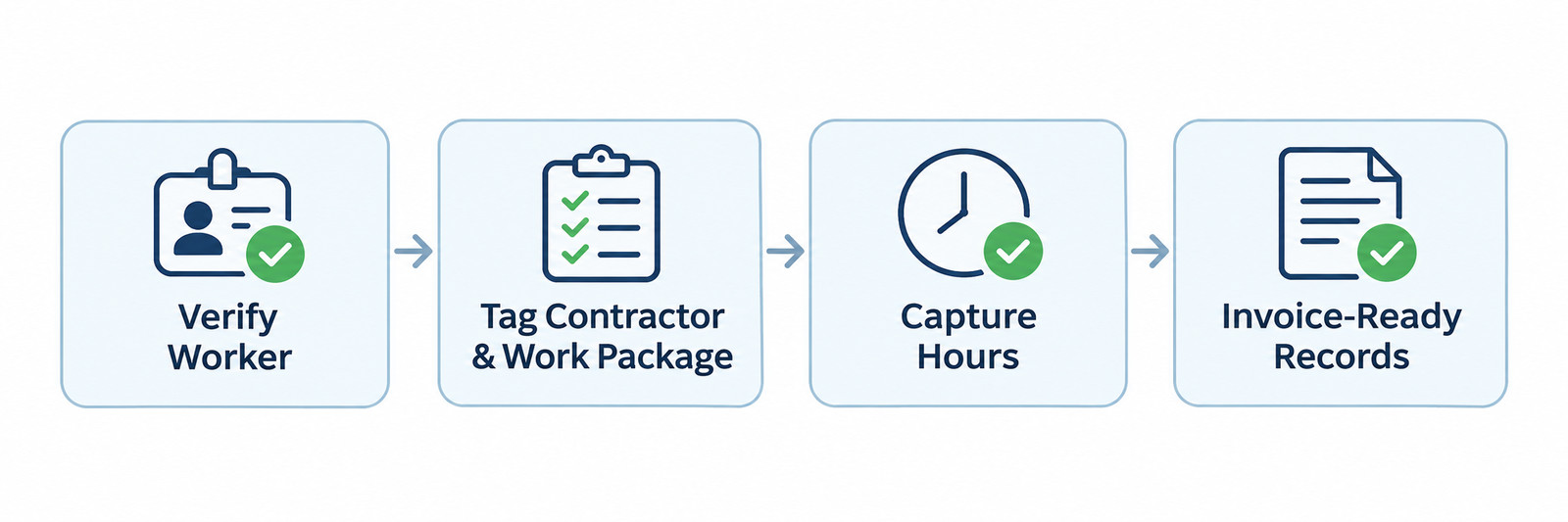
It holds up at scale because nothing about it is permanent. You add tablets for the event and stand them down afterwards, the same way you flex every other turnaround resource. Time tracking software running on hardware you already own costs very little to take from six gates to sixty, which is what makes it workable for refineries, chemical plants, power generation, pulp and paper, mining and large food processing sites. The margin for error here is thin: more than two-thirds of turnarounds run past their planned cost and schedule by at least ten percent, according to an AP-Networks review of over 1,350 events.
Where CloudApper AI TimeClock Fits
CloudApper AI TimeClock turns a standard tablet into a time capture point for anyone on site. Workers verify themselves in a couple of seconds, pick their contractor and work package, and the punch is recorded with a timestamp and a location. It handles routing each punch to the right employer, so direct employees keep flowing into your payroll run while contractor hours go to the file your commercial team checks invoices against.
Using everyday tablets is what makes this practical for a short event. They cost a fraction of fixed terminals, a damaged one gets swapped the same day, and adding another gate takes minutes rather than a purchase order. The approach works hardest where crews are temporary, where several employers share one site, and where workers sit outside your HR system by arrangement. Employee time tracking for your own staff keeps running on the same devices, which is why the setup also suits large manufacturing floors outside turnaround season, and it cuts down the missed punches that make reconciliation slow.
Keeping Turnaround Hours Verified From Gate to Invoice
Turnarounds put thousands of short-term contract workers on site at once, and paper sign-in sheets and badge logs were never going to settle what each firm is owed. Capturing a verified punch at the gate, tagged to the employer, the work package and the cost code, gives your commercial team something to check invoices against and gives the cost report numbers that hold up. Because it runs as time tracking software on iPads and Android tablets you already own, you can scale it up for the event and stand it down afterwards without buying fixed hardware for a three-week job. Workday, UKG, Oracle and Dayforce will keep running payroll, benefits and scheduling for your direct workforce exactly as they do today, with the site-level punch data arriving alongside.
If turnaround season is close, it is worth booking a walkthrough of how the gate setup would look at your plant.
Frequently Asked Questions
How do we track contractor hours when the workers are not on our payroll?
Capture the punch at the site instead of in your payroll system. Each worker verifies at a tablet, selects their contracting firm and work package, and the hours are recorded against that firm rather than against an employee record you do not hold.
Can one time clock handle both our own employees and contractors?
Yes. The same device can verify both groups and route each punch to the right destination, so employee hours reach your payroll process while contractor hours go to the file used for invoice checking.
What happens if the gate loses network connectivity?
Punches are stored on the device and sync once the connection returns, so workers are never turned away and no hours are lost during the outage.
How quickly can this be set up before a turnaround starts?
Because it runs on standard tablets, a site can be configured and tested in days rather than weeks, and extra gates can be added during the event itself.
Does this replace our existing HR system?
No. It works alongside it. Your HR system continues to manage payroll, benefits, scheduling and compliance for your direct workforce, while the tablets capture verified site hours for everyone who is on the property for the event.

What is CloudApper AI Platform?
CloudApper AI is an advanced platform that enables organizations to integrate AI into their existing enterprise systems effortlessly, without the need for technical expertise, costly development, or upgrading the underlying infrastructure. By transforming legacy systems into AI-capable solutions, CloudApper allows companies to harness the power of Generative AI quickly and efficiently. This approach has been successfully implemented with leading systems like UKG, Workday, Oracle, Paradox, Amazon AWS Bedrock and can be applied across various industries, helping businesses enhance productivity, automate processes, and gain deeper insights without the usual complexities. With CloudApper AI, you can start experiencing the transformative benefits of AI today. Learn More
- Useful Links:
- Agentic AI
- No-Code/Low-Code
- Custom Software
- HCM Personalization
- iPaaS
- FedRAMP
Brochure
CloudApper AI TimeClock
For accurate & touchless time capture experience.
Download Brochure
CloudApper AI Solutions for HR

- Works with








- and more.
Similar Posts
Time Clock for Security Guards: Verifying On-Site Presence Without a…

Oil and Gas Field Time Tracking for Crews Working Beyond…