Your HR system applies the rules it was configured with, not the rules in force today. When a state adjusts its minimum wage or a city passes a scheduling ordinance, nothing reaches your tenant automatically. Here is what breaks first, where the rule should live, and a five-step way to monitor the jurisdictions that matter most.
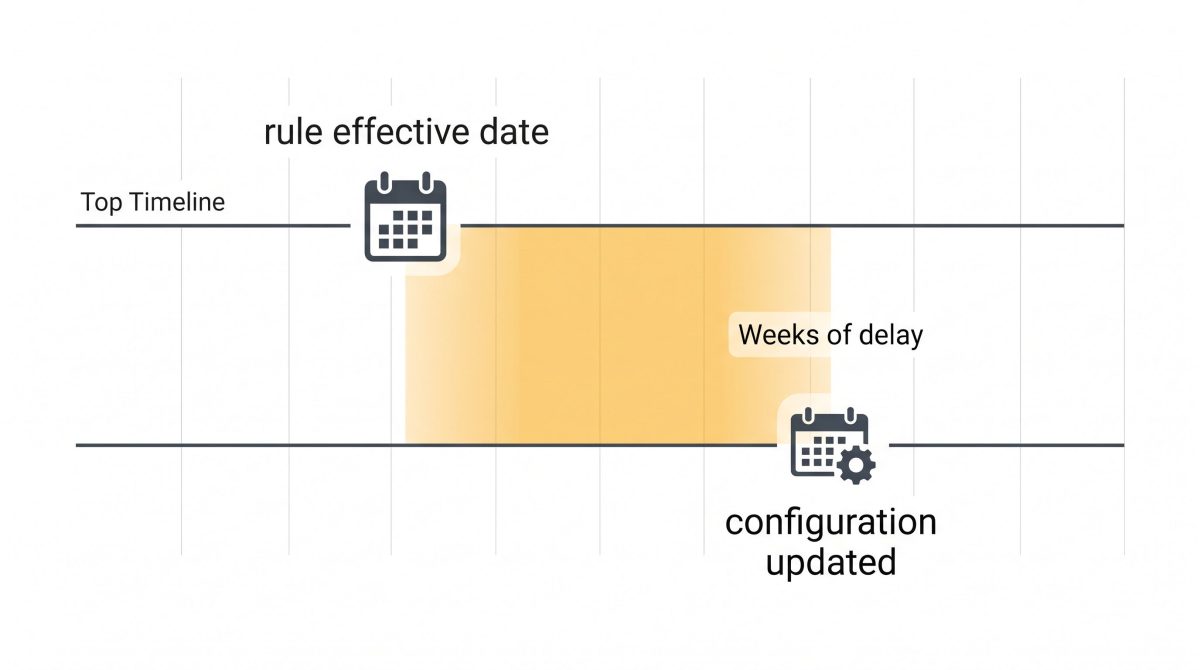
Table of Contents
- Why your HR system cannot keep up with labor law changes
- What breaks first when the rules move
- How do HR teams keep up with labor law changes today
- Where the rule should live, and where it should not
- Turning HRIS data you already have into alerts
- A practical way to keep up with labor law changes
- What to check before you trust any of it
- Frequently asked questions
- Where to start this week
Most HR systems cannot keep up with labor law changes without someone noticing first and reconfiguring the system by hand. The platform is not broken. It was configured correctly, for the rules that applied on the day it went live.

Then a state adjusted its minimum wage. A city passed a scheduling ordinance. A court moved the line on who counts as exempt. None of that reaches your tenant on its own.
Why your HR system cannot keep up with labor law changes
Core HR platforms store rules as configuration, not as living policy. Someone enters an overtime threshold, a pay rule, an accrual formula. The platform then applies that entry until a person changes it.
That design is deliberate and reasonable. Your system of record should not rewrite its own pay rules based on a news article. However, it leaves a gap. The rule changes in the world on a fixed date, and the configuration changes whenever your team gets to it.
For example, the U.S. Department of Labor lists several states whose minimum wage is adjusted annually by a set formula, among them Maine, Minnesota, Montana, New Jersey, Oregon, South Dakota, Vermont, Virginia and Washington. Those are scheduled, predictable changes. They still need a person to act.
What breaks first when the rules move
In fact, pay calculation is rarely the first casualty. Instead, the break shows up where a rule meets an edge case.
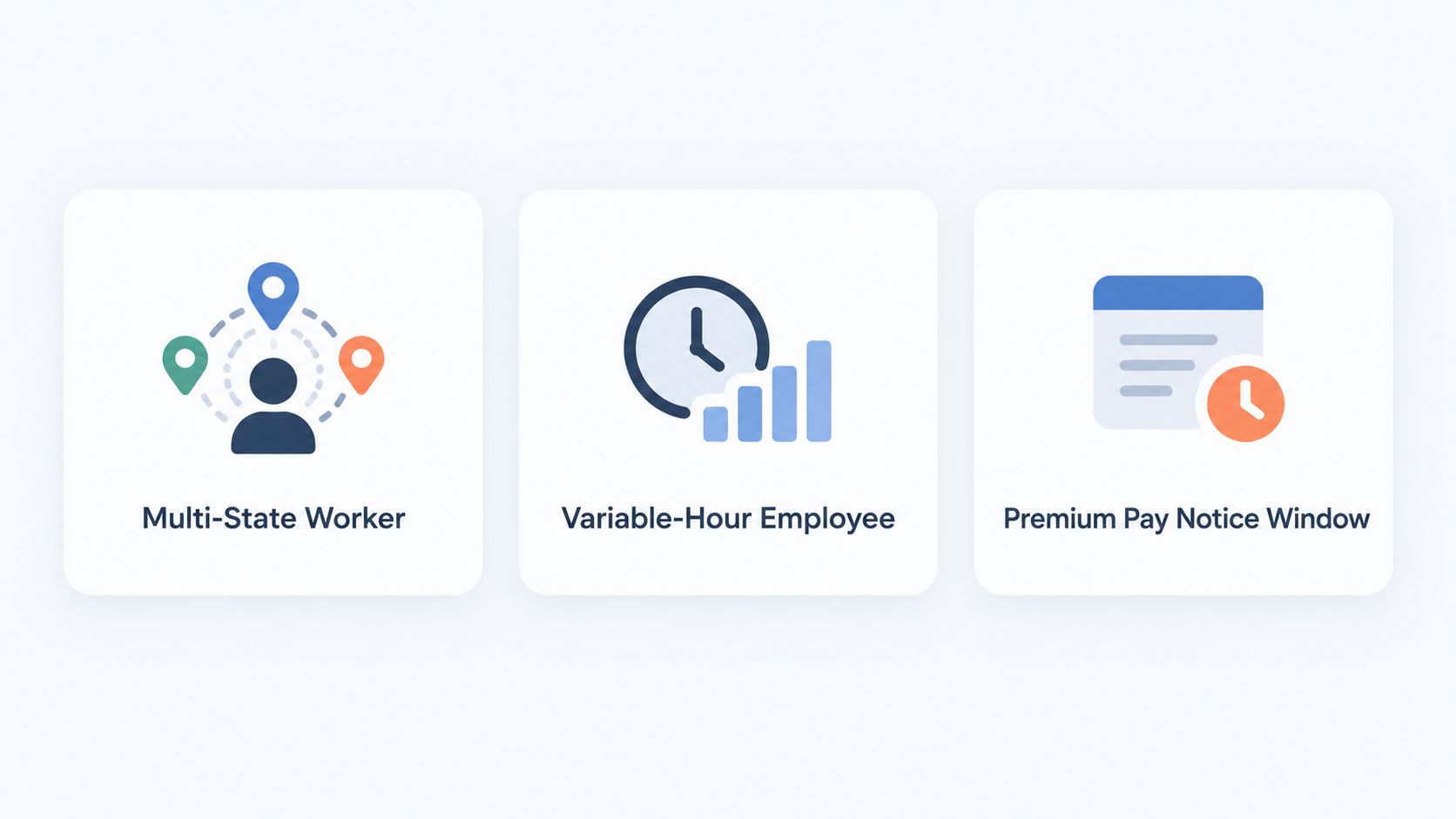
Three common ones:
- Multi-state employees. A worker splits time across two states with different overtime rules. The system applies the rule tied to their home location, not the one where the hours happened.
- Variable-hour staff. Someone crosses a benefits threshold mid-year. The IRS counts full-time employees including full-time equivalents when it decides whether you are an applicable large employer, so the math is not a simple headcount.
- Premium pay. A local ordinance requires extra pay for a schedule change inside a notice window. Your system has no field for the notice window.
In each case the configuration does exactly what it was told. The instruction is simply out of date.
How do HR teams keep up with labor law changes today
Most teams keep up with labor law changes using three things: an advisory newsletter, a calendar reminder, and an analyst who remembers. That combination works until one of the three fails.
But the failure mode is quiet. Nobody files a ticket saying the company underpaid forty people by nineteen cents an hour since January. Instead, the error surfaces months later in an audit, with back pay attached.
Second, this work does not scale with headcount. It scales with jurisdictions. As a result, a 400-person employer in eleven states carries more compliance surface than a 4,000-person employer in one.
Where the rule should live, and where it should not
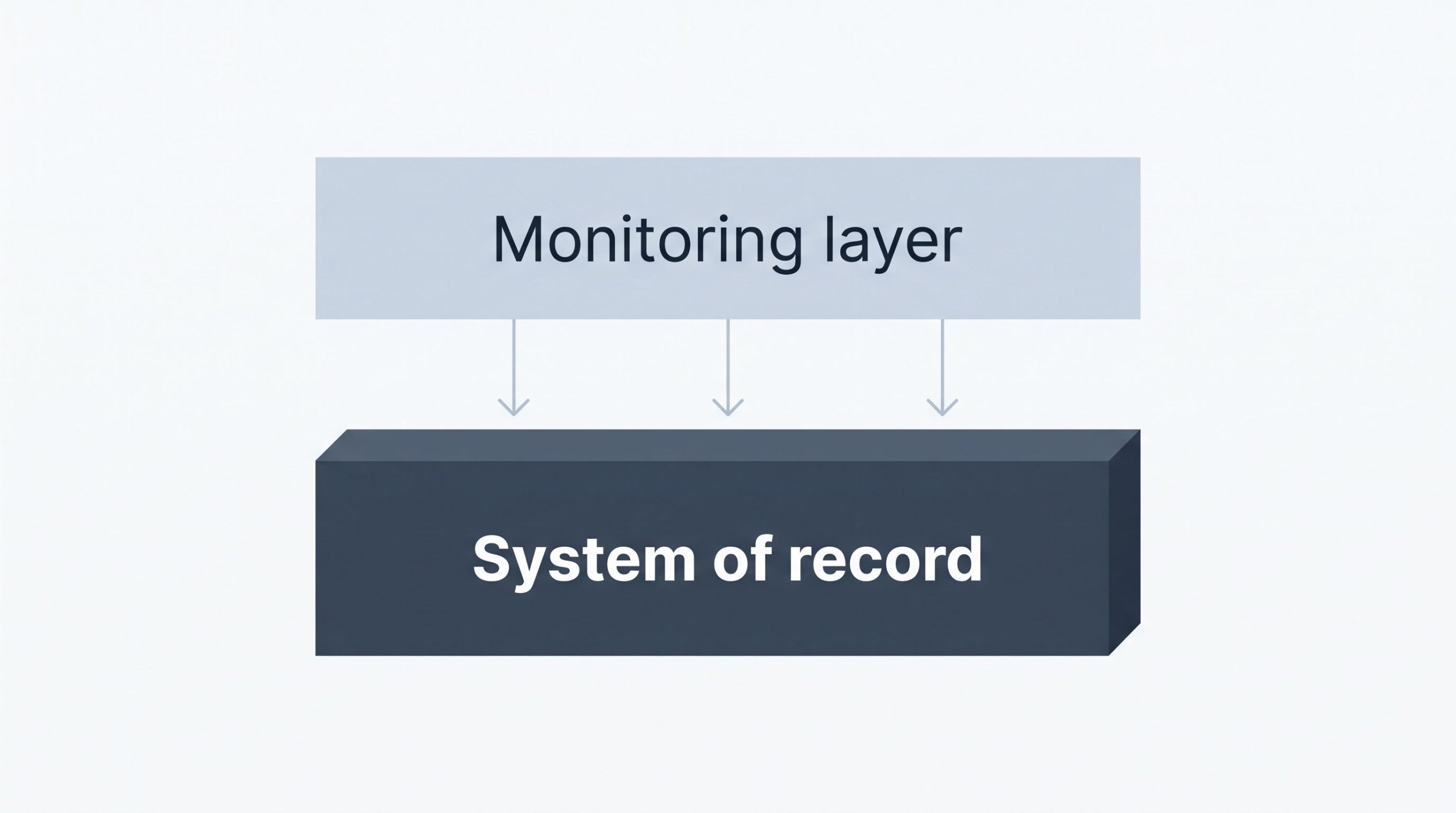
Here is the distinction that matters. The record belongs in your HR system. The rule does not have to.
Your platform should stay the single source of truth for who works where, what they earn, and what hours they logged. That is what it is good at. Adding a module to your HR system for policy monitoring does not change that, so long as the module reads from the record and writes back to it.
A layer above the system can watch instead. It keeps up with labor law changes by comparing a jurisdiction’s current requirement against the configuration in place, then flagging the difference for a named person before payroll runs. Meanwhile the core system carries on doing its job.
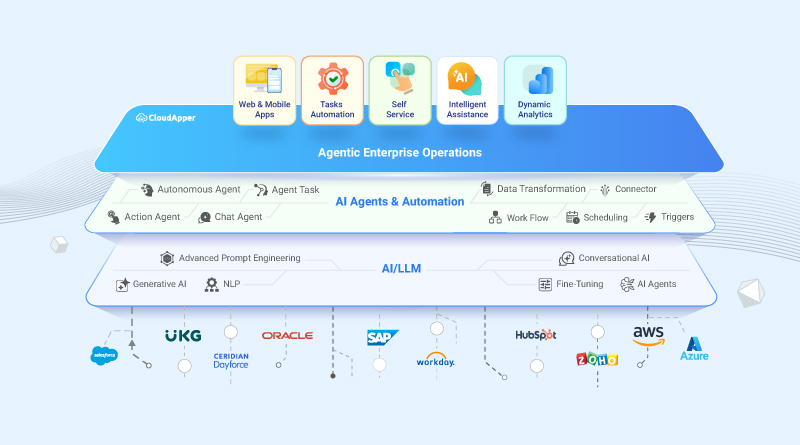
CloudApper builds this kind of layer on top of HR systems including UKG, Workday and SAP SuccessFactors. The approach is the same in every case. It reads from the system of record through the API, keeps the logic outside the core, and writes results back so the audit trail stays in one place.
Turning HRIS data you already have into alerts
You rarely need new data for this. You need the data you already hold, read on a schedule and checked against something.
Three examples that use only existing fields:
| Signal already in your HRIS | What the monitoring layer checks | Who gets told |
|---|---|---|
| Work location and pay rate | Current state or local minimum for that location | Payroll manager |
| Hours by week, by location | Overtime threshold where the hours occurred | Site supervisor |
| Hire date and average weekly hours | Benefits eligibility threshold crossing | Benefits administrator |
None of that requires migrating anything. The layer reads through the API, compares, and raises a flag. Similarly, it can write the resulting correction back into the record, so the audit trail stays in one place.
This pattern is the same one behind integrating AI with an existing HRIS for any other purpose. Read, compare, flag, write back.
A practical way to keep up with labor law changes
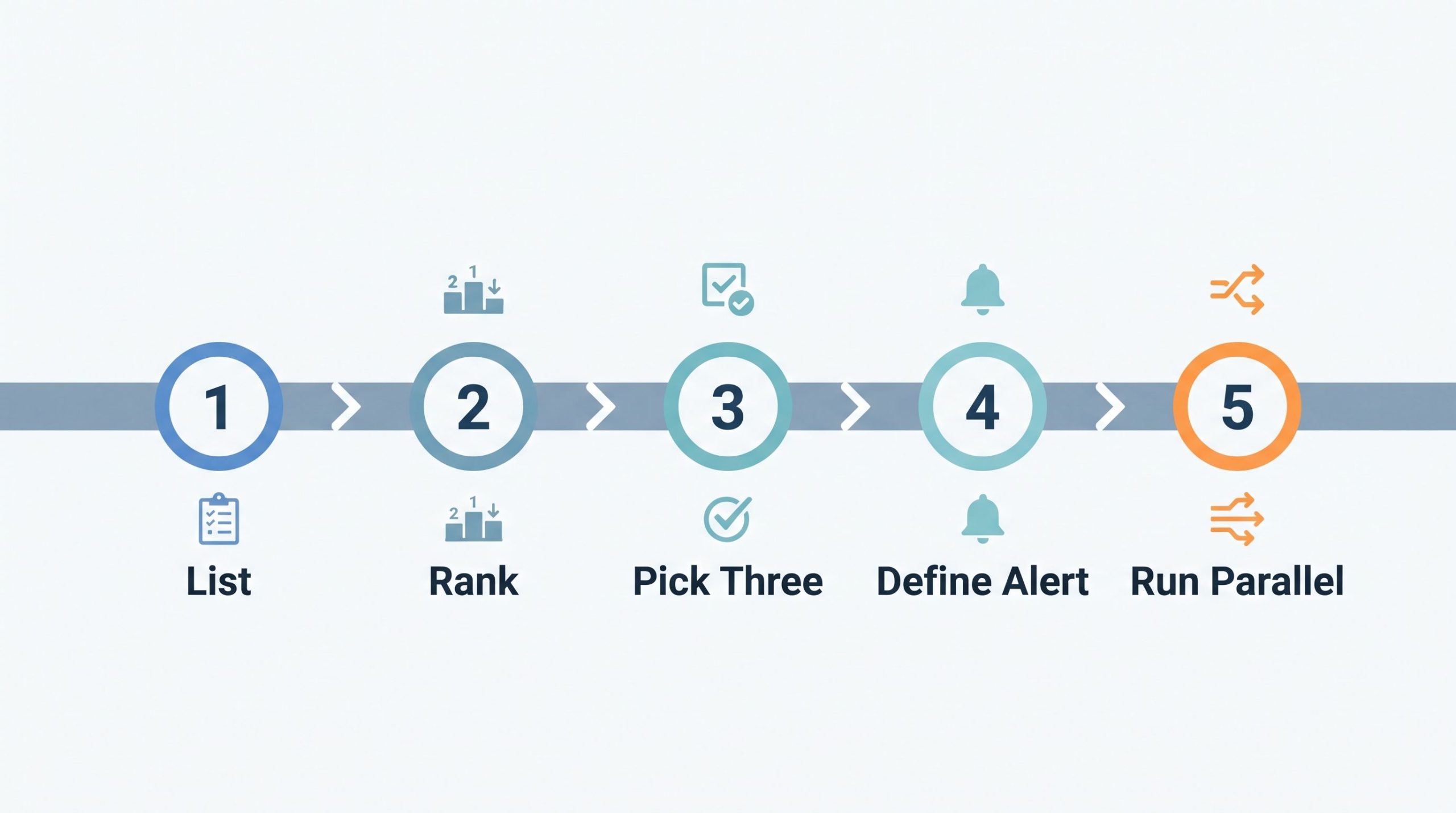
First, start narrow. Teams that try to monitor every rule at once usually monitor none of them well.
- List your jurisdictions. Not states where you have an office. States, counties and cities where someone performs work.
- Rank by exposure. Headcount multiplied by the number of distinct pay rules in that jurisdiction.
- Pick the top three. Build monitoring for those only.
- Define the alert. Who receives it, what it says, and what that person does next. An alert with no owner is noise.
- Run it in parallel for one cycle. Compare what the layer flags against what your team catches by hand.
That last step matters most. Because you run both, you find out whether the monitoring is right before you depend on it.
For a worked example of the same staged approach applied to payroll, see how teams handle multi-state payroll tax compliance in Workday.
What to check before you trust any of it
Automation that is wrong on a compliance question is worse than no automation, because it creates a false sense of coverage.
Therefore, confirm four things first:
| What to confirm | Why it matters |
|---|---|
| Where the rule data comes from | The vendor should name its source and its update cadence |
| What happens on disagreement | Your system of record wins until a person decides otherwise |
| Whether the layer writes back | Read-only monitoring carries far less risk than reconfiguration |
| Who owns the alert | Software flags, people decide, so name that person |
On the first row, the Department of Labor’s Wage and Hour Division is the reference point for federal standards, and the DOL state page advises consulting the relevant state labor office for official information. Also confirm that your legal or compliance team has reviewed the rule logic. In short, a monitoring layer is an operations tool, not legal advice.
Frequently asked questions
Can software keep up with labor law changes automatically?
Software can monitor and flag automatically. However, it should not reconfigure pay rules on its own. The workable pattern is automatic detection with human approval, because a wrong rule applied at scale costs more than a missed alert.
How do you keep up with labor law changes in multiple states
First, track jurisdictions rather than offices. Build the list from where people actually work, then rank by headcount and rule complexity. Monitor the highest-exposure three first and extend from there.
Who is responsible when a rule change is missed?
The employer, whatever the software did or failed to do. For that reason, monitoring tools should raise alerts to a named owner instead of resolving silently.
How often do state wage rates change?
It varies. The Department of Labor notes that several states adjust their minimum annually by formula, and it lists scheduled increases such as Michigan moving to $15.00 per hour on January 1, 2027. Meanwhile the federal minimum wage has stayed at $7.25 since July 24, 2009.
Where to start this week
Pull your jurisdiction list. Count the distinct pay rules in each one. If that number surprises you, then you have found your real compliance surface, and it is almost certainly larger than your configuration assumes.
The goal is not a new platform. The goal is to keep up with labor law changes without rebuilding what already works.
Tell us which HR system you run and which jurisdictions you operate in, and we will show you where a monitoring layer would sit and what it would read. Start with AI for HR systems from CloudApper.

What is CloudApper AI Platform?
CloudApper AI is an advanced platform that enables organizations to integrate AI into their existing enterprise systems effortlessly, without the need for technical expertise, costly development, or upgrading the underlying infrastructure. By transforming legacy systems into AI-capable solutions, CloudApper allows companies to harness the power of Generative AI quickly and efficiently. This approach has been successfully implemented with leading systems like UKG, Workday, Oracle, Paradox, Amazon AWS Bedrock and can be applied across various industries, helping businesses enhance productivity, automate processes, and gain deeper insights without the usual complexities. With CloudApper AI, you can start experiencing the transformative benefits of AI today. Learn More
- Useful Links:
- Agentic AI
- No-Code/Low-Code
- Custom Software
- HCM Personalization
- iPaaS
- FedRAMP
CloudApper AI Solutions

- Works with








- and more.
Similar Posts
Your SAST Tool Scanned It. Your DAST Tool Tested It.…

CMMC Level 2 and Internally Built Applications: The Evidence Gap…