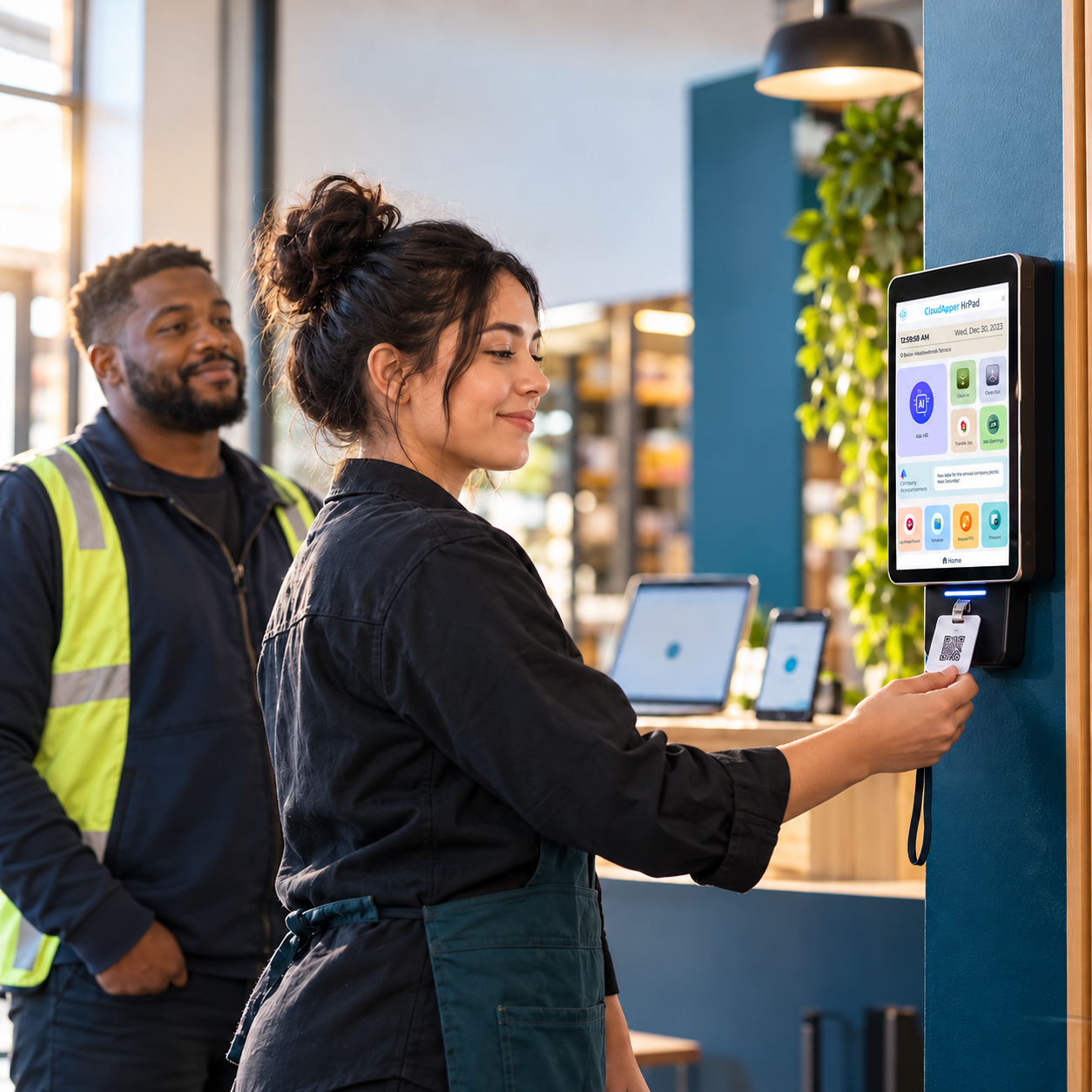
A photo captured at every clock-in for identity verification sits unused in the system. That same photo can enforce dress code, uniform, and PPE standards across every shift and location without adding a single manual check to the process.
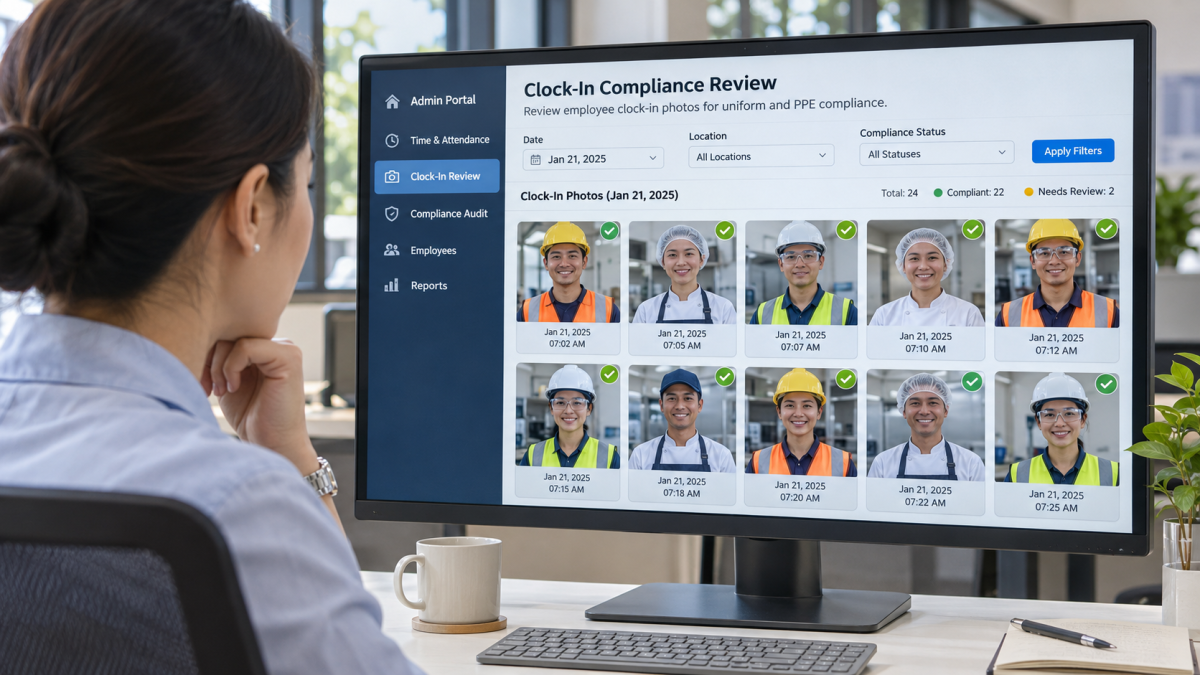
Table of Contents
- Why dress code and PPE enforcement breaks down in the field
- What OSHA expects from PPE documentation
- How time clock photo capture works as a dress code compliance tool
- Where photo based dress code enforcement matters most
- Combining photo capture with location validation
- Building a dress code photo review process
- What photo capture will not do for you
- Practical implementation checklist
- Frequently asked questions
Most organizations that use a photo time clock do it for one reason: identity verification. The camera takes a picture, confirms who clocked in, and nobody looks at it again.
But that photo captures more than a face. It captures what the employee is wearing. Whether protective equipment is visible. Whether they meet the appearance standards their role requires. For businesses running multiple locations where no single supervisor can stand at every door checking uniforms, that photo is already sitting in the system, waiting to be used.

The problem is that most teams never think to use it that way. An employee self-service kiosk solution like hrPad by CloudApper AI already captures a non-biometric photo during every punch event and stores it in a centralized admin portal. Using that same photo for dress code and PPE enforcement is a configuration change, not a new purchase.
Here is how to set it up across single and multi-location operations.
Why dress code and PPE enforcement breaks down in the field
Every employee handbook has a dress code policy. Enforcing it consistently across locations is a different problem entirely.
A regional manager overseeing 12 retail locations or a safety director responsible for four manufacturing floors cannot physically inspect every employee at every shift start. That job falls to frontline supervisors who are already managing a dozen other things.
So enforcement becomes inconsistent. One location is strict. Another lets things slide. Employees notice, and standards drift. In customer facing industries, that drift affects brand perception. In safety regulated environments, it creates liability.
The typical problems are predictable. A supervisor tells an employee to fix their attire, but there is no record. Without objective evidence, enforcement appears biased or selective, which creates legal exposure. By the time someone notices a uniform violation or missing PPE, the employee has been on the floor for hours. And different locations develop different standards because no one is comparing across sites.
These are visibility problems, not policy problems. The photo your time clock already captures is the most direct way to address them.
What OSHA expects from PPE documentation
For organizations where “dress code” means personal protective equipment, enforcement is a regulatory requirement, not a preference.
Under 29 CFR 1910.132, employers must assess workplace hazards, provide appropriate PPE, train employees on proper use, and enforce that PPE is actually worn. OSHA expects documentation that shows PPE use is planned and enforced, not just assumed.
In 2026, that documentation expectation has gotten stricter. Training records, PPE documentation, and proof of ongoing compliance are now central to how OSHA evaluates inspections. Current, retrievable records that demonstrate a working compliance system are what matters, not a policy binder.
A timestamped photo captured at clock-in showing an employee wearing or not wearing required safety equipment is exactly the kind of evidence that supports this requirement. It does not replace a formal PPE program, but it gives auditors and safety officers a visual record they can reference when reviewing adherence across shifts and sites.
For construction sites governed by 29 CFR 1926 Subpart E, where hard hats, high visibility vests, and fall protection are mandatory, a photo taken at the point of entry creates a record that would be nearly impossible to maintain manually with shifting crews.
How time clock photo capture works as a dress code compliance tool
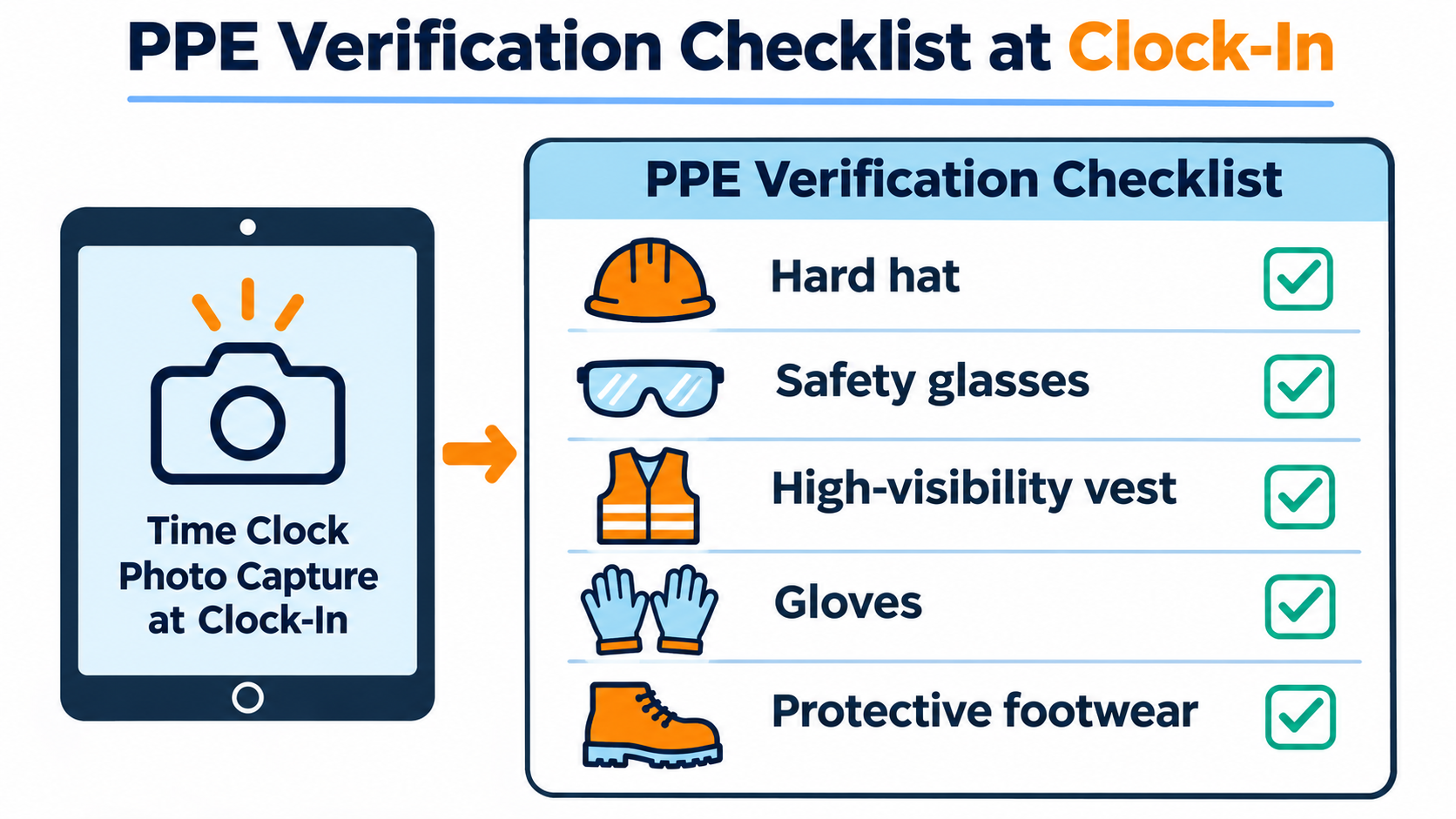
If you are already capturing a photo at punch-in for identity verification, you can use the same photo for visual compliance checks. Here is how the process works with a solution like hrPad.
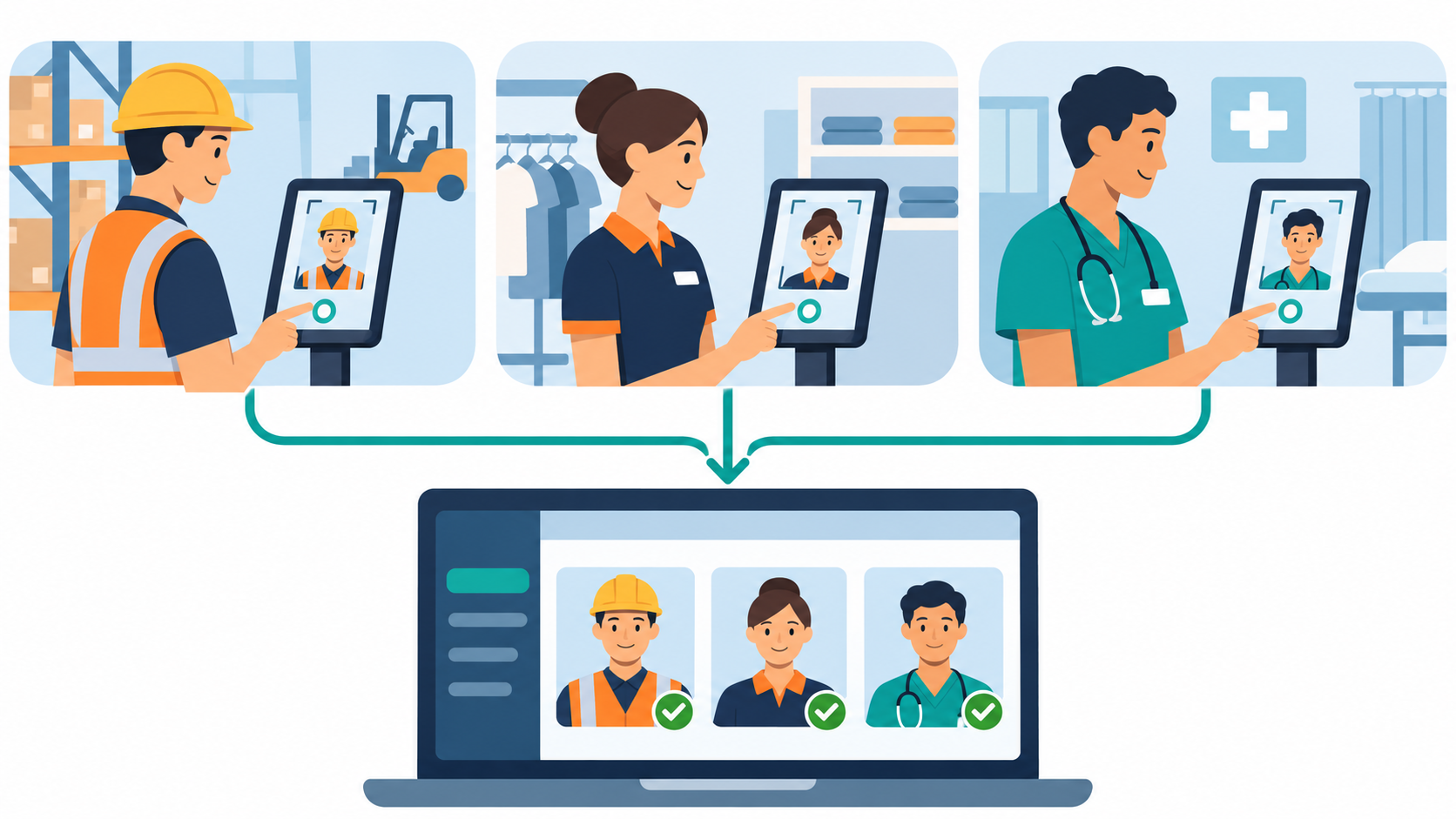
First, configure photo capture at every punch event. hrPad captures a non-biometric photo each time an employee clocks in or out. This is a system level setting that applies across all kiosk devices, whether you are running a single location or dozens.
Second, define what compliance looks like per role or site. Before you can evaluate photos, you need clear visual standards documented by role: required uniform items (company shirt, name badge, closed toe shoes), required PPE (hard hat, safety vest, gloves, eye protection), and grooming or appearance standards relevant to the position (food handling nets, clean uniforms in healthcare). These standards should already exist in your handbook. The difference now is that you have a visual record to check against.
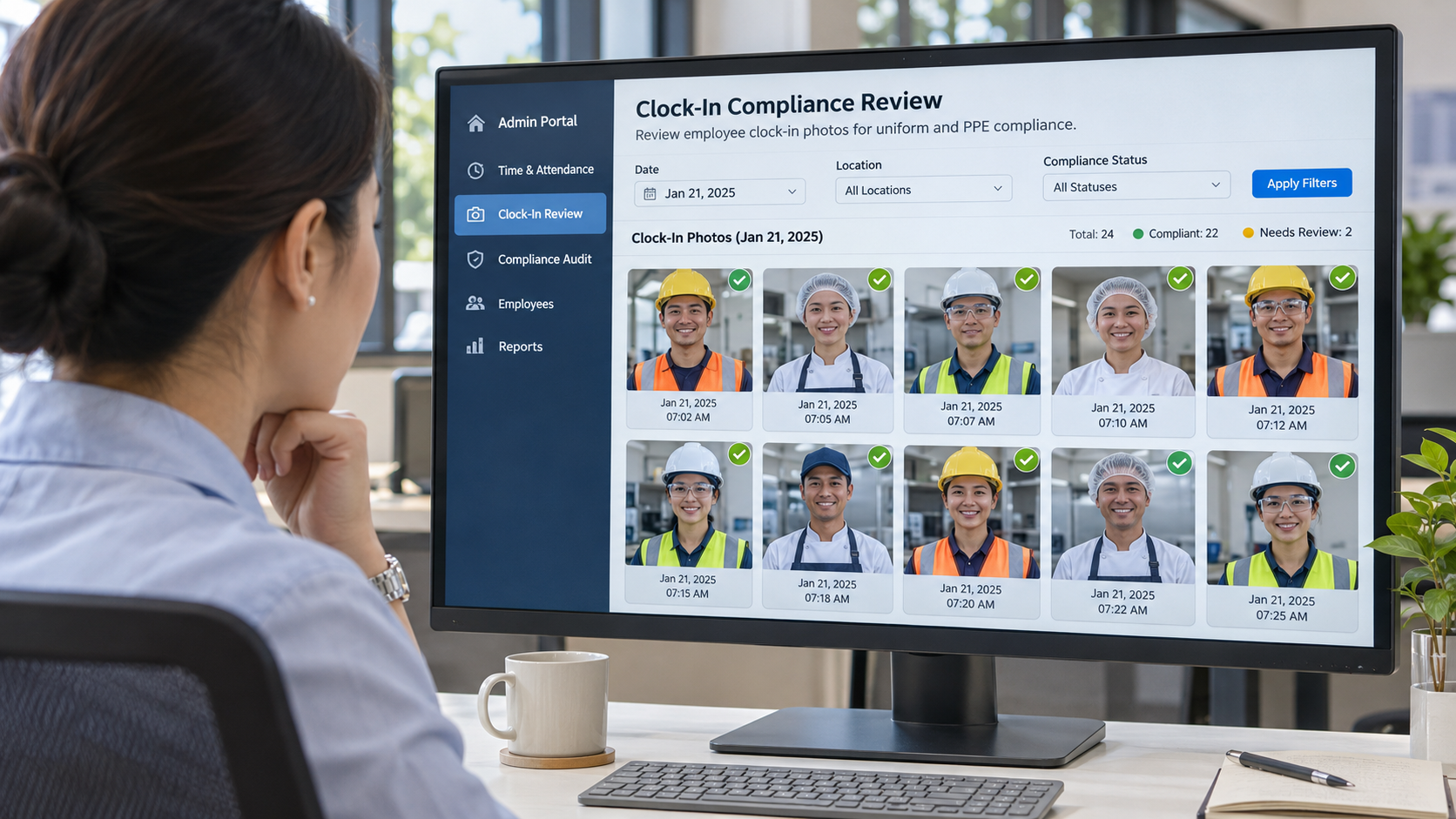
Third, set up a review workflow through the admin portal. hrPad stores punch data, location validations, and photos in the CloudApper Admin Portal. HR teams, safety managers, or site leads can review clock-in photos to verify compliance on a spot check basis or as part of a scheduled cycle. That might mean a safety manager sampling a random set of photos each shift, checking photos only when a concern is flagged, or auditing all photos from a specific site after an incident or ahead of an OSHA inspection.
Fourth, document violations and follow a correction process. When a photo shows a gap, the record is already there: the timestamp, the employee ID, the location, and the image, all in one place. That record supports verbal or written warnings with visual evidence, progressive discipline documentation, OSHA audit defense showing that violations are caught and addressed, and internal investigations after workplace incidents.
Where photo based dress code enforcement matters most
Not every industry needs this. But the ones that do tend to share one thing: dress code and PPE violations carry consequences beyond a manager’s mild annoyance.
Manufacturing and warehousing operations deal with zone-specific PPE. Hard hats on the production floor, steel toed boots near heavy equipment, gloves wherever chemicals are handled. A photo at clock-in captures whether the employee showed up ready before they walk onto the floor, which is the part that matters for both safety and documentation.
Healthcare is its own world. Scrub color coding, badge visibility, infection control clothing. Infection control teams currently verify this by walking every unit. A clock-in photo gives them a second layer without the walk.
Food service and food production face health department scrutiny on hair coverings, gloves, and sometimes specific apron or uniform types. When an inspector asks for evidence of compliance, a timestamped photo from that morning’s clock-in is hard to argue with.
Retail and hospitality care about brand consistency. A franchisee running 50 or 100 stores cannot visit every location weekly, but they can review clock-in photos from any site in a few minutes.
Construction is probably the strongest use case. Hard hats, high visibility vests, fall protection, eye protection. Crews shift between sites constantly, and trying to maintain manual PPE check-in records across those rotations is a losing effort. A photo at the entry kiosk solves the documentation side of it.
Combining photo capture with location validation
Photo capture gets more useful when paired with location validation, which hrPad already supports.
When an employee clocks in, hrPad can validate the punch location against the scheduled work site. If the employee is at the wrong location, the punch is blocked and the manager gets a notification.
For dress code compliance, this matters because different locations often have different requirements. A warehouse employee needs steel toed boots. The same company’s office employee does not. Tying photo capture to location validation means the review process applies the correct standard to the correct site automatically.
When you combine a verified location with a visual record of the employee at that location, you get a compliance check that would otherwise require someone standing at every entrance. For multi-site operators, that math alone makes the case.
Building a dress code photo review process
Having the photos is half of it. The other half is figuring out who reviews them, how often, and what happens when someone shows up out of compliance.
Start by assigning review responsibility. In smaller operations, this might be a shift supervisor. In larger organizations, a regional safety coordinator or HR compliance lead usually handles it.
Set a review frequency. Not every photo needs to be reviewed every day. You might review 100% of photos for the first two weeks after a new dress code policy launches, then shift to daily random sampling (10 to 15% of punches per site), weekly full reviews by site, or triggered reviews after a complaint or incident.
Define what happens when a violation is found. A typical escalation path: first occurrence gets verbal coaching documented with the photo reference, second gets a written warning with the photo attached, and third triggers a meeting with HR and progressive discipline.
Tell employees about it. They need to know that clock-in photos are reviewed for dress code compliance, not just identity verification. Many organizations add a line to their dress code policy: “Clock-in photos may be reviewed to verify compliance with uniform and safety equipment requirements.” You will get less pushback if people know about this from day one rather than finding out after their first write-up.
Store records where they can be retrieved by date, employee, location, and violation type. If you end up in an OSHA audit or an internal investigation, you need to pull records quickly. hrPad’s admin portal handles this centralized storage by default.
What photo capture will not do for you
A few things this will not do.
The photo gives you a visual record for human review. It does not flag employees automatically. Some computer vision platforms offer real-time PPE detection through camera feeds, but those are dedicated safety systems with entirely different cost and infrastructure. If you are looking for automated flagging, that is a different product category.
The photo is captured at the time clock, the same place and moment where the employee already authenticates their identity. Nothing happens outside that clock-in event. No continuous monitoring, no video. If someone on your team calls it surveillance, that is a framing problem you can address by explaining how narrow the capture window actually is.
Photos also support enforcement. They do not replace it. Supervisors still need to coach employees, hold standards, and build a culture where wearing the right gear is normal. The photo gives them something to point to when they do.
Practical implementation checklist
If you are ready to use time clock photo capture for dress code compliance, here is the setup path:
- Confirm your time clock solution supports photo capture at every punch (hrPad does this natively)
- Audit current dress code and PPE policies by role and location
- Define visual standards for each role (what does “compliant” look like in a photo?)
- Configure photo capture across all kiosk devices
- Assign compliance review responsibilities by site or region
- Set review frequency (daily sample, weekly full review, or triggered)
- Build an escalation process for violations (verbal, written, HR)
- Communicate the policy update to all employees
- Train reviewers on consistent evaluation standards
- Establish record retention practices for photos and violation documentation
Frequently asked questions
Can time clock photos be used for dress code enforcement legally?
In most jurisdictions, employers can capture employee photos at work for legitimate business purposes, including time tracking and compliance. Notification requirements vary by state and locality. Employees should be informed that photos are captured and may be reviewed for compliance. Consult legal counsel for requirements specific to your locations.
Does hrPad automatically detect dress code violations?
No. hrPad captures a non-biometric photo at each punch event and stores it in the admin portal. Compliance review is done by designated staff, not automated detection. This avoids the complexity and cost of AI-based visual detection systems while still producing a usable compliance record.
How does this work across multiple locations?
hrPad’s photo capture works on any tablet deployed as a kiosk. Each device is tied to a specific location, and all photos are stored centrally in the admin portal. Regional managers or compliance teams can review photos from any site without being physically present.
What types of PPE compliance can be verified through clock-in photos?
Head protection (hard hats, bump caps), high visibility vests, safety glasses, name badges, and uniform shirts can be verified in a clock-in photo. Items like steel toed boots or hearing protection may not always be visible depending on the camera angle, so photo review should be one layer in a broader compliance program.
Will employees push back on this?
Most employees are already used to a photo at clock-in for identity verification. Positioning the dress code review as an extension of an existing process, rather than a new form of monitoring, tends to reduce resistance. Clear communication about the purpose and scope of the review goes a long way.

What is CloudApper AI Platform?
CloudApper AI is an advanced platform that enables organizations to integrate AI into their existing enterprise systems effortlessly, without the need for technical expertise, costly development, or upgrading the underlying infrastructure. By transforming legacy systems into AI-capable solutions, CloudApper allows companies to harness the power of Generative AI quickly and efficiently. This approach has been successfully implemented with leading systems like UKG, Workday, Oracle, Paradox, Amazon AWS Bedrock and can be applied across various industries, helping businesses enhance productivity, automate processes, and gain deeper insights without the usual complexities. With CloudApper AI, you can start experiencing the transformative benefits of AI today. Learn More
- Useful Links:
- Agentic AI
- No-Code/Low-Code
- Custom Software
- HCM Personalization
- iPaaS
- FedRAMP

Brochure
CloudApper hrPad
Empower Frontline Employees with an AI-Powered Tablet/iPad Solution
Download Brochure
CloudApper AI Solutions for HR


- Works with








- and more.
Similar Posts
How Far in Advance Do You Have to Post Employee…
Return-to-Office Attendance Tracking: What Employers Get Wrong in 2027