CloudApper hrPad revolutionizes job transfers by automating processes, enhancing employee efficiency, and ensuring compliance. Its features like workforce mobility and Geo Fencing make it indispensable for modern businesses, streamlining operations and boosting worker satisfaction.

Table of Contents
- How CloudApper hrPad streamlines job transfers
- Real-world example: a logistics team with frequent role transitions
- Integration: keeping hrPad connected to your systems of record
- Security and privacy considerations for biometrics
Job transfers should be simple: an employee moves from one task, role, or cost center to another, and the timecard stays accurate. In reality, transfers often create delays, manual corrections, missed break attestations, and payroll disputes—especially in manufacturing, warehousing, logistics, and other fast-moving environments.

CloudApper hrPad helps fix that. It turns standard tablets into a mobile-friendly, employee-facing time and labor capture point where people can clock into the right job, confirm key compliance prompts, and move between assignments with less friction—while syncing the right data back to systems like UKG and Workday.
Why job transfers break down in real operations
Job transfers usually fail for one of three reasons.
First, the transfer moment is inconvenient. When employees are asked to “remember to change jobs later,” the timecard becomes a reconstruction exercise. Supervisors chase people down, and payroll teams backtrack to correct cost centers or pay codes.
Second, the transfer process is too slow. If the workforce has to wait in line at a fixed terminal, or navigate confusing menus, employees either skip the transfer or pick the wrong option. That creates labour-cost allocation problems and multiplies exceptions.
Third, data quality issues compound quickly. Payroll mistakes are not rare—and when errors happen, they are expensive to resolve. A widely cited EY study estimates the cost of fixing a payroll error at about $291 per error, which adds up quickly in high-volume environments.
When job transfers create timecard noise, the downstream impact is bigger than payroll. In fast-paced operations, inaccurate job data can undermine staffing decisions, distort productivity reporting, and erode trust among employees who feel their time is not captured accurately.
What “seamless job transfers” actually means
In workforce terms, a “seamless job transfer” is not just changing a label on a timesheet. It means the organization can reliably capture:
- Who performed work (identity verification)
- What job/task/cost center they worked on (job transfer)
- Where the work happened when location matters (site/zone validation)
- When the work occurred (accurate in/out times)
- Whether required compliance steps occurred (attestations and audit trail)
CloudApper hrPad is designed to make that transfer moment quick and repeatable at the point of work—so accuracy improves without adding management burden.
How CloudApper hrPad streamlines job transfers
1) A tablet-based experience that reduces friction at the point of work
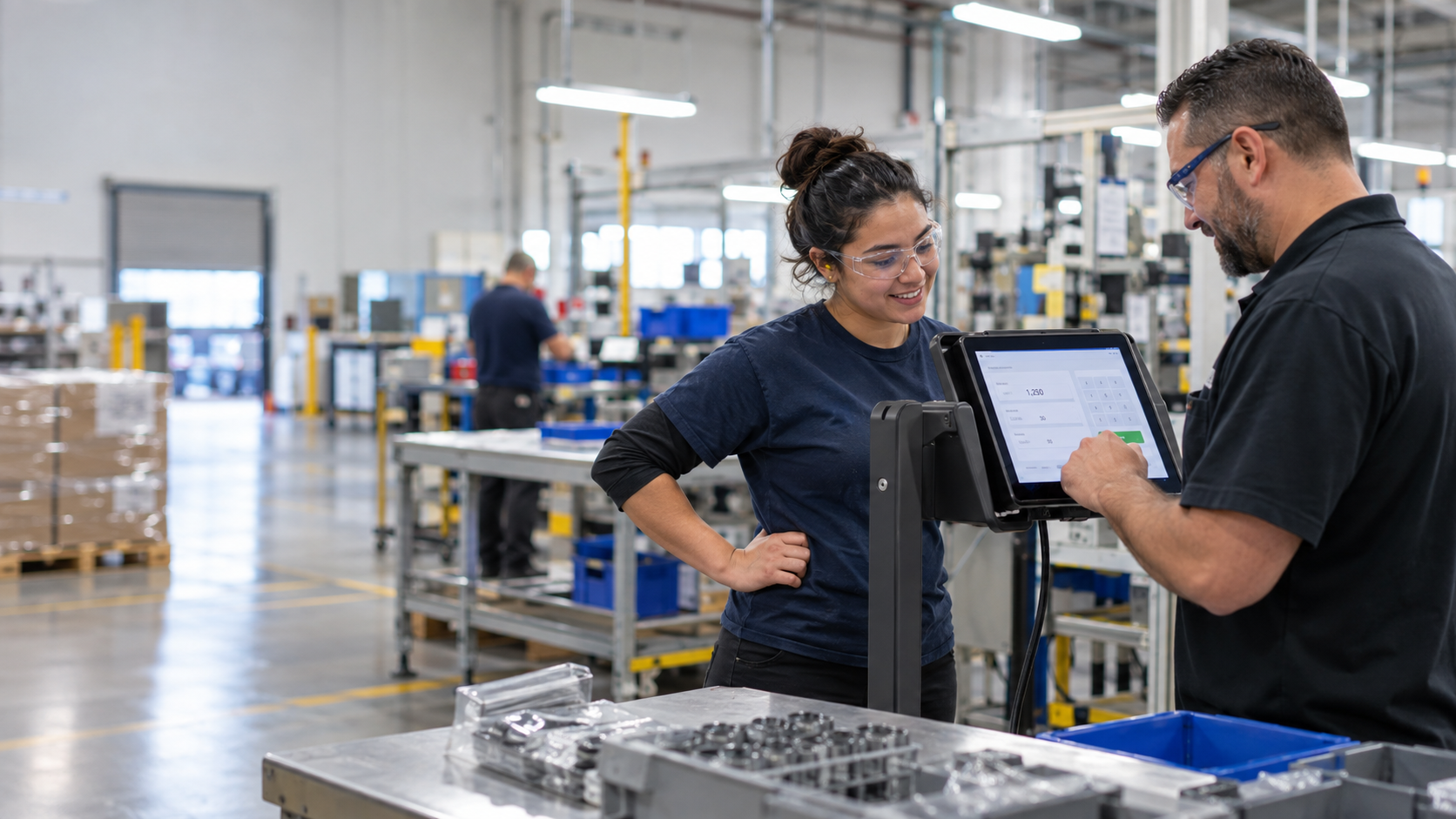
hrPad runs on off-the-shelf tablets that can be wall-mounted, placed on a stand, or positioned near work zones. Instead of sending employees to the back office—or relying on supervisors to fix mistakes later—hrPad brings time capture closer to where work changes actually happen.
That matters because job changes in manufacturing and logistics are often frequent: a person may switch from a forklift assignment to staging, then to replenishment, then to a different zone. The best transfer workflow is the one employees will actually use in real life, consistently, under time pressure.
2) Workforce mobility with identity verification
When teams move, static time clocks become a bottleneck. hrPad supports fast check-in/out methods such as Face ID and QR codes, which helps reduce incorrect punches and ensures the time record is tied to the right person. (In the broader timekeeping market, biometric and touch-free authentication are widely used to improve punch integrity—UKG, for example, offers facial recognition options for time clocks.)
This is not just about convenience. Time theft and “buddy punching” can materially affect labor costs. Nucleus Research found that eliminating buddy punching through biometric time clocks saved organizations an average of 2.2% of gross payroll in its ROI evaluation of a biometric terminal.
3) Job transfers that map cleanly to cost centers, tasks, and pay rules
A common reason job transfers underperform is that the transfer options don’t align with how work is structured. hrPad can support job transfers in environments where employees need to move across jobs, cost centers, pay codes, or labor codes during a shift, while keeping the experience understandable for frontline teams.
A practical way to think about it is this: the system should be able to capture the labor “tag” that finance and operations care about, without forcing employees to learn finance language. That is where a well-designed, employee-facing workflow matters.
4) Compliance prompts that happen in the flow of work
Compliance breakdowns often happen in the same places job transfers break down: moments of transition, clock-out, and end-of-shift rush. hrPad supports attestation prompts (such as break or meal confirmations) to create an auditable trail without relying on paper forms or memory.
This matters because labor compliance is not only about pay accuracy; it’s also about maintaining defensible records. OSHA’s recordkeeping framework emphasizes the importance of tracking and documenting workplace incidents and related information to identify hazards and prevent future injuries.
While time clocks are not an OSHA recordkeeping tool by themselves, the broader point holds: better operational data capture reduces risk and improves accountability.
5) Geo Fencing for location-aware time capture
In multi-site operations, one of the most frustrating issues is “wrong location” punches—employees clocking in from the parking lot, from the wrong building, or from an unintended site. hrPad’s Geo Fencing uses virtual boundaries so the system can require that punches occur within approved zones.
Unlike constant GPS monitoring, Geo Fencing is typically implemented as a rule: if the device/user is inside the approved boundary, clock actions are allowed; if not, the system can block the punch or trigger a prompt. The result is better punch integrity and fewer location-based exceptions.
Real-world example: a logistics team with frequent role transitions
Consider a mid-sized logistics operation in which employees rotate among picking, forklift, staging, and loading. Before modernization, role transitions tend to be recorded inconsistently. Supervisors spend time correcting labor allocations, and payroll fields complaints when employees believe hours landed in the wrong bucket.
With hrPad placed near key zones, employees can quickly authenticate, switch to the correct task, and confirm required break attestations at the right time. Geo Fencing helps ensure punches occur at the appropriate location. Meanwhile, integrations can sync the time and job data back to the HR or WFM system, reducing re-entry and improving timeliness.
Over time, the organization benefits in three measurable ways:
- Fewer payroll corrections (less rework and cost)
- Cleaner job-costing and labor reporting (better operational decisions)
- Higher employee trust (because pay and time feel more reliable)
That last point is easy to underestimate. HiBob’s “Beyond the Paystub” research found that 53% of employees said repeated payroll mistakes would make them consider leaving.
Even if job transfers are only one contributor to payroll errors, improving transfer accuracy directly supports employee confidence.
Integration: keeping hrPad connected to your systems of record
A time and labor tool only helps if it fits into the existing HR ecosystem. hrPad is positioned as a tablet-based kiosk that can integrate with platforms such as UKG and Workday, supporting employee self-service while keeping workforce data centralized.
When integration is done well, you reduce the “double entry” cycle—employees enter something on the floor, and admins re-enter it later. You also reduce the lag between operational reality (what work happened) and system reality (what the system says happened).
Security and privacy considerations for biometrics
If you use Face ID or other biometric verification approaches, treat compliance as part of the implementation—not an afterthought. UKG’s published device statement highlights that biometric collection is affected by evolving legal requirements and that customers must understand and implement appropriate compliance practices.
A practical best practice is to align with counsel on consent, retention, and disclosure requirements in the jurisdictions where you operate, and document your policies clearly.
Why this approach works best in manufacturing and logistics
Industries with frequent job changes need two things at once: speed and auditability. If the system is slow, employees work around it. If the system is not auditable, the organization pays later—in corrections, disputes, or compliance exposure.
hrPad is most valuable when job transfers are frequent and costly to fix after the fact, such as:
- manufacturing lines with machine-level or cost-center transfers
- warehouses with forklift, staging, loading, and replenishment rotations
- multi-site operations that need location-aware punches
- environments where break attestation and policy confirmations matter
Conclusion
Seamless job transfers are not a “nice to have” when labor moves quickly. They are a foundational requirement for accurate pay, clean job costing, and reliable compliance workflows.
CloudApper hrPad modernizes the transfer moment by bringing a flexible, tablet-based experience closer to the work—supporting identity verification, job/task transfers, geo-fenced punches, and compliance attestations while integrating with systems like UKG and Workday.
When job transfers become easy, accurate, and routine, the entire operation benefits: payroll teams spend less time fixing issues, supervisors get cleaner reporting, and employees trust that their time—and their pay—reflects the work they actually did.
What is CloudApper AI Platform?
CloudApper AI is an advanced platform that enables organizations to integrate AI into their existing enterprise systems effortlessly, without the need for technical expertise, costly development, or upgrading the underlying infrastructure. By transforming legacy systems into AI-capable solutions, CloudApper allows companies to harness the power of Generative AI quickly and efficiently. This approach has been successfully implemented with leading systems like UKG, Workday, Oracle, Paradox, Amazon AWS Bedrock and can be applied across various industries, helping businesses enhance productivity, automate processes, and gain deeper insights without the usual complexities. With CloudApper AI, you can start experiencing the transformative benefits of AI today. Learn More
- Useful Links:
- Agentic AI
- No-Code/Low-Code
- Custom Software
- HCM Personalization
- iPaaS
- FedRAMP

Brochure
CloudApper hrPad
Empower Frontline Employees with an AI-Powered Tablet/iPad Solution
Download Brochure
CloudApper AI Solutions for HR



- Works with








- and more.
Similar Posts
Badge vs. PIN vs. Face Scan: Time Clock Authentication Guide

Payroll Questions From Employees: Six Causes and Fixes