Windows Server 2016 reaches end of support on January 12, 2027. For IT teams running legacy applications that fail compatibility tests against Server 2022, ESU buys time but preserves the constraint. This article explains what ESU does and doesn't solve, and when modernization is the only path forward.

TL;DR
Windows Server 2016 reaches end of support on January 12, 2027, but for most IT teams the real constraint is not the server — it is the legacy application that fails compatibility tests against Server 2022. Extended Security Updates keep systems patched but do not restore vendor support, improve audit posture, or remove the application's runtime dependencies on the 2016 environment. Containerizing the binary and lift-and-shift migration preserve the same constraints in different wrappers. A modernization project scoped to a single application, started now, can typically complete before the deadline. CloudApper AI Platform provides governed, AI-assisted extraction of business logic from legacy Windows applications and deploys to infrastructure that does not inherit the Server 2016 runtime constraints.
Table of Contents
The compatibility report is on your screen. You ran the assessment against Windows Server 2022 and the application returned failures. It has been in production for eleven years. Windows Server 2016 end of support arrives on January 12, 2027. You have roughly fifteen months. And the server is not your problem — the application is.
The Calendar Is Not the Real Constraint
Roughly one in five enterprise servers was still running Windows Server 2016 as of mid-2026. A significant share of those environments carry at least one application with hard dependencies on the 2016 runtime — specific COM components, .NET library versions, or directory service behaviors that do not transfer cleanly to Server 2022 or 2025. CloudApper works with enterprise IT teams in exactly this position, and the pattern is consistent: the server upgrade is straightforward; it is the application that stops the project.

Extended Security Updates exist for this situation. They keep the server patched and bootable after January 2027. What they do not do is restore vendor support for the application, improve your audit posture when a compliance reviewer asks whether production systems run on currently supported software, or reduce the application’s dependency on the 2016 environment. ESU is the right tool for a migration in progress. As a long-term strategy, it preserves the constraint — and organizations that treat compatibility failures as deferred compliance exceptions tend to discover the full cost at the worst possible moment.
What ESU Costs — and What It Doesn’t Solve
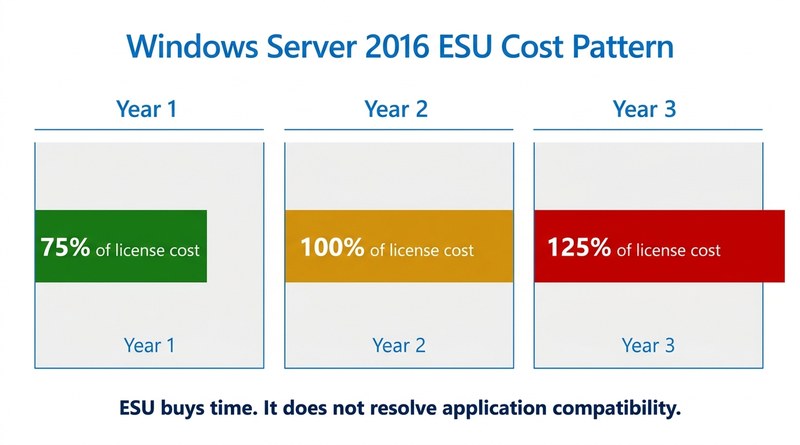
ESU pricing for extended Windows Server coverage follows an escalating pattern: year one runs at roughly 75% of your original license cost, year two at 100%, year three at 125%. For environments with multiple server instances, that accumulates quickly. But the financial cost is secondary.
The structural cost is that the application continues to dictate your infrastructure. Which server versions you can run. How network segmentation must be configured. Which backup and retention policies apply. What skills the team must retain. When the last engineer who understands the application’s undocumented dependencies leaves — and that departure will happen — the question stops being “what does ESU cost?” and becomes “why is a core business process running on components with no documented owner?” That conversation with an auditor is substantially harder than a budget request for modernization. The same risk that drives COBOL retirement urgency applies to any legacy application whose institutional knowledge is concentrated in one or two engineers.
The Options That Don’t Work as Well as They Sound
Containerizing the existing application binary is technically feasible. It also tends to preserve the same runtime dependencies inside a more expensive wrapper. The application still dictates its environment — the problem has moved, not resolved. Treating migration as modernization at the application layer produces the same result as doing it at the infrastructure layer: the next compatibility cycle arrives with the same constraints intact.
Replatforming the application to run natively on Server 2022 requires code changes. Most internal teams are not staffed to perform that safely — and applying AI-generated code without governance controls introduces its own risk. The governance debt that surfaces in legacy data migration applies equally at the code level: what was never documented cannot be safely changed.
The Decision Window That Is Still Open
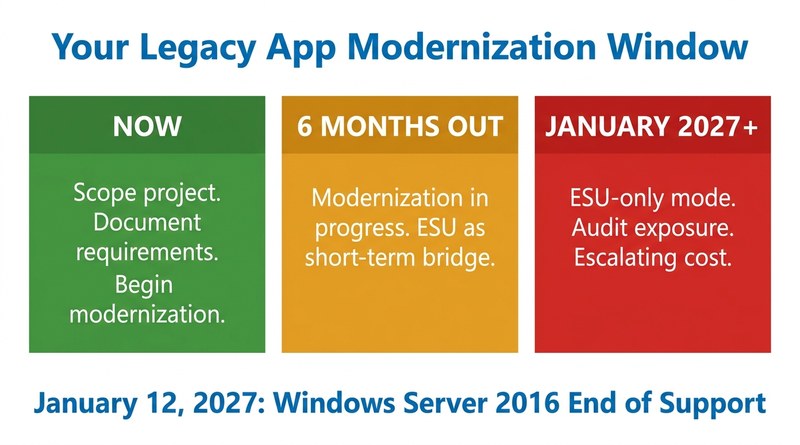
Organizations still paying ESU fees in 2029 are mostly those that began evaluating modernization after the deadline had passed. A project scoped to a single legacy application — not the full infrastructure stack — can typically complete within six to twelve months when it begins with documented requirements and a defined governance framework. Vendor exits in outsourced legacy environments follow the same pattern: what looks like a timeline problem is usually a knowledge problem first, and the knowledge becomes harder to reconstruct every quarter that passes.
CloudApper AI Platform addresses this directly. The platform uses governed, AI-assisted extraction of business logic from legacy Windows applications and deploys to infrastructure that does not inherit the original Server 2016 runtime constraints. The output is code that internal teams can own, extend, and maintain on current servers — without the recurring cost of keeping an unsupported environment alive or paying escalating ESU fees to defer a decision that only becomes more expensive to make.
January 2027 is a deadline, not an event. The application that failed your compatibility test has already determined how much time remains.
If your organization is evaluating modernization options for a legacy application that won’t run on Windows Server 2022, CloudApper can help you scope the project before the January 2027 window closes.

What is CloudApper AI Platform?
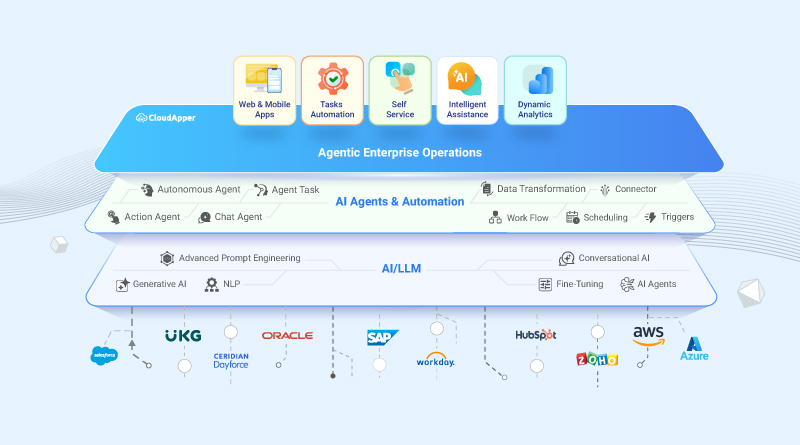
CloudApper AI is an advanced platform that enables organizations to integrate AI into their existing enterprise systems effortlessly, without the need for technical expertise, costly development, or upgrading the underlying infrastructure. By transforming legacy systems into AI-capable solutions, CloudApper allows companies to harness the power of Generative AI quickly and efficiently. This approach has been successfully implemented with leading systems like UKG, Workday, Oracle, Paradox, Amazon AWS Bedrock and can be applied across various industries, helping businesses enhance productivity, automate processes, and gain deeper insights without the usual complexities. With CloudApper AI, you can start experiencing the transformative benefits of AI today. Learn More
- Useful Links:
- Agentic AI
- No-Code/Low-Code
- Custom Software
- HCM Personalization
- iPaaS
- FedRAMP
CloudApper AI Solutions

- Works with








- and more.
Similar Posts

Your Legacy System Is “Working Fine.” Your Compliance Exception Log…
When Your Last COBOL Developer Retires, Who Owns the Risk?