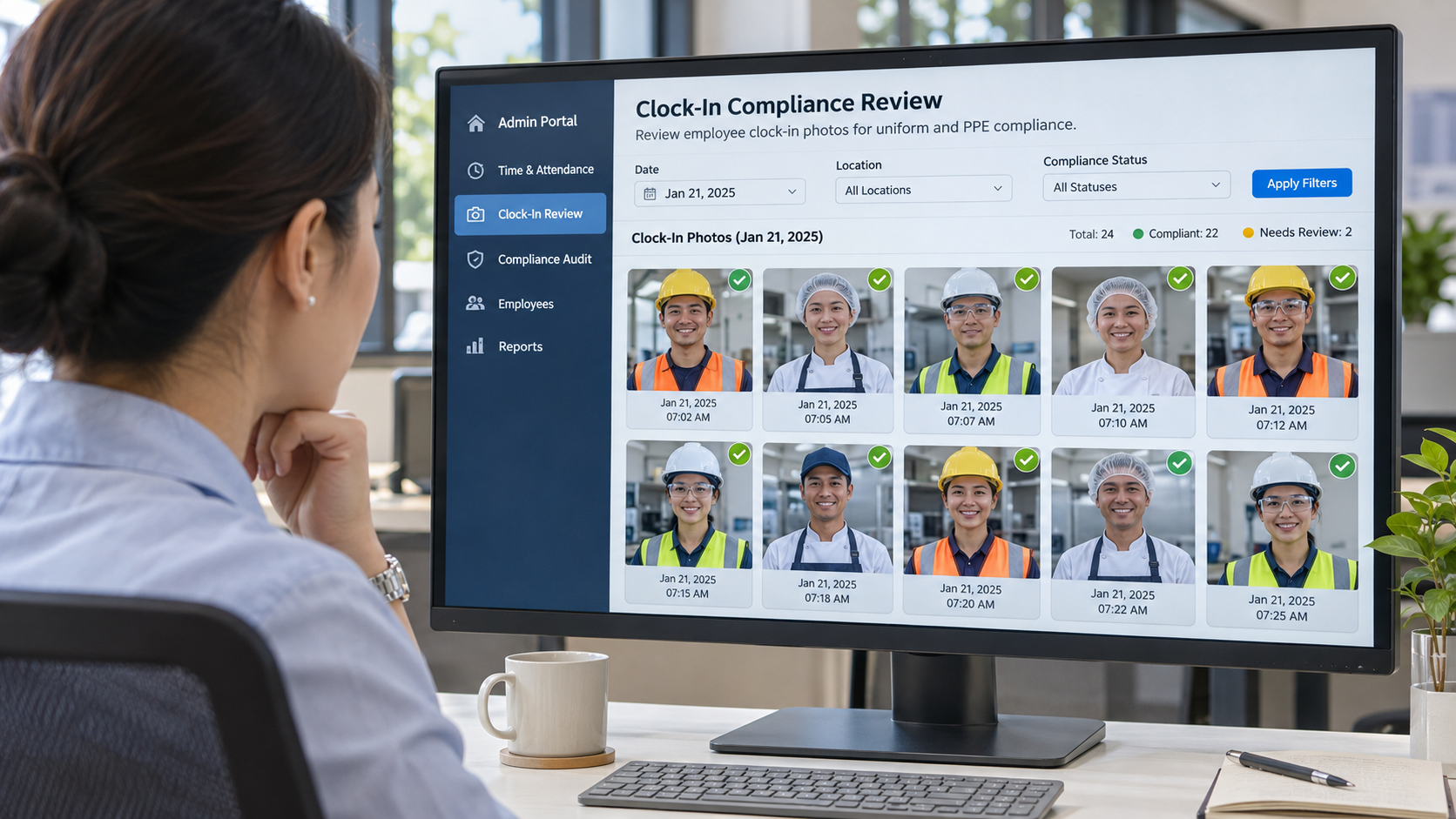
Most payroll questions start upstream of payroll, in attendance, deductions or approvals, not the paycheck itself. This piece maps the six links HR has to trace, and shows where hrPad by CloudApper AI steps in at the clock to catch each one before it becomes a ticket.

Table of Contents
- Why the visible question is rarely the real one
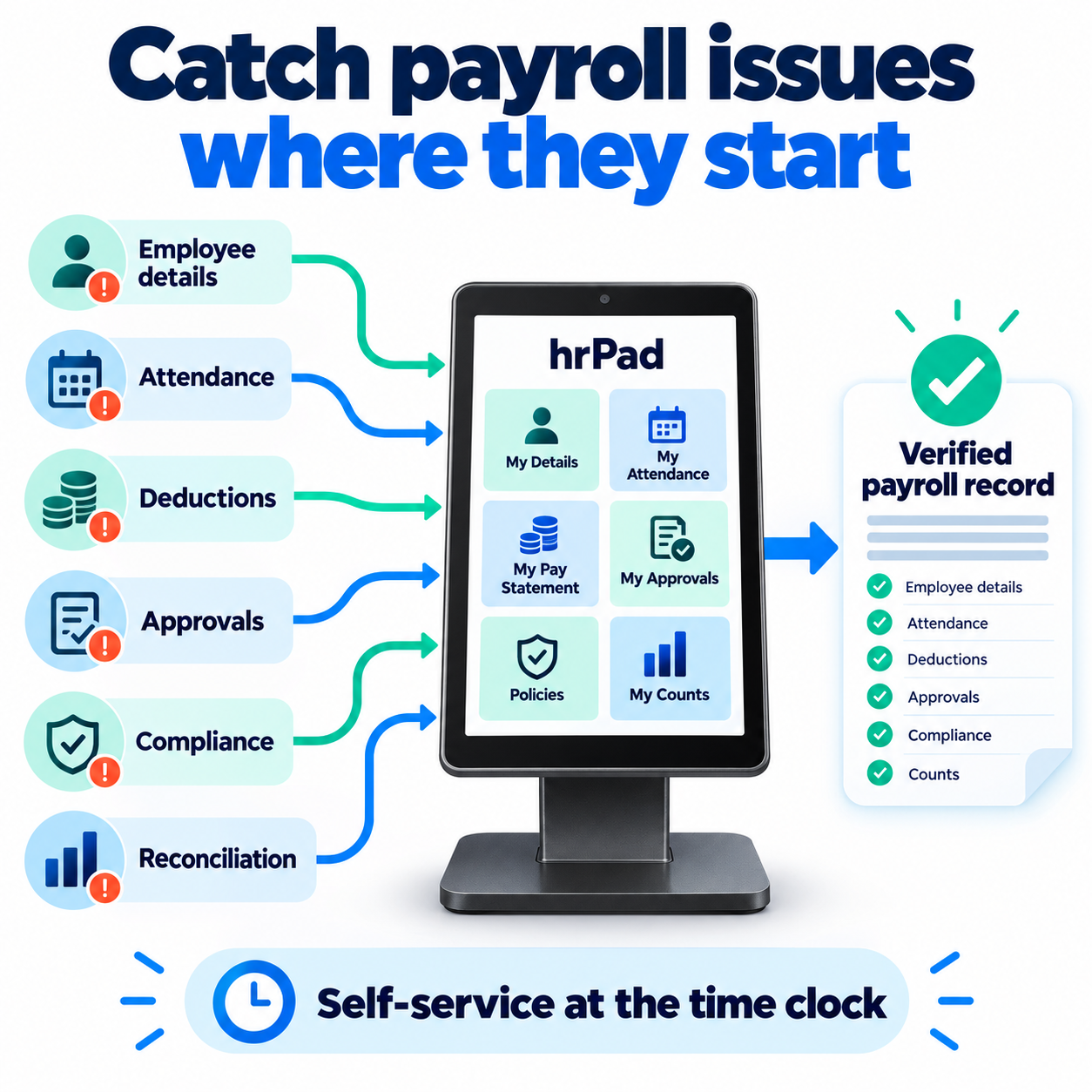
- Where hrPad intercepts each link
- What fixing the data at the source looks like
- Find your weak link in one pay period
A payroll question from an hourly worker rarely starts in payroll. It starts in one of six upstream links: employee records, attendance, deductions, approvals, compliance or reconciliation. According to EY research, the average company makes 15 payroll corrections per pay period, with missing or incorrect time punches alone costing roughly $78,700 per 1,000 employees each year. Most of those corrections trace back to one of these six links, not to the payroll engine itself.

hrPad by CloudApper AI is a shared employee self-service kiosk at the time clock. It catches errors where time is captured and answers pay questions on the spot, before they become tickets that consume HR hours.
Why the visible question is rarely the real one
Every payroll team knows the moment. Someone has a quick question about their check, and twenty minutes later you are tracing attendance records, a deduction and an approval to find where the number went wrong. The questions repeat every pay period: PTO balances, portal access, coded deductions, deduction versus employer contribution. What changes is which link failed.
The pattern is predictable, and the numbers back it up. A study cited by HCM Magazine found that one in five payroll cycles contains an error, and in 80% of cases the employee discovers the mistake before the employer does. That means the question an employee brings to HR is not a complaint; it is a quality-control signal that something broke upstream.
Most HR software is a vitamin: useful, easy to postpone. A recurring payroll error is a headache that returns every pay period, and that is where hrPad by CloudApper AI earns its place. It is the painkiller. It treats the cause by checking time data at the kiosk where work is recorded, and it answers the worker’s question right there, so fewer tickets ever reach HR.
| Link | Where it breaks | What the employee asks | Where hrPad steps in |
|---|---|---|---|
| Employee details | Records out of date | “My address is wrong on my W-2” | Workers manage personal info at the kiosk |
| Attendance | Missed punches, skipped breaks | “I’m missing four hours from Tuesday” | Rules and attestations fire at the clock |
| Deductions | Unexplained paycheck lines | “What is this $47 deduction?” | Paystub access and an AI assistant |
| Approvals | Changes wait on a manager | “My department transfer still shows the old rate” | Transfers confirmed with a manager PIN |
| Compliance | Rules workers never saw | “Nobody told me about the new overtime rule” | Policy delivery and acknowledgments |
| Reconciliation | Hours and counts disagree | “My piece count doesn’t match what I logged” | Daily count confirmation, clean HCM sync |
See which link breaks first on your floor. Book a 15-minute consultation on an AI-powered employee self-service kiosk and we will map your payroll questions to these six links.
Where hrPad intercepts each link

Employee details. Stale addresses, wrong cost centers and mismatched names become pay disputes. When a worker’s tax withholding or direct-deposit info is wrong, the error shows up on every check until someone catches it. hrPad lets workers view and manage their personal information at the kiosk, within your HCM’s rules. It integrates with Workday, Dayforce, Oracle and UKG (see the employee self-service kiosk for UKG).
Attendance. A missed punch or skipped break becomes a payroll question days later, and EY’s research shows missed time punches are the single costliest payroll error type. hrPad applies break rules and attestations at the clock, while the worker can still answer. If a punch is missing, the system flags it before the shift ends rather than after payroll runs.
Deductions. “What is this line?” is the classic payroll question. According to industry surveys, 34% of employees do not fully understand their pay stubs. hrPad gives workers paystub and PTO access, and its 24/7 AI assistant answers from the HR documents you load. Workers can check deduction breakdowns, benefits contributions and tax withholdings on their own. See why HR keeps getting asked for Workday paystubs.
Approvals. Cost-center changes waiting on a manager misplace labor hours and create incorrect pay allocations. The longer a transfer waits, the more payroll records it affects. With hrPad, a worker transfers at the kiosk and a manager PIN confirms it on the spot, so no hours sit in the wrong cost center waiting for someone to notice.
Compliance. Workers cannot follow rules they have never seen. The U.S. Department of Labor requires employers to keep daily hours, pay rates, overtime earnings and deductions for non-exempt employees, and to retain payroll records for at least three years (DOL Fact Sheet #21). Payroll-related litigation is not rare, either: EY found that one in six surveyed companies reported payroll-related legal complaints. hrPad delivers policies, captures acknowledgments and offers content in more than one language, creating a documented trail that supports compliance audits.
Reconciliation. Every earlier gap lands here. When attendance records, deduction logs and approval timestamps disagree, payroll teams spend hours reconciling before they can close a period. hrPad lets piece-rate workers confirm daily counts at clock-out and passes validated data to your HCM without CSV re-keying. Data validated at the source means fewer reconciliation discrepancies downstream.
What fixing the data at the source looks like
In a CloudApper case study, a construction firm that moved from paper timesheets to group time tracking reported a 40% improvement in payroll accuracy. That firm used CloudApper’s AI Time Clock rather than hrPad, but the principle is the same: fix the data where the work happens and the questions downstream shrink. The EY data supports this pattern. Their research shows the costliest payroll errors, from missed punches to late system entries for new employees, all originate in the data-capture step, not in payroll processing. Our guide to real-time payroll reporting makes the full case for catching errors before they compound.
Find your weak link in one pay period
Log every payroll question for one pay period and tag each by link. One or two links usually account for most of the volume. Fix that one first, then repeat the exercise next pay period to confirm the volume really drops. Here is how to run that exercise:
- Create a simple log: date, employee role, question, and which of the six links it maps to.
- At the end of the pay period, tally the links. The one with the highest count is your weakest.
- Address that link first. If attendance is the top source, break rules and attestation at the clock will have the highest impact. If deductions dominate, paystub access and an AI assistant will absorb the most questions.
- Run the same exercise the following pay period and compare the tally.
hrPad by CloudApper AI does not calculate pay or replace your payroll engine or HCM, and it does not give tax advice. It shortens the distance between a worker and a correct answer, and it catches errors where they start. Bring your tally to a consultation on HR service delivery at the time clock and see each link handled at the kiosk.
Frequently asked questions
What are the most common payroll questions from employees?
The most common payroll questions involve missing hours, unexplained deductions, incorrect PTO balances, wrong tax withholdings and delayed pay. Most of these trace back to data-entry errors or process gaps that happen before payroll runs, not to the payroll calculation itself.
Why do employees keep asking HR about their paychecks?
Employees ask because they spot discrepancies before anyone else does. Research shows that in 80% of cases, the employee discovers a payroll error before the employer. Limited access to pay stubs and unclear deduction labels compound the problem, especially for hourly workers without a desk or company email.
How can HR reduce repetitive payroll questions?
Give employees self-service access to their pay data, attendance records and deduction breakdowns at the point where they clock in. When workers can check their own information and flag issues in real time, the volume of questions that reach HR drops significantly. Tools like hrPad by CloudApper AI handle this at the time-clock kiosk.
What causes payroll errors in the first place?
The primary causes are missed or incorrect time punches, outdated employee records, manual data entry across disconnected systems and delayed manager approvals. EY research found that 80% of companies have payroll accuracy rates that leave room for improvement, with 15 corrections needed per pay period on average.
{
“@context”: “https://schema.org”,
“@type”: “Article”,
“headline”: “Payroll Questions From Employees: Six Upstream Causes and How to Fix Them”,
“description”: “Most payroll questions start upstream of payroll. See the six links HR has to trace and how hrPad by CloudApper AI answers or prevents each one at the time clock.”,
“author”: {
“@type”: “Person”,
“name”: “Sebastian Tucker”,
“jobTitle”: “Executive Director of Workforce Systems”
},
“publisher”: {
“@type”: “Organization”,
“name”: “CloudApper AI”,
“url”: “https://www.cloudapper.ai”
},
“datePublished”: “2026-10-05”,
“dateModified”: “2026-10-13”,
“mainEntityOfPage”: {
“@type”: “WebPage”,
“@id”: “https://www.cloudapper.ai/ai-tablet-for-hr/quick-payroll-question-upstream-causes-hrpad/”
},
“image”: “https://www.cloudapper.ai/wp-content/uploads/2026/10/hr-manager-employee-reviewing-payroll-data-hrpad.png”
}
{
“@context”: “https://schema.org”,
“@type”: “FAQPage”,
“mainEntity”: [
{
“@type”: “Question”,
“name”: “What are the most common payroll questions from employees?”,
“acceptedAnswer”: {
“@type”: “Answer”,
“text”: “The most common payroll questions involve missing hours, unexplained deductions, incorrect PTO balances, wrong tax withholdings and delayed pay. Most of these trace back to data-entry errors or process gaps that happen before payroll runs.”
}
},
{
“@type”: “Question”,
“name”: “Why do employees keep asking HR about their paychecks?”,
“acceptedAnswer”: {
“@type”: “Answer”,
“text”: “Employees ask because they spot discrepancies before anyone else does. Research shows that in 80% of cases, the employee discovers a payroll error before the employer. Limited access to pay stubs and unclear deduction labels compound the problem.”
}
},
{
“@type”: “Question”,
“name”: “How can HR reduce repetitive payroll questions?”,
“acceptedAnswer”: {
“@type”: “Answer”,
“text”: “Give employees self-service access to their pay data, attendance records and deduction breakdowns at the point where they clock in. Tools like hrPad by CloudApper AI handle this at the time-clock kiosk.”
}
},
{
“@type”: “Question”,
“name”: “What causes payroll errors in the first place?”,
“acceptedAnswer”: {
“@type”: “Answer”,
“text”: “The primary causes are missed or incorrect time punches, outdated employee records, manual data entry across disconnected systems and delayed manager approvals. EY research found that companies make 15 corrections per pay period on average.”
}
}
]
}

What is CloudApper AI Platform?
CloudApper AI is an advanced platform that enables organizations to integrate AI into their existing enterprise systems effortlessly, without the need for technical expertise, costly development, or upgrading the underlying infrastructure. By transforming legacy systems into AI-capable solutions, CloudApper allows companies to harness the power of Generative AI quickly and efficiently. This approach has been successfully implemented with leading systems like UKG, Workday, Oracle, Paradox, Amazon AWS Bedrock and can be applied across various industries, helping businesses enhance productivity, automate processes, and gain deeper insights without the usual complexities. With CloudApper AI, you can start experiencing the transformative benefits of AI today. Learn More
- Useful Links:
- Agentic AI
- No-Code/Low-Code
- Custom Software
- HCM Personalization
- iPaaS
- FedRAMP
Brochure
CloudApper hrPad
Empower Frontline Employees with an AI-Powered Tablet/iPad Solution
Download Brochure
CloudApper AI Solutions for HR

- Works with








- and more.
Similar Posts

Fair Workweek Violations Are Getting Expensive: What Employers Need to…

Why Automatic Meal Break Deductions Keep Costing Employers Millions