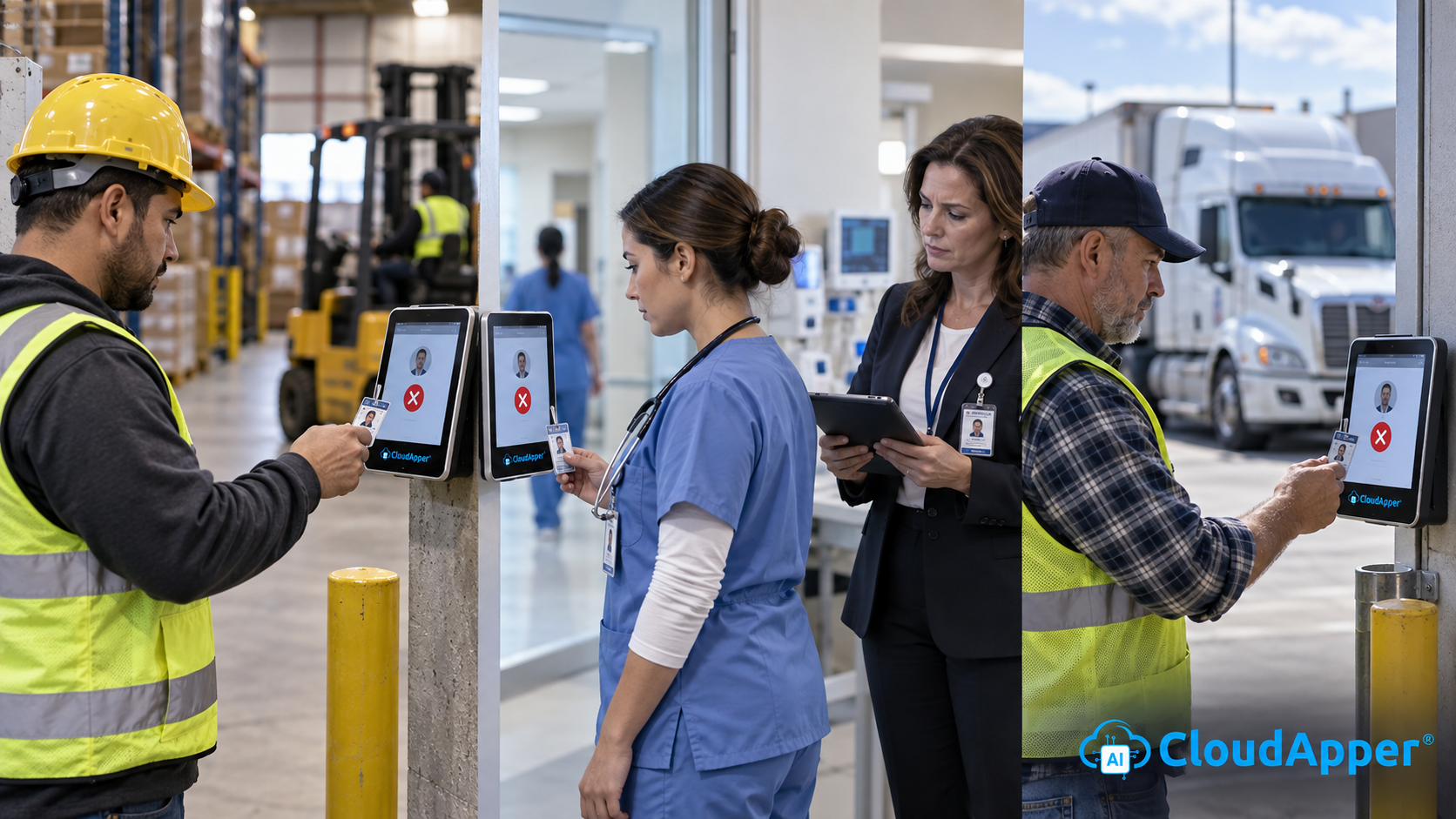
Seasonal crews often can't clock in on day one, so hours land on paper and payroll fixes them later. See how a QR code time clock with PIN verification gets every new hire punching from their first shift and syncs to Oracle, Workday, Dayforce, and UKG.


TL;DR
- Clock setup can't keep pace when seasonal crews start together.
- A QR code time clock lets each worker punch with a personal code.
- A PIN and geofencing confirm who punched and where.
- CloudApper AI TimeClock syncs every QR punch to every major HR system.
Table of Contents
- The First-Week Problem: Why Seasonal Crews Fall Off the Clock
- What Solves It: A QR Code Time Clock With PIN Verification
- How CloudApper AI TimeClock Puts QR Punching to Work
- Getting Every New Hire on the Clock From Day One
Seasonal crews often can’t clock in on their first day. Setting up dozens of new hires on a time clock takes days, so their hours end up on paper, leaving employers with manual entry, paycheck errors, and pay disputes. A QR code time clock fixes this by giving each worker a personal code to scan at a tablet. CloudApper AI TimeClock delivers that on standard iPads and Android devices and sends every punch straight to payroll. It’s compatible with major HR systems such as Oracle, Workday, Dayforce, and UKG, so your crews can start scanning without any change to the system you already use.
The First-Week Problem: Why Seasonal Crews Fall Off the Clock
Seasonal and high-turnover employers hire in waves. In 2025, leisure and hospitality employers hired at an average monthly rate of 5.7 percent, compared with 3.3 percent across all industries, according to the Bureau of Labor Statistics. Most setups require enrolling each person or creating an app login. When 150 people start on one Monday, many aren’t ready, so hours go on paper:

- Manual entry errors turn into short or late paychecks.
- Pay disputes are hard to settle, because a handwritten start time proves very little.
- Time clock lines at shift start can become paid waiting time.
None of this points to a gap in your HR system’s pay engine. These platforms standardize how punches arrive, through terminals or mobile apps designed for a stable workforce. Seasonal crews simply need a quicker way onto the clock that feeds the same system.
What Solves It: A QR Code Time Clock With PIN Verification
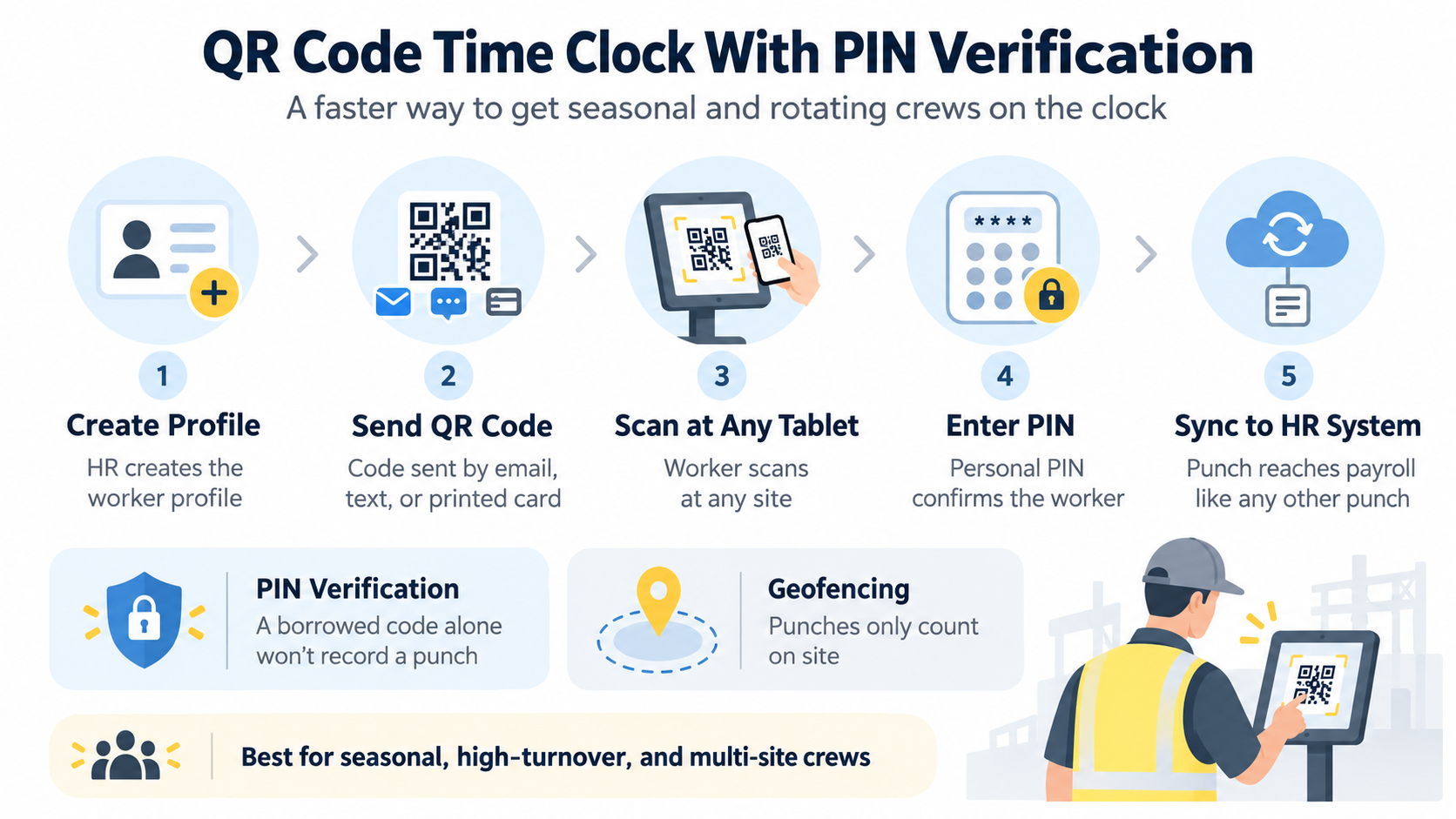
A QR code time clock removes lengthy enrollment. When HR creates a worker’s profile, a unique code is generated and sent by email, text, or printed card. The worker scans it at any tablet, and the punch reaches the HR system like any other. The same code works at every site, which helps crews that rotate between locations and employers opening a new seasonal location. Because a code can be handed to a coworker, QR punching works best with a second check.
Adding PIN Verification and Geofencing
With PIN verification, the worker scans their code and then enters a personal PIN, so a borrowed code alone won’t record a punch. Geofencing makes sure punches only count on site. UKG users can see QR codes with PIN verification in action at engineering job sites.
How CloudApper AI TimeClock Puts QR Punching to Work
CloudApper AI TimeClock is a time clock app that turns standard iPads and Android tablets into enterprise time clocks connected to your HR system. Workers scan their QR code or use another approved method, and the punch syncs to your HR system. Key features include:
- QR codes created from each worker’s HR profile, ready on day one
- Optional PIN verification and geofencing on every QR punch
- Several punch methods on one tablet, so long-term staff can keep Face ID or PIN
- Offline punch storage that syncs when the connection returns
New hires punch from day one, payroll stops rekeying paper, and you add tablets for the season instead of fixed terminals. Temporary and contingent workers get the same clean punch record as permanent staff. R.D. Offutt Farms uses QR punching so employees can clock in at any farm location without separate profiles, and Pacific Atlantic Handling emails each new hire a code, which sped up enrollment.
Getting Every New Hire on the Clock From Day One
When clock setup can’t keep up with seasonal start dates, hours land on paper and payroll absorbs the errors. Major HR systems calculate pay accurately once they have a clean punch, and a QR code time clock supplies it from day one, with PIN verification and geofencing confirming who punched and where. CloudApper AI TimeClock delivers this on standard tablets and syncs every punch to Oracle, Workday, Dayforce, or UKG.
To plan QR punching for your next season, contact us. Get your seasonal crews on the clock from their first shift. Request a demo.
FAQ
Do QR code punches sync to Oracle, Workday, Dayforce, and UKG?
Yes. Each QR punch reaches your HR system like any other punch, so payroll runs as usual.
What happens if a worker loses their QR code?
HR can resend the code by email or text, print a new card, or issue a new code.
Can workers share QR codes?
Requiring a personal PIN and geofencing makes a shared code far less useful.
Does a QR code time clock work without internet?
Yes. Punches are stored on the tablet and sync once the connection returns.

What is CloudApper AI Platform?
CloudApper AI is an advanced platform that enables organizations to integrate AI into their existing enterprise systems effortlessly, without the need for technical expertise, costly development, or upgrading the underlying infrastructure. By transforming legacy systems into AI-capable solutions, CloudApper allows companies to harness the power of Generative AI quickly and efficiently. This approach has been successfully implemented with leading systems like UKG, Workday, Oracle, Paradox, Amazon AWS Bedrock and can be applied across various industries, helping businesses enhance productivity, automate processes, and gain deeper insights without the usual complexities. With CloudApper AI, you can start experiencing the transformative benefits of AI today. Learn More
- Useful Links:
- Agentic AI
- No-Code/Low-Code
- Custom Software
- HCM Personalization
- iPaaS
- FedRAMP

Brochure
CloudApper AI TimeClock
For accurate & touchless time capture experience.
Download Brochure
CloudApper AI Solutions for HR



- Works with








- and more.
Similar Posts
Adding a New Location to Your HR System: The Time…
Bulk Punch In and Out at Shift Change: Clearing the…